Lenovo ThinkPad E14 Gen 4 (Intel) – Top 5 Pros and Cons
 If you want a gimmick-free and purely-business device, the ThinkPad E14 Gen 4 is a solid option, thanks to its simple and reliable design. The laptop comes with all the security features that a laptop of its class might need, while also having a wide hardware selection, so you can pick a configuration depending on your performance needs.
Today we present you with LaptopMedia’s top 5 picks about the Lenovo ThinkPad E14 Gen 4 (Intel).
Lenovo ThinkPad E14 Gen 4 (Intel): Full Specs / In-depth Review
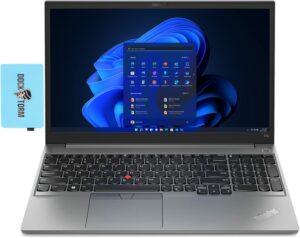
reasons to BUY the Lenovo ThinkPad E14 Gen 4 (Intel)
1. Design and build quality
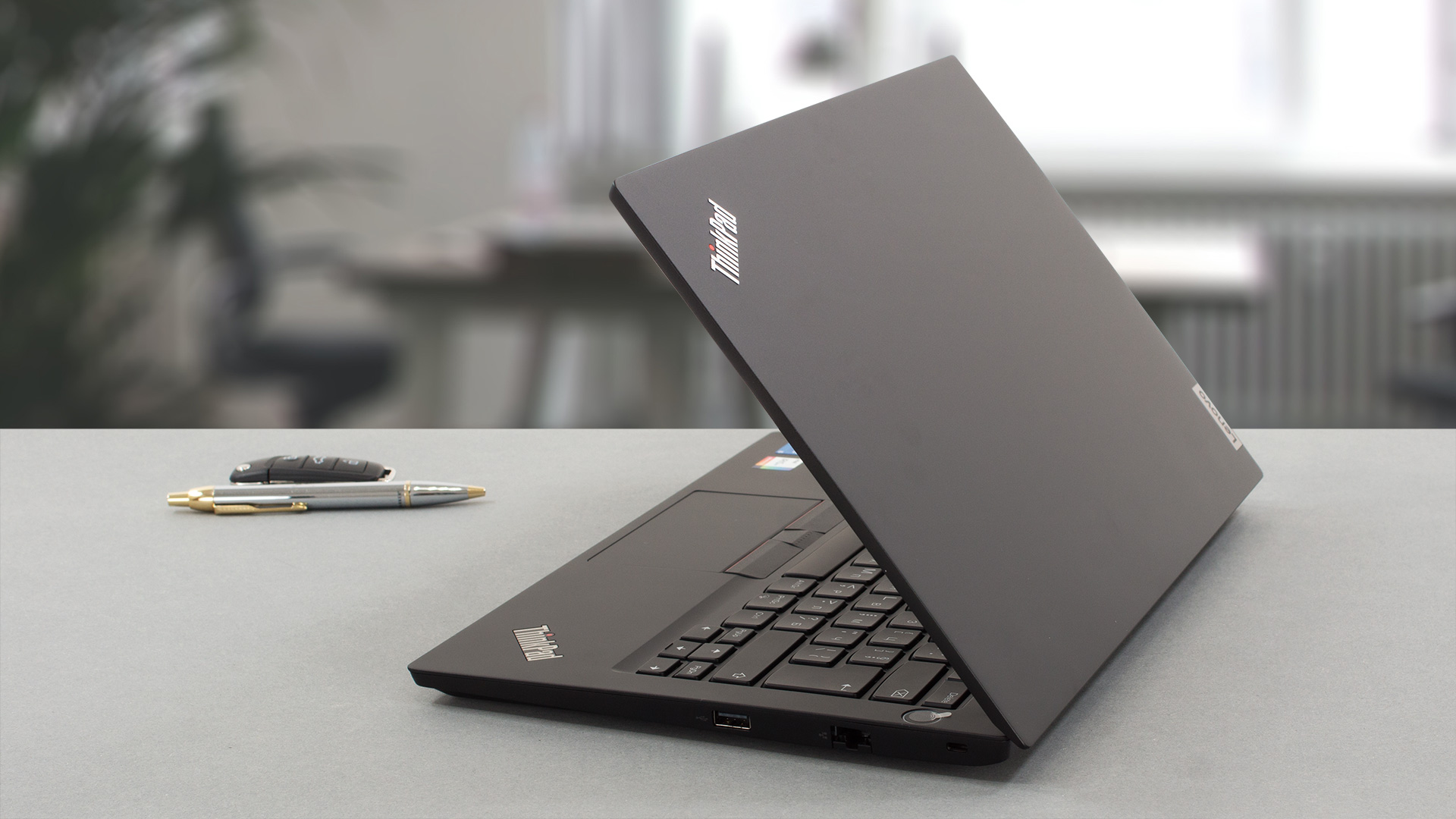
The E14 comes with an aluminum lid and two options for the base and bottom panel, which can come in plastic or aluminum. The laptop remains durable, as the lid and base have little to no flex from them. The keyboard deck remains firm as well. In terms of dimensions, the ThinkPad keeps things pretty portable keeping the weight at around 1.59 to 1.64 kg and the profile between 17.9 to 18.9 mm.
2. Input devices
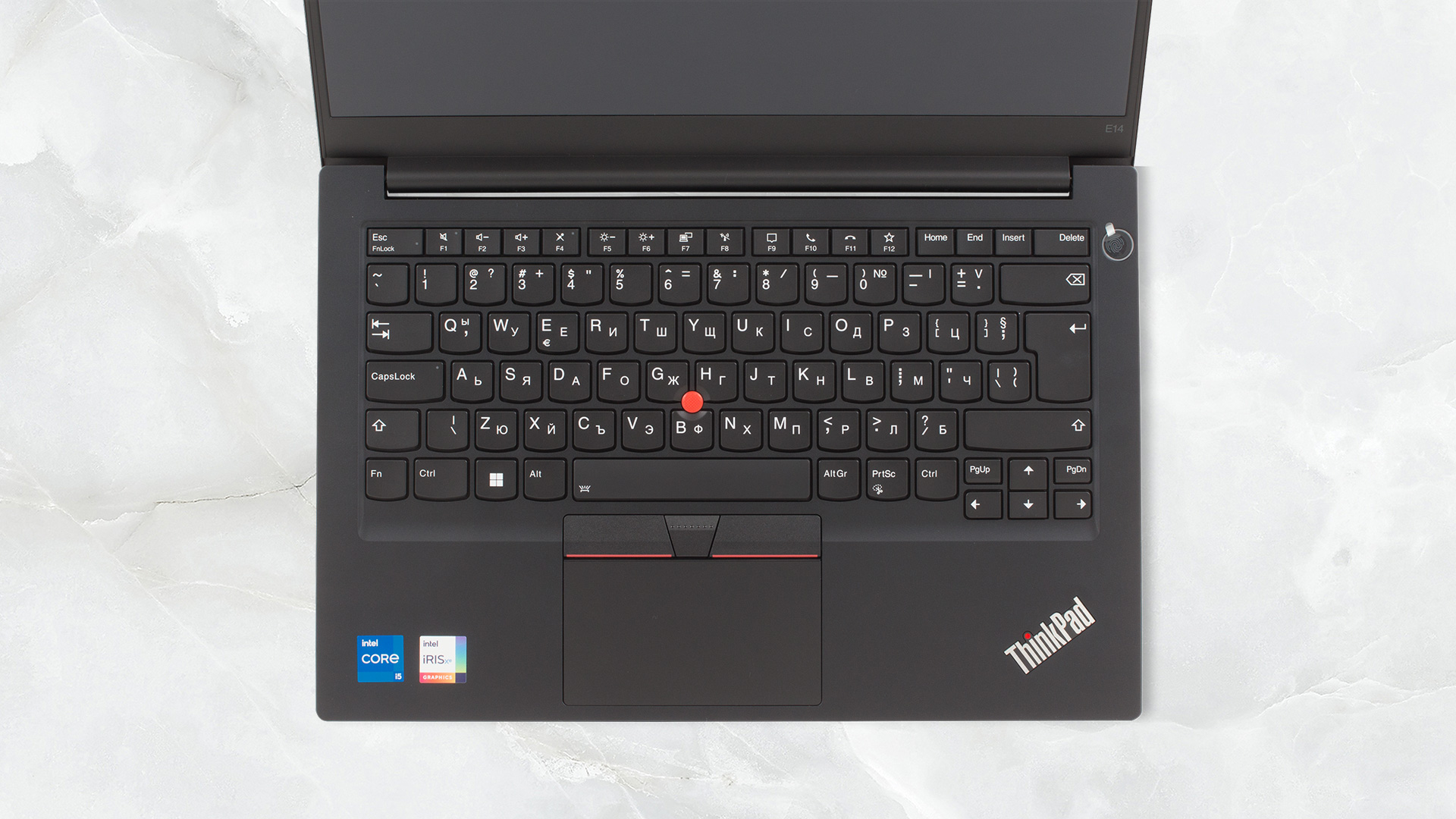
The lid is difficult to open with one hand, however, it greets us with a pretty good keyboard. It’s spill resistant and has a backlight, making it very reliable. The typing experience is similar to any other ThinkPad, so you’re good to go. The base also features a TrackPoint, with a trio of physical buttons, above the touchpad. The pad is covered in Mylar and is clickable as well. It’s good, but the size is a bit small.
3. Battery life
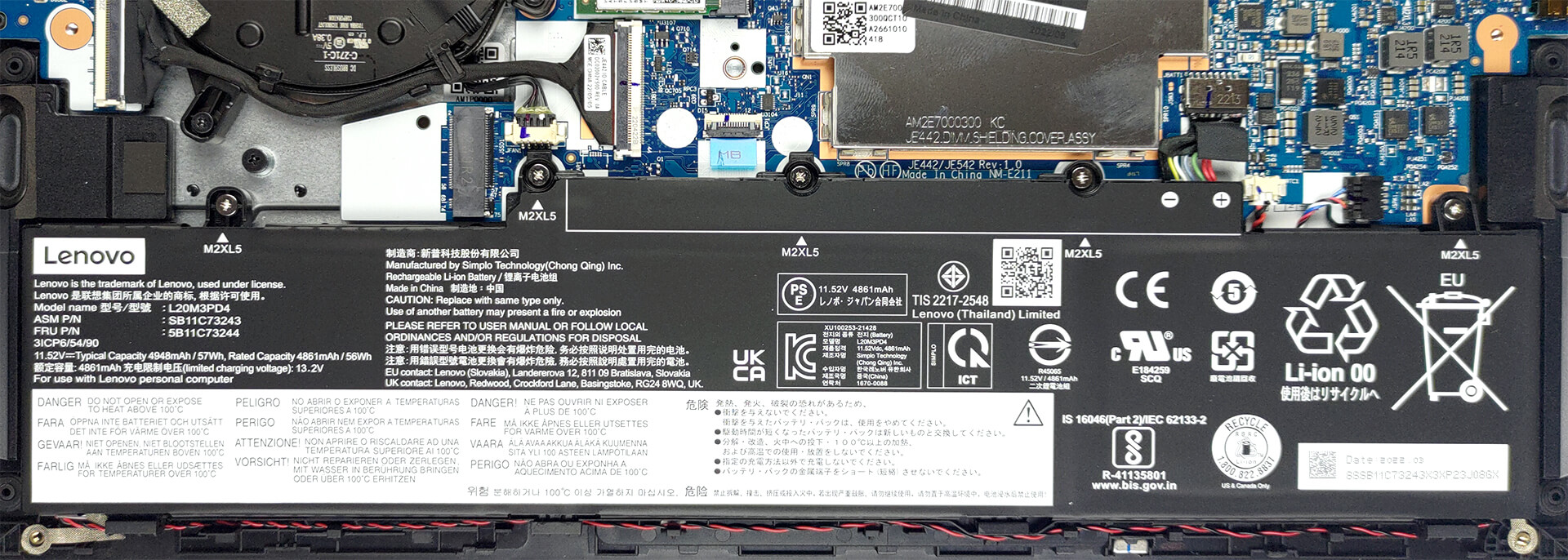
The ThinkPad E14 uses a 57Wh battery pack, which lasts for 9 hours and 52 minutes of Web browsing, or 7 hours and 51 minutes of video playback. Now, we conduct the battery tests with the Windows Better performance setting turned on, screen brightness adjusted to 120 nits, and all other programs turned off except for the one we are testing the notebook with.
4. Performance
You can pick between the Alder Lake U-series and P-series, along with choosing either discrete or dedicated graphics. There’s a single discrete offer, the GeForce MX550.
CPU benchmarks
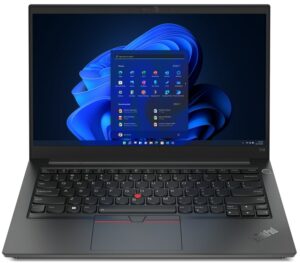
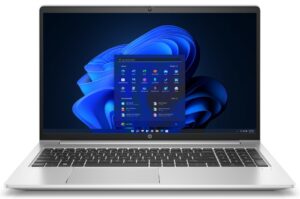
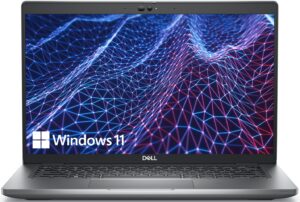
The Core i5-1235U performs very well inside the E14, getting close to the Ryzen 7 5825U inside the ProBook 455 G9. It also performs similarly to other laptops equipped with the same CPU.
Az eredmények a 3DMark Time Spy (Graphics) tesztből származnak. A magasabb érték a jobb.
Az eredmények a 3DMark Fire Strike (Graphics) benchmarkból származnak (minél magasabb a pontszám, annál jobb).
Az eredmények a 3DMark Wild Life Extreme Unlimited tesztből származnak. A magasabb érték a jobb.
Az eredmények az Unigine Superposition benchmarkból származnak (minél magasabb a pontszám, annál jobb).
GPU benchmarks
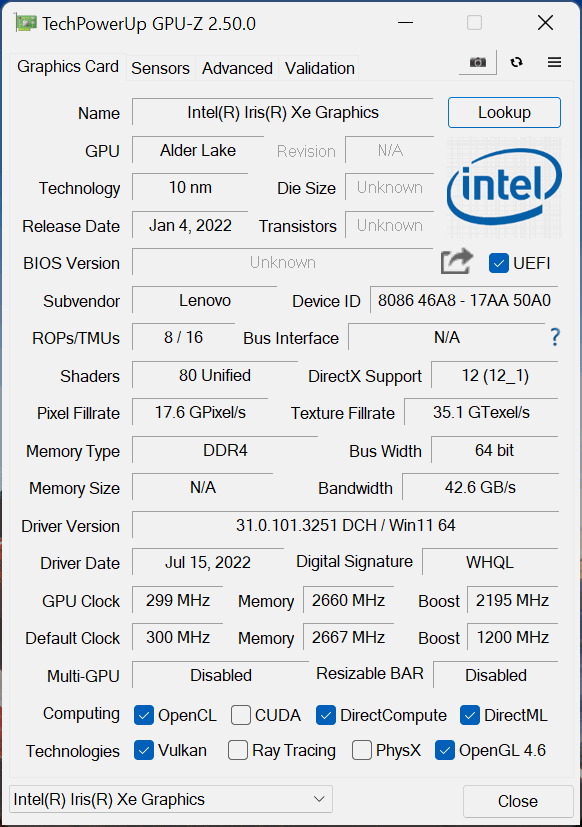
Here we tested the integrated GPU, which shows decent scores against competing notebooks while doing well in games as well. Keep in mind, however, that most esports titles like CS:GO, DOTA 2, or League of Legends are more CPU bound, so the performance of the processor will factor in the FPS in games.
Az eredmények a 3DMark Time Spy (Graphics) tesztből származnak. A magasabb érték a jobb.
Az eredmények a 3DMark Fire Strike (Graphics) benchmarkból származnak (minél magasabb a pontszám, annál jobb).
Az eredmények a 3DMark Wild Life Extreme Unlimited tesztből származnak. A magasabb érték a jobb.
Az eredmények az Unigine Superposition benchmarkból származnak (minél magasabb a pontszám, annál jobb).
Gaming tests

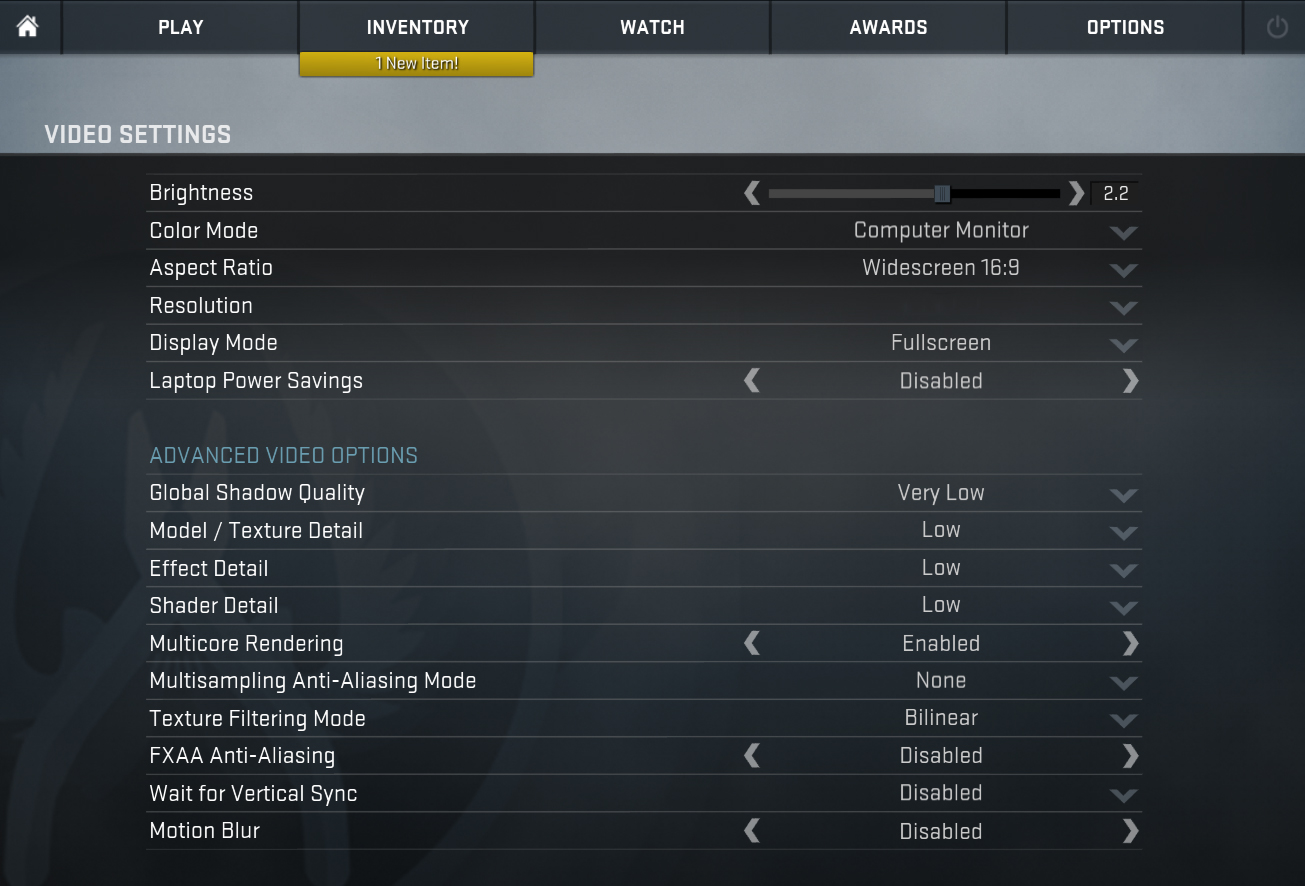
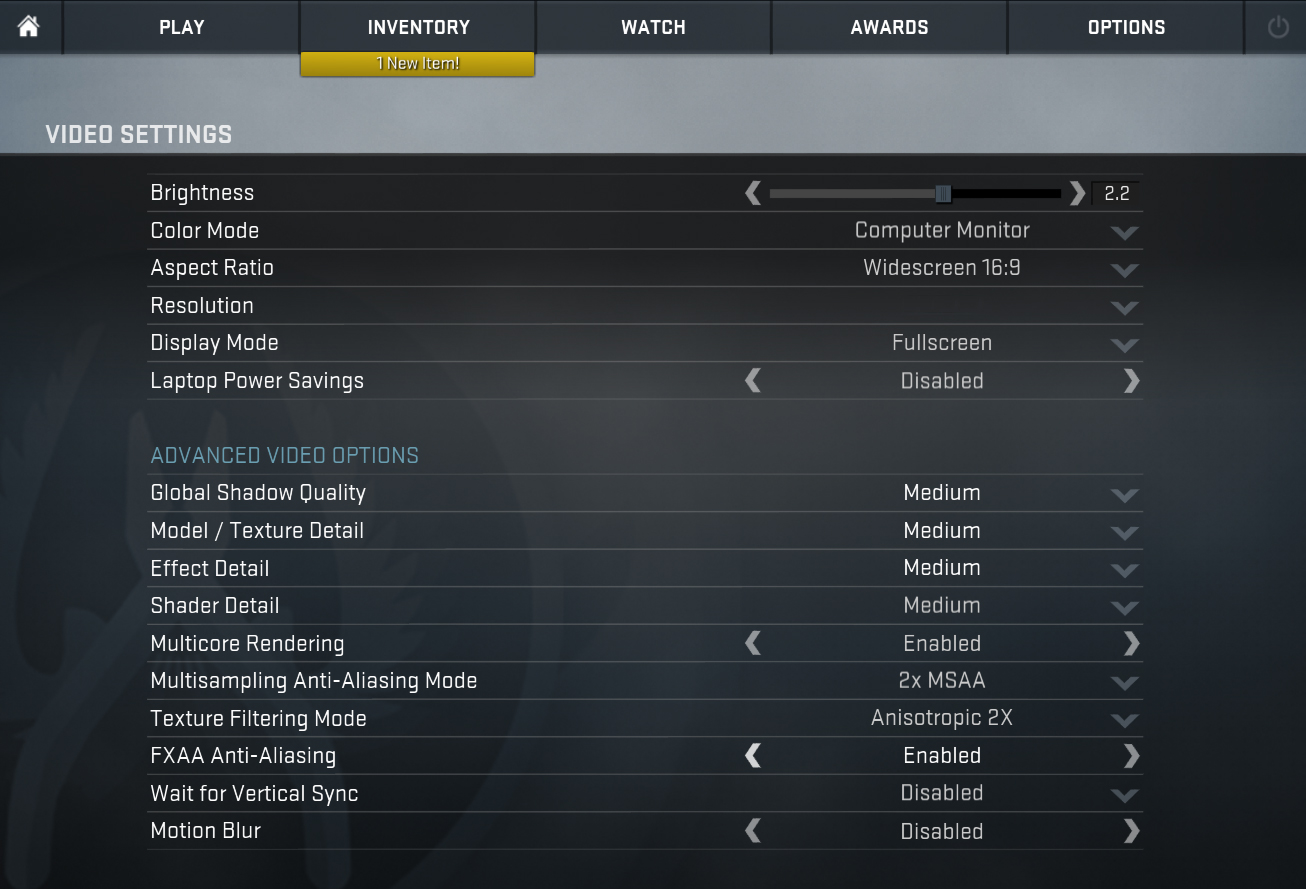
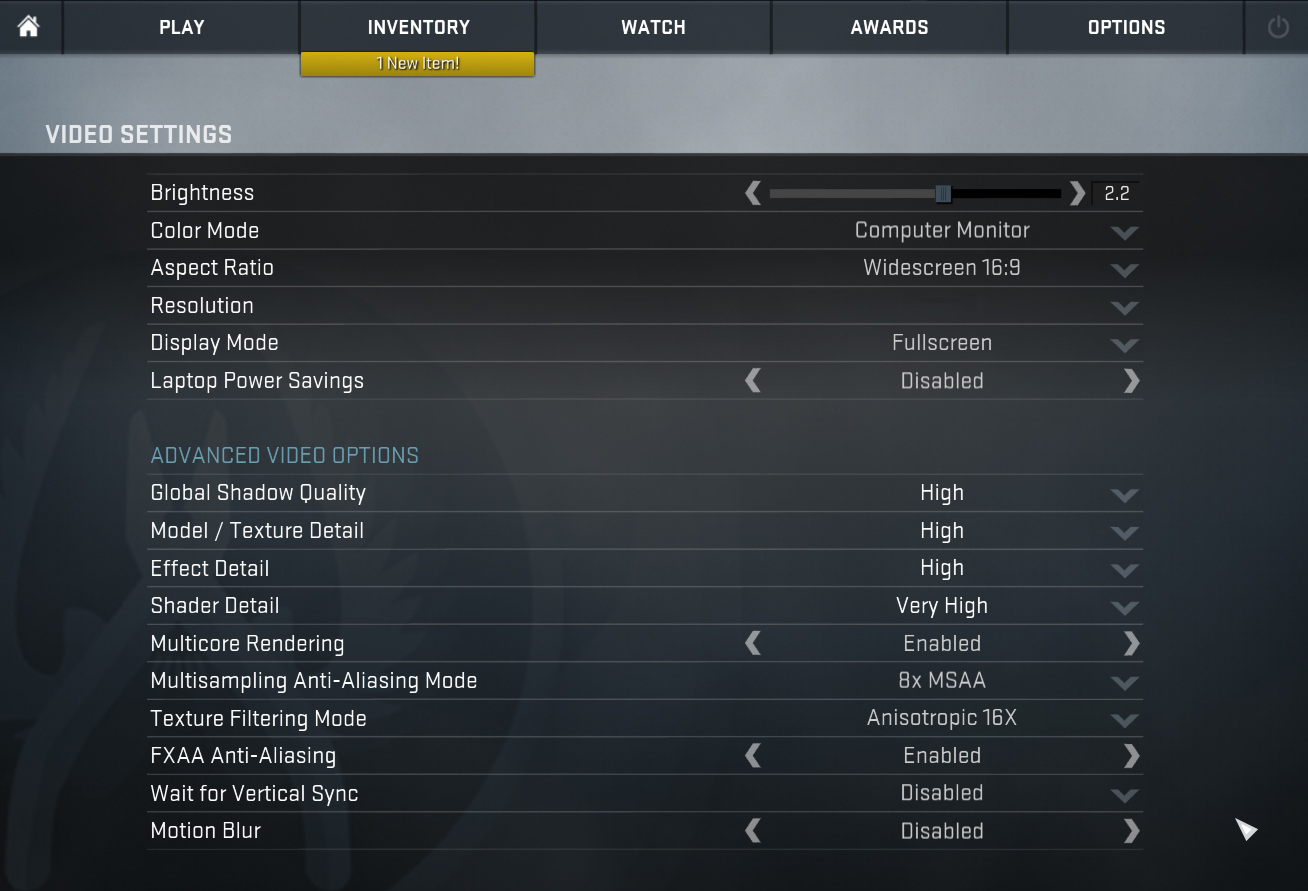
| CS:GO | HD 1080p, Low (Check settings) | HD 1080p, Medium (Check settings) | HD 1080p, MAX (Check settings) |
|---|---|---|---|
| Average FPS | 106 fps | 76 fps | 44 fps |

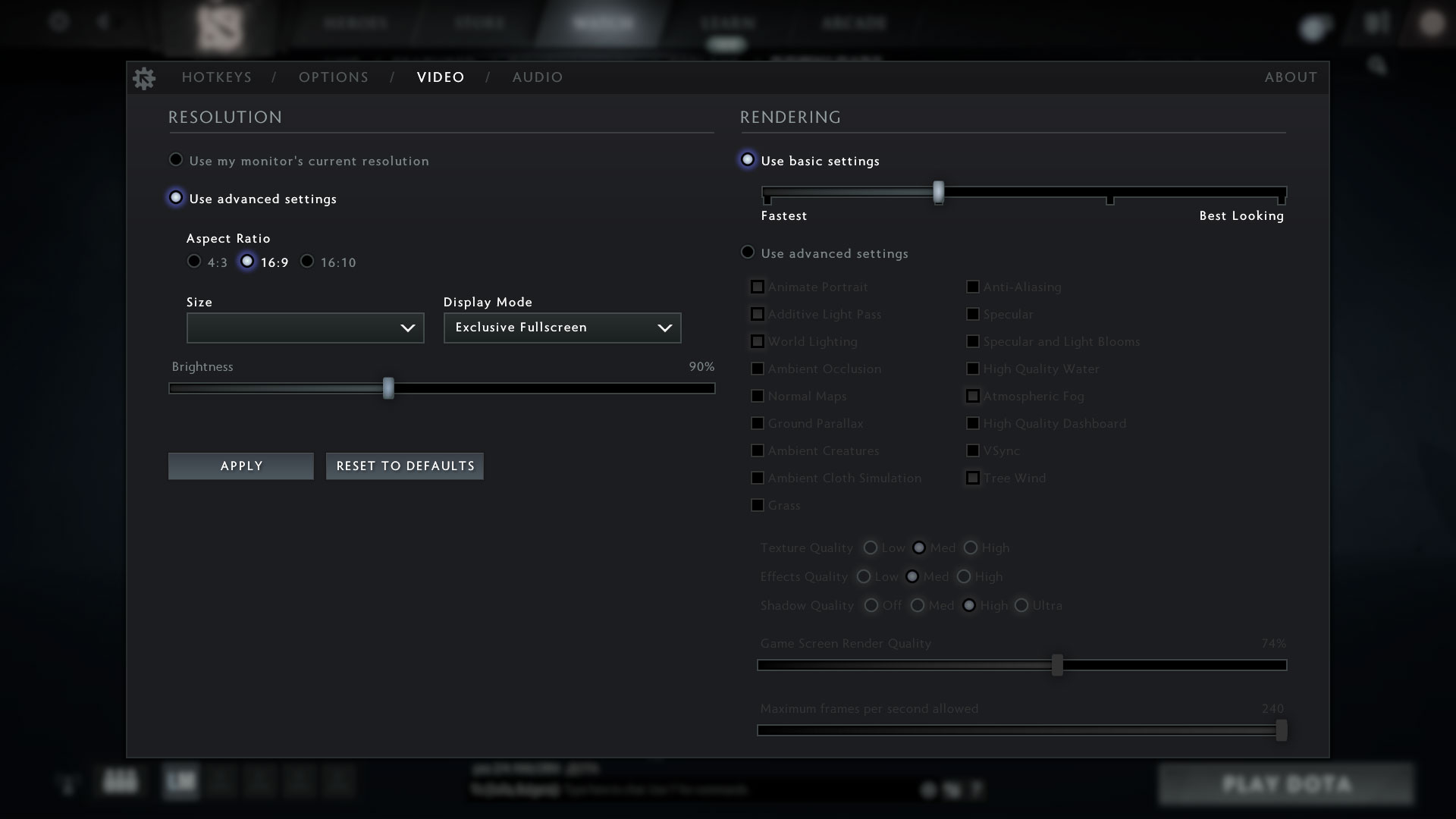
| DOTA 2 | HD 1080p, Low (Check settings) | HD 1080p, Normal (Check settings) | HD 1080p, High (Check settings) |
|---|---|---|---|
| Average FPS | 112 fps | 73 fps | 40 fps |
1 reason NOT to buy the Lenovo ThinkPad E14 Gen 4 (Intel)
1. Display quality
The ThinkPad comes with a FHD IPS display. While it has good enough qualities for general use, with excellent viewing angles, good max brightness of 298 nits, a high contrast ratio of 1620:1, and 0 PWM usage, its Creator capabilities aren’t that good, as the panel only covers 53% of the sRGB gamut.
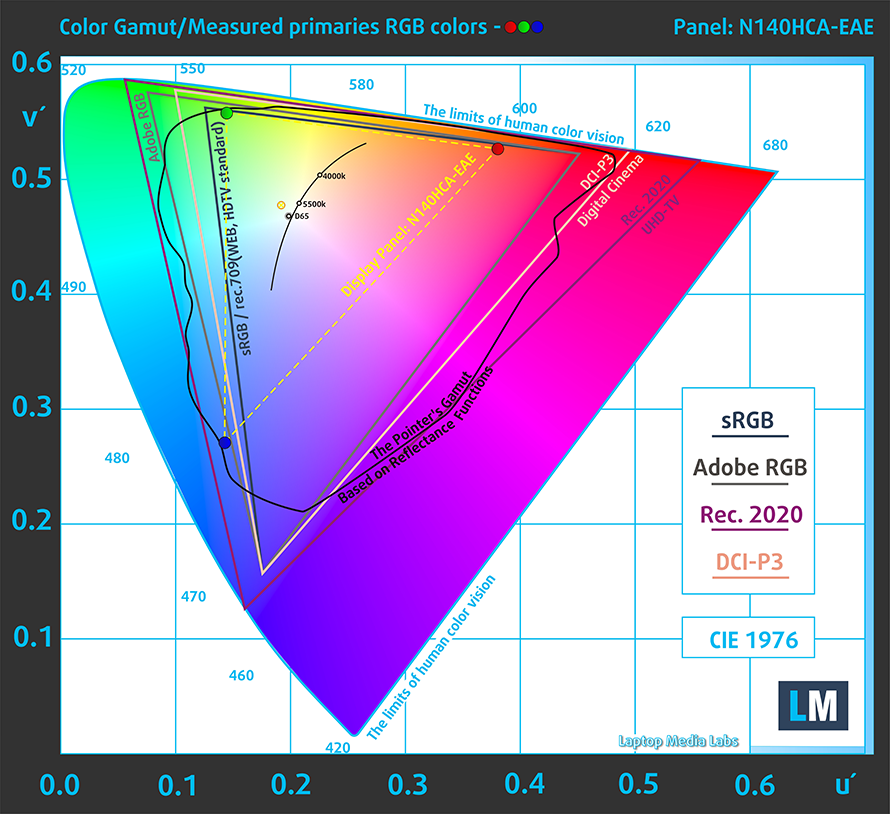
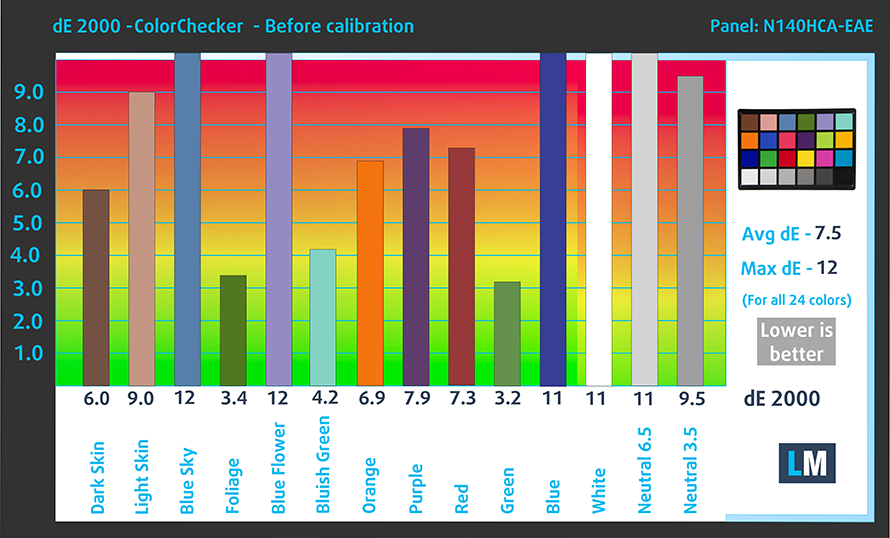
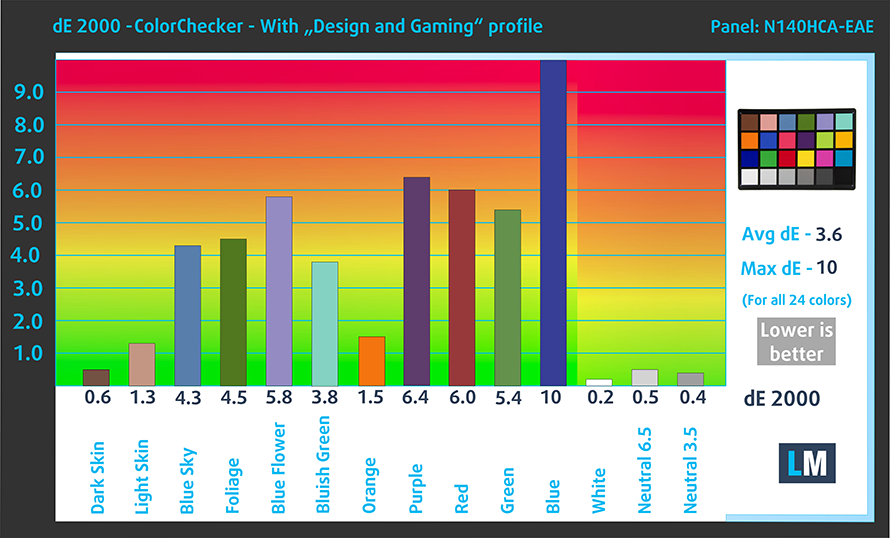
The color accuracy improves significantly with our Design and Gaming profile, lowering the dE value from 7.5 to 3.6, which still isn’t below 2.0. Here are our test results with the stock settings (left) and with our profile applied (right).
Buy our profiles
Since our profiles are tailored for each display model, this article and its respective profile package are meant for Lenovo ThinkPad E14 Gen 4 configurations with 14.0″ Innolux N140HCA-EAE (LEN40A9) (FHD, 1920 × 1080) IPS panel.
*Should you have problems with downloading the purchased file, try using a different browser to open the link you’ll receive via e-mail. If the download target is a .php file instead of an archive, change the file extension to .zip or contact us at [email protected].
Read more about the profiles HERE.
A hatékony és egészségbarát profilok mellett a LaptopMedia termékeinek megvásárlásával laboratóriumaink fejlesztését is támogatja, ahol eszközöket tesztelünk a lehető legobjektívebb értékelések elkészítése érdekében.

Irodai Munka
Az Irodai Munka profilt elsősorban azoknak a felhasználóknak ajánljuk, akik idejük nagy részét szövegek, táblázatok nézegetésével vagy böngészéssel töltik. Ez a profil jobb megkülönböztethetőséget és tisztaságot biztosít egyenletes gamma-görbe (2.20), natív színhőmérséklet és érzékelhetően pontos színek mellett.

Dizájn és Játék
Ez a profil a színekkel hivatásszerűen dolgozó tervezőknek, valamint játékokhoz és filmekhez készült. A Dizájn és Játék a kijelzőpaneleket a határaikra juttatja, a lehető legpontosabbá téve őket az sRGB IEC61966-2-1 szabvány szerint a webre és a HDTV-re, D65 fehérpont mellett.

Health-Guard
A Health-Guard kiküszöböli a káros impulzusszélesség-modulációt (PWM) és csökkenti a negatív kék fényt, amely hatással van a szemünkre és a testünkre. Mivel minden panelhez egyedileg van szabva, a színeket érzékelhetően pontosan tartja. A Health-Guard a papírt szimulálja, így a szemre nehezedő nyomás jelentősen csökken.
Szerezze meg mind a 3 profilt 33% kedvezménnyel

All Lenovo ThinkPad E14 Gen 4 (Intel) configurations:
 Author: Severin Kolakov

![[2026. június] Az Amazon Global legkelendőbb laptopmárkái – az Apple páratlan dominanciája az eladott darabszám és a bevétel tekintetében](https://laptopmedia.com/wp-content/uploads/2026/07/GLOBAL-Best-Brands-400x225.jpg)
![[2026. június] Amazon Global: A 10 legkelendőbb laptop – Az Apple új MacBook Neo-ja az első helyre tör, és megfizethető árával újjáformálja a piacot](https://laptopmedia.com/wp-content/uploads/2026/07/Best-Selling-Laptops-GLOBAL-Top-10-400x225.jpg)
![[2026. június] Amazon Global: A 10 legkelendőbb játékos laptop – az Acer Nitro V 16S AI vezeti az eladási listát, míg az ASUS az összbevétel tekintetében áll az élen](https://laptopmedia.com/wp-content/uploads/2026/07/Best-Selling-Gaming-Laptops-GLOBAL-Top-10-400x225.jpg)
![[2026. június] Az Amazonon legkelendőbb laptop-grafikus kártyák globális ranglistája – az NVIDIA RTX 5060 a legkelendőbb dedikált grafikus kártya](https://laptopmedia.com/wp-content/uploads/2026/07/Best-Selling-GPUs-GLOBAL-Top-10-400x225.jpg)
![[2026. június] Az Amazonon legkelendőbb laptop-processzorok globális rangsora – az Apple M5 vezet, az AMD Ryzen 7 260 pedig jelentős részesedést szerez a prémium szegmensben](https://laptopmedia.com/wp-content/uploads/2026/07/Best-Selling-CPUs-GLOBAL-Top-10-400x225.jpg)