MSI Crosshair 15 (B12Ux) – Top 5 Pros and Cons
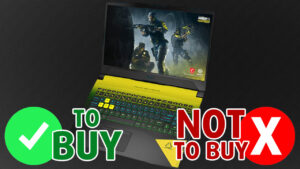 MSI is one of the leading manufacturers that started employing one platform for multiple laptops. The Crosshair 15 that we have today (beautiful design by the way) has the same chassis and structure on the inside as the GL Pulse series. However, the Crosshair offers much higher-performing hardware, including a 140W RTX 3070.
This is where we see a problem, as the Pulse series doesn’t pride itself on a great cooling solution. This is where we hope to see some improvement since the Core i7-12700H and the Core i9-12900H will definitely appreciate it.
Today we present you with LaptopMedia’s top 5 picks about the MSI Crosshair 15 (B12Ux).
MSI Crosshair 15 (B12Ux): Full Specs / In-depth Review
2 reasons to BUY the MSI Crosshair 15 (B12Ux)
1. Upgradeability
The Crosshair gets the upgradeability right, which isn’t hard to do, considering the thick 26.9 mm profile and hefty weight of 2.47 kg. Inside the devices, you can find two SODIMM RAM slots, which can house up to 64GB of DDR4 RAM. Since this isn’t a budget device, we don’t see any reasons not to use DDR5. There is plenty of storage options as well, with two M.2 PCIe x4 slots. With M.2 drives becoming more and more affordable, you can get a terabyte of very fast storage for a good price.
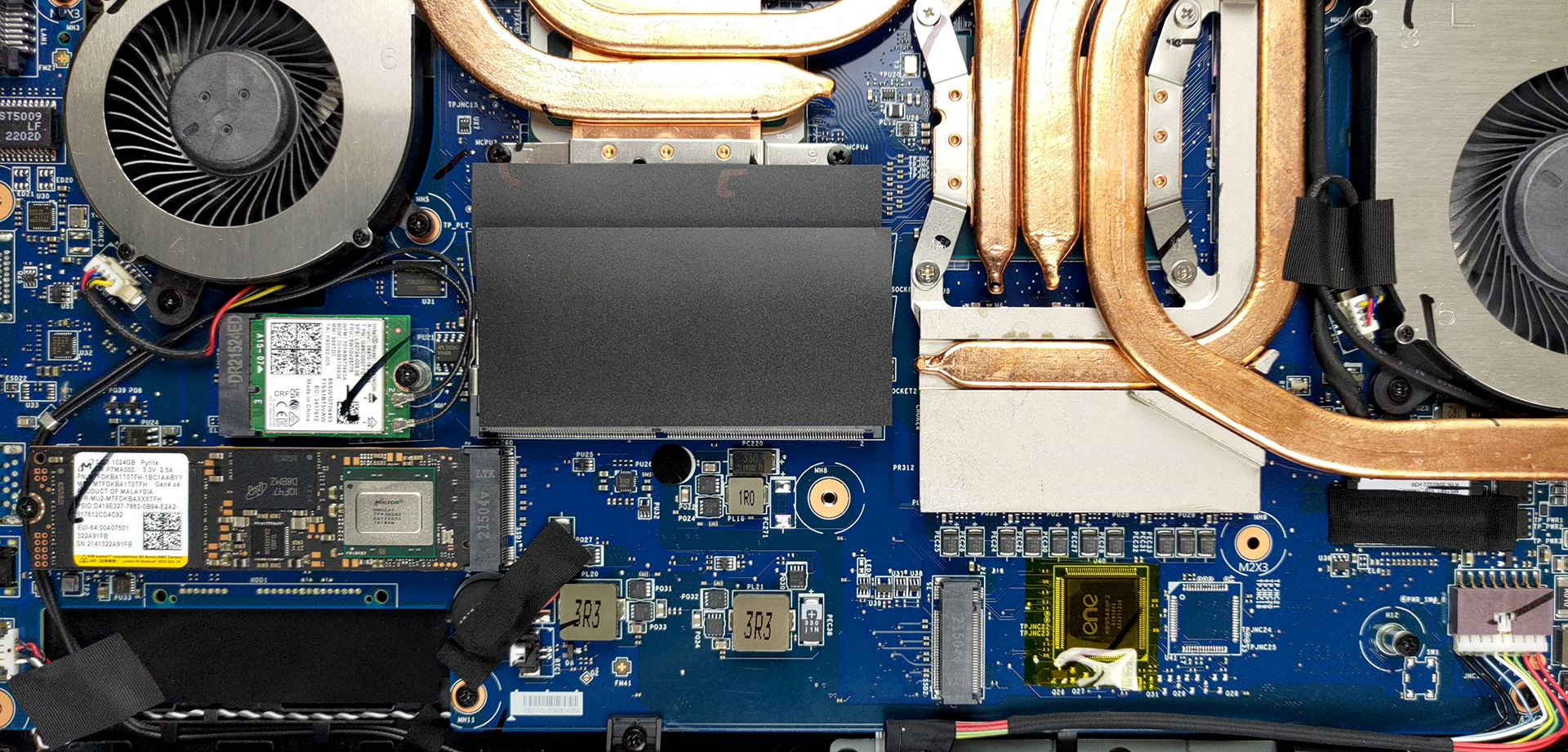
Here is our detailed teardown video, which shows how to access both the RAM and storage slots on the laptop.
2. Display quality
There are a total of four display options, with our laptop receiving the 165Hz QHD panel. The screen offers excellent viewing angles, a max brightness of 298 nits in the middle of the screen and 278 nits as an average for the whole area, with a maximum deviation of 9%, along with a 1050:1 contrast ratio. There is 0 PWM usage across all brightness levels, while the laptop also covers 99.5% sRGB coverage and 98% DCI-P3 coverage.
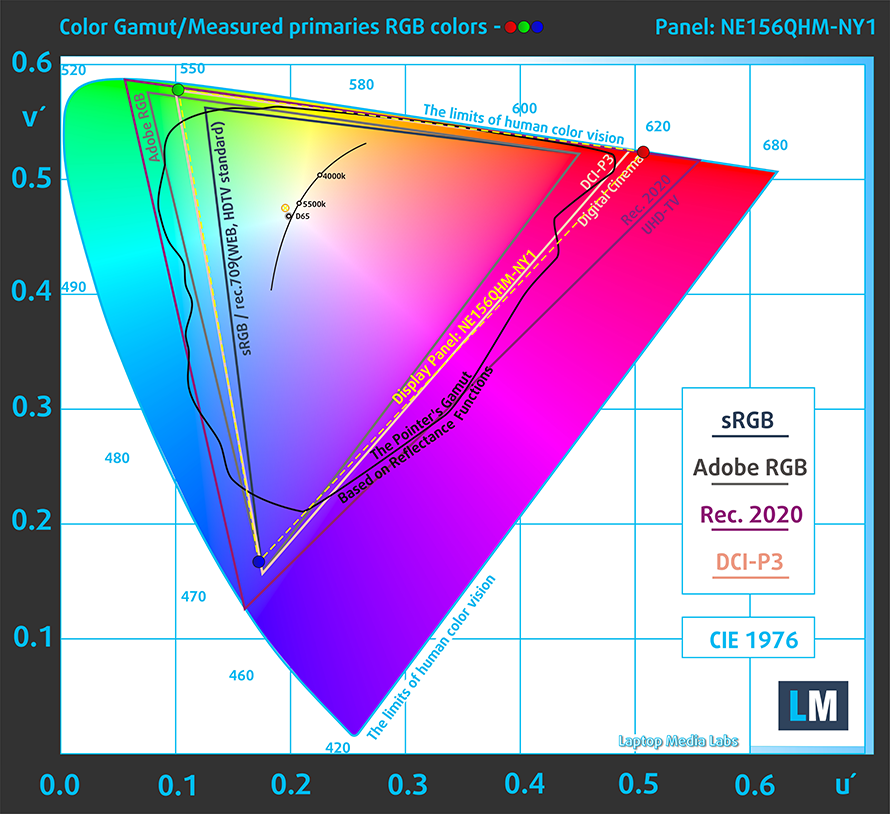
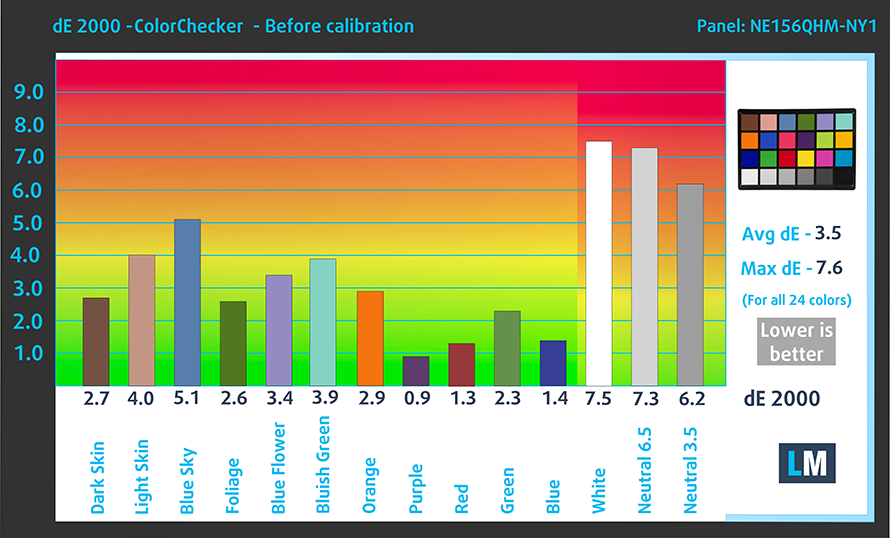
We tested the accuracy both against the sRGB standard and the DCI-P3 standard using the stock settings (left) and our Design and Gaming profile (right). Against the sRGB standard, our profile managed to lower the dE value to 2.2, which still isn’t that good.


Adjusting the white point to D65 and using the DCI-P3 gamut results in much better accuracy with a dE value of 0.6.

Buy our profiles
Since our profiles are tailored for each individual display model, this article and its respective profile package are meant for MSI Crosshair 15 (B12Ux) configurations with 15.6″ QHD IPS BOE NE156QHM-NY1 (BOE09C2).
*Should you have problems with downloading the purchased file, try using a different browser to open the link you’ll receive via e-mail. If the download target is a .php file instead of an archive, change the file extension to .zip or contact us at [email protected].
Read more about the profiles HERE.
A hatékony és egészségbarát profilok mellett a LaptopMedia termékeinek megvásárlásával laboratóriumaink fejlesztését is támogatja, ahol eszközöket tesztelünk a lehető legobjektívebb értékelések elkészítése érdekében.

Irodai Munka
Az Irodai Munka profilt elsősorban azoknak a felhasználóknak ajánljuk, akik idejük nagy részét szövegek, táblázatok nézegetésével vagy böngészéssel töltik. Ez a profil jobb megkülönböztethetőséget és tisztaságot biztosít egyenletes gamma-görbe (2.20), natív színhőmérséklet és érzékelhetően pontos színek mellett.

Dizájn és Játék
Ez a profil a színekkel hivatásszerűen dolgozó tervezőknek, valamint játékokhoz és filmekhez készült. A Dizájn és Játék a kijelzőpaneleket a határaikra juttatja, a lehető legpontosabbá téve őket az sRGB IEC61966-2-1 szabvány szerint a webre és a HDTV-re, D65 fehérpont mellett.

Health-Guard
A Health-Guard kiküszöböli a káros impulzusszélesség-modulációt (PWM) és csökkenti a negatív kék fényt, amely hatással van a szemünkre és a testünkre. Mivel minden panelhez egyedileg van szabva, a színeket érzékelhetően pontosan tartja. A Health-Guard a papírt szimulálja, így a szemre nehezedő nyomás jelentősen csökken.
Szerezze meg mind a 3 profilt 33% kedvezménnyel

3 reasons NOT to buy the MSI Crosshair 15 (B12Ux)
1. I/O
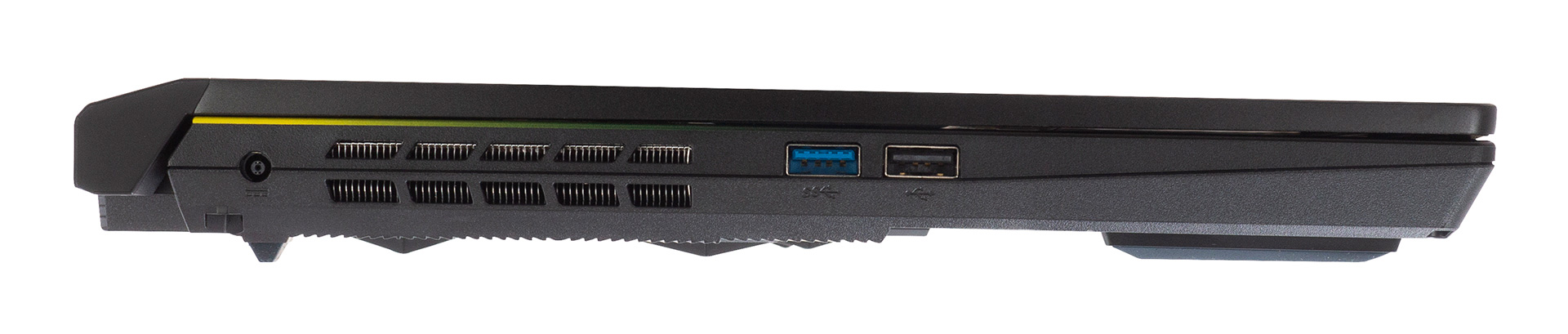
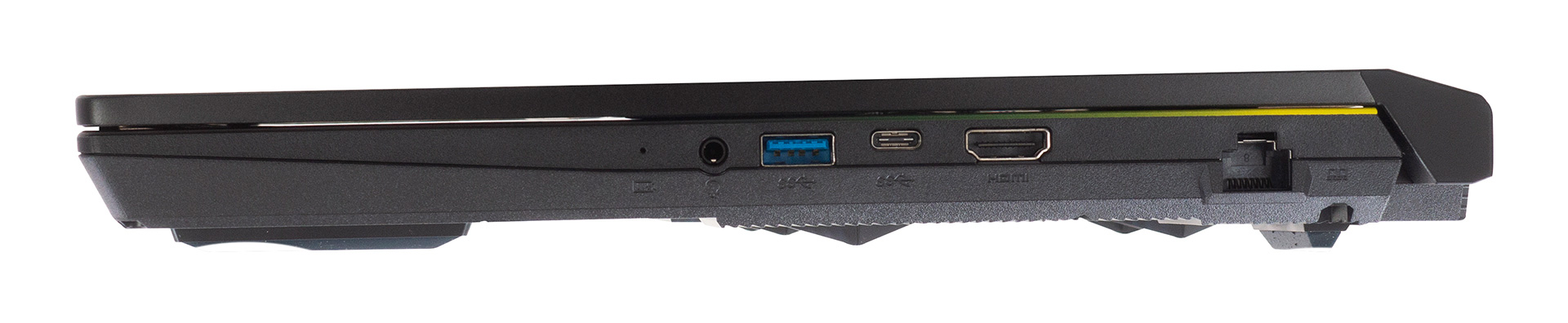
The I/O is not exactly cutting it by modern standards, with a single USB 2.0 port, two USB Type-A 3.2 (Gen. 1) ports, a single USB Type-C 3.2 (Gen. 1) port, which only supports data transfer, an Ethernet port, an HDMI port, and a 3.5 mm audio jack.
2. Input devices
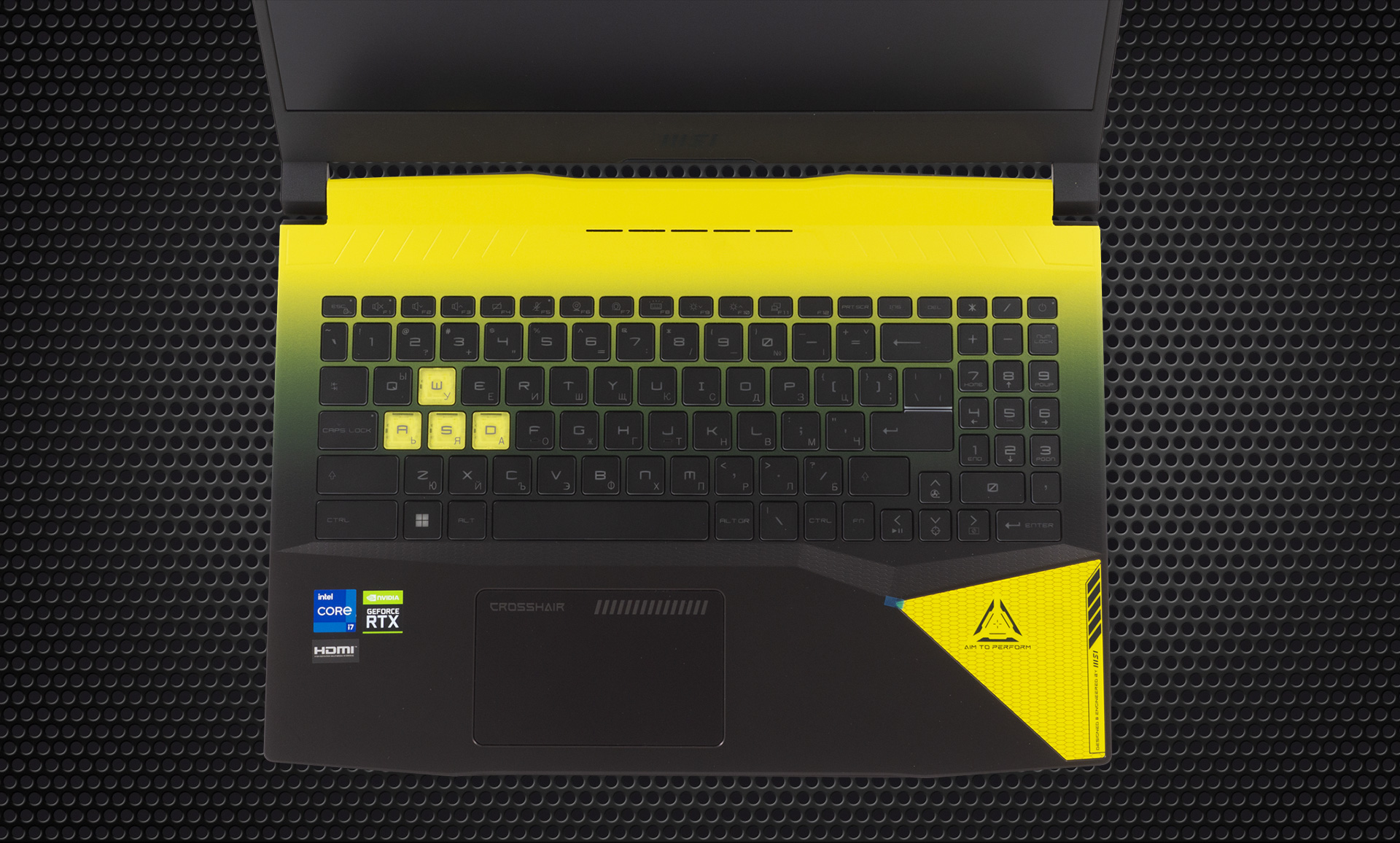
The keyboard and touchpad combination is also not on the level, as even budget gaming laptops offer keyboards with better gaming and typing experience. The key travel is a bit shorter, while the feedback is soft. The touchpad has a small size and a mediocre clicking. On the other hand, the gliding surface is great.
3. Cooling
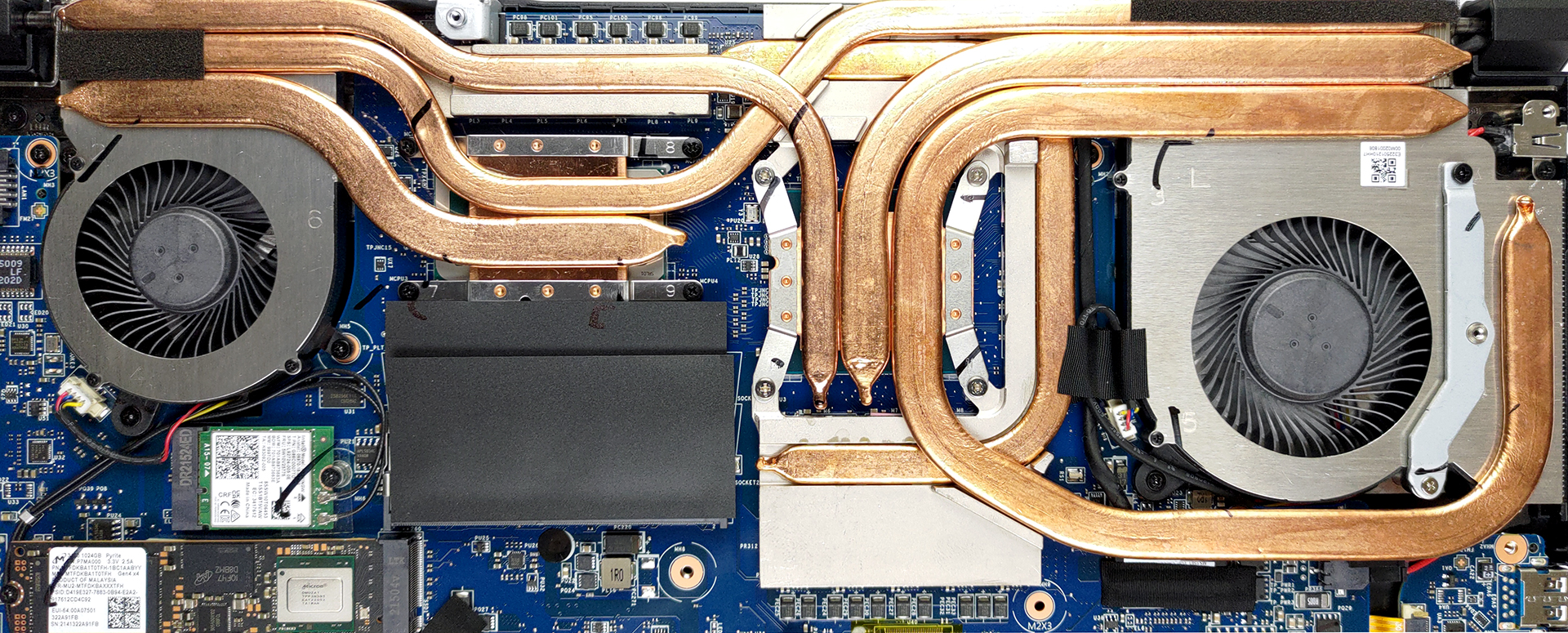
The cooling looks really good, with a total of six heat pipes covering the CPU, GPU, and VRAM modules. There are two heat pipes for the processor, three for the graphics, and one for the VRM modules. There are also three heat sinks and two fans.
Max CPU load
| Intel Core i7-12700H (45W TDP) | 0:02 – 0:10 sec | 0:15 – 0:30 sec | 10:00 – 15:00 min |
|---|---|---|---|
| MSI Crosshair 15 (B12Ux) | 3.27 GHz @ 2.67 GHz @ 84°C @ 97W | 3.19 GHz @ 2.65 GHz @ 91°C @ 94W | 3.05 GHz @ 2.47 GHz @ 88°C @ 80W |
The laptop keeps its CPU within bounds, as far as temps and clock speeds are concerned.
Real-life gaming
| NVIDIA GeForce RTX 3070 | GPU frequency/ Core temp (after 2 min) | GPU frequency/ Core temp (after 30 min) | GPU frequency/ Core temp (Max fans) |
|---|---|---|---|
| MSI Crosshair 15 (B12Ux) | 1616 MHz @ 79°C @ 139W | 1575 MHz @ 87°C @ 139W | 1643 MHz @ 75°C @ 139W |
The GPU offers one of the higher clock speeds that we have seen, while also not overheating.
Gaming comfort
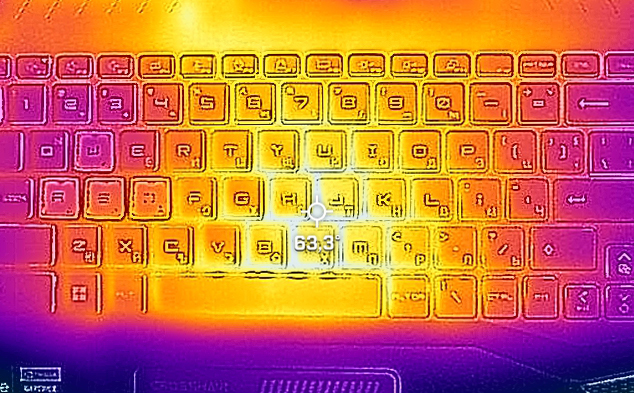
The external temps will haunt you in your nightmares, or at least the burns on your fingers will. The hotspot of the laptop reaches 63.3°C, which is enough to slow cook a very delicious meal, but we don’t think MSI was betting on it.
All MSI Crosshair 15 (B12Ux) configurations:
 Author: Severin Kolakov

![[2026. június] Az Amazon Global legkelendőbb laptopmárkái – az Apple páratlan dominanciája az eladott darabszám és a bevétel tekintetében](https://laptopmedia.com/wp-content/uploads/2026/07/GLOBAL-Best-Brands-400x225.jpg)
![[2026. június] Amazon Global: A 10 legkelendőbb laptop – Az Apple új MacBook Neo-ja az első helyre tör, és megfizethető árával újjáformálja a piacot](https://laptopmedia.com/wp-content/uploads/2026/07/Best-Selling-Laptops-GLOBAL-Top-10-400x225.jpg)
![[2026. június] Amazon Global: A 10 legkelendőbb játékos laptop – az Acer Nitro V 16S AI vezeti az eladási listát, míg az ASUS az összbevétel tekintetében áll az élen](https://laptopmedia.com/wp-content/uploads/2026/07/Best-Selling-Gaming-Laptops-GLOBAL-Top-10-400x225.jpg)
![[2026. június] Az Amazonon legkelendőbb laptop-grafikus kártyák globális ranglistája – az NVIDIA RTX 5060 a legkelendőbb dedikált grafikus kártya](https://laptopmedia.com/wp-content/uploads/2026/07/Best-Selling-GPUs-GLOBAL-Top-10-400x225.jpg)
![[2026. június] Az Amazonon legkelendőbb laptop-processzorok globális rangsora – az Apple M5 vezet, az AMD Ryzen 7 260 pedig jelentős részesedést szerez a prémium szegmensben](https://laptopmedia.com/wp-content/uploads/2026/07/Best-Selling-CPUs-GLOBAL-Top-10-400x225.jpg)

Absolutely terrible review!!