[Video] What’s inside the Apple MacBook Pro 16 (Late 2021)
Despite the lack of upgrade options, this laptop is truly remarkable. A glimpse inside reveals some of the reasons.
Check out all Apple MacBook Pro 16 (Late 2021) prices and configurations in our Specs System or read more in our In-Depth review.
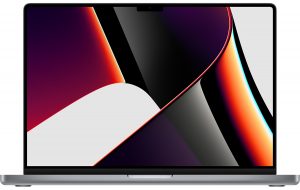
1. Remove the bottom plate
Getting inside of this laptop is pretty easy, provided you have a Pentalobe screw bit. So, there are 8 screws holding the bottom panel in place. After you undo them, lift the sides of the panel with a plastic tool until you hear a pop. Now that you have released the clips, just slide the panel out of the machine.
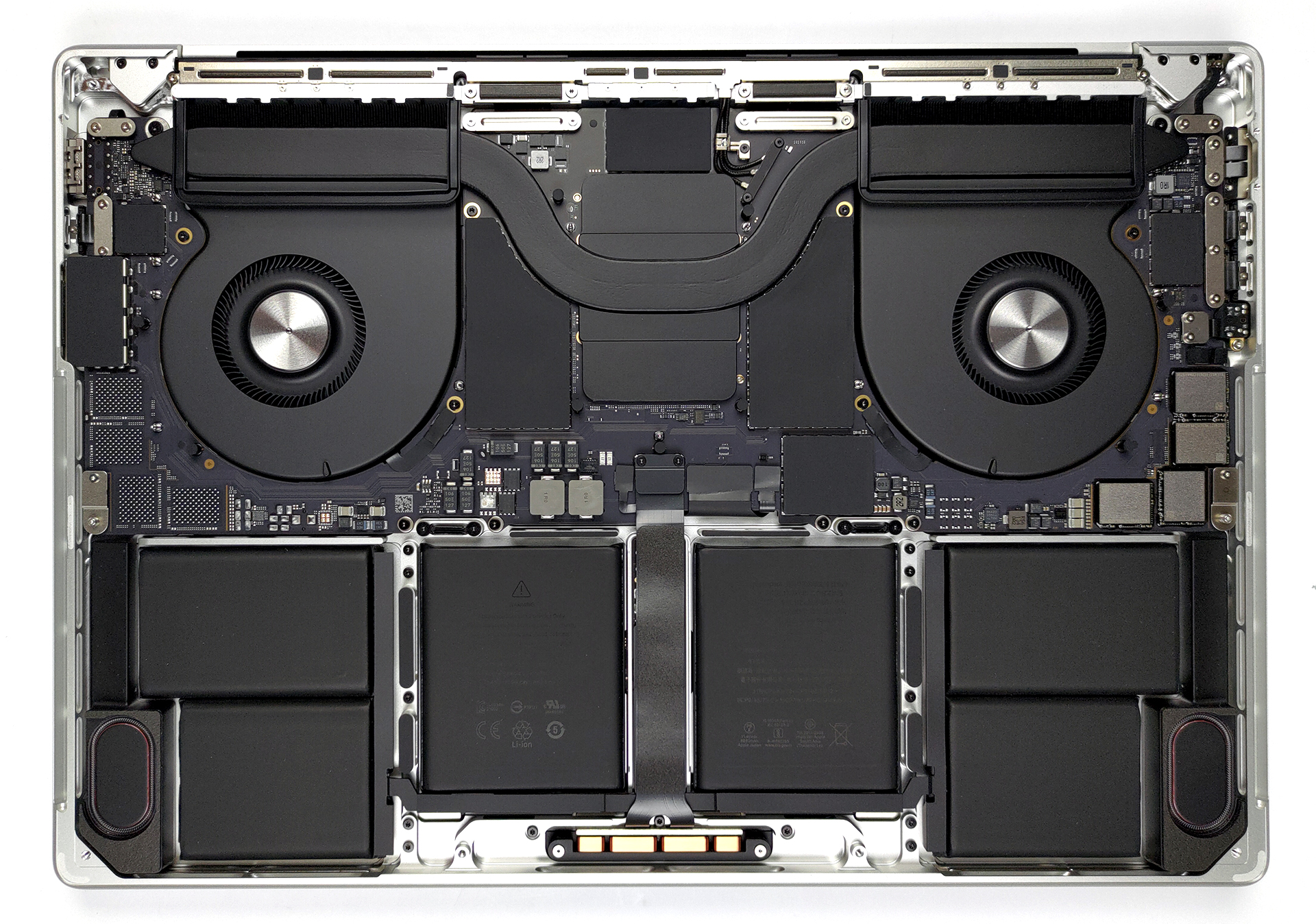
2. Battery and speakers
Unfortunately, there is nothing much to do here, except for peeking inside. The battery has a 100Wh capacity. On its flanks, you will find the speaker setup.
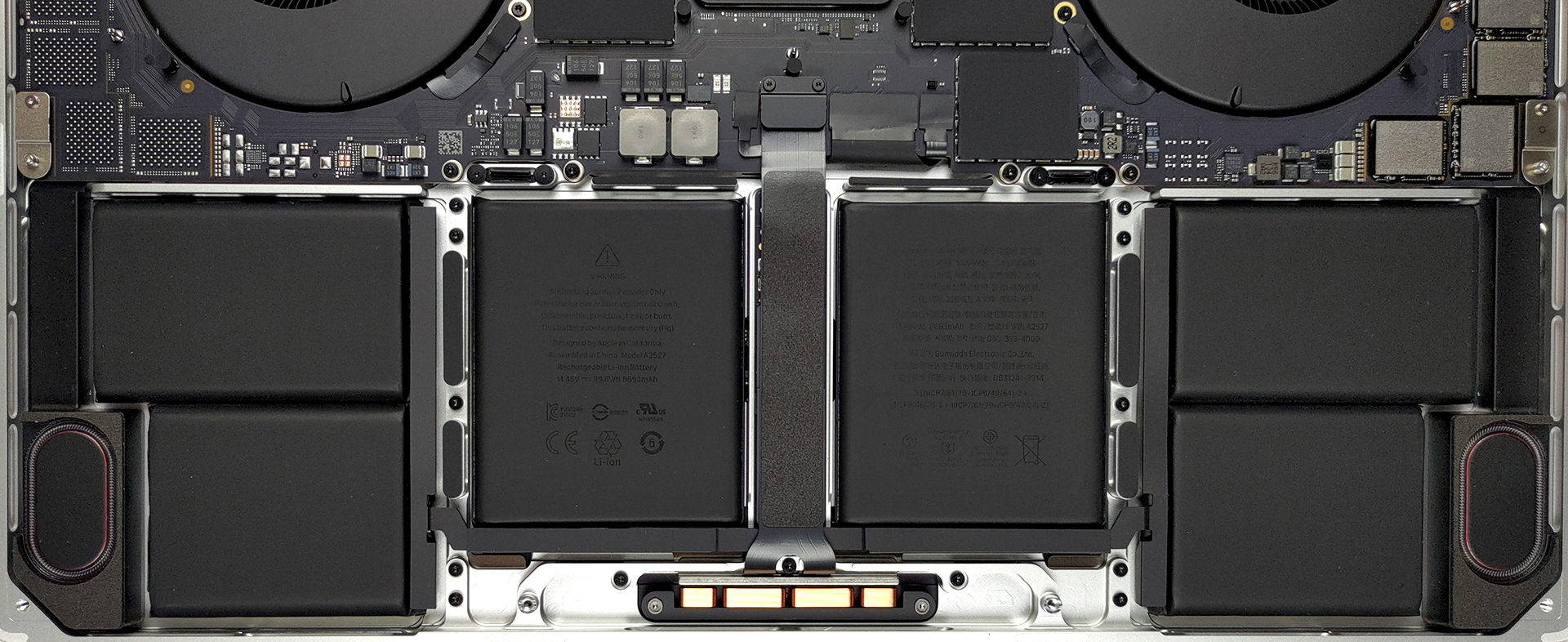
3. Storage
Storage-wise, there are configurations spanning from 512GB all the way up to 8TB, with the chips (and the empty SSD chip space) visible above the battery.
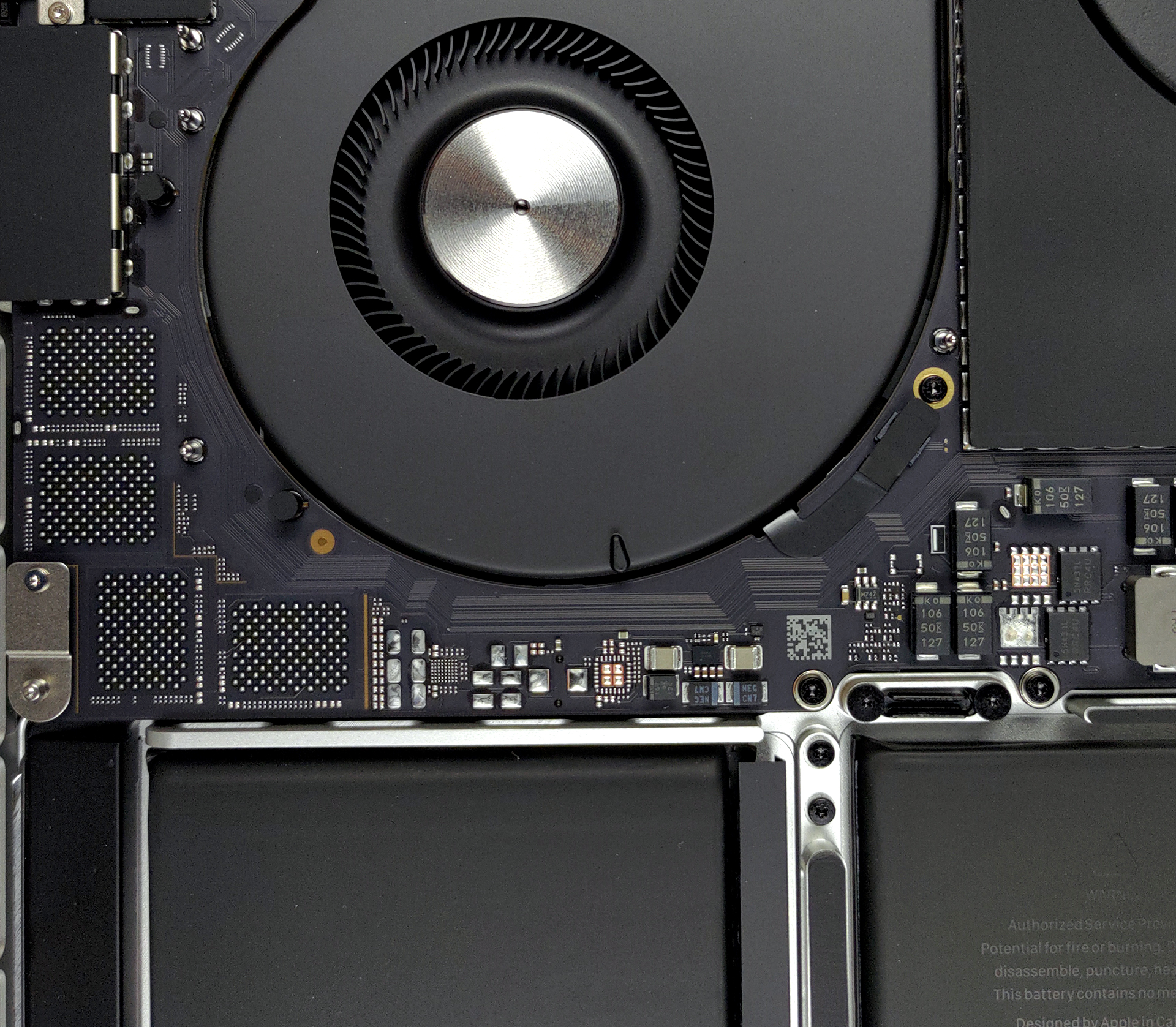
4. Cooling system and memory
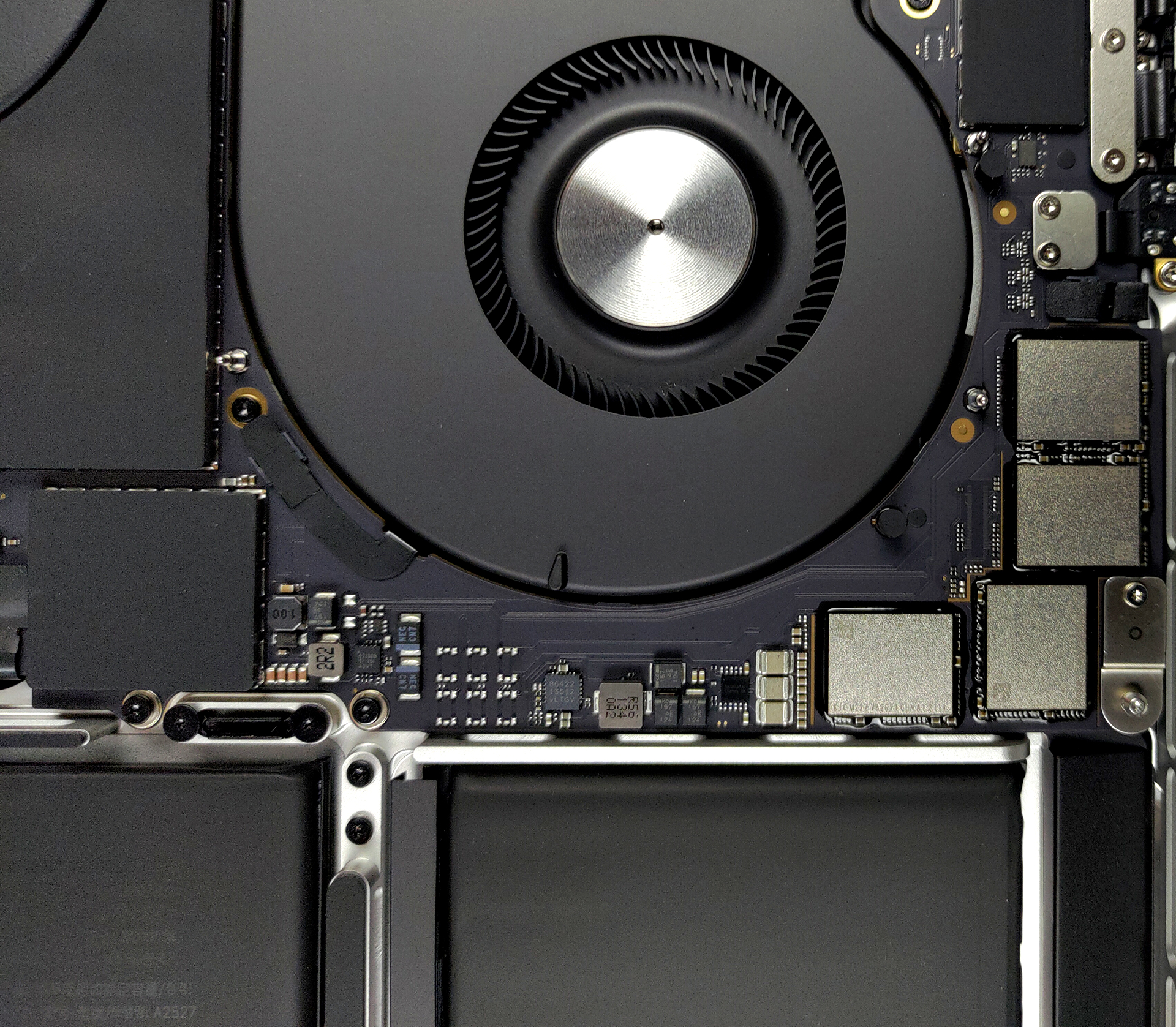
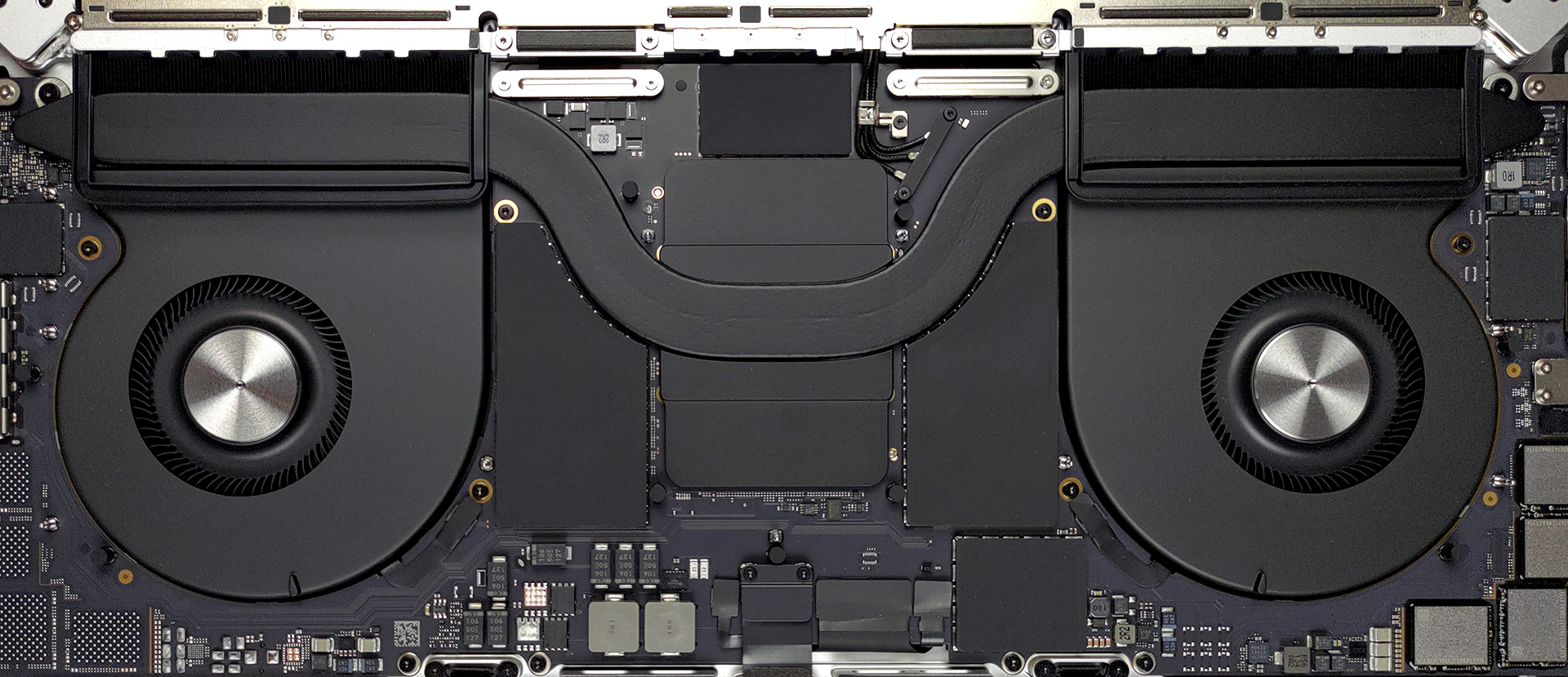
What’s next is the cooling solution. Apparently, Apple thinks that one heat pipe is enough for the M1 Max, as they provide two heat sinks, and two turbine-stile fans with a quite big profile. Thankfully, the memory is also cooled by a metal heat spreader.
Check out all Apple MacBook Pro 16 (Late 2021) prices and configurations in our Specs System or read more in our In-Depth review.
Apple MacBook Pro 16 (Late 2021) részletes értékelés
Can Apple take the crown for the best performance laptop on the market? We are going to answer this question, and a lot more in the following paragraphs, but first we want to talk about why this device is really special. Usually, manufacturers rely on Intel or AMD when it comes to processors and AMD and NVIDIA for their graphics cards. The truth is, Intel was in its own league for a long time, and this led to only incremental upgrades being made. Of course, Apple didn't like that. The result of this is the M1 chip. And now, it has found its way to the 16-inch MacBook Pro and is more powerful [...]
Előnyök
- Exceptional performance from the new SoCs
- Comfortable keyboard
- Three Thunderbolt 4 connectors + SD card reader and HDMI connector
- Doesn't use PWM
- Great build quality
- Very good battery life
- The best speaker setup on a laptop
- 120Hz adaptive ProMotion display
- 99% DCI-P3 coverage with a ton of presets
- Mini LED backlight with high maximum brightness, and very high contrast ratio
- Quiet during extreme workload
Hátrányok
- Still no USB Type-A ports
- Soldered RAM and storage
- Awkward notch on the display
- Uses PWM
 Author: Alex Iliev

![[2026. június] Az Amazon Global legkelendőbb laptopmárkái – az Apple páratlan dominanciája az eladott darabszám és a bevétel tekintetében](https://laptopmedia.com/wp-content/uploads/2026/07/GLOBAL-Best-Brands-400x225.jpg)
![[2026. június] Amazon Global: A 10 legkelendőbb laptop – Az Apple új MacBook Neo-ja az első helyre tör, és megfizethető árával újjáformálja a piacot](https://laptopmedia.com/wp-content/uploads/2026/07/Best-Selling-Laptops-GLOBAL-Top-10-400x225.jpg)
![[2026. június] Amazon Global: A 10 legkelendőbb játékos laptop – az Acer Nitro V 16S AI vezeti az eladási listát, míg az ASUS az összbevétel tekintetében áll az élen](https://laptopmedia.com/wp-content/uploads/2026/07/Best-Selling-Gaming-Laptops-GLOBAL-Top-10-400x225.jpg)
![[2026. június] Az Amazonon legkelendőbb laptop-grafikus kártyák globális ranglistája – az NVIDIA RTX 5060 a legkelendőbb dedikált grafikus kártya](https://laptopmedia.com/wp-content/uploads/2026/07/Best-Selling-GPUs-GLOBAL-Top-10-400x225.jpg)
![[2026. június] Az Amazonon legkelendőbb laptop-processzorok globális rangsora – az Apple M5 vezet, az AMD Ryzen 7 260 pedig jelentős részesedést szerez a prémium szegmensben](https://laptopmedia.com/wp-content/uploads/2026/07/Best-Selling-CPUs-GLOBAL-Top-10-400x225.jpg)