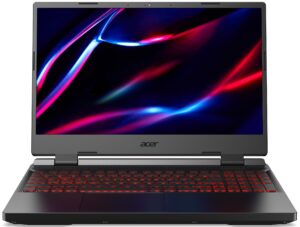
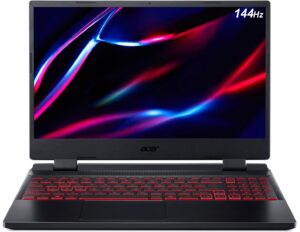
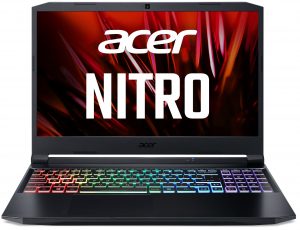
Acer Nitro V 15 (ANV15-51) review – successful symbiosis between the Aspire and the Nitro series
Performance: CPU, GPU, Gaming Tests
All benchmarks and tests were conducted with the “Performance” preset activated in the NitroSense app. Also, the “High Performance” mode is applied in the Control Panel – Power Options.
CPU options
You can find this laptop with Intel Core i5-13420H or the Core i7-13620H.
Itt a CPU teljesítményét értékeljük egy valós 3D renderelési feladattal, felmérve, hogy képes-e hatékonyan kezelni az összetett számítási és renderelési terheléseket.
Az eredmények a Cinebench 2024 Multi-Core tesztből származnak (a magasabb érték a jobb).
GPU options
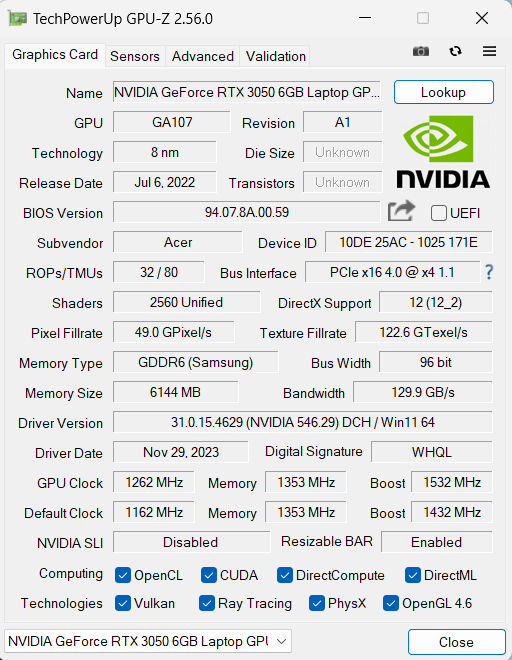
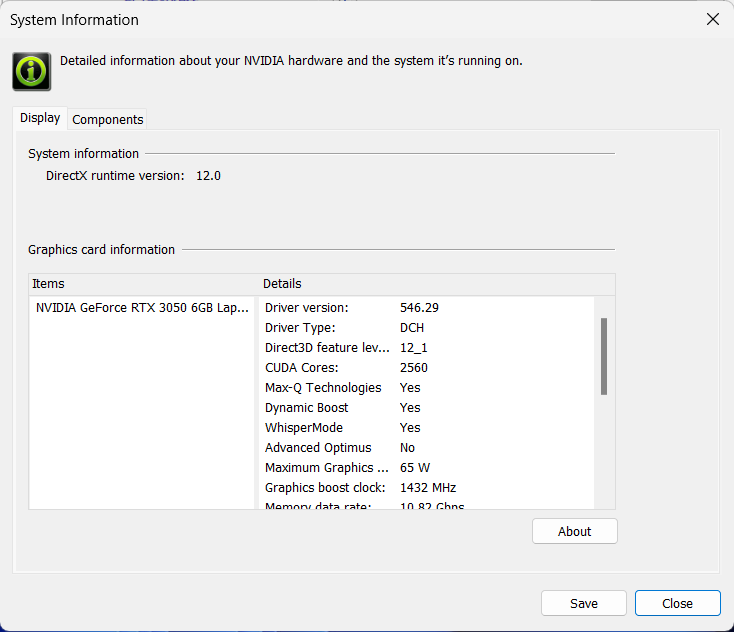
The GPU options are the following – NVIDIA GeForce RTX 2050, NVIDIA GeForce RTX 3050 (Laptop, 6GB, 65W), and GeForce RTX 4050 (Laptop).
Az eredmények a 3DMark Time Spy (Graphics) tesztből származnak. A magasabb érték a jobb.

Az eredmények a 3DMark Fire Strike (Graphics) benchmarkból származnak (minél magasabb a pontszám, annál jobb).
Az eredmények a 3DMark Wild Life Extreme Unlimited tesztből származnak. A magasabb érték a jobb.
Az eredmények az Unigine Superposition benchmarkból származnak (minél magasabb a pontszám, annál jobb).
Acer Nitro V 15 (ANV15-51) GPU változatok
Itt láthat egy hozzávetőleges összehasonlítást a GPU-k között, amelyek a piacon lévő Acer Nitro V 15 (ANV15-51) modellekben találhatók. Így eldöntheti, melyik Acer Nitro V 15 (ANV15-51) modell kínálja a legjobb ár-érték arányt.
Megjegyzés: A diagram a legolcsóbb különböző GPU konfigurációkat mutatja, ezért érdemes ellenőrizni a laptopok egyéb specifikációit is, ha a laptop nevére / GPU-ra kattint.
Az eredmények a 3DMark Time Spy (Graphics) tesztből származnak. A magasabb érték a jobb.
Az eredmények a 3DMark: Fire Strike (Graphics) benchmarkból származnak (minél magasabb a pontszám, annál jobb).
Az eredmények a 3DMark: Wild Life (Grafika) benchmarkból származnak (minél magasabb a pontszám, annál jobb)
Az eredmények az Unigine Superposition benchmarkból származnak (minél magasabb a pontszám, annál jobb).
Gaming tests

| Assassin’s Creed Valhalla | Full HD, Low (Check settings) | Full HD, Medium (Check settings) | Full HD, High (Check settings) | Full HD, Ultra (Check settings) |
|---|---|---|---|---|
| Average FPS | 95 fps | 76 fps | 62 fps | 51 fps |

| Borderlands 3 | Full HD, V.Low (Check settings) | Full HD, Medium (Check settings) | Full HD, High (Check settings) | Full HD, Badass (Check settings) |
|---|---|---|---|---|
| Average FPS | 138 fps | 96 fps | 64 fps | 49 fps |

| Far Cry 6 | Full HD, Low (Check settings) | Full HD, High (Check settings) | Full HD, Ultra (Check settings) |
|---|---|---|---|
| Average FPS | 91 fps | 69 fps | 60 fps |

| Gears 5 | Full HD, Low (Check settings) | Full HD, Medium (Check settings) | Full HD, High (Check settings) | Full HD, Ultra (Check settings) |
|---|---|---|---|---|
| Average FPS | 153 fps | 100 fps | 83 fps | 64 fps |
The 6GB version of the mobile GeForce RTX 3050 can still provide decent FPS on Medium or even High details.
 Author: Nikolay Palaozov
 Author: eng. Kroum NikolovHead of Engineering at LaptopMedia.com, inventor and innovator with 40+ years of experience in electronics and high technology.

![[2026. június] Az Amazon Global legkelendőbb laptopmárkái – az Apple páratlan dominanciája az eladott darabszám és a bevétel tekintetében](https://laptopmedia.com/wp-content/uploads/2026/07/GLOBAL-Best-Brands-400x225.jpg)
![[2026. június] Amazon Global: A 10 legkelendőbb laptop – Az Apple új MacBook Neo-ja az első helyre tör, és megfizethető árával újjáformálja a piacot](https://laptopmedia.com/wp-content/uploads/2026/07/Best-Selling-Laptops-GLOBAL-Top-10-400x225.jpg)
![[2026. június] Amazon Global: A 10 legkelendőbb játékos laptop – az Acer Nitro V 16S AI vezeti az eladási listát, míg az ASUS az összbevétel tekintetében áll az élen](https://laptopmedia.com/wp-content/uploads/2026/07/Best-Selling-Gaming-Laptops-GLOBAL-Top-10-400x225.jpg)
![[2026. június] Az Amazonon legkelendőbb laptop-grafikus kártyák globális ranglistája – az NVIDIA RTX 5060 a legkelendőbb dedikált grafikus kártya](https://laptopmedia.com/wp-content/uploads/2026/07/Best-Selling-GPUs-GLOBAL-Top-10-400x225.jpg)
![[2026. június] Az Amazonon legkelendőbb laptop-processzorok globális rangsora – az Apple M5 vezet, az AMD Ryzen 7 260 pedig jelentős részesedést szerez a prémium szegmensben](https://laptopmedia.com/wp-content/uploads/2026/07/Best-Selling-CPUs-GLOBAL-Top-10-400x225.jpg)

How to achieve something like your “Gaming and Design” profile?
Hey Carl, If you want to use it to improve your display, you can purchase the profiles it here. Then, install our LM Profiles app (or another app for .icm profiles, though LM Profiles is the easiest to use, and has a PWM-free brightness slider), and simply drag & drop the profiles into it 🙂 If you’re asking how we created it, we’ve invested in a laboratory equipped with expensive gear, and selling these profiles helps us recoup some of our investment. Alternatively, you could get an entry-level calibrator, like a Spyder, and learn to make display profiles yourself 🙂… Tovább olvasom »
Что находится в правом краю ноутбука ниже карт памяти, часть, соединëнная красным и чëрным проводом
It might be a CMOS battery
Du Du Du Du Max Verstappen ~
Must be the CMOS battery
Does it have an turbo mode ?
Can i ask the size of the heatsink screws