Acer Nitro V 15 (ANV15-51) review – successful symbiosis between the Aspire and the Nitro series
- 1. परिचय, स्पेक्स, ड्राइवर्स, बॉक्स में क्या है
- 2. Design and construction
- 3. Display quality, Health impact (PWM), Sound
- 4. Buy our profiles
- 5. Performance: CPU, GPU, Gaming Tests
- 6. [eBook Guide + Tools] How to MAX OUT your Laptop
- 7. Temperatures and comfort, Battery Life
- 8. Disassembly, Upgrade options, and Maintenance
- 9. Storage performance
- 10. Verdict
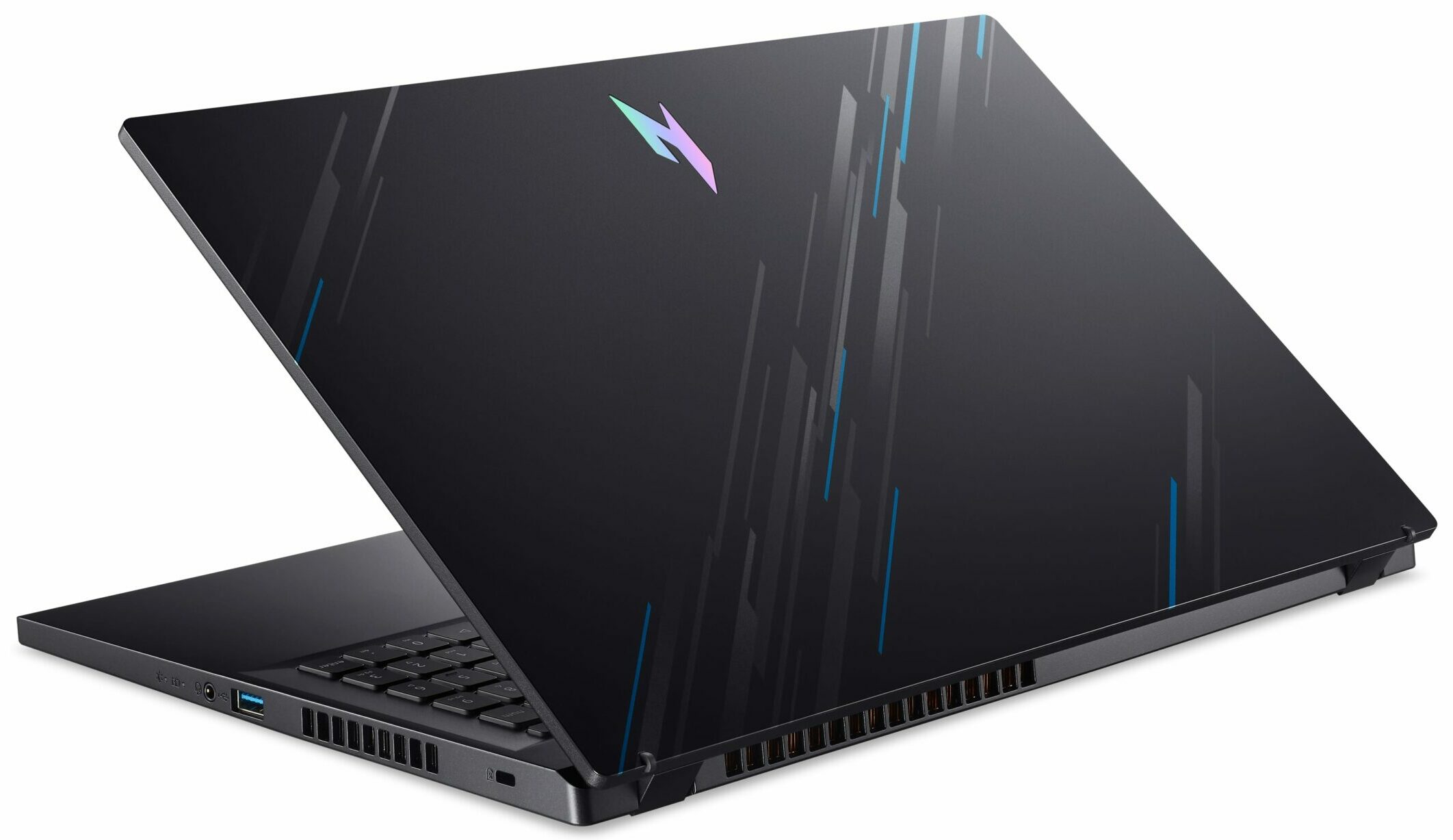
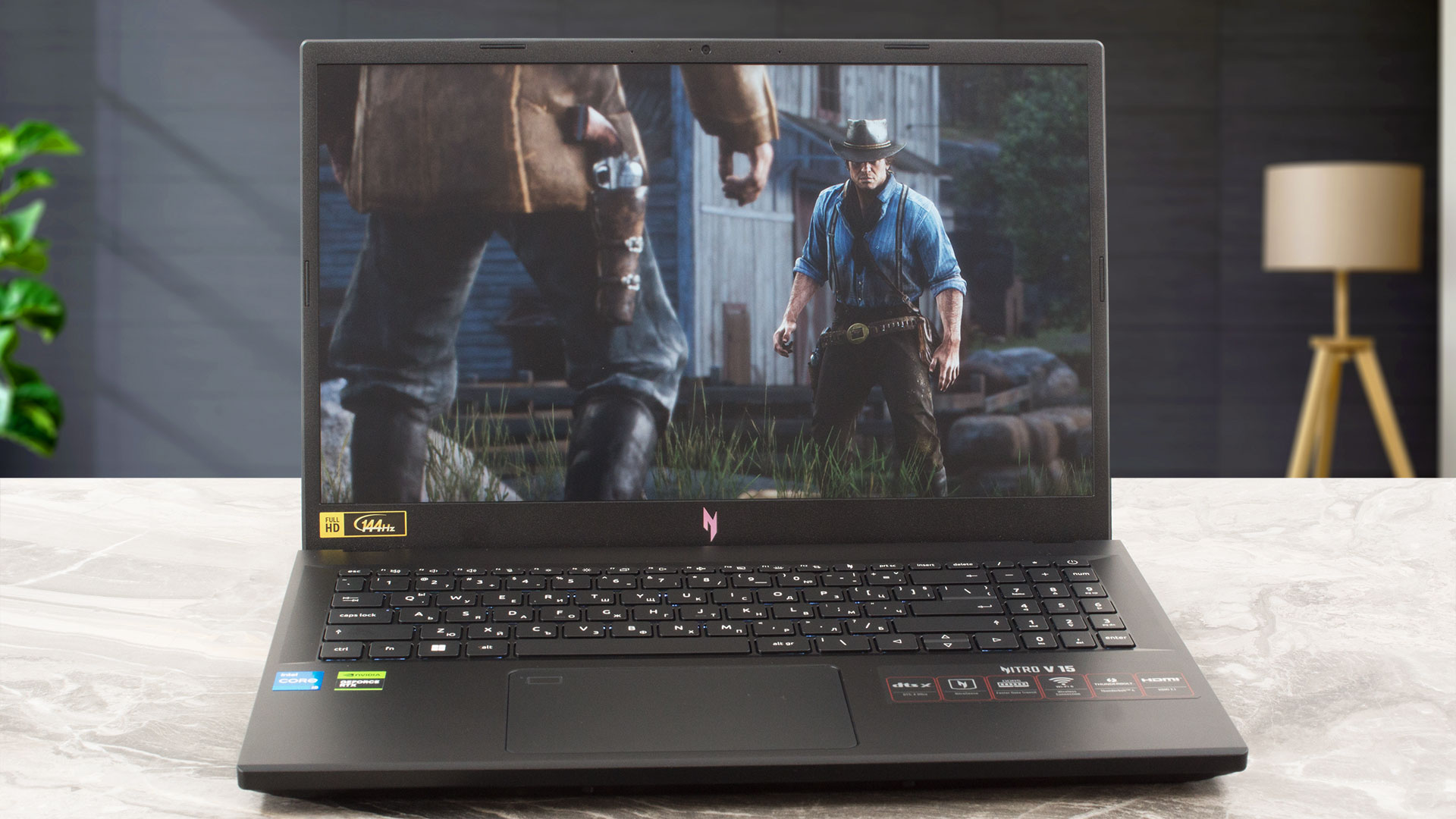 As you may already know, the Nitro series devices are budget-oriented laptops that offer a good bang for the buck (or at least in most cases). These machines are also very popular and that’s why Acer is trying to manufacture even more affordable devices. Their new creation is called the Acer Nitro V 15 (ANV15-51).
Interestingly, this one looks like an Aspire notebook with Nitro treatment. Of course, it’s not just a rebranded notebook with a bit different look. You can use the handy Acer NitroSense app for advanced system monitoring, fan control, and for applying different performance presets according to your needs. The gadget also comes with a bit newer 13th Gen H-series CPU options (that are based on the Alder Lake architecture). Things are looking good in the GPU department – the most powerful graphics chip is the GeForce RTX 4050 (Laptop).
You choose between two 1080 display variants – the base one has a 144Hz refresh rate while the optional unit boasts 165Hz. The I/O of the laptop is decent and it includes a Thunderbolt 4 connector and you get Wi-Fi 6 and Bluetooth 5.1 for connectivity. Overall, all looks good. Let’s see if the collaboration between the Nitro and the Aspire series is successful.
You can check the prices and configurations in our Specs System: https://laptopmedia.com/series/acer-nitro-v-15-anv15-51/
Contents
- Specs, Drivers, What’s in the box
- Design and construction
- Display quality, Health impact (PWM), Sound
- Buy our profiles
- Performance: CPU, GPU, Gaming Tests
- [eBook Guide + Tools] How to MAX OUT your Laptop
- Temperatures and comfort, Battery Life
- Disassembly, Upgrade options, and Maintenance
- Storage performance
- Verdict
Specs, Drivers, What’s in the box
Acer Nitro V 15 (ANV15-51) - स्पेक्स



- HDD/SSD
- तक 10000GB SSD + तक 1000GB HDD
- M.2 स्लॉट
- 1x 2280 M.2 NVMe PCIe 4.0 x4 + 1x 2280 M.2 NVMe PCIe 3.0 x4 फोटो देखें
- RAM
- up to 66GB
- OS
- Windows 11 Home, Windows 11 Pro, Windows 10 Pro, Windows 10 Home, No OS
- बॉडी मटीरियल
- Plastic / Polycarbonate
- आयाम
- 362.3 x 239.89 x 22.9 - 26.9 mm (14.26" x 9.44" x 0.90")
- वजन
- 2.11 kg (4.7 lbs)
- पोर्ट और कनेक्टिविटी
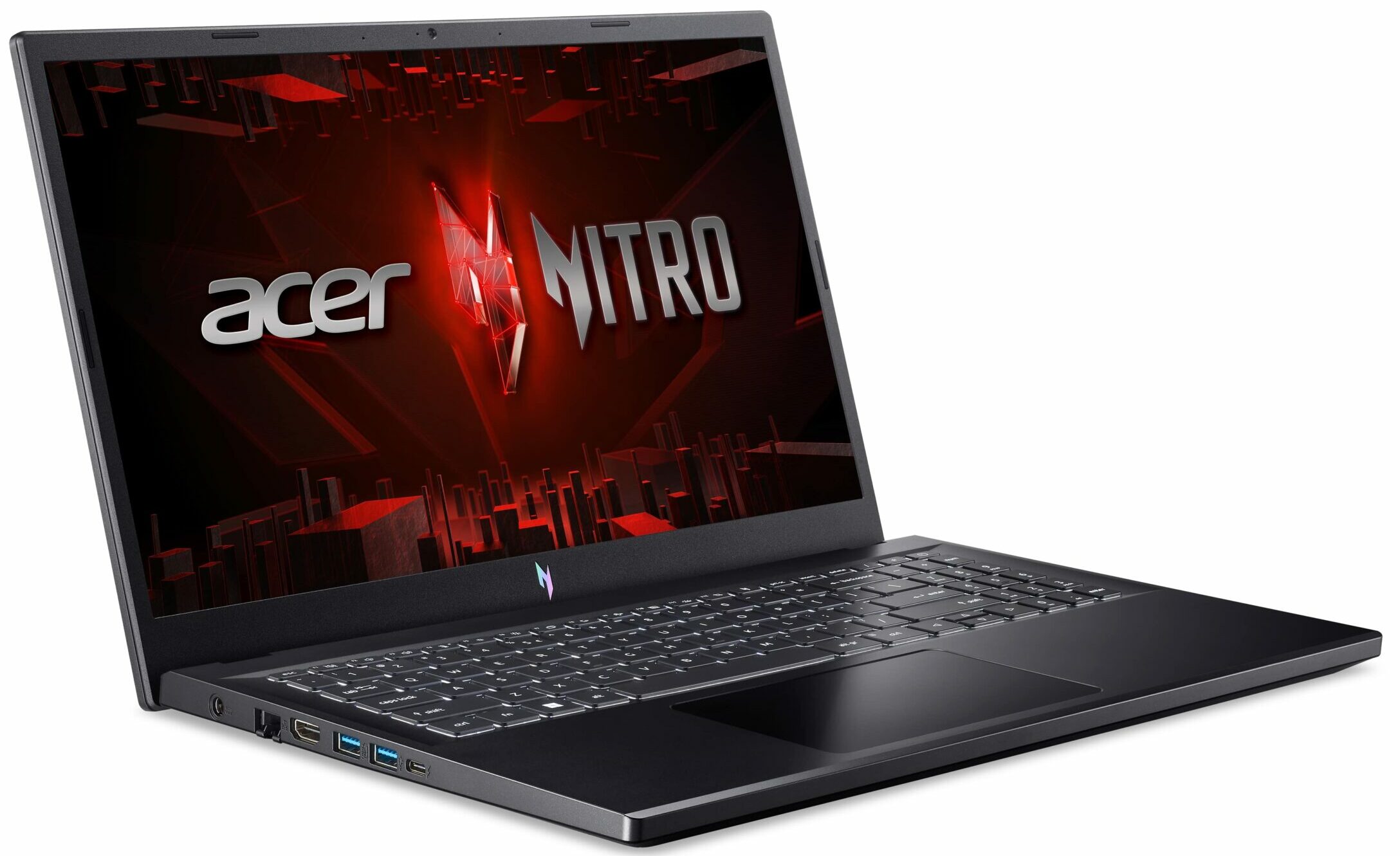
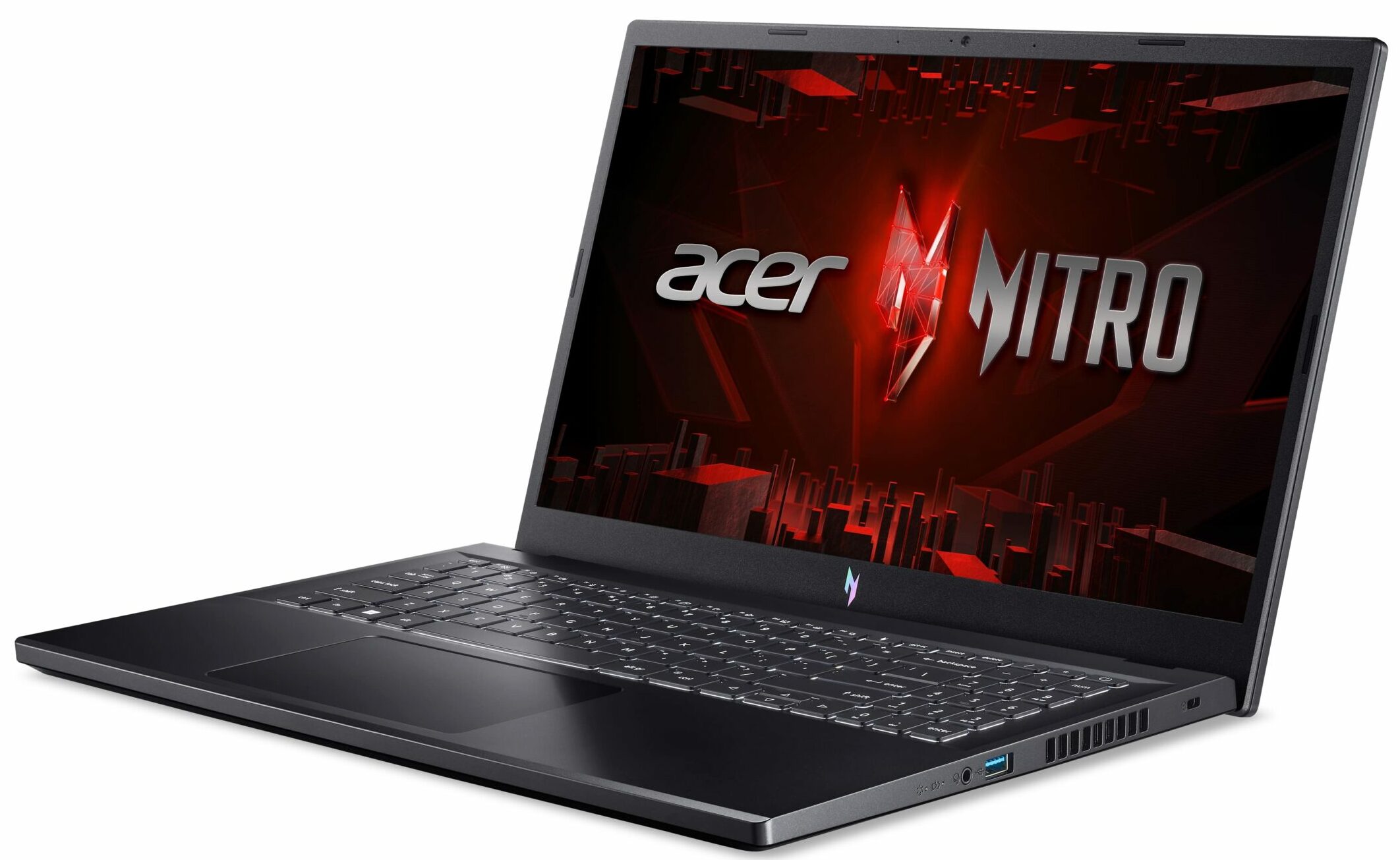
- 1x USB Type-A
- 3.2 Gen 1 (5 Gbps), Sleep and Charge
- 2x USB Type-A
- 3.2 Gen 1 (5 Gbps)
- 1x USB Type-C
- 3.2 Gen 2 (10 Gbps), Thunderbolt 4, Power Delivery (PD), DisplayPort
- HDMI
- 2.1
- कार्ड रीडर
- ईथरनेट लैन
- 10, 100, 1000 Mbit/s
- वाई-फाई
- 802.11ax
- ब्लूटूथ
- 5.1
- ऑडियो जैक
- 3.5mm Combo Jack
- विशेषताएँ
- फिंगरप्रिंट रीडर
- वेब कैमरा
- HD with Temporal Noise Reduction
- बैकलिट कीबोर्ड
- optional
- माइक्रोफोन
- Dual Microphones with AI noise reduction
- स्पीकर
- Stereo Speakers with DTS X: Ultra Audio
- सुरक्षा लॉक स्लॉट
- Kensington Lock
सभी Acer Nitro V 15 (ANV15-51) कॉन्फ़िगरेशन
Drivers
All drivers and utilities for this notebook can be found here: https://www.acer.com/us-en/support/product-support/ANV15-51/downloads?suggest=ANV15-51;1
What’s in the box?
Inside the box, you will find some paperwork and a 135W barrel plug charger.

- 1. परिचय, स्पेक्स, ड्राइवर्स, बॉक्स में क्या है
- 2. Design and construction
- 3. Display quality, Health impact (PWM), Sound
- 4. Buy our profiles
- 5. Performance: CPU, GPU, Gaming Tests
- 6. [eBook Guide + Tools] How to MAX OUT your Laptop
- 7. Temperatures and comfort, Battery Life
- 8. Disassembly, Upgrade options, and Maintenance
- 9. Storage performance
- 10. Verdict
 Author: Nikolay Palaozov
 Author: eng. Kroum NikolovHead of Engineering at LaptopMedia.com, inventor and innovator with 40+ years of experience in electronics and high technology.

![[May 2026] Global Ranking of Best-Selling Laptop GPUs on Amazon – Apple Dominates with 45% Share, Sweeps Top 3 Spots; NVIDIA’s RTX 5060 Leads the Dedicated GPU Pack](https://laptopmedia.com/wp-content/uploads/2026/06/Best-Selling-GPUs-GLOBAL-Top-10-400x225.jpg)
![[May 2026] Global Ranking of Best-Selling Laptop CPUs on Amazon – Apple Crushes Competition with 45.2% Market Share, M5 Dominates](https://laptopmedia.com/wp-content/uploads/2026/06/Best-Selling-CPUs-GLOBAL-Top-10-400x225.jpg)
![[May 2026] Amazon Germany: Top 7 Best-Selling Gaming Laptops – Lenovo Legion 5i Crowned Champion Amidst Fierce Mid-Range Competition](https://laptopmedia.com/wp-content/uploads/2026/06/Best-Selling-Gaming-Laptops-DE-Top-10-1-400x225.jpg)
![[May 2026] Amazon Italy: Top 10 Best-Selling Laptops – Apple MacBook Neo Reigns Supreme, Premium Models Capture Dominant Revenue Share](https://laptopmedia.com/wp-content/uploads/2026/06/Best-Selling-Laptops-IT-Top-10-400x225.jpg)
![[May 2026] Best-Selling Laptop Brands on Amazon Italy – Apple Dominates Across All Metrics](https://laptopmedia.com/wp-content/uploads/2026/06/IT-Best-Brands-400x225.jpg)

How to achieve something like your “Gaming and Design” profile?
Hey Carl, If you want to use it to improve your display, you can purchase the profiles it here. Then, install our LM Profiles app (or another app for .icm profiles, though LM Profiles is the easiest to use, and has a PWM-free brightness slider), and simply drag & drop the profiles into it 🙂 If you’re asking how we created it, we’ve invested in a laboratory equipped with expensive gear, and selling these profiles helps us recoup some of our investment. Alternatively, you could get an entry-level calibrator, like a Spyder, and learn to make display profiles yourself 🙂… और पढ़ें »
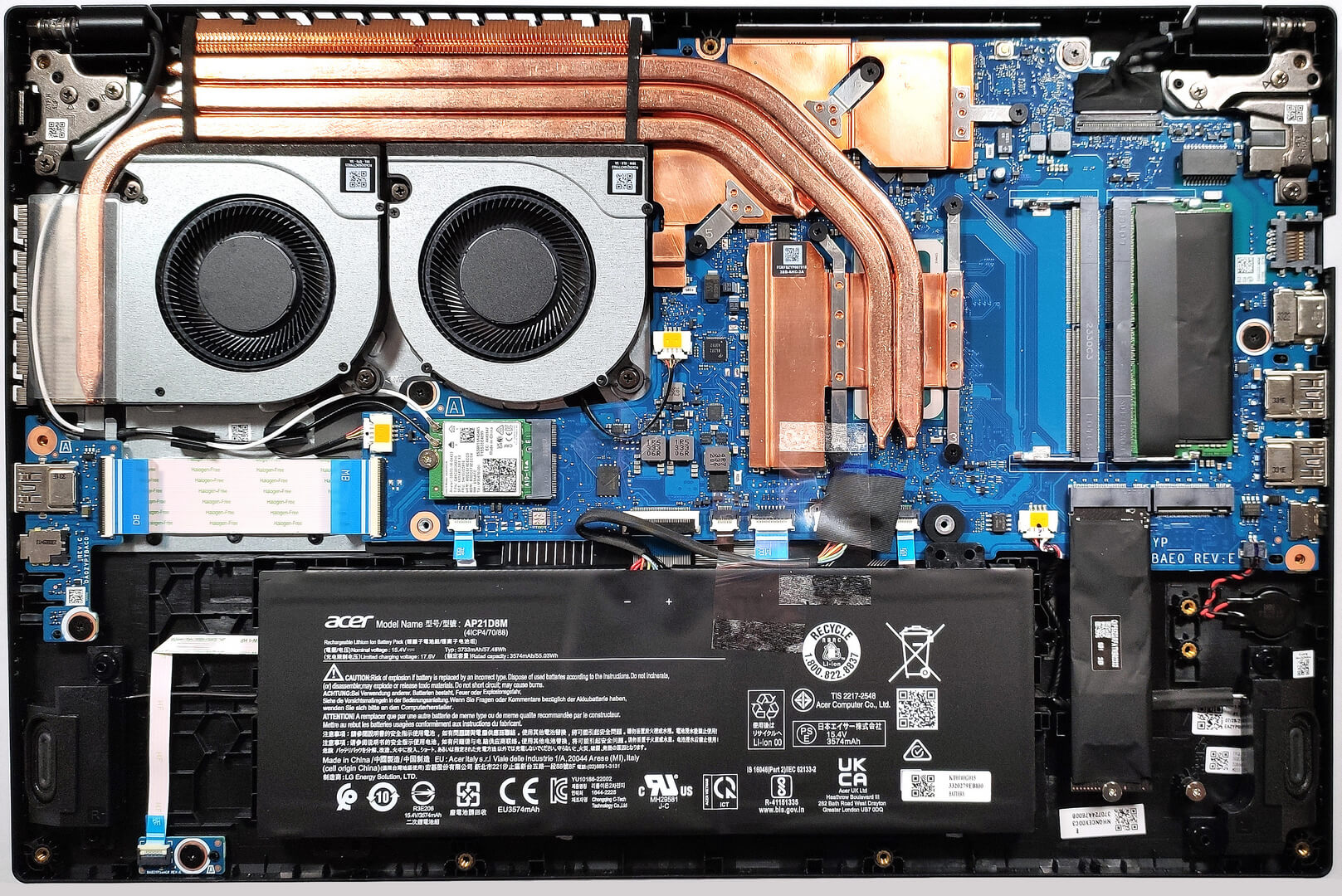
Что находится в правом краю ноутбука ниже карт памяти, часть, соединëнная красным и чëрным проводом
It might be a CMOS battery
Du Du Du Du Max Verstappen ~
Must be the CMOS battery
Does it have an turbo mode ?
Can i ask the size of the heatsink screws