How to open Acer Predator Triton 14 AI (PT14-52T) – disassembly and upgrade options
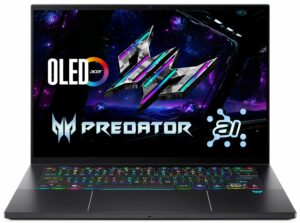
Before you start: Power the laptop off completely, unplug the charger, and hold the power button for a few seconds to discharge any residual power. Use a plastic pry tool, and avoid metal tools around the vents and fin stacks.
Opening the bottom panel
- Remove the screws securing the bottom cover.
- Use a thin plastic pick to release the perimeter clips, then lift the panel away carefully.
- Once inside, disconnect the battery connector before touching the SSD or Wi-Fi module.
Internal layout overview
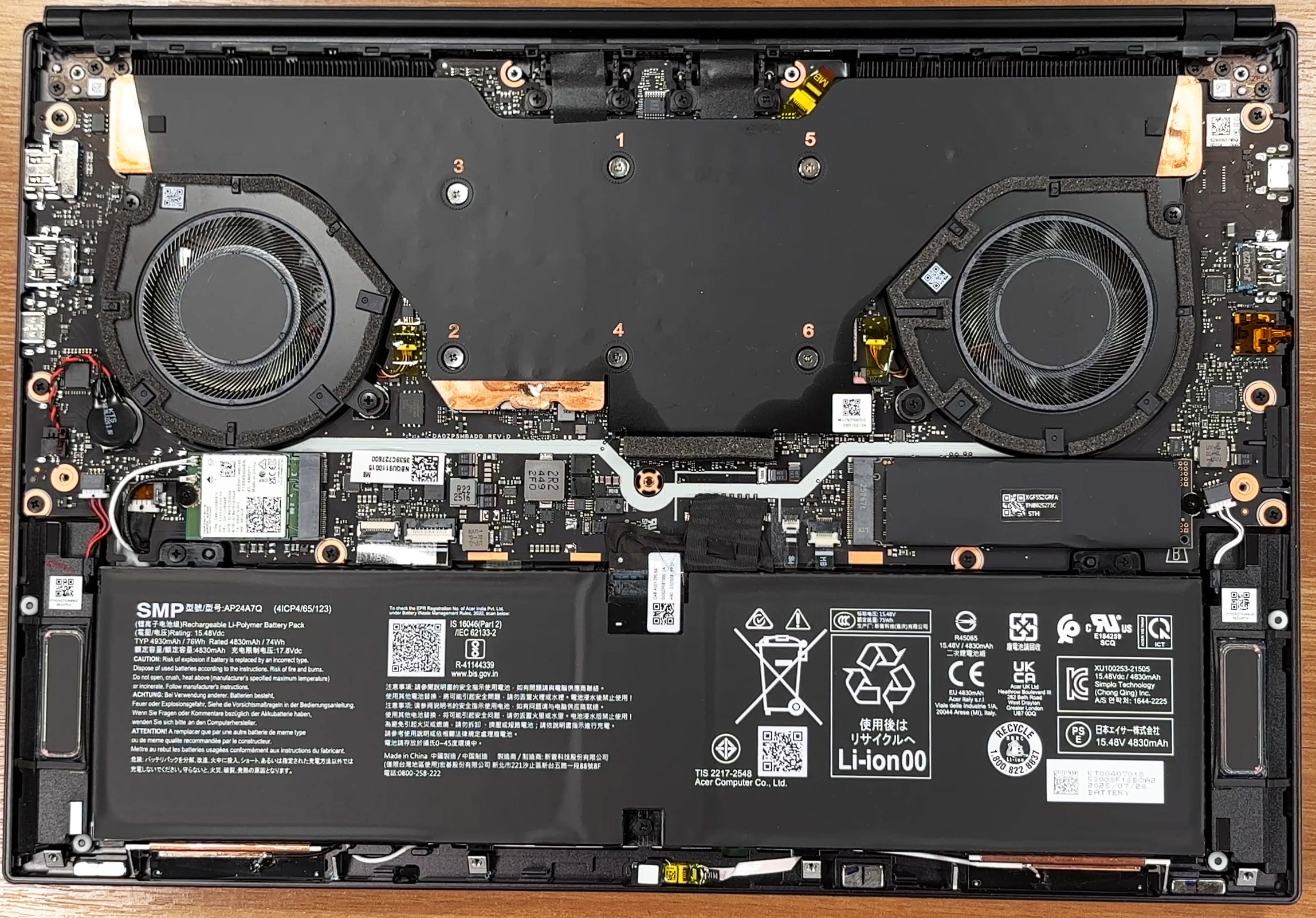
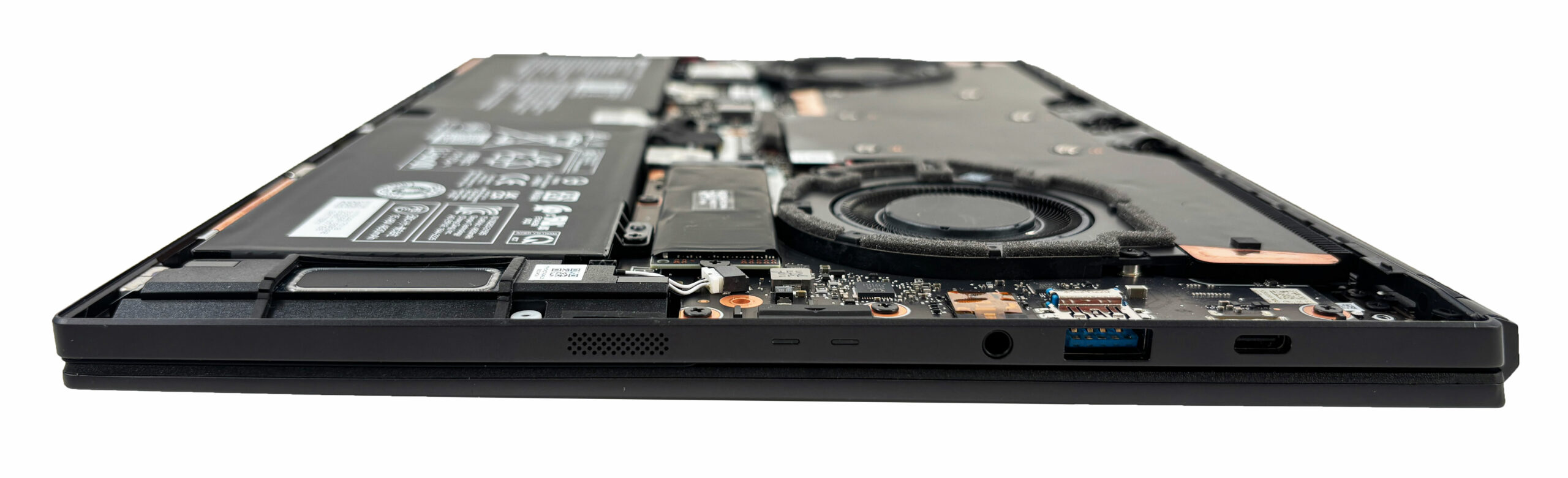
- The internal layout is tidy and compact: the cooling hardware dominates the upper half, while the battery and serviceable modules sit toward the lower section.
- Most routine service tasks (dust cleaning, SSD swap, Wi-Fi swap, battery replacement) are accessible without pulling the motherboard.
Cooling system
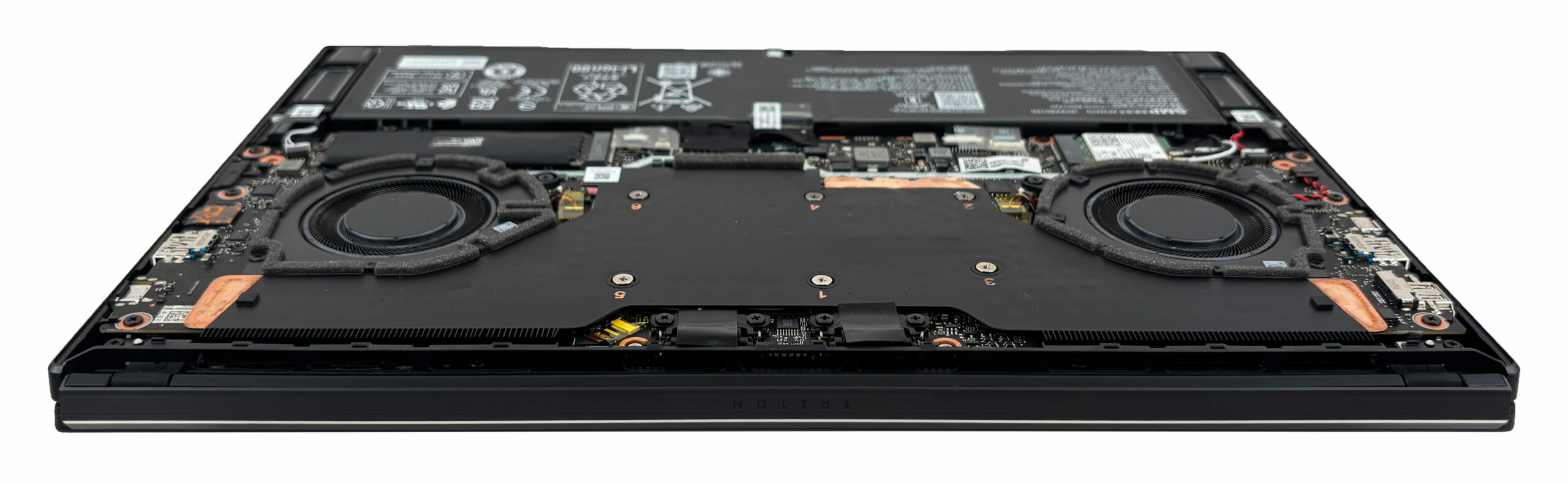
- Cooling is handled by a dual-fan setup connected to a large heatsink assembly spanning the processor and the dedicated graphics.
- Both fans are easy to reach once the bottom cover is removed, which makes periodic dust cleaning straightforward.
- Deeper service like repasting requires removing the main heatsink assembly and should be done only if you’re comfortable handling thermal materials and following the screw order.
Battery
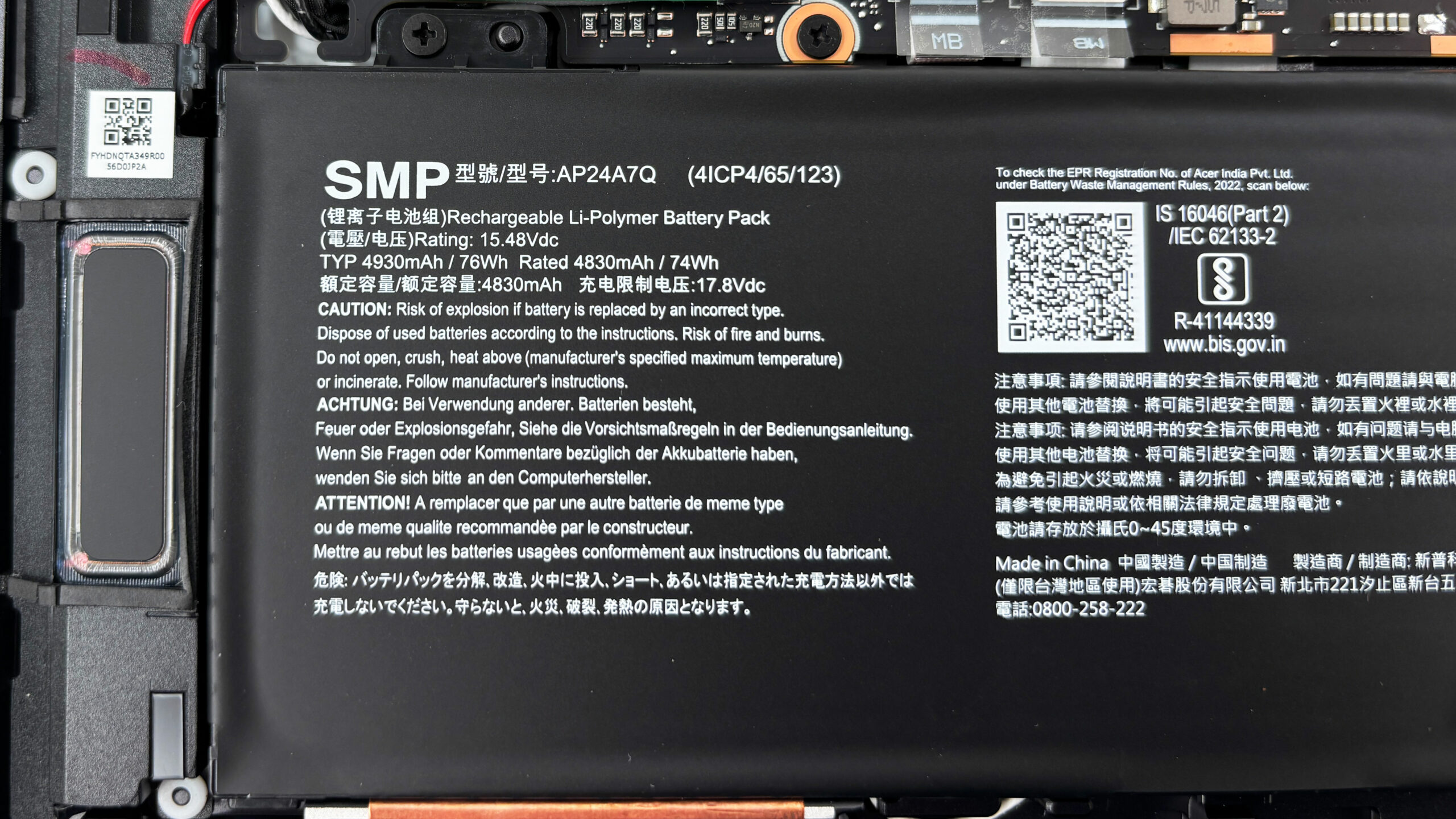
- The laptop uses a 76 Wh battery pack.
- Removal is straightforward: disconnect the battery cable first, then undo the mounting screws and lift the pack out.
- This also makes future battery replacement realistic, which is important for long-term ownership.
Memory upgrade
- Memory is the main upgrade limitation: the Triton 14 AI uses soldered LPDDR5X memory in dual-channel mode.
- There are no SO-DIMM slots, so memory capacity cannot be upgraded later.
- Acer lists memory speeds up to 8533 MT/s, depending on configuration.
Storage upgrade
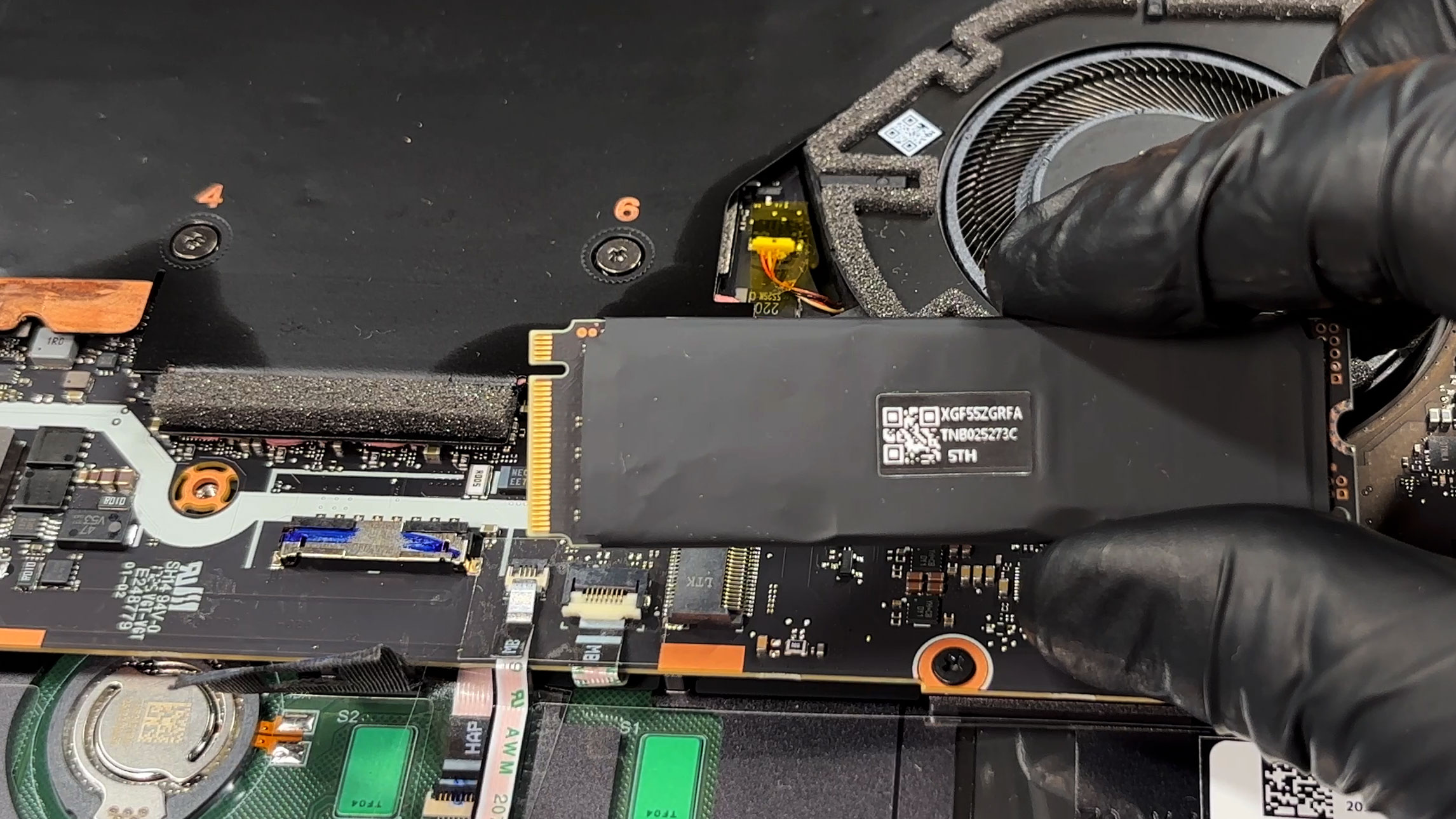
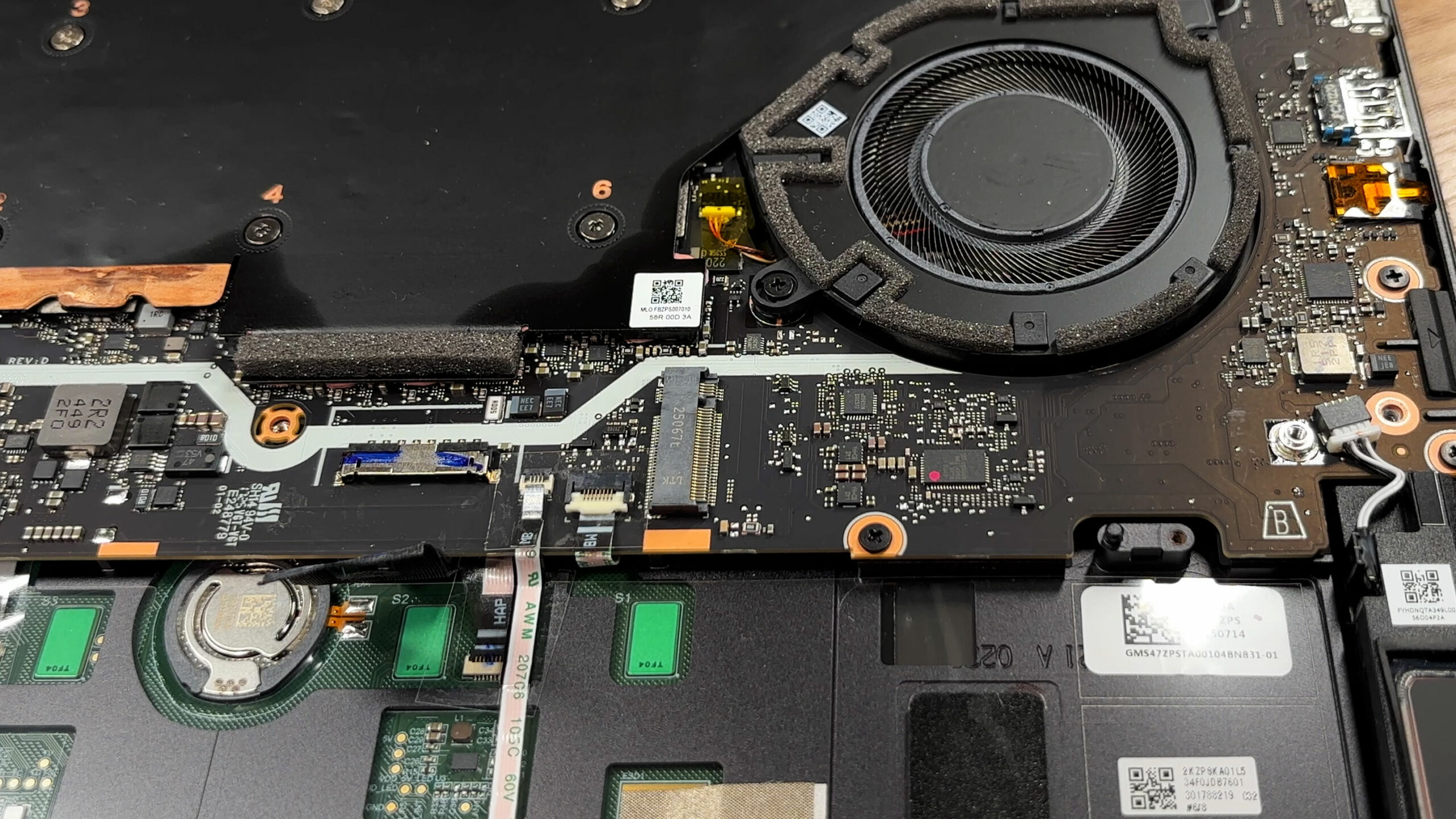
- Storage is handled by a single M.2 slot for a PCIe Gen 4 NVMe SSD.
- Because there is only one slot, expanding storage means replacing the existing drive rather than adding a second one.
- Common configurations ship with 1 TB or 2 TB SSDs.
- The SSD is wrapped in a black sleeve that serves as EMI/RFI shielding. Reinstall it in the same orientation after any upgrade.
- There isn’t a dedicated thermal pad pressing the drive into a heatsink, so choosing a cooler-running SSD can help during sustained transfers.
Don’t forget to check out our Top M.2 SSDs Performance Rankings for insights on the best storage options available.
Wireless card
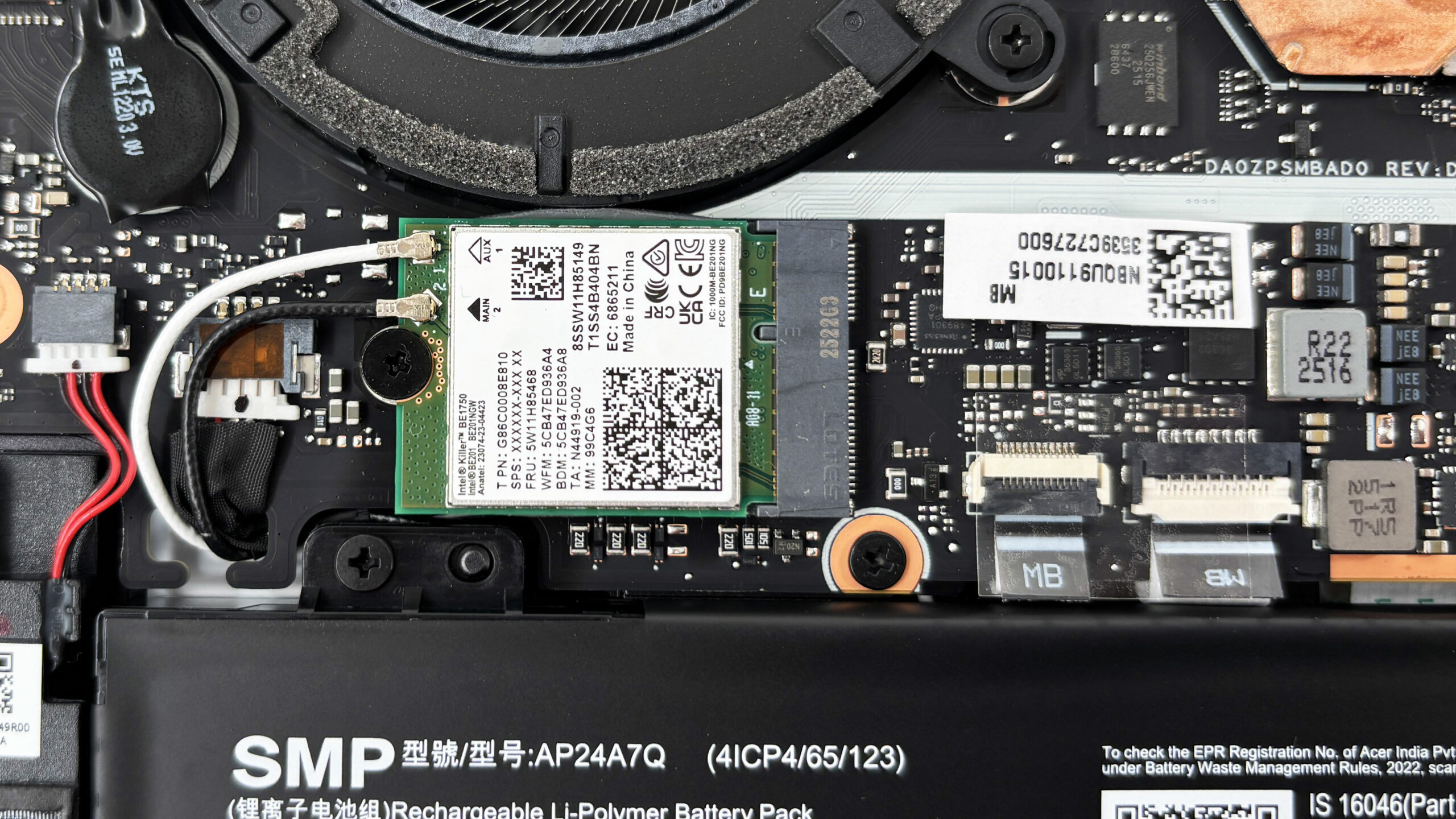
- Wireless connectivity is handled by a replaceable M.2-style module with two antenna leads.
- Our unit uses an Intel Killer BE1750 card with Wi-Fi 7 support.
- When removing or reseating the antenna leads, pop them straight up and press them straight down to avoid damaging the tiny connectors.
Other serviceable parts
- Beyond the SSD and Wi-Fi card, both fans and the battery are serviceable once the bottom cover is off.
- The CPU and GPU are board-level components and are not upgradeable.
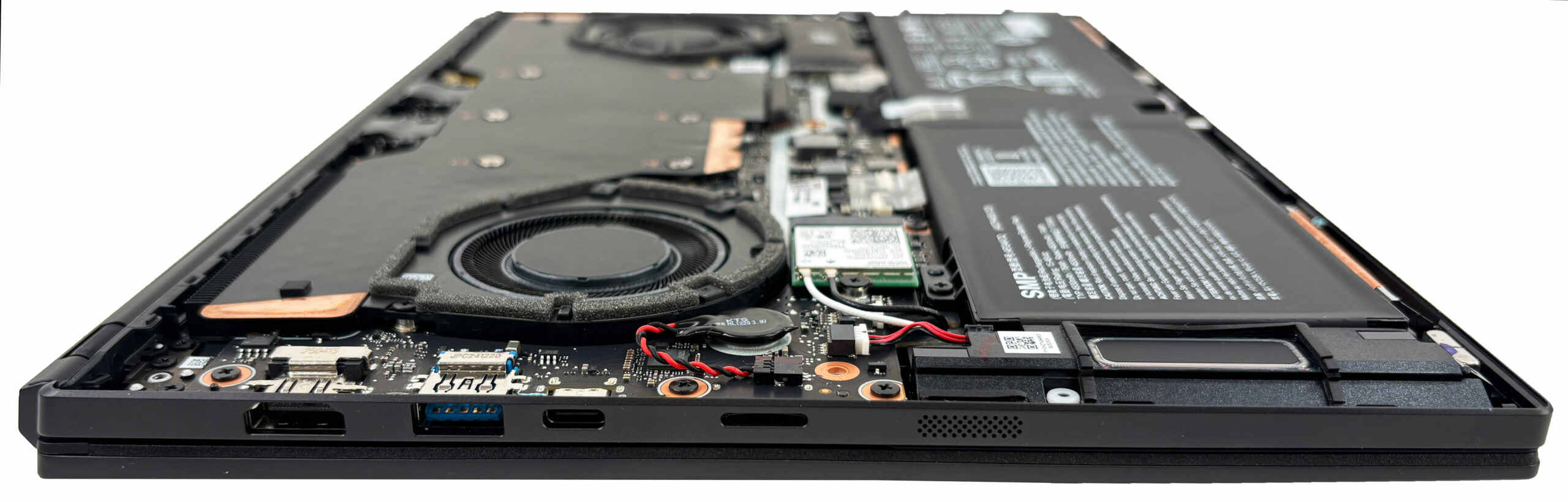
Summary: The Predator Triton 14 AI (PT14-52T) offers solid maintenance for a thin performance laptop: fan cleaning is easy, and you can replace the SSD, Wi-Fi card, and battery, but the soldered LPDDR5X memory and the single M.2 slot set clear limits on long-term upgrades.
Acer Predator Triton 14 AI (PT14-52T / PT14-52TP) गहन समीक्षा
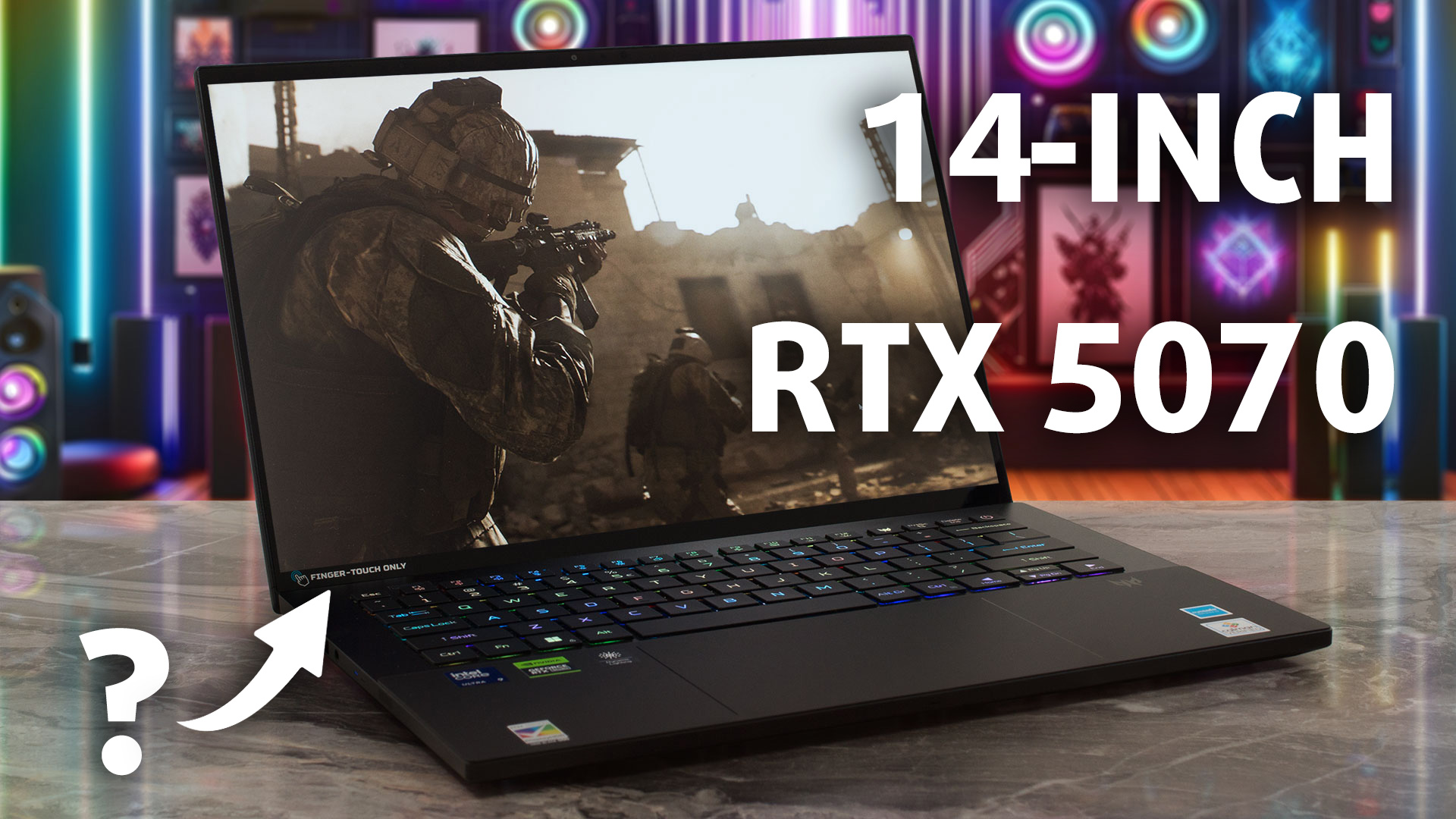
In a world where gaming laptops often sacrifice portability for power, the Acer Predator Triton 14 AI (PT14-52T) flips the script with its sleek 14.5-inch design hiding RTX 4070-level performance and a vibrant 120Hz OLED screen - perfect for creators and gamers on the go. But with battery life that barely scrapes three hours and non-upgradeable RAM, is this dual-purpose beast truly worth the hype? Dive into our detailed review to uncover its strengths and weaknesses.You can check the prices and configurations in our Specs System: https://laptopmedia.com/series/acer-predator-triton-14-a[...]
पक्ष
- Incredible gaming performance for a 14-inch laptop
- Phenomenal thermal management keeps CPU and GPU cool
- Stunning 2.8K 120Hz OLED display with 100% DCI-P3
- Premium, compact, and lightweight aluminium build
- Excellent keyboard with per-key RGB
- Future-proof connectivity with Wi-Fi 7 and Thunderbolt 4
विपक्ष
- Extremely poor battery life (under 3 hours)
- Soldered RAM with no upgrade options
- Only one M.2 slot for storage
- Stylus only works on the trackpad, not the screen
 Author: Dimitar Stalev

![[May 2026] Global Ranking of Best-Selling Laptop GPUs on Amazon – Apple Dominates with 45% Share, Sweeps Top 3 Spots; NVIDIA’s RTX 5060 Leads the Dedicated GPU Pack](https://laptopmedia.com/wp-content/uploads/2026/06/Best-Selling-GPUs-GLOBAL-Top-10-400x225.jpg)
![[May 2026] Global Ranking of Best-Selling Laptop CPUs on Amazon – Apple Crushes Competition with 45.2% Market Share, M5 Dominates](https://laptopmedia.com/wp-content/uploads/2026/06/Best-Selling-CPUs-GLOBAL-Top-10-400x225.jpg)
![[May 2026] Amazon Germany: Top 7 Best-Selling Gaming Laptops – Lenovo Legion 5i Crowned Champion Amidst Fierce Mid-Range Competition](https://laptopmedia.com/wp-content/uploads/2026/06/Best-Selling-Gaming-Laptops-DE-Top-10-1-400x225.jpg)
![[May 2026] Amazon Italy: Top 10 Best-Selling Laptops – Apple MacBook Neo Reigns Supreme, Premium Models Capture Dominant Revenue Share](https://laptopmedia.com/wp-content/uploads/2026/06/Best-Selling-Laptops-IT-Top-10-400x225.jpg)
![[May 2026] Best-Selling Laptop Brands on Amazon Italy – Apple Dominates Across All Metrics](https://laptopmedia.com/wp-content/uploads/2026/06/IT-Best-Brands-400x225.jpg)
