How to open Acer Nitro V 15 AI (ANV15-42) – disassembly and upgrade options
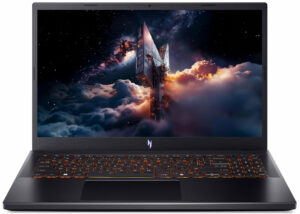
Step 1: Removing the bottom panel
- Power off the laptop and place it on a soft, clean surface.
- Remove the bottom-panel screws and release the clips around the perimeter with a thin plastic pry tool.
- Lift the bottom cover away from the chassis.
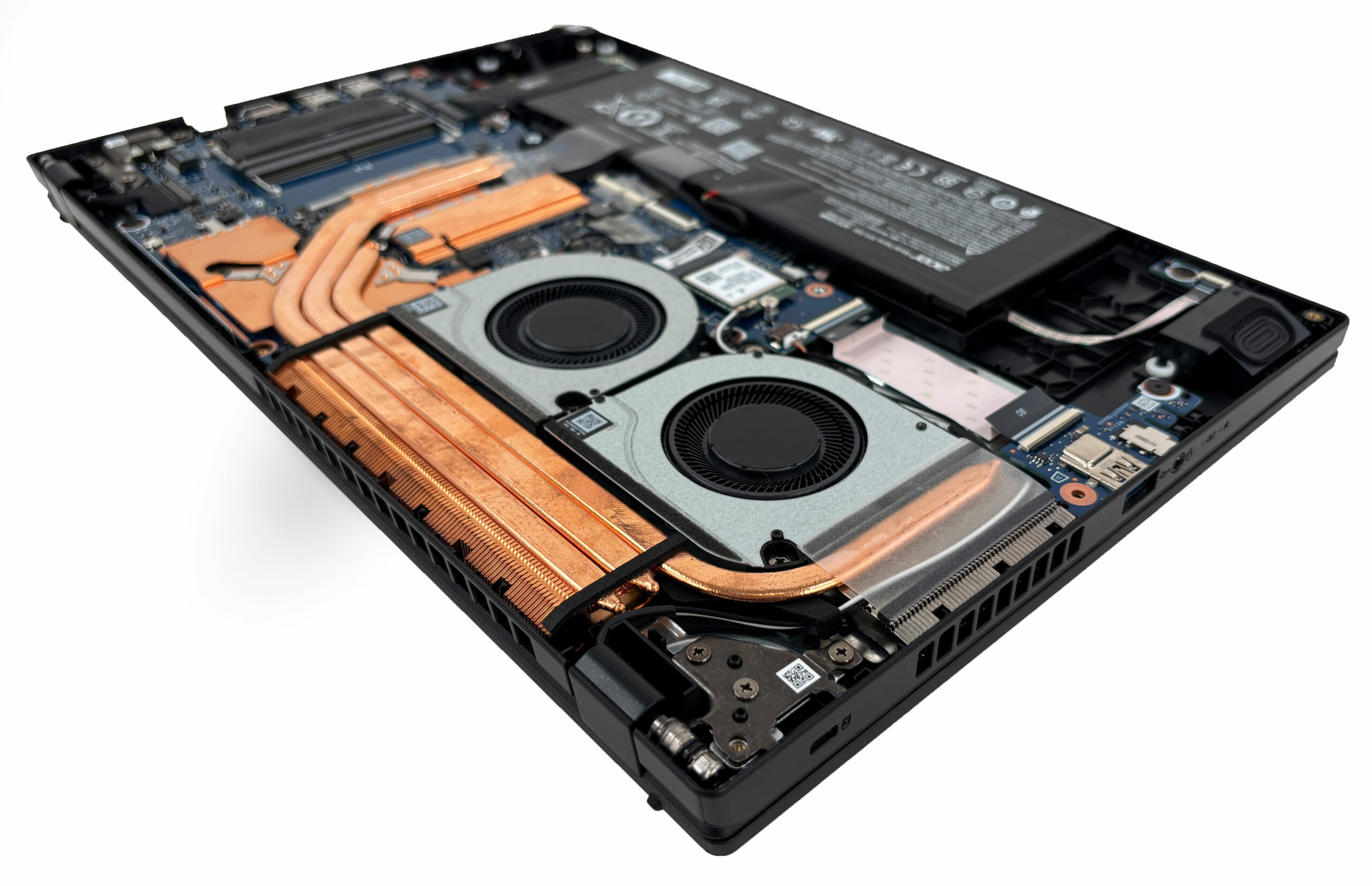
More info: Once inside, the layout is clean and roomy, with direct access to the cooling system, memory, storage, Wi-Fi card, and battery.
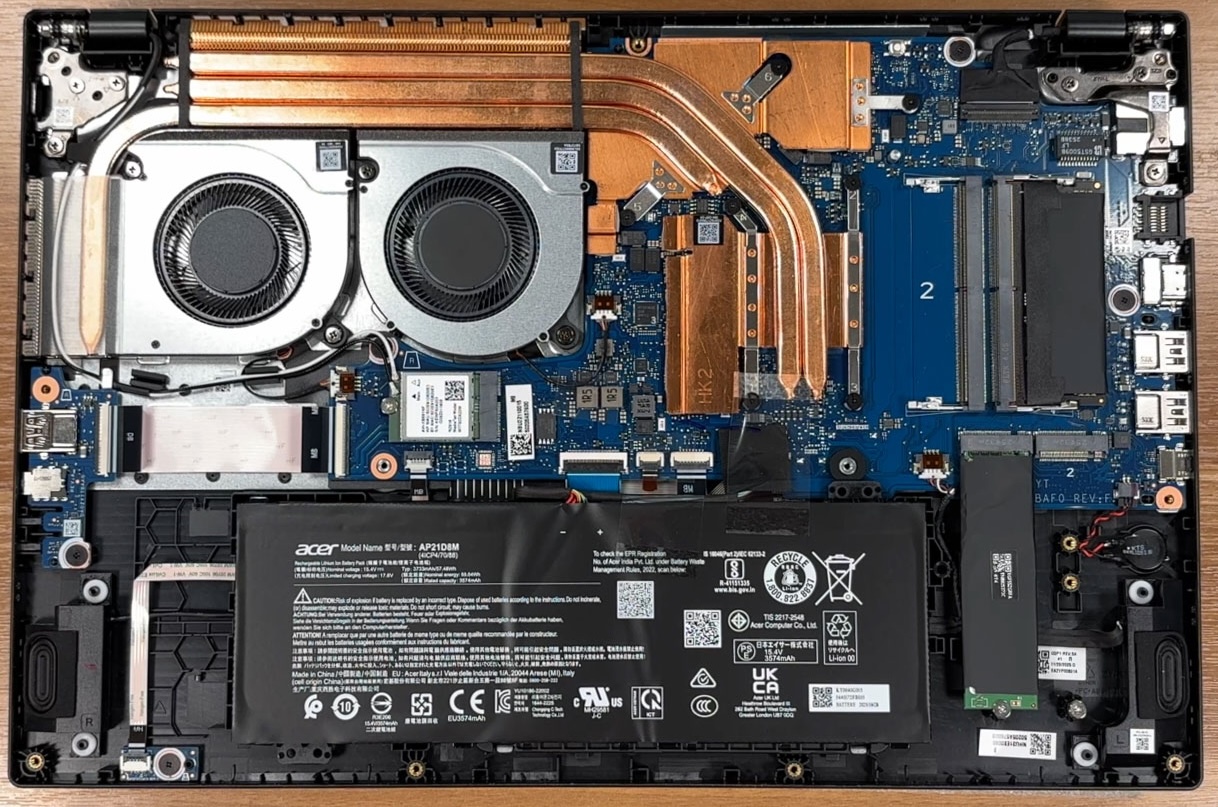
Step 2: Battery removal
- Disconnect the battery connector from the motherboard before touching any other internal component.
- Lift the battery out of the chassis.
More info: The battery is a 4-cell AP21D8M unit, marked at 57.48Wh typical capacity and 55.04Wh rated capacity. It is not secured with screws, which makes removal especially easy.
Step 3: Memory Upgrade
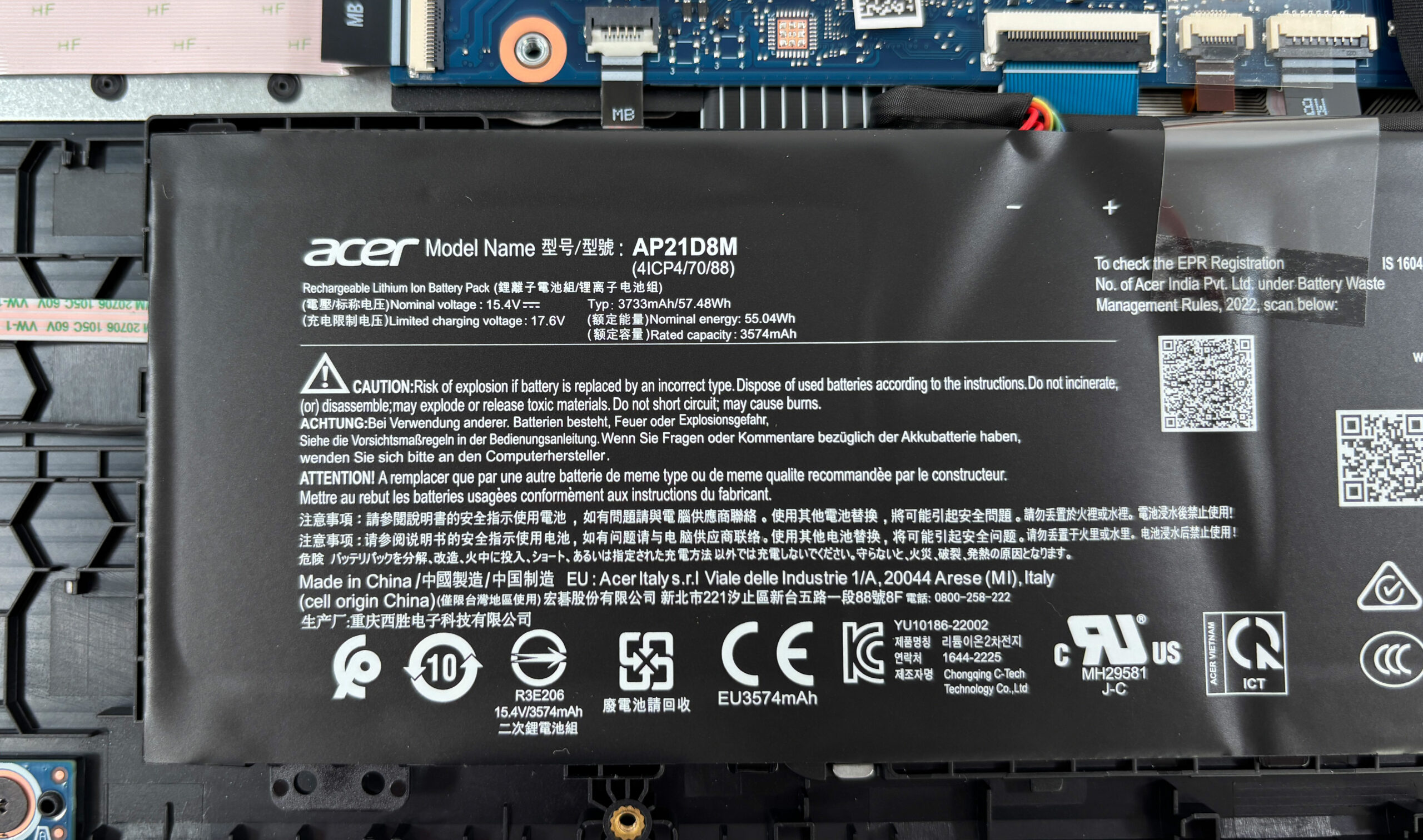
- The laptop has two user-accessible DDR5 SODIMM slots.
- Our configuration comes with one memory module installed, leaving the second slot free for an easy upgrade.
- Acer lists DDR5-5600 support, with configurations up to 16GB or 32GB depending on the version.
- The installed module is covered by a shielding layer, which helps reduce electromagnetic interference. Reapply it carefully after upgrading.
You can buy DDR5 RAM modules here: Buy from Flipkart.com
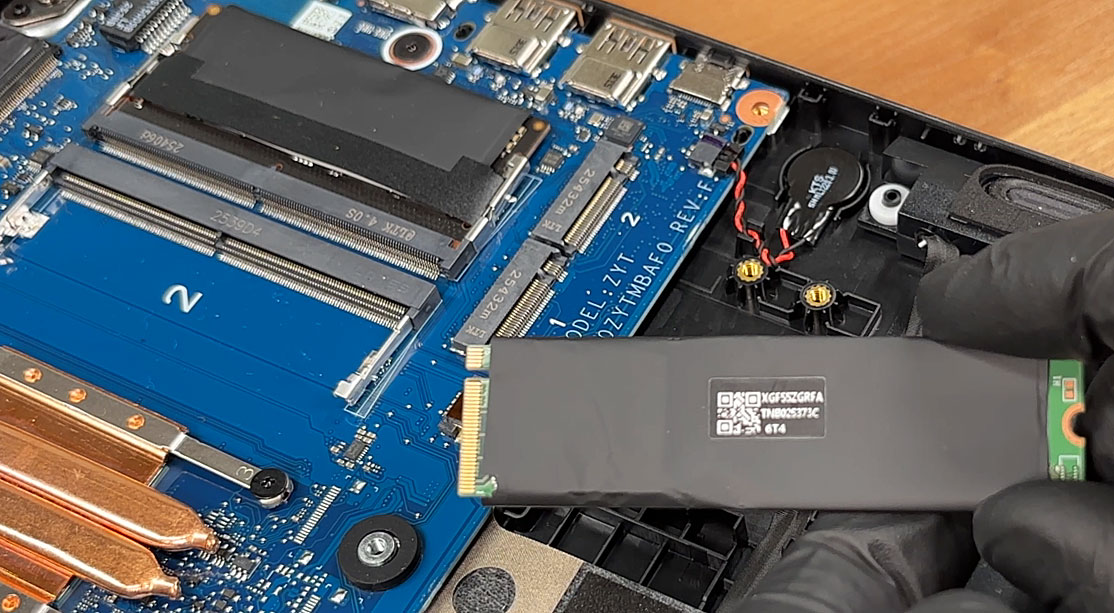
Step 4: Storage Upgrade
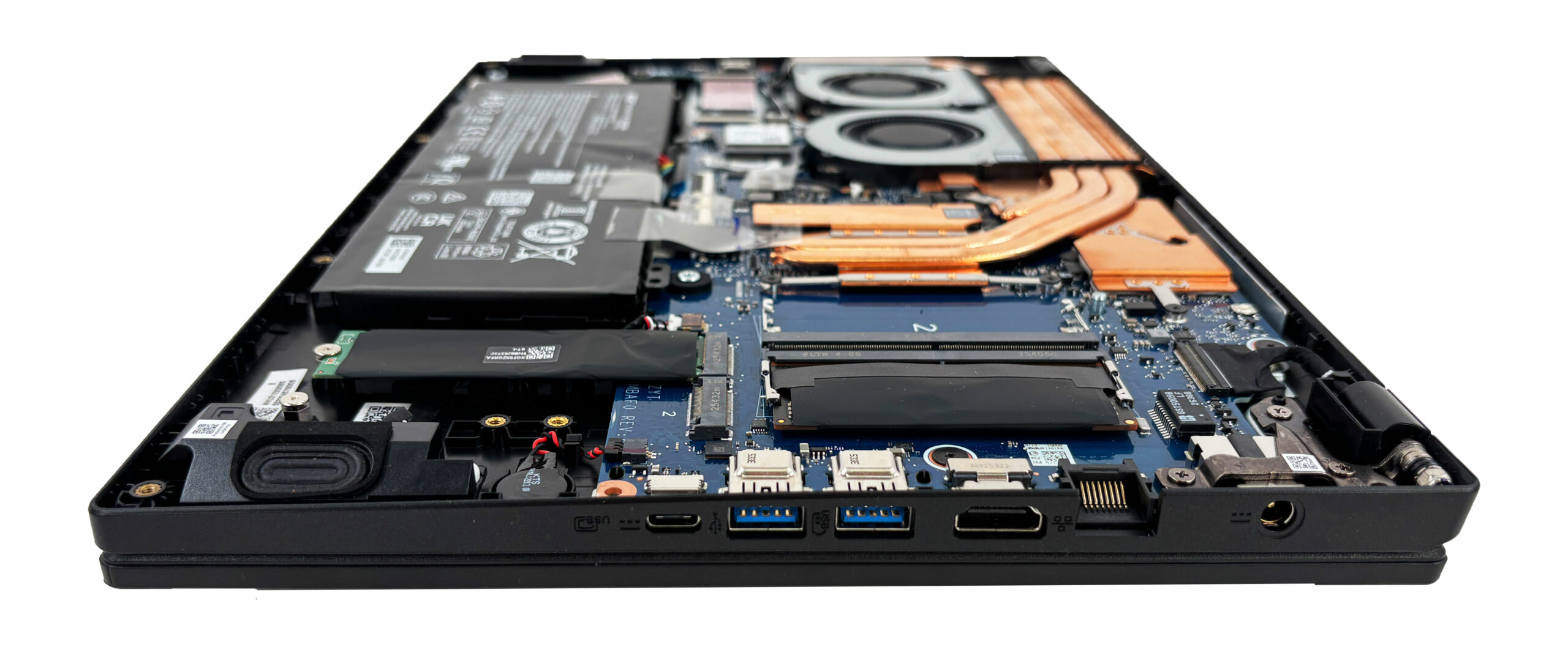
- The Acer Nitro V 15 AI (ANV15-42) has two M.2 slots for PCIe Gen 4 NVMe SSDs.
- Our unit comes with one SSD installed, while the second slot is free for future expansion.
- Factory configurations range from 512GB to 2TB, depending on the exact SKU.
- To upgrade, install a compatible M.2 PCIe Gen 4 NVMe SSD in the empty slot or replace the existing drive with a higher-capacity model.
You can buy Gen 4 M.2 SSDs here: Buy from Flipkart.com
Hint: Don’t forget to check out our Top M.2 SSDs Performance Rankings for insights on the best storage options available.
Step 5: Cooling system overview
- The cooling system uses two fans and a large copper assembly that spans the upper half of the chassis.
- The heatsink covers both the processor and the dedicated graphics chip.
- The fans and fin stacks are easy to reach once the bottom cover is removed, which makes routine dust cleaning straightforward.
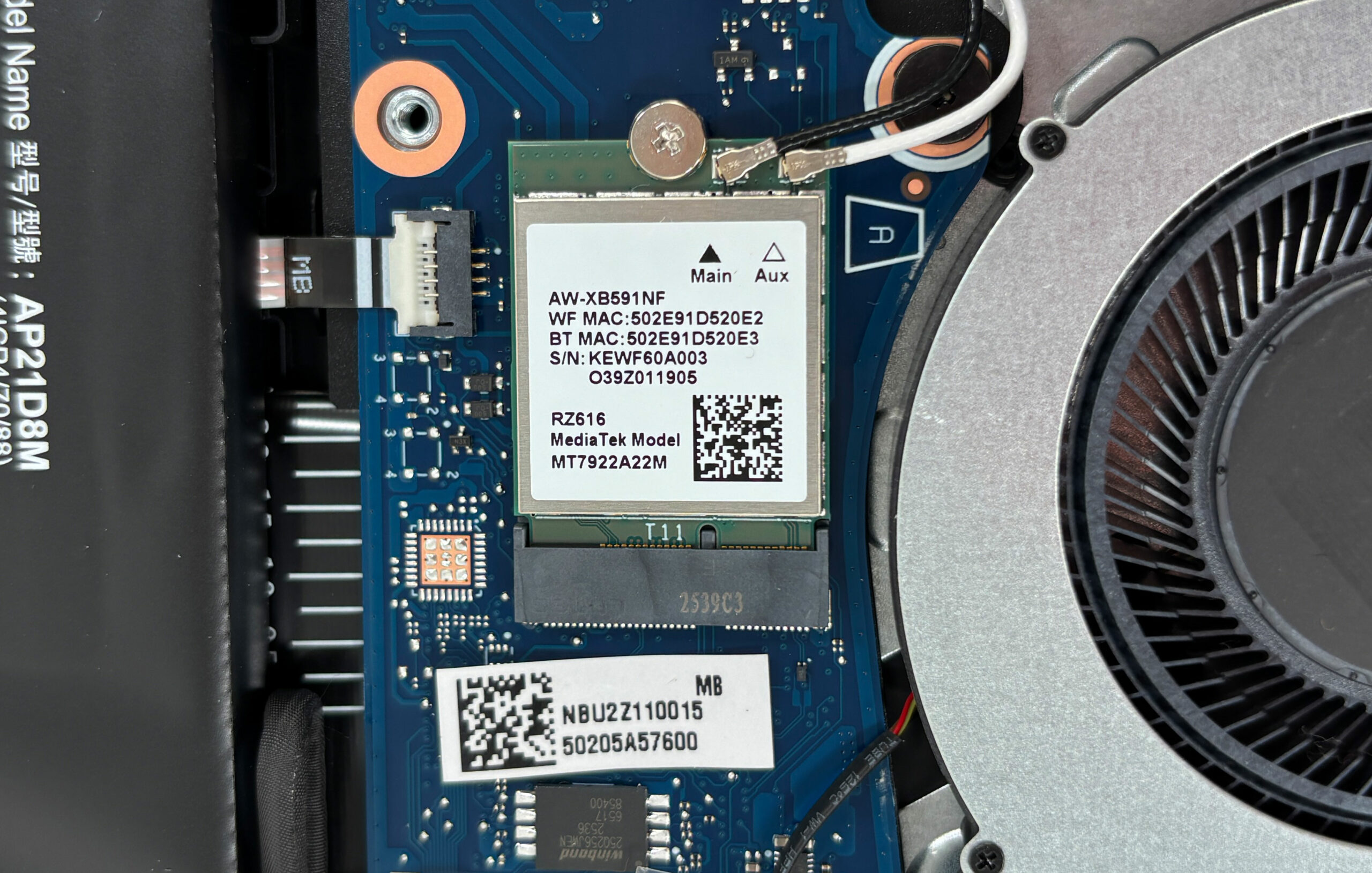
More info: The Wi-Fi card is also replaceable. Our unit uses a MediaTek RZ616 module, so wireless servicing or future replacement is possible without board-level work.
Summary: The Acer Nitro V 15 AI is easy to maintain thanks to its accessible dual-fan cooling, two DDR5 SODIMM slots, two M.2 SSD slots, replaceable Wi-Fi card, and easily removable battery.
Acer Nitro V 15 AI (ANV15-42) गहन समीक्षा
The budget and mid-range gaming laptop market is often a chaotic race for the highest possible specs at the lowest possible price, frequently resulting in machines that run hot, loud, and feature displays that cause eye strain. The Acer Nitro V 15 AI (ANV15-42) takes a surprisingly mature step back from this frenzy. It aims to be a reliable, cool-running workhorse that prioritizes long-term comfort over fleeting benchmark records. By combining a capable RTX 4050 with a cooling system that actually works and, crucially, a display that is completely free of harmful PWM flickering, Acer has c[...]

पक्ष
- Excellent thermal management keeps the system very cool and stable
- Good upgradeability with two RAM and two M.2 slots
- Premium-feeling metal lid with good fingerprint resistance
- Future-proof connectivity including a USB4 port
- PWM-free display is great for eye comfort
- Nitro Wireless Controller included in the box (region dependent)
विपक्ष
- Base display has very poor color coverage (56% sRGB)
- Poor battery life (under 4.5 hours)
- Frustrating half-height, cramped arrow keys
- No biometric login or physical webcam shutter
 Author: Dimitar Stalev

![[May 2026] Global Ranking of Best-Selling Laptop GPUs on Amazon – Apple Dominates with 45% Share, Sweeps Top 3 Spots; NVIDIA’s RTX 5060 Leads the Dedicated GPU Pack](https://laptopmedia.com/wp-content/uploads/2026/06/Best-Selling-GPUs-GLOBAL-Top-10-400x225.jpg)
![[May 2026] Global Ranking of Best-Selling Laptop CPUs on Amazon – Apple Crushes Competition with 45.2% Market Share, M5 Dominates](https://laptopmedia.com/wp-content/uploads/2026/06/Best-Selling-CPUs-GLOBAL-Top-10-400x225.jpg)
![[May 2026] Amazon Germany: Top 7 Best-Selling Gaming Laptops – Lenovo Legion 5i Crowned Champion Amidst Fierce Mid-Range Competition](https://laptopmedia.com/wp-content/uploads/2026/06/Best-Selling-Gaming-Laptops-DE-Top-10-1-400x225.jpg)
![[May 2026] Amazon Italy: Top 10 Best-Selling Laptops – Apple MacBook Neo Reigns Supreme, Premium Models Capture Dominant Revenue Share](https://laptopmedia.com/wp-content/uploads/2026/06/Best-Selling-Laptops-IT-Top-10-400x225.jpg)
![[May 2026] Best-Selling Laptop Brands on Amazon Italy – Apple Dominates Across All Metrics](https://laptopmedia.com/wp-content/uploads/2026/06/IT-Best-Brands-400x225.jpg)
