Lenovo ThinkPad L13 Yoga Gen 3 – Top 5 Pros and Cons
 Here is a tiny business device that carries the necessities that you would need, inducing security, stability, and performance. The ThinkBook L13 Yoga Gen 3 also implements a 360-degree hinge and a 16:10 display.
Hardware-wise, the laptop comes with U-series CPUs, which should mean good efficiency and long battery life. However, the laptop arrives with Windows 10, which doesn’t have the improved scheduler that divides tasks between the P-cores and E-cores.
With that said, here are LaptopMedia’s top 5 picks about the Lenovo ThinkPad L13 Yoga Gen 3.
Lenovo ThinkPad L13 Yoga Gen 3: Full Specs / In-depth Review
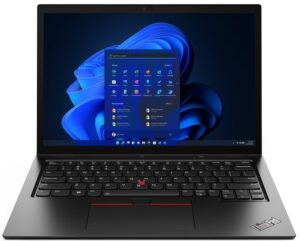
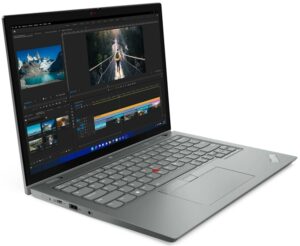
3 reasons to BUY the Lenovo ThinkPad L13 Yoga Gen 3
1. Security
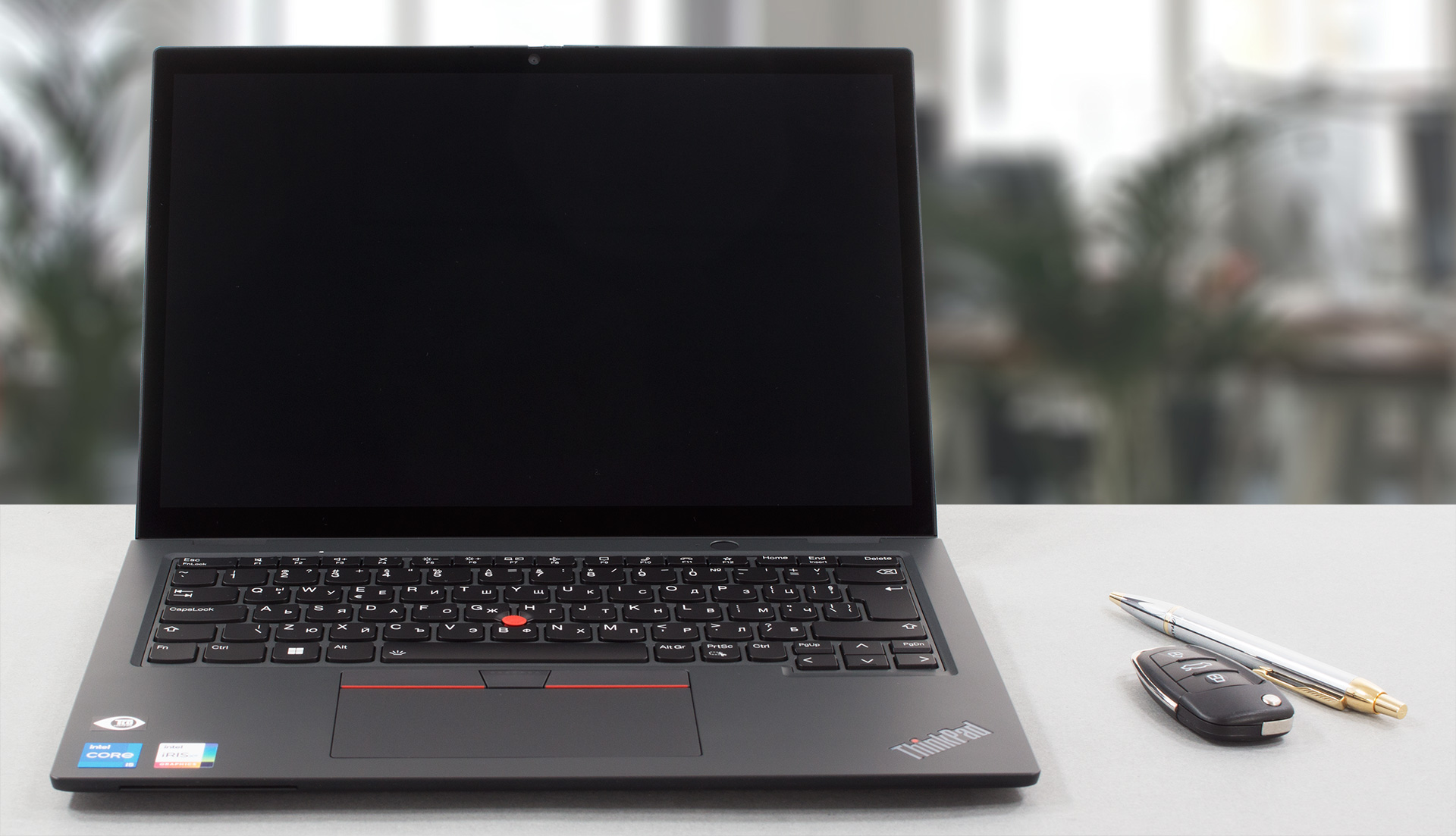
The device comes with an optional FHD webcam, while an IR face recognition sensor and a privacy shutter come as standard. The base has a fingerprint reader, while you can get an optional SmartCard reader. All of these up the security, since you would have to go through many layers of authentication.
2. I/O
The port selection includes a Thunderbolt 4 port, a USB Type-C 3.2 (Gen. 2) port, two USB Type-A 3.2 (Gen. 1) ports, an HDMI 2.0 port, a 3.5mm audio jack, and a SIMcard tray.


3. Display quality
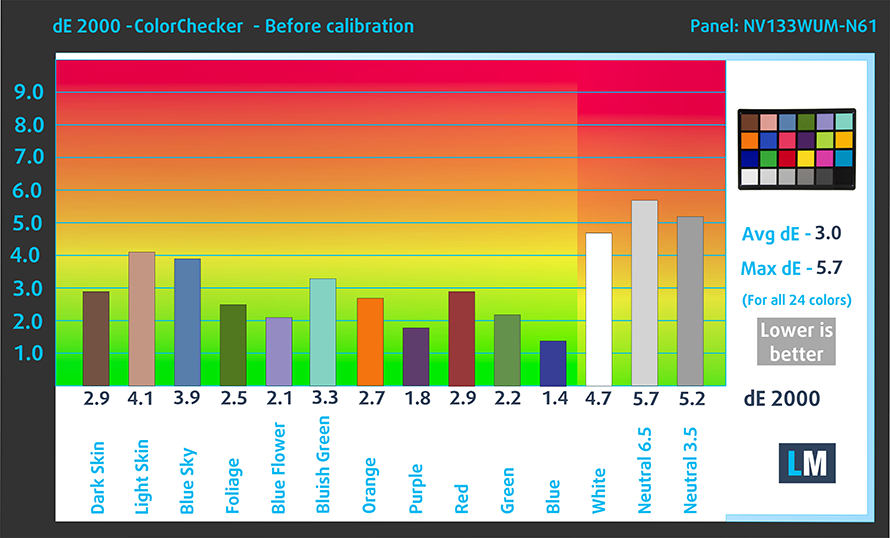
Our laptop comes with a FHD+ IPS panel that offers comfortable viewing angles, a max brightness of 294 nits, 99% sRGB coverage, and accurate colors using our Design and Gaming profile.
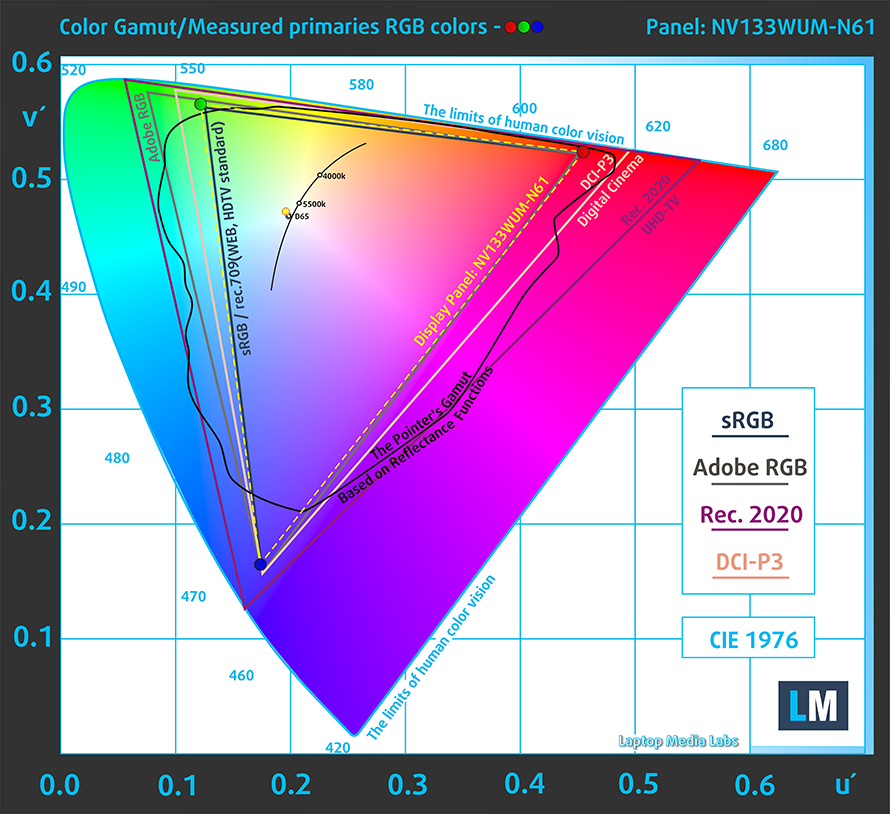
Here is our test with both the stock settings (left) and with our profile applied (right).

Buy our profiles
Since our profiles are tailored for each individual display model, this article and its respective profile package are meant for Lenovo ThinkPad L13 Yoga Gen 3 configurations with 13.3″ BOE NV133WUM-N61 (LEN41A0) (Full HD+, 1920 x 1200) IPS.
*Should you have problems with downloading the purchased file, try using a different browser to open the link you’ll receive via e-mail. If the download target is a .php file instead of an archive, change the file extension to .zip or contact us at [email protected].
Read more about the profiles HERE.
कुशल और स्वास्थ्य के अनुकूल प्रोफाइल प्राप्त करने के अलावा, LaptopMedia के उत्पादों को खरीदकर आप हमारी प्रयोगशालाओं के विकास का भी समर्थन करते हैं, जहाँ हम सबसे वस्तुनिष्ठ समीक्षाएँ प्रस्तुत करने के लिए उपकरणों का परीक्षण करते हैं।

Office Work
Office Work का उपयोग ज्यादातर उन उपयोगकर्ताओं द्वारा किया जाना चाहिए जो अपना अधिकांश समय टेक्स्ट के टुकड़ों, तालिकाओं को देखने या सिर्फ सर्फिंग में बिताते हैं। इस प्रोफ़ाइल का उद्देश्य एक फ्लैट गामा वक्र (2.20), मूल रंग तापमान और अवधारणात्मक रूप से सटीक रंगों को रखकर बेहतर विशिष्टता और स्पष्टता प्रदान करना है।

Design and Gaming
यह प्रोफ़ाइल उन डिजाइनरों के लिए है जो पेशेवर रूप से रंगों के साथ काम करते हैं, और गेम और फिल्मों के लिए भी। Design and Gaming डिस्प्ले पैनल को उनकी सीमा तक ले जाता है, जिससे वे वेब और HDTV के लिए sRGB IEC61966-2-1 मानक में, व्हाइट पॉइंट D65 पर यथासंभव सटीक हो जाते हैं।

Health-Guard
Health-Guard हानिकारक पल्स-विड्थ मॉड्यूलेशन (PWM) को समाप्त करता है और नकारात्मक नीली रोशनी को कम करता है जो हमारी आँखों और शरीर को प्रभावित करती है। चूंकि यह प्रत्येक पैनल के लिए कस्टम अनुरूप है, यह रंगों को अवधारणात्मक रूप से सटीक रखने का प्रबंधन करता है। Health-Guard कागज का अनुकरण करता है जिससे आँखों पर दबाव बहुत कम हो जाता है।
33% छूट के साथ सभी 3 प्रोफाइल प्राप्त करें

2 reasons NOT to buy the Lenovo ThinkPad L13 Yoga Gen 3
1. Upgradeability
The upgradeability is lacking, which is common with 13-inch devices. There is up to 32GB of soldered DDR4 RAM that works at 3200MHz. Storage-wise, there is a single M.2 slot that fits Gen 4 NVMe SSDs, however, you have to get the smaller 42mm drives.

Here is our detailed teardown video, which shows how to access the insides for an upgrade, along with the cooling for cleanup and maintenance.
2. Cooling
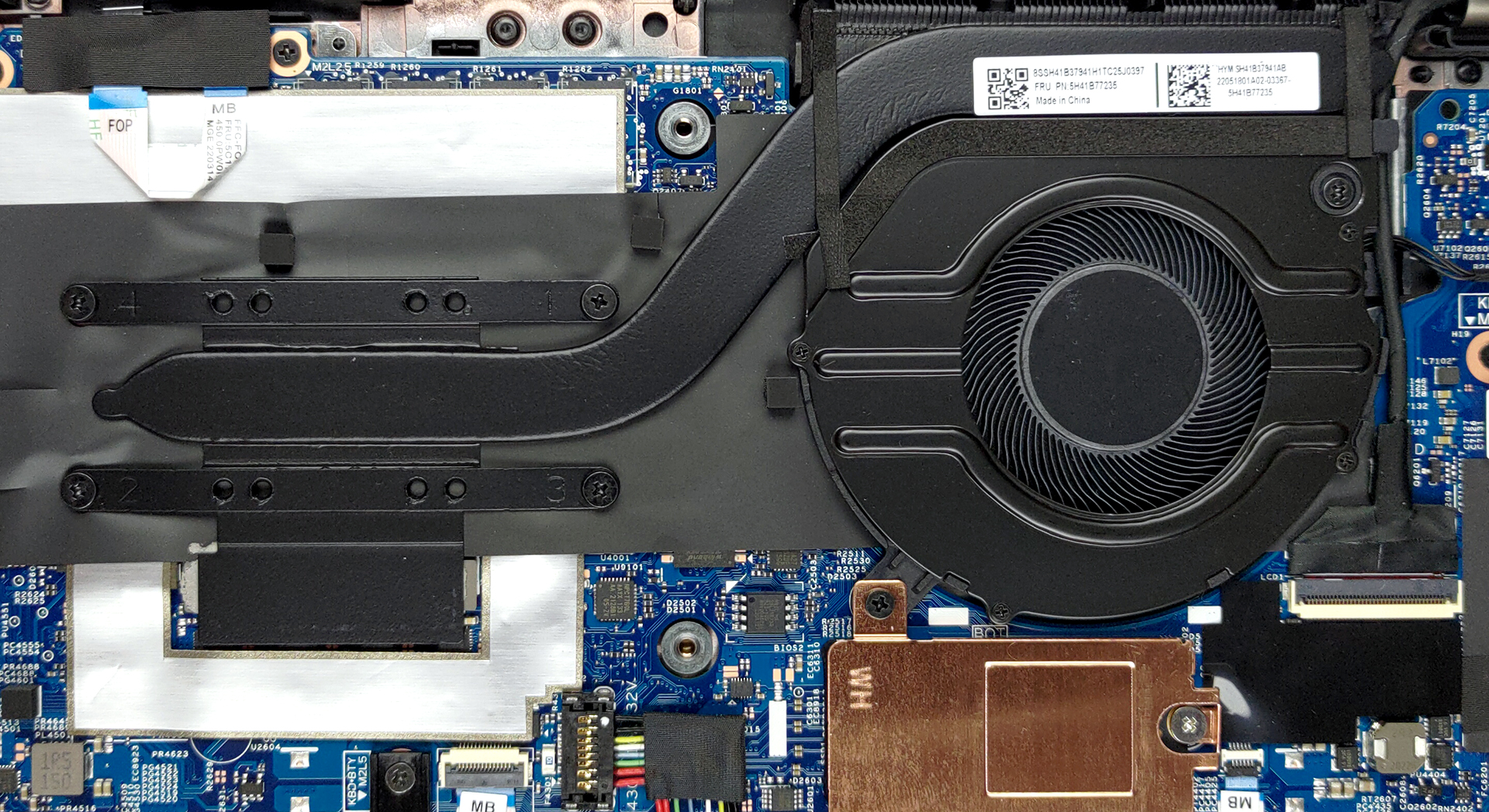
The cooling setup consists of only one heat pipe, one fan, and a heat skink.
Max CPU load
| Intel Core i5-1235U (15W TDP) | 0:02 – 0:10 sec | 0:15 – 0:30 sec | 10:00 – 15:00 min |
|---|---|---|---|
| Lenovo ThinkPad L13 Yoga Gen 3 | 1.88 GHz @ 1.97 GHz @ 61°C @ 20W | 1.86 GHz @ 1.96 GHz @ 68°C @ 20W | 2.20 GHz @ 2.20 GHz @ 88°C @ 25W |
The laptop has poor thermal management, as the laptop barely goes above 2.00GHz in the first seconds of our stress test. Both the P-cores and E-cores keep a temperature of 2.20GHz, but heat up significantly, maxing out at 88°C.
Comfort during full load
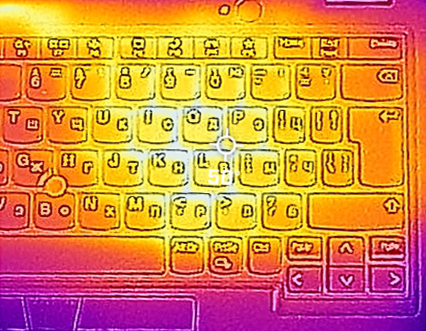
The base of the laptop gets hot, reaching 50°C. The bottom panel gets hot as well, so you might not want to keep the laptop in your lap at all.
All Lenovo ThinkPad L13 Yoga Gen 3 configurations:
 Author: Severin Kolakov

![[June 2026] Best-Selling Laptop Brands on Amazon Global – Apple’s Unrivaled Dominance in Units and Revenue](https://laptopmedia.com/wp-content/uploads/2026/07/GLOBAL-Best-Brands-400x225.jpg)
![[June 2026] Amazon Global: Top 10 Best-Selling Laptops – Apple’s New MacBook Neo Storms to #1, Reshaping the Market with Affordability](https://laptopmedia.com/wp-content/uploads/2026/07/Best-Selling-Laptops-GLOBAL-Top-10-400x225.jpg)
![[June 2026] Amazon Global: Top 10 Best-Selling Gaming Laptops – Acer’s Nitro V 16S AI Dominates Sales, While ASUS Leads Overall Revenue](https://laptopmedia.com/wp-content/uploads/2026/07/Best-Selling-Gaming-Laptops-GLOBAL-Top-10-400x225.jpg)
![[June 2026] Global Ranking of Best-Selling Laptop GPUs on Amazon – NVIDIA RTX 5060 is the Top-Selling Dedicated GPU](https://laptopmedia.com/wp-content/uploads/2026/07/Best-Selling-GPUs-GLOBAL-Top-10-400x225.jpg)
![[June 2026] Global Ranking of Best-Selling Laptop CPUs on Amazon – Apple M5 Dominates, AMD Ryzen 7 260 Gets Solid Premium Share](https://laptopmedia.com/wp-content/uploads/2026/07/Best-Selling-CPUs-GLOBAL-Top-10-400x225.jpg)
