Acer Nitro 17 (AN17-71) review – the gap between the Predator and Nitro series is only cosmetic
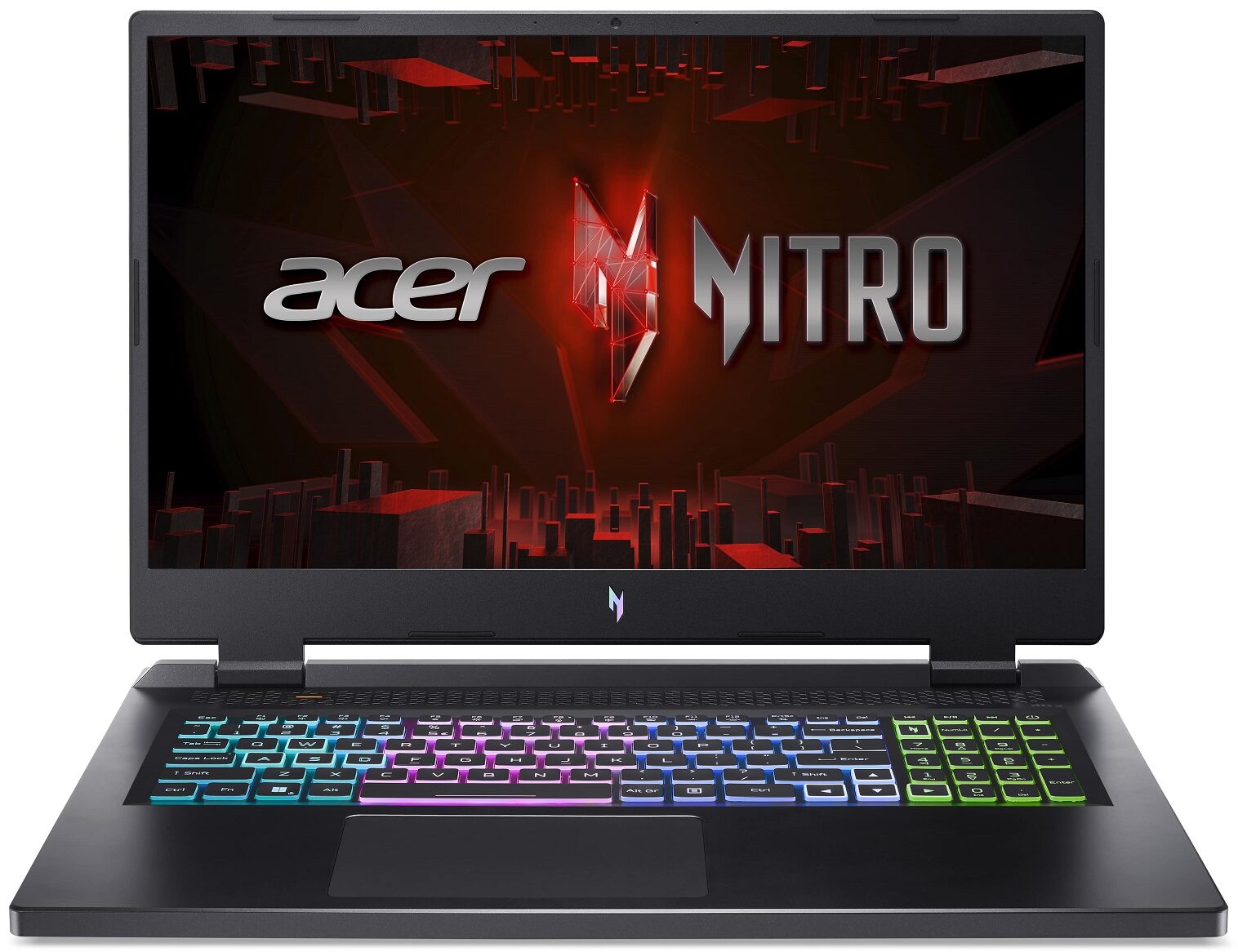
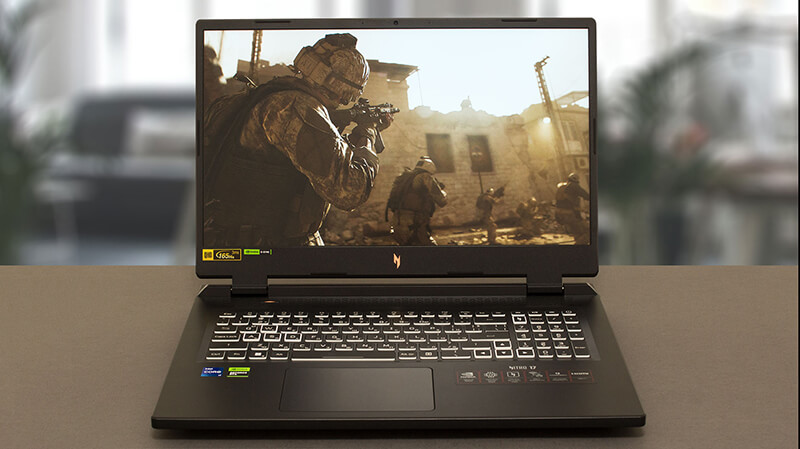 The Acer Nitro 17 (AN17-71) is part of a rebranding scheme going on at the Taiwanese company. It also features a new logo, which looks pretty cool in our opinion. But looks are all but everything when it comes to gaming devices.
It is equipped with Intel’s 55W HX-series processors, part of the 13th Gen family. They are not very efficient, but as we found in other devices we’ve tested, these CPUs are extremely powerful.
With that said, it is good to see that Acer now removed the exclusivity of the Helios subbrand when it comes to liquid metal. Being fully aware that it needs to throw everything in the textbook at the Intel Core i7-13700HX, which is capable of reaching a power target of 170W with no problem.
In addition to that, the laptop is offered with quite powerful graphics cards too. From what we were able to find online, Acer doesn’t specify which is the top-dog GPU in its roster, but we got ourselves the RTX 4060. It has a 140W TGP, which should offer a good-enough performance in games, playing at the native 1440p resolution.
You can check the prices and configurations in our Specs System: https://laptopmedia.com/series/acer-nitro-17-an17-71/
Contents
Specs, Drivers, What’s in the box
Acer Nitro 17 (AN17-71) - स्पेक्स



- HDD/SSD
- तक 2000GB SSD
- M.2 स्लॉट
- 2x 2280 M.2 NVMe PCIe 4.0 x4 फोटो देखें
- RAM
- up to 32GB
- OS
- Windows 11 Home, No OS, Windows 11 Pro
- बैटरी
- 90Wh, 4-cell
- बॉडी मटीरियल
- Plastic / Polycarbonate
- आयाम
- 400.2 x 293.25 x 27.9 - 28.9 mm (15.76" x 11.55" x 1.10")
- वजन
- 3.25 kg (7.2 lbs)
- पोर्ट और कनेक्टिविटी
- 1x USB Type-A
- 3.2 Gen 1 (5 Gbps)
- 1x USB Type-A
- 3.2 Gen 2 (10 Gbps)
- 1x USB Type-A
- 3.2 Gen 2 (10 Gbps), Sleep and Charge
- 2x USB Type-C
- 3.2 Gen 2 (10 Gbps), Thunderbolt 4, Power Delivery (PD), DisplayPort
- HDMI
- 2.1
- कार्ड रीडर
- microSD
- ईथरनेट लैन
- 10, 100, 1000 Mbit/s
- वाई-फाई
- 802.11ax
- ब्लूटूथ
- 5.1
- ऑडियो जैक
- 3.5mm Combo Jack
- विशेषताएँ
- फिंगरप्रिंट रीडर
- वेब कैमरा
- HD with Temporal Noise Reduction
- बैकलिट कीबोर्ड
- माइक्रोफोन
- Dual Microphones with AI noise reduction
- स्पीकर
- Speakers by DTS X: Ultra Audio
- ऑप्टिकल ड्राइव
- सुरक्षा लॉक स्लॉट
- Kensington Lock
सभी Acer Nitro 17 (AN17-71) कॉन्फ़िगरेशन
Drivers
All drivers and utilities for this notebook can be found here: https://www.acer.com/us-en/support?search=Nitro%20AN17-71&filter=global_download&suggest=nitro%2017;0
What’s in the box?
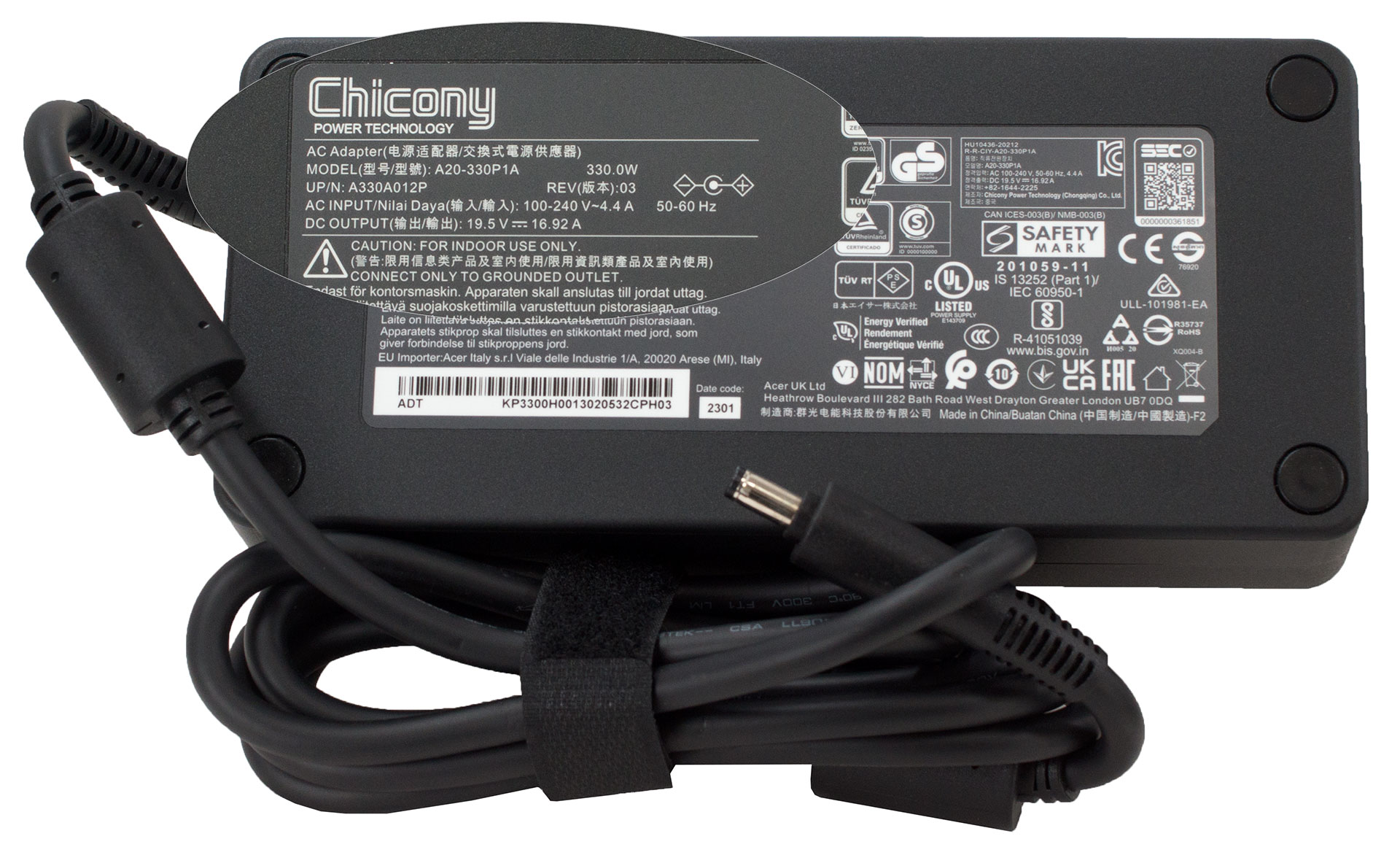
Inside the package, we find the well-protected laptop, some paperwork, and a huge 330W power adapter, which can be used to charge your Tesla when you’re not using your laptop (please don’t try that).
 Author: Alex Iliev
 Author: eng. Kroum NikolovHead of Engineering at LaptopMedia.com, inventor and innovator with 40+ years of experience in electronics and high technology.

![[August 2026] Amazon Global: Top 10 Best-Selling Laptops – Apple MacBook Neo Dominates the Charts as Budget and Mid-Range Windows Portables Fight for Volume](https://laptopmedia.com/wp-content/uploads/2026/09/Best-Selling-Laptops-GLOBAL-Top-10-400x225.jpg)
![[August 2026] Best-Selling Laptop Brands on Amazon Global – Apple Dominates Revenue While HP Leads in Model Variety](https://laptopmedia.com/wp-content/uploads/2026/09/GLOBAL-Best-Brands-400x225.jpg)
![[August 2026] Amazon Global: Top 10 Best-Selling Gaming Laptops – HP Victus 15 Captures the Crown as Budget-Friendly Models Dominate the Charts](https://laptopmedia.com/wp-content/uploads/2026/09/Best-Selling-Gaming-Laptops-GLOBAL-Top-10-400x225.jpg)
![[August 2026] Best-Selling Laptop Brands on Amazon Japan – Apple Dominates Market Share and Revenue Led by Strong Unit Sales](https://laptopmedia.com/wp-content/uploads/2026/09/CO.JP-Best-Brands-1-400x225.jpg)
![[August 2026] Best-Selling Laptop Brands on Amazon USA – Apple Dominates Market Revenue and Volume Despite Lower Model Diversity](https://laptopmedia.com/wp-content/uploads/2026/09/COM-Best-Brands-1-400x225.jpg)

Hi, I have this laptop and on battery it shows no more than 4 hours(browsing at 30% brightness) from the store told me that it is normal for that laptop, but in yours review you are saying that the battery lasts over 7 hours. Do you think there is a problem with the battery? Also CPU idle temperatures are normal, 40 – 45 C, but Intel XTU power limit throttling turns on very often(for a few seconds ‘YES’ and then ‘NO’ for a few seconds), when I’m playing games the temperatures are also good(around 60 C), but the power limit… और पढ़ें »
I’ve seen these with 96gb ram