ASUS ROG Zephyrus G16 (GU606, 2026) review – Stunning OLED, Core Ultra 9, and 17 hour battery life!
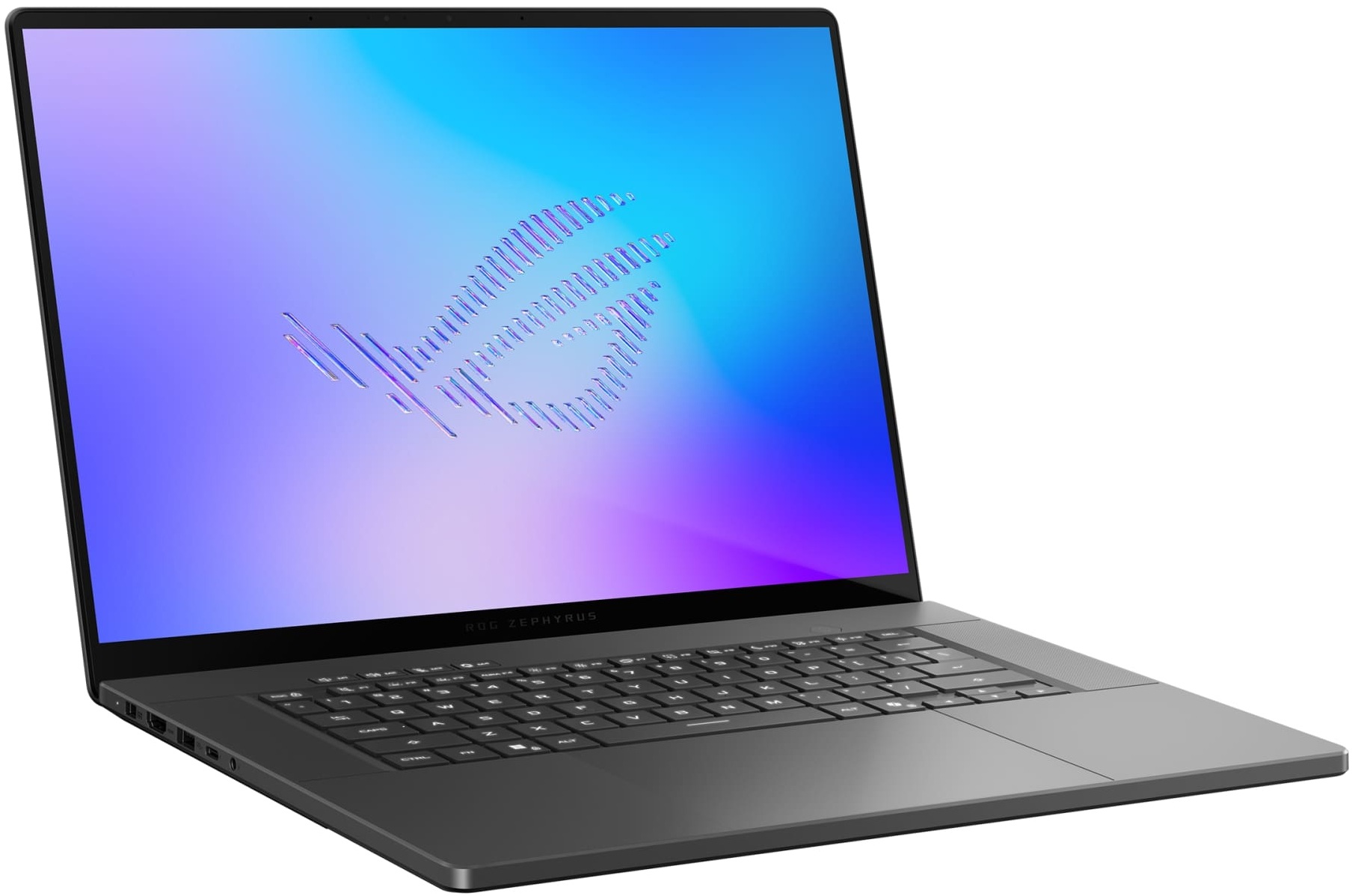
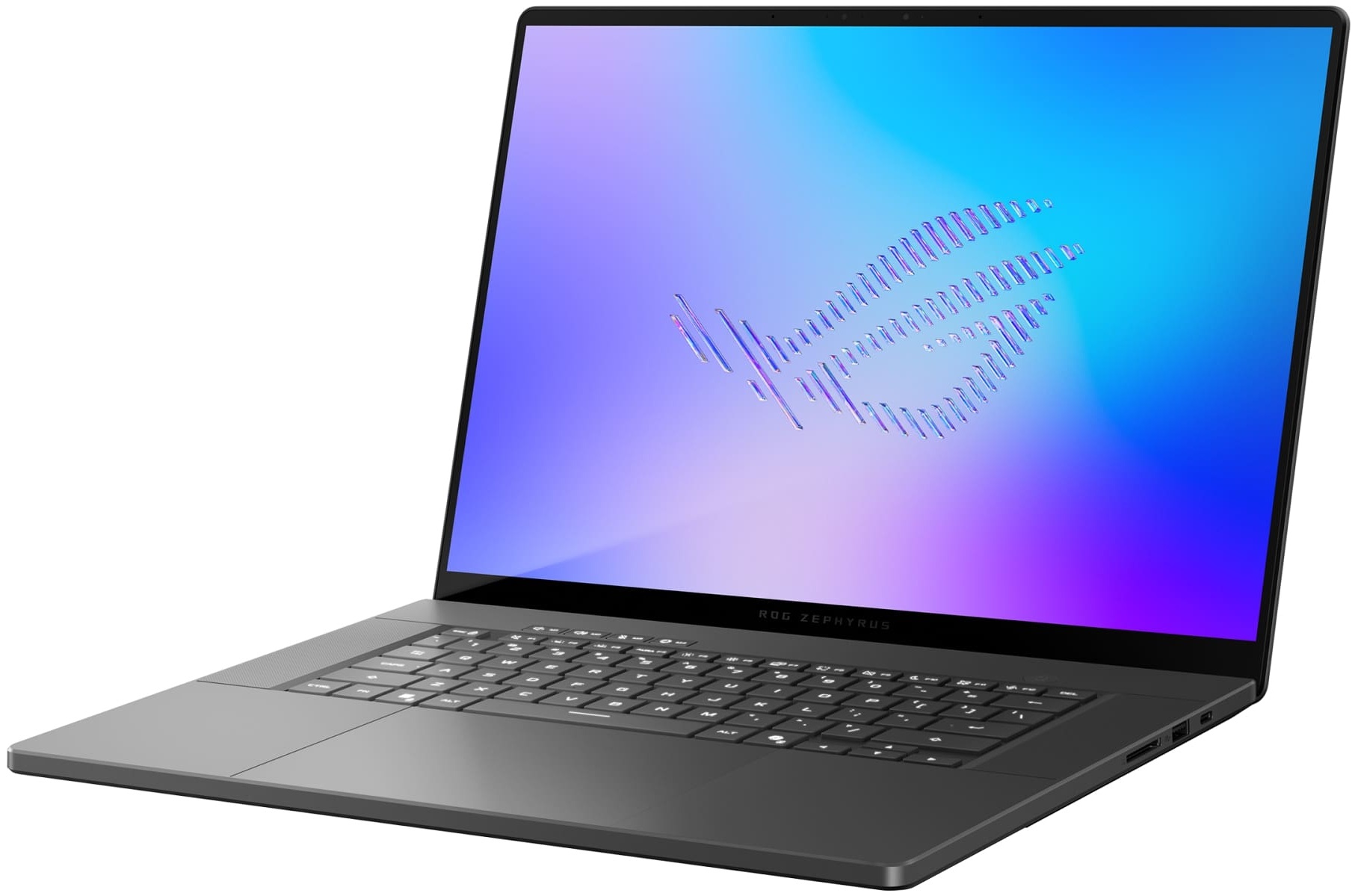
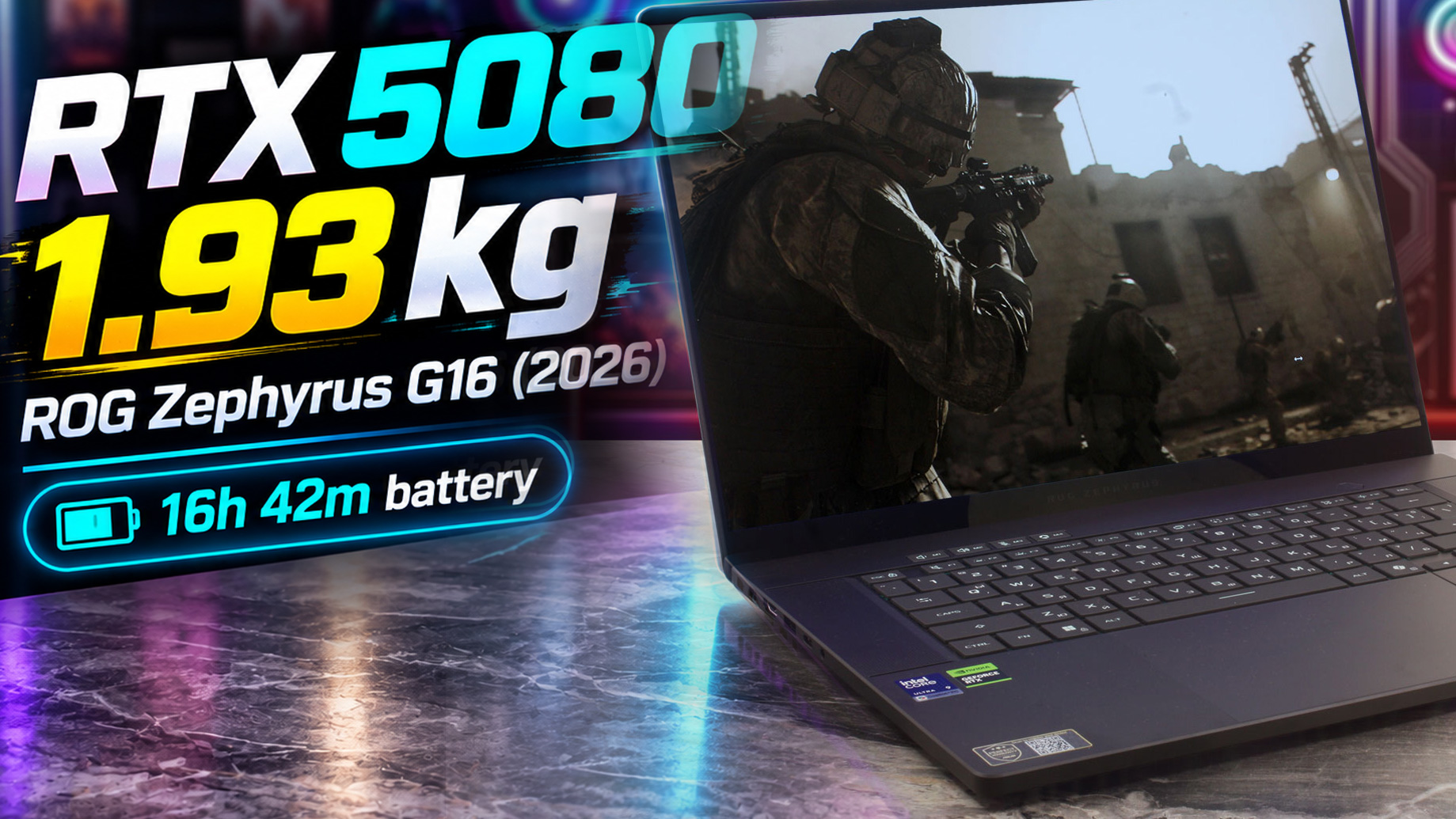 The ASUS ROG Zephyrus G16 (GU606, 2026) is the ultimate chameleon of the laptop world. Aimed squarely at demanding professionals, content creators, and serious gamers who refuse to compromise on mobility, it is a high-end, premium machine that blurs the line between a sleek ultrabook and a gaming powerhouse. The very first thing that strikes you is the exquisite CNC-machined aluminum chassis – it feels unbelievably light at just 1.93 kg, yet incredibly rigid and sophisticated.
But the true shock came during our testing: this RTX 5080-equipped beast delivered nearly 17 hours of battery life, an absolutely unheard-of feat for a laptop of this caliber! While its stunning OLED screen and portability are incredibly impressive, we were deeply disappointed to find that ASUS chose to solder the RAM, forcing buyers to make a permanent, expensive decision on day one. Let’s dive in to see if the portability is worth the restricted upgradeability.
You can check the prices and configurations in our Specs System: https://laptopmedia.com/series/asus-rog-zephyrus-g16-gu606/
TESTED CONFIGURATION:
– Intel Core Ultra 9 386H
– NVIDIA GeForce RTX 5080 (160W)
– 64GB RAM
– 2TGB SSD NVMe
– 16.0″, WQXGA (2560 × 1600), 240 Hz, OLED
Contents
Specs, Drivers, What’s in the box
ASUS ROG Zephyrus G16 GU606 - स्पेक्स
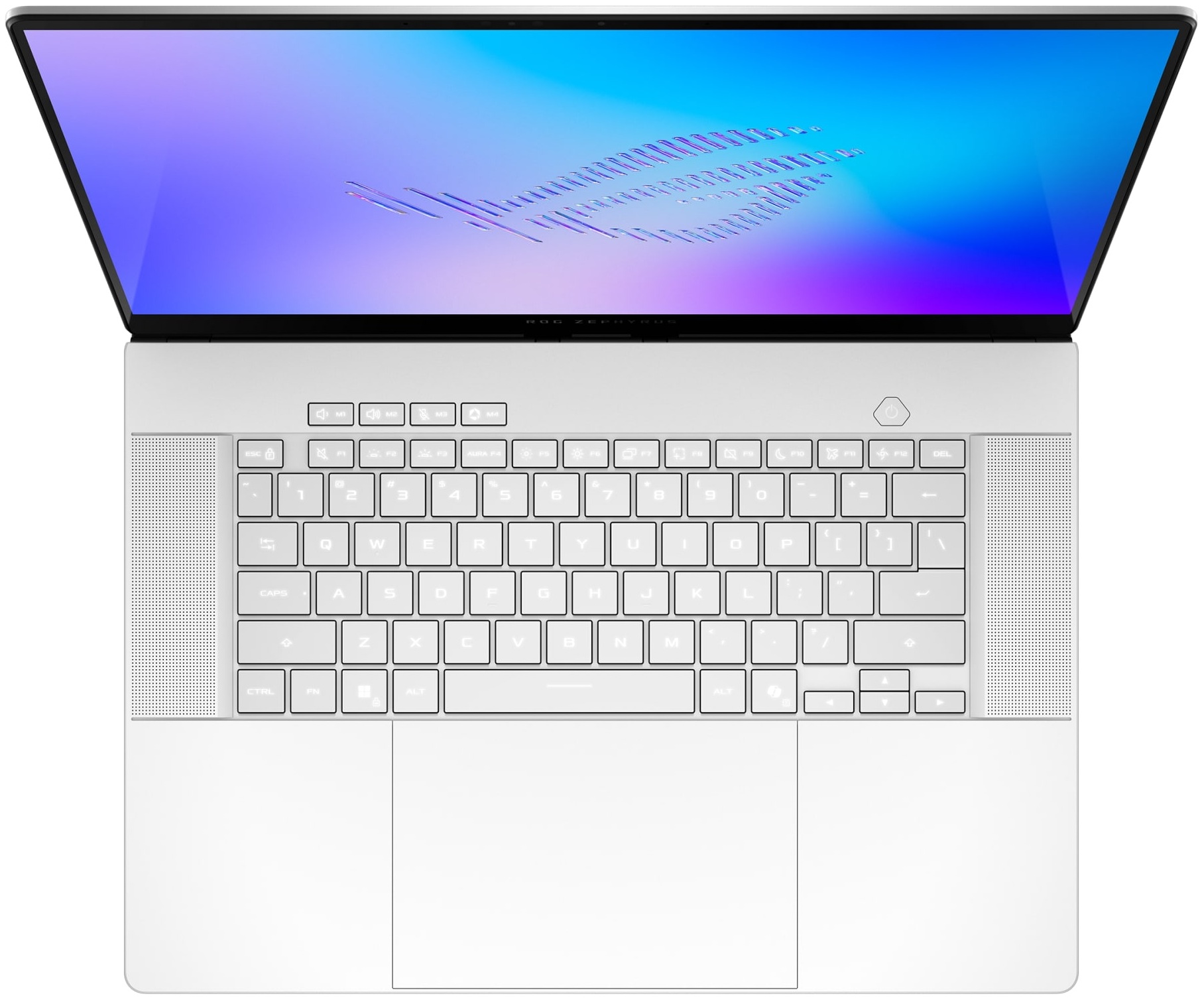
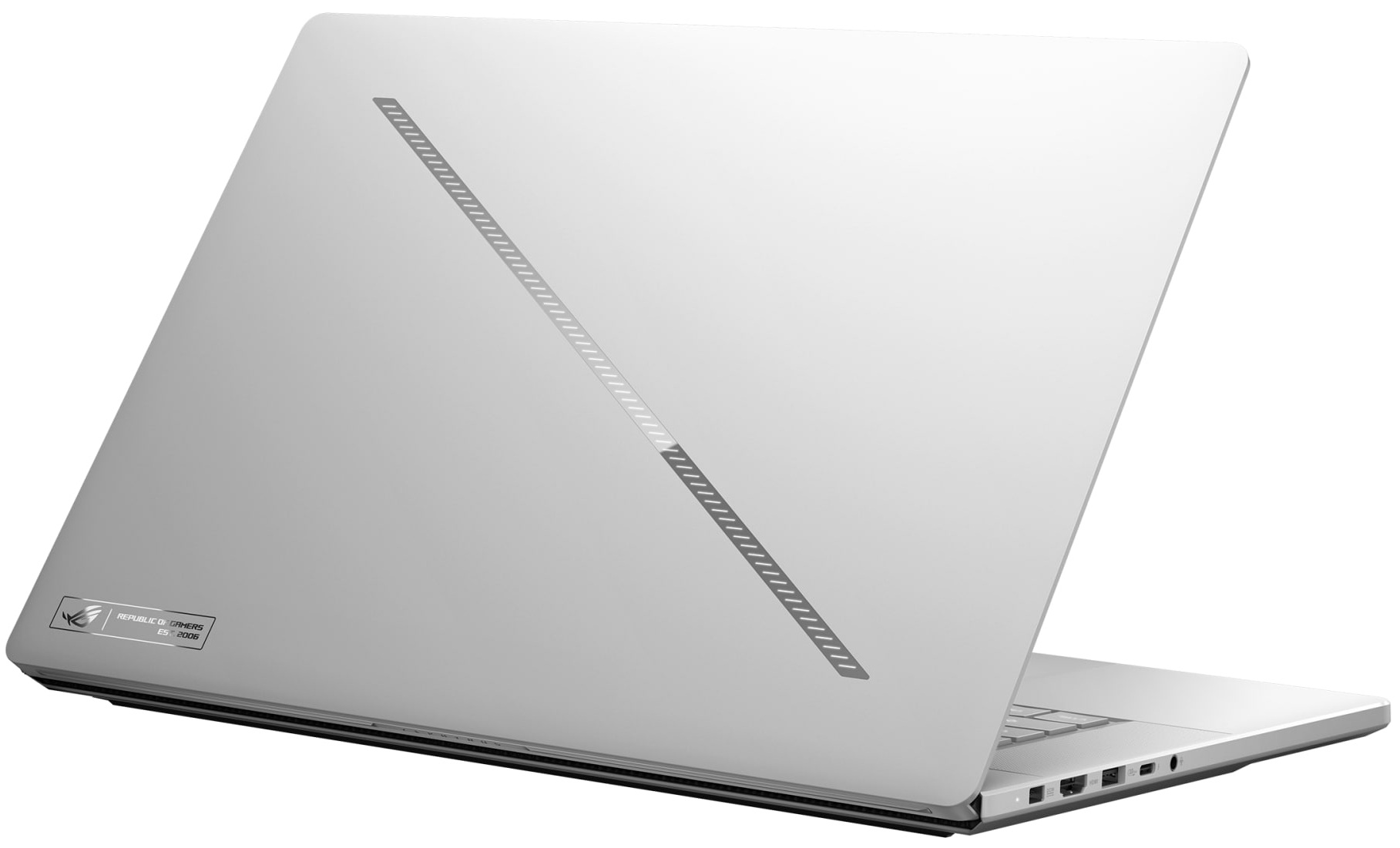
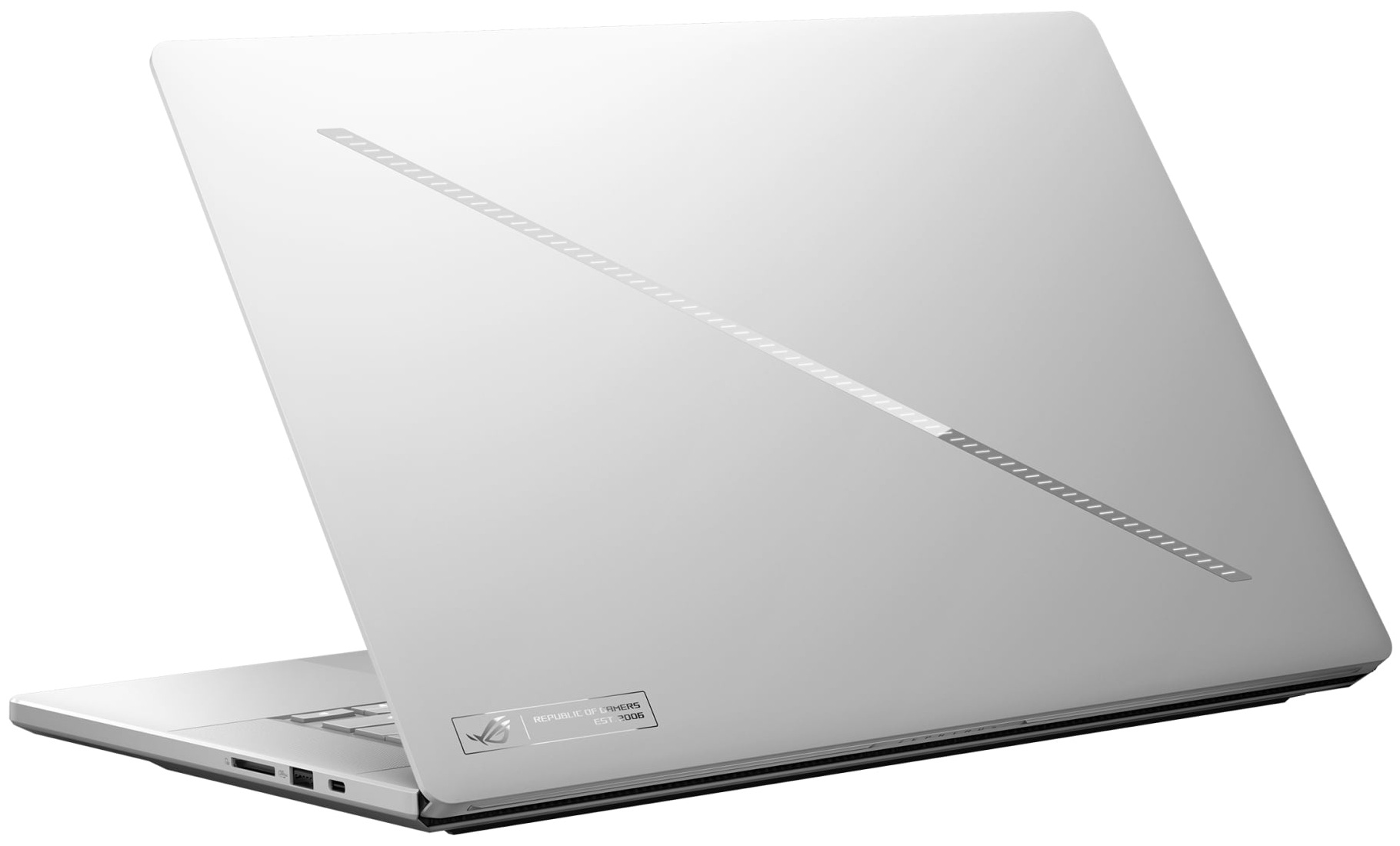

- HDD/SSD
- तक 2000GB SSD
- RAM
- up to 64GB
- OS
- Windows 11 Pro, Windows 11 Home
- बैटरी
- 90Wh
- आयाम
- 354 x 246 x 14.9 ~ 17.9 mm (13.94" x 9.69" x 0.59")
- वजन
- 1.85 kg (4.1 lbs)
- पोर्ट और कनेक्टिविटी
- 2x USB Type-A
- 3.2 Gen 2 (10 Gbps)
- 1x USB Type-C
- 4.0, Power Delivery (PD), DisplayPort
- 1x USB Type-C
- 4.0, Thunderbolt 4, Power Delivery (PD), DisplayPort
- HDMI
- 2.1
- कार्ड रीडर
- SD (SD, SDHC, SDXC)
- ईथरनेट लैन
- वाई-फाई
- Wi-Fi 7
- ब्लूटूथ
- 6.0
- ऑडियो जैक
- 3.5mm Combo Jack
- विशेषताएँ
- फिंगरप्रिंट रीडर
- वेब कैमरा
- FHD with Windows Hello Face Authentication
- बैकलिट कीबोर्ड
- माइक्रोफोन
- Array Microphone with AI noise-canceling technology
- स्पीकर
- 4-speaker (dual force woofer) system with Smart Amplifier Technology, 2 Tweeters, Dolby Atmos
- सुरक्षा लॉक स्लॉट
सभी ASUS ROG Zephyrus G16 GU606 कॉन्फ़िगरेशन
Drivers
All drivers and utilities for this notebook can be found here: https://rog.asus.com/laptops/rog-zephyrus/rog-zephyrus-g16-2026/helpdesk_download/
What’s in the box?
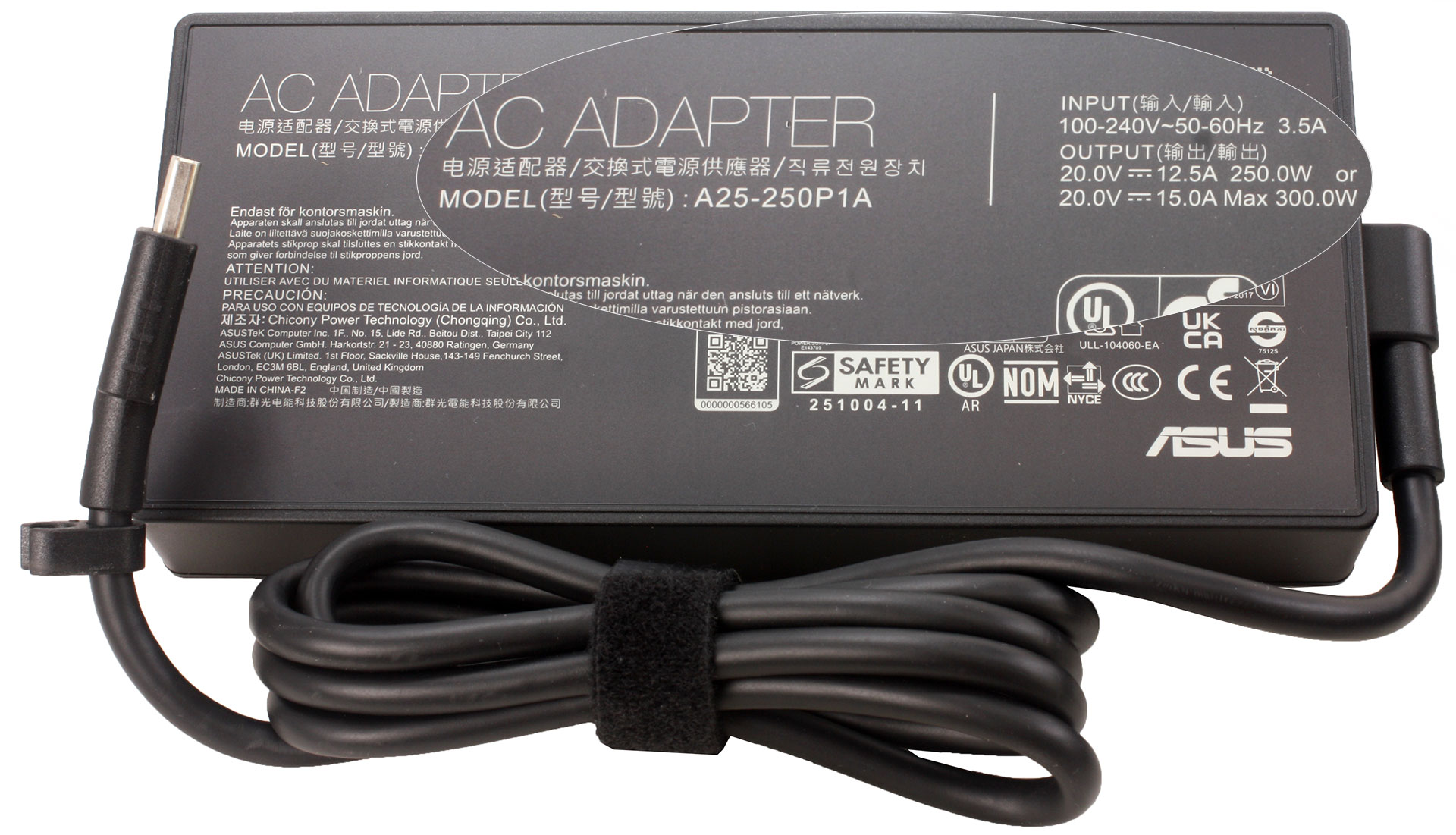
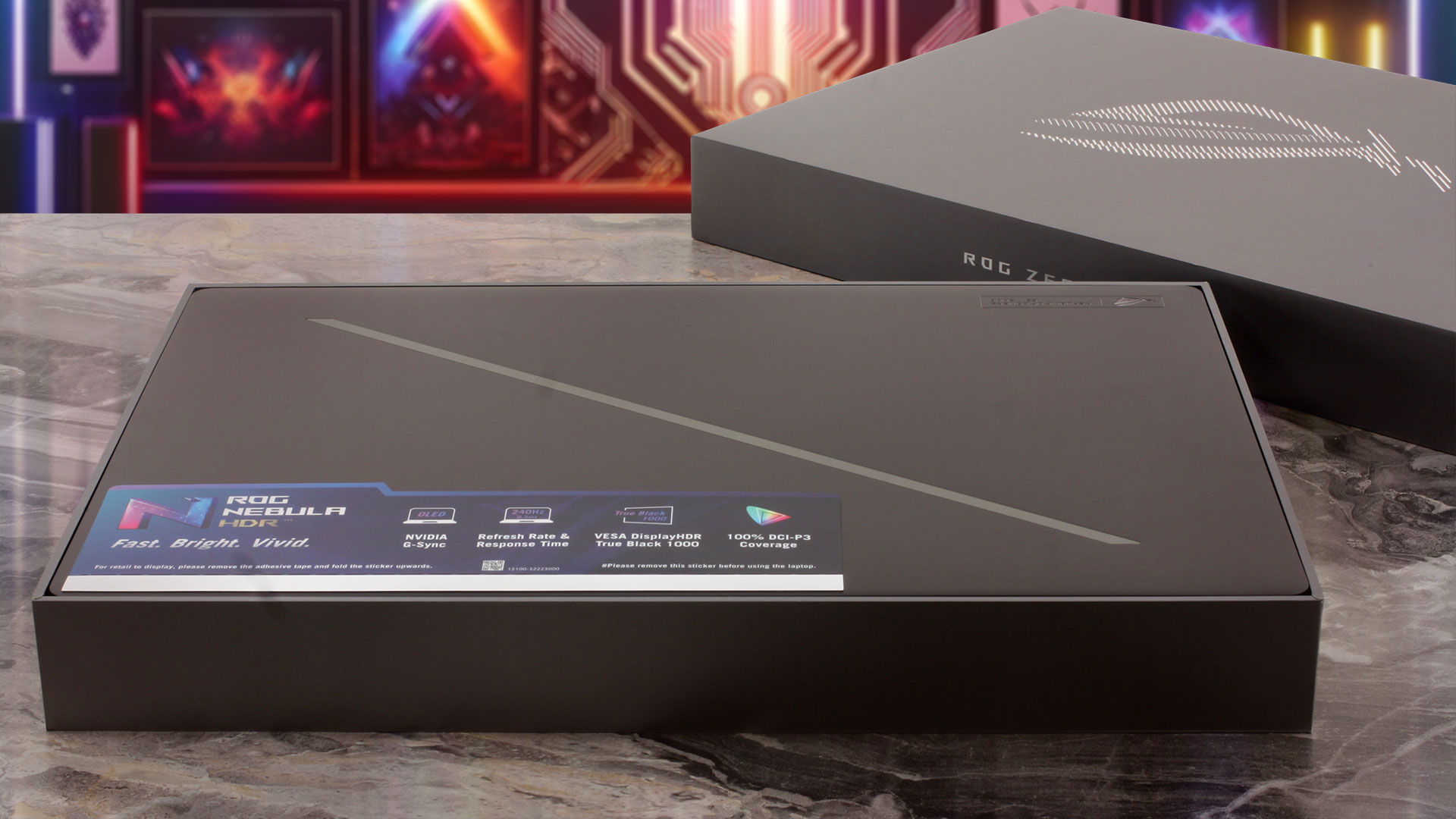
Our retail unit came with an ASUS A25-250P1A power adapter, officially rated for 250W at 20V/12.5A; its label also lists 20V/15A with a maximum output of 300W. Also included is a dedicated ROG Zephyrus G16 Sleeve (2026) carrying the “ROG – For Those Who Dare” branding. Bundle contents vary by region, and some configurations may also include a 100W USB-C adapter.
Design and construction
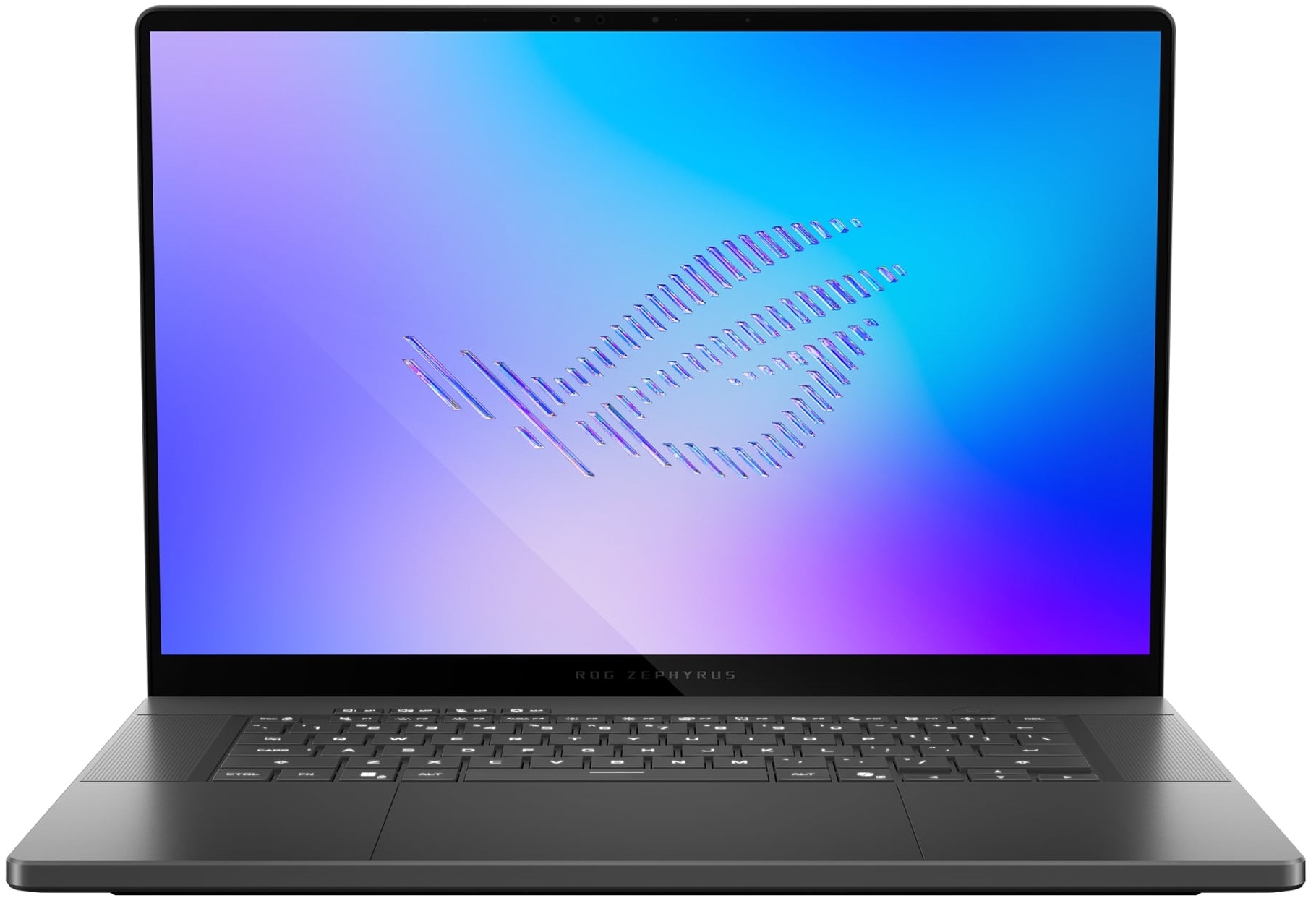
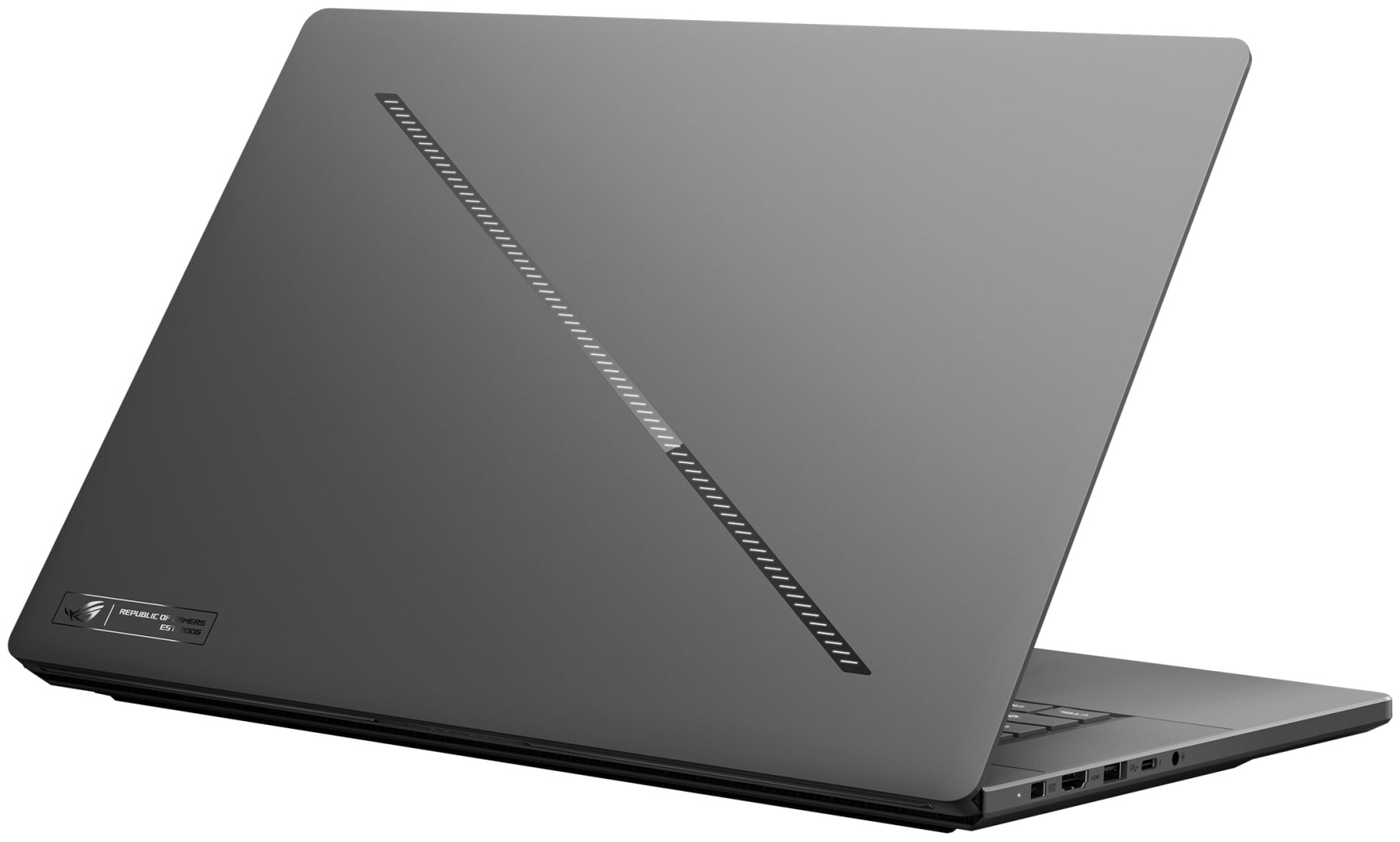
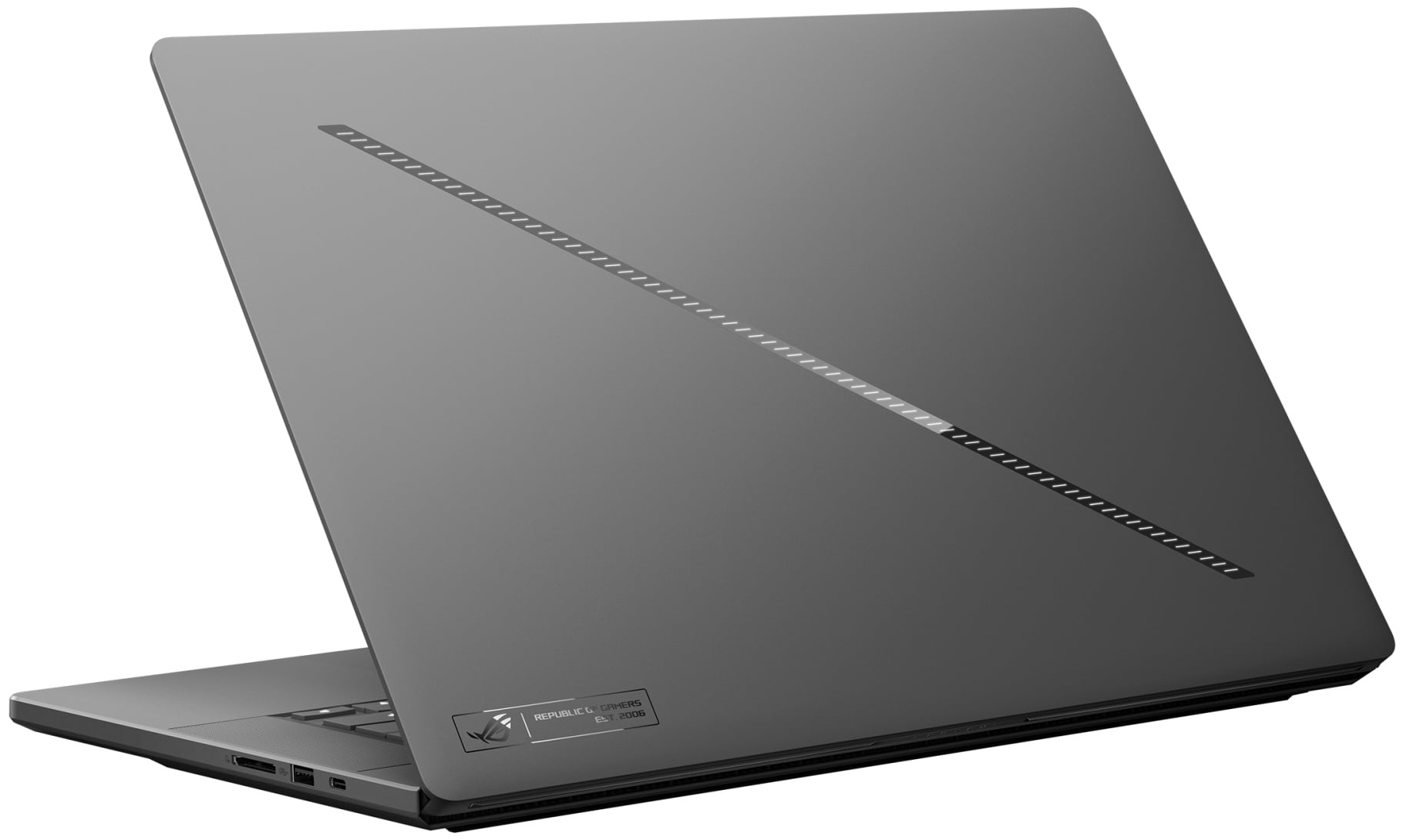
The ASUS ROG Zephyrus G16 (GU606, 2026) takes a much more restrained approach than the typical gaming laptop. Its clean lines, thin profile, and minimal branding allow it to pass almost as easily for a premium productivity machine as for a gaming notebook. The most recognizable design element is still the diagonal Slash Lighting strip across the lid. For 2026, ASUS has expanded it from 7 to 35 lighting zones, with customizable animations and dedicated battery and charging effects. It can also be switched off completely, leaving only the reflective diagonal accent. The G16 is available in Platinum White and Eclipse Gray, and our retail unit came in the darker Eclipse Gray finish.
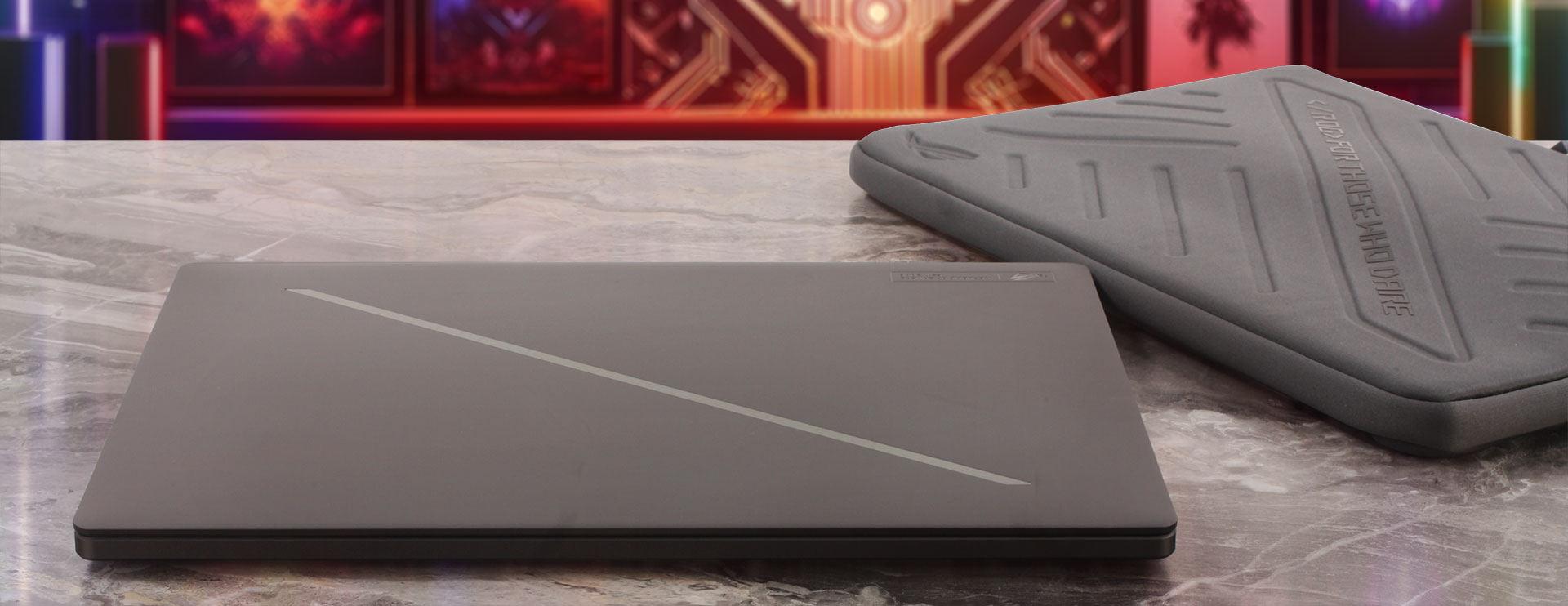
Portability remains one of the defining characteristics of the series. Our RTX 5080 configuration uses the slightly thicker version of the chassis shared by the RTX 5070 Ti, RTX 5080, and RTX 5090 models. ASUS rates these versions at 1.95 kg, while our own unit weighed slightly less at 1928 grams. At just 1.93 kg in our measurements, that is remarkably light for a 16-inch laptop equipped with an RTX 5080. The RTX 5060 and RTX 5070 configurations are even slimmer and lighter, weighing 1.85 kg and measuring up to 16.4 mm thick.
| ASUS ROG Zephyrus G16 (GU606, 2026) | Dimensions | Weight |
| Metric units | 354 × 246 × 14.9–17.9 mm | 1.928 kg |
| U.S. customary | 13.94 × 9.69 × 0.59–0.70 in | 4.25 lbs |
The chassis is CNC-machined from aluminum alloy and finished with a matte anodized surface. The construction is impressively rigid for such a thin machine, with very little flex around the keyboard and only minor deformation of the lid under pressure. Despite measuring less than 18 mm at its thickest point, the G16 does not feel fragile. The Eclipse Gray finish also keeps the styling particularly discreet, although fingerprints and oily smudges are somewhat easier to notice on the dark surface than on the Platinum White version.
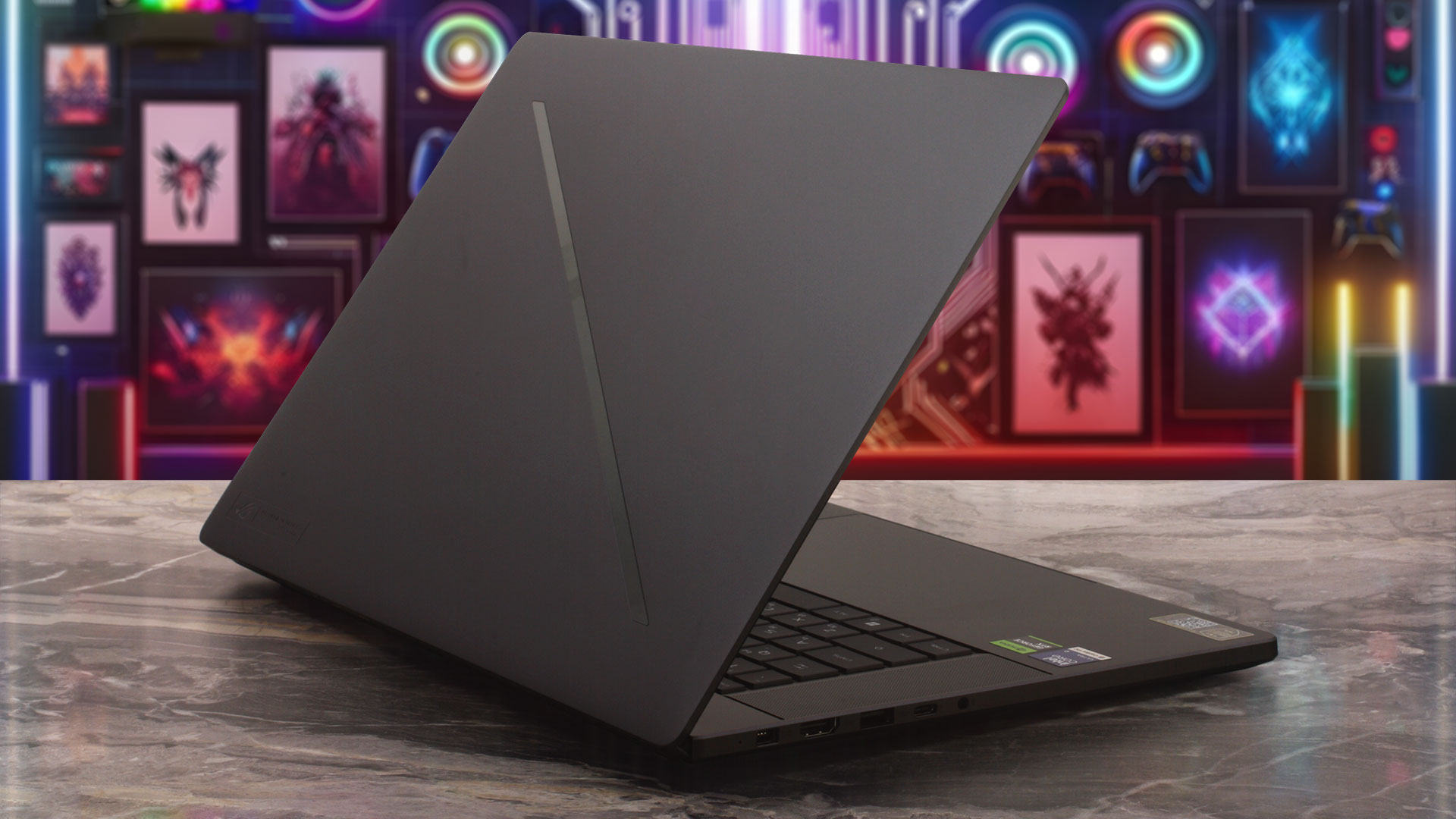
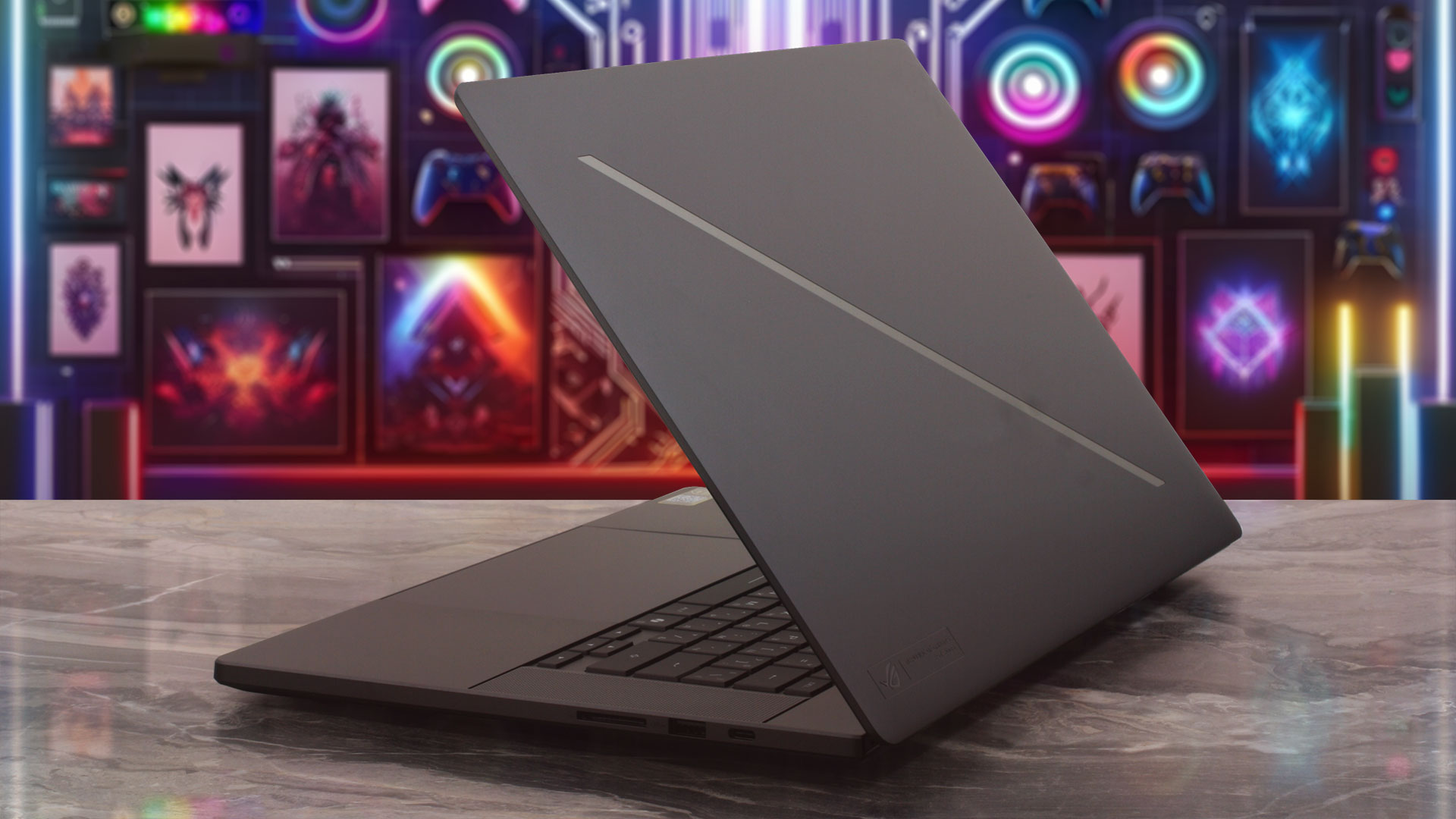
ASUS has revised the hinge mechanism for 2026. The Easylift design uses relatively light resistance at the beginning of the opening motion and gradually increases tension as the display moves farther back. The lid can be opened with one hand while the base remains on the desk. There is no pronounced front notch to help your finger get underneath the lid, but in practice the hinge is light enough that this is not much of an issue.
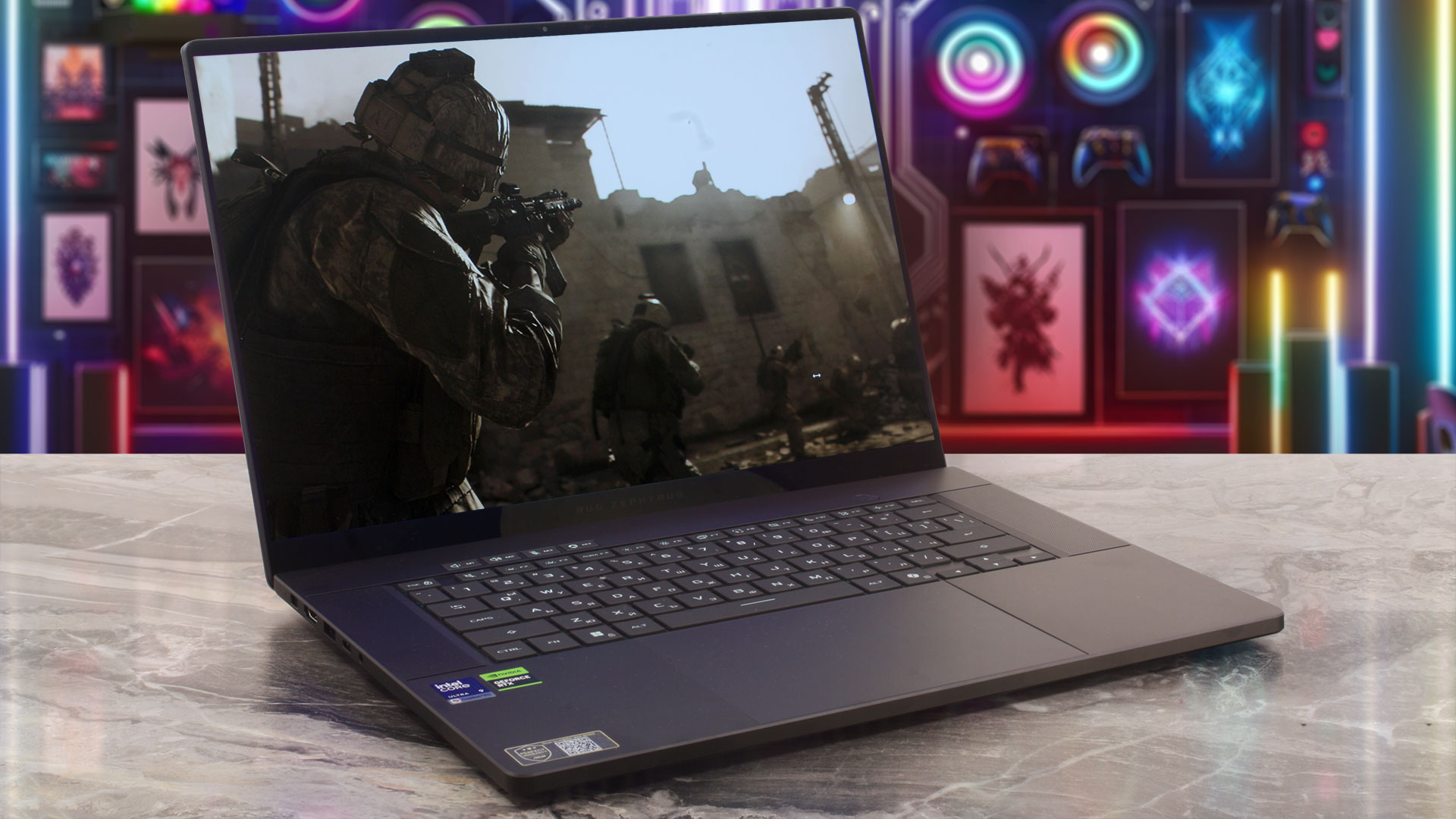
The maximum opening angle is still limited to roughly 130 degrees, so the display cannot fold flat. This is unlikely to matter during normal desk use, but the restriction can become noticeable when using the laptop on your lap or in tighter spaces.
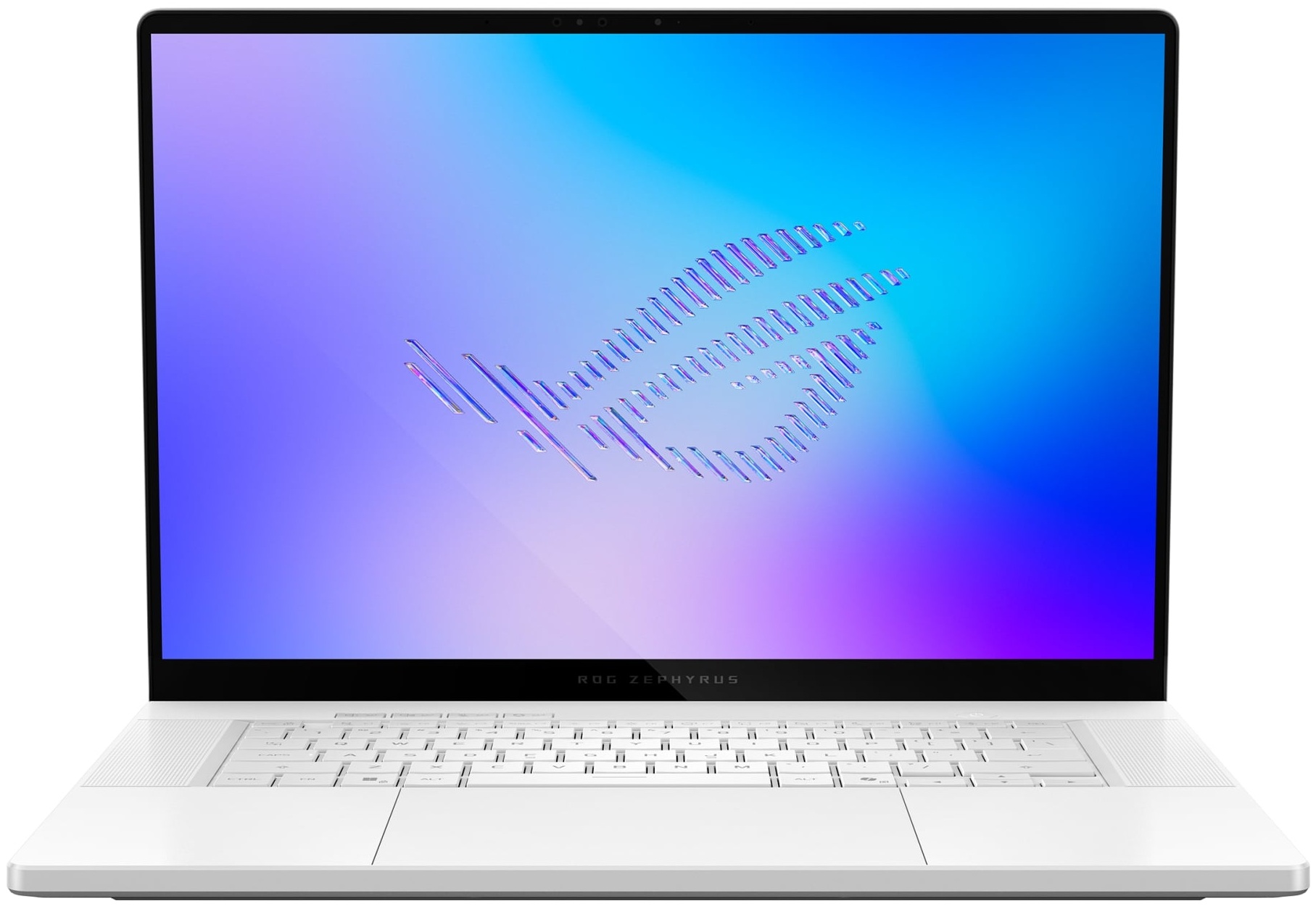
The 16-inch, 16:10 display is surrounded by narrow bezels on the sides and top, with a somewhat thicker lower border. A 1080p FHD camera and an IR sensor are integrated into the upper bezel, enabling Windows Hello facial recognition. There is no physical privacy shutter, however, only an indicator light when the camera is active.
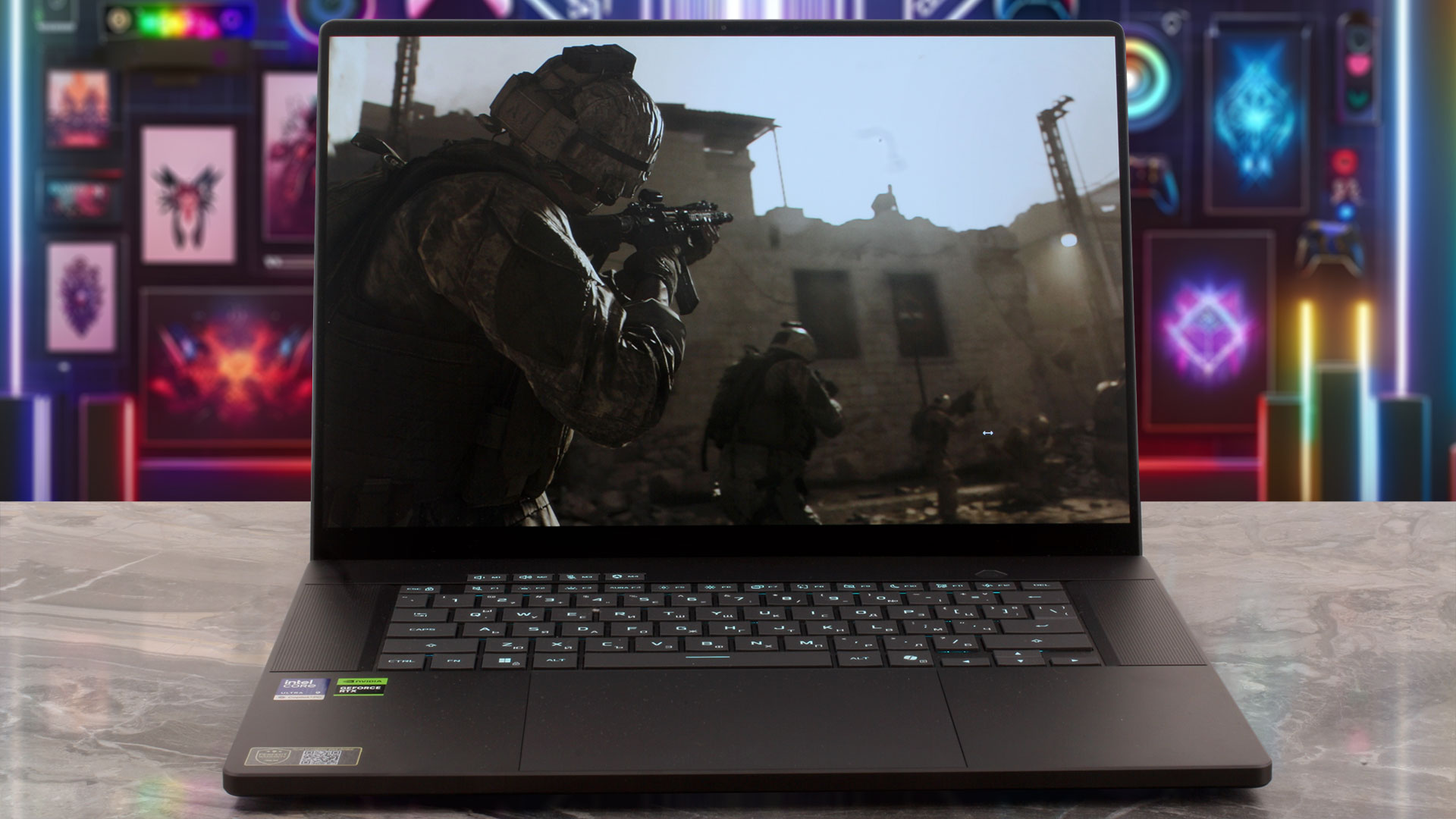
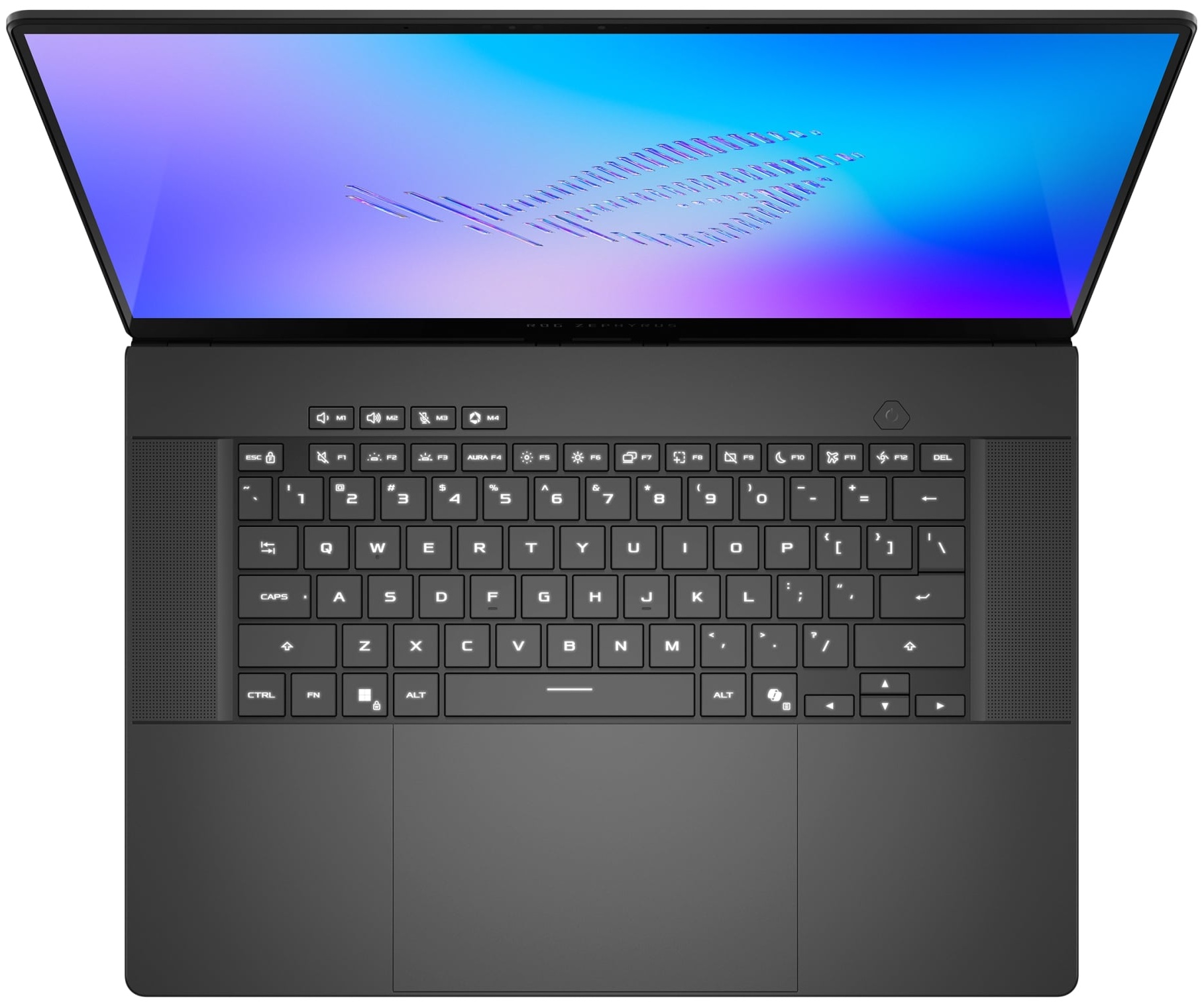
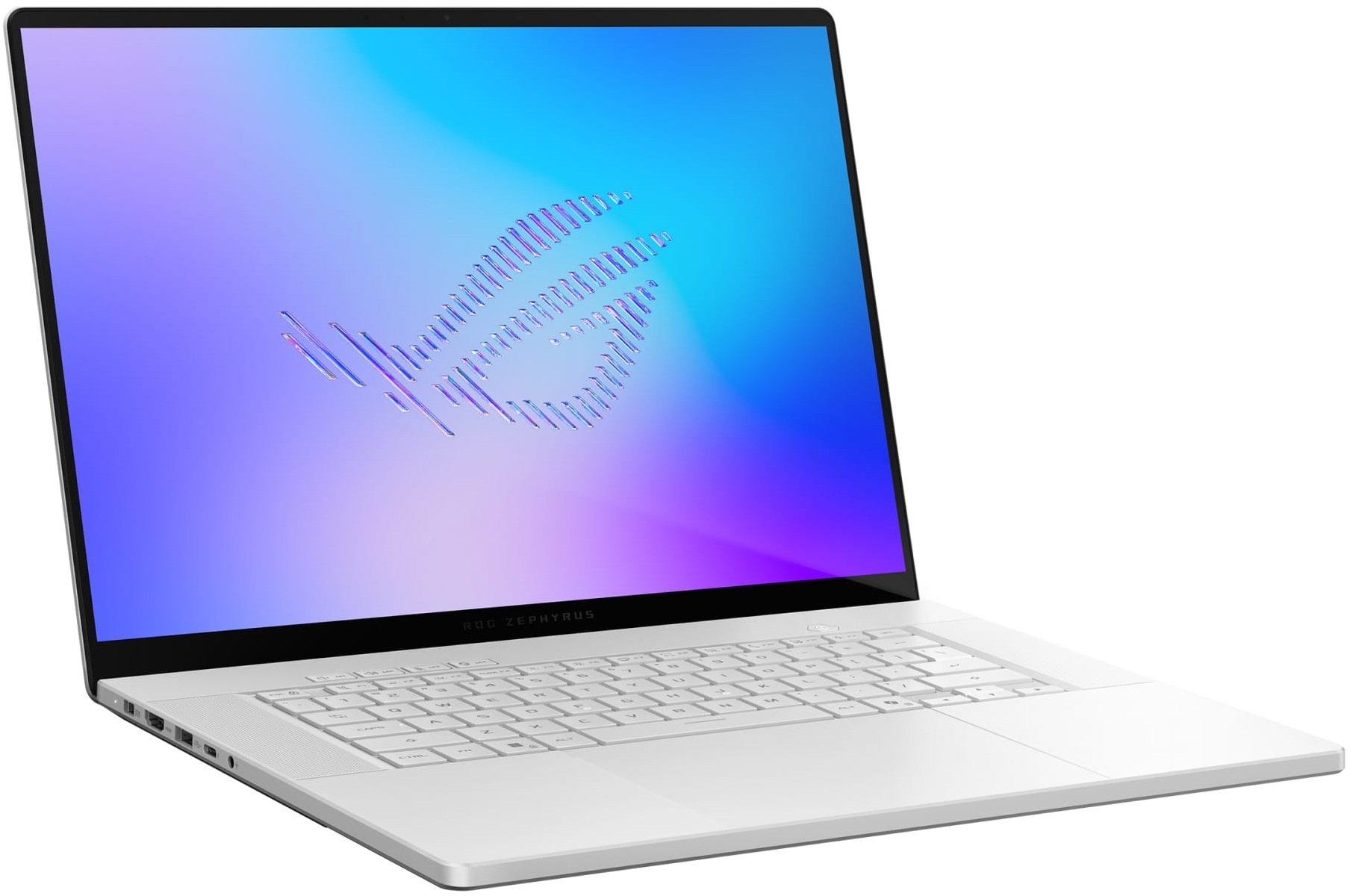
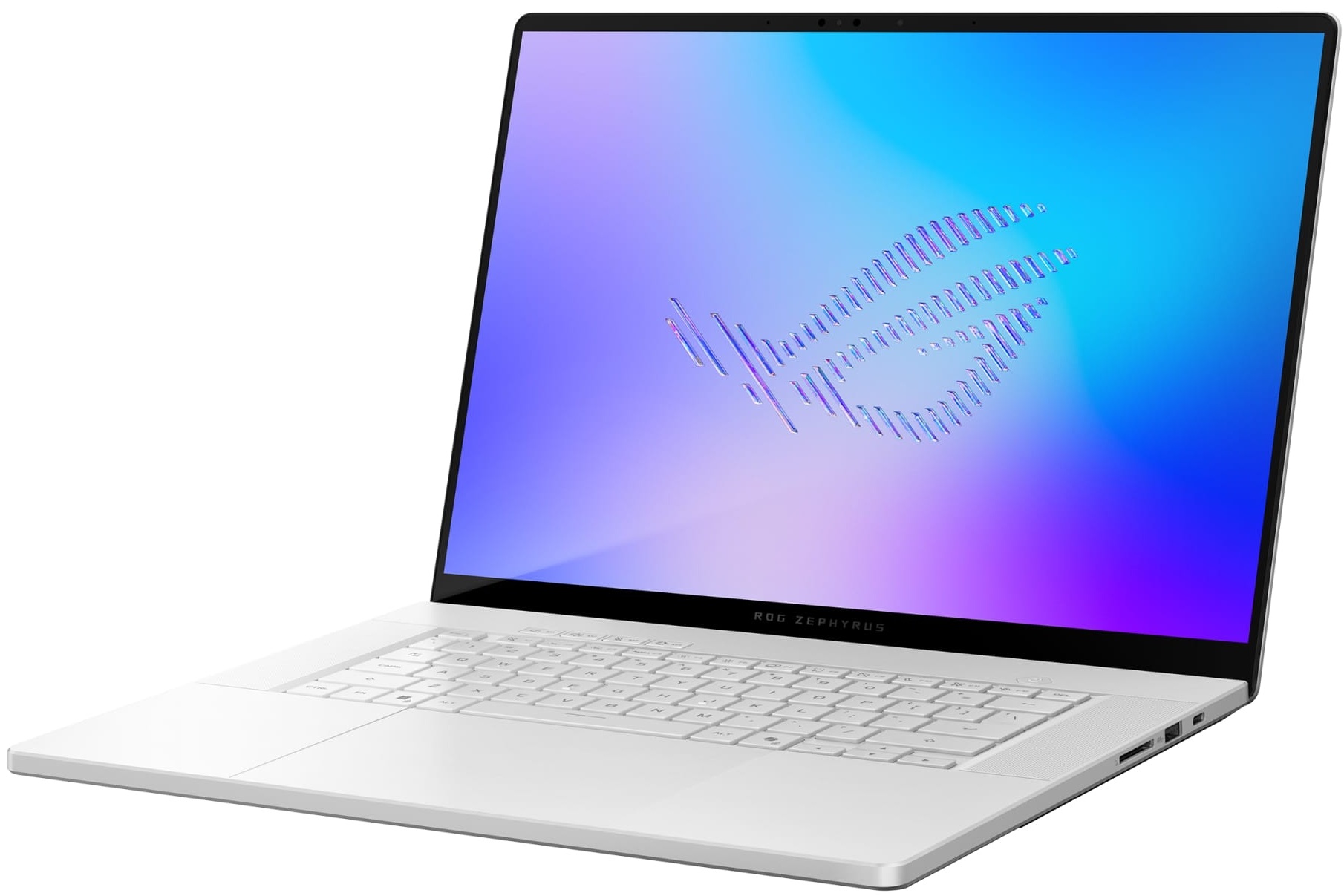
ASUS does not use the extra width of the 16-inch chassis for a NumPad. Instead, the keyboard remains centered between two large speaker grilles. It features single-zone RGB illumination with Aura Sync, 1.7 mm of key travel, N-key rollover, and a rated lifespan of 20 million presses. The main keys are generously sized and well spaced, although the arrow-key cluster is considerably more compact, particularly the Up and Down keys. There is no fingerprint reader, so biometric authentication relies entirely on the IR camera.
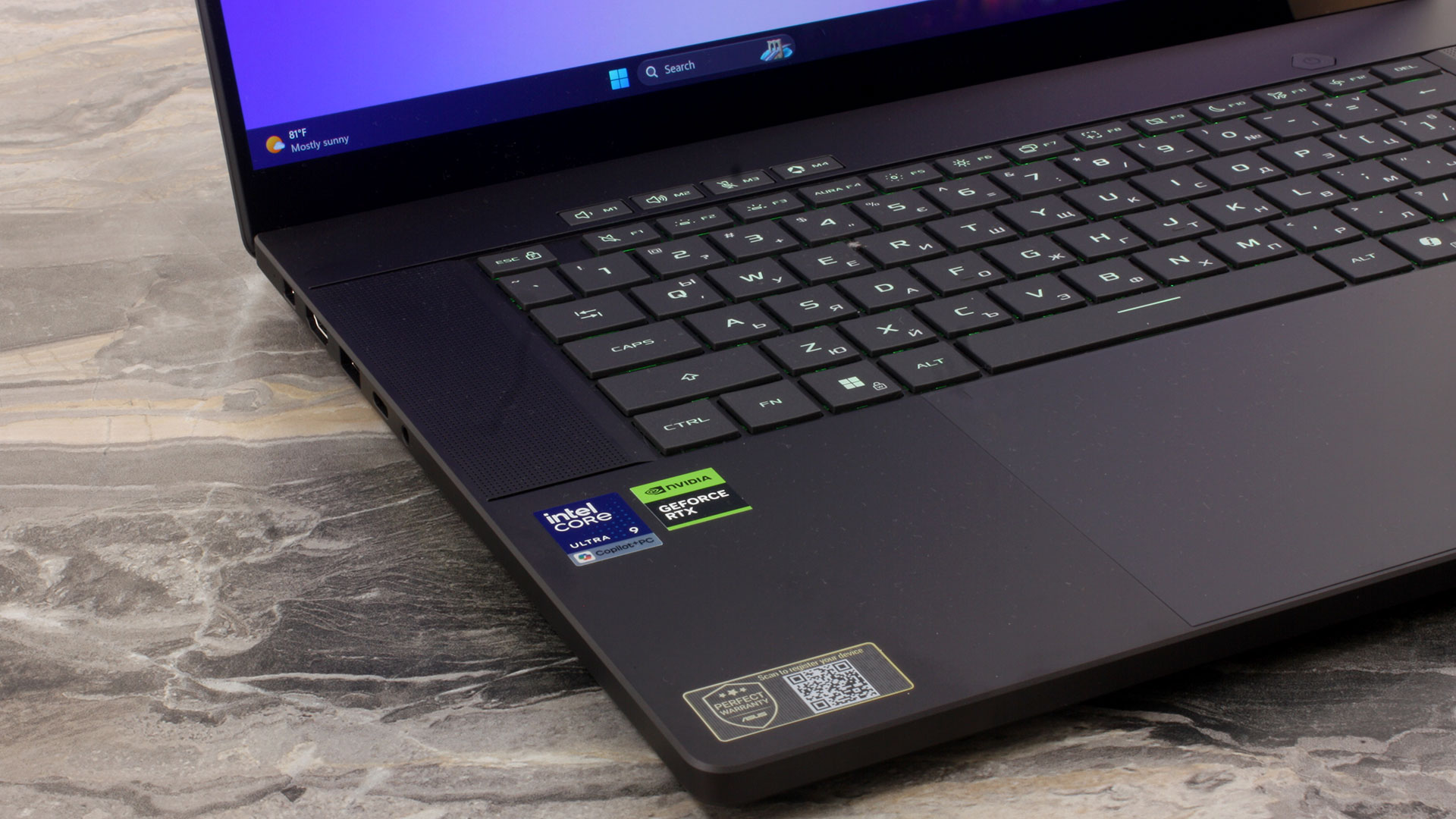
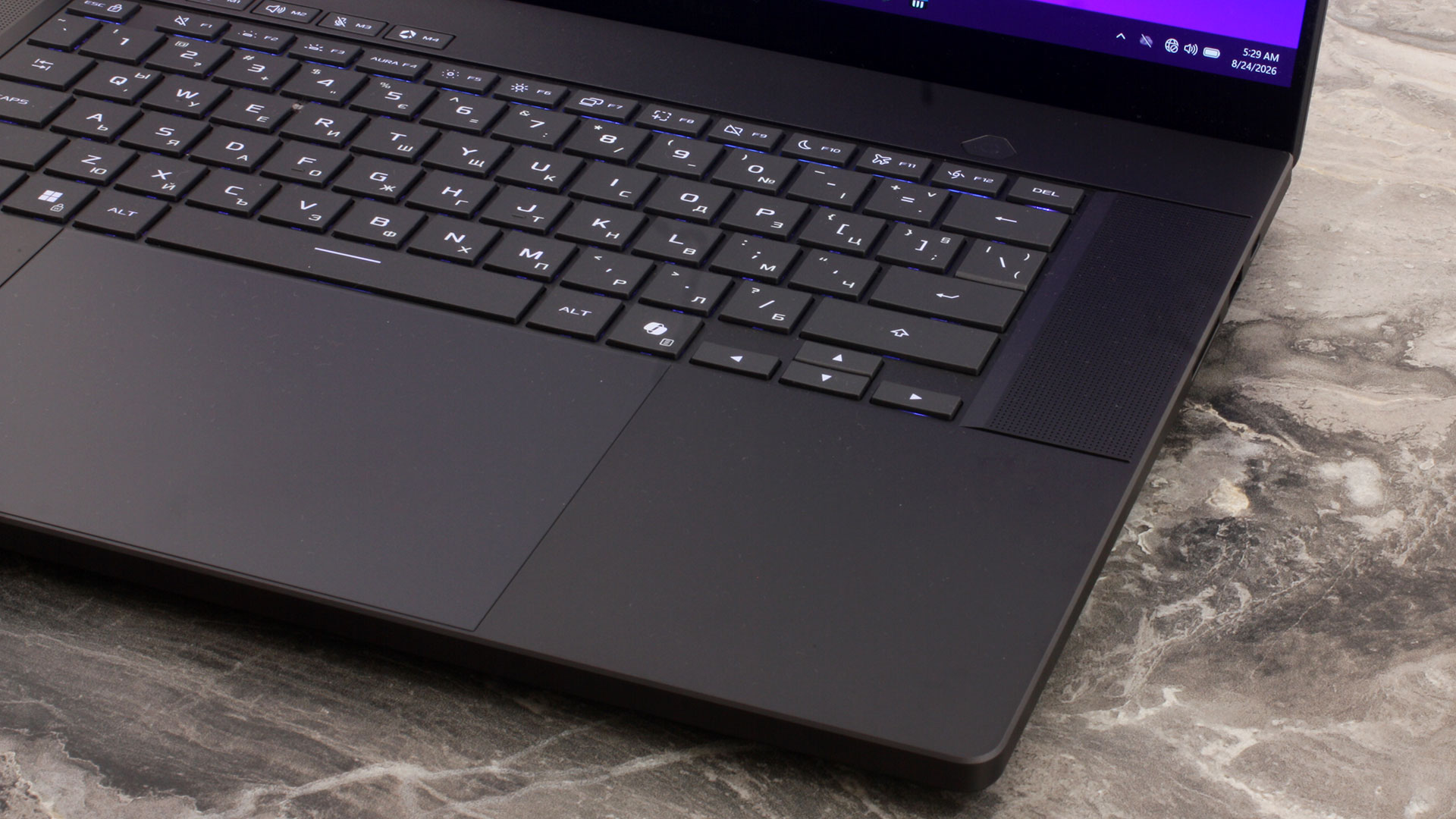
The glass-covered trackpad is unusually large, measuring approximately 150 × 100 mm (5.91 × 3.94 inches) and occupying most of the available palm-rest area. Its large surface makes multi-touch gestures and general navigation particularly comfortable, which is useful for a machine intended to work as both a gaming laptop and an everyday portable computer. The lower edge sits very close to the front of the chassis, however, so accidental contact is slightly more likely when using the machine on your lap.
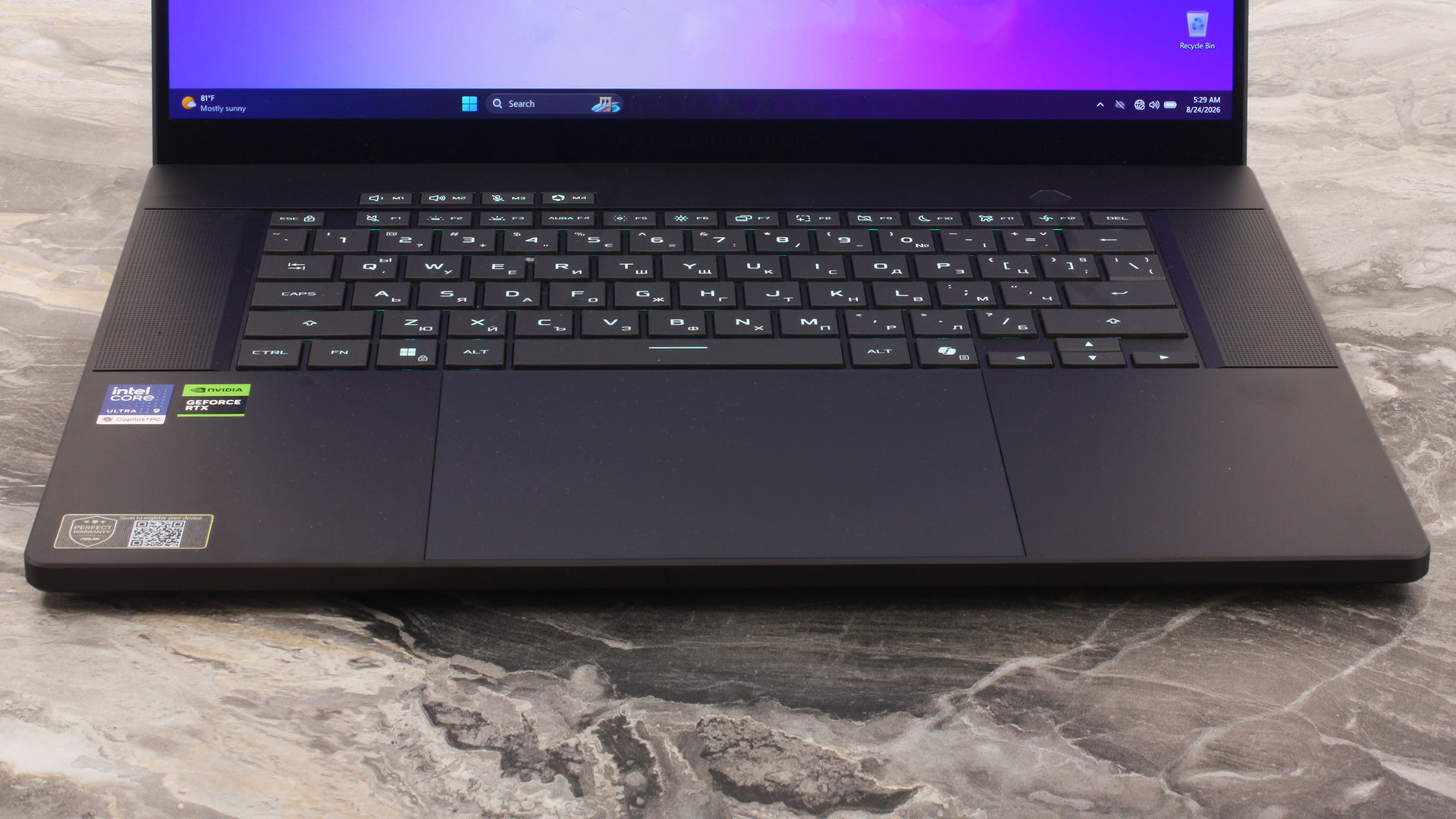
Overall, the 2026 Zephyrus G16 is more of a refinement than a complete chassis redesign. ASUS has retained the compact aluminum construction, centered keyboard, oversized trackpad, and prominent speaker layout of the previous generation, while the revised hinge and upgraded 35-zone Slash Lighting system are among the most visible physical changes for 2026.
Ports and Connectivity
The ASUS ROG Zephyrus G16 (GU606, 2026) offers a strong selection of ports considering its slim 16-inch chassis, and ASUS has distributed them across both sides rather than concentrating everything in one area.
On the left, there is the proprietary ASUS Slim Power Jack for the main power adapter, followed by an HDMI 2.1 FRL output, a USB 3.2 Gen 2 Type-A port rated at up to 10 Gbps, a Thunderbolt 4 Type-C port, and a 3.5 mm combo audio jack. The Thunderbolt 4 connection supports transfer speeds of up to 40 Gbps, DisplayPort 2.1 video output, and USB Power Delivery 3.0 input at up to 100W.

The right side is particularly useful for photographers and other content creators thanks to the full-size UHS-II SD card reader, which ASUS rates at up to 312 MB/s. It is joined by a second USB 3.2 Gen 2 Type-A port at 10 Gbps and another USB Type-C connection. The two Type-C ports may look similar, but they are not identical: the right-hand port is USB 3.2 Gen 2 and therefore limited to 10 Gbps rather than the 40 Gbps offered by Thunderbolt 4. It still supports DisplayPort 2.1 and USB Power Delivery 3.0 at up to 100W, and ASUS specifically lists G-SYNC support for this port. This makes it the more relevant Type-C connection when using a compatible variable-refresh-rate gaming monitor.

There are no ports on the rear edge. Instead, ASUS dedicates the entire back of the chassis to the cooling exhaust, allowing hot air to leave the machine without occupying additional space on either side.

One notable omission is a built-in RJ-45 Ethernet port. Users who want a wired network connection will therefore need a USB or Thunderbolt adapter or docking station. Wireless connectivity is considerably more modern, with tri-band Wi-Fi 7 (802.11be) in a 2×2 configuration and Bluetooth 6.0. ASUS notes that the Bluetooth version reported by the system may vary depending on the operating system and software support.
Overall, the port selection is well suited to the G16’s hybrid role as both a gaming and creator-focused laptop. The inclusion of Thunderbolt 4, two display-capable USB-C ports, HDMI 2.1, dual 10 Gbps Type-A connections, and a full-size UHS-II SD card reader covers most everyday needs without requiring a dock, with Ethernet being the most obvious exception.
Display and Sound Quality
We ordered the ASUS ROG Zephyrus G16 (2026) with the WQXGA (2560 × 1600), 240 Hz, OLED option.
| ASUS ROG Zephyrus G16 (2026) | ATNA60HU06-0 (SDC4226) |
| Diagonal | 16.0 inches (40.6 cm) |
| Panel Type | OLED |
| Resolution | 2560 × 1600 pixels |
| Max Refresh Rate | 240 Hz |
| Aspect Ratio | 16:10 |
| Pixel Density | 189 PPI |
| ‘Retina’ Distance | Greater than or equal to 46 cm |
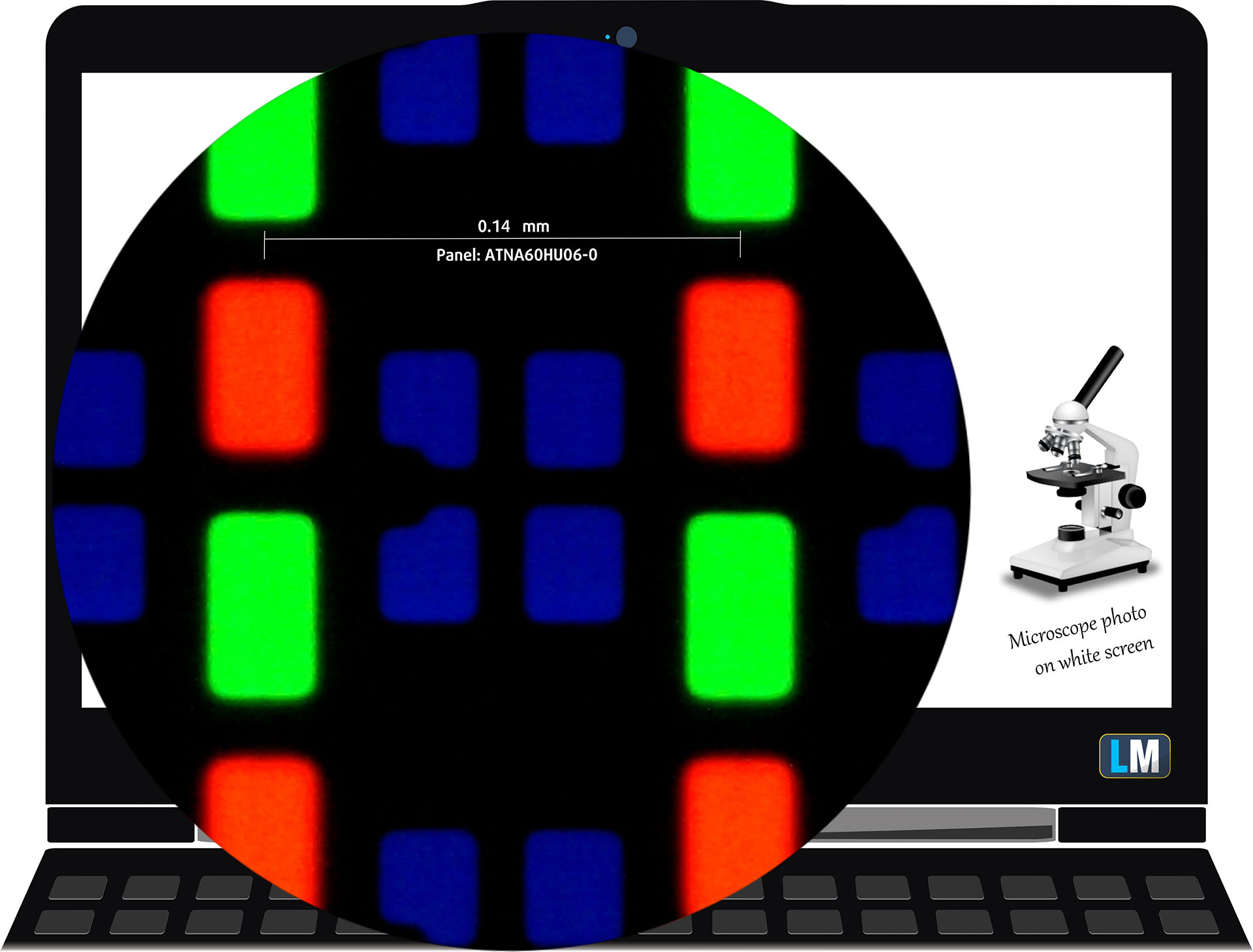
The WQXGA (2560 × 1600), 240 Hz, OLED display variant under our microscope
Viewing Angles
Viewing angles are good. We take photos from different angles to evaluate the quality.

We also include a video recorded with locked focus and exposure.
Color Coverage
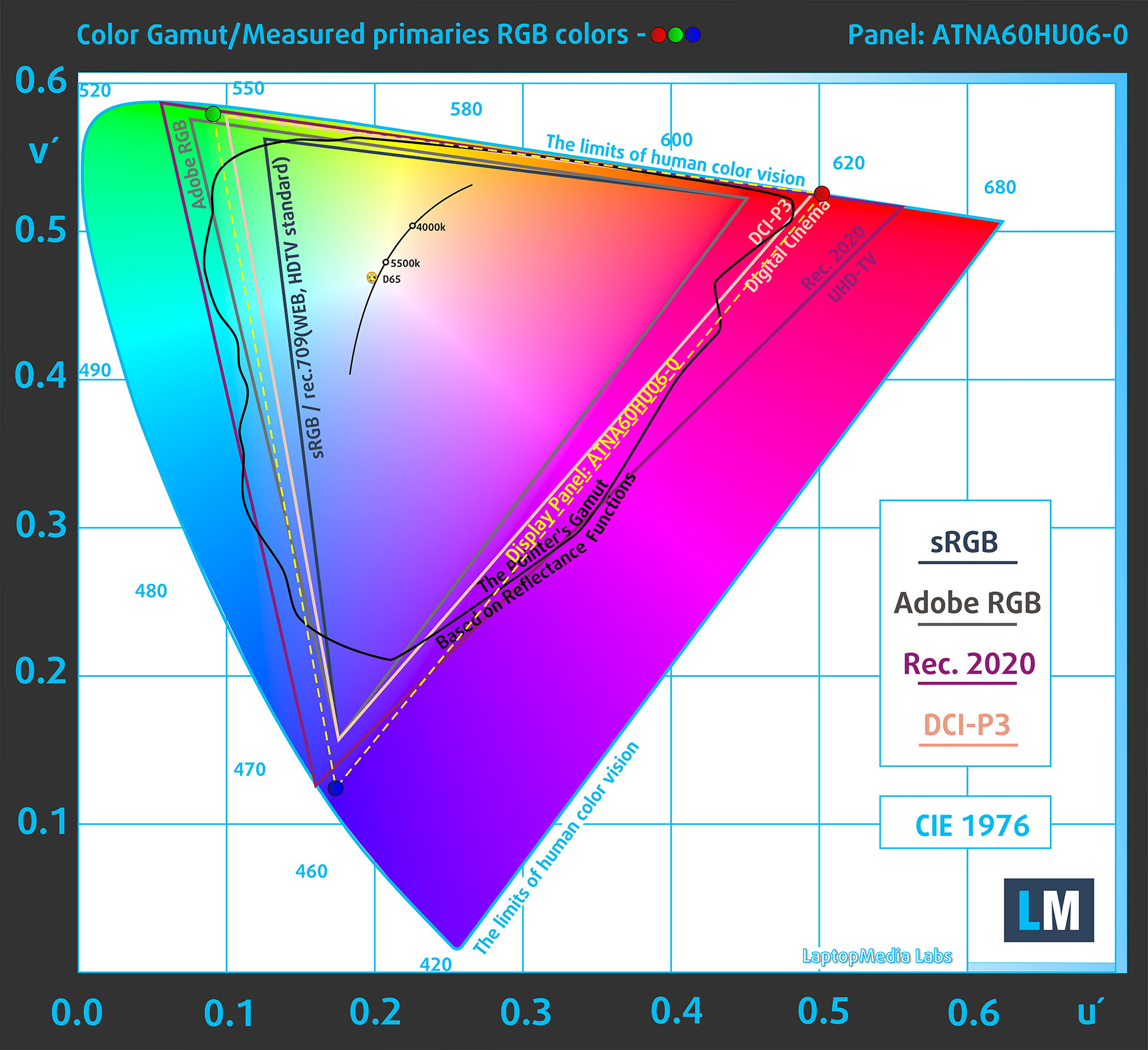
The sail-shaped diagram represents the colors visible to the human eye, while the black curved line shows Pointer’s gamut, which approximates colors commonly found in nature.
We also compare the panel of the ASUS ROG Zephyrus G16 (2026) with several widely used color spaces:
Standard/For Web: sRGB – widely used color space for most consumer devices, ideal for Web design and development
For Print: AdobeRGB – used in professional photo editing, graphic design, and print
For Photographers/Video Editors: DCI-P3 – used in high-end film production, post-production, and digital cinema
Premium HDR: Rec.2020 – a very wide ITU color space used for HDR content.
ASUS ROG Zephyrus G16 (2026): the yellow dashed triangle (– – – – – –) represents the range of colors this display can show.
In our tests, the native color gamut covers 100% of sRGB and 100% of DCI-P3.
The ASUS ROG Zephyrus G16 (2026) offers Display P3 and sRGB emulation through Armoury Crate’s GameVisual settings.
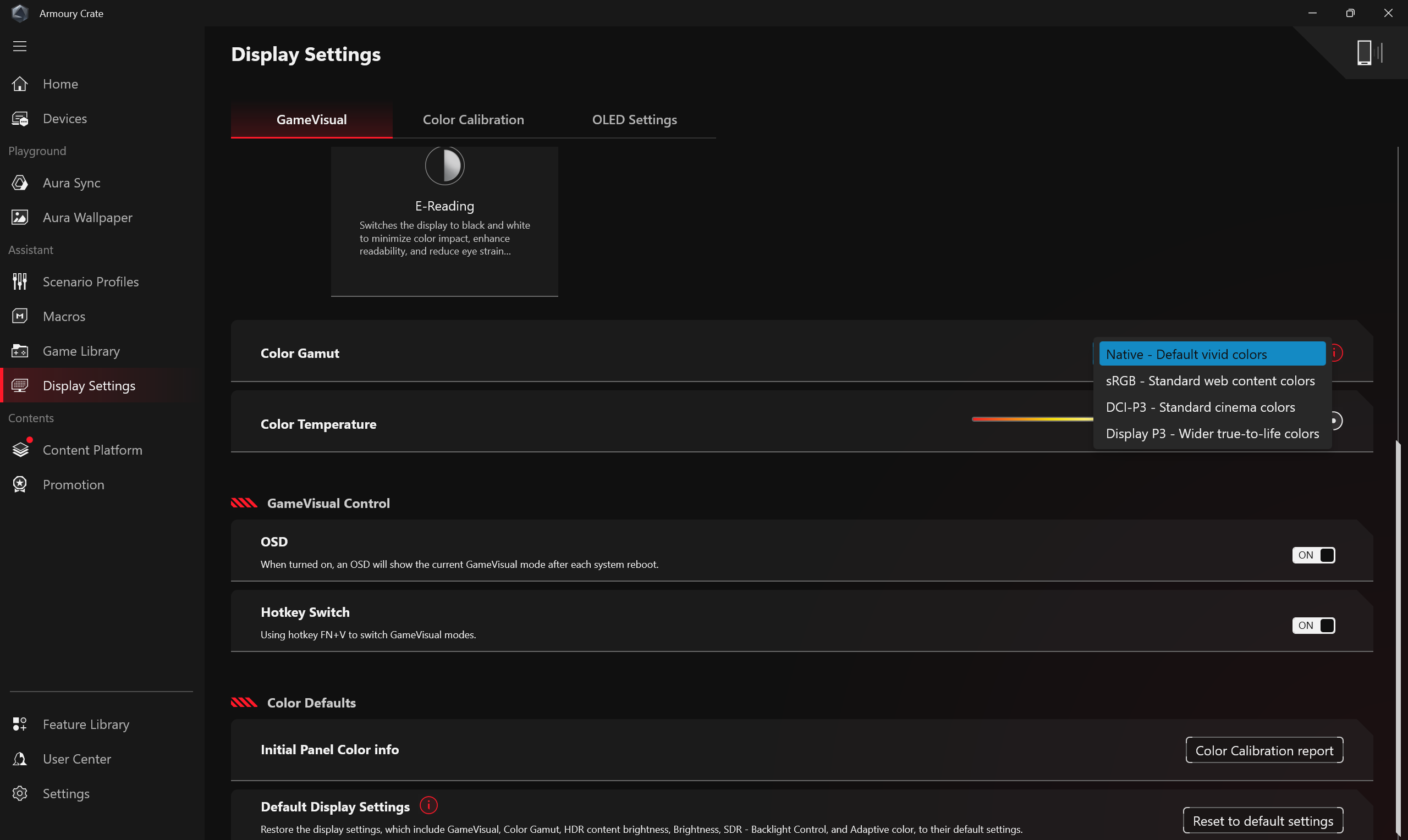
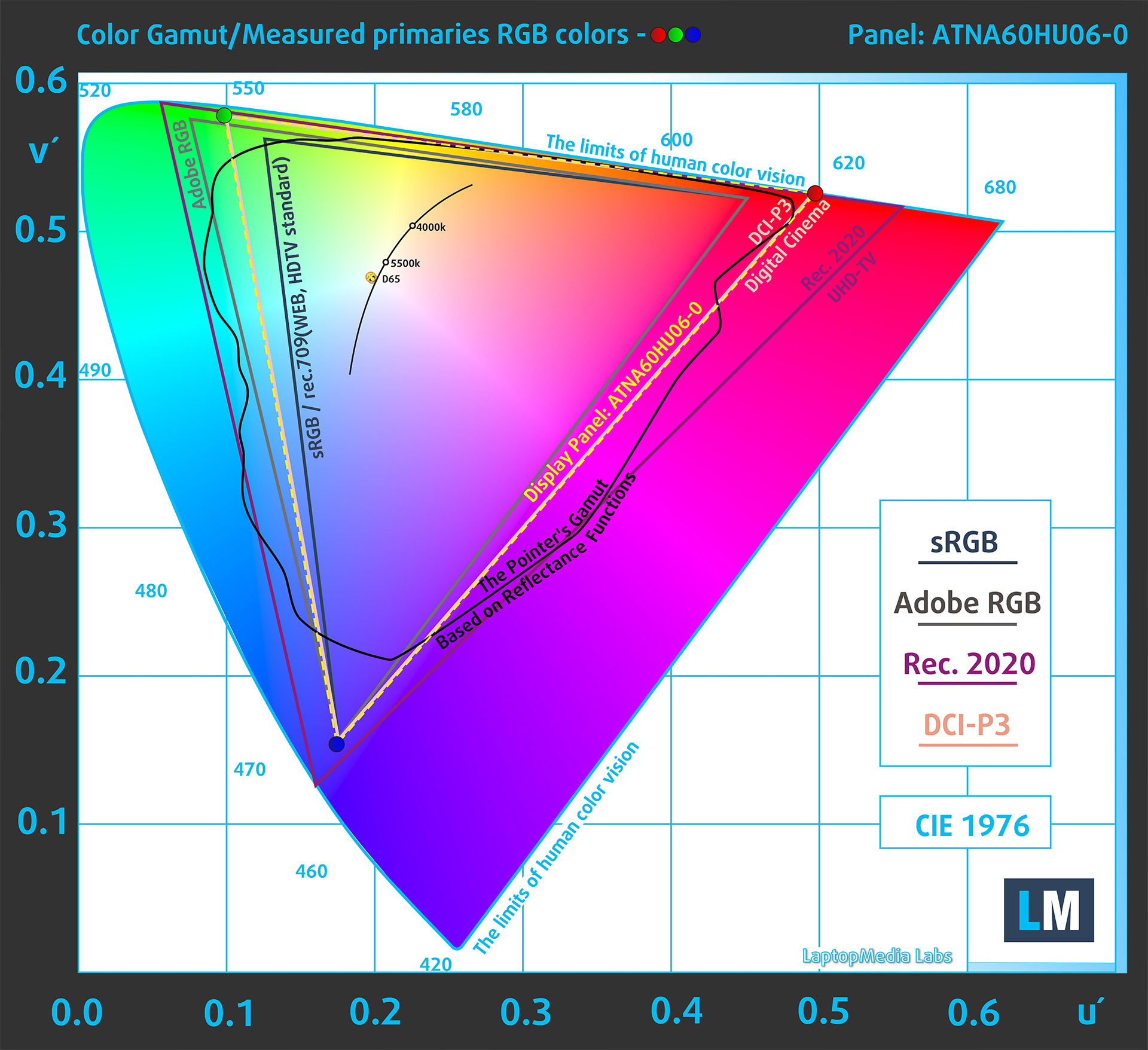
(Fig.2) Display P3
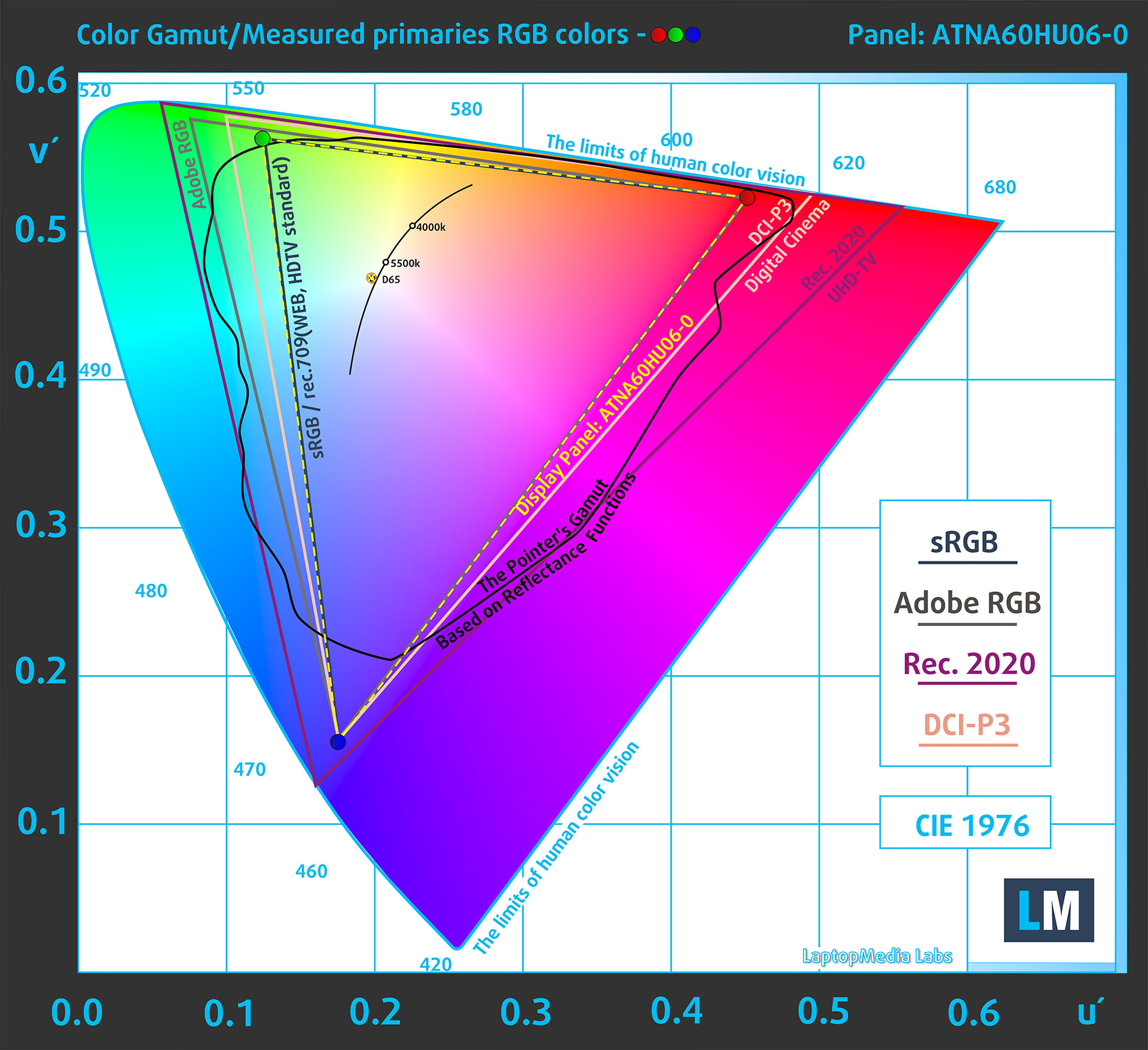
(Fig.3) sRGB
Brightness and Contrast
Windows reports support for HDR video streaming, games, and apps. In our measurements, peak brightness reached 1098 cd/m² with an 8% white window and 619 cd/m² on a full white screen. The peak result essentially matches ASUS’s advertised 1100-nit figure.

The maximum brightness in SDR mode is 510 cd/m².
In the “Native” mode in Armoury Crate app, the white point measures 6330K.
The contrast is effectively infinite because OLED pixels switch off completely when displaying black.
Uniformity: Luminance, Contrast, and Color Deviation
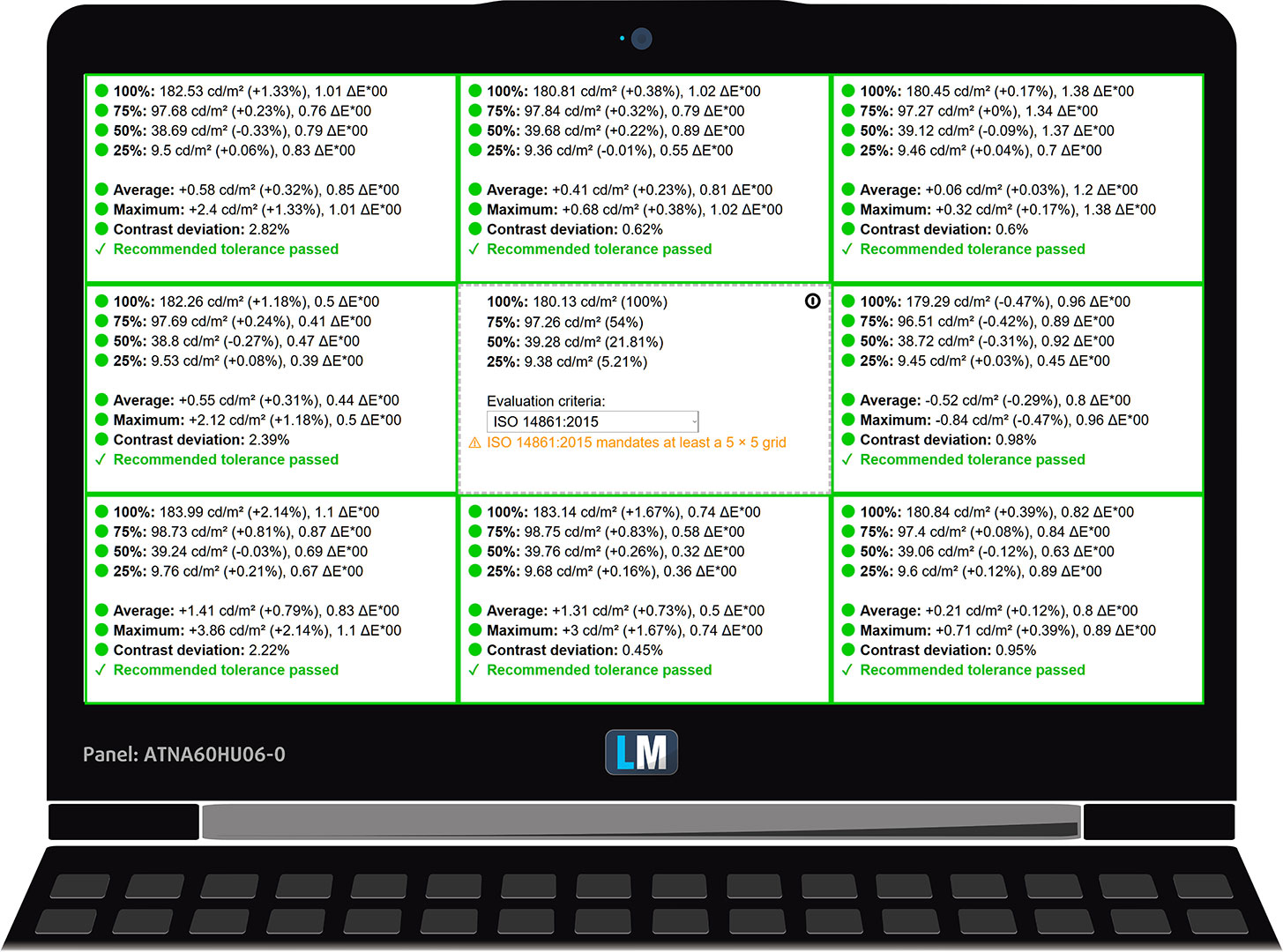
The figure below shows the results from our uniformity test across different sections of the screen. It is measured at 180 nits (Windows slider at 63%), a level we consider typical for indoor work.
DeltaE values below 4.0 are acceptable for regular users. For those working with colors, screens with DeltaE values no higher than 2.0 are recommended.
Color Accuracy
Let’s check the difference between real colors and those you’ll see on the ASUS ROG Zephyrus G16 (2026). We measure that distance in DeltaE – the higher the number, the more different they look.
Values below 4.0 are acceptable for regular users, while values below 2.0 are suitable for color-sensitive work. A value below 1.0 means the difference is indistinguishable to the naked eye.
For the next graph, we’ve selected 24 common colors, including dark/light skin, blue sky, green grass, etc.
Below are the results of the ASUS ROG Zephyrus G16 (2026) in Armoury Crate’s sRGB mode, without additional calibration, compared with the sRGB color space.
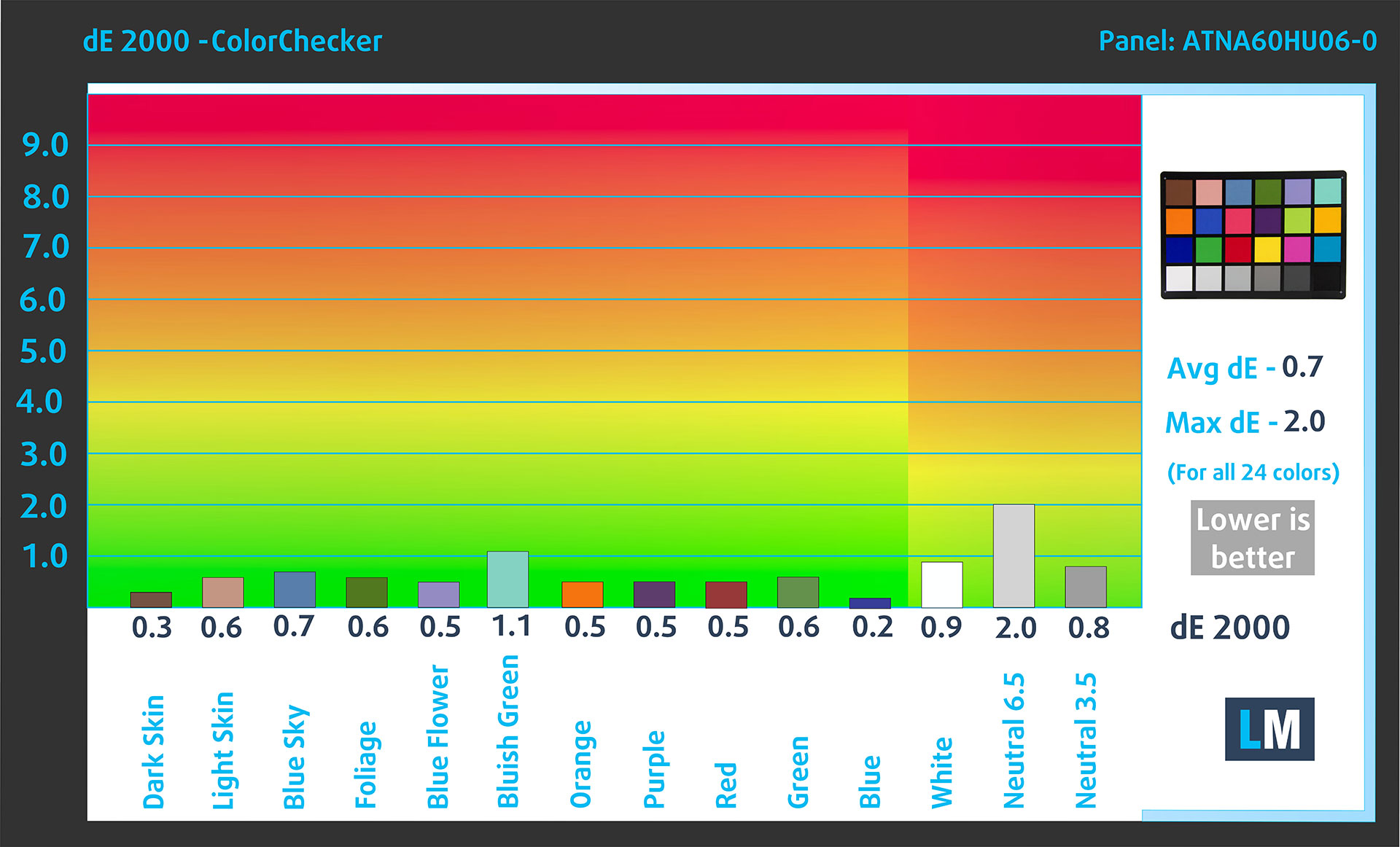
Comparison in the sRGB color space.
Below are the results of the ASUS ROG Zephyrus G16 (2026) in Armoury Crate’s Display P3 mode, without additional calibration, compared with the Display P3 color space.
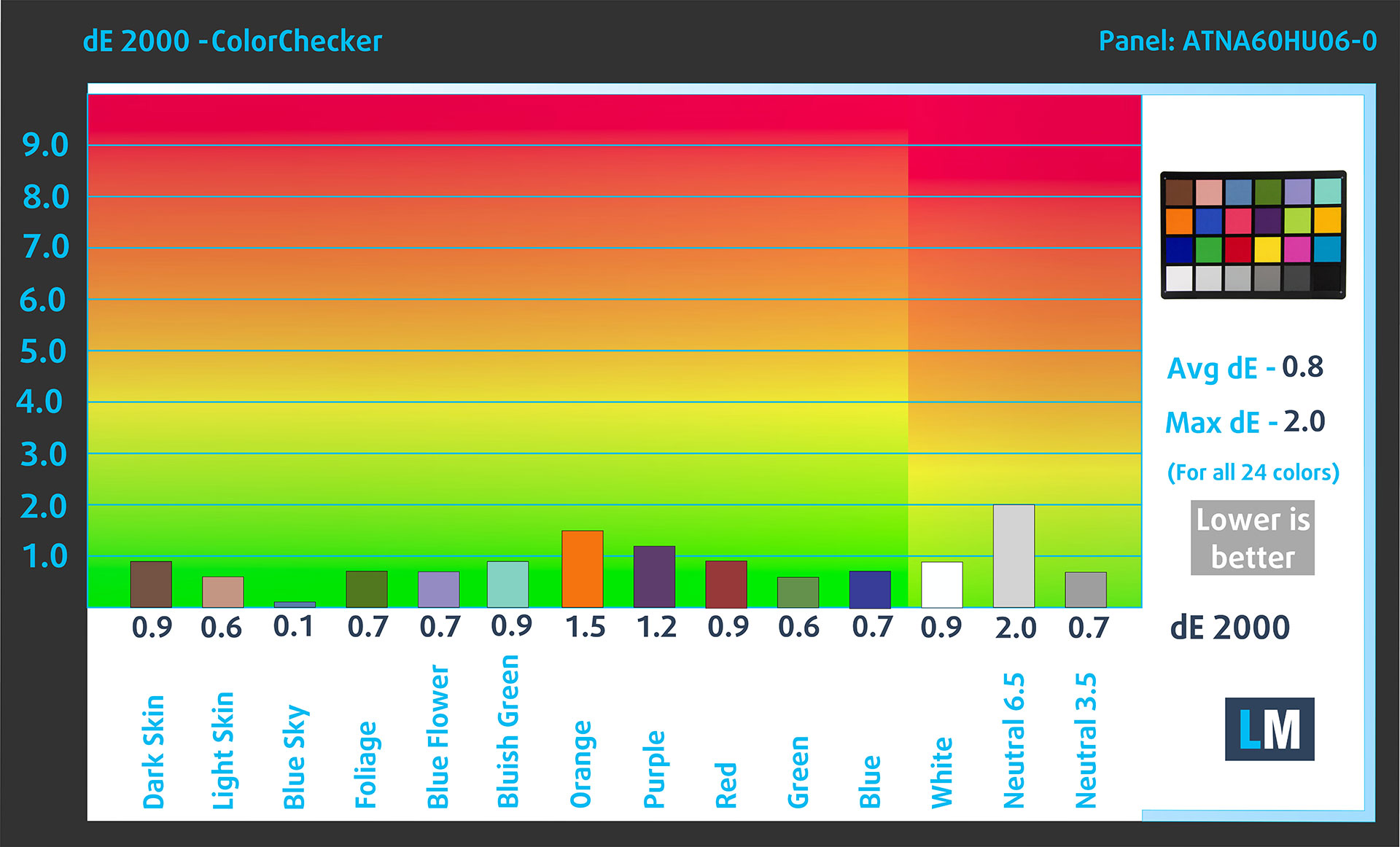
Comparison in the Display P3 color space.
The factory-calibrated modes are exceptionally accurate, with an average dE 2000 of 0.7 in sRGB and 0.8 in Display P3, so no additional calibration is necessary.
Health Impact: PWM (Screen flickering)
Some displays use PWM to regulate brightness, which means that instead of reducing the light intensity, they pulse or flicker. Our brain merges the image, so it appears darker, but this can increase eye strain, especially when the pulse frequency is low. You can read more about that in our dedicated article on PWM.
In the graph below, you can see the intensity of light at different brightness levels. The vertical axis shows the brightness of the emitted light, while the horizontal axis shows time.
The ASUS ROG Zephyrus G16 (2026) uses OLED-related luminance pulsations across the entire brightness range. Their modulation amplitude is relatively limited, but the panel is not flicker-free.
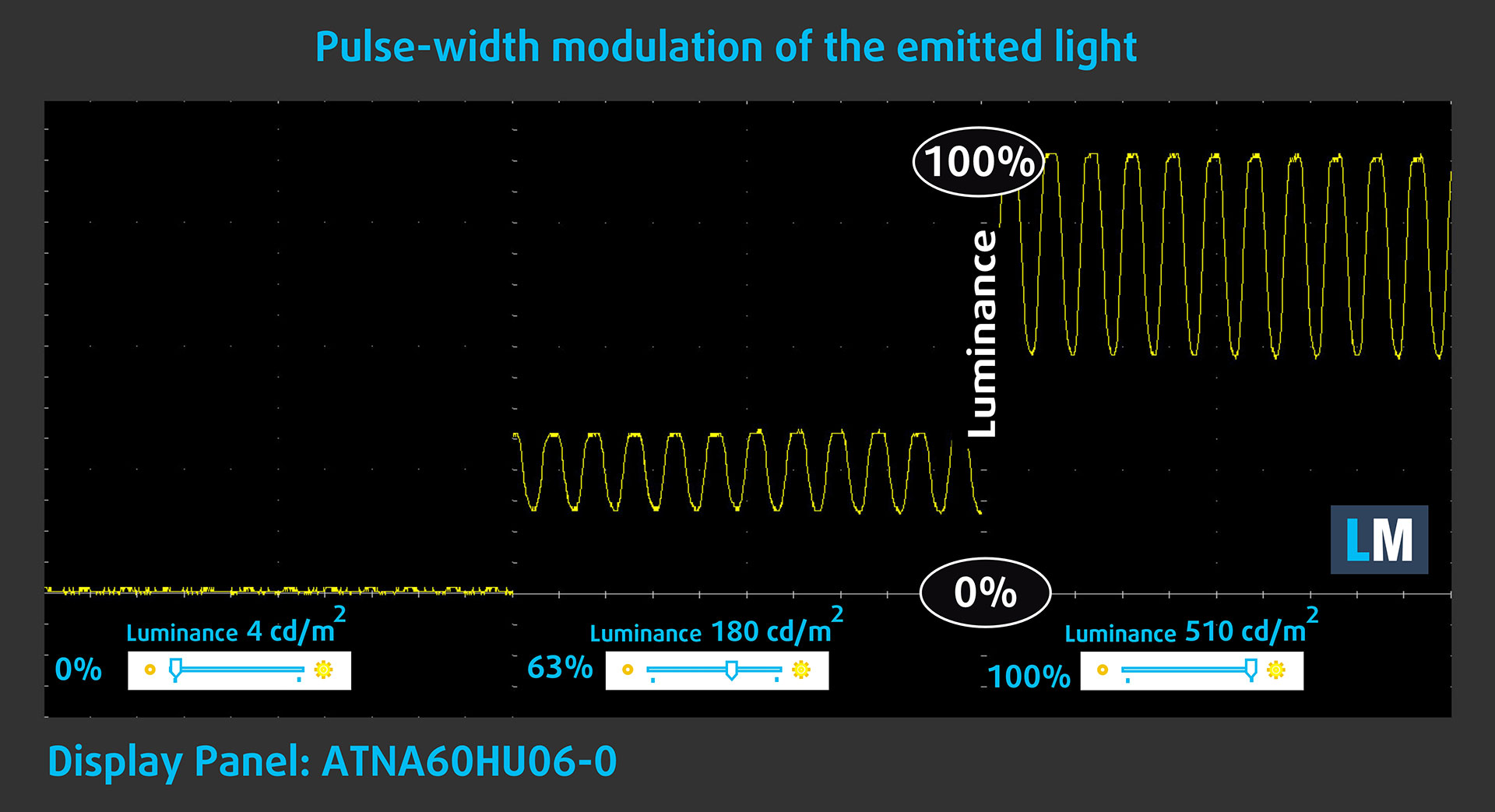
ASUS also includes its OLED Care system, including Pixel Shift, which slightly moves the displayed image over time to reduce the risk of image retention and burn-in from prolonged static content.
Health Impact: Screen Reflectance
Glossy-coated displays can cause eye fatigue in high ambient light conditions due to reflections. We measure the level of screen reflection with the display turned off, at a 60° angle.
The screen reflectance of the ASUS ROG Zephyrus G16 (2026) is 94.2 GU. Despite ASUS’s anti-reflection treatment, this still falls into our High Reflectance category. ASUS’s claimed reduction of up to 65% is a relative comparison with its reference surface and therefore is not directly comparable to our absolute GU measurement.
Low Reflectance: < 45 GU
Medium Reflectance: 45 – 80 GU
High Reflectance: > 80 GU
Sound Quality
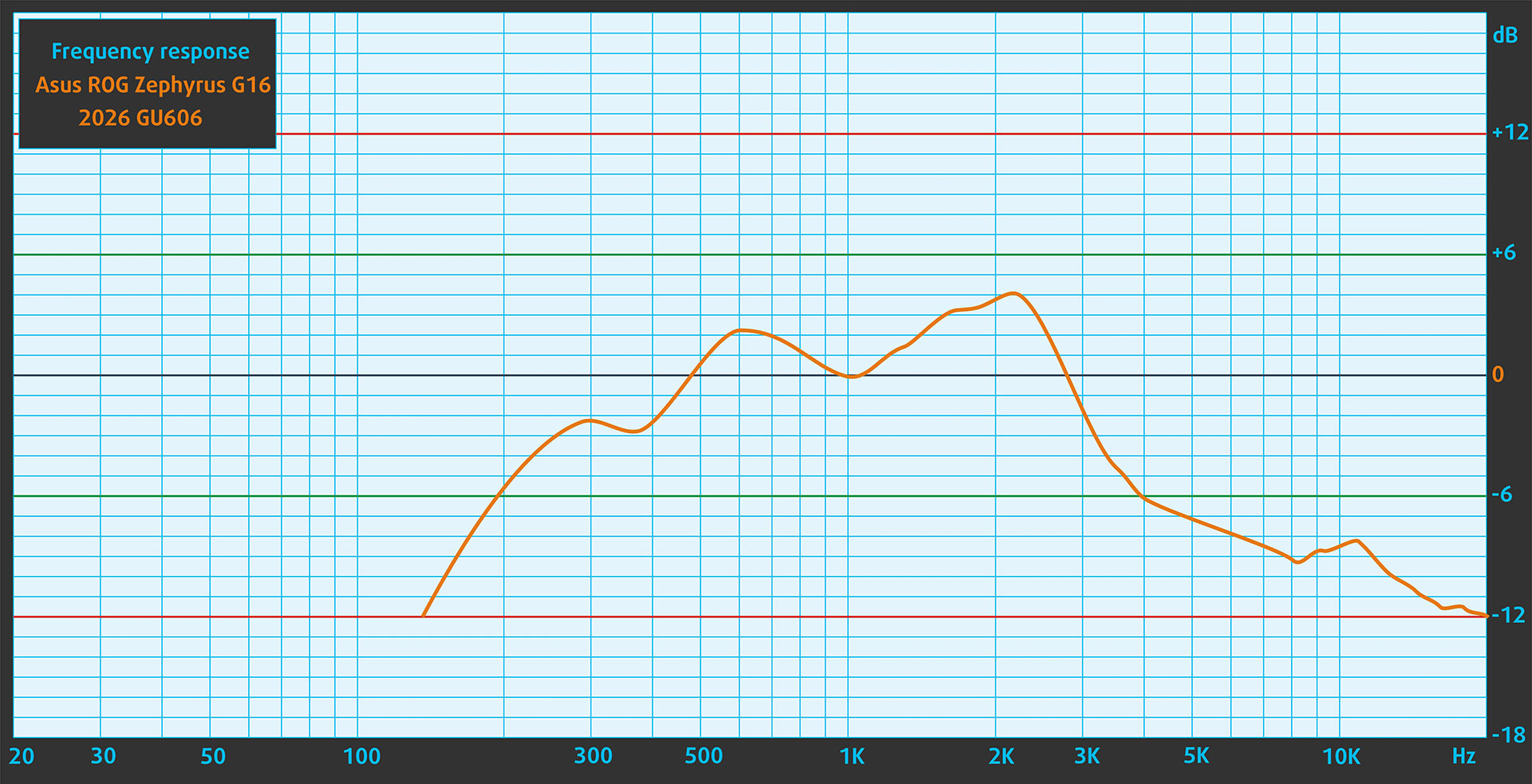
The G16 uses a six-driver audio system with four woofers and two tweeters, accompanied by Smart Amp technology and Dolby Atmos. In our measurements, the built-in speakers emphasize the midrange, while deep bass and the upper treble are subdued.
Work Performance: CPU, Storage, AI
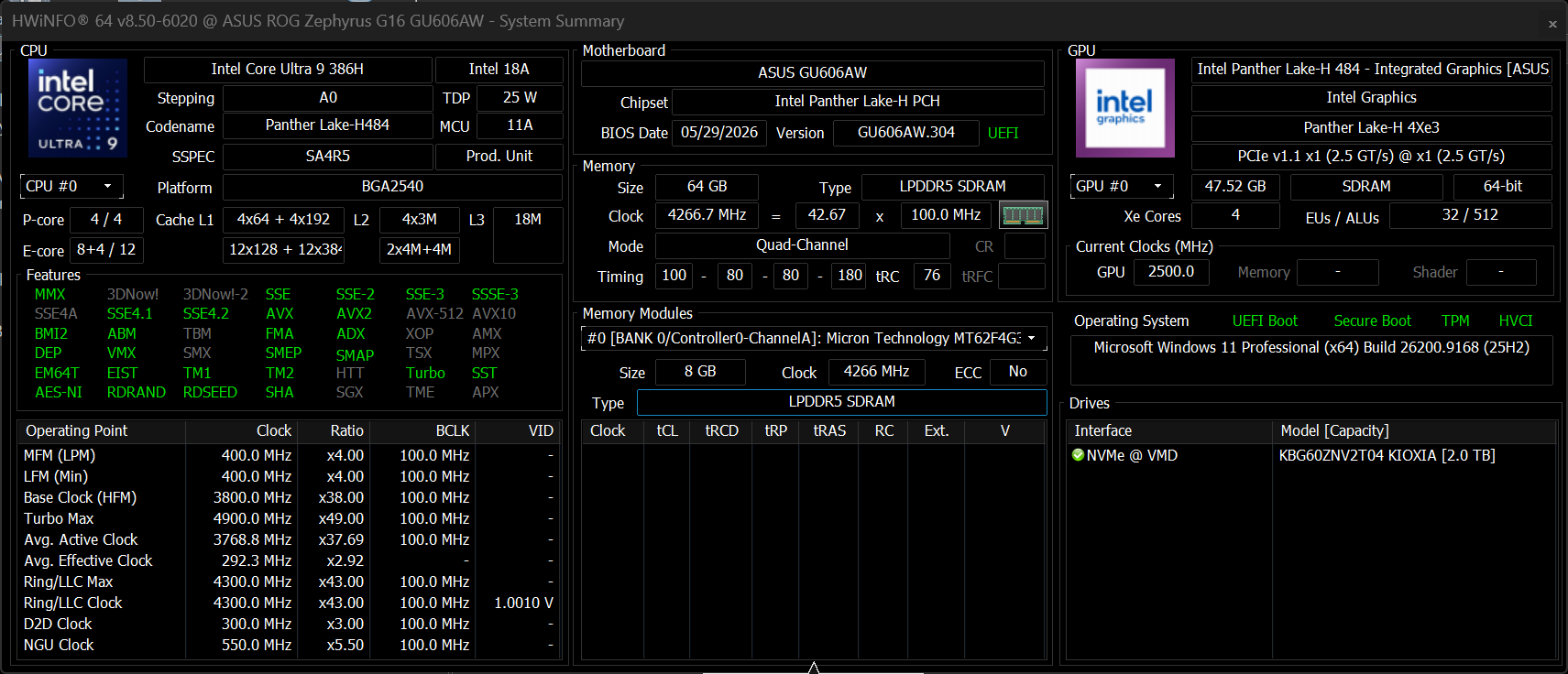
All performance and temperature tests are conducted with Turbo mode activated in Armoury Crate:
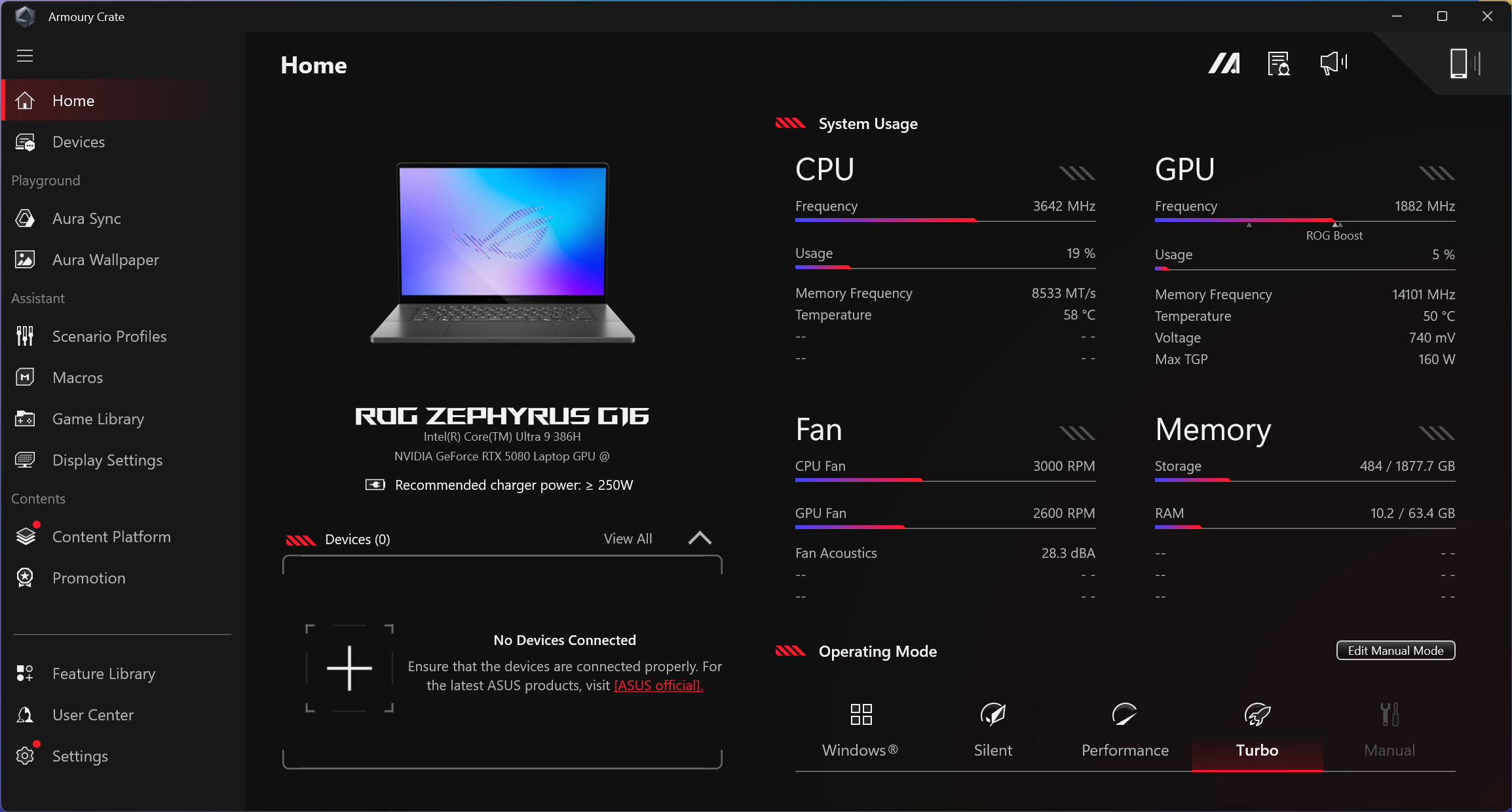
CPU and Work Performance
The ASUS ROG Zephyrus G16 (GU606, 2026) is built around the Intel Core Ultra 9 386H, so unlike some previous generations, there is no broad CPU selection to navigate here. It is a high-performance Core Ultra processor designed to balance strong everyday performance with the thermal and power constraints of the G16’s unusually slim chassis. For a broader comparison with other laptop processors, check our Top Laptop CPU Ranking.
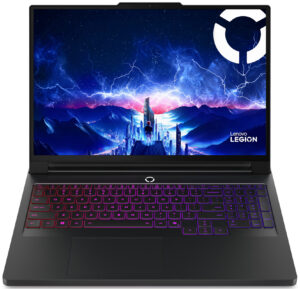
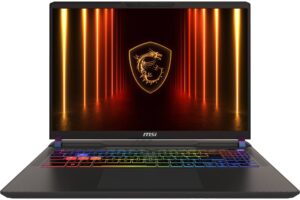
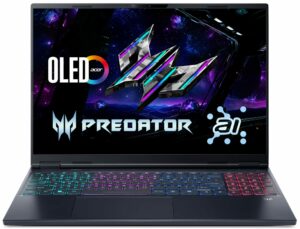
In lightly threaded workloads, the Core Ultra 9 386H performs very well. Its Geekbench 6 Single-Core result is only around 5-7% behind the Core Ultra 9 275HX found in considerably bulkier machines such as the Lenovo Legion Pro 7i (16″, Gen 10) (detailed review) and ASUS ROG Strix G16 G615 (detailed review). That makes the Zephyrus G16 more than fast enough for everyday responsiveness and gaming workloads where single-core performance remains important.
The trade-off becomes much clearer under sustained multi-core loads. The larger HX-based competitors have considerably more thermal headroom and pull ahead in demanding CPU work. The difference is especially pronounced in 3D rendering, where the G16 trails the fastest Core Ultra 9 275HX systems by roughly 40%. If rendering and other prolonged CPU-heavy workloads are your main priority, a thicker performance-oriented laptop makes more sense. If portability matters, however, the G16 delivers a strong level of CPU performance for a machine this thin and light.
Single-core प्रदर्शन ऑपरेटिंग सिस्टम में सुचारू संचालन और प्रतिक्रिया सुनिश्चित करता है, जिससे एक बेहतर उपयोगकर्ता अनुभव मिलता है।
परिणाम Geekbench 6 Single-Core टेस्ट से हैं (उच्चतर बेहतर है)
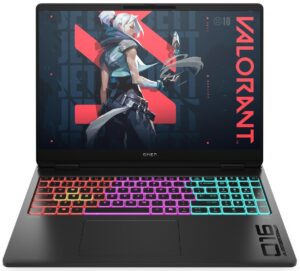
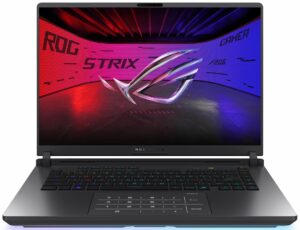
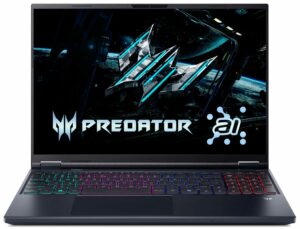
Multi-core प्रदर्शन जटिल और मांग वाले कार्यों, जैसे वीडियो संपादन, CAD, और वैज्ञानिक सिमुलेशन को संभालने के लिए आवश्यक है।
परिणाम Geekbench 6 Multi-Core टेस्ट से हैं (उच्चतर बेहतर है)
यहां, हम एक वास्तविक-विश्व 3D रेंडरिंग कार्य का उपयोग करके CPU के प्रदर्शन का मूल्यांकन करते हैं, जटिल संगणनाओं और रेंडरिंग वर्कलोड को कुशलतापूर्वक संभालने की इसकी क्षमता का आकलन करते हैं।
परिणाम Cinebench 2024 Multi-Core टेस्ट से हैं (उच्चतर बेहतर है)
Storage Performance
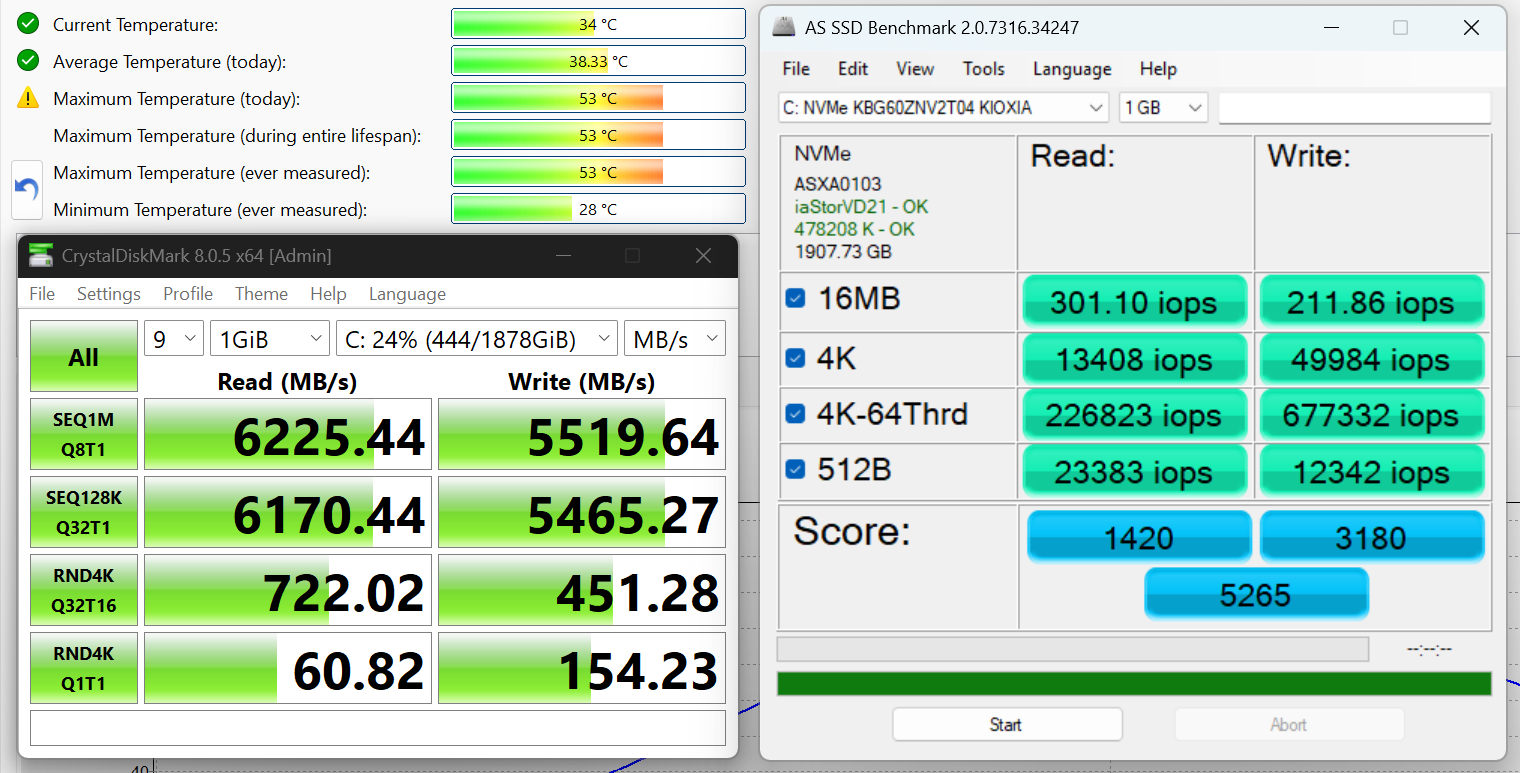
We ordered a configuration with 2TB of storage, and our retail unit arrived with a KIOXIA BG6 KBG60ZNV2T04 SSD. It is a single-sided M.2 2280 PCIe 4.0 x4 NVMe drive using TLC NAND. In our benchmark, it reached 6.2 GB/s sequential read and 5.5 GB/s sequential write speeds, slightly exceeding KIOXIA’s official ratings of up to 6.0 GB/s and 5.3 GB/s, respectively. Thermals were also excellent, with the drive peaking at just 53°C during our testing.
AI Performance
यहां आप ASUS ROG Zephyrus G16 GU606 में पाए जाने वाले GPU और CPU (NPU) की स्थिति को हमारे AI हार्डवेयर प्रदर्शन रैंकिंग में उनकी AI प्रसंस्करण शक्ति के आधार पर देख सकते हैं, जिसे TOPS (Tera Operations Per Second) में मापा जाता है - यह एक महत्वपूर्ण मीट्रिक है जो कम्प्यूटेशनल थ्रूपुट को इंगित करता है, विशेष रूप से AI कार्यों के लिए।
पहला कॉलम INT8/FP8 précision के लिए चरम प्रदर्शन दिखाता है, जो AI inference क्षमताओं का मूल्यांकन करने के लिए सबसे व्यापक मीट्रिक है। हम सघन गणना परिदृश्यों में AI प्रदर्शन का अधिक सटीक प्रतिबिंब प्रदान करने के लिए Sparsity को बाहर रखते हैं जहाँ Sparsity अनुकूलन लागू नहीं हो सकते हैं। दूसरे और तीसरे कॉलम Sparsity के साथ प्रदर्शन, और FP4 TFLOPS, जब समर्थित हो, दिखाते हैं।
SoCs के लिए, परिणाम एकीकृत NPU के चरम प्रदर्शन को दर्शाते हैं। इसके अतिरिक्त, यह ध्यान रखना महत्वपूर्ण है कि, Microsoft के अनुसार, PC को "AI-सक्षम" माने जाने के लिए NPU में कम से-कम 40 TOPS AI कंप्यूटिंग शक्ति होनी चाहिए।
| # | GPU / CPU (NPU) | TOPS INT8/FP8 No Sparsity | TOPS INT8/FP8 Sparsity | TFLOPS FP4 Sparsity |
|---|---|---|---|---|
| 173. | NVIDIA GeForce RTX 5090 (Laptop) | 363 | 726 | 1452 |
| 416. | NVIDIA GeForce RTX 5080 (Laptop) | 281 | 562 | 1124 |
| 669. | NVIDIA GeForce RTX 5070 Ti (Laptop) | 209 | 418 | 836 |
| 849. | NVIDIA GeForce RTX 5070 (Laptop, 8GB GDDR7) | 173 | 346 | 692 |
| 1009. | NVIDIA GeForce RTX 5060 (Laptop) | 133 | 266 | 532 |
| 1569. | Intel Core Ultra 9 386H | 50 | — | — |
GPU and Gaming Performance
The GPU selection is much wider, ranging from the NVIDIA GeForce RTX 5060 all the way up to the flagship RTX 5090, with RTX 5070, RTX 5070 Ti, and RTX 5080 configurations in between. All of them belong to NVIDIA’s RTX 50-series generation, but the performance difference across the range is substantial, so the exact GPU is one of the most important things to check when choosing a configuration. You can compare them in our Top Laptop Graphics Ranking.
Our RTX 5080 configuration is rated at up to 135W in Turbo mode, which is the profile used for our performance testing. ASUS allows the GPU to reach up to 160W only in Manual mode.
Our RTX 5080 configuration is difficult to compare directly with most laptops using the same GPU, because the Zephyrus G16 is considerably thinner and lighter than the typical high-performance RTX 5080 machine. The closest comparison in our database is the Lenovo Legion Pro 7i (16″, Gen 10) (detailed review), which weighs 2.57 kg versus just 1.93 kg for our G16. The Zephyrus is about 12% slower in our 3DMark tests, but it achieves that while being roughly 25% lighter.
This places the G16’s RTX 5080 comfortably above the RTX 5070 Ti laptops in our comparison, while still leaving some performance on the table compared with the larger, higher-powered RTX 5080 systems. That is the central trade-off of this machine: you are giving up some peak GPU performance in exchange for a much more portable chassis.
परिणाम 3DMark Time Spy (Graphics) से हैं। उच्चतर बेहतर है।
परिणाम 3DMark Wild Life Extreme Unlimited से हैं। उच्चतर बेहतर है।
Gaming tests

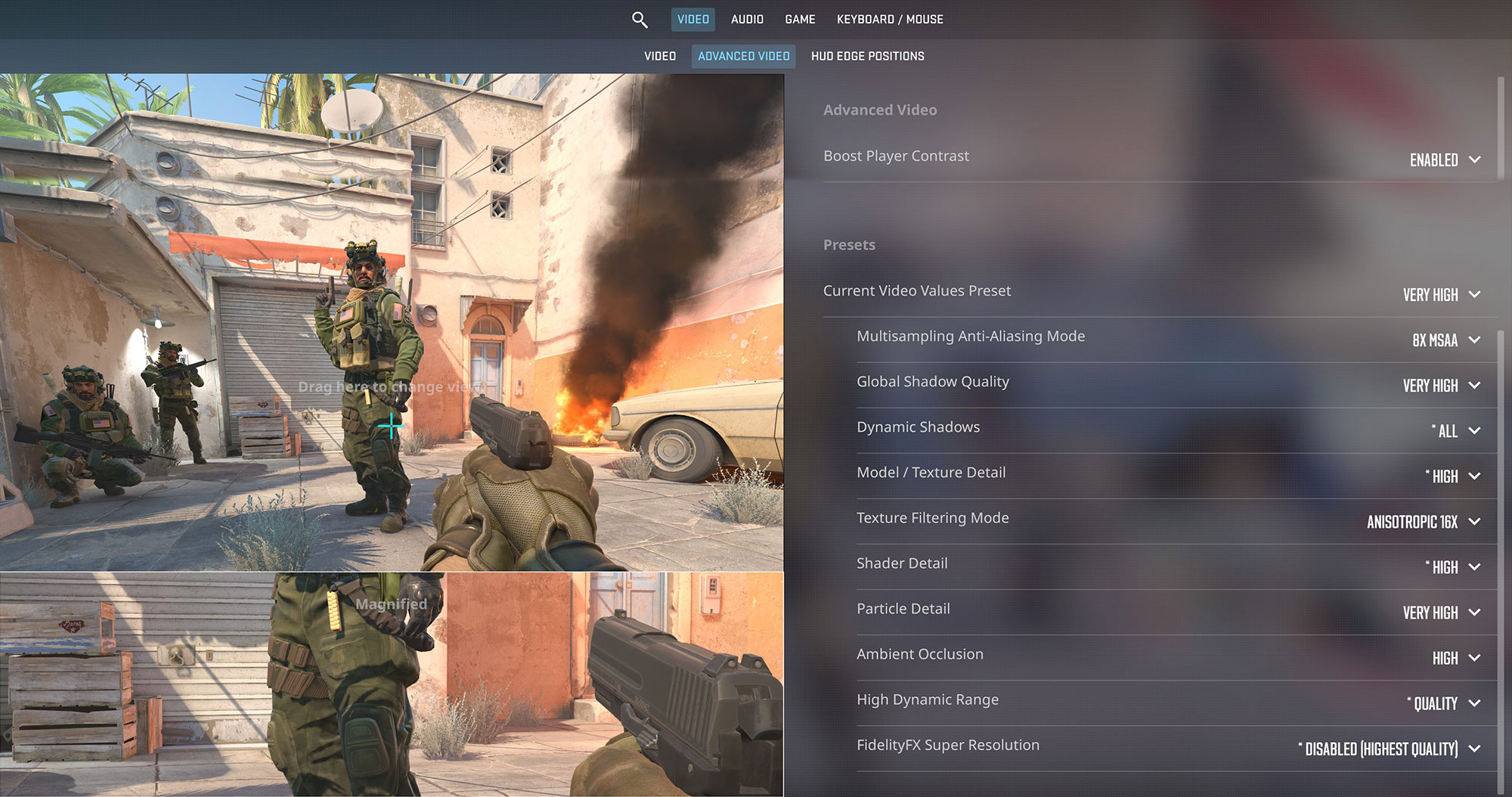
Counter-Strike 2 is no challenge for this configuration. At 1600p and Very High settings, the Zephyrus G16 averages 253 FPS, making it a very good match for the laptop’s 240Hz display.
| Counter Strike 2 | 1600p, Very High (Check settings) |
| Average FPS | 253 FPS |

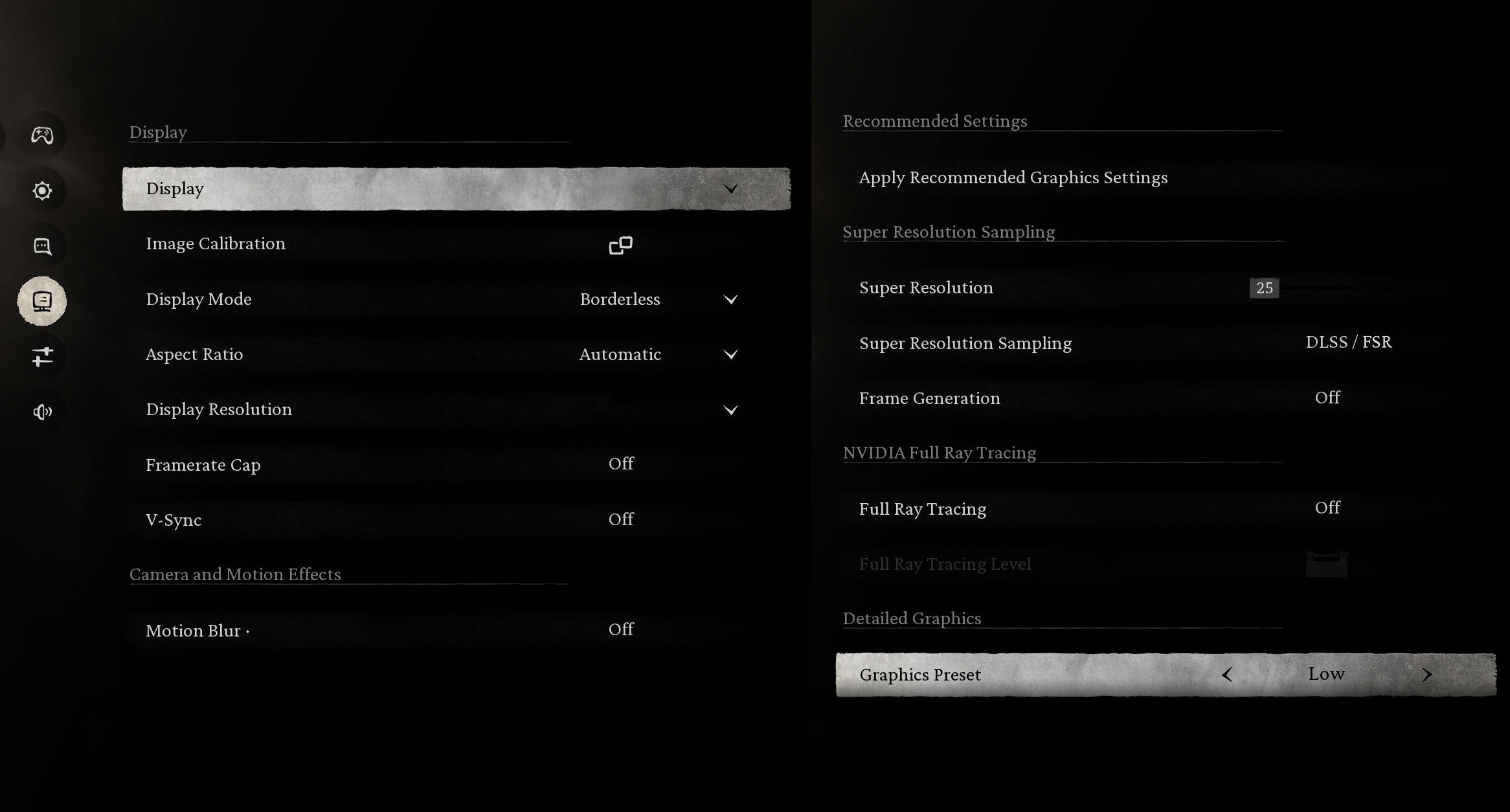
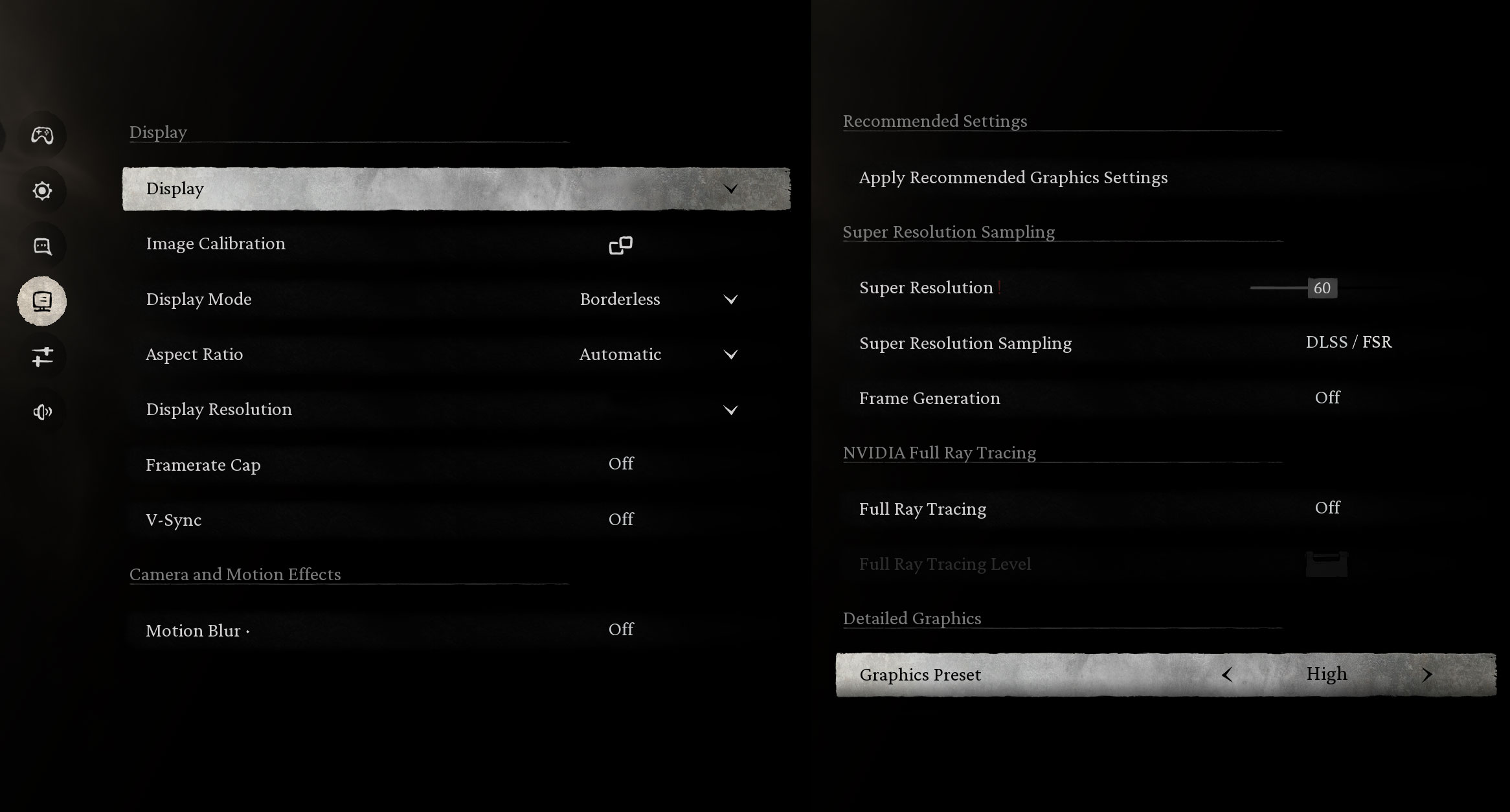
Black Myth: Wukong is a much more demanding workload, but the RTX 5080 still performs very well at the display’s 1600p resolution. We measured 198 FPS on the Low preset and 101 FPS on High.
| Black Myth: Wukong | 1600p, Low (Check settings) | 1600p, High (Check settings) |
| Average FPS | 198 FPS | 101 FPS |

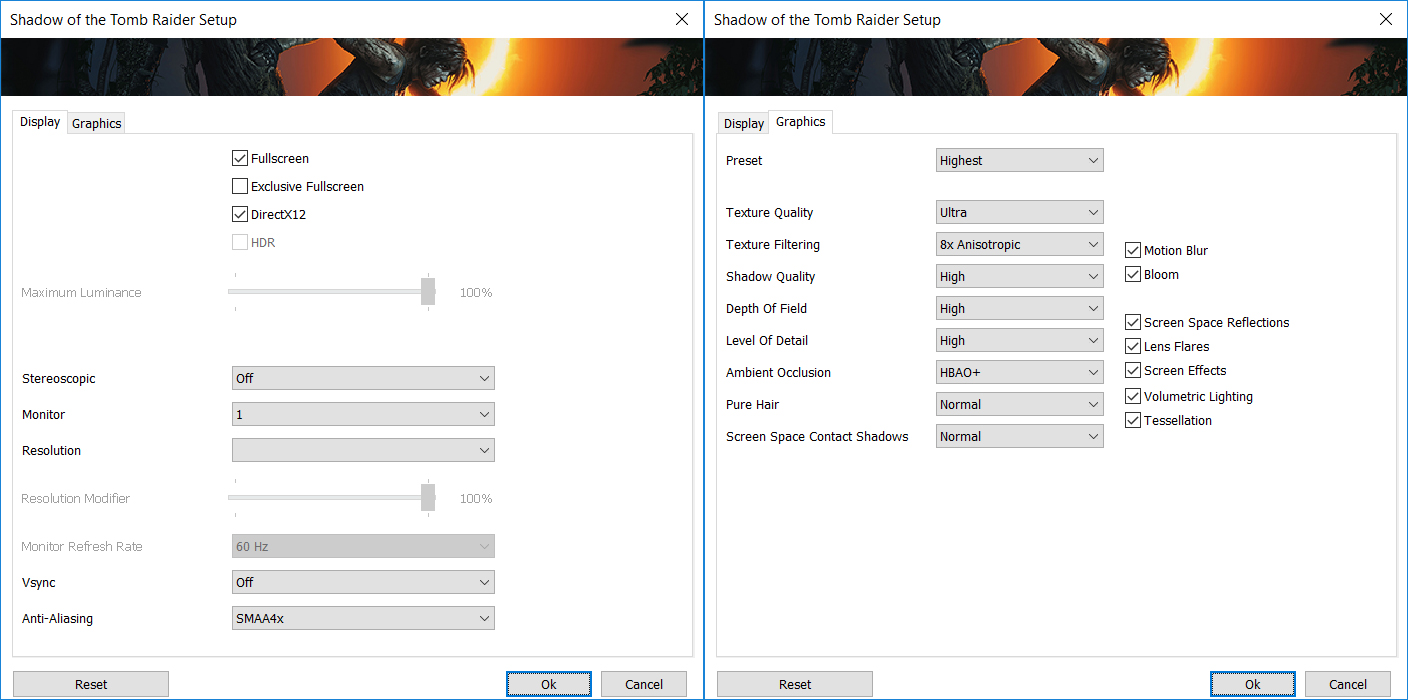
Shadow of the Tomb Raider also runs comfortably at the native 1600p resolution. Even with the Highest preset selected, the G16 averages 106 FPS.
| Shadow of the Tomb Raider | 1600p, Highest (Check settings) |
| Average FPS | 106 FPS |

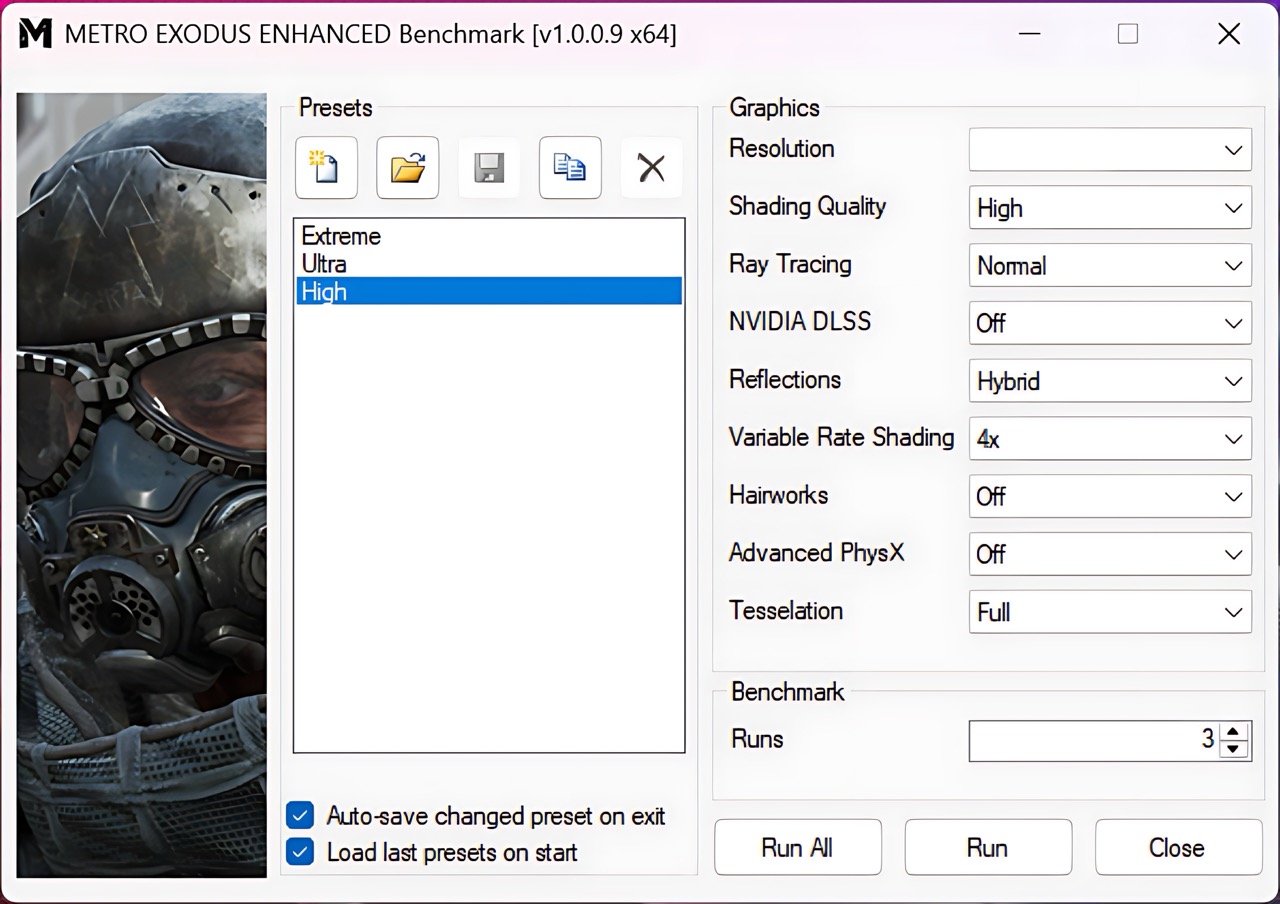
Metro Exodus Enhanced Edition is particularly demanding because of its ray-traced lighting, yet the Zephyrus G16 still delivers 97 FPS at 1600p on the High preset. That is an excellent result for such a thin RTX 5080 laptop and reinforces the point that, while the G16 gives up some performance compared with much heavier RTX 5080 systems, it remains a very capable high-resolution gaming machine.
| Metro Exodus Enhanced Edition | 1600p, High (Check settings) |
| Average FPS | 97 FPS |
Battery
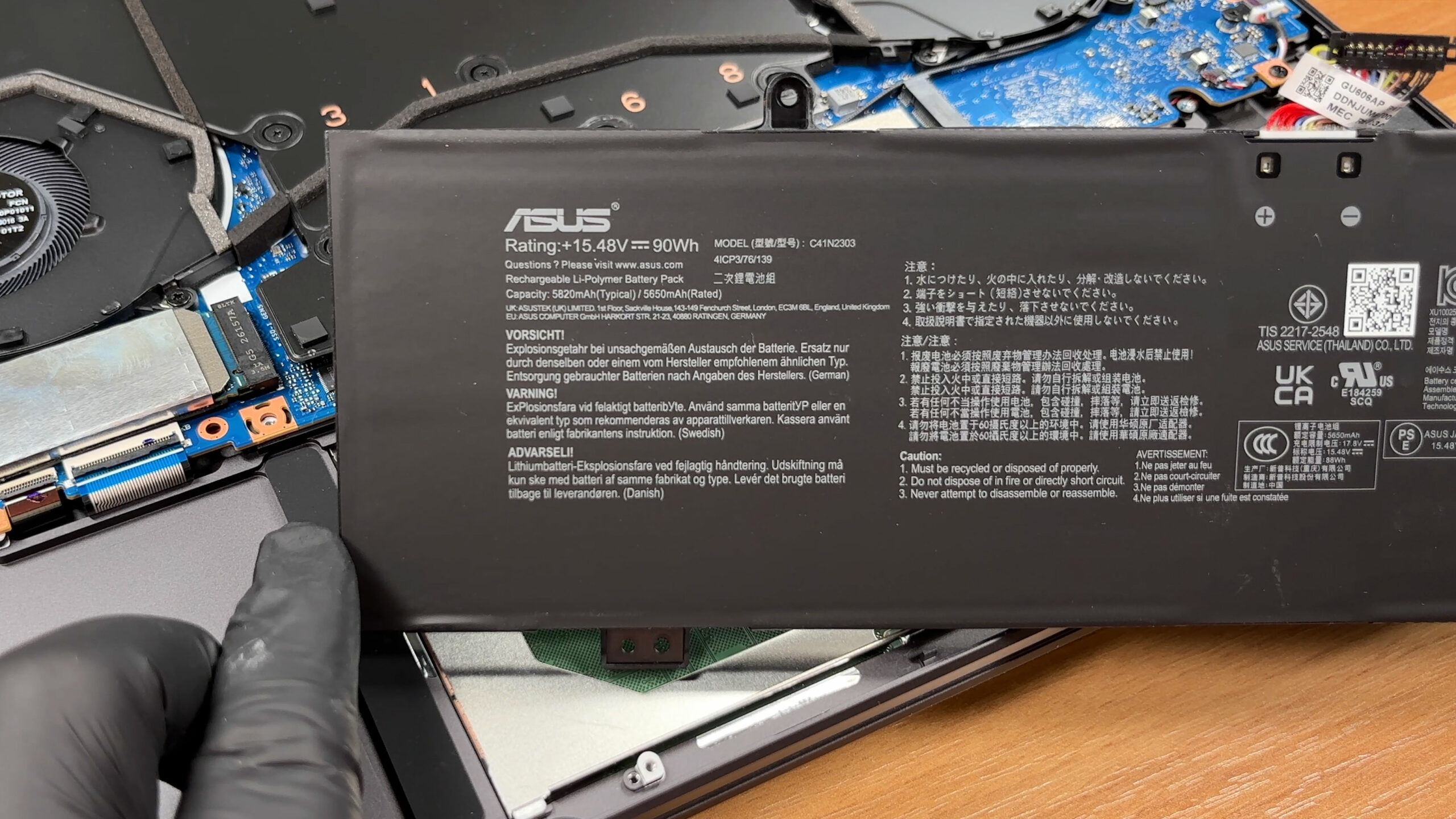
The ASUS ROG Zephyrus G16 (GU606, 2026) uses a four-cell C41N2303 Li-ion battery with a capacity of 90Wh. Its label specifies 15.48V, with a typical capacity of 5820mAh and a rated capacity of 5650mAh.
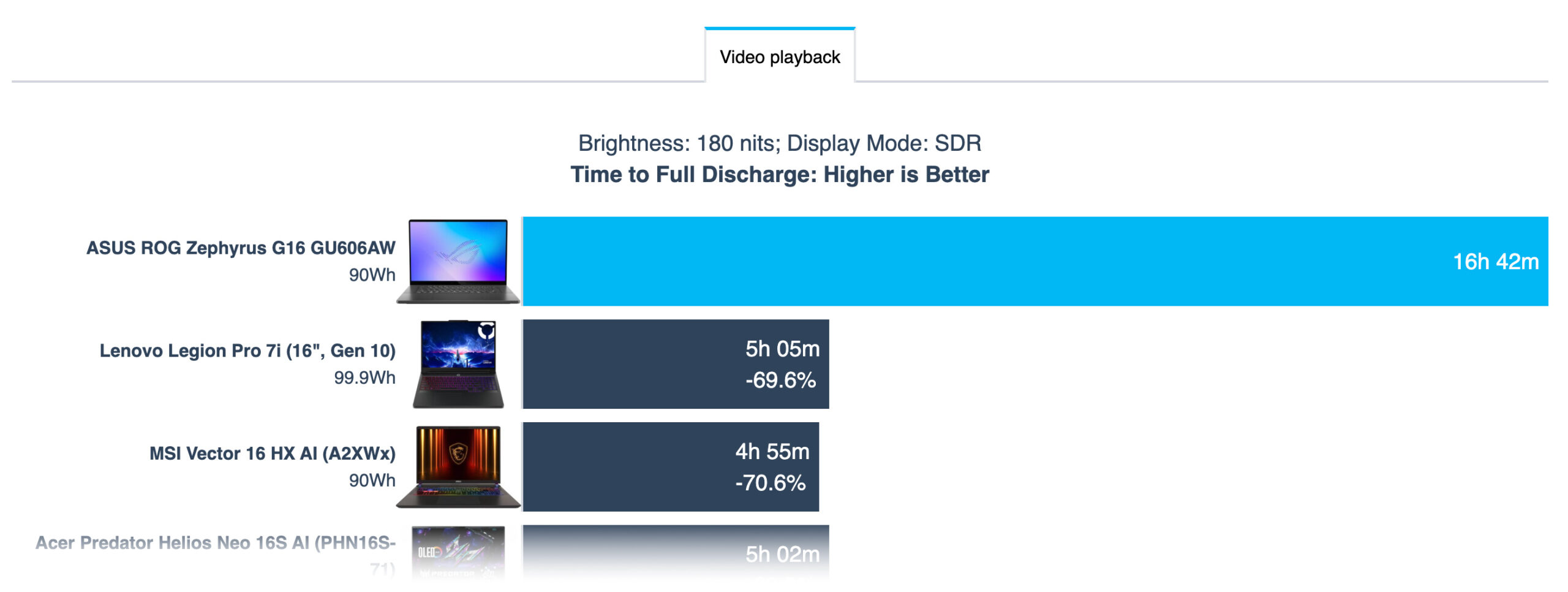
Battery life turned out to be one of the strongest aspects of the 2026 model. In our offline video playback test at 180 nits, the laptop lasted an impressive 16 hours and 42 minutes. The test was conducted with Standard GPU mode and the Silent performance profile selected in Armoury Crate.
The result may look unusually high for an RTX 5080 gaming laptop, but it is plausible for this type of light workload. During video playback, the discrete GPU can remain inactive, allowing the system to rely on the much more efficient integrated graphics.
चमक: 180 nits; डिस्प्ले मोड: SDR
पूर्ण डिस्चार्ज का समय: उच्चतर बेहतर है
Disassembly, Upgrade options, and Maintenance
[YOUTUBE VIDEO]
The cooling system varies depending on the GPU configuration. Our RTX 5080 unit uses ASUS’s higher-end layout, built around a large vapor chamber, two cooling fans, and liquid-metal thermal compound. The RTX 5060 and RTX 5070 versions use a different heatpipe-based Tri-Fan design instead.
The 2026 chassis also uses a redesigned bottom intake and a dust filter intended to reduce debris buildup inside the cooling system.
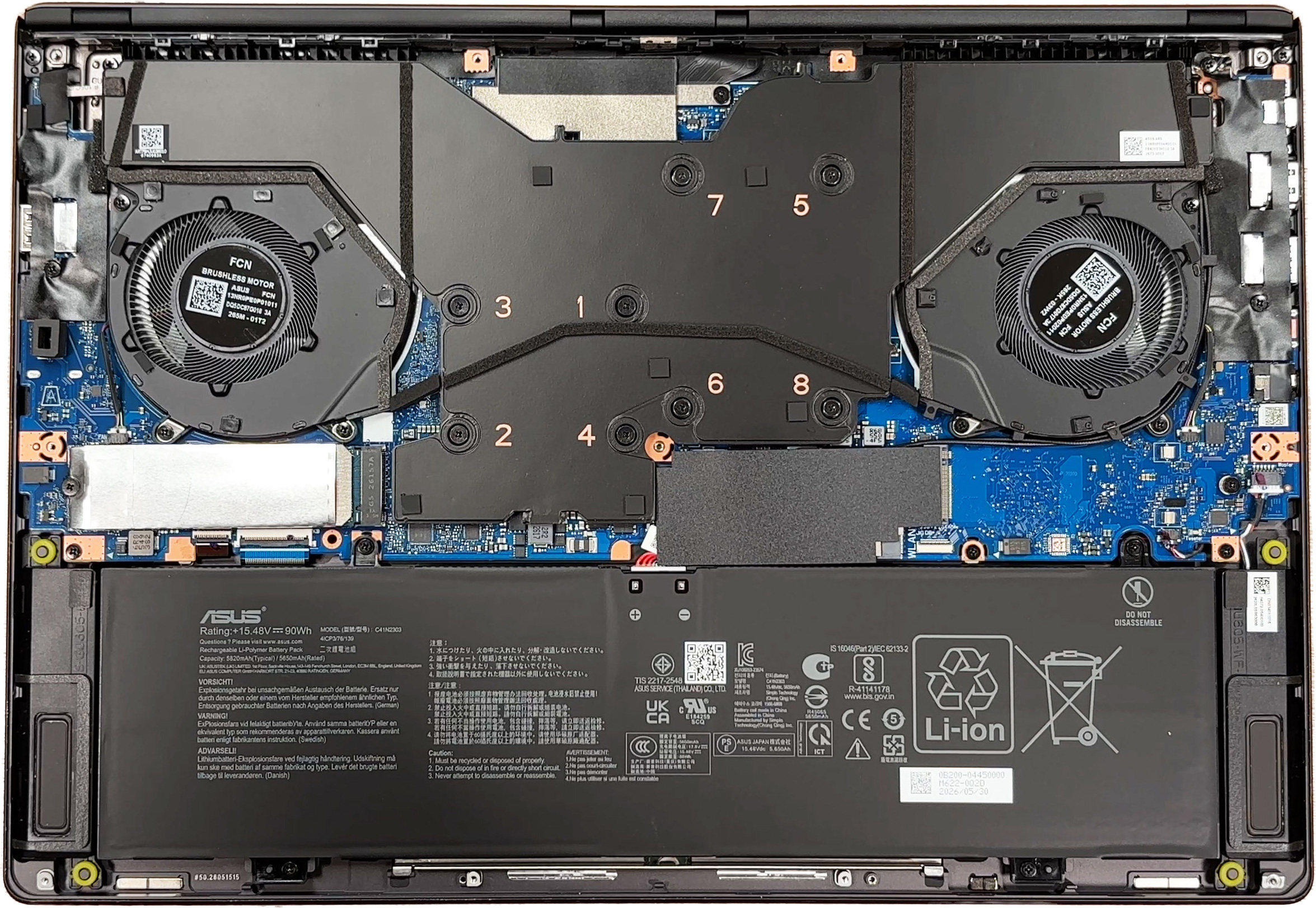
Storage is one of the stronger upgrade points. The motherboard provides two M.2 slots, with our 2TB KIOXIA BG6 occupying the primary M.2 2280 position and a second full-length M.2 2280 slot available for expansion.
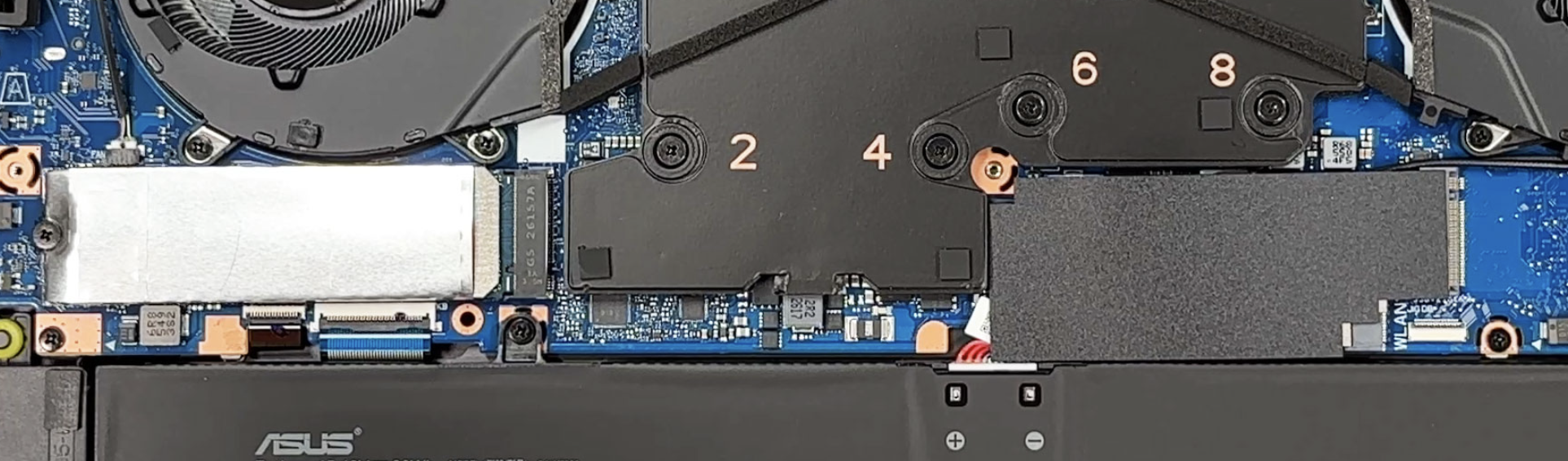
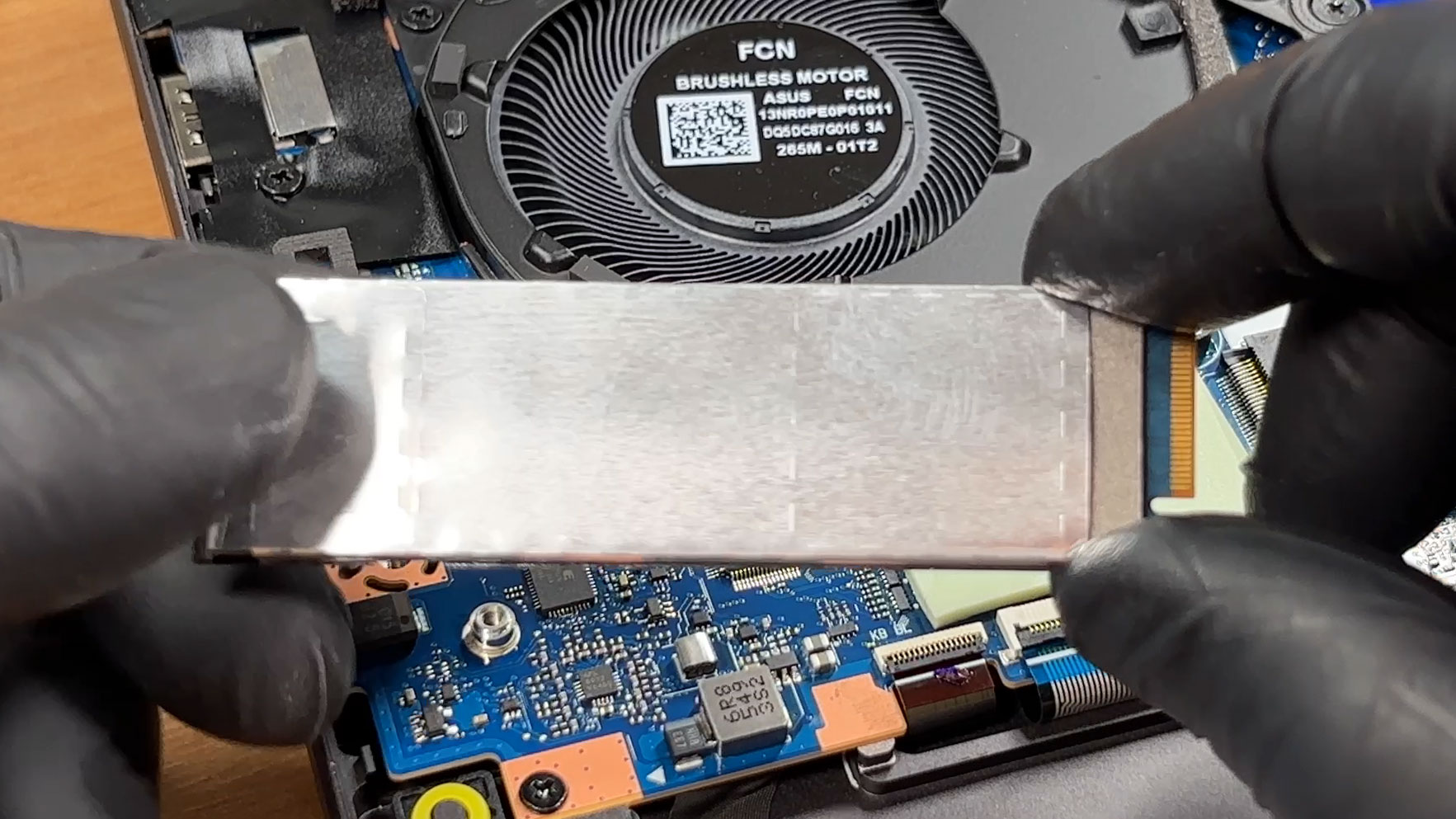
The primary SSD is additionally covered by a metal heat spreader.
Memory is considerably less flexible. The G16 uses soldered LPDDR5X-8533 RAM, with no memory slots available for expansion. Depending on the configuration, ASUS offers up to 64GB, with the capacity fixed at purchase. Our unit comes with 64GB of LPDDR5X-8533 memory.
The wireless card is replaceable and supports Wi-Fi 7 and Bluetooth 6.0. It sits underneath a shielding layer and is secured with four screws. When removing it, particular care is required around the tiny soldered components next to the connector, while the antenna connectors themselves are also delicate and need to be positioned precisely during reassembly.
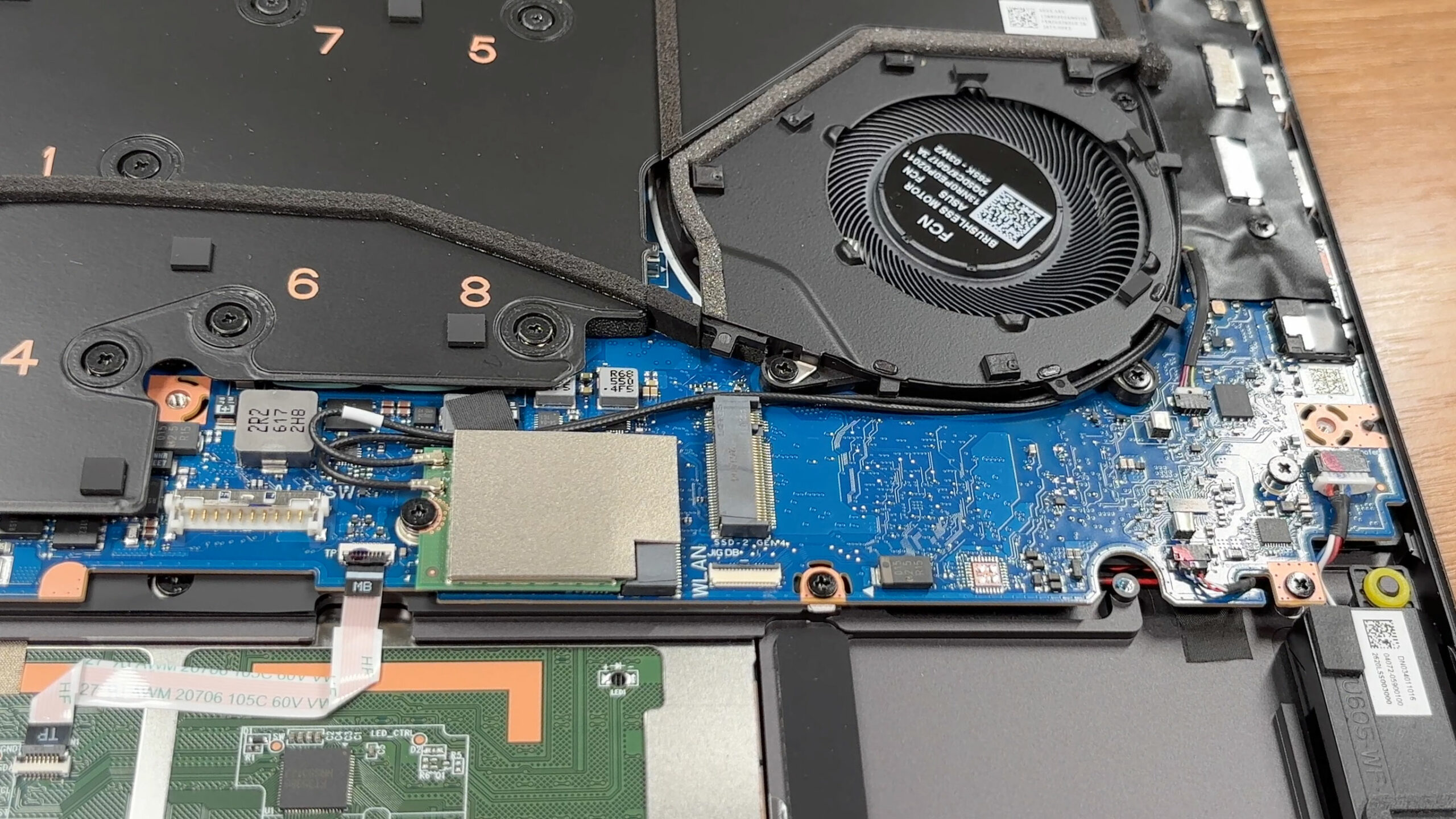
The battery is a 90Wh four-cell Li-ion unit with a 4S1P configuration. Its connector should be disconnected before working on the internal components, and the battery can be removed when necessary.
To access the internals, you need to remove eleven screws from the bottom panel. Two are hidden underneath rubber covers between the hinges. The screws are not all the same length, so keeping them in their original positions is important during reassembly. One of the screws also helps create an opening gap for lifting the bottom panel, making the initial disassembly easier.
Once the bottom panel is removed, the main serviceable components are easy to identify. The SSDs, Wi-Fi card, and battery can be replaced, while the cooling system can be accessed for maintenance. However, the soldered memory cannot be upgraded, which is the main limitation of the machine’s upgradeability.
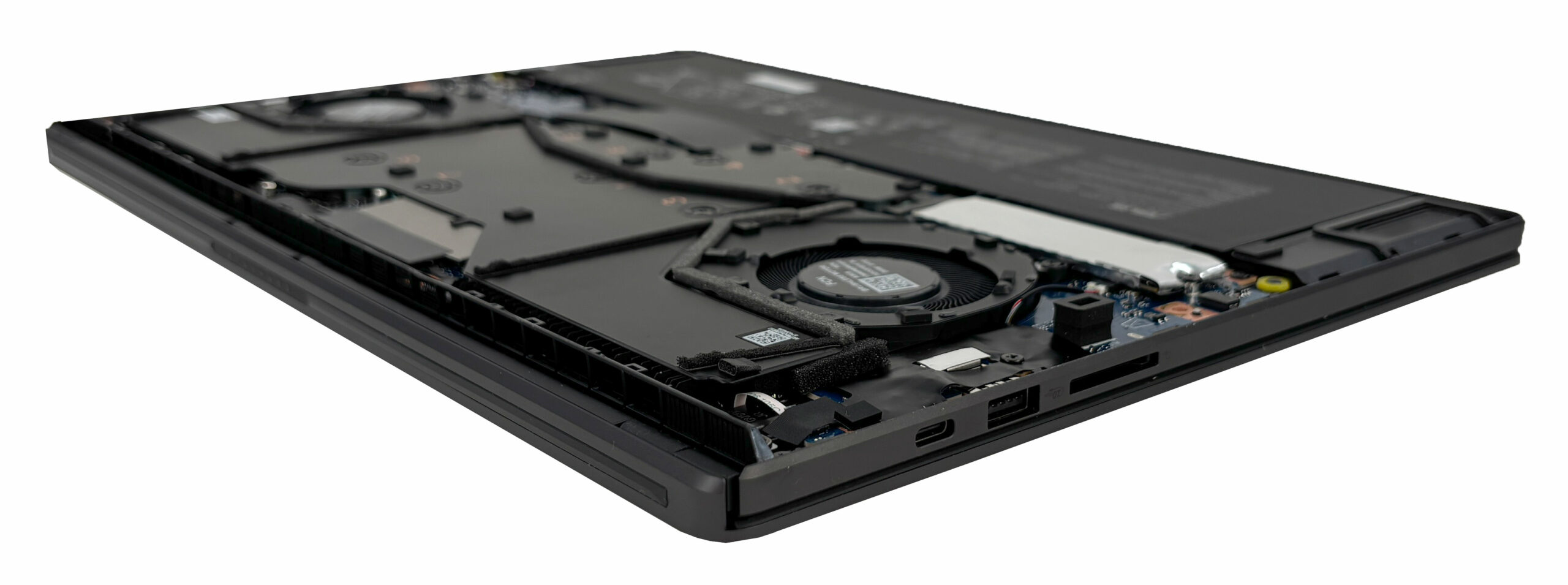
Overall, the ROG Zephyrus G16 (2026) is relatively easy to maintain, with straightforward access to the storage, wireless card, battery, and cooling system, although the soldered memory significantly limits long-term upgrade options.
Verdict
The ASUS ROG Zephyrus G16 (GU606, 2026) is built around a very clear compromise: it gives up some of the maximum performance available from much larger gaming laptops in exchange for portability, battery life, and a significantly more discreet design. After testing the RTX 5080 configuration, that trade-off makes a great deal of sense.
At just 1.93 kg in our measurements and less than 18 mm thick, the G16 is remarkably compact for the hardware inside. It does not match the sustained CPU performance or the full GPU potential of the heaviest desktop-replacement systems, but that is not really what this machine is trying to be. Its strength is delivering genuinely high-end gaming performance in a laptop that is still practical to carry every day.
You can check the prices and configurations in our Specs System: https://laptopmedia.com/series/asus-rog-zephyrus-g16-gu606/
✅ The Good
Battery life is one of the biggest surprises. Our retail unit lasted 16 hours and 42 minutes in the offline video playback test at 180 nits. That result is exceptional for a laptop equipped with an RTX 5080 and shows how efficient the system can become when the discrete GPU is not needed.
The chassis is another major strength. The CNC-machined aluminum construction feels rigid and premium, yet our machine weighs only 1.93 kg. This is particularly impressive when compared with more conventional high-performance gaming laptops that can easily weigh well above 2.5 kg.
The 16-inch 2560 × 1600 OLED display is also excellent. It combines a 240Hz refresh rate with complete sRGB and DCI-P3 coverage, effectively infinite contrast, very accurate factory-calibrated color modes, 510 nits of SDR brightness, and up to 1098 nits in our HDR peak measurement. It is equally well suited to gaming and color-sensitive creative work.
GPU performance is strong considering the dimensions. Our RTX 5080 runs at up to 135W in Turbo mode and delivered excellent results at the native 1600p resolution. It cannot fully match much larger RTX 5080 laptops, but it remains comfortably ahead of the RTX 5070 Ti systems in our comparison while fitting into a substantially lighter chassis.
The G16 also gets many of the practical details right: Thunderbolt 4, two display-capable USB-C ports, HDMI 2.1, a full-size UHS-II SD card reader, Wi-Fi 7, a large glass trackpad, and a second M.2 slot for storage expansion.
❌ The Bad
The biggest long-term limitation is the soldered memory. There are no SODIMM slots, so the RAM capacity cannot be upgraded later. With configurations available up to 64GB, this is manageable, but buyers should choose the amount they expect to need for the lifetime of the machine.
The slim chassis also places clear limits on sustained performance. The RTX 5080 is restricted to 135W in Turbo mode, with up to 160W available only through Manual mode, so thicker RTX 5080 laptops can extract more performance from the same GPU. The difference is even more noticeable in prolonged CPU-heavy workloads, where larger Core Ultra 9 275HX systems have substantially more thermal and power headroom.

The OLED panel is excellent in most respects, but it is not perfect. It uses OLED-related luminance pulsations across the brightness range and, despite ASUS’s anti-reflection treatment, our reflectance measurement of 94.2 GU still places it in our High Reflectance category. Other smaller drawbacks include the lack of a physical webcam privacy shutter, no built-in Ethernet port, the compact arrow keys, and a display hinge limited to roughly 130 degrees.
🆚 The Competitors
The Lenovo Legion Pro 7i (16″, Gen 10) (detailed review) illustrates the G16’s philosophy particularly well. Its RTX 5080 is around 12% faster in our 3DMark testing, but the Legion weighs 2.57 kg compared with only 1.93 kg for the Zephyrus. In other words, the G16 gives up some peak performance while reducing the laptop’s weight by roughly a quarter.
The battery difference is even larger. Our Zephyrus lasted 16 hours and 42 minutes in the same video playback methodology, while the Legion Pro 7i managed 5 hours and 5 minutes. Which approach makes more sense therefore depends less on the GPU badge and more on whether maximum sustained performance or portability is the priority.
The ASUS ROG Zephyrus G16 (GU606, 2026) ultimately succeeds because its compromises are deliberate rather than accidental. There are faster RTX 5080 laptops, and there are lighter productivity notebooks, but very few machines combine this level of gaming performance, display quality, battery life, and portability in the same chassis.
Pros
- Exceptional battery life for a high-end gaming laptop
- Very light 1.93 kg CNC-machined aluminum chassis
- Excellent 240Hz OLED display with full DCI-P3 coverage and outstanding factory color accuracy
- Strong RTX 5080 performance considering the size and weight
- Excellent connectivity, including Thunderbolt 4 and a full-size UHS-II SD card reader
- Second M.2 slot for storage expansion
- Large glass trackpad
Cons
- Soldered RAM cannot be upgraded
- RTX 5080 is limited to 135W in Turbo mode
- Sustained CPU performance trails larger HX-class gaming laptops
- Highly reflective OLED panel despite the anti-reflection treatment
- OLED luminance pulsations across the brightness range
- No physical webcam privacy shutter or built-in Ethernet
 Author: Simeon NikolovEditor-in-Chief at LaptopMedia.com with 20+ years of experience in testing and analyzing laptops and mobile devices.
 Author: eng. Kroum NikolovHead of Engineering at LaptopMedia.com, inventor and innovator with 40+ years of experience in electronics and high technology.

![[August 2026] Amazon Global: Top 10 Best-Selling Laptops – Apple MacBook Neo Dominates the Charts as Budget and Mid-Range Windows Portables Fight for Volume](https://laptopmedia.com/wp-content/uploads/2026/09/Best-Selling-Laptops-GLOBAL-Top-10-400x225.jpg)
![[August 2026] Best-Selling Laptop Brands on Amazon Global – Apple Dominates Revenue While HP Leads in Model Variety](https://laptopmedia.com/wp-content/uploads/2026/09/GLOBAL-Best-Brands-400x225.jpg)
![[August 2026] Amazon Global: Top 10 Best-Selling Gaming Laptops – HP Victus 15 Captures the Crown as Budget-Friendly Models Dominate the Charts](https://laptopmedia.com/wp-content/uploads/2026/09/Best-Selling-Gaming-Laptops-GLOBAL-Top-10-400x225.jpg)
![[August 2026] Best-Selling Laptop Brands on Amazon Japan – Apple Dominates Market Share and Revenue Led by Strong Unit Sales](https://laptopmedia.com/wp-content/uploads/2026/09/CO.JP-Best-Brands-1-400x225.jpg)
![[August 2026] Best-Selling Laptop Brands on Amazon USA – Apple Dominates Market Revenue and Volume Despite Lower Model Diversity](https://laptopmedia.com/wp-content/uploads/2026/09/COM-Best-Brands-1-400x225.jpg)