Inside Acer Aspire 7 (A715-42G) – disassembly and upgrade options
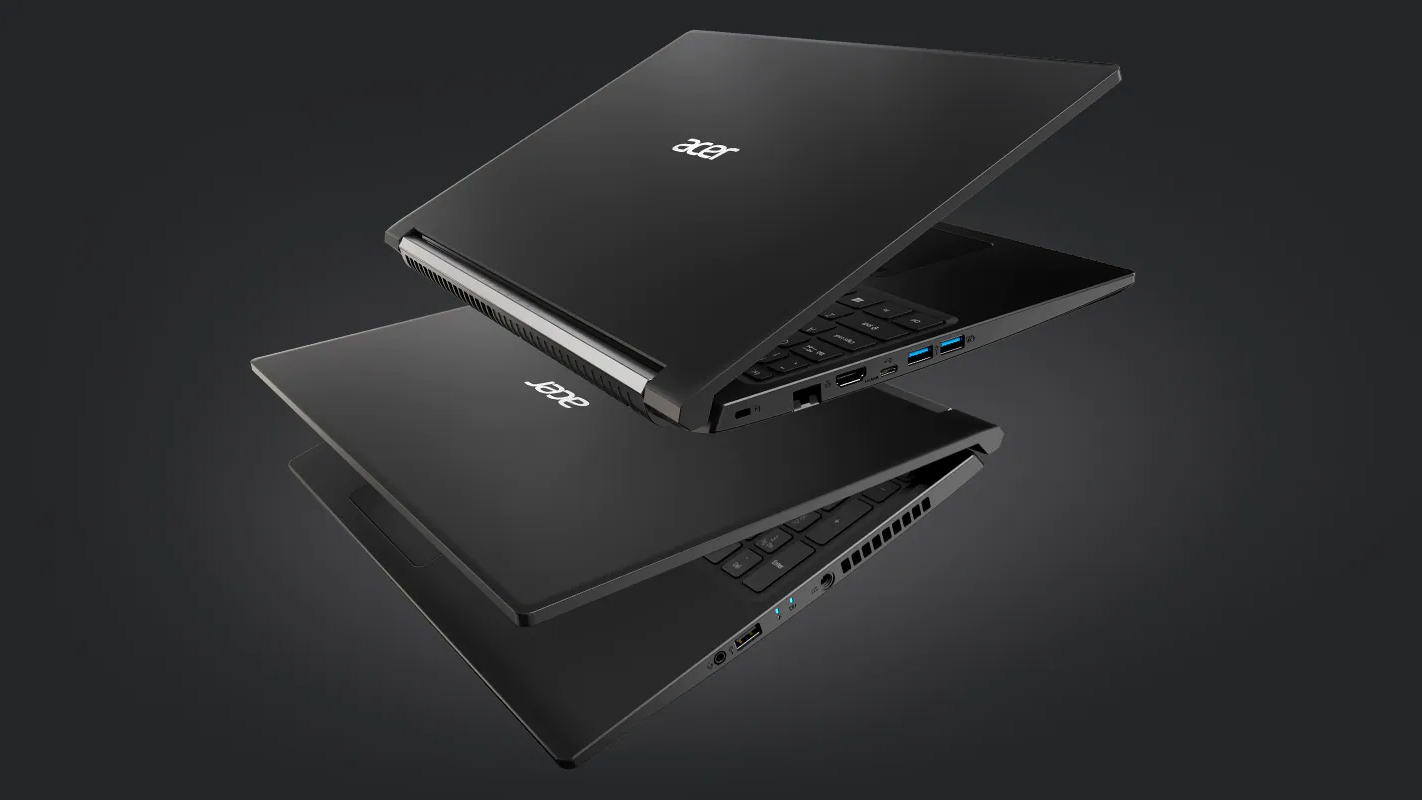
The Aspire 7 (A715-42G) is a pretty interesting device, which combines a ULV processor with a full-blown graphics card.
Check out all Acer Aspire 7 (A715-42G) prices and configurations in our Specs System or read more in our In-Depth review.
1. Remove the bottom plate and battery
To get this notebook disassembled, you will need to remove the bottom panel. This happens by undoing 13 Phillips-head screws and prying the panel with a plastic tool.
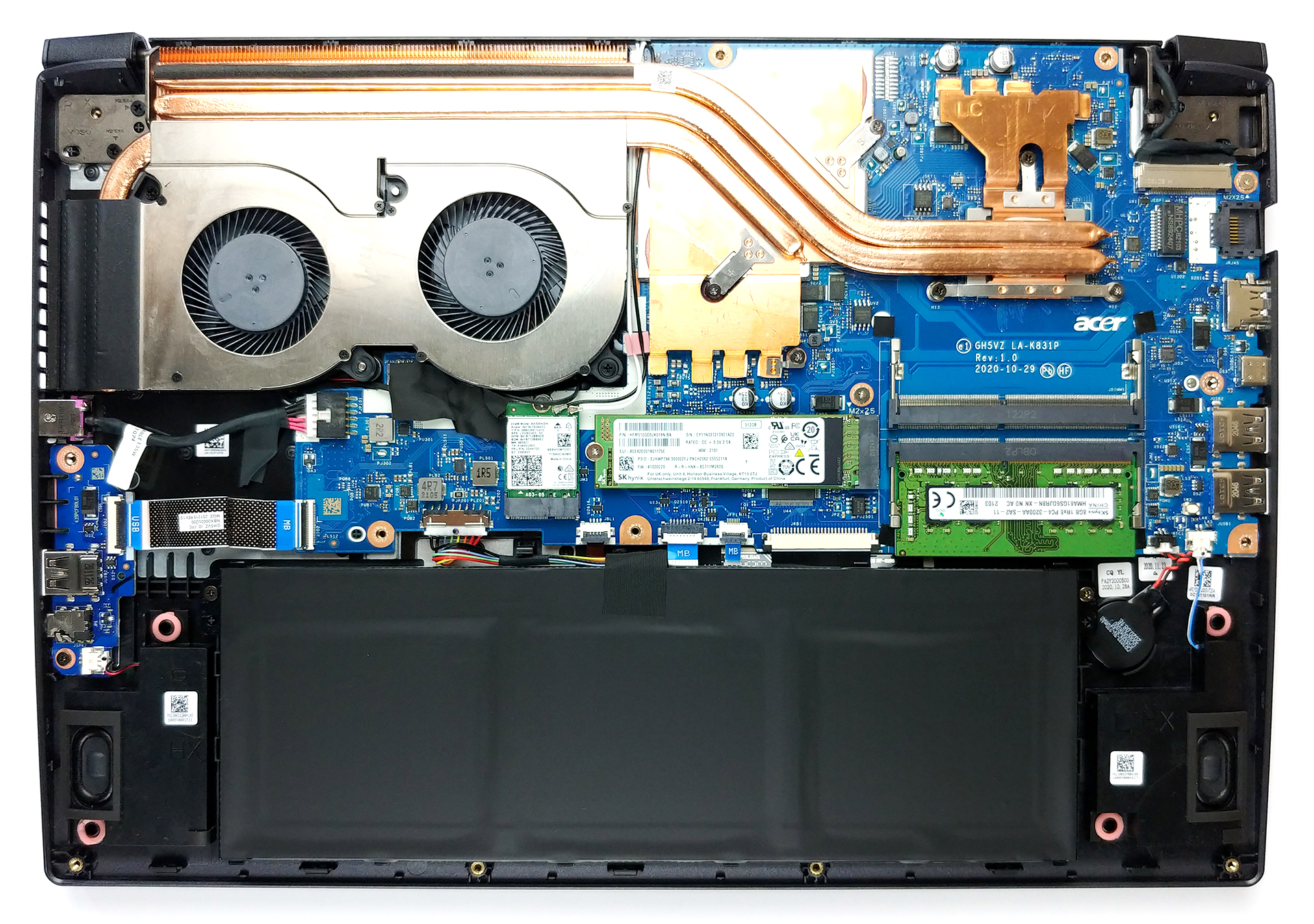
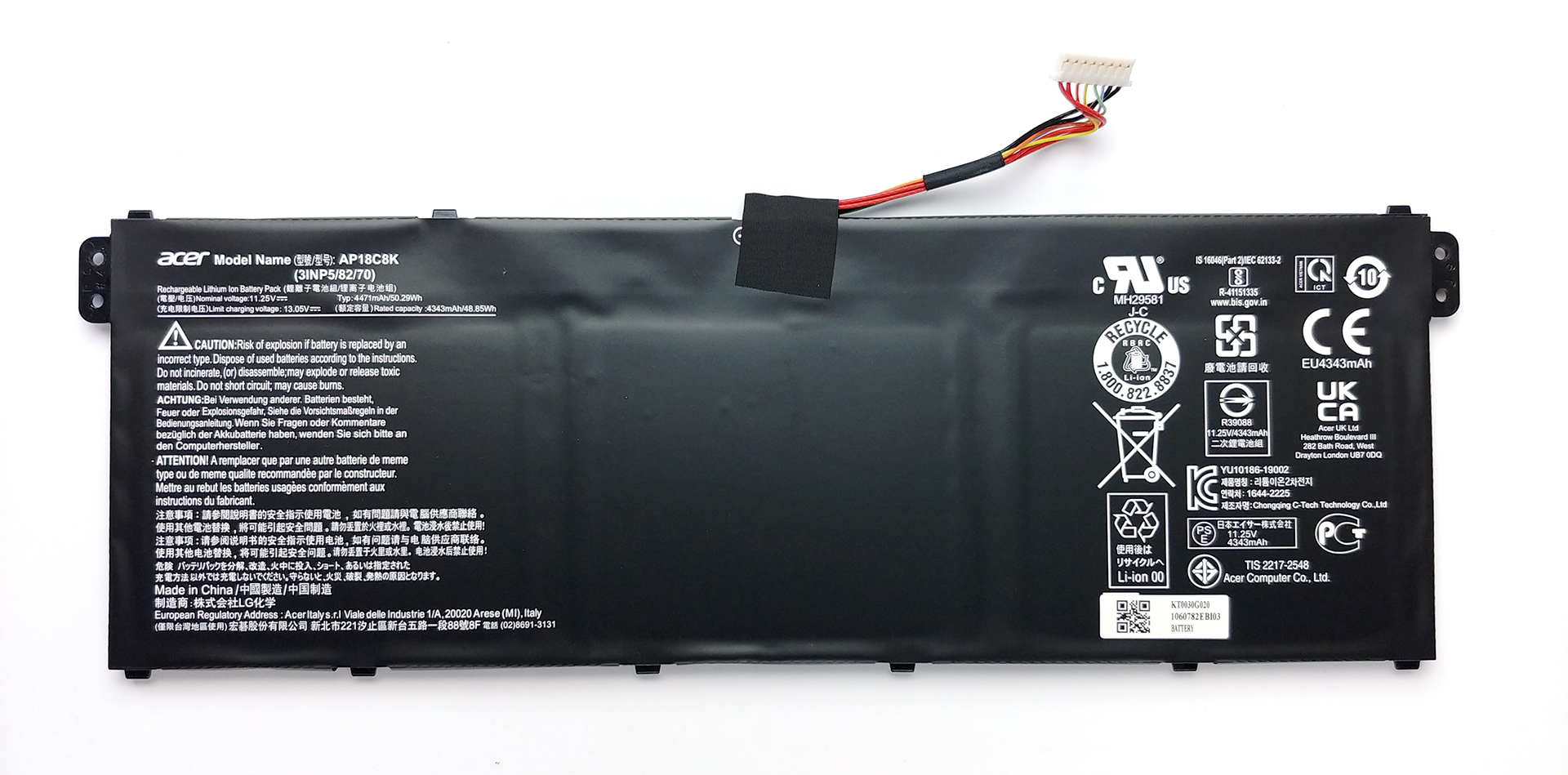
2. Battery
The battery pack has a capacity of 50.3Wh, and it is the first thing you need to unplug before you proceed with the teardown.
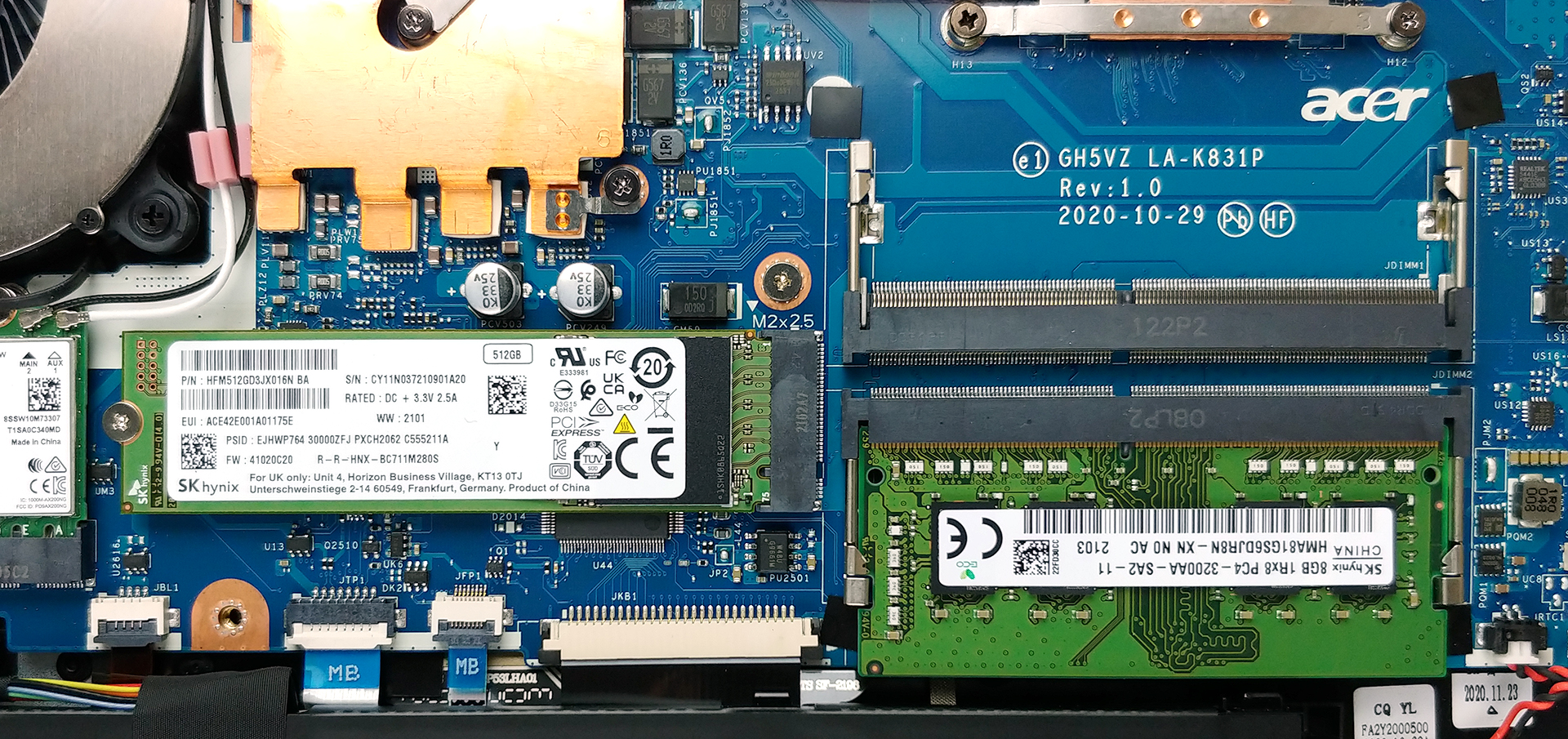
3. Мemory and storage
Thankfully, there are two RAM SODIMM slots, which support up to 32GB of DDR4 memory in dual-channel mode. Storage-wise, there is one M.2 PCIe x4 slot.
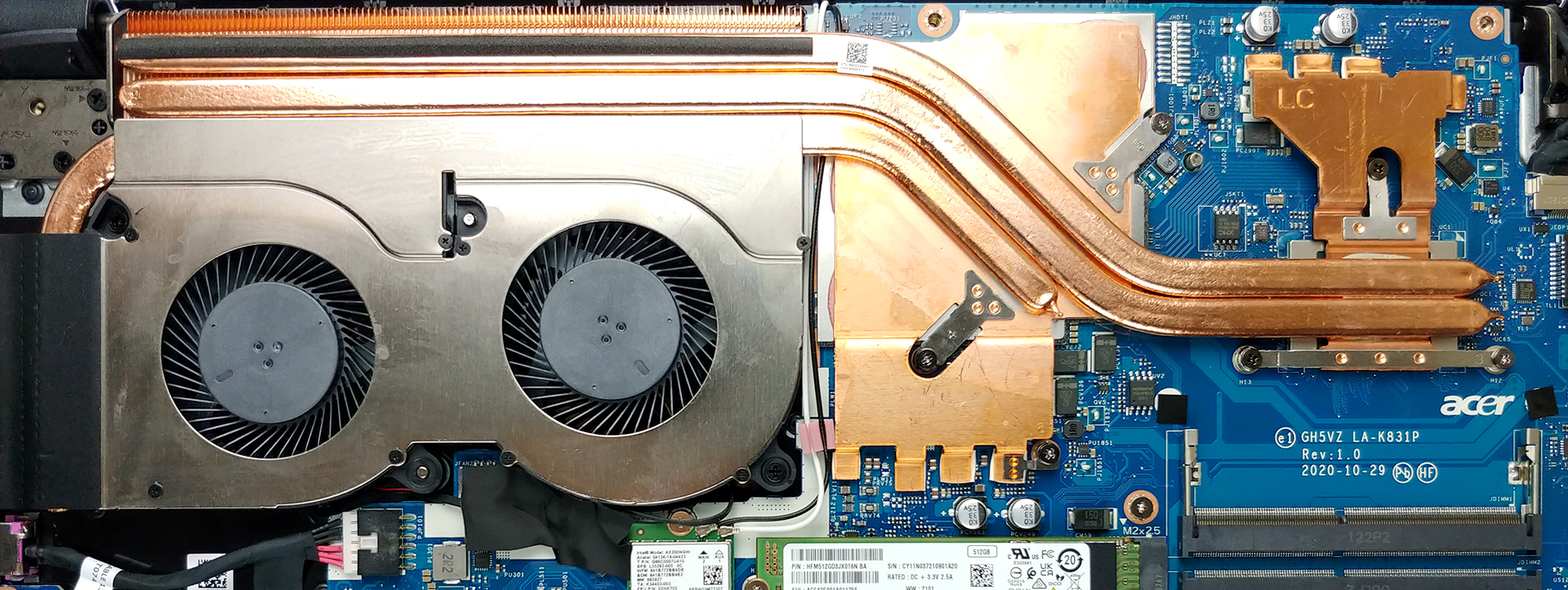
4. Cooling system
Given the fact that this laptop has a low-voltage processor, we are happy to see that the cooling solution consists of three heat pipes. Two of them are common for the CPU and the GPU, with the third one dedicated to the graphics card. Also, you can see that the VRMs and the graphics memory are also actively cooled. Interestingly, we see a very long heat spreader, supported by a smaller one, which only has the GPU heat pipe connected to it.
Check out all Acer Aspire 7 (A715-42G) prices and configurations in our Specs System or read more in our In-Depth review.
Acer Aspire 7 (A715-42G) recensione approfondita
Acer è tra le migliori marche sul mercato. Tuttavia, rimangono ancora indietro rispetto a Lenovo, HP e Dell quando si tratta di quote di mercato, quindi hanno bisogno di migliorare il loro gioco. Recentemente, hanno fatto bene a migliorare la loro serie Predator gaming con un nuovo look fresco. Poi sono seguite le serie Swift e Spin, ma come per gli altri produttori, c'è una cosa che vende meglio: i portatili economici. Come tale, la sottomarca Aspire è probabilmente la più importante nel portafoglio di Acer.Ma cosa succede se vuoi un notebook economico che abbia la potenza per esegui[...]
Pro
- Ottimo raffreddamento, che fornisce più prestazioni di quanto ci aspettassimo
- Wi-Fi 6 + 2x slot SODIMM
- Buona durata della batteria
- Display senza PWM (AUO B156HAN02.1 (AUODF87))
- Prezzo adeguato
Contro
- Nessuna connessione Thunderbolt o lettore di schede SD
- Copre solo il 51% della gamma di colori sRGB (AUO B156HAN02.1 (AUODF87))
- Costruzione interamente in plastica (anche se non sembra economica)
 Author: Alex Iliev

![[Giugno 2026] Le marche di laptop più vendute su Amazon Global – Il dominio incontrastato di Apple in termini di unità vendute e fatturato](https://laptopmedia.com/wp-content/uploads/2026/07/GLOBAL-Best-Brands-400x225.jpg)
![[Giugno 2026] Amazon Global: i 10 laptop più venduti – Il nuovo MacBook Neo di Apple conquista il primo posto, rivoluzionando il mercato grazie al suo prezzo accessibile](https://laptopmedia.com/wp-content/uploads/2026/07/Best-Selling-Laptops-GLOBAL-Top-10-400x225.jpg)
![[Giugno 2026] Amazon Global: i 10 laptop da gaming più venduti – Il Nitro V 16S AI di Acer domina le vendite, mentre ASUS è in testa per fatturato complessivo](https://laptopmedia.com/wp-content/uploads/2026/07/Best-Selling-Gaming-Laptops-GLOBAL-Top-10-400x225.jpg)
![[Giugno 2026] Classifica globale delle GPU per laptop più vendute su Amazon – La NVIDIA RTX 5060 è la GPU dedicata più venduta](https://laptopmedia.com/wp-content/uploads/2026/07/Best-Selling-GPUs-GLOBAL-Top-10-400x225.jpg)
![[Giugno 2026] Classifica globale delle CPU per laptop più vendute su Amazon: l’Apple M5 domina, mentre l’AMD Ryzen 7 260 conquista una quota significativa nel segmento premium](https://laptopmedia.com/wp-content/uploads/2026/07/Best-Selling-CPUs-GLOBAL-Top-10-400x225.jpg)
