Recensione dell’Acer Nitro V 15 (ANV15-51): una simbiosi riuscita tra la serie Aspire e la serie Nitro
Smontaggio, opzioni di aggiornamento e manutenzione
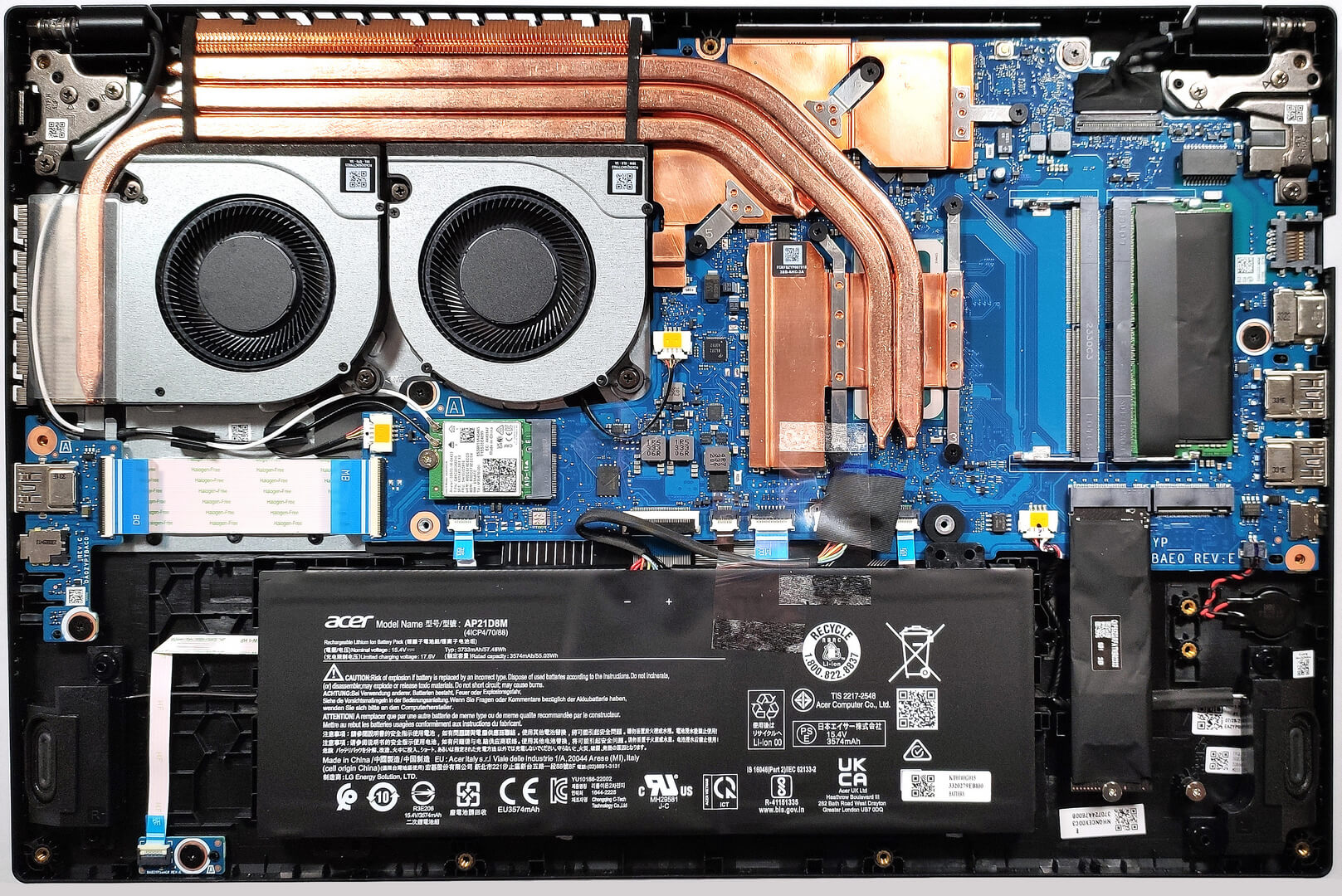
Per dare un’occhiata ai componenti interni, è necessario svitare 11 viti con testa a croce. Quindi, è possibile aprire la piastra inferiore con un attrezzo di plastica partendo da uno dei due angoli superiori. Sotto il cofano, il portatile è simile all’Acer Aspire 7 (A715-76G).
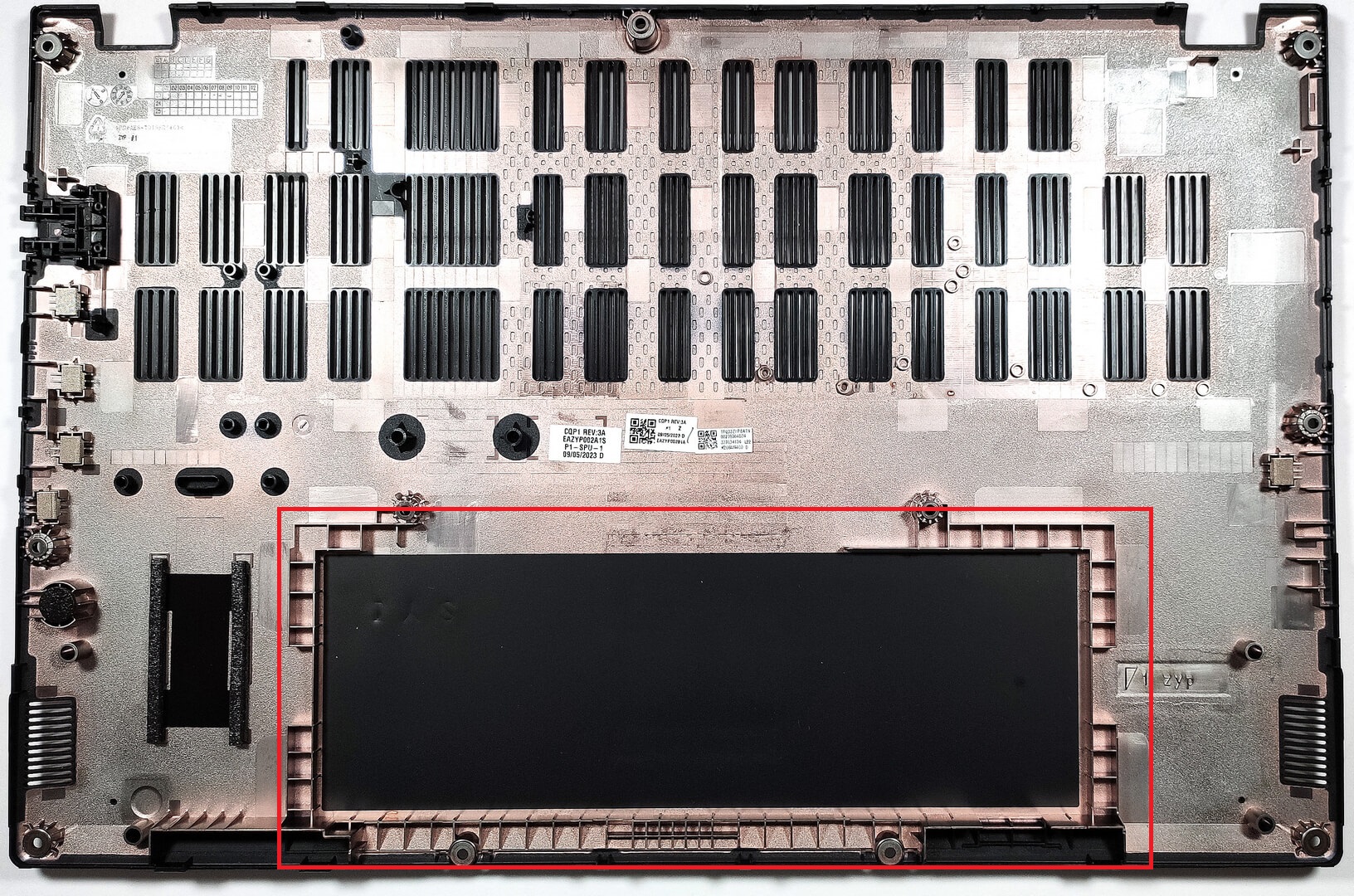
La batteria non è fissata allo chassis con viti, perché è presente una presa dedicata all’interno del pannello inferiore che mantiene l’unità in posizione.
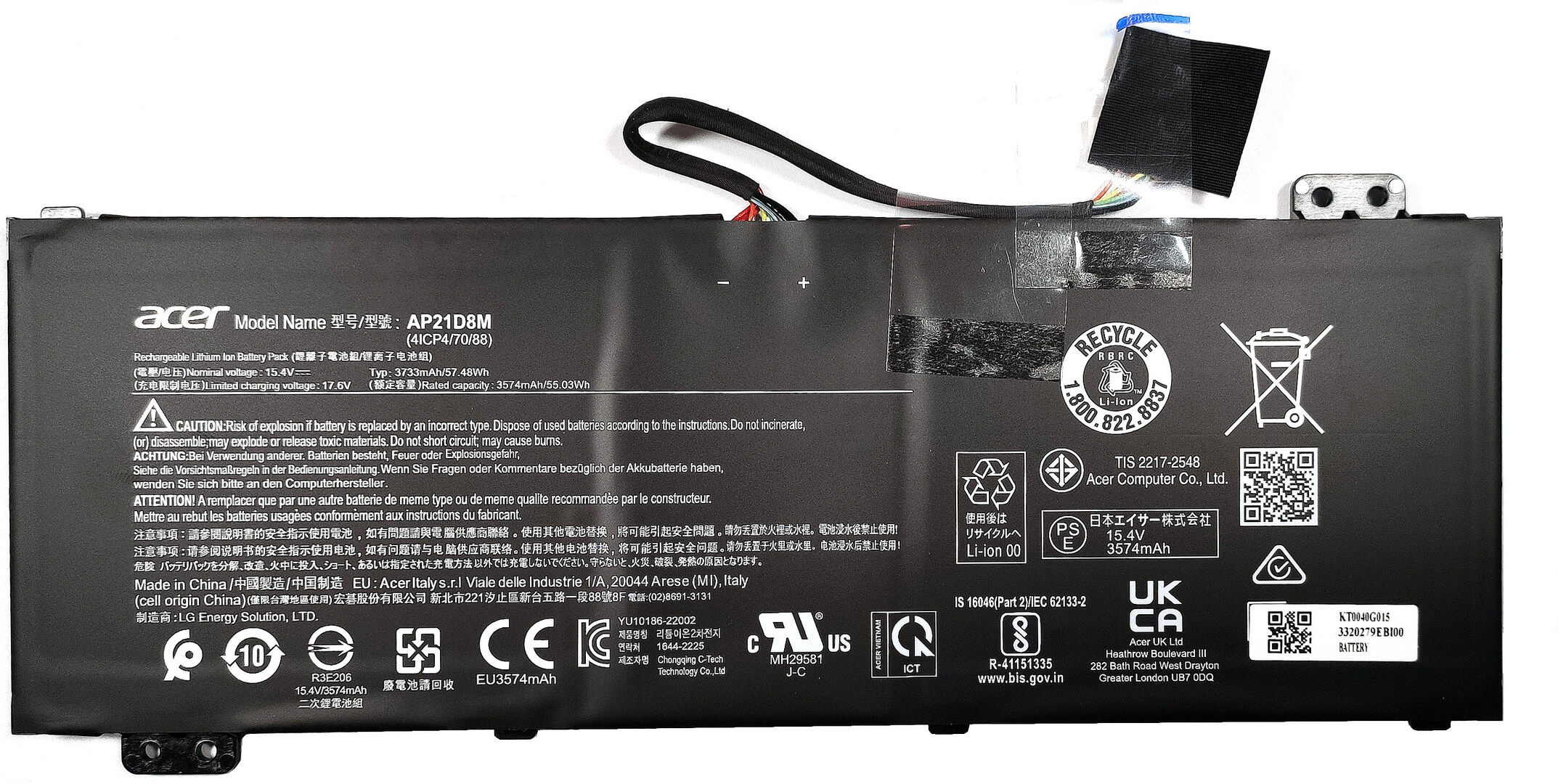
La batteria è un modello da 57Wh. Se si desidera rimuoverla, è sufficiente estrarre il connettore dalla scheda madre e sollevarla dalla base in tutta sicurezza. La capacità è sufficiente per 7 ore e 42 minuti di navigazione web o 6 ore e 40 minuti di riproduzione video. Non male, considerando l’assetata CPU della serie H e la piccola capacità della batteria.
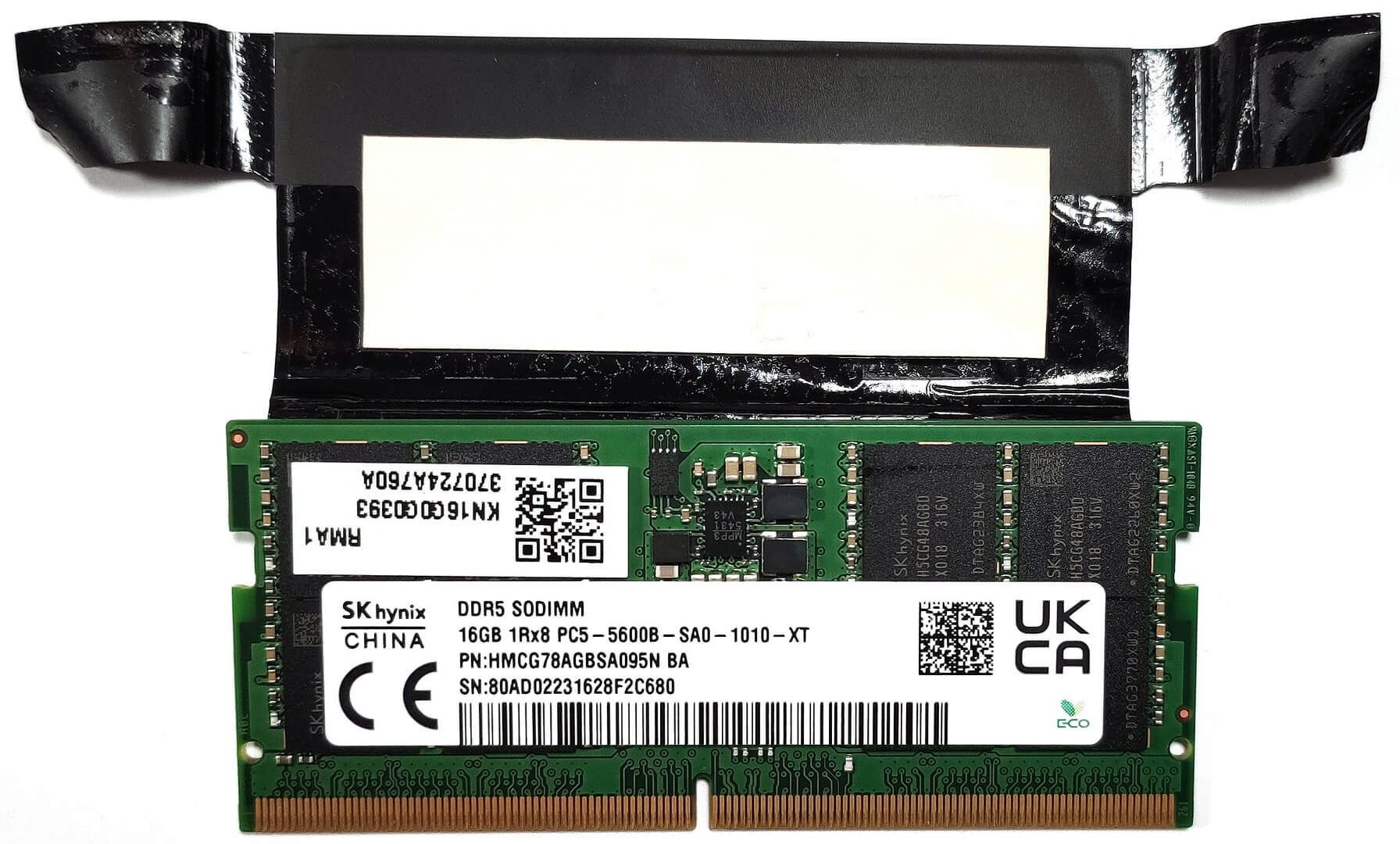
Le due SODIMM ospitano fino a 32 GB di RAM DDR5-5200 MHz in modalità dual-channel. Lo stick di RAM è inoltre raffreddato da un pad termico.

Per l’archiviazione, si può contare su due slot M.2, uno per le unità SSD Gen 4 e uno per quelle Gen 3.


Il raffreddamento sembra buono per un dispositivo di questo tipo. Comprende due ventole, tre heat pipe, un grande dissipatore di calore montato in alto, uno più piccolo a sinistra e due diffusori di calore.

 Author: Nikolay Palaozov
 Author: eng. Kroum NikolovHead of Engineering at LaptopMedia.com, inventor and innovator with 40+ years of experience in electronics and high technology.

![[Giugno 2026] Le marche di laptop più vendute su Amazon Global – Il dominio incontrastato di Apple in termini di unità vendute e fatturato](https://laptopmedia.com/wp-content/uploads/2026/07/GLOBAL-Best-Brands-400x225.jpg)
![[Giugno 2026] Amazon Global: i 10 laptop più venduti – Il nuovo MacBook Neo di Apple conquista il primo posto, rivoluzionando il mercato grazie al suo prezzo accessibile](https://laptopmedia.com/wp-content/uploads/2026/07/Best-Selling-Laptops-GLOBAL-Top-10-400x225.jpg)
![[Giugno 2026] Amazon Global: i 10 laptop da gaming più venduti – Il Nitro V 16S AI di Acer domina le vendite, mentre ASUS è in testa per fatturato complessivo](https://laptopmedia.com/wp-content/uploads/2026/07/Best-Selling-Gaming-Laptops-GLOBAL-Top-10-400x225.jpg)
![[Giugno 2026] Classifica globale delle GPU per laptop più vendute su Amazon – La NVIDIA RTX 5060 è la GPU dedicata più venduta](https://laptopmedia.com/wp-content/uploads/2026/07/Best-Selling-GPUs-GLOBAL-Top-10-400x225.jpg)
![[Giugno 2026] Classifica globale delle CPU per laptop più vendute su Amazon: l’Apple M5 domina, mentre l’AMD Ryzen 7 260 conquista una quota significativa nel segmento premium](https://laptopmedia.com/wp-content/uploads/2026/07/Best-Selling-CPUs-GLOBAL-Top-10-400x225.jpg)

How to achieve something like your “Gaming and Design” profile?
Hey Carl, If you want to use it to improve your display, you can purchase the profiles it here. Then, install our LM Profiles app (or another app for .icm profiles, though LM Profiles is the easiest to use, and has a PWM-free brightness slider), and simply drag & drop the profiles into it 🙂 If you’re asking how we created it, we’ve invested in a laboratory equipped with expensive gear, and selling these profiles helps us recoup some of our investment. Alternatively, you could get an entry-level calibrator, like a Spyder, and learn to make display profiles yourself 🙂… Leggi di più »
Что находится в правом краю ноутбука ниже карт памяти, часть, соединëнная красным и чëрным проводом
It might be a CMOS battery
Du Du Du Du Max Verstappen ~
Must be the CMOS battery
Does it have an turbo mode ?
Can i ask the size of the heatsink screws