次世代ディスプレイプロファイルのご紹介 – “Health-Guard”、”Design and Gaming”、”Office Work”
私たちの研究室では、数え切れないほどの日夜の分析と開発を経て、カスタムメイドのLaptopMediaプロファイルの新世代が登場したことを誇りに思っています。このプロファイルにはいくつかの大きな変更が加えられており、パネルの性能とユーザーの快適性を向上させ、次のレベルへと導いてくれます。今回も「Health-Guard」、「Design and Gaming」、「Office Work」の3種類のプロファイルに焦点を当てています。
何のためのプロファイルなのか?
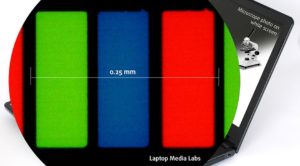 パソコンの前で長時間作業をした後、眼精疲労や頭痛を感じたことはありませんか?あなただけではありません。そして、なぜそうなるのか、どうすれば健康を守れるのかを知るべきです。私たちは数年前にこの問題に直面し、ユーザーのためのソリューションを開発し始めました。その結果、市場に出回っているほとんどのスクリーンは、輝度調整のために強引なPWM(画面のちらつき)を使用していることがわかりました。これは、メーカーにとっては簡単で安価なソリューションですが、私たちの目には非常に悪い影響を与えます(詳しくはこちら)。しかし、それだけではありません。
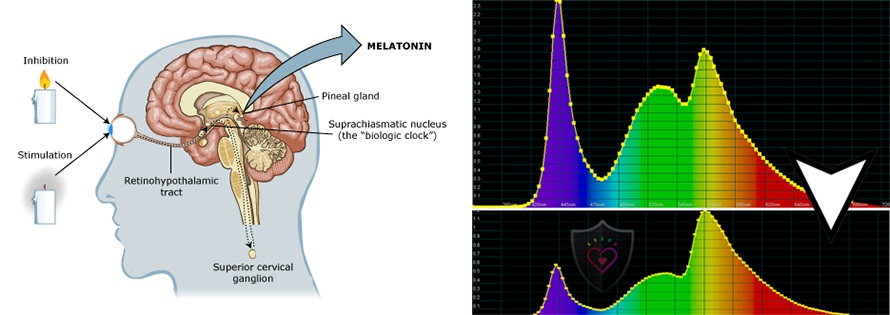
ブルーライトとその健康への影響(目だけでなく、体全体への影響)についても知っておく必要があります。市販されているほぼすべてのディスプレイ(AMOLED搭載機を除く)は、LCD(液晶ディスプレイ)タイプです。その光源にはLEDが使われている。予算の関係で、白色LED(青色ダイオードにリン酸塩をコーティングして目的のスペクトルを実現したもの)が普及しています。人工的なブルーライト(~443nm)は、メラトニンの合成に大きな影響を与えます。可視光全体の中で、まさに青色部分(415〜445nm)が脳を「昼間モード」にし、メラトニン合成を停止させ、コルチゾールが作動するきっかけになるという研究結果がある(こちらを参照)。
松果体から分泌される天然のメラトニンは、様々な医学的根拠に基づいて示されているように、入眠の鍵となるだけでなく、私たちの健康を守るために重要な役割を担っています。メラトニンが十分に分泌されないと、疲労感や偏頭痛など、さまざまな病気や症状を引き起こす可能性があります。詳しくはこちらをご覧ください。幸運なことに、私たちはPWMとブルーライトの両方に対する解決策を見つけました。それがHealth-Guard プロファイルです。
私たちの研究室を訪れるすべてのラップトップには、デザイン、ゲーム、オフィスワークのプロファイルも作成しています。前者はウェブデザイナーやゲーマーのために、後者は日常の仕事やネットサーフィンに役立つように作られています。スクロールダウンして、私たちのプロファイルが何をするのか、どうやって入手するのかをご覧ください。
Contents
ヘルスガード
 最初で最も重要なプロファイルはHealth-Guardです。当社のLM Profilesアプリケーションと一緒に使用することで、Health-Guardは有害なパルス幅変調(PWM)を除去し、目や体に影響を与えるブルーライトを低減します。すべてのパネルに合わせてカスタマイズされているため、知覚的に正確な色を保つことができます(最初は奇妙に見えるかもしれませんが、数分後には脳が正確な色として認識するようになります-これがHealth-Guardがf.luxのような代替品と異なる点です)。
このプロファイルは色温度が高いため、夜間だけでなく一日中作業するのに適しており、紙を模しているため目への負担が大幅に軽減されています。
*Windowsの輝度スライダは最大のままにしておき、LMプロファイルに統合された「PWMなしの輝度スライダ」を使って輝度を制御してください。
プロからのアドバイスHealth-Guardプロファイルは、紙をシミュレートし、可能な限り正確な色を持っているので、プリプレスデザイナーにとっては素晴らしいツールとなるでしょう。
左:プロファイルなし|スライダをドラッグして違いを確認|右:Health-Guardプロファイル


PWMについて詳しくはこちら| ブルーライトについて詳しくはこちら
デザインとゲーム
 2つ目のプロフィールタイプは、「デザインとゲーム」です。これは、これまでの「ウェブデザイン」と「ゲームと映画の夜」のプロフィールを1つにまとめたもので、色を使った仕事をしているデザイナーや、ゲームや映画のためのプロフィールです(あるいは、ゲームや映画でリラックスするのが好きなデザイナーもいるかもしれませんね)。
“Design and Gaming “では、ディスプレイパネルの限界に挑戦し、WebやHDTV用のsRGB IEC61966-2-1規格、白色点D65での精度を可能な限り高めています。
カラー精度(結果指標が小さいほど良い

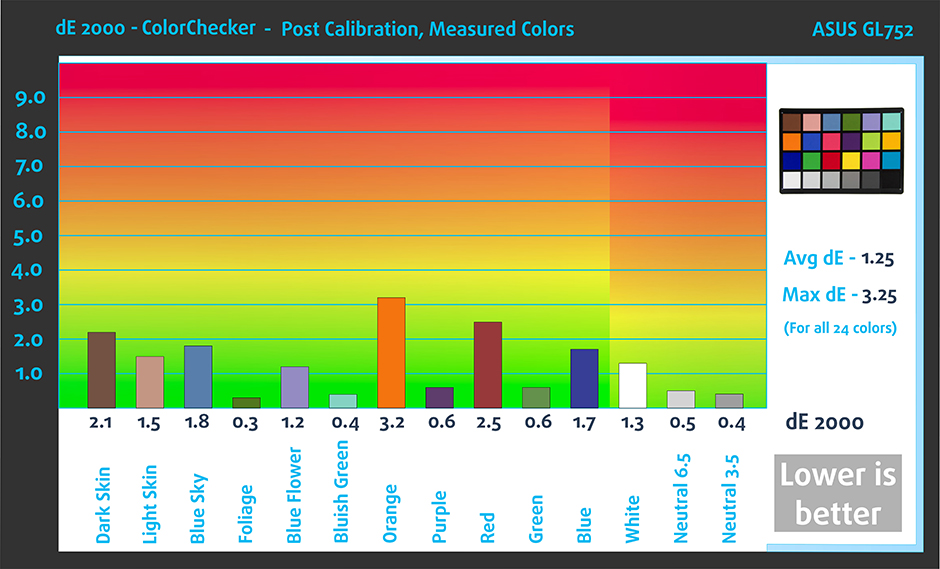
左:プロファイルなし|スライダをドラッグして違いを確認|右:プロファイルありデザイン&ゲーミング」プロファイル


前作のゲーミングプロファイルと同様に、このプロファイルも黒からの最初の一歩を調整することで、暗いバーチャル環境でのプレイや、映画の暗いシーンでもすべてを見ることができるようになり、より速い反射神経を発揮します。
左:プロファイルなし|スライダをドラッグして違いを確認|右:プロファイルありデザイン&ゲーミングプロファイル


オフィスワーク
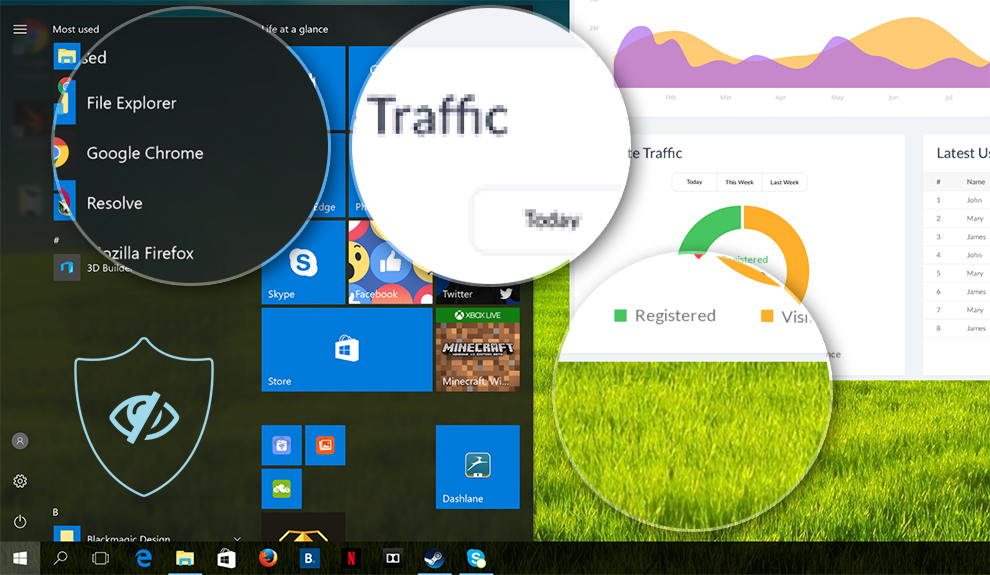
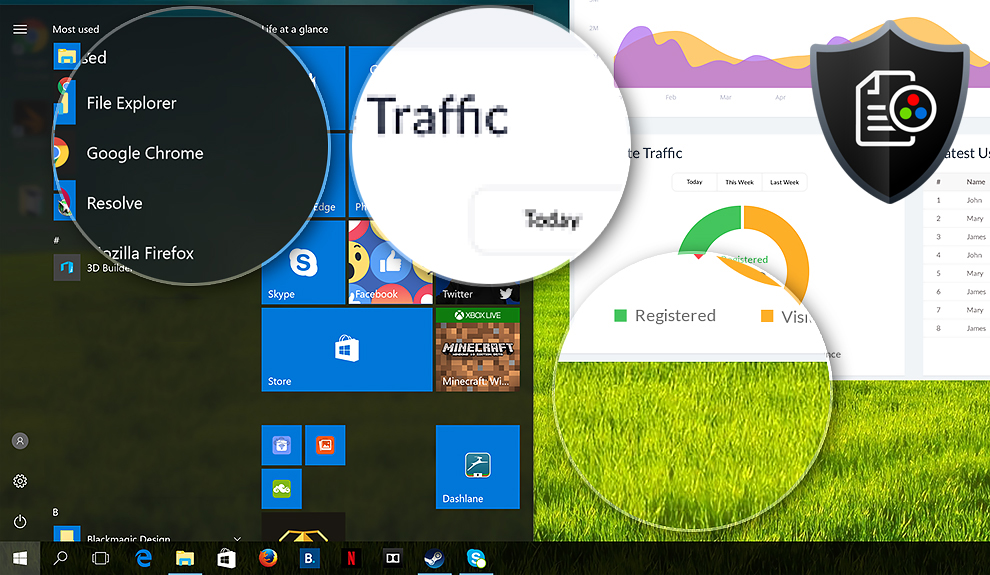
 3つ目のプロファイルは「Office Work」で、主にテキストや表を見たり、サーフィンをしたりする時間が長いユーザーが使用するものです。
オフィスワークは、フラットなガンマカーブ(2.20)、ネイティブな色温度、知覚的に正確な色を維持することで、より優れた明瞭性と透明性を提供することを目的としています。
左:プロファイルなし|スライダをドラッグして違いを確認|右:プロファイルありオフィスワークプロファイル
プロファイルを購入するには?
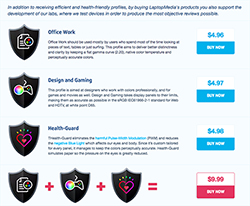 当社のプロファイルは、当社レビューの「当社のプロファイルを購入する」セクション、またはPWMランキング/対応ラップトップのページから購入できます。
3つのプロファイルを一緒に購入すると、大幅な割引を受けることができます。すべての利益は、さらなる研究開発のために私たちの研究室にすぐに送られますので、将来、さらに詳細で興味深いレビューを期待することができます。
お問い合わせは、[email protected] までご連絡ください。
*ダウンロード先がアーカイブではなく.phpファイルの場合は、ファイル拡張子を.zipに変更してください。
インストールと使用方法
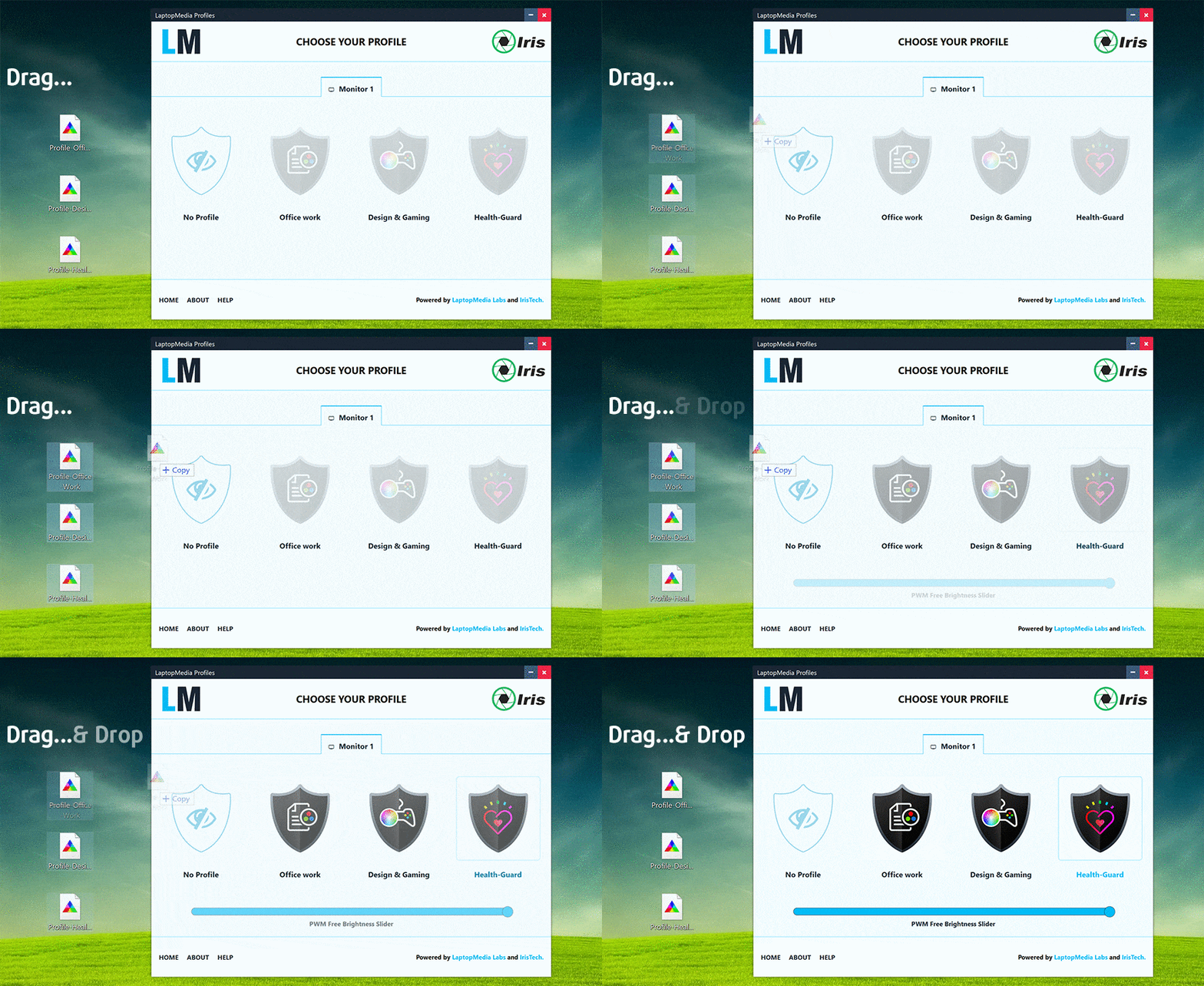
プロファイルのインストールは不要です。ハードドライブに保存するだけです。プロファイルを簡単に使用・交換するために、Iristech.coと共同でLM Profiles 2.0アプリケーションを開発しました。アプリをダウンロードして、プロファイルをアプリにドラッグ&ドロップするだけ。これだけです。これで、モードを簡単に切り替えることができ、Health-GuardセクションのPWM Free Brightness Sliderを活用することができます。
 Author: Simeon NikolovEditor-in-Chief at LaptopMedia.com with 20+ years of experience in testing and analyzing laptops and mobile devices.

![[2026年7月] AmazonにおけるノートPC用GPUの世界販売ランキング ― RTX 5060がハイエンド市場を席巻、低価格帯は依然としてインテルが優勢](https://laptopmedia.com/wp-content/uploads/2026/08/Best-Selling-GPUs-GLOBAL-Top-10-400x225.jpg)
![[2026年7月] AmazonにおけるノートPC用CPUの世界販売ランキング ― プレミアム部門はAppleが独占、総合首位はIntelが維持](https://laptopmedia.com/wp-content/uploads/2026/08/Best-Selling-CPUs-GLOBAL-Top-10-400x225.jpg)
![[July 2026] Amazon Canada: Top 10 Best-Selling Laptops – Apple MacBook Neo Dominates the Market to Claim the #1 Spot](https://laptopmedia.com/wp-content/uploads/2026/08/Best-Selling-Laptops-CA-Top-10-2-400x225.jpg)
![[2026年7月] Amazon.co.jpで最も売れているノートPCブランド――激しい競争の中、HPとLenovoが販売台数と売上高で首位を占める](https://laptopmedia.com/wp-content/uploads/2026/08/CO.JP-Best-Brands-2-400x225.jpg)
![[July 2026] Amazon Italy: Top 10 Best-Selling Laptops – Apple MacBook Neo Claims the #1 Spot Amid Budget-Friendly Dominance](https://laptopmedia.com/wp-content/uploads/2026/08/Best-Selling-Laptops-IT-Top-10-400x225.jpg)

hello, I made a purchase of gaming and design, but it is jcm format, can not use , and also the app LM can not be opened, Im in Mac system.
oh, sorry its icm, but still dont figure how to use
Hey, vito! Here’s a quick tutorial: https://www.youtube.com/watch?v=J-YHwnioLAU&ab_channel=TechTreatment
Is this whole website a scam ? i made a purchase of profiles for my Philips-346E2LAE-00. Profiles are completely unusable (pale white visual of each profile). Firstly I asked to repair that profiles but I didn’t get any answer. My next email is about refund my money bec. I spent money for something what is not working at all. Best Regards Marek
Hey Marek,
We found your purchase and refunded it, but you may want try to find the issue yourself because it definitely sounds like a software incompatibility. Please check if you have another app managing the display – this is the usual case when the profiles are not working as expected. Let me know if I can help you further.
Is the email automatic sent? I haven’t received my profiles.
Hey Shane, I sent a link to your e-mail. Let me know if you need anything else!
Absolute frustration, I’ve bought Design and Gaming for my model and “as accurate as possible in the sRGB IEC61966-2-1 standard” is the biggest lie. Double-checked if the model of laptop and screen model is right, so no mistakes. As a result, just a warm filter on the screen that is incredibly far away from standards of sRGB real colors. I’m still waiting for my email respond to have my money back, looks like a big scum.
Hello Roman, From your description in your e-mail (“I have warm white colors around 6500K instead of true white”), it seems the profile correctly applied a white point of around 6500K which is the standardized “true white” defined in the sRGB IEC 61966-2-1 specification. This corresponds to CIE Standard Illuminant D65, which represents natural daylight at noon and is the global reference point for color accuracy in most workflows (photography, design, web). In other words, the profile is functioning exactly as intended and as advertised – aligning your display with the color standard used worldwide for consistent image reproduction. That… 続きを読む »
Hello Simeon. Thank you for your answer.
I’m working in CG industry more than 10 years, and in studios we never use this kind of calibration, it shifts color pallet and making impossible to color grade a lot of things (snow, skin, sky etc). Maybe calibration is not good for this screen, because such amount of orange-red color can not be accurate.
Anyway, I got my refound, and I’m very grateful for your honest actions. So big thanks for a refound.
Cheers.
Hello, I’m interested in buying those profiles for my UX582, but i need to know if they conflict with MyAsus software, and with HDR usage.
Thank you
Hey, Fabrice! The Design profile is for SDR because professional work like photo editing, web design, and print preparation is typically done in Standard Dynamic Range, using industry-standard color spaces like sRGB or Display P3, and a gamma of 2.2. These standards ensure color consistency across devices, which is essential in professional workflows. HDR is great for media consumption, but it’s not yet widely adopted or reliable for content creation, especially due to inconsistent display support and lack of control over tone mapping. That’s why SDR profiles like this one offer the most predictable and accurate results for professionals. The… 続きを読む »
Hello, I purchased a gaming profile and have no way of downloading it. Should I be redirected? Will the download start automatically? If this doesn’t work, I may request a refund. I just spent money with nothing to show for it…
Hello, I have a Lenovo Yoga Slim 7 15ILL9 laptop with a LEN8BAB display. Will the profiles designed for the LEN8BAA also work on my laptop?
How would these Profiles be made usable, in Linux? I have been using Linux first, as a developer, since 1996… thank you!