Inside Dell Vostro 5480 – disassembly, internal photos and upgrade options
Dell’s new Vostro 5480 is one of the new thin and light business notebooks, offered by the manufacturer. It is a 14” laptop with a thin and light body, measuring at 18.3 mm height and 1.53 kg weight. It comes with an Intel Core i3-4005U CPU, coupled with 4GB DDR3L 1600MHz RAM, and a 500GB HDD.
We like to tinker with the devices we have with us for review, so naturally, we decided to take it apart and see what’s inside and what you can upgrade.
Removing the bottom cover
The disassembly is pretty easy, you just have to unscrew 11 Torx screws and open the whole bottom cover. You can start off at the right side around the HDMI and USB ports and work your way around the whole device, using a plastic tool.
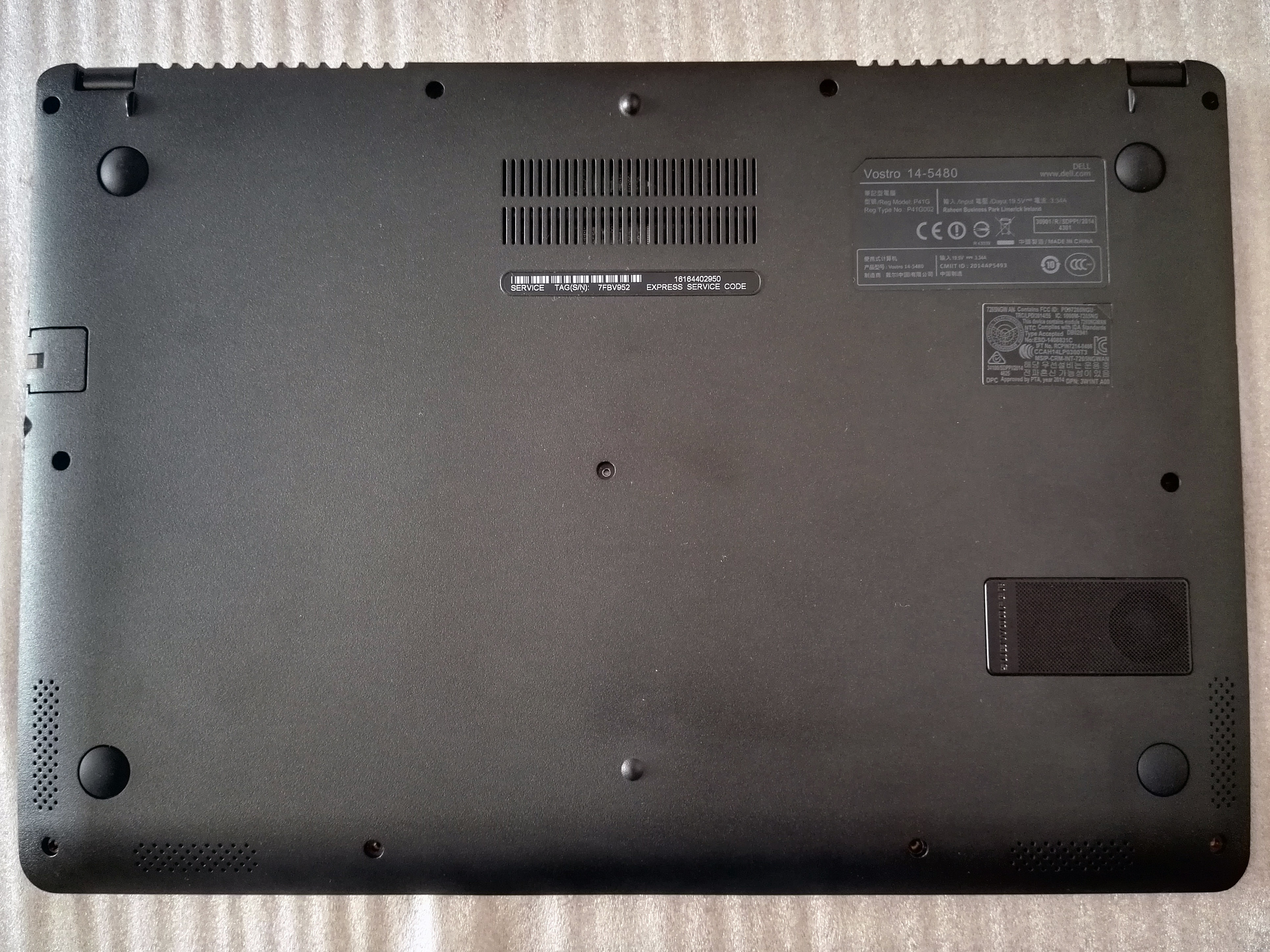
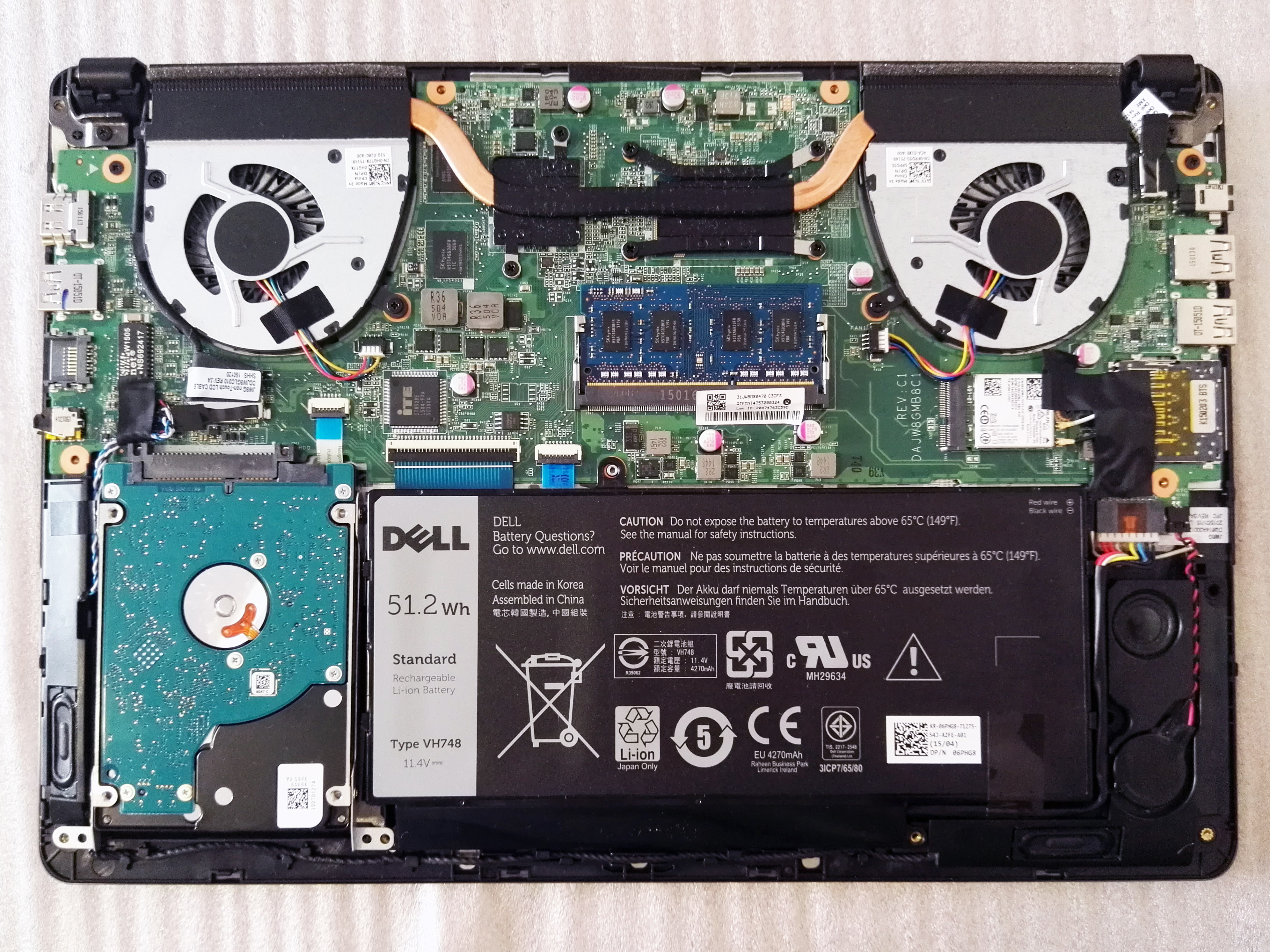
2.5” SSD drive, WLAN, RAM, Fans, Battery
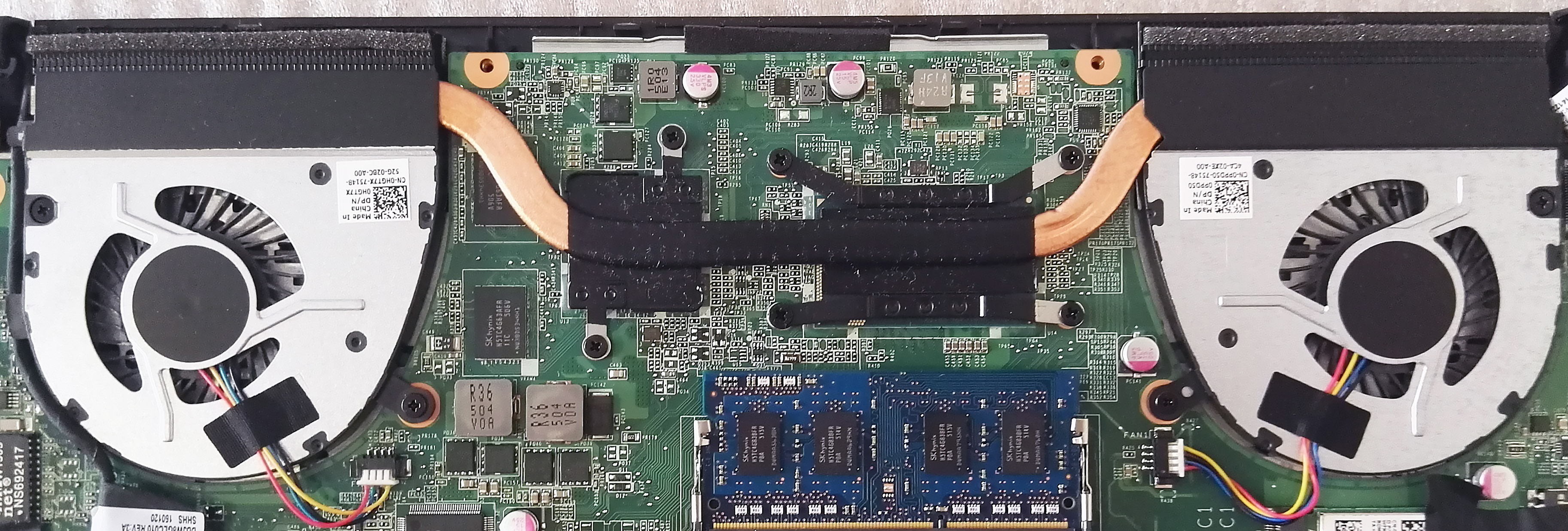
Opening the bottom piece will give you access to most components. There is a 2.5” HDD compartment, a single RAM slot, which can hold up to 8GB memory, a WLAN card, dual fans cooling system, and a 51.2 Wh battery. There are also two speakers on the left and right and a subwoofer, located on the right, next to the battery. The three come together as the 2.1 Waves MaxxAudio sound system. Unfortunately there is no M.2 SSD slot to be found on the motherboard.
In order to access the trackpad you will have to remove the battery first. It is held by 3 of the screws that hold the bottom cover, so they are already unscrewed and 4 hard pins that you have to pop.
If you are planning to take out components or do an upgrade, be sure to disconnect the battery first.
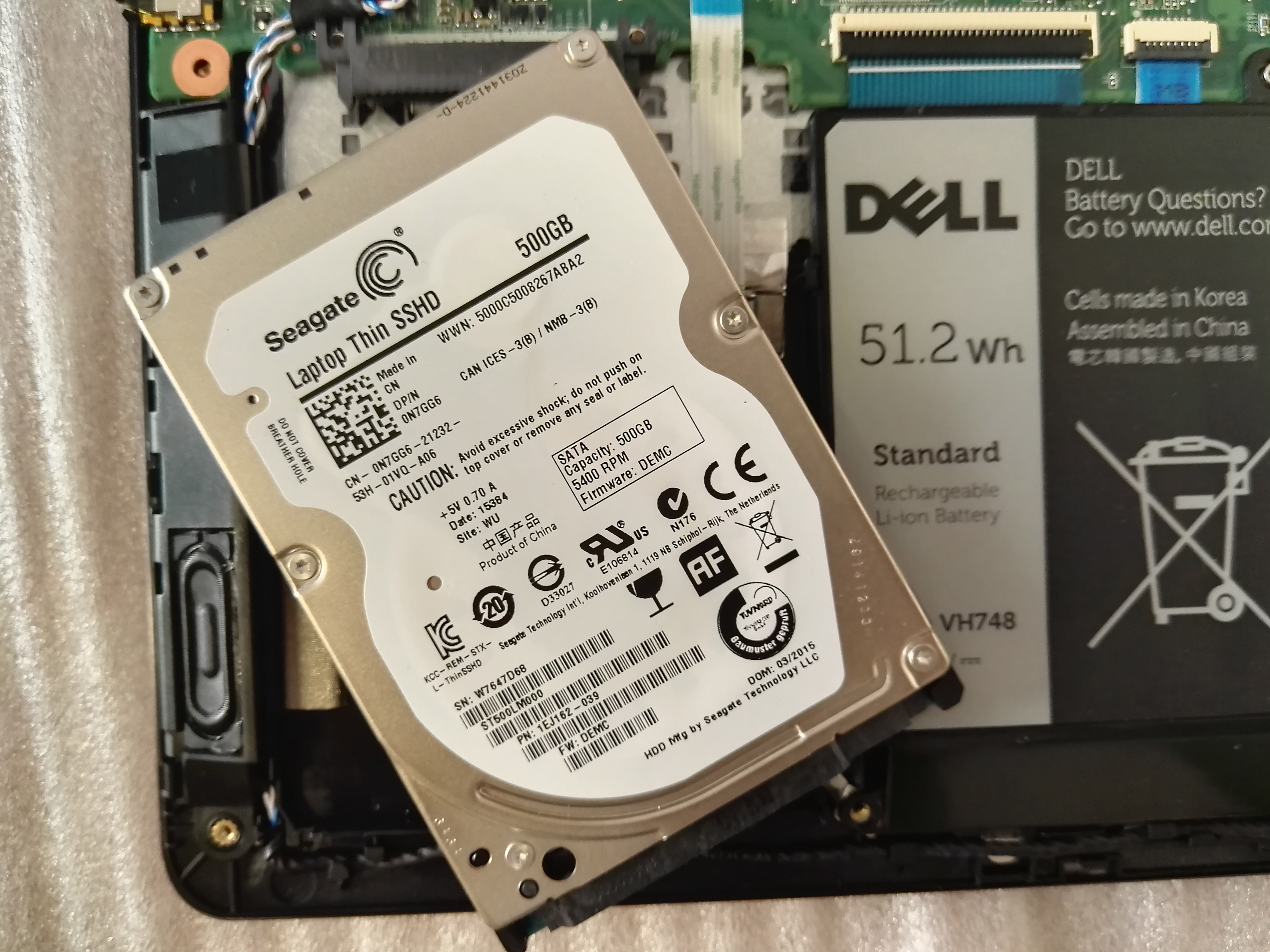
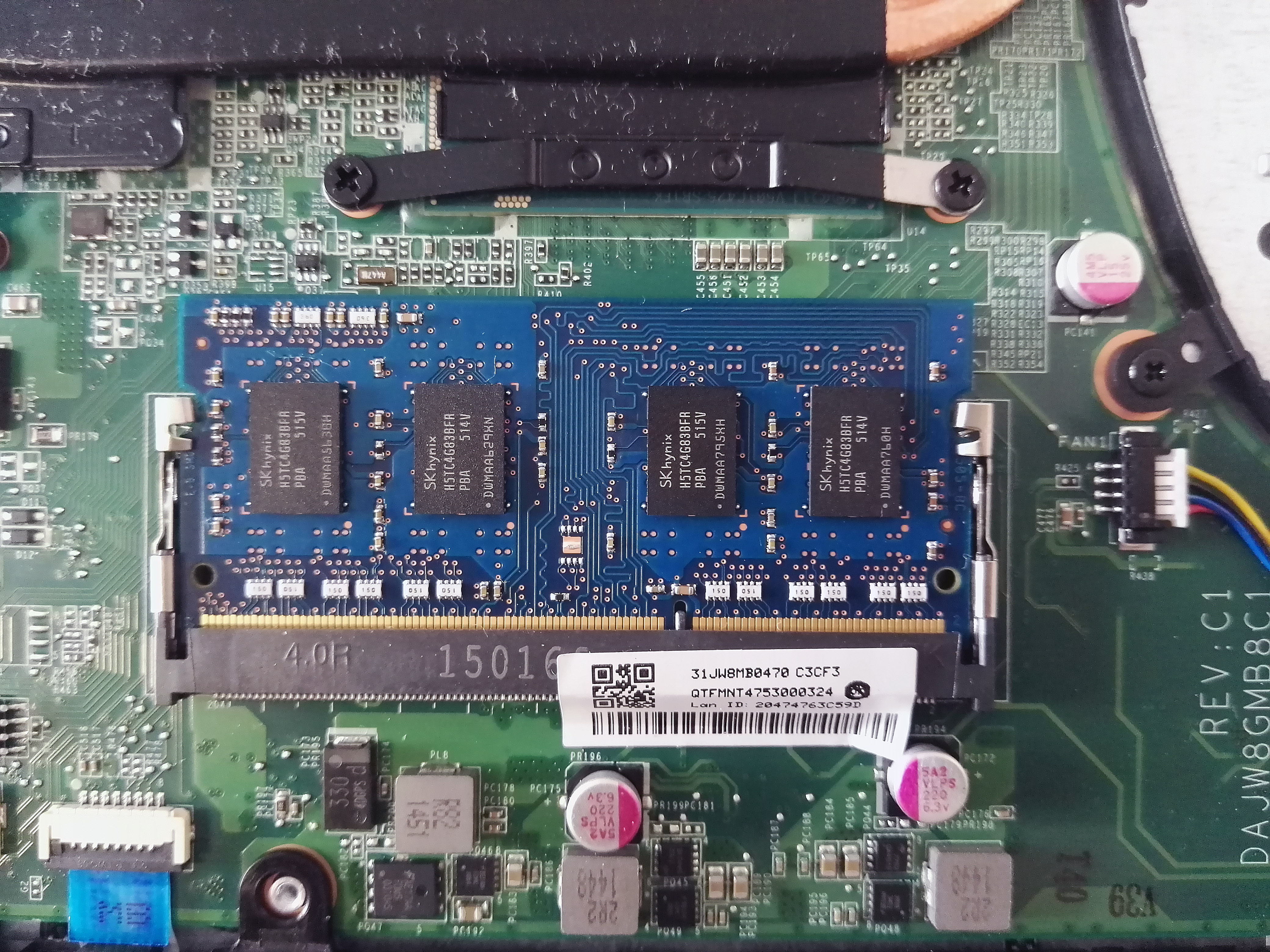
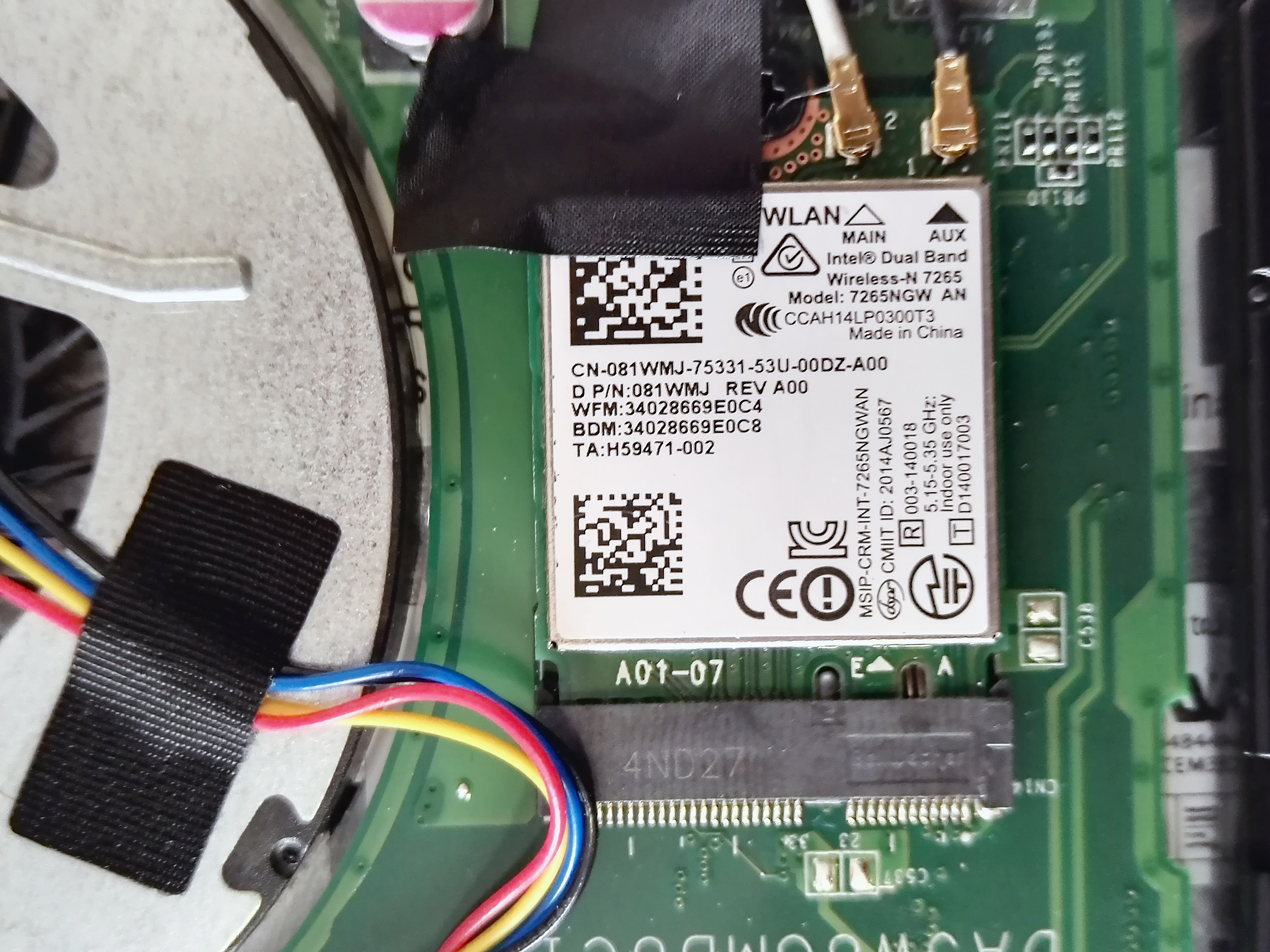
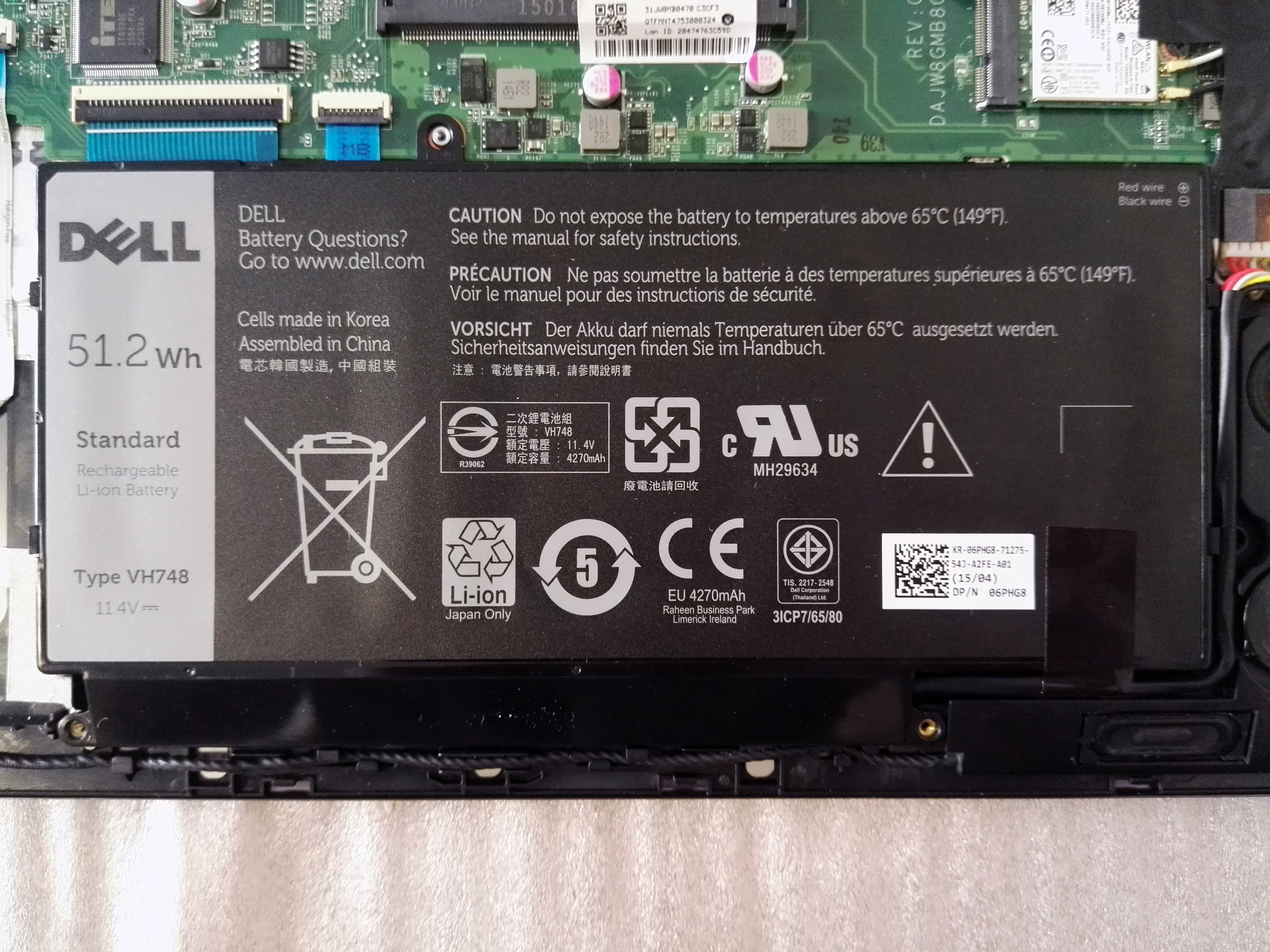
- The battery is Dell VH748 (11.4V, 51.2 Wh)
- Wi-Fi card is Intel Dual-Band Wireless-N 7265, model 7265NGW
- The RAM chip is Hynix HMT451S6BFR8A-PBN0, 4GB DDR3L 1600MHz
- The hard drive is Seagate Thin SSHD ST500LM000 (500GB, 5400 rpm, SATA 6 Gbps)
And to finish it up here is a closer look at the dual-fan cooling system of the notebook, which should provide very good cooling under big load, but to find out exactly how well it performs, you will have to wait for the full review, where you will be able to check out our performance tests and benchmarks.
 Author: LaptopMedia Team

![[2026年6月] Amazonグローバルにおけるノートパソコンのベストセラーブランド ― 販売台数と売上高の両面で、Appleが圧倒的な優位性を示す](https://laptopmedia.com/wp-content/uploads/2026/07/GLOBAL-Best-Brands-400x225.jpg)
![[2026年6月] アマゾン・グローバル:ノートパソコン売上ランキングトップ10――Appleの新型「MacBook Neo」が1位に躍り出て、手頃な価格帯で市場を再編](https://laptopmedia.com/wp-content/uploads/2026/07/Best-Selling-Laptops-GLOBAL-Top-10-400x225.jpg)
![[2026年6月] アマゾン・グローバル:ゲーム用ノートPC売上ランキングトップ10――エイサーの「Nitro V 16S AI」が販売台数で首位を独占、ASUSが総売上高で首位に立つ](https://laptopmedia.com/wp-content/uploads/2026/07/Best-Selling-Gaming-Laptops-GLOBAL-Top-10-400x225.jpg)
![[2026年6月] AmazonにおけるノートPC用GPUの世界販売ランキング ― NVIDIA RTX 5060が専用GPU部門で首位を獲得](https://laptopmedia.com/wp-content/uploads/2026/07/Best-Selling-GPUs-GLOBAL-Top-10-400x225.jpg)
![[2026年6月] AmazonにおけるノートPC用CPUの世界販売ランキング ― Apple M5が首位を独占、AMD Ryzen 7 260がプレミアム層で堅調なシェアを獲得](https://laptopmedia.com/wp-content/uploads/2026/07/Best-Selling-CPUs-GLOBAL-Top-10-400x225.jpg)
