Inside Lenovo Ideapad 730S (Yoga S730) – disassembly and upgrade options
Now that’s what a truly thin device should look like. Honestly, this is one of the first devices we test that justifies the lack of USB Type-A ports. Additionally, in our review, we saw that the keyboard actually has a decent key travel, longer than many bigger laptops. Now the question is – what would that mean for the internal chamber and the artifacts inside.
Check out all Lenovo Ideapad 730S prices and configurations in our Specs System or read more in our In-depth Review.
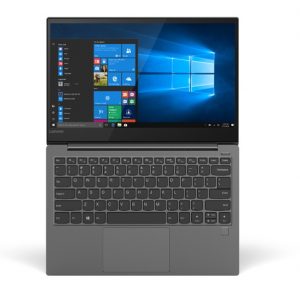
1. Remove the bottom plate
On this device, the bottom plate is held in place by 9 Torx-head screws. After you remove them, you are left with a couple of clips to undo, which by the way happens very easy, since most of the mounting pressure is provided by the screws themselves.

2. Battery
While 42Wh is not a huge capacity at all, we are impressed how Lenovo was able to put it inside of this tight chassis. Despite the huge footprint, the battery itself is barely a couple of millimeters thin, so it can fit properly. It is held in place by two Phillips-head screws.
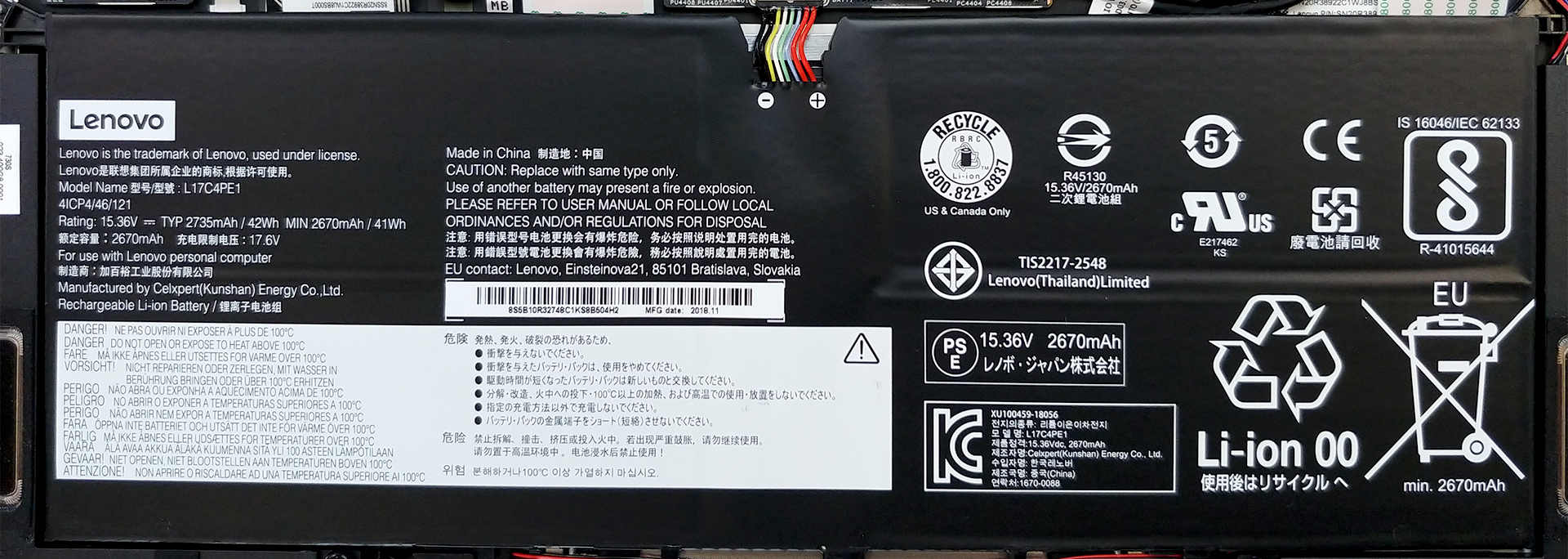
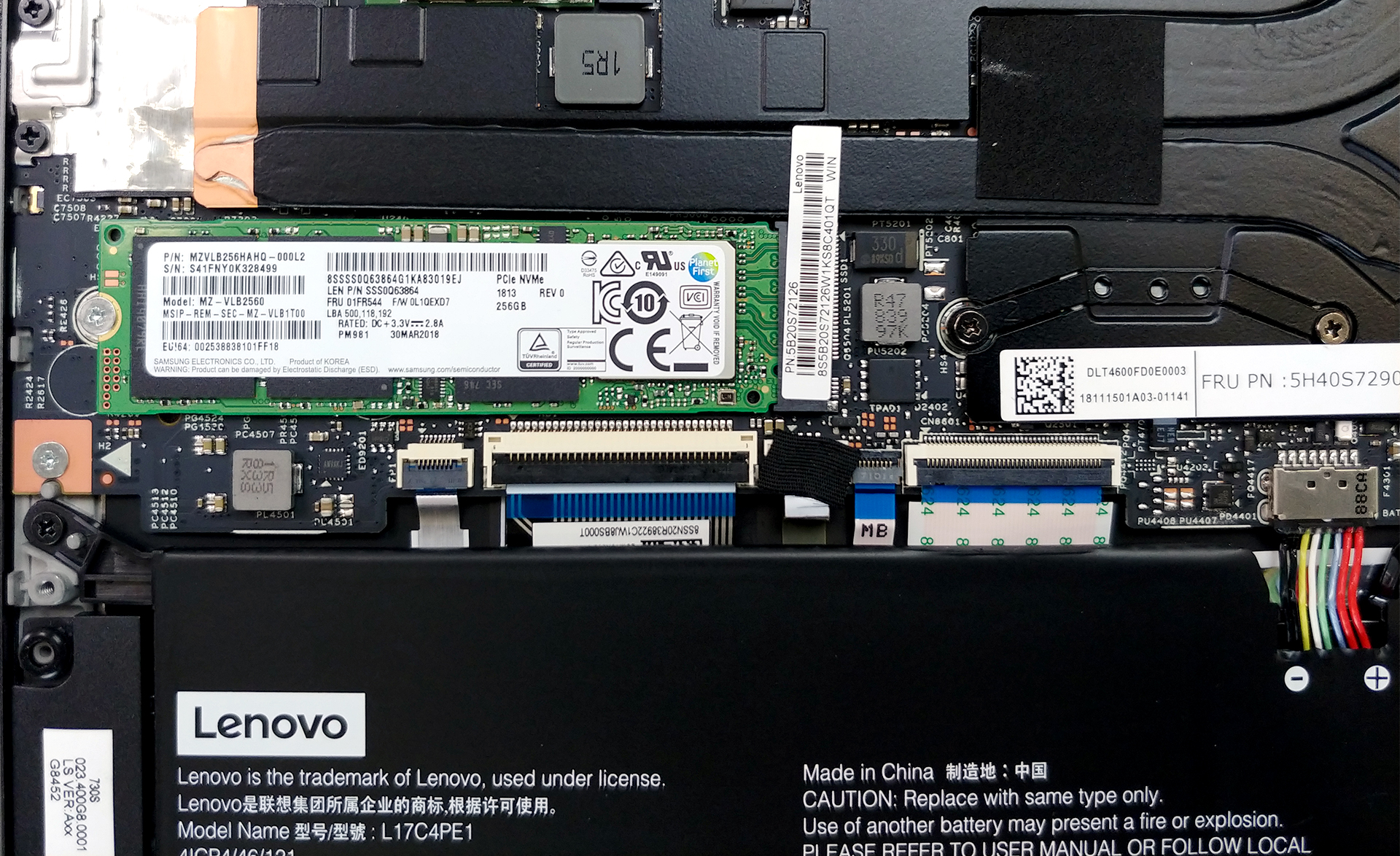
3. Memory and storage
Expectedly, there is not much to be seen on the memory side. Mostly, due to the bulkiness of the orthodox RAM DIMMs, here you won’t find any. Instead, the RAM chips are soldered directly onto the motherboard, making the choice of a device even harder. However, what is impressive here is that you can still upgrade your M.2 PCIe SSD.
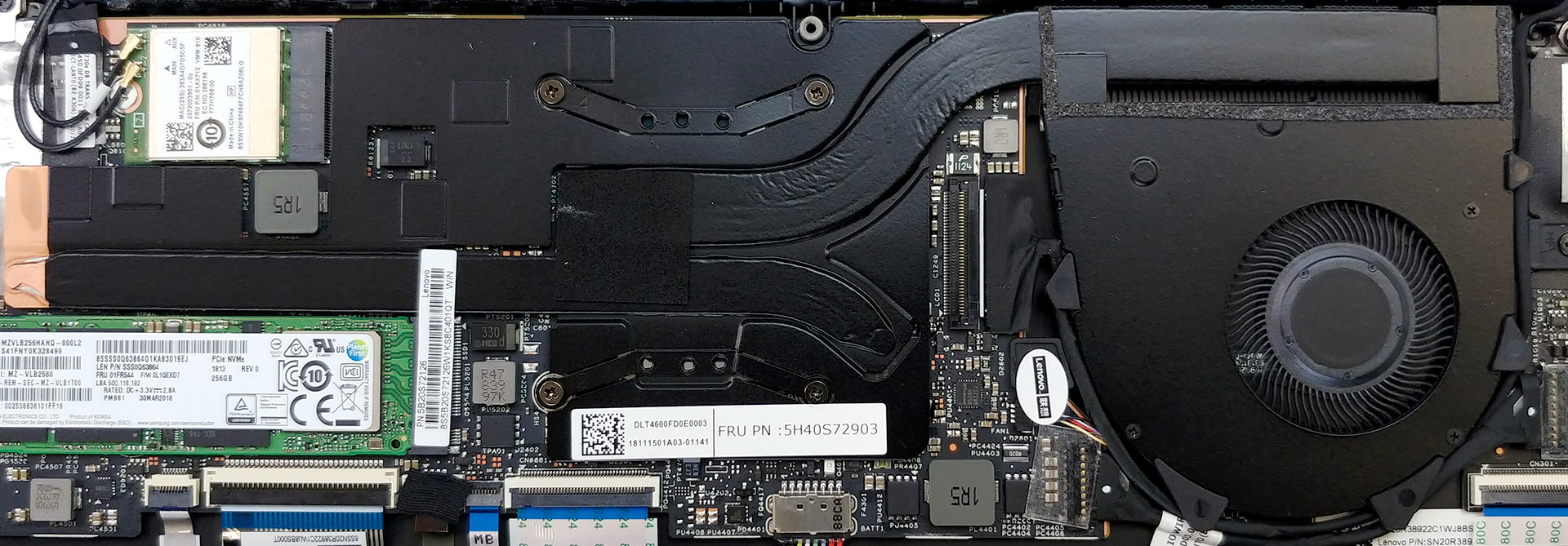
4. Cooling system
Here is the most interesting part of this article. How do they cool a 12 mm thick laptop? Well, apparently they use a super tiny fan and a wide but at the same time super-thin heat pipe. However, that’s not all. As you can see from the image below, there is another heat pipe, which leads to… nowhere. Yep, exactly as you see it. It just stops there and dissipates the heat into the body. It should be fairly easy to take apart as well, as all of the four screws are visible (plus there is one on the right of the fan).
Check out all Lenovo Ideapad 730S prices and configurations in our Specs System or read more in our In-depth Review.
 Author: Alex Iliev

![[2026年6月] Amazonグローバルにおけるノートパソコンのベストセラーブランド ― 販売台数と売上高の両面で、Appleが圧倒的な優位性を示す](https://laptopmedia.com/wp-content/uploads/2026/07/GLOBAL-Best-Brands-400x225.jpg)
![[2026年6月] アマゾン・グローバル:ノートパソコン売上ランキングトップ10――Appleの新型「MacBook Neo」が1位に躍り出て、手頃な価格帯で市場を再編](https://laptopmedia.com/wp-content/uploads/2026/07/Best-Selling-Laptops-GLOBAL-Top-10-400x225.jpg)
![[2026年6月] アマゾン・グローバル:ゲーム用ノートPC売上ランキングトップ10――エイサーの「Nitro V 16S AI」が販売台数で首位を独占、ASUSが総売上高で首位に立つ](https://laptopmedia.com/wp-content/uploads/2026/07/Best-Selling-Gaming-Laptops-GLOBAL-Top-10-400x225.jpg)
![[2026年6月] AmazonにおけるノートPC用GPUの世界販売ランキング ― NVIDIA RTX 5060が専用GPU部門で首位を獲得](https://laptopmedia.com/wp-content/uploads/2026/07/Best-Selling-GPUs-GLOBAL-Top-10-400x225.jpg)
![[2026年6月] AmazonにおけるノートPC用CPUの世界販売ランキング ― Apple M5が首位を独占、AMD Ryzen 7 260がプレミアム層で堅調なシェアを獲得](https://laptopmedia.com/wp-content/uploads/2026/07/Best-Selling-CPUs-GLOBAL-Top-10-400x225.jpg)

Is it to difficult to change the battery?
too