Top 5 reasons to BUY or NOT to buy the Dell Latitude 14 9410 2-in-1
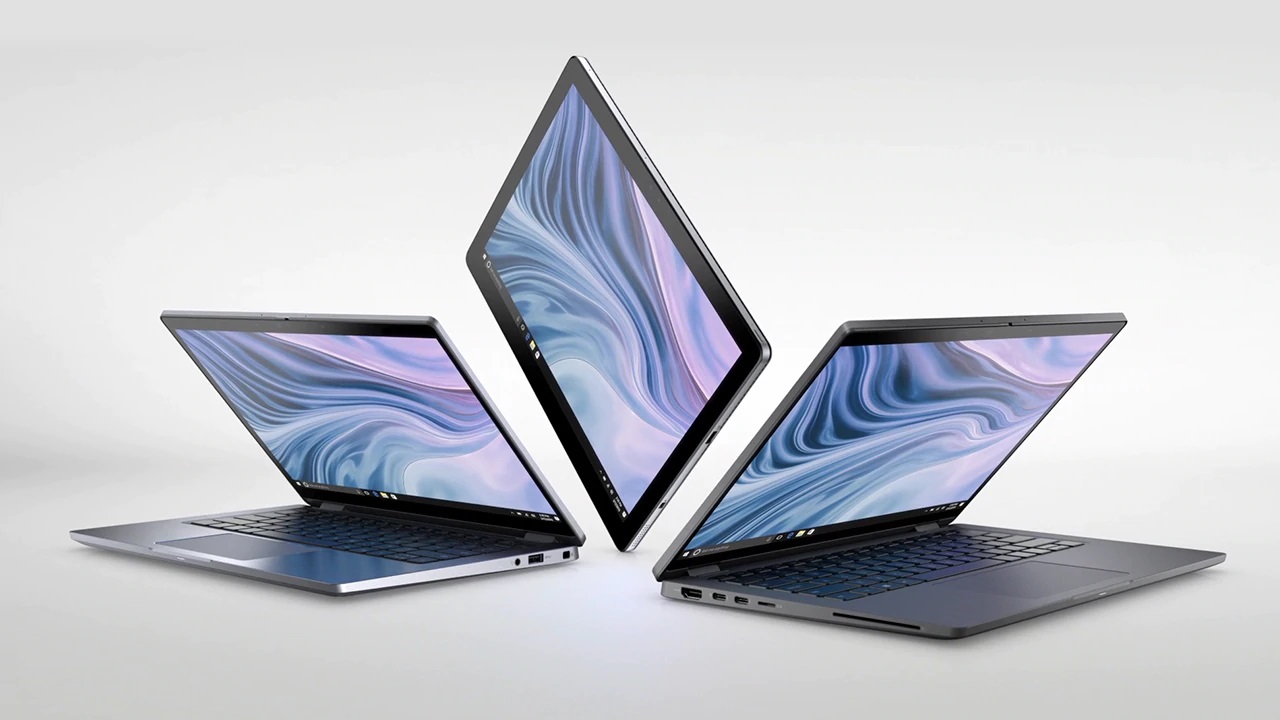 Convertibles have been becoming more and more popular in the faces of consumers since they offer great versatility and you basically get two devices for the price of one.
Well, today we’ll give you a quick rundown of one such machine that features a great design with powerful internals that can satisfy your needs. While the laptop itself is marketed towards business people, it is an intriguing offer for creators and designers as well.
Today we are presenting you our Top 5 picks about the Dell Latitude 9410 2-in-1.
Here is our in-depth review of the Dell Latitude 9410 2-in-1: https://laptopmedia.com/review/dell-latitude-14-9410-2-in-1-review-strong-chassis-and-great-display-to-guide-you-through-your-workday/
You can check the prices and configurations in our Specs System: https://laptopmedia.com/series/dell-latitude-14-9410-2-in-1/
4 reasons to BUY the Dell Latitude 9410 2-in-1
1. The Design and build quality
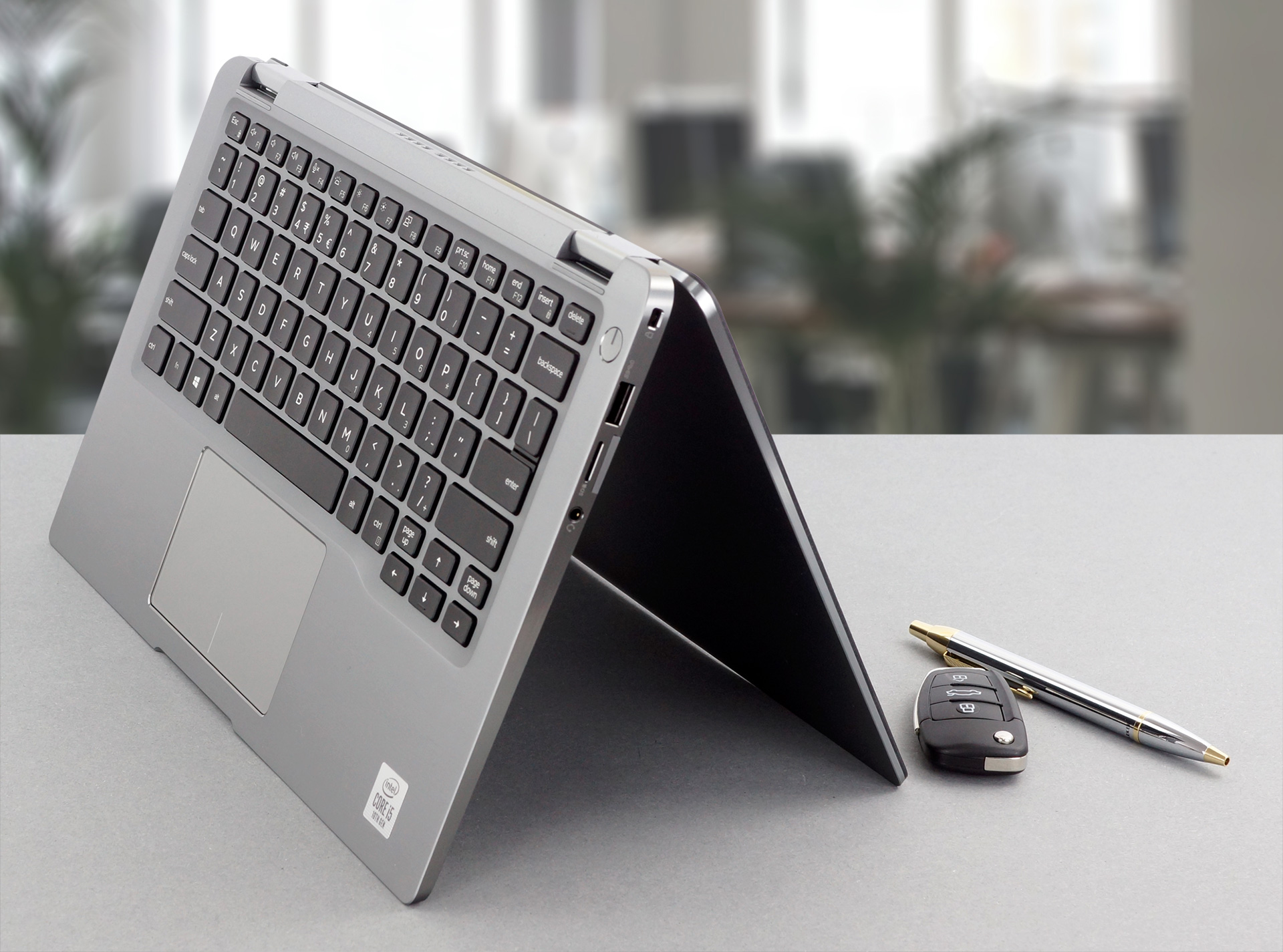
As with any premium device, this one features a minimalistic and stylish design that utilizes CNC aluminum. This gives the machine a really solid structure, considering that it only weighs 1.36kg and has a profile that goes from 8.53mm in the thinnest part to 14.89mm in the thickest. The 360-degree hinge provides great versatility and enables the laptop to be used as a tablet.
2. The Display
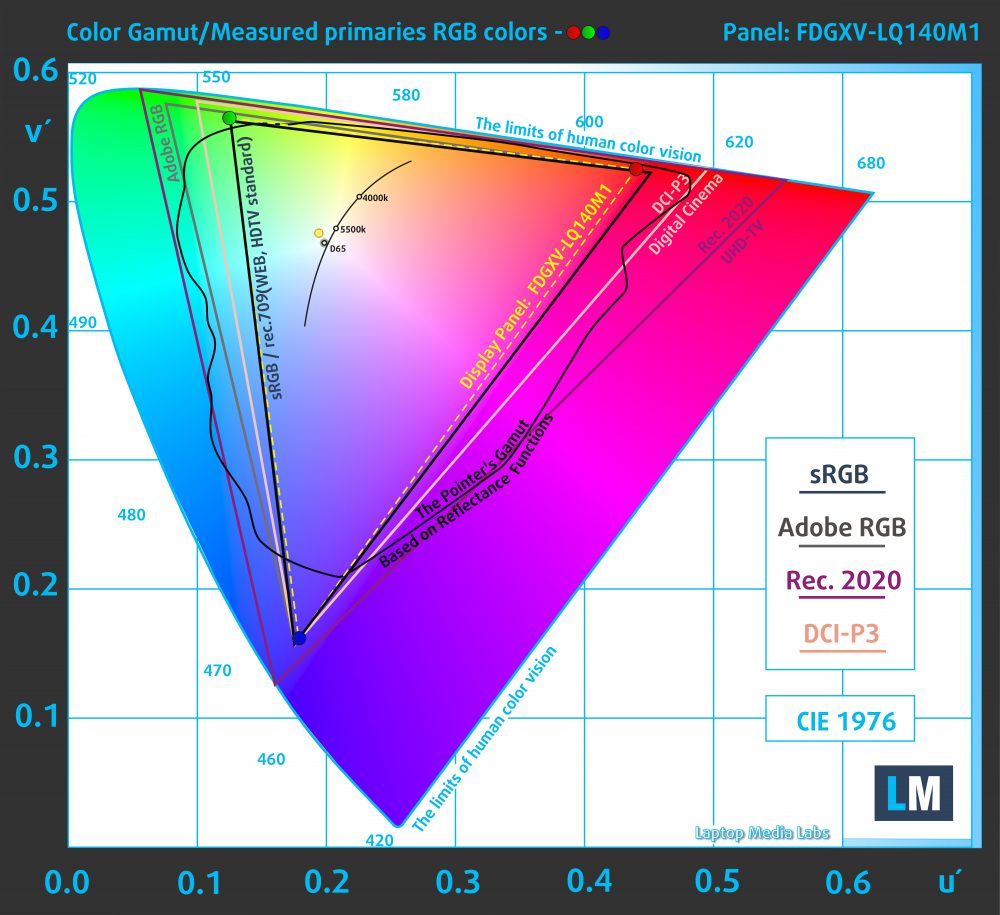
Moving over to one of the most important characteristics of a laptop, its display. The Latitude 14 2-in-1 features a 14-inch Full HD IPS touchscreen panel that has great viewing angles and a very good contrast ratio. What is more, is that it covers 95% of the sRGB color gamut and it doesn’t use PWM above 76 nits, and even then it is with a relatively high frequency, meaning that it won’t be damaging to your eyes.
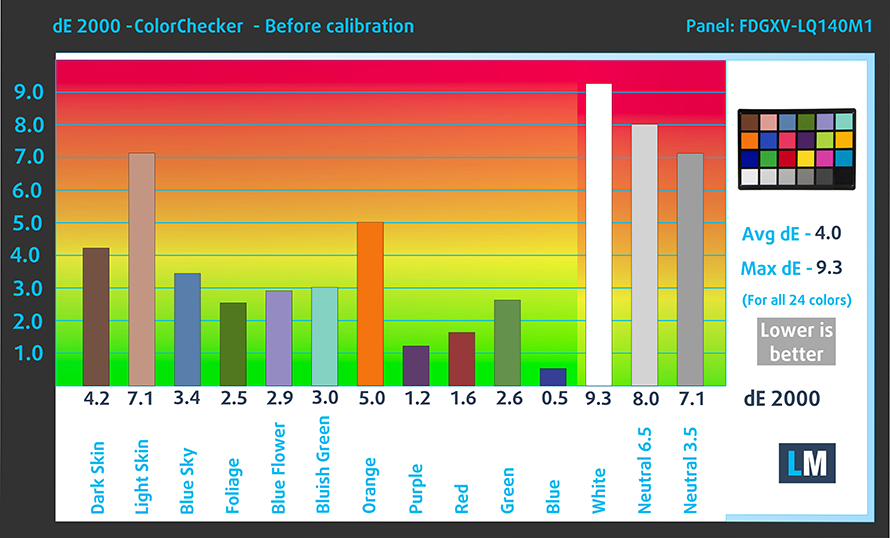
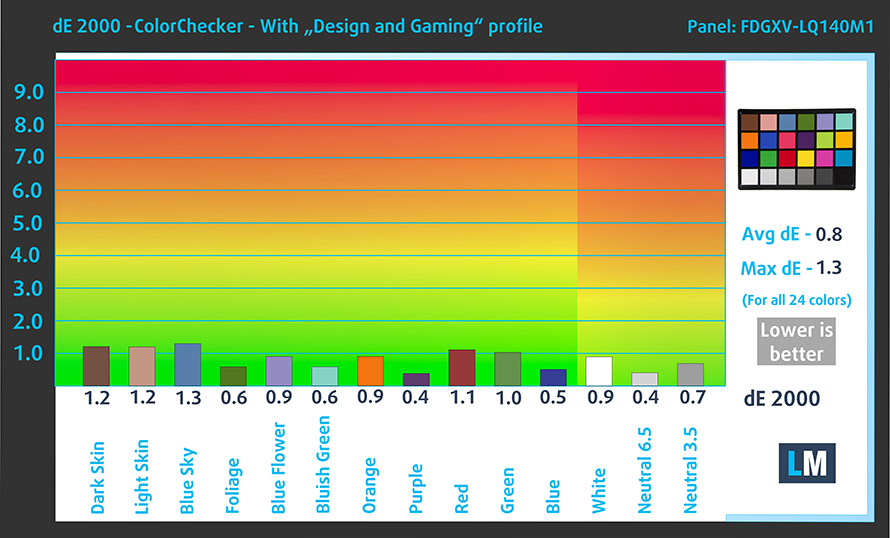
One more aspect of display quality is the color accuracy, and here we are excited to tell you that this panel passes our test with flying colors. We test the screens using the 24 most commonly used colors both with the factory settings (left) and when our Gaming and Web design profile is applied (right).
Buy our profiles
Since our profiles are tailored for each display model, this article and its respective profile package are meant for Dell Latitude 14 9410 2-in-1 configurations with 14.0″ Sharp LQ140M1-FDGXV (SHP14D2) (FHD, 1920 × 1080) IPS panel.
*Should you have problems with downloading the purchased file, try using a different browser to open the link you’ll receive via e-mail. If the download target is a .php file instead of an archive, change the file extension to .zip or contact us at [email protected].
Read more about the profiles HERE.
効率的で健康に優しいプロファイルを受け取ることに加え、LaptopMediaの製品を購入することで、可能な限り客観的なレビューを作成するためにデバイスをテストする私たちのラボの開発を支援することにもなります。

Office Work
Office Workは、テキストや表を見たり、ウェブサーフィンにほとんどの時間を費やすユーザーに主に使用されるべきです。このプロファイルは、フラットなガンマカーブ(2.20)、ネイティブな色温度、知覚的に正確な色を維持することで、より良い鮮明さと明瞭さを提供することを目指しています。

Design and Gaming
このプロファイルは、プロとして色を扱うデザイナーや、ゲームや映画向けです。Design and Gamingは、ディスプレイパネルの性能を最大限に引き出し、WebおよびHDTVのsRGB IEC61966-2-1規格(D65ホワイトポイント)で可能な限り正確な色を再現します。

3つのプロファイルをすべて33%割引で入手

3. The Battery life
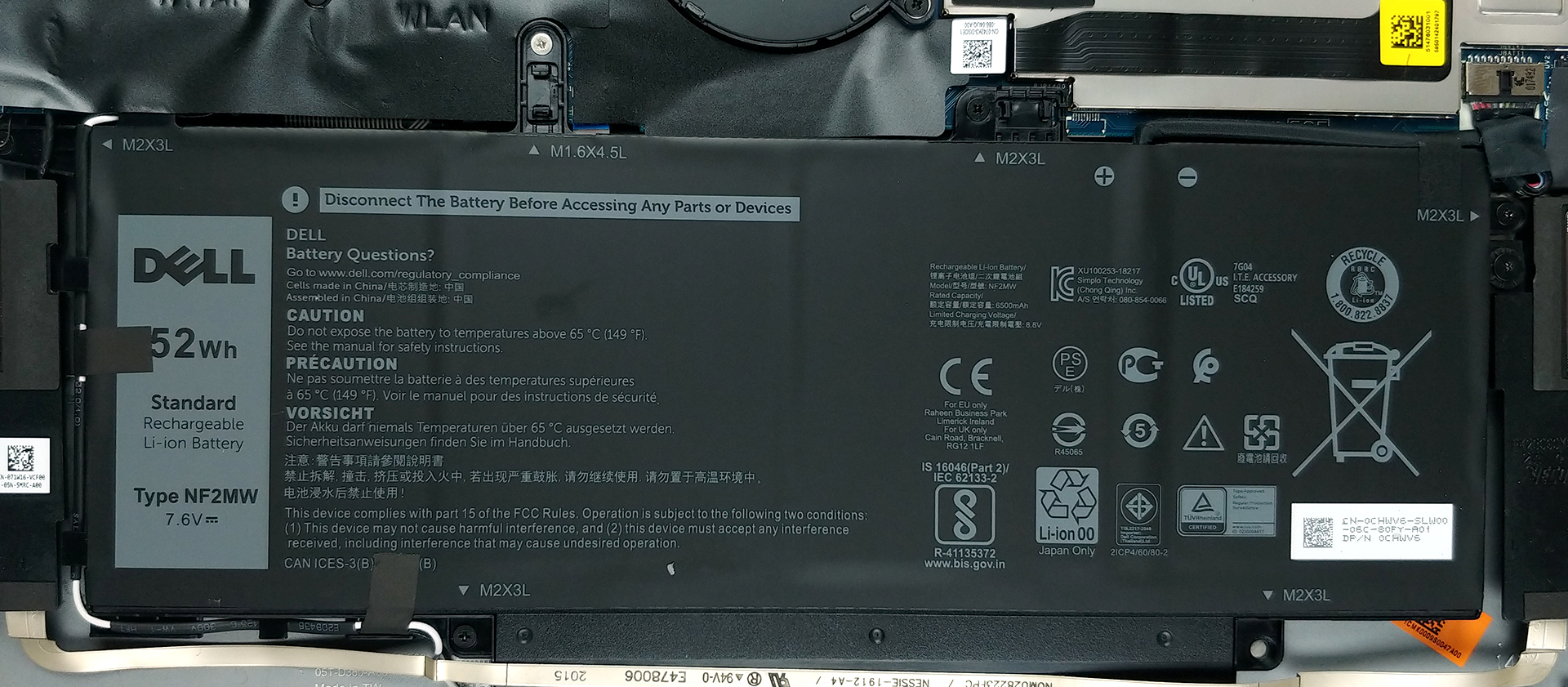
As for the battery life, here the Dell Latitude 14 9410 2-in-1 showed us great results in our battery tests, with its 52Wh unit lasting for 15 hours and 29 minutes of Web browsing and 13 hours and 8 minutes of video playback. For our tests, we use the Better Performance setting in Windows, have the screen brightness adjusted to 120 nits, and all other programs turned off except for the one we are testing the notebook with.
4. The Features and I / O
Another great aspect of the Latitude 14 is its features, which include an IR face recognition and fingerprint scanner, as well as Thunderbolt 3 support. As for the I / O, there are two Thunderbolt 3 connectors as well as an HDMI connector and a USB 3.2 Type-A port on the left. On the right side, there is a security wedge, one more USB port of the same qualities as the one on the left, a MicroSD card reader, a SIM card slot, and an audio jack.


1 reason NOT to buy the Dell Latitude 9410 2-in-1
1. The Upgradeability
As with every device, there are some things that we don’t like about it, and here it is the upgradeability or lack thereof. Once you remove the 10 Phillips-head screws and pop the panel you can see the soldered RAM as well as the one M.2 PCIe x4 drive that is already taken. The laptop is available with either 8GB or 16GB of LPDDR3 memory.
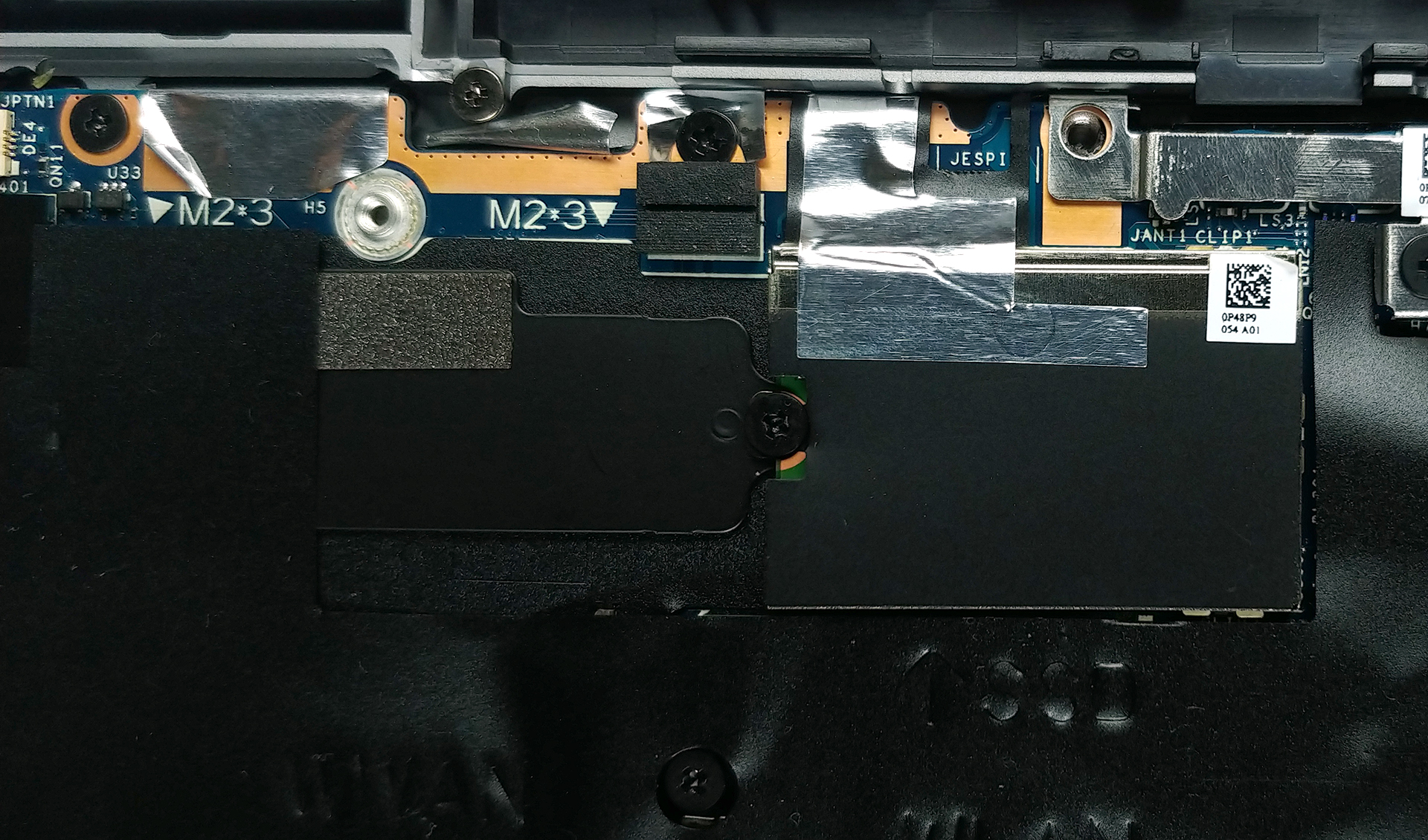
 Author: Severin Kolakov

![[2026年6月] Amazonグローバルにおけるノートパソコンのベストセラーブランド ― 販売台数と売上高の両面で、Appleが圧倒的な優位性を示す](https://laptopmedia.com/wp-content/uploads/2026/07/GLOBAL-Best-Brands-400x225.jpg)
![[2026年6月] アマゾン・グローバル:ノートパソコン売上ランキングトップ10――Appleの新型「MacBook Neo」が1位に躍り出て、手頃な価格帯で市場を再編](https://laptopmedia.com/wp-content/uploads/2026/07/Best-Selling-Laptops-GLOBAL-Top-10-400x225.jpg)
![[2026年6月] アマゾン・グローバル:ゲーム用ノートPC売上ランキングトップ10――エイサーの「Nitro V 16S AI」が販売台数で首位を独占、ASUSが総売上高で首位に立つ](https://laptopmedia.com/wp-content/uploads/2026/07/Best-Selling-Gaming-Laptops-GLOBAL-Top-10-400x225.jpg)
![[2026年6月] AmazonにおけるノートPC用GPUの世界販売ランキング ― NVIDIA RTX 5060が専用GPU部門で首位を獲得](https://laptopmedia.com/wp-content/uploads/2026/07/Best-Selling-GPUs-GLOBAL-Top-10-400x225.jpg)
![[2026年6月] AmazonにおけるノートPC用CPUの世界販売ランキング ― Apple M5が首位を独占、AMD Ryzen 7 260がプレミアム層で堅調なシェアを獲得](https://laptopmedia.com/wp-content/uploads/2026/07/Best-Selling-CPUs-GLOBAL-Top-10-400x225.jpg)