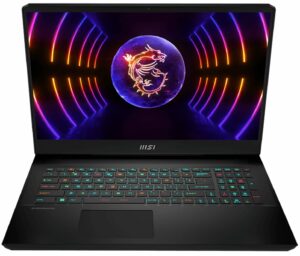
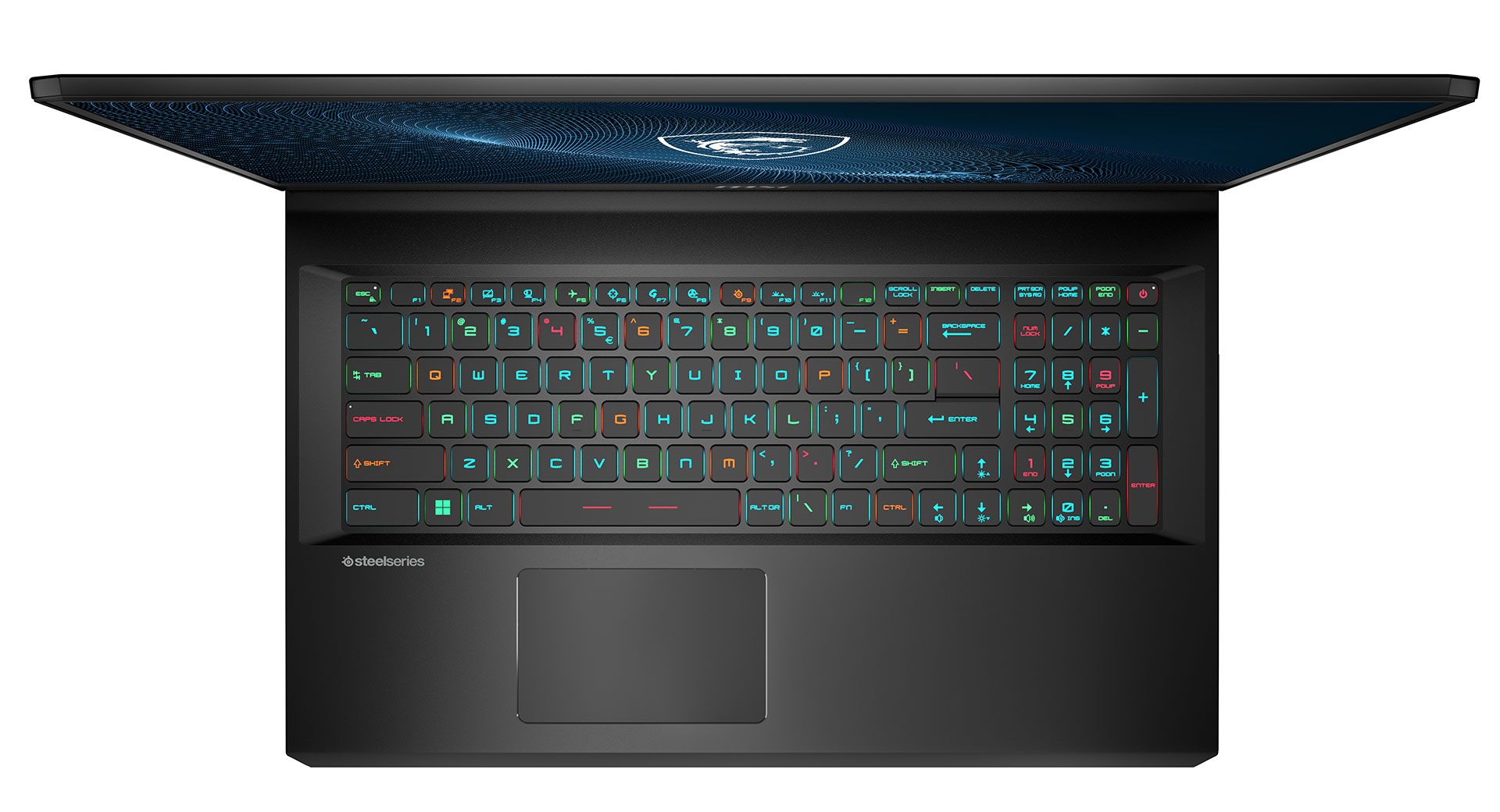
MSI Vector GP77 13Vのレビュー – 静かでパワフル。
パフォーマンスCPU、GPU、ゲーミングテスト
CPUオプション
少なくとも現時点では、CPUはIntel Core i9-13900HとCore i7-13700Hが選択可能です。
結果はCinebench R23のCPUテストによるもの(スコアが高いほど優れています)
GPUオプション
構成可能なGPUオプションは、RTX 4070(140W)、RTX 4060(140)です。
結果は3DMark Time Spy (Graphics)のものです。数値が高いほど良い。
結果は3DMark Fire Strike (Graphics)ベンチマークのものです(スコアが高いほど良い)
結果はUnigine Superpositionベンチマークのものです(スコアが高いほど良い)
ゲーミングテスト(外部ディスプレイ)

良いニュースは、GeForce RTX 4070(140W)は、多くの新しいタイトルでGeForce RTX 3080 Ti(130W)と比較して、多かれ少なかれ高速であるということです。この2つのGPUの比較は、以下のページでご覧いただけます。GeForce RTX 4070 (140W)に関するベンチマークを含む40以上のゲームプレイビデオを含むプレイリストは、こちらでご覧いただけます。

| メトロエクソダス | フルHD、低(設定確認) | フルHD、High(設定確認) | フルHD、エクストリーム(設定確認) |
|---|---|---|---|
| GeForce RTX 4070 (140W) | 183fps(+16%)。 | 103fps(+8%)。 | 48fps(+2%) |
| GeForce RTX 3080 Ti (130W) | 172fps | 95 fps | 47 fps |

| ボーダーランズ3 | フルHD、中(設定確認) | フルHD、High(設定確認) | フルHD、バッドアス(設定確認) |
|---|---|---|---|
| GeForce RTX 4070 (140W) | 177fps(+9%)。 | 135fps(+11%)。 | 106fps(+16%)。 |
| GeForce RTX 3080 Ti (130W) | 163fps | 122 fps | 100 fps |

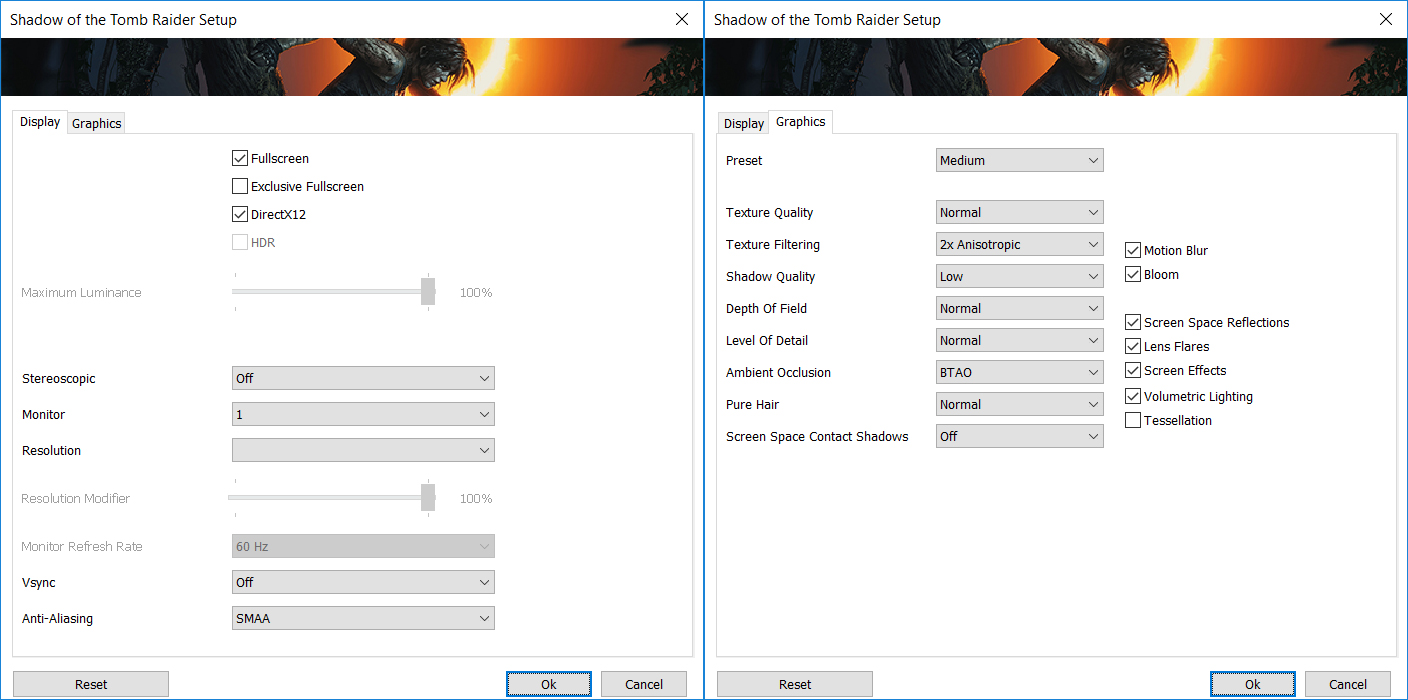
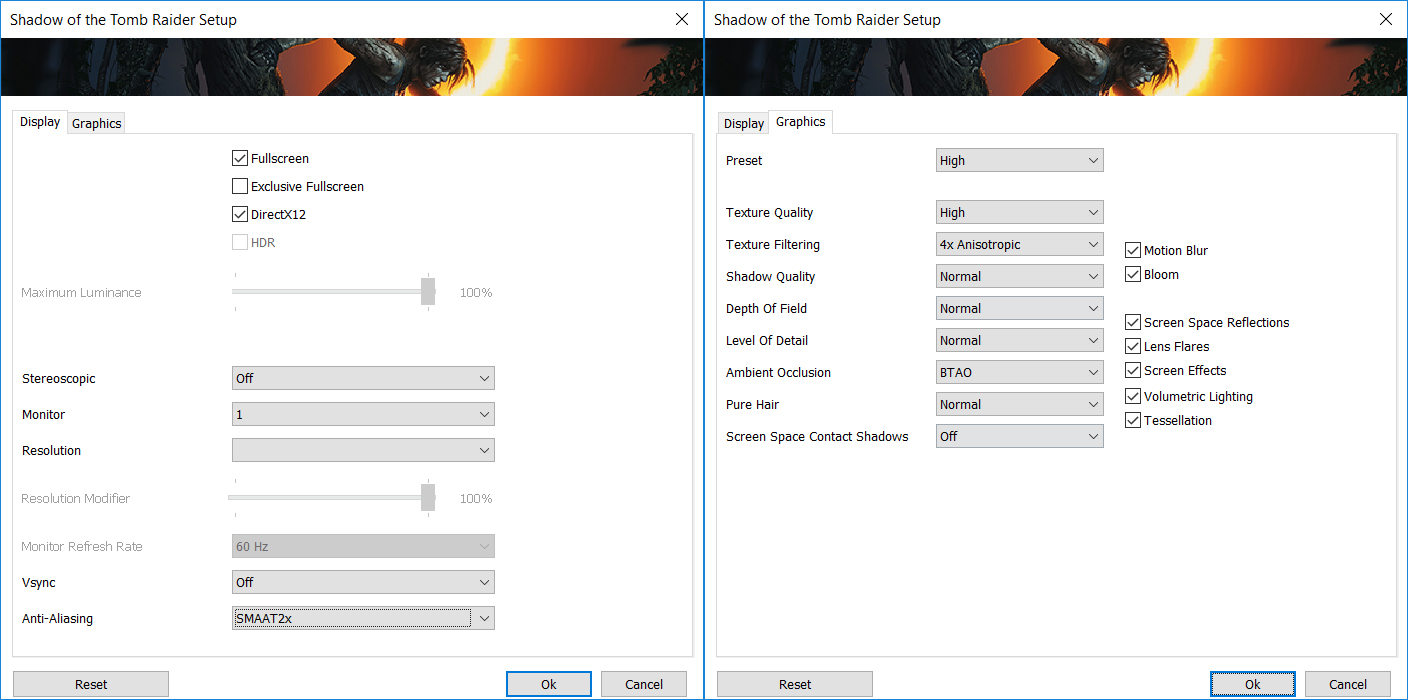
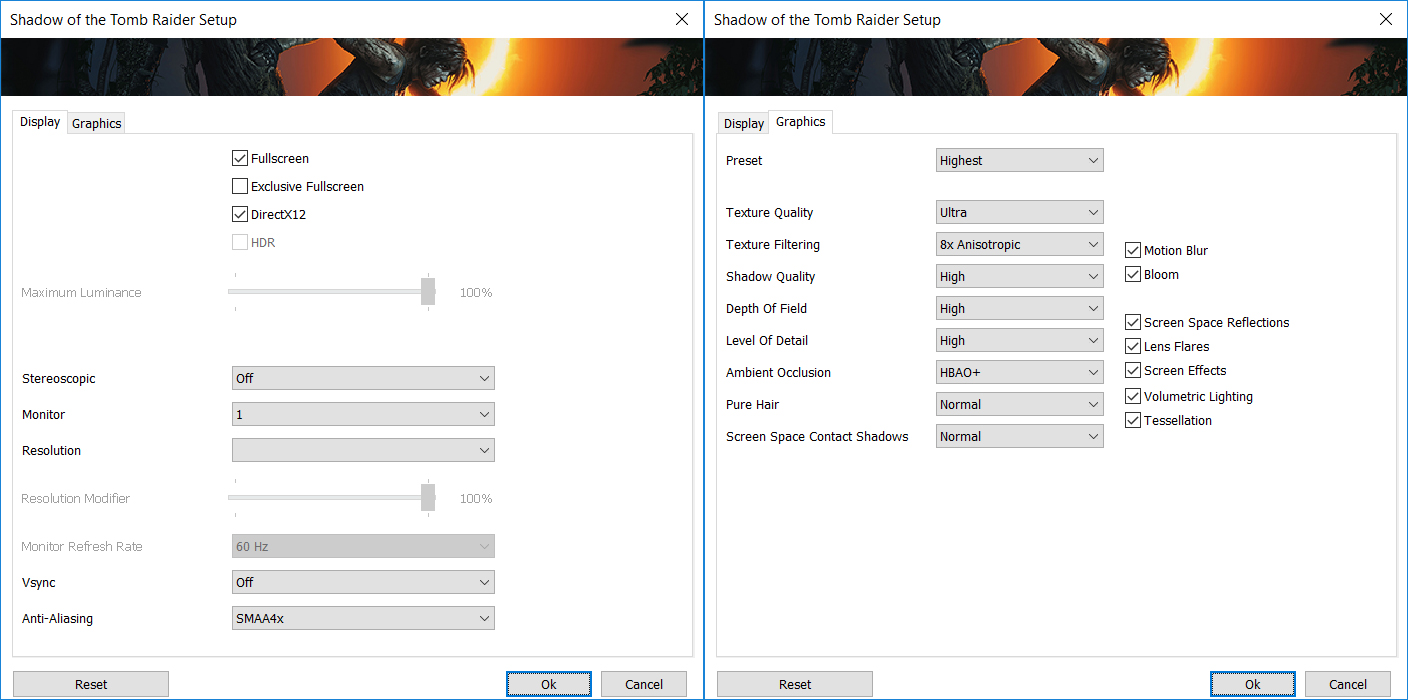
| シャドウ オブ ザ トゥームレイダー」(2018年) | フルHD、中(設定確認) | フルHD、High(設定確認) | フルHD、最高(設定確認) |
|---|---|---|---|
| GeForce RTX 4070 (140W) | 159fps(+7%) | 154fps(+10%)。 | 114fps(+5%) |
| GeForce RTX 3080 Ti (130W) | 148fps | 145fps | 109 fps |

| コール オブ デューティ モダン・ウォーフェアII | フルHD、最小(設定確認) | フルHD、ベーシック(設定確認) | フルHD、バランス(設定確認) | フルHD、ウルトラ(設定確認) |
|---|---|---|---|---|
| GeForce RTX 4070 (140W) | 240fps(+4%)。 | 186fps(+8%)。 | 149fps(+5%)。 | 109fps(+3%)。 |
| GeForce RTX 3080 Ti (130W) | 230 fps | 173fps | 142fps | 106 fps |

| コール オブ デューティ モダン・ウォーフェアII | フルHD、最小(設定確認) | フルHD、ベーシック(設定確認) | フルHD、バランス(設定確認) | フルHD、ウルトラ(設定確認) |
|---|---|---|---|---|
| GeForce RTX 4070 (140W) | 166fps(+4%)。 | 162fps(+7%)。 | 103fps(+5%)。 | 65fps(+2%) |
| GeForce RTX 3080 Ti (130W) | 159fps | 151fps | 98 fps | 64fps |

Resolution: 1920 x 1080 (Full HD) |
NORMAL |
HIGH |
VERY HIGH |
MAX |
|---|---|---|---|---|
| NVIDIA GeForce RTX 4070 (Laptop, 140W) | 186 FPS PLAY VIDEO | 186 FPS PLAY VIDEO | 127 FPS PLAY VIDEO | 73 FPS PLAY VIDEO |

Resolution: 1920 x 1080 (Full HD) |
MIN |
MAX |
|---|---|---|
| NVIDIA GeForce RTX 4070 (Laptop, 140W) | 3304 FPS PLAY VIDEO | 205 FPS PLAY VIDEO |

Resolution: 1920 x 1080 (Full HD) |
VERY LOW |
MED |
MAX |
|---|---|---|---|
| NVIDIA GeForce RTX 4070 (Laptop, 140W) | 757 FPS PLAY VIDEO | 692 FPS PLAY VIDEO | 608 FPS PLAY VIDEO |

Resolution: 1920 x 1080 (Full HD) |
MIN |
MED |
HIGH |
ULTRA |
|---|---|---|---|---|
| NVIDIA GeForce RTX 4070 (Laptop, 140W) | 161 FPS PLAY VIDEO | 112 FPS PLAY VIDEO | 63 FPS PLAY VIDEO | 33 FPS PLAY VIDEO |

Resolution: 1920 x 1080 (Full HD) |
LOW |
MED |
HIGH |
ULTRA |
|---|---|---|---|---|
| NVIDIA GeForce RTX 4070 (Laptop, 140W) | 193 FPS PLAY VIDEO | 157 FPS PLAY VIDEO | 119 FPS PLAY VIDEO | 99 FPS PLAY VIDEO |

Resolution: 1920 x 1080 (Full HD) |
LOW |
MED |
HIGH |
EPIC |
|---|---|---|---|---|
| NVIDIA GeForce RTX 4070 (Laptop, 140W) | 258 FPS PLAY VIDEO | 168 FPS PLAY VIDEO | 131 FPS PLAY VIDEO | 80 FPS PLAY VIDEO |

Resolution: 1920 x 1080 (Full HD) |
MIN |
MED |
ULTRA |
|---|---|---|---|
| NVIDIA GeForce RTX 4070 (Laptop, 140W) | 389 FPS PLAY VIDEO | 515 FPS PLAY VIDEO | 265 FPS PLAY VIDEO |

Resolution: 1920 x 1080 (Full HD) |
MIN |
MED |
MAX |
|---|---|---|---|
| NVIDIA GeForce RTX 4070 (Laptop, 140W) | 299 FPS PLAY VIDEO | 298 FPS PLAY VIDEO | 206 FPS PLAY VIDEO |

Resolution: 1920 x 1080 (Full HD) |
LOW |
MED |
U.NIGHT |
|---|---|---|---|
| NVIDIA GeForce RTX 4070 (Laptop, 140W) | 377 FPS PLAY VIDEO | 327 FPS PLAY VIDEO | 255 FPS PLAY VIDEO |

Resolution: 1920 x 1080 (Full HD) |
LOW |
NORMAL |
HIGH |
MAX |
|---|---|---|---|---|
| NVIDIA GeForce RTX 4070 (Laptop, 140W) | 213 FPS PLAY VIDEO | 182 FPS PLAY VIDEO | 178 FPS PLAY VIDEO | 167 FPS PLAY VIDEO |
 Author: Nikolay Palaozov

![[2026年8月] AmazonにおけるノートPC用GPUの世界販売ランキング ― Appleが首位を独走、NVIDIAのRTX 5060が専用GPU部門で首位を獲得](https://laptopmedia.com/wp-content/uploads/2026/09/Best-Selling-GPUs-GLOBAL-Top-10-400x225.jpg)
![[2026年8月] AmazonにおけるノートPC用CPUの世界売上ランキング ― アップルが低価格帯とハイエンドの両分野を席巻:2026年8月、A18 ProとM5がインテルとAMDを圧倒](https://laptopmedia.com/wp-content/uploads/2026/09/Best-Selling-CPUs-GLOBAL-Top-10-400x225.jpg)
![[2026年8月] Amazon Global:ノートPC売上ランキングトップ10――Appleの「MacBook Neo」がチャートを席巻する一方、低価格帯および中価格帯のWindowsノートPCは販売台数をめぐって熾烈な争いを繰り広げている](https://laptopmedia.com/wp-content/uploads/2026/09/Best-Selling-Laptops-GLOBAL-Top-10-400x225.jpg)
![[2026年8月] Amazonグローバルにおけるノートパソコンのベストセラーブランド――売上高ではAppleが首位、機種の豊富さではHPがトップ](https://laptopmedia.com/wp-content/uploads/2026/09/GLOBAL-Best-Brands-400x225.jpg)
![[2026年8月] Amazon Global:ゲーム用ノートPC売上ランキングトップ10――HP Victus 15が首位を獲得、手頃な価格帯のモデルがランキングを席巻](https://laptopmedia.com/wp-content/uploads/2026/09/Best-Selling-Gaming-Laptops-GLOBAL-Top-10-400x225.jpg)

was curious if you know the length of the cable from the power brick to the computer?
5 feet
MSI could have done a better job with the Fan Speed panel UI design if they had labeled everything in Chinese. At least then we could use a translator. All of the fan speed sliders are in percent%, there is no use of actual temp C or F, yet each slider has a specific temp range that it operates within. So to help with that, MSI gave us a blue to red color bar (see pics above). One can also tell that they put absolutely no effort into this panel because there is no “Apply” button. You must press “Save”… 続きを読む »
…basically just use the Fan Speed panel to set all sliders to 150%. This will keep fans pinned to max regardless of CPU/GPU temps. Use that for gaming. When you use “Cooler Boost” the fans speed will still be tied to temp ranges.