How to open Acer Aspire 7 (A715-43G) – disassembly and upgrade options
The Aspire 7 is a low-key productivity/gaming notebook. It has a no-nonsense design and decent upgradeability.
Check out all Acer Aspire 7 (A715-43G) prices and configurations in our Specs System, or read more in our In-Depth review.
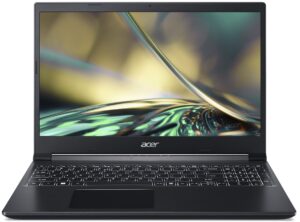
1. Remove the bottom plate
To open this device, you need to undo 13 Phillips-head screws. Then, pop the bottom panel with a plastic tool and lift it from the chassis.
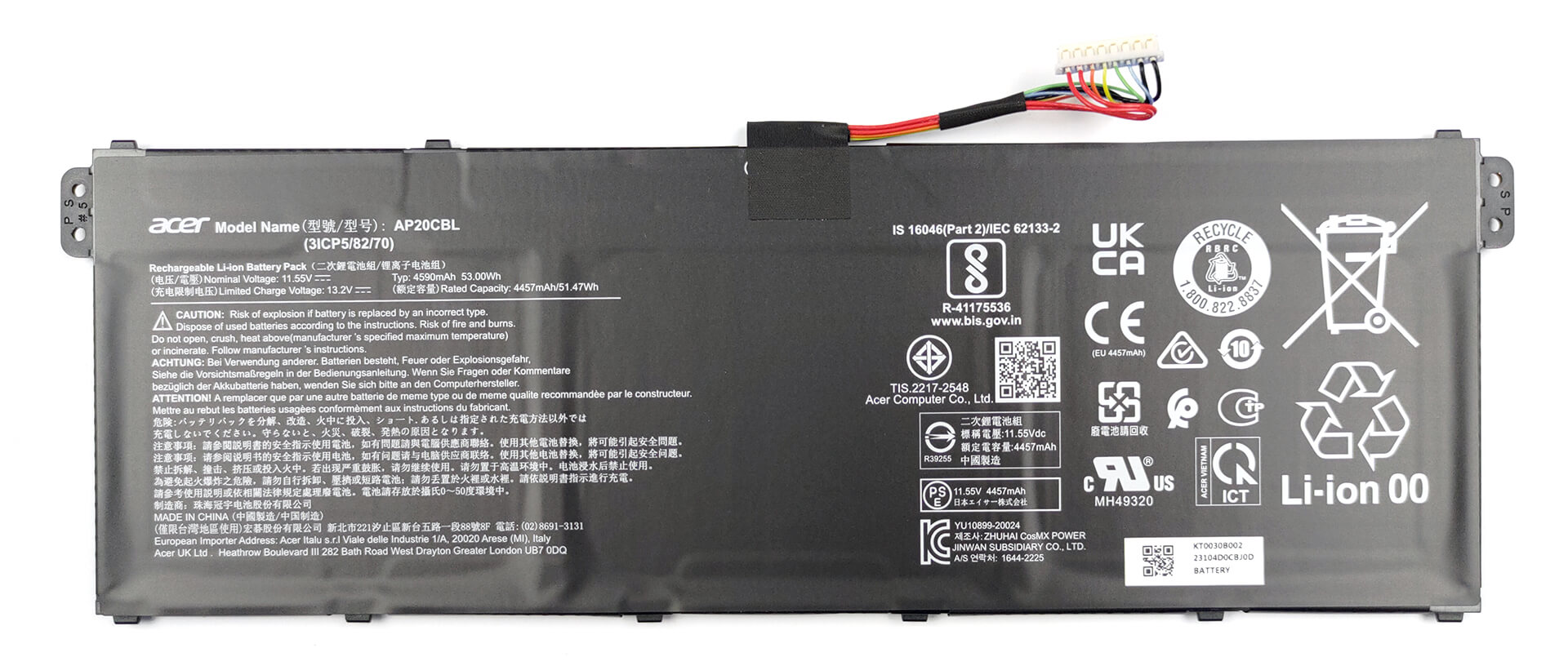
2. Remove the battery
Inside we see a battery that is placed upside down. The labels on the bottom show a capacity of 53Wh. To remove it, unplug the battery connector from the motherboard, and undo the two Phillips-head screws holding the package to the device.
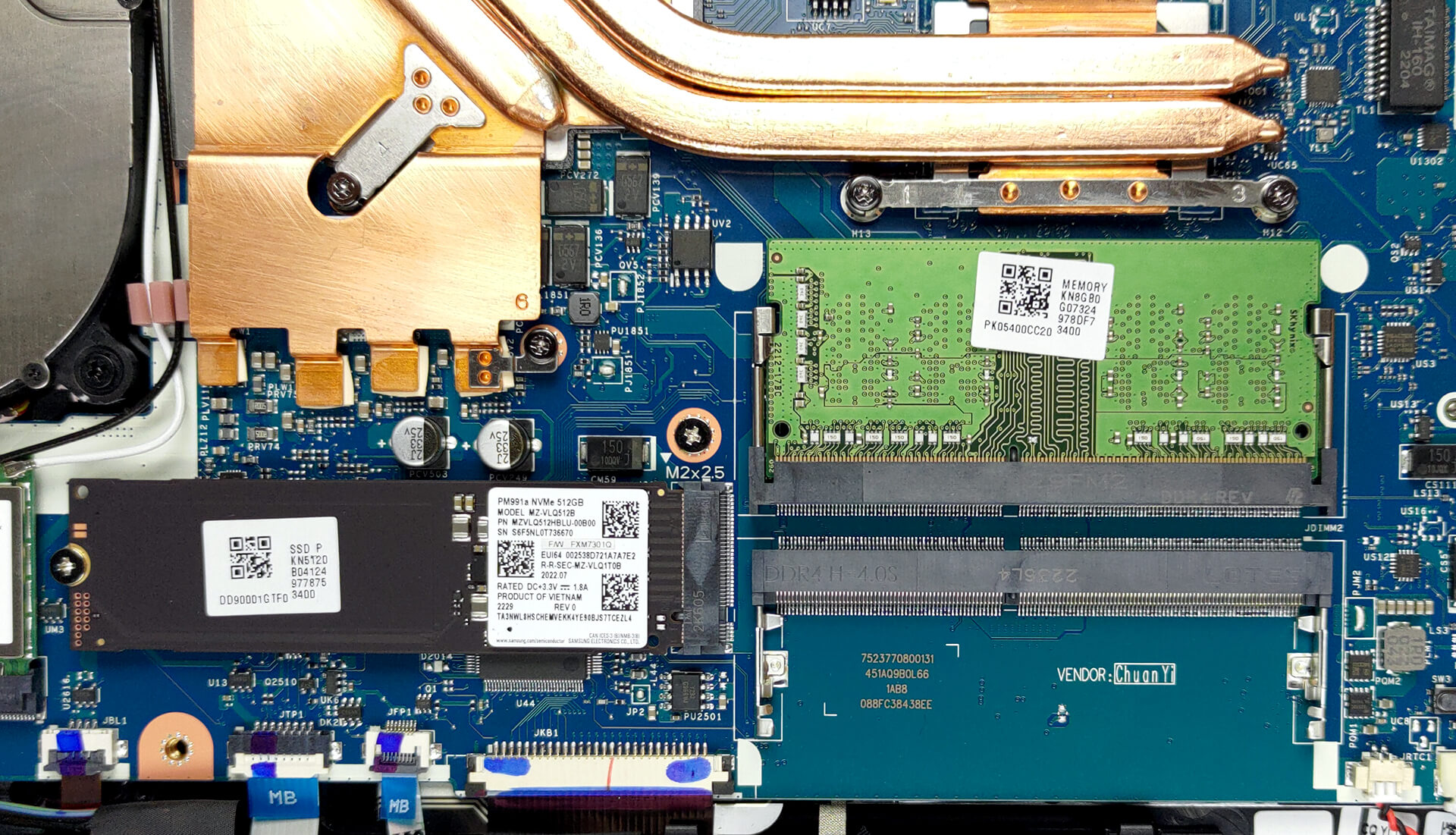
3. Upgrade memory and storage
Here, you get two SODIMM slots, which fit DDR4 memory and work in dual-channel mode. According to a retailer we work with, the device supports 64GB of RAM in total. Storage-wise, there is one M.2 PCIe x4 slot, which works with Gen 3 SSDs.
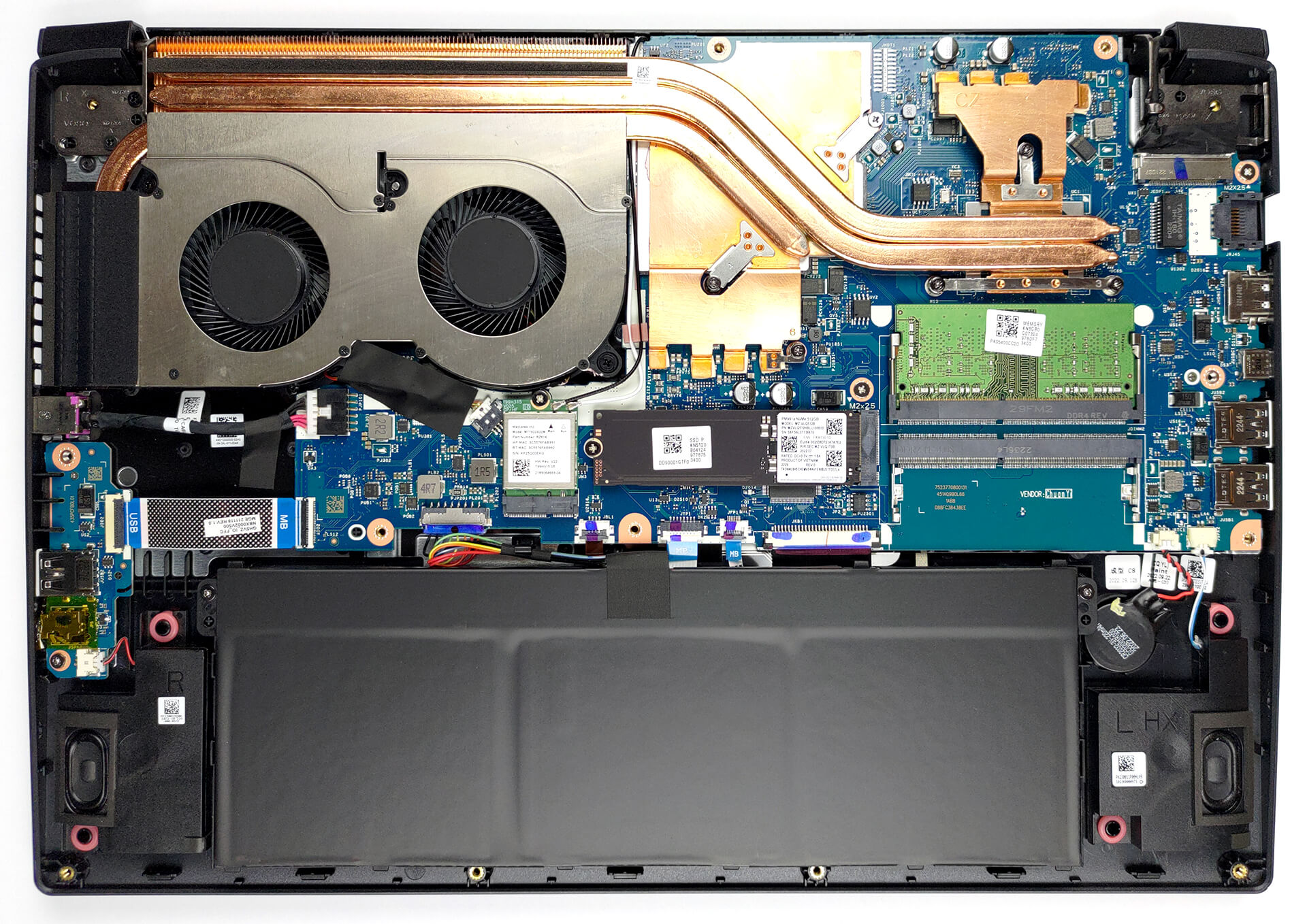
4. Cooling system
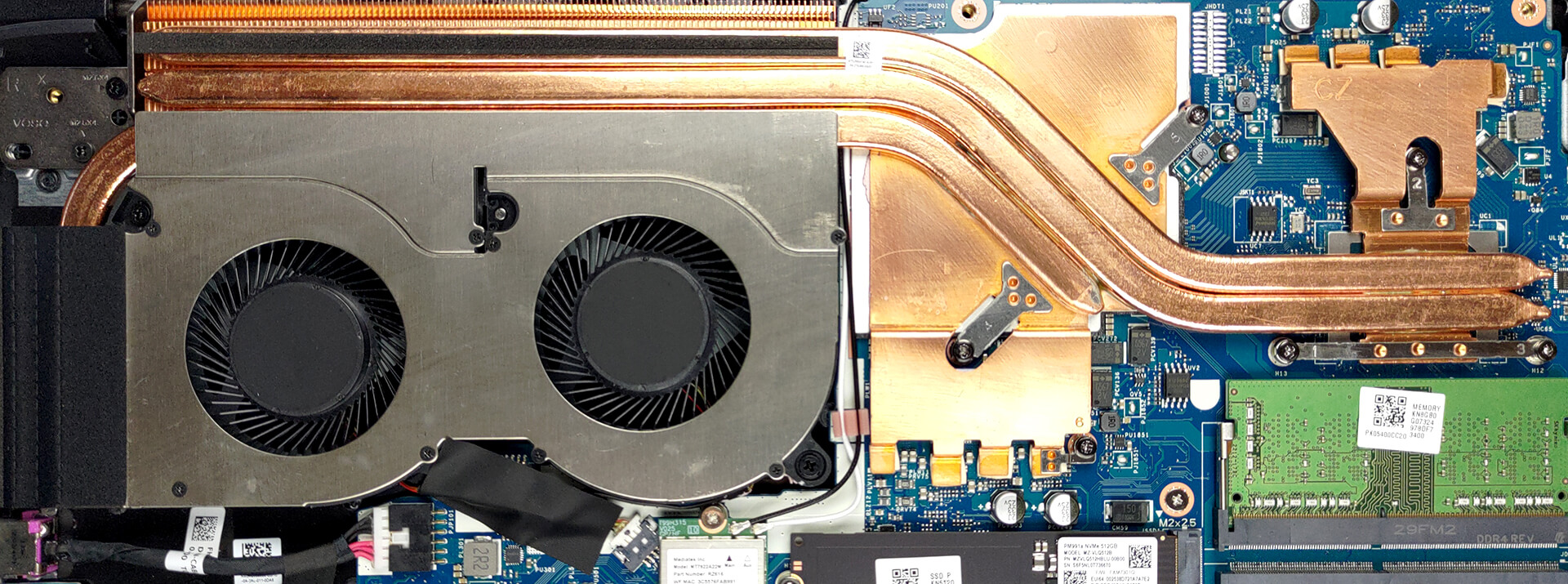
As for the cooling, there are two heat pipes shared between the CPU and the GPU, with a third one assisting the graphics card. One long and one small heat sink, as well as two fans deal with heat dissipation, while a couple of heat spreaders take care of the VRMs and the graphics memory.
Check out all Acer Aspire 7 (A715-43G) prices and configurations in our Specs System, or read more in our In-Depth review.
Acer Aspire 7 (A715-43G) uitgebreide review
Er was eens een niche in de markt waar Acer onaantastbaar was. Het was het "bijna gaming notebook" segment. We hebben het over apparaten zoals de Aspire Nitro serie van vroeger. Tegenwoordig worden ze vervangen door instapmodellen voor gaming. Als eigen oplossingen bieden ze veel meer dan de half-gaming, half-kantoor machines.Acer's eigen Nitro merk is hier een perfect voorbeeld van, net als de Lenovo IdeaPad Gaming. De voortzetting van de Aspire 7 betekent echter dat er nog steeds een markt is voor dergelijke machines.Deze in het bijzonder - de Aspire 7 (A715-43G), heeft een AMD-proc[...]
Pros
- Geweldige koeling, die meer prestaties levert dan we hadden verwacht
- Wi-Fi 6E + 2x SODIMM-sleuven
- Goede batterijduur
- PWM-vrij scherm (Innolux N156HCA-EAB (CMN15E7))
- Adequate prijs
Minpunten
- Geen Thunderbolt-aansluiting of SD-kaartlezer
- Dekt slechts 58% van het sRGB-kleurengamma (Innolux N156HCA-EAB (CMN15E7))
- Volledig plastic behuizing (die wel goed aanvoelt)
 Author: Alex Iliev

![[juni 2026] Bestverkochte laptopmerken op Amazon Global – Apple’s ongeëvenaarde dominantie in aantal verkochte exemplaren en omzet](https://laptopmedia.com/wp-content/uploads/2026/07/GLOBAL-Best-Brands-400x225.jpg)
![[juni 2026] Amazon Global: Top 10 bestverkochte laptops – De nieuwe MacBook Neo van Apple stormt naar de eerste plaats en zet de markt op zijn kop dankzij zijn betaalbaarheid](https://laptopmedia.com/wp-content/uploads/2026/07/Best-Selling-Laptops-GLOBAL-Top-10-400x225.jpg)
![[juni 2026] Amazon Global: Top 10 van best verkochte gaminglaptops – De Nitro V 16S AI van Acer domineert de verkoopcijfers, terwijl ASUS qua totale omzet aan kop gaat](https://laptopmedia.com/wp-content/uploads/2026/07/Best-Selling-Gaming-Laptops-GLOBAL-Top-10-400x225.jpg)
![[juni 2026] Wereldwijde ranglijst van bestverkochte laptop-GPU’s op Amazon – De NVIDIA RTX 5060 is de bestverkochte speciale GPU](https://laptopmedia.com/wp-content/uploads/2026/07/Best-Selling-GPUs-GLOBAL-Top-10-400x225.jpg)
![[juni 2026] Wereldwijde ranglijst van bestverkochte laptop-CPU’s op Amazon – Apple M5 domineert, AMD Ryzen 7 260 verovert een stevig aandeel in het premiumsegment](https://laptopmedia.com/wp-content/uploads/2026/07/Best-Selling-CPUs-GLOBAL-Top-10-400x225.jpg)
