How to open Dell Latitude 14 7430 – disassembly and upgrade options
The situation regarding Dell Latitude 14 7430’s memory is a bit boring. You can’t upgrade it post-purchase, but the maximum capacity is 32GB. Interestingly, the memory type is DDR4 for the 15W processors and LPDDR5 for the 28W CPUs.
Check out all Dell Latitude 14 7430 prices and configurations in our Specs System, or read more in our In-Depth review.


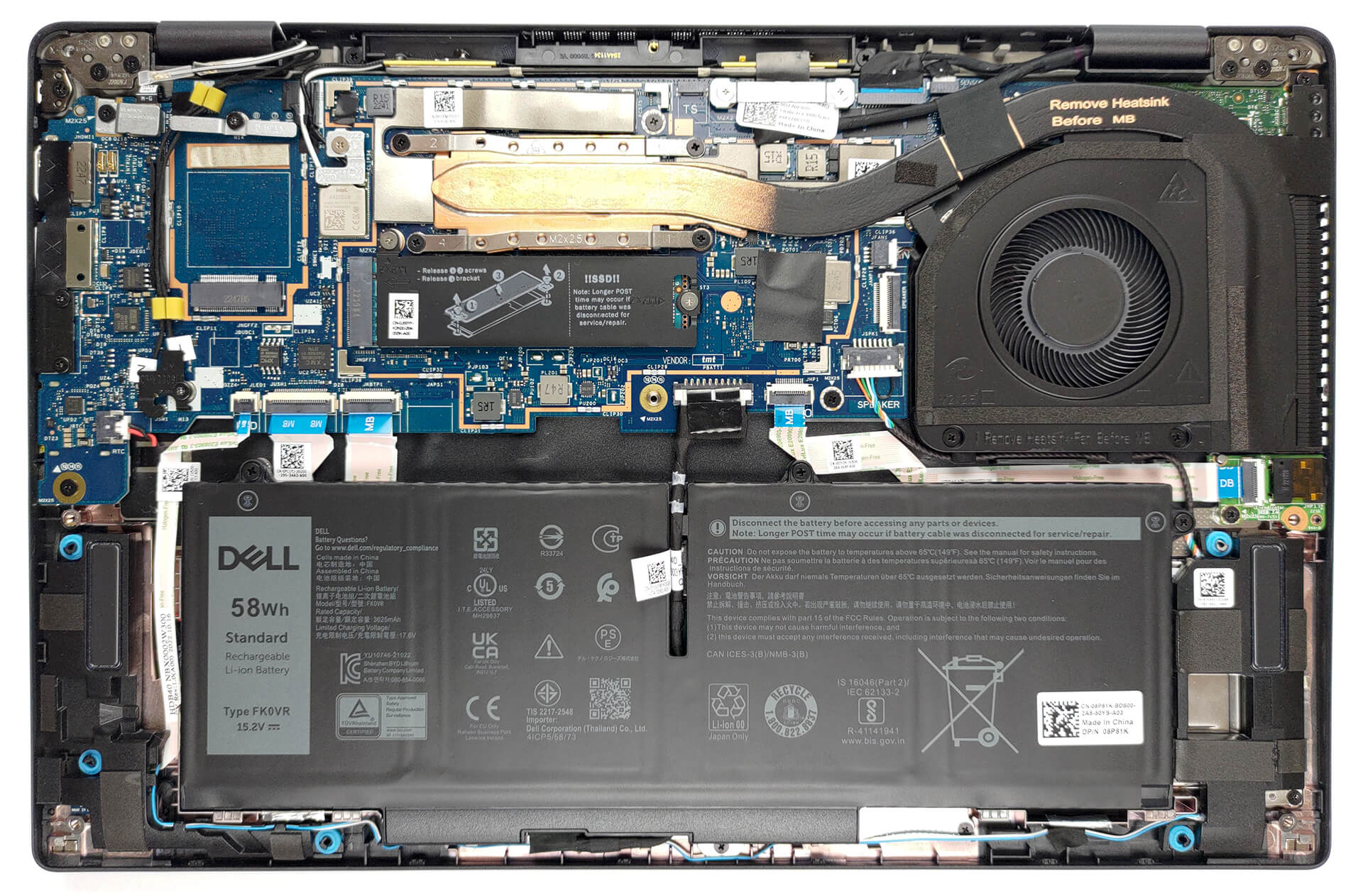
1. Remove the bottom plate
To open this device, you need to undo 8 captive Phillips-head screws. Then, pry the bottom panel with a plastic tool, starting from the hinge gaps.
2. Remove the battery
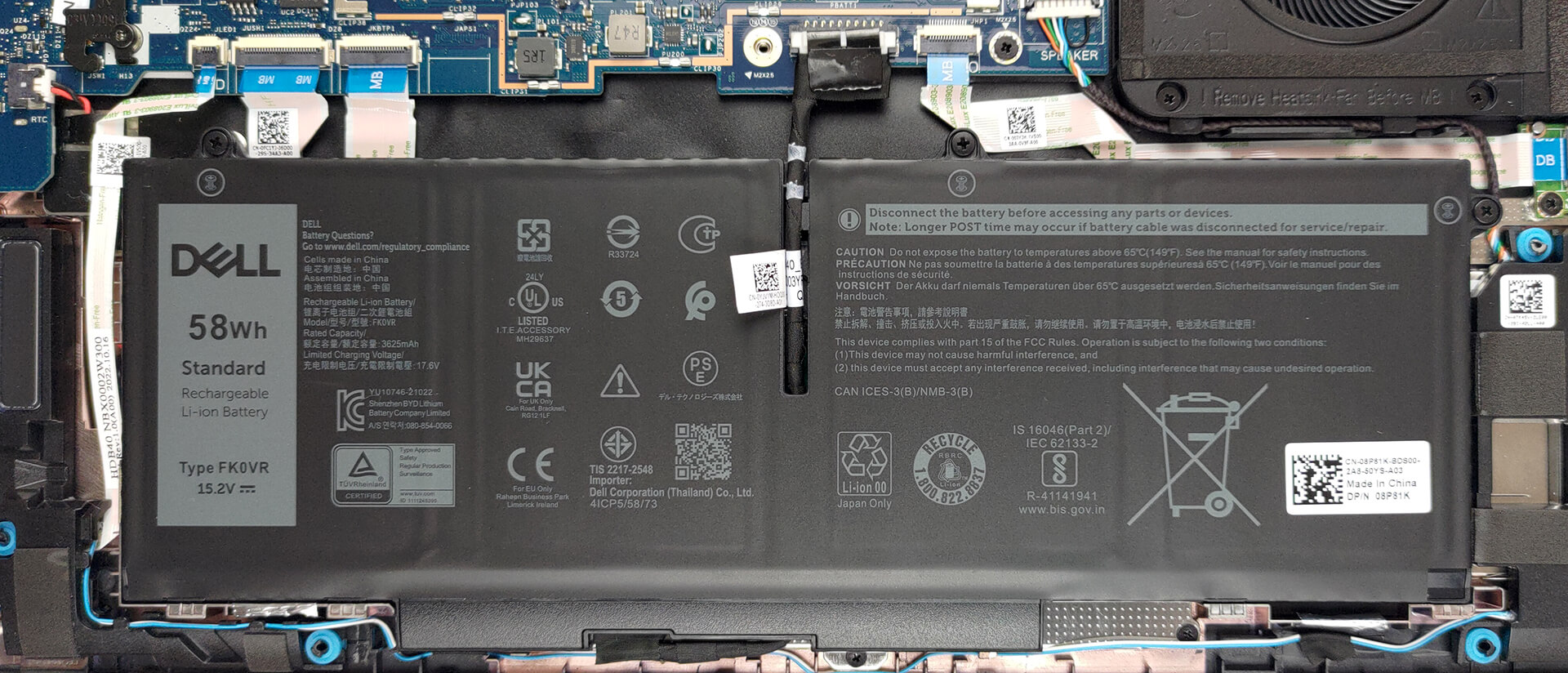
Inside, we get a 58Wh battery pack. To remove it, unplug the battery connector, and undo the three captive Phillips-head screws.
3. Upgrade memory and storage
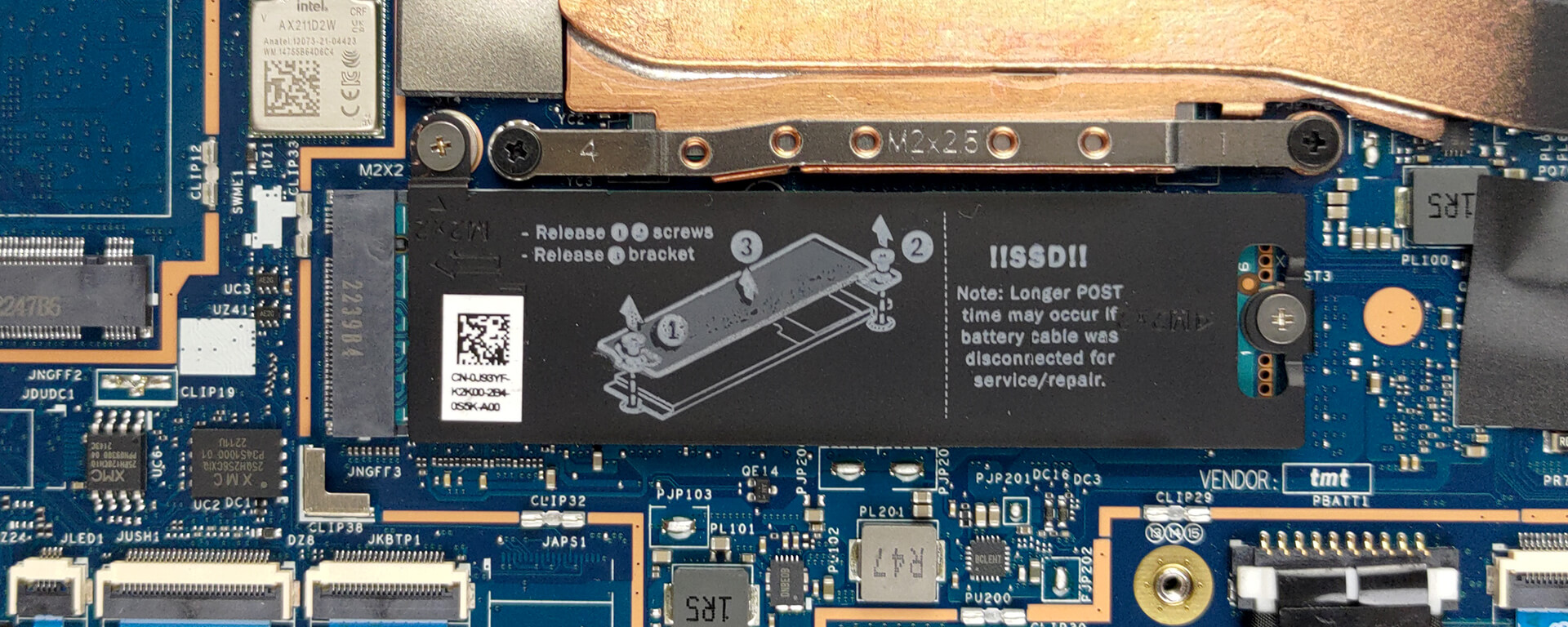
Here, the memory is soldered to the motherboard. The maximum capacity you can get is 32GB, while the type depends on the processor. The 15W models get DDR4 RAM, while the 28W versions are equipped with LPDDR5 memory. As for storage, there is one M.2 PCIe x4 slot, which supports Gen 4 SSDs.
4. Cooling system
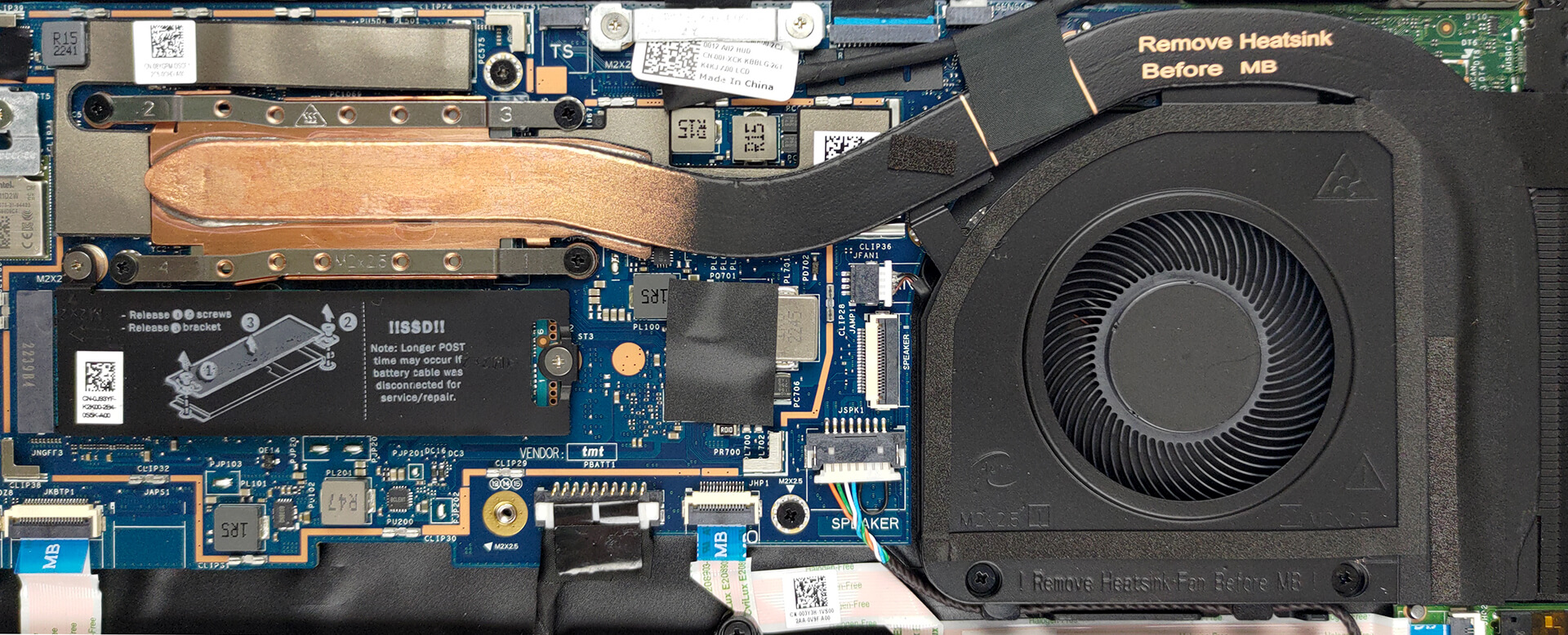
This notebook’s cooling comprises one heat pipe, a side-mounted heat sink, and a fan.
Check out all Dell Latitude 14 7430 prices and configurations in our Specs System, or read more in our In-Depth review.
Dell Latitude 14 7430 uitgebreide review
De tijd van dominantie op de zakelijke markt is al lang voorbij voor de oude jongens Lenovo en Dell. ASUS maakt nu geweldige apparaten, terwijl enkele underdogs zoals Dynabook en Fujitsu enkele zeer overtuigende notebooks produceren.Maar vandaag gaat het over één laptop: de Dell Latitude 14 7430. Het is een eersteklas zakelijk apparaat, gericht op serieuze mensen die hun werk op de meest efficiënte en veilige manier willen doen.Qua hardware kun je kiezen tussen high-performance en bijna net zo high-performance, maar met een langere batterijduur. We hebben het over Intel's 28W en 15[...]

Pros
- Veel beveiligingssoftware + een nabijheidssensor die mensen detecteert
- Geen PWM (LG 0HXCK-140WFH (LGD068D))
- Wi-Fi 6 ondersteuning, optionele 5G-connectiviteit en een optionele smartcardlezer
- Keuze uit carbon en aluminium voor bouwmaterialen
- Comfortabel toetsenbord
- Optionele vingerafdruklezer en IR-gezichtsherkenningssystemen
- Uitgebreide I/O, inclusief twee Thunderbolt 4 connectoren
Minpunten
- Duur prijskaartje
- Slechtere batterijlevensduur dan vorig jaar
- Dekt 50% van sRGB-kleuren (LG 0HXCK-140WFH (LGD068D))
- Geheugen is gesoldeerd aan het moederbord
 Author: Alex Iliev

![[augustus 2026] Wereldwijde ranglijst van bestverkochte laptop-GPU’s op Amazon – Apple is onbetwist nummer één, NVIDIA’s RTX 5060 staat bovenaan de ranglijst voor dedicated GPU’s](https://laptopmedia.com/wp-content/uploads/2026/09/Best-Selling-GPUs-GLOBAL-Top-10-400x225.jpg)
![[augustus 2026] Wereldwijde ranglijst van bestverkochte laptop-CPU’s op Amazon – Apple domineert zowel het budget- als het premiumsegment: A18 Pro en M5 verslaan Intel en AMD in augustus 2026](https://laptopmedia.com/wp-content/uploads/2026/09/Best-Selling-CPUs-GLOBAL-Top-10-400x225.jpg)
![[augustus 2026] Amazon Global: Top 10 van best verkochte laptops – De Apple MacBook Neo domineert de hitlijsten, terwijl goedkope en middenklasse Windows-laptops strijden om het verkoopvolume](https://laptopmedia.com/wp-content/uploads/2026/09/Best-Selling-Laptops-GLOBAL-Top-10-400x225.jpg)
![[augustus 2026] Bestverkochte laptopmerken op Amazon Global – Apple domineert qua omzet, terwijl HP koploper is qua modelvariëteit](https://laptopmedia.com/wp-content/uploads/2026/09/GLOBAL-Best-Brands-400x225.jpg)
![[augustus 2026] Amazon Global: Top 10 bestverkochte gaminglaptops – HP Victus 15 pakt de eerste plaats terwijl budgetvriendelijke modellen de hitlijsten domineren](https://laptopmedia.com/wp-content/uploads/2026/09/Best-Selling-Gaming-Laptops-GLOBAL-Top-10-400x225.jpg)
