How to open Dell Latitude 14 9430 – disassembly and upgrade options
The Dell Latitude 14 9430 is a great laptop, but it does not excel with good upgrade options. Its memory is soldered to the motherboard, while the single storage slot only fits 30mm drives.
Check out all Dell Latitude 14 9430 prices and configurations in our Specs System, or read more in our In-Depth review.

1. Remove the bottom plate
The bottom panel is held in place by 8 captive Phillips-head screws. Dell recommends that you start the prying process from the hinge gaps.
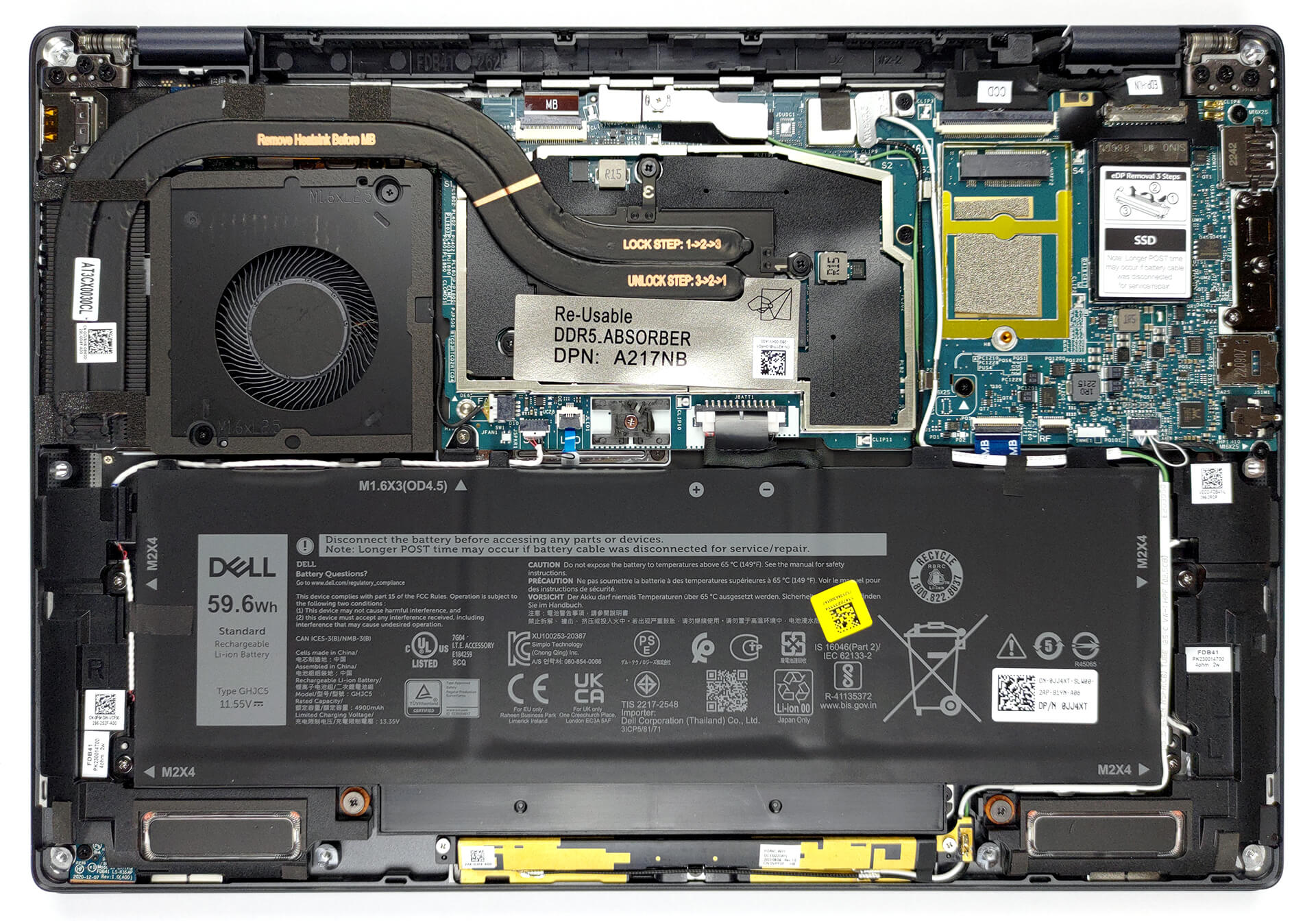
2. Remove the battery
Our configuration is equipped with a 59.6Wh battery pack. To take it out, unplug the connector from the motherboard, and undo the 5 Phillips-head screws you see. Then, untangle the cables around the battery.

3. Upgrade memory and storage
You can find this machine with either 16, or 32GB of LPDDR5 RAM, working at 5200MHz. As far as the storage goes, you get one M.2 PCIe x4 slot, which fits 30mm SSDs, and supports Gen 4 drives.

4. Cooling system
There are two heat pipes, one heat sink, and one fan taking care of the CPU. Furthermore, we see a heat spreader on top of the VRMs.
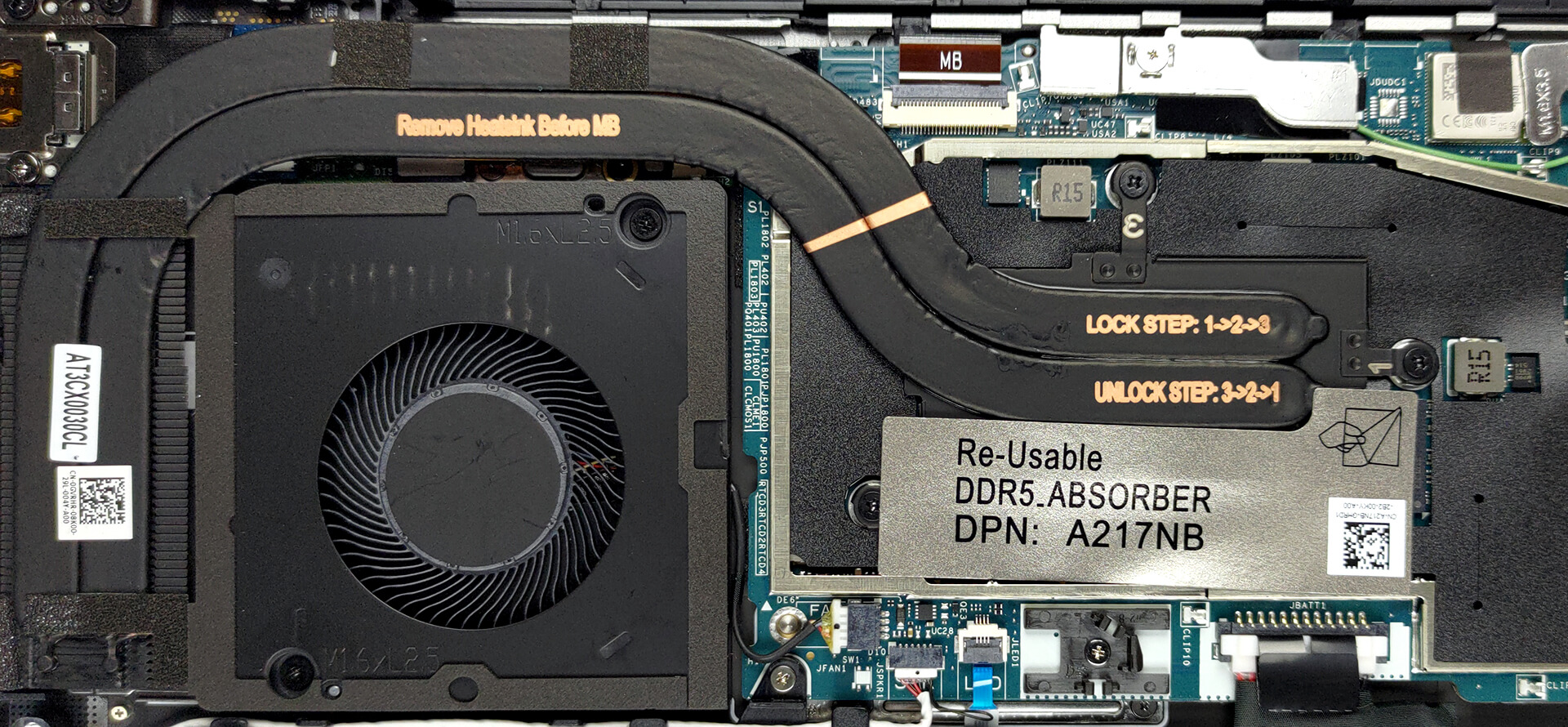
Check out all Dell Latitude 14 9430 prices and configurations in our Specs System, or read more in our In-Depth review.
Dell Latitude 14 9430 uitgebreide review
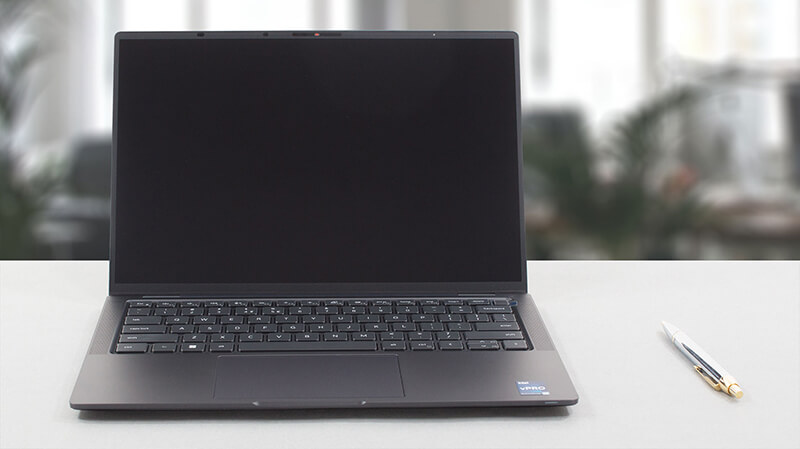
Vandaag bekijken we een Latitude die bovenaan de zakelijke notebook piramide staat. In feite kan de hele Latitude serie worden beschouwd als een piramide. Er zijn veel budgetapparaten (de basis), die het bedrijf van middelen voorzien, die kunnen worden toegewezen aan de top, waar experimenten en eersteklas materialen apparaten schaarser maken.In Dell's eigen woorden biedt de Latitude 14 9430 je "een ervaring op CEO-niveau". Dit betekent dat je een apparaat zonder compromissen zou moeten krijgen. Het voelt echter moeilijk om te geloven dat er geen compromissen zijn.Voordat we een kijkj[...]
Pros
- Veel beveiligingssoftware + een nabijheidssensor die mensen detecteert
- 96% sRGB-dekking en nauwkeurige kleuren met ons Gaming- en webdesignprofiel (AUO 2WGY7-B140UAN (AUO6D9C))
- Geen PWM (AUO 2WGY7-B140UAN (AUO6D9C))
- Wi-Fi 6 ondersteuning, optionele 5G-connectiviteit
- Geweldige bouwkwaliteit
- Comfortabel toetsenbord
- Fantastische levensduur van de batterij
- Vingerafdruklezer, IR-gezichtsherkenningssystemen
- Uitgebreide I/O, waaronder twee Thunderbolt 4-aansluitingen en een MicroSD-kaartsleuf
Minpunten
- Hoog prijskaartje
- Geheugen is gesoldeerd aan het moederbord
 Author: Alex Iliev

![[juni 2026] Bestverkochte laptopmerken op Amazon Global – Apple’s ongeëvenaarde dominantie in aantal verkochte exemplaren en omzet](https://laptopmedia.com/wp-content/uploads/2026/07/GLOBAL-Best-Brands-400x225.jpg)
![[juni 2026] Amazon Global: Top 10 bestverkochte laptops – De nieuwe MacBook Neo van Apple stormt naar de eerste plaats en zet de markt op zijn kop dankzij zijn betaalbaarheid](https://laptopmedia.com/wp-content/uploads/2026/07/Best-Selling-Laptops-GLOBAL-Top-10-400x225.jpg)
![[juni 2026] Amazon Global: Top 10 van best verkochte gaminglaptops – De Nitro V 16S AI van Acer domineert de verkoopcijfers, terwijl ASUS qua totale omzet aan kop gaat](https://laptopmedia.com/wp-content/uploads/2026/07/Best-Selling-Gaming-Laptops-GLOBAL-Top-10-400x225.jpg)
![[juni 2026] Wereldwijde ranglijst van bestverkochte laptop-GPU’s op Amazon – De NVIDIA RTX 5060 is de bestverkochte speciale GPU](https://laptopmedia.com/wp-content/uploads/2026/07/Best-Selling-GPUs-GLOBAL-Top-10-400x225.jpg)
![[juni 2026] Wereldwijde ranglijst van bestverkochte laptop-CPU’s op Amazon – Apple M5 domineert, AMD Ryzen 7 260 verovert een stevig aandeel in het premiumsegment](https://laptopmedia.com/wp-content/uploads/2026/07/Best-Selling-CPUs-GLOBAL-Top-10-400x225.jpg)
