How to open Dynabook Portege X30L-K – disassembly and upgrade options
Unfortunately, the memory here is soldered to the motherboard. This is not great for a business machine. However, given its incredible portability, it can be forgiven.
Check out all Dynabook Portege X30L-K prices and configurations in our Specs System, or read more in our In-Depth review.

1. Remove the bottom plate
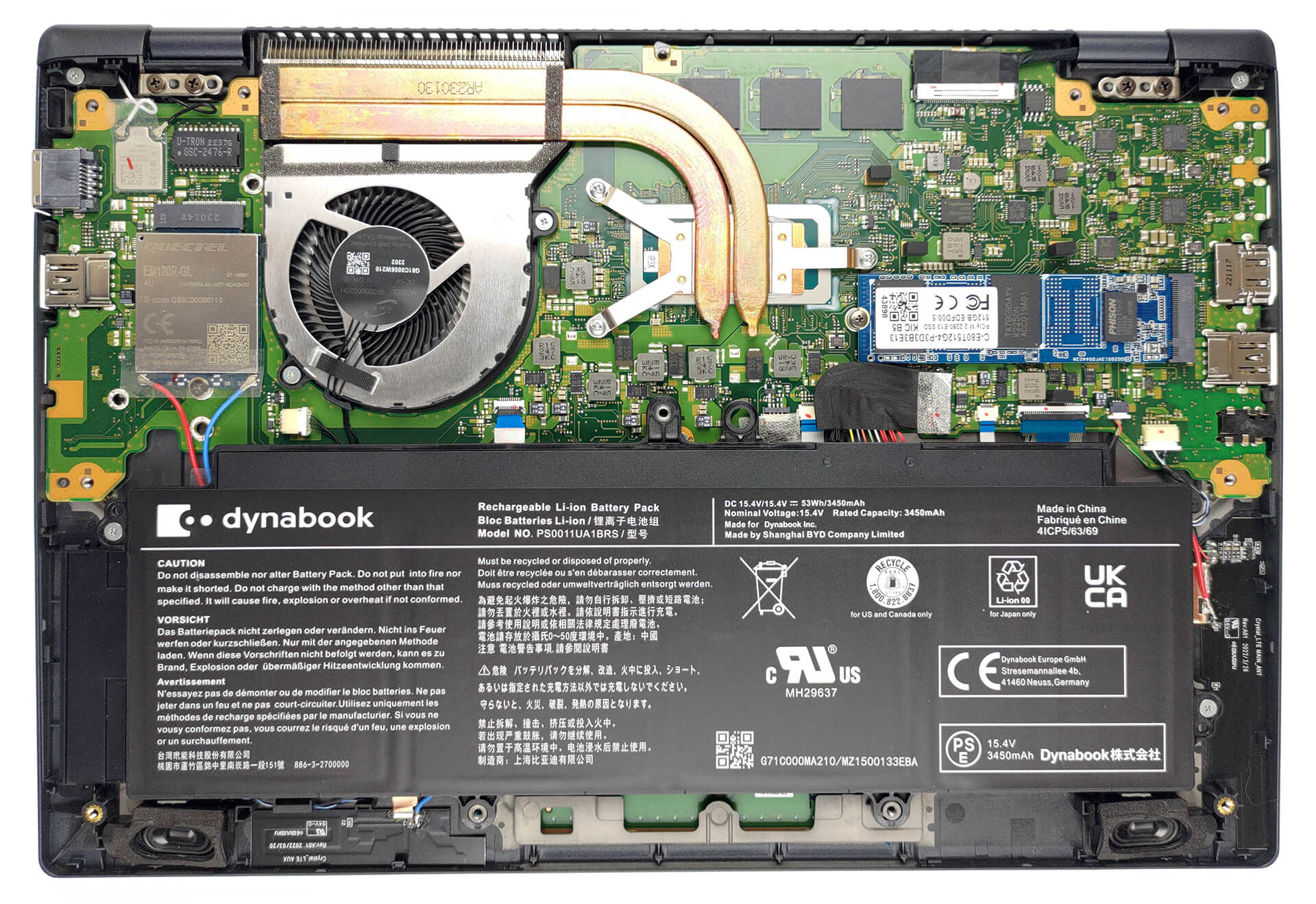
To access this notebook’s internals you need to undo a total of 12 Phillips-head screws. Then, pry the bottom panel with a plastic tool, and lift it away from the chassis.
2. Remove the battery
Here, the battery has a capacity of 53Wh. To take it out, unplug the battery connector, and undo the two Phillips-head screws holding the battery to the chassis.

3. Upgrade memory and storage
The memory is soldered to the motherboard. You can get up to 32GB of LPDDR5 RAM, working at 4800MHz. As far as storage, there is one M.2 PCIe x4 slot, which supports both Gen 3 and Gen 4 drives.

4. Cooling system
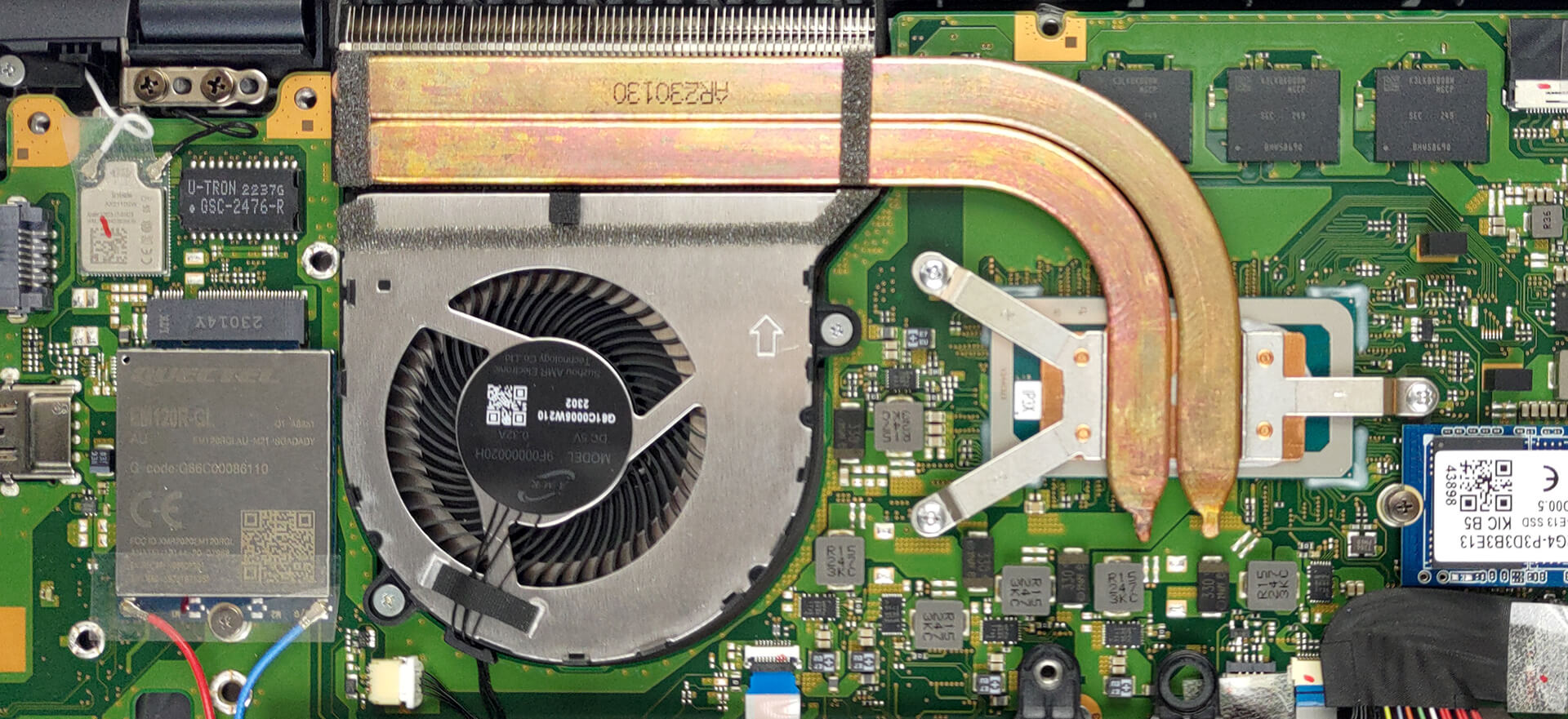
Lastly, the cooling comprises two heat pipes, a heat sink, and a fan.
Check out all Dynabook Portege X30L-K prices and configurations in our Specs System, or read more in our In-Depth review.
Dynabook Portege X30L-K uitgebreide review
Na in wanhoop te zijn vervallen, beleeft Toshiba nu een wederopstanding onder de naam Dynabook. De zakelijke notebooks zijn beter dan ooit en gaan de strijd aan met de monsters van de branche - ThinkPad en Latitude van respectievelijk Lenovo en Dell.De Portege serie bestaat uit echt lichte notebooks met een verrassend functiepakket en behoorlijk krachtige hardware. In het bijzonder is de Portege X30L-K te vinden met Alder Lake P-serie CPU's.Het is een twijfelachtige keuze omdat de laptop echt draagbaar is. Je zult zo zien wat we bedoelen. Voor het zover is, kunnen we een blik werpen o[...]

Pros
- Ongelooflijk licht magnesium chassis
- 98% sRGB-dekking en supernauwkeurige kleuren met ons Gaming- en webdesignprofiel (Sharp LQ133M1JW41 (SHP14B8))
- Geen agressieve PWM (Sharp LQ133M1JW41 (SHP14B8))
- Fantastische levensduur van de batterij
- LAN-poort en een MicroSD-kaartsleuf
- Zeer comfortabel morsbestendig toetsenbord
- 2x Thunderbolt 4 + Gen 4 SSD ondersteuning
- IR gezichtsherkenning + vingerafdruklezer
Minpunten
- Prestaties gaan achteruit bij lange runs
- Gesoldeerd geheugen
 Author: Alex Iliev

![[juni 2026] Bestverkochte laptopmerken op Amazon Global – Apple’s ongeëvenaarde dominantie in aantal verkochte exemplaren en omzet](https://laptopmedia.com/wp-content/uploads/2026/07/GLOBAL-Best-Brands-400x225.jpg)
![[juni 2026] Amazon Global: Top 10 bestverkochte laptops – De nieuwe MacBook Neo van Apple stormt naar de eerste plaats en zet de markt op zijn kop dankzij zijn betaalbaarheid](https://laptopmedia.com/wp-content/uploads/2026/07/Best-Selling-Laptops-GLOBAL-Top-10-400x225.jpg)
![[juni 2026] Amazon Global: Top 10 van best verkochte gaminglaptops – De Nitro V 16S AI van Acer domineert de verkoopcijfers, terwijl ASUS qua totale omzet aan kop gaat](https://laptopmedia.com/wp-content/uploads/2026/07/Best-Selling-Gaming-Laptops-GLOBAL-Top-10-400x225.jpg)
![[juni 2026] Wereldwijde ranglijst van bestverkochte laptop-GPU’s op Amazon – De NVIDIA RTX 5060 is de bestverkochte speciale GPU](https://laptopmedia.com/wp-content/uploads/2026/07/Best-Selling-GPUs-GLOBAL-Top-10-400x225.jpg)
![[juni 2026] Wereldwijde ranglijst van bestverkochte laptop-CPU’s op Amazon – Apple M5 domineert, AMD Ryzen 7 260 verovert een stevig aandeel in het premiumsegment](https://laptopmedia.com/wp-content/uploads/2026/07/Best-Selling-CPUs-GLOBAL-Top-10-400x225.jpg)
