Top 5 reasons to BUY or NOT to buy the Acer TravelMate Spin P4 (TMP414-51)
 The TravelMate Spin P4 devices offer security and a tad of performance thanks to the Tiger Lake G-series from Intel. Ultimately you get a fairly inexpensive convertible that can handle decent workloads, while not compromising the portability.
We feel like this device could be a big hit in the business market, as most convertibles in the niche cost an arm and a leg. If the TravelMate Spin P4 can come at a competitive price, it can be a fantastic opportunity for Acer to amass a new following.
Today we present you with LaptopMedia’s top 5 picks about the Acer TravelMate Spin P4 (TMP414-51).
Acer TravelMate Spin P4 (TMP414-51): Full Specs / In-depth Review
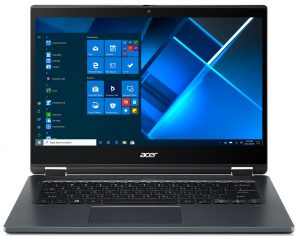
4 reasons to BUY the Acer TravelMate Spin P4 (TMP414-51)
1. Design and build quality
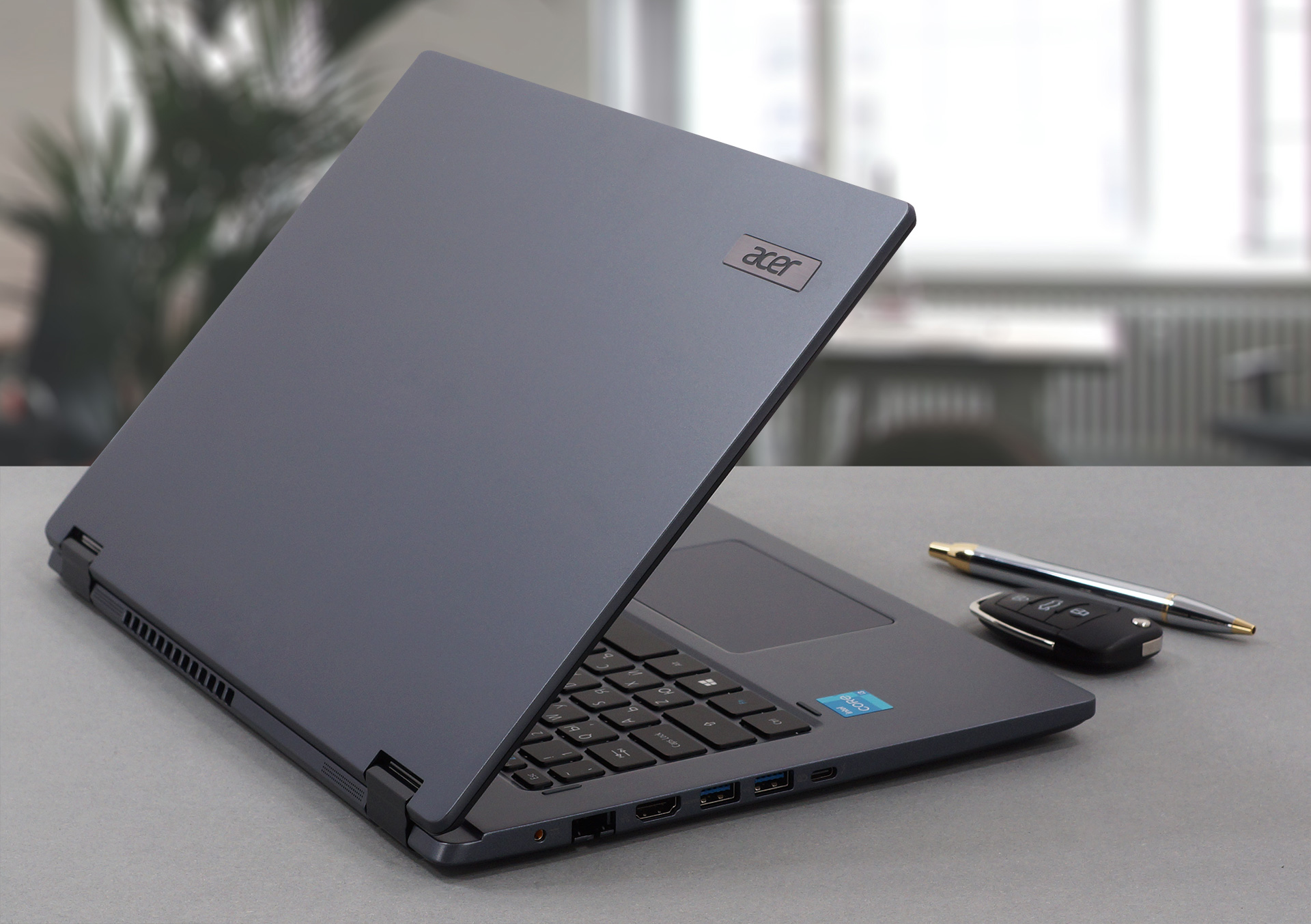
The laptop is built entirely using aluminum, giving it the much-needed sturdiness and rigidity. According to Acer, the corners are reinforced, giving it some level of drop resistance. You would also be pleased to hear that the device has MIL-STD-810H certification, which means that it has successfully passed through drop tests, vibrations, and shock tests, along with extreme temperature tests, which basically means that it is built like a tank. In terms of weight and height, the laptop weighs 1.40 kg, while being 17.9 mm tall.
2. Battery life
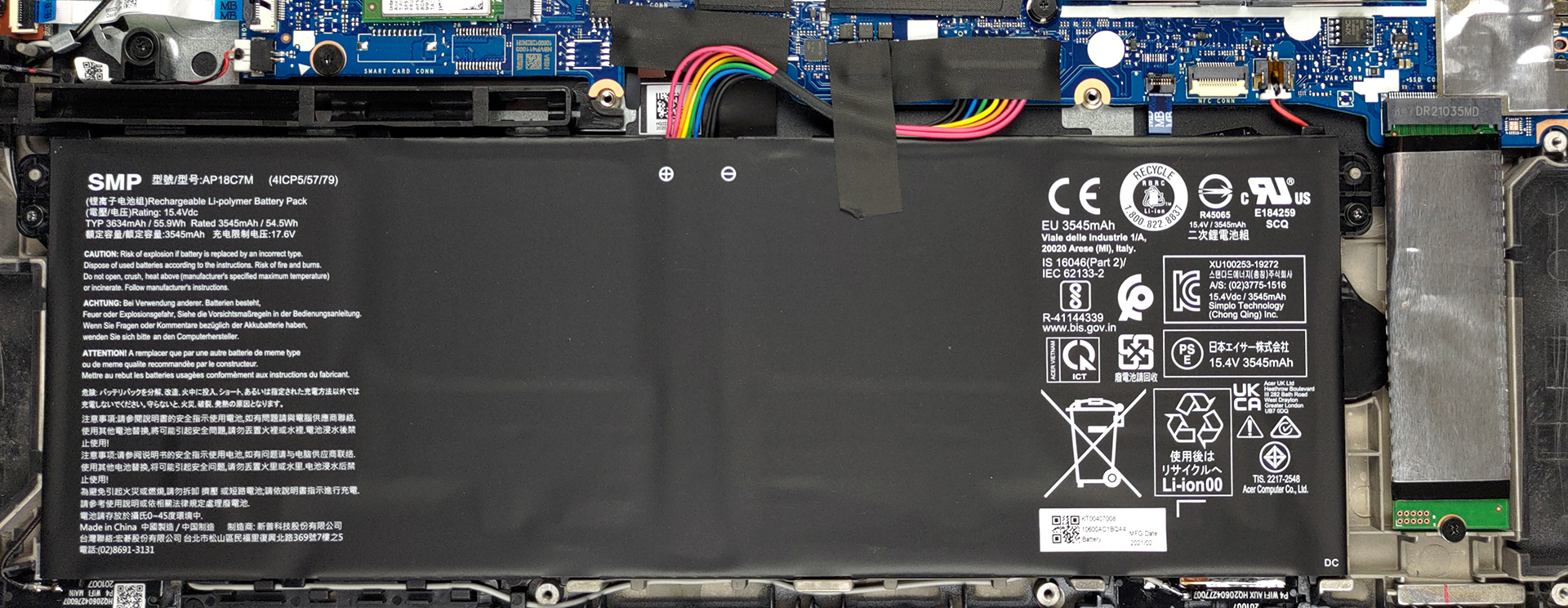
The laptop offers a decent battery unit with a size of 56Wh. The unit lasted for a good amount of time, 15 hours and 10 minutes of Web browsing, and 8 hours and 51 minutes of video playback, to be exact. We conduct all battery tests with Windows Better performance setting turned on, screen brightness adjusted to 120 nits, and all other programs turned off except for the one we are testing the notebook with.
3. Upgradeability
Despite being a portable convertible, the laptop offers a decent amount of upgradeability, featuring two SODIMM RAM slots, which can house up to 32GB of DDR4 RAM in dual-channel mode, and one M.2 PCIe x4 slot for future storage expansion.
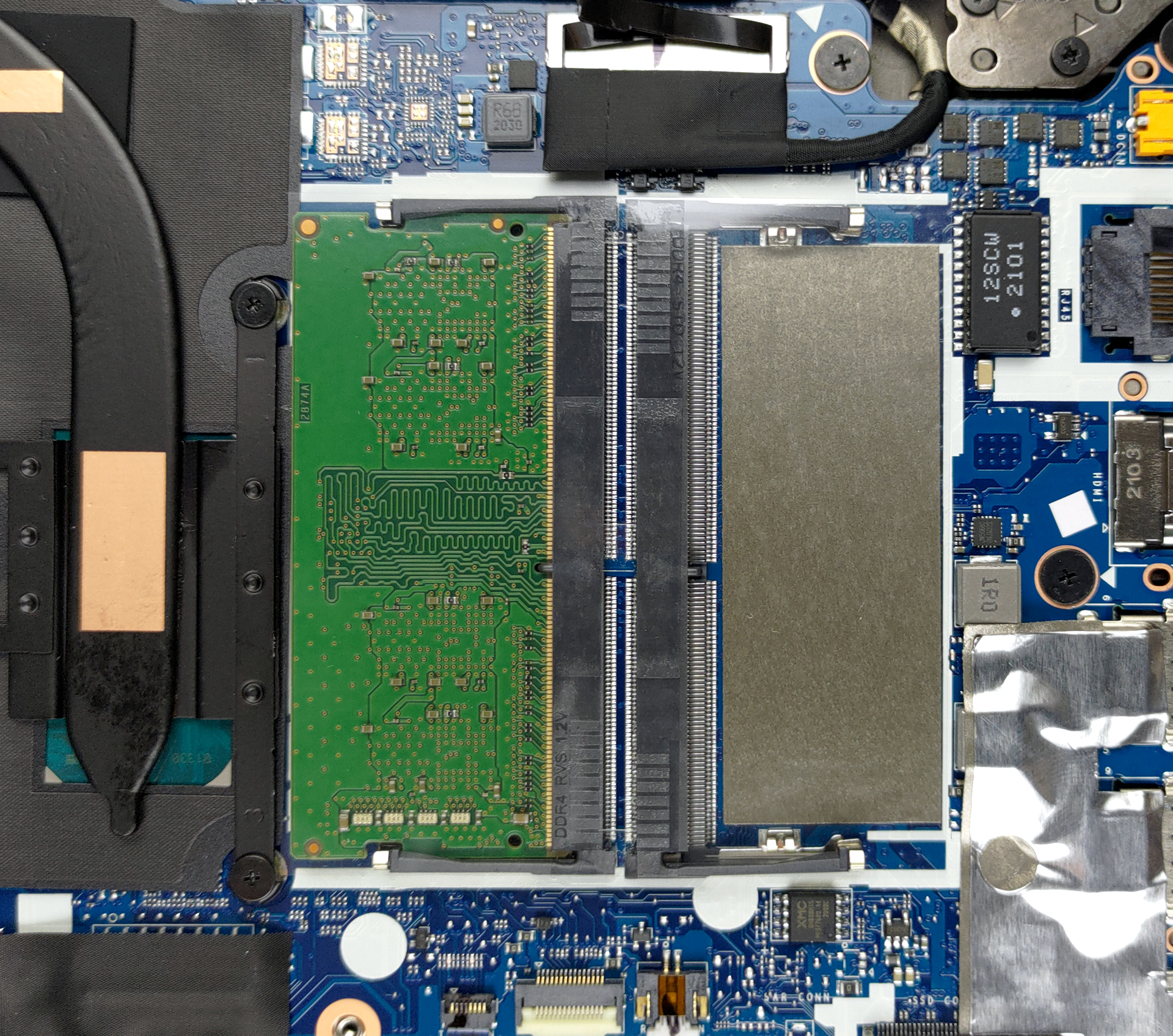
Here is our detailed disassembly video, which shows exactly how to access both the RAM and SSD slots.
4. I/O
Once again, being a small device didn’t stop Acer from including a widely populated I/O. On the left, you get the power plug, an RJ-45 connector, an HDMI connector, two USB Type-A 3.2 (Gen. 1) ports, and a Thunderbolt 4 connector. On the opposite side, you have a security slot, a 3.5mm audio jack, a MicroSD card slot, a power button, which has an embedded fingerprint reader as well, and a stylus pen.


1 reason NOT to buy the Acer TravelMate Spin P4 (TMP414-51)
1. Display
Despite offering a stylus pen, which would mean that the panel is good for creativity, the laptop’s display is nowhere close to usable for that, unless you’re just starting out and are only focusing on learning. Still, the 14-inch Full HD IPS panel does have a few things that need ironing out. While the panel does offer comfortable viewing angles, the brightness of the panel isn’t that high, with an average of 268 nits. The contrast ratio is quite good, sitting at 1340:1.
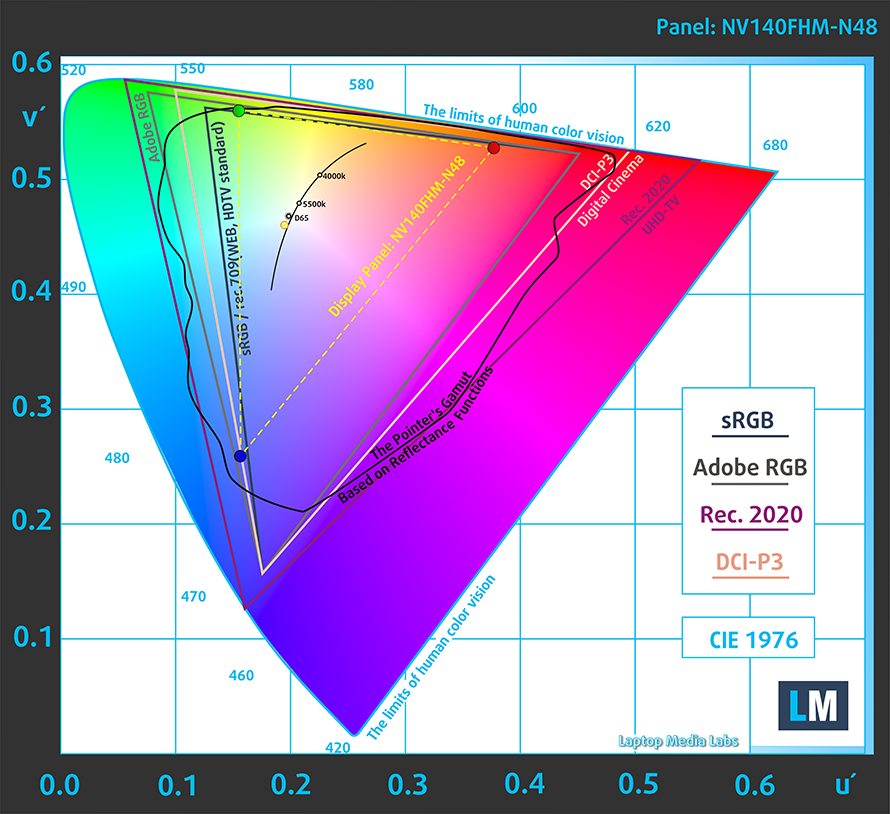
The panel covers only 53% of the sRGB color gamut.
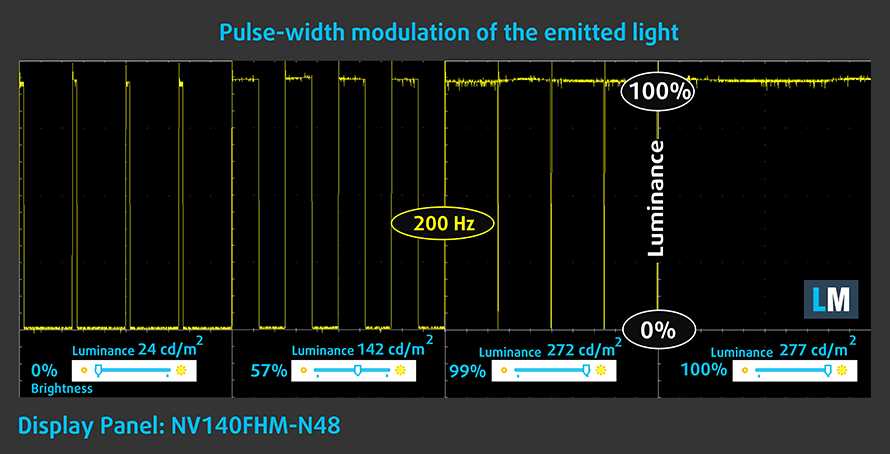
The display really disappointed us after we found out that it uses aggressive PWM to adjust the brightness. Thankfully, our Health-Guard profile does fix the issue completely.
Buy our profiles
Since our profiles are tailored for each individual display model, this article and its respective profile package are meant for Acer TravelMate Spin P4 (TMP414-51) configurations with 14.0″ BOE NV140FHM-N48 (BOE081D) (FHD, 1920 × 1080) IPS.
*Should you have problems with downloading the purchased file, try using a different browser to open the link you’ll receive via e-mail. If the download target is a .php file instead of an archive, change the file extension to .zip or contact us at [email protected].
Read more about the profiles HERE.
Naast het ontvangen van efficiënte en gezondheidsvriendelijke profielen, ondersteunt u door het kopen van LaptopMedia's producten ook de ontwikkeling van onze labs, waar we apparaten testen om zo objectief mogelijke reviews te produceren.

Office Work
Office Work is voornamelijk bedoeld voor gebruikers die de meeste tijd besteden aan het bekijken van teksten, tabellen of gewoon surfen. Dit profiel streeft naar een betere onderscheidbaarheid en helderheid door een vlakke gammacurve (2.20), native kleurtemperatuur en perceptueel accurate kleuren te behouden.

Design and Gaming
Dit profiel is bedoeld voor ontwerpers die professioneel met kleuren werken, maar ook voor games en films. Design and Gaming haalt het uiterste uit beeldschermen, waardoor ze zo nauwkeurig mogelijk zijn in de sRGB IEC61966-2-1 norm voor Web en HDTV, met witpunt D65.

Health-Guard
Health-Guard elimineert de schadelijke Pulsbreedtemodulatie (PWM) en vermindert het negatieve Blauwe Licht dat onze ogen en lichaam beïnvloedt. Omdat het op maat gemaakt is voor elk paneel, slaagt het erin de kleuren perceptueel accuraat te houden. Health-Guard simuleert papier zodat de druk op de ogen sterk wordt verminderd.
Krijg alle 3 profielen met 33% korting

All Acer TravelMate Spin P4 (TMP414-51) configurations:
 Author: Severin Kolakov

![[augustus 2026] Amazon Global: Top 10 van best verkochte laptops – De Apple MacBook Neo domineert de hitlijsten, terwijl goedkope en middenklasse Windows-laptops strijden om het verkoopvolume](https://laptopmedia.com/wp-content/uploads/2026/09/Best-Selling-Laptops-GLOBAL-Top-10-400x225.jpg)
![[augustus 2026] Bestverkochte laptopmerken op Amazon Global – Apple domineert qua omzet, terwijl HP koploper is qua modelvariëteit](https://laptopmedia.com/wp-content/uploads/2026/09/GLOBAL-Best-Brands-400x225.jpg)
![[augustus 2026] Amazon Global: Top 10 bestverkochte gaminglaptops – HP Victus 15 pakt de eerste plaats terwijl budgetvriendelijke modellen de hitlijsten domineren](https://laptopmedia.com/wp-content/uploads/2026/09/Best-Selling-Gaming-Laptops-GLOBAL-Top-10-400x225.jpg)
![[August 2026] Best-Selling Laptop Brands on Amazon Japan – Apple Dominates Market Share and Revenue Led by Strong Unit Sales](https://laptopmedia.com/wp-content/uploads/2026/09/CO.JP-Best-Brands-1-400x225.jpg)
![[August 2026] Best-Selling Laptop Brands on Amazon USA – Apple Dominates Market Revenue and Volume Despite Lower Model Diversity](https://laptopmedia.com/wp-content/uploads/2026/09/COM-Best-Brands-1-400x225.jpg)
