Top 5 reasons to BUY or NOT to buy the ASUS ZenBook 14 UM425
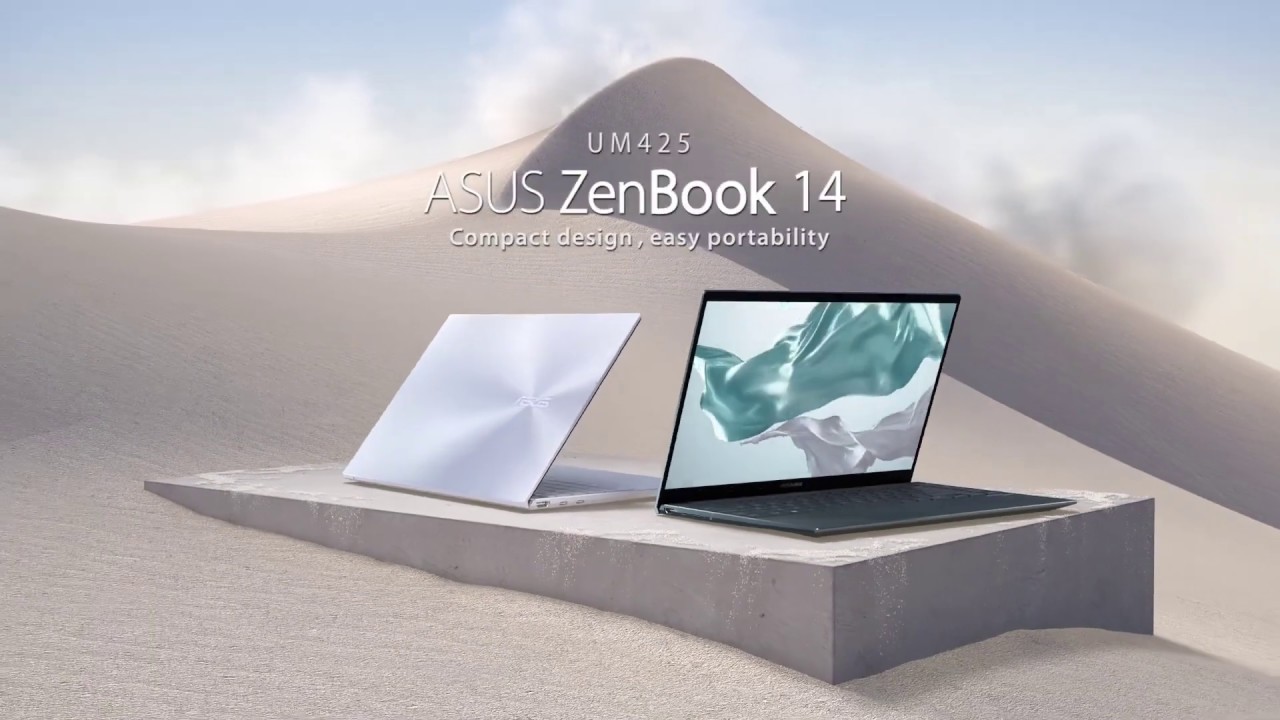 One of the most portable and well-rounded devices, the ASUS ZenBook 14 UM425 comes in a premium package that offers inside dongles and a protective sleeve, to ease your experience of using it even further.
The premium metal body provides a sleek, lightweight, and portable laptop, and the specs inside are powerful enough to handle resource-heavy tasks, although not on the level of workstation or productivity laptops. The new Ryzen 5000-series CPUs are just around the corner and with them, the laptop will become even more efficient and an overall better product.
Today we are presenting you with LaptopMedia’s top 5 picks about the ASUS ZenBook 14 UM425.
ASUS ZenBook 14 UM425: Full Specs / In-depth Review
4 reasons to BUY the ASUS ZenBook 14 UM425
1. The Design and build quality
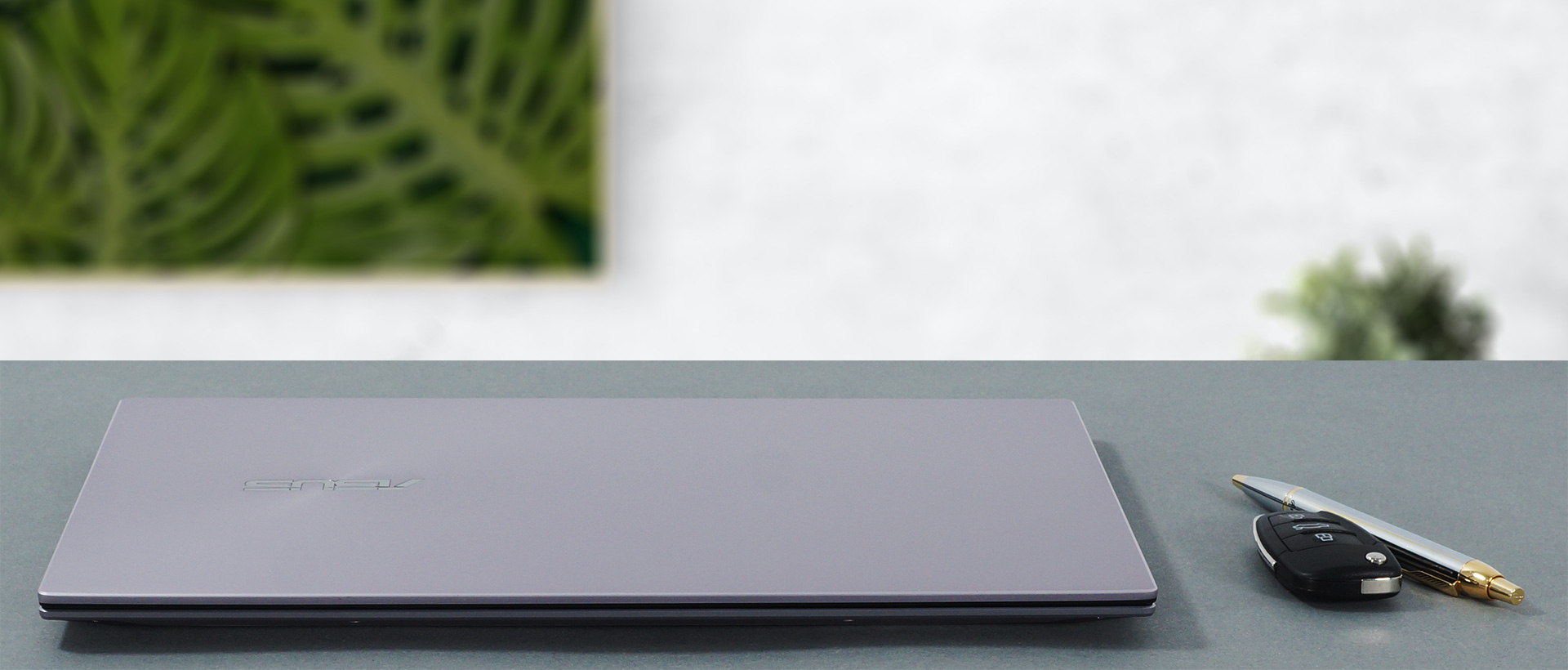
The body is made entirely out of metal, which we presume is aluminum. This not only makes the body very sturdy and rigid in addition to providing a great cool to the touch feeling. The laptop doesn’t flex much, which once again speaks volumes for the build quality, and it is even more impressive when you remember that this laptop weighs only 1.13 kg and has a profile of 14.3mm. As for the design itself, it uses ASUS’s favorite circular finish on the lid with the rest of the notebook having chamfered edges and a matte finish.
2. The Battery life
Considering the small dimensions and the specs that are inside this ZenBook, you wouldn’t expect the battery life to be as good as it is. The device packs a big 67Wh battery unit, which gives you 13 hours and 54 minutes of web browsing and 12 hours and 9 minutes of video playback. With the new Ryzen 5000-series processors, battery life should be even better as the new Zen 3 architecture brings even lower power consumption.

3. The Display
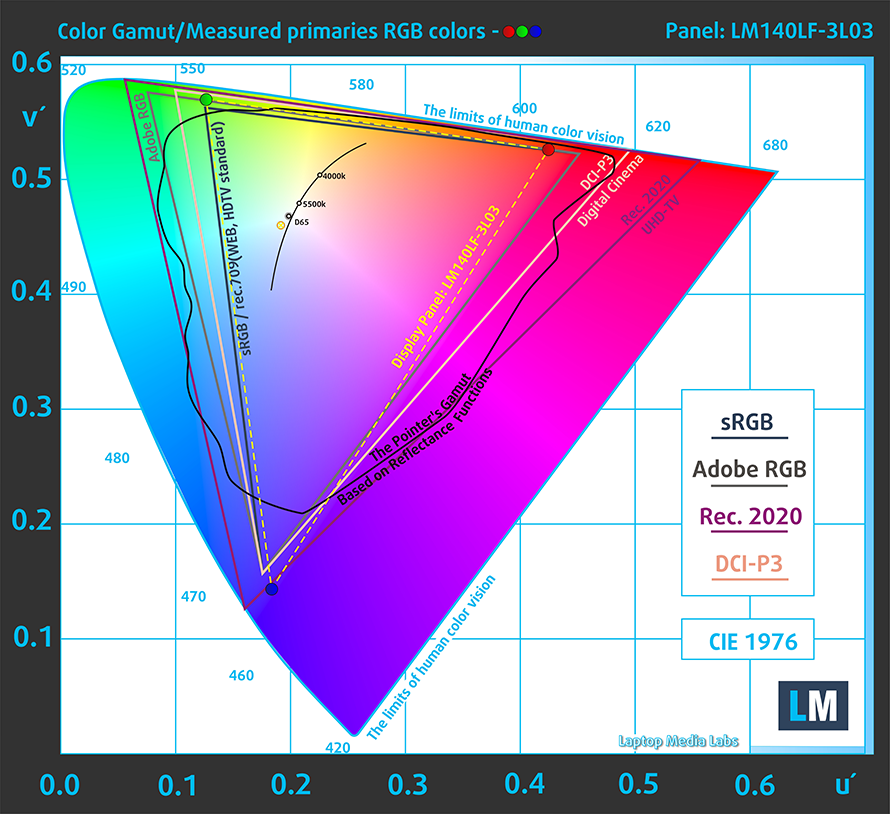
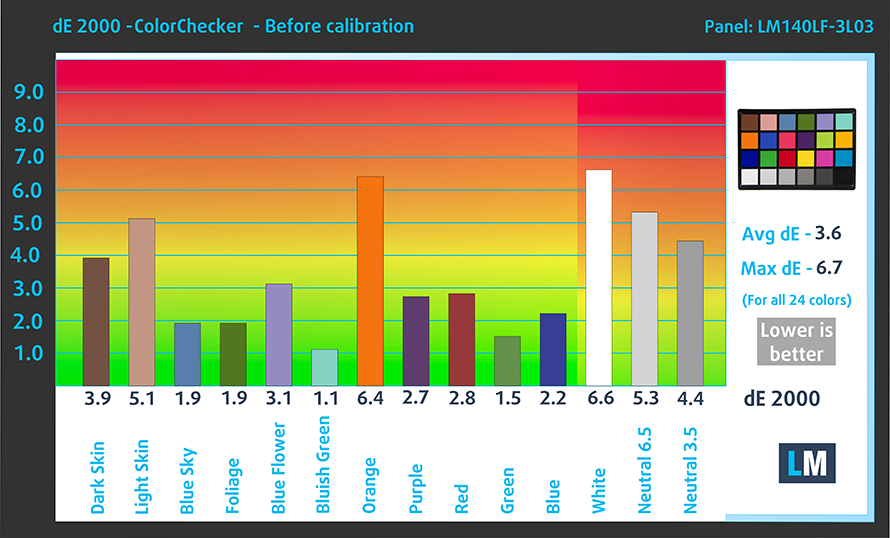
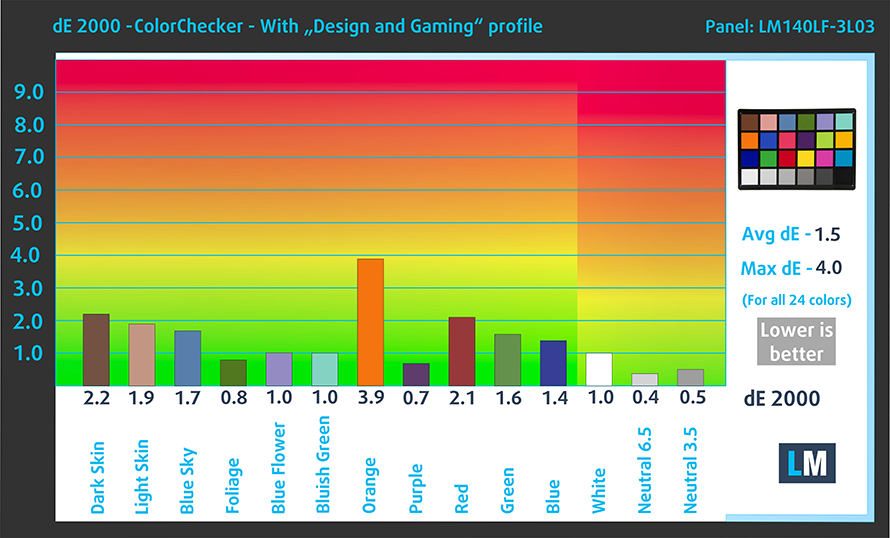
The display on the ZenBook 14 UM425 has a size of 14 inches and a Full HD resolution. The panel has a good contrast ratio, comfortable viewing angles, and a decent maximum brightness. The display covers 92% of the sRGB color gamut, which makes it a good option for designers and other people who value color coverage. As for the color accuracy, our tests showed an average dE value of 1.5 after calibration with our “Gaming and web design” profile.
Below you can compare the scores of ASUS ZenBook 14 UM425 with the default settings (left), and with the “Gaming and Web design” profile (right).
Buy our profiles
Since our profiles are tailored for each display model, this article and its respective profile package are meant for ASUS ZenBook 14 UM425 configurations with 14.0″ LM140LF-3L03 (NCP0035) (FHD, 1920 × 1080) IPS panel.
*Should you have problems with downloading the purchased file, try using a different browser to open the link you’ll receive via e-mail. If the download target is a .php file instead of an archive, change the file extension to .zip or contact us at [email protected].
Read more about the profiles HERE.
Naast het ontvangen van efficiënte en gezondheidsvriendelijke profielen, ondersteunt u door het kopen van LaptopMedia's producten ook de ontwikkeling van onze labs, waar we apparaten testen om zo objectief mogelijke reviews te produceren.

Office Work
Office Work is voornamelijk bedoeld voor gebruikers die de meeste tijd besteden aan het bekijken van teksten, tabellen of gewoon surfen. Dit profiel streeft naar een betere onderscheidbaarheid en helderheid door een vlakke gammacurve (2.20), native kleurtemperatuur en perceptueel accurate kleuren te behouden.

Design and Gaming
Dit profiel is bedoeld voor ontwerpers die professioneel met kleuren werken, maar ook voor games en films. Design and Gaming haalt het uiterste uit beeldschermen, waardoor ze zo nauwkeurig mogelijk zijn in de sRGB IEC61966-2-1 norm voor Web en HDTV, met witpunt D65.

Health-Guard
Health-Guard elimineert de schadelijke Pulsbreedtemodulatie (PWM) en vermindert het negatieve Blauwe Licht dat onze ogen en lichaam beïnvloedt. Omdat het op maat gemaakt is voor elk paneel, slaagt het erin de kleuren perceptueel accuraat te houden. Health-Guard simuleert papier zodat de druk op de ogen sterk wordt verminderd.
Krijg alle 3 profielen met 33% korting

4. The Features
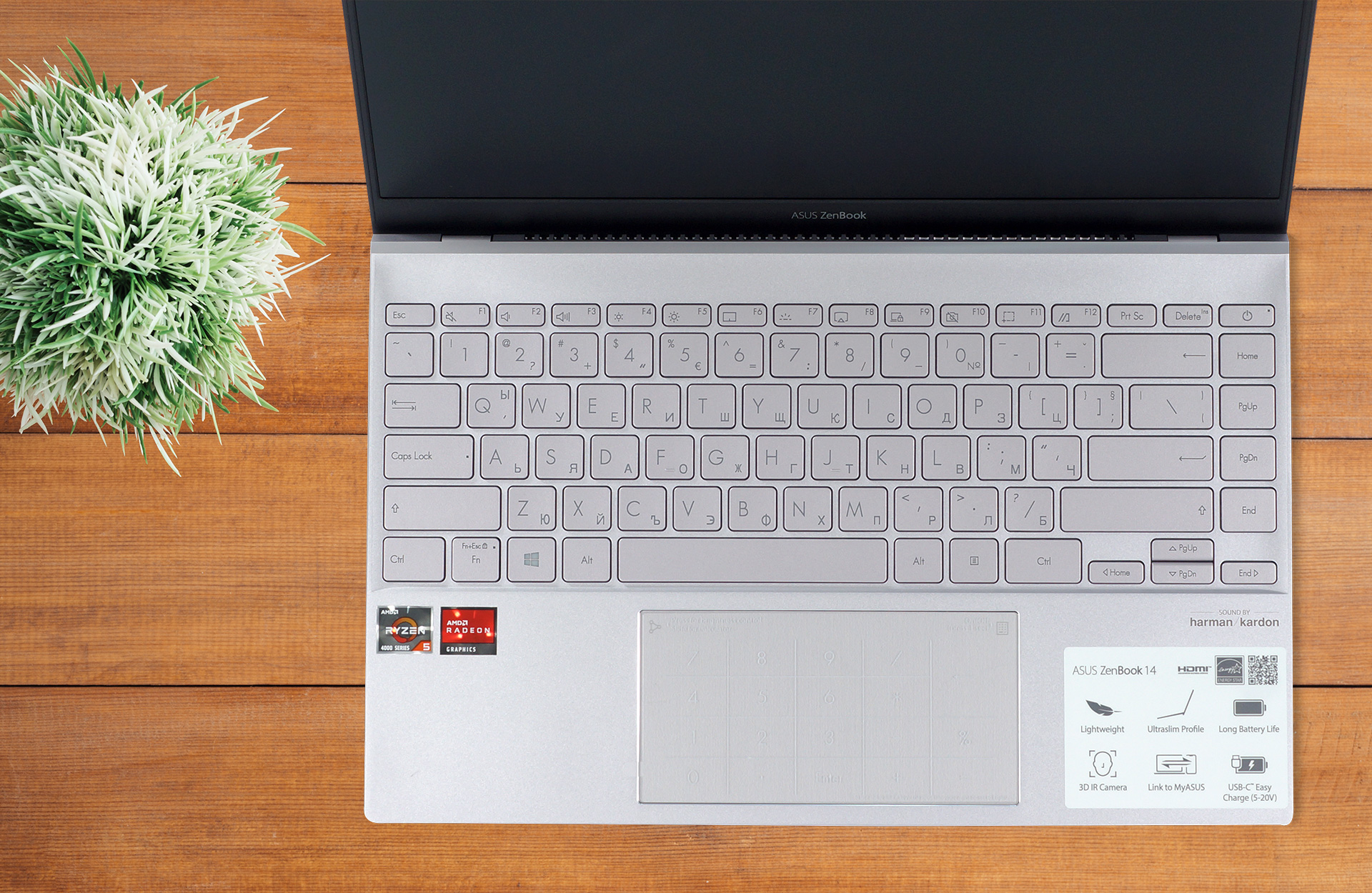
The laptop is stacked with features, considering its small size. First, when you open the box, you get an ASUS laptop sleeve + two dongles, which you will need (more on that below). This further attests to the attention to detail that ASUS brings to the table and how important user satisfaction is to them. Furthermore, the laptop gets support for Bluetooth 5 and Wi-Fi 6 as well as getting a stereo speaker setup from Harman/Kardon, a backlit keyboard (+ a touchpad that has NumPad functionality) for those long work nights, and a Dual Array microphone with voice recognition support from Cortana and Alexa.
1 reason NOT to buy the ASUS ZenBook 14 UM425
1. The Upgradeability and I/O
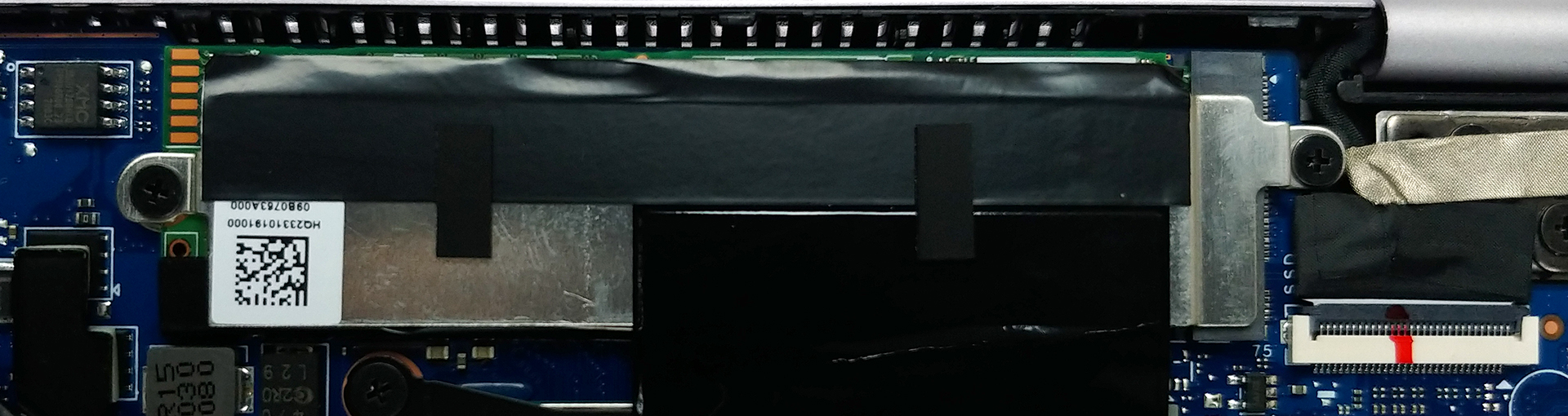
One area where would have liked to see improvement from last year’s model is in the upgradability and I/O. While there are two M.2 PCIe x4 drives for future SSD expansion, the lack of SODIMM slots makes buying the laptop a tougher decision since you’re basically stuck with the RAM choice than you make now and that is why we would advise skipping the 8GB variant.
As far as the I/O is concerned, on the left, there are two USB Type-C 3.2 (Gen. 2) ports, which lack Thunderbolt support, and an HDMI port. On the right side, there is only one USB Type-A port and a MicroSD card slot. Thanks to the provided dongles, you can get an audio jack and an RJ-45 connector.


All configurations of the ASUS ZenBook 14 UM425:
 Author: Severin Kolakov

![[juli 2026] Wereldwijde ranglijst van best verkochte laptop-GPU’s op Amazon – RTX 5060 domineert het premiumsegment, Intel blijft de toon aangeven in het budgetsegment](https://laptopmedia.com/wp-content/uploads/2026/08/Best-Selling-GPUs-GLOBAL-Top-10-400x225.jpg)
![[juli 2026] Wereldwijde ranglijst van bestverkochte laptop-CPU’s op Amazon – Apple domineert het premiumsegment, Intel behoudt de algemene eerste plaats](https://laptopmedia.com/wp-content/uploads/2026/08/Best-Selling-CPUs-GLOBAL-Top-10-400x225.jpg)
![[July 2026] Amazon Canada: Top 10 Best-Selling Laptops – Apple MacBook Neo Dominates the Market to Claim the #1 Spot](https://laptopmedia.com/wp-content/uploads/2026/08/Best-Selling-Laptops-CA-Top-10-2-400x225.jpg)
![[July 2026] Best-Selling Laptop Brands on Amazon Japan – HP and Lenovo Dominate Units and Revenue Amid Fierce Competition](https://laptopmedia.com/wp-content/uploads/2026/08/CO.JP-Best-Brands-2-400x225.jpg)
![[July 2026] Amazon Italy: Top 10 Best-Selling Laptops – Apple MacBook Neo Claims the #1 Spot Amid Budget-Friendly Dominance](https://laptopmedia.com/wp-content/uploads/2026/08/Best-Selling-Laptops-IT-Top-10-400x225.jpg)
