Top 5 reasons to BUY or NOT to buy the Dell Latitude 14 5411
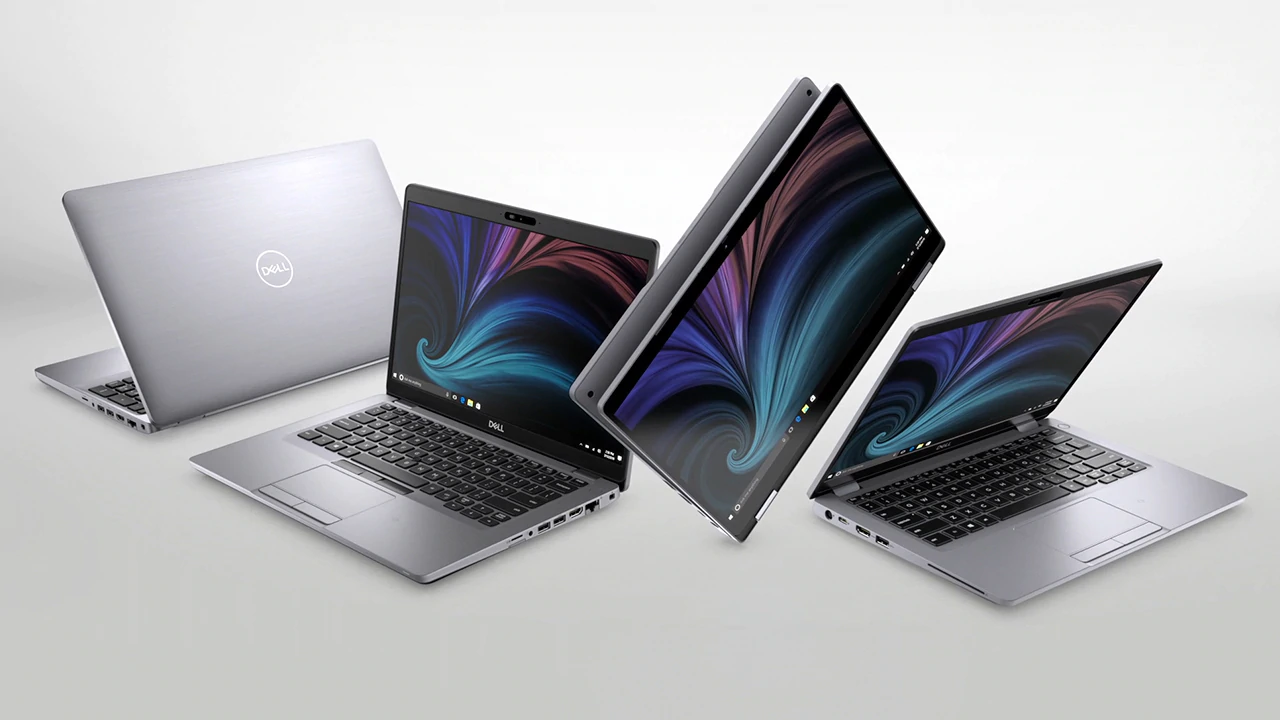 Business notebooks by definition should be secure, perform well, and have good battery life. Usually, most business devices focus mainly on the first quality that we mentioned and tend to skip out or not pay as much attention to the rest.
Well, today we have a laptop that does everything from having all of the great security features to packing a full-fledged H-series CPUs from Intel, which offers great performance during prolonged and intensive workloads. With the specs that it has, it can be a great companion to an on-the-go developer or IT specialist.
Today we are presenting you with LaptopMedia’s Top 5 picks about the Dell Latitude 14 5411.
Dell Latitude 14 5411: Full Specs / In-depth Review
4 reasons to BUY the Dell Latitude 14 5411
1. The Design and Build quality
If you expected a thin laptop, well you’re out of luck today. The Dell Latitude 14 5411 is quite the thick boy, with a profile starting from 21 mm at the front and going all the way to 23 mm at the back. Despite that, the device manages to weigh only 1.54 kg. This mainly comes from the build materials, which misses any metal on it, but gives a more durable and lighter material: carbon fiber that is fused with plastics. Carbon fiber is one of the best materials when it comes to durability to weight ratio, and it’s no coincidence that it is used in many industries where weight has to be kept to a minimum. The body has minimal flexes when it’s twisted.
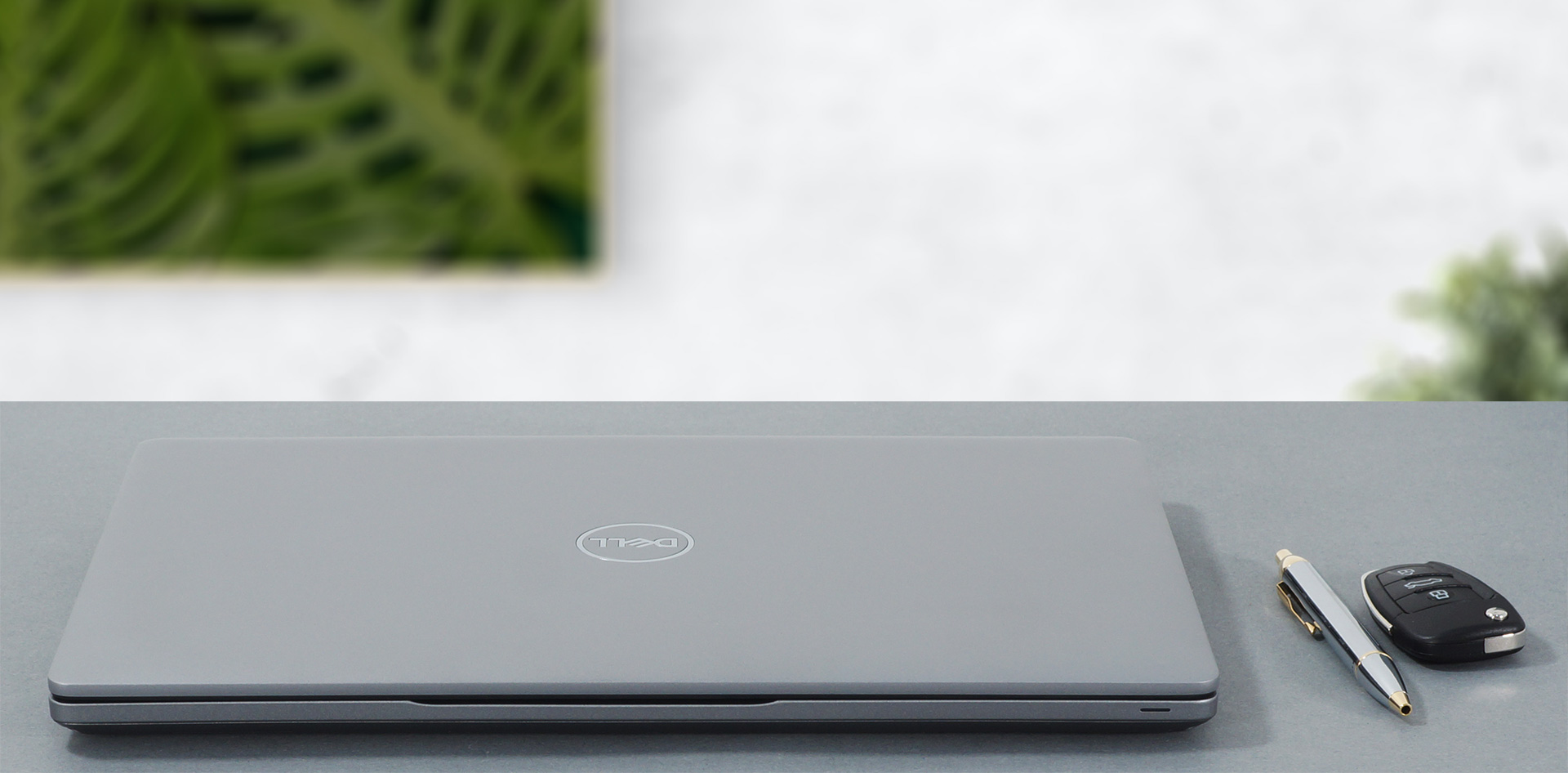
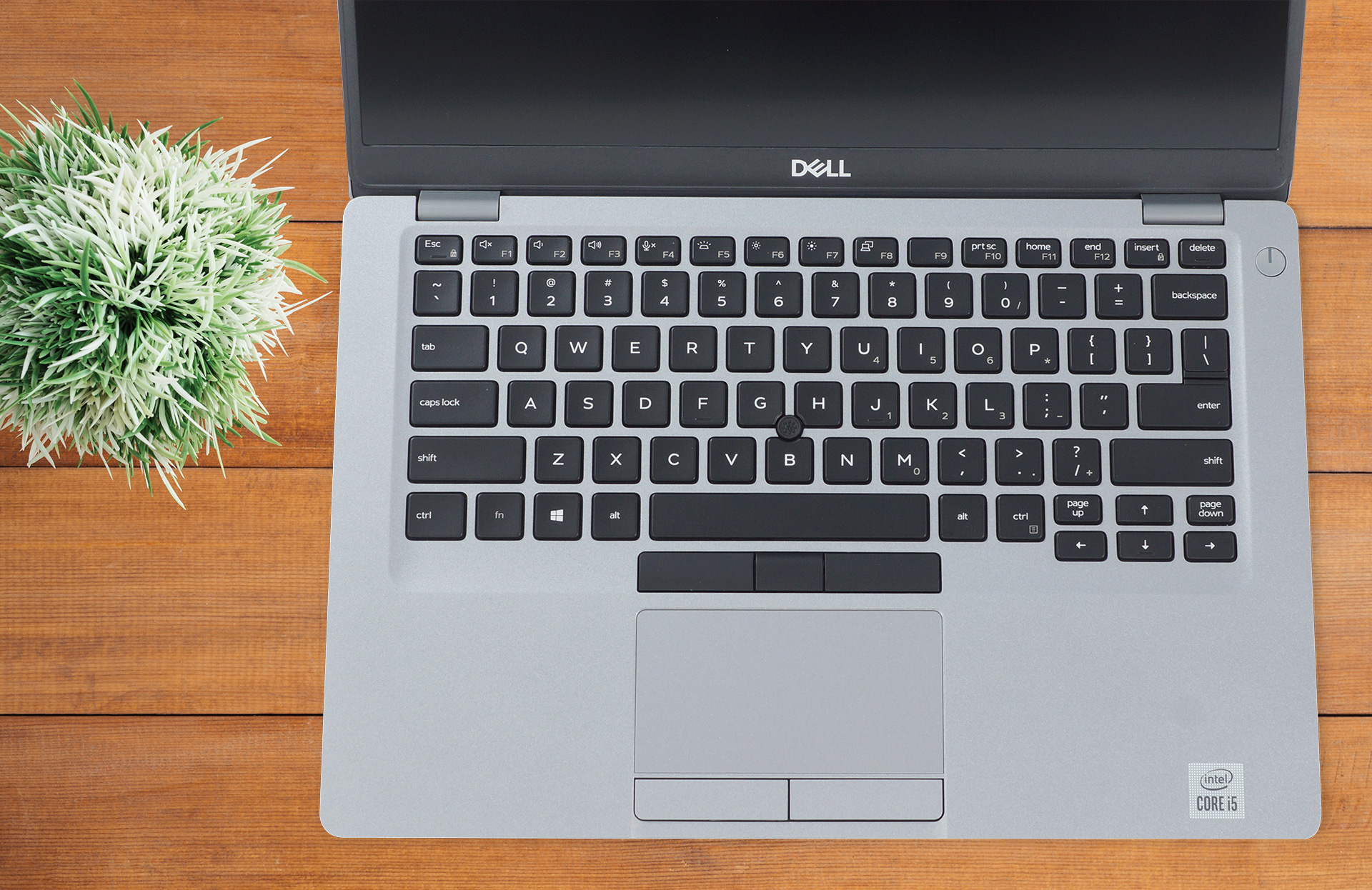
The lid can barely be opened with a single hand, and the base lifts off when you do it. After opening the lid, you are greeted by a very good and comfortable keyboard with decent key travel, and feedback that manages to be both clicky and quiet. The touchpad is very accurate, but it lacks in size. Thankfully it has physical buttons.
2. The Battery life
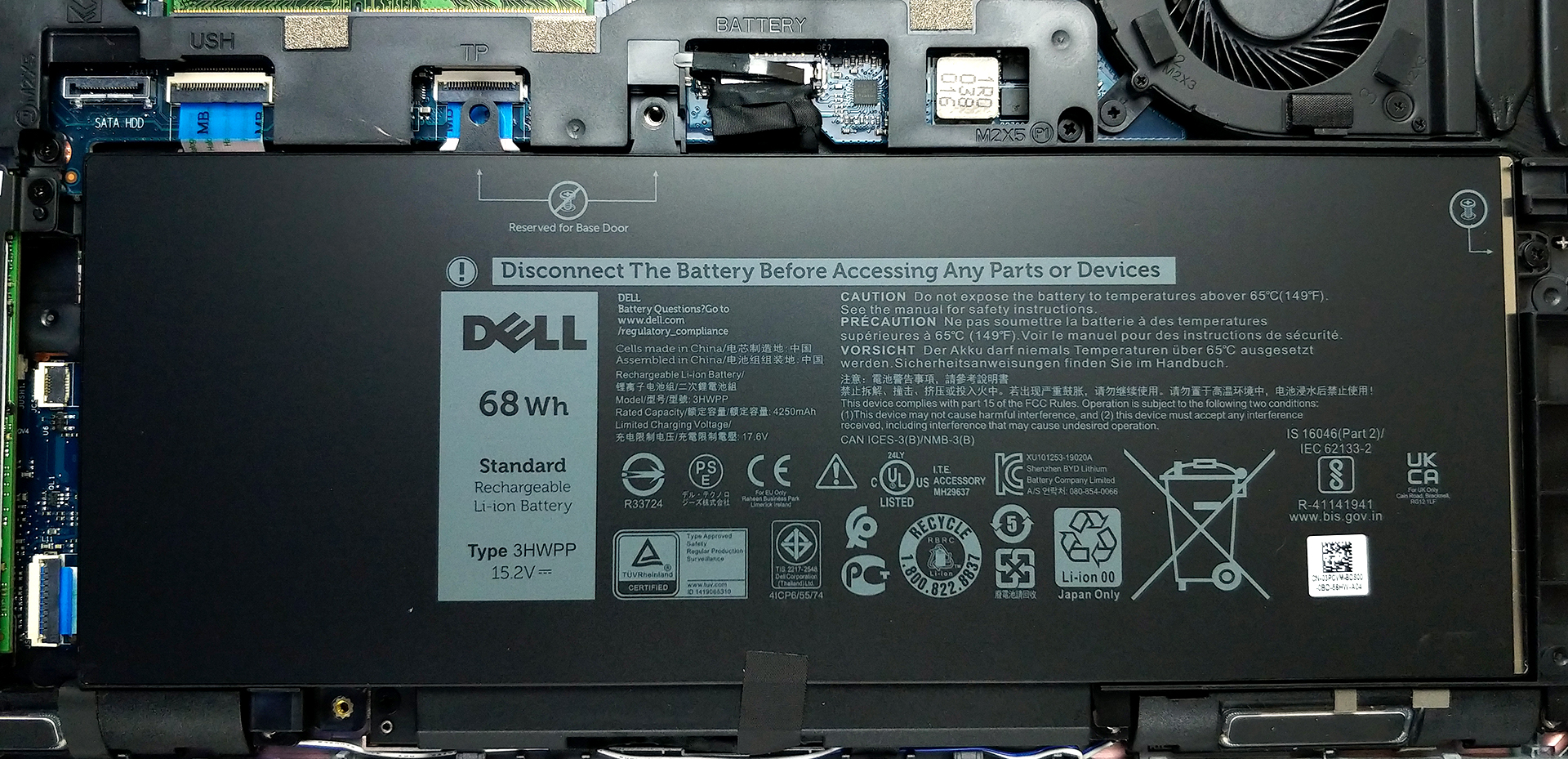
The laptop comes with two options for battery packs, one unit has 51Wh and the second, 68Wh. Our unit came with the beefier 68Wh battery pack that managed to last through 14 hours and 17 minutes of Web browsing and 11 hours and 4 minutes of video playback.
3. The Display
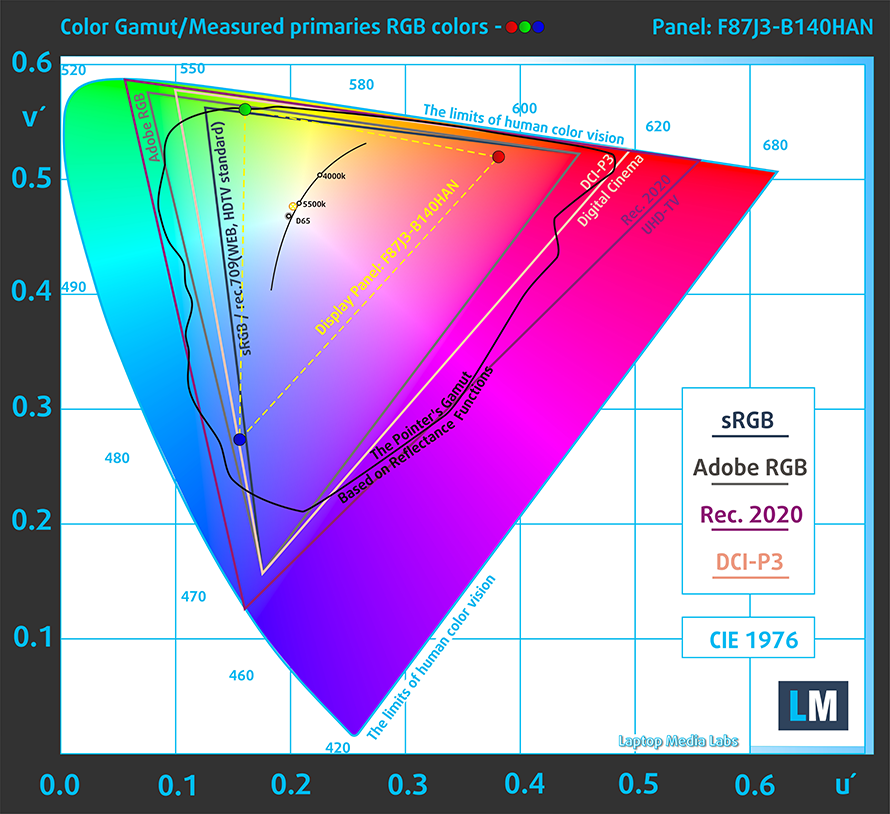
The Dell Latitude 14 5411 comes with two options for display, one HD, and one Full HD panel. We will skip the HD panel and go straight to the panel that most people will probably go for. The panel has a good contrast ratio, comfortable viewing angles, and decent default settings. Its color coverage is quite poor, covering only 50% of the sRGB color gamut. Additionally, the panel doesn’t use PWM to adjust its brightness at any level, making it safe for prolonged use.
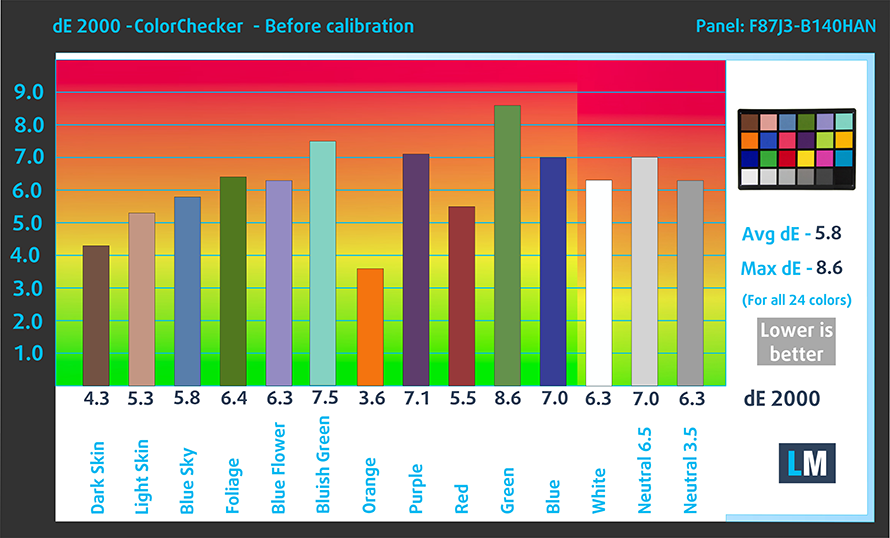
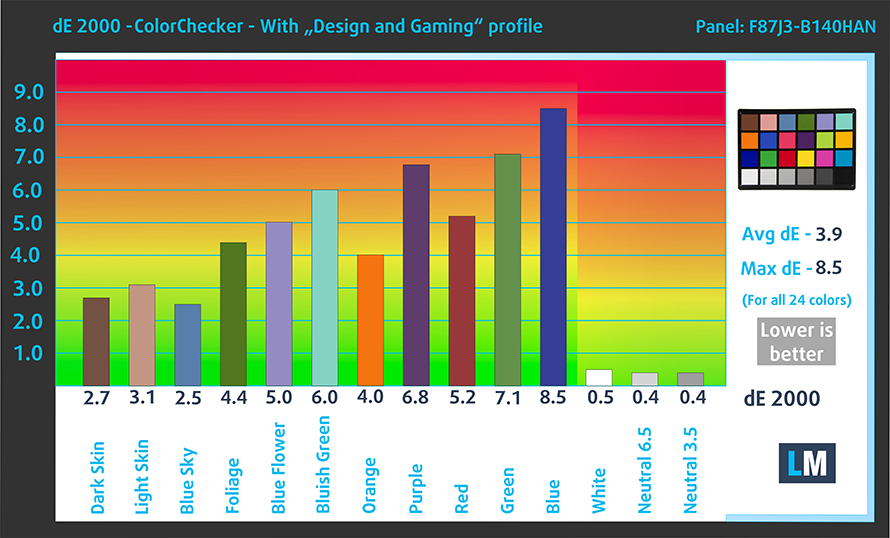
As for the color accuracy, even with our “Gaming and web design profile” we couldn’t get it to a workable value. Below you can compare the scores of Dell Latitude 14 5411 with the default settings (left), and with the “Gaming and Web design” profile (right).
Buy our profiles
Since our profiles are tailored for each display model, this article and its respective profile package are meant for Dell Latitude 14 5411 configurations with 14.0″ AUO B140HAN-F87J3 (AUO0463D) (FHD, 1920 × 1080) IPS panel.
*Should you have problems with downloading the purchased file, try using a different browser to open the link you’ll receive via e-mail. If the download target is a .php file instead of an archive, change the file extension to .zip or contact us at [email protected].
Read more about the profiles HERE.
Naast het ontvangen van efficiënte en gezondheidsvriendelijke profielen, ondersteunt u door het kopen van LaptopMedia's producten ook de ontwikkeling van onze labs, waar we apparaten testen om zo objectief mogelijke reviews te produceren.

Office Work
Office Work is voornamelijk bedoeld voor gebruikers die de meeste tijd besteden aan het bekijken van teksten, tabellen of gewoon surfen. Dit profiel streeft naar een betere onderscheidbaarheid en helderheid door een vlakke gammacurve (2.20), native kleurtemperatuur en perceptueel accurate kleuren te behouden.

Design and Gaming
Dit profiel is bedoeld voor ontwerpers die professioneel met kleuren werken, maar ook voor games en films. Design and Gaming haalt het uiterste uit beeldschermen, waardoor ze zo nauwkeurig mogelijk zijn in de sRGB IEC61966-2-1 norm voor Web en HDTV, met witpunt D65.

Health-Guard
Health-Guard elimineert de schadelijke Pulsbreedtemodulatie (PWM) en vermindert het negatieve Blauwe Licht dat onze ogen en lichaam beïnvloedt. Omdat het op maat gemaakt is voor elk paneel, slaagt het erin de kleuren perceptueel accuraat te houden. Health-Guard simuleert papier zodat de druk op de ogen sterk wordt verminderd.
Krijg alle 3 profielen met 33% korting

4. The Upgradeability
The upgradability here is on point, with both RAM and storage slots being available. After you remove the bottom panel, which takes 8 Phillips-head screws, you are greeted by two SODIMM slots, that support up to 64GB of DDR4 memory. For the storage, you get one M.2 PCIe x4 drive, and if you get the model with the smaller battery pack, you even get a 2.5-inch SATA drive.
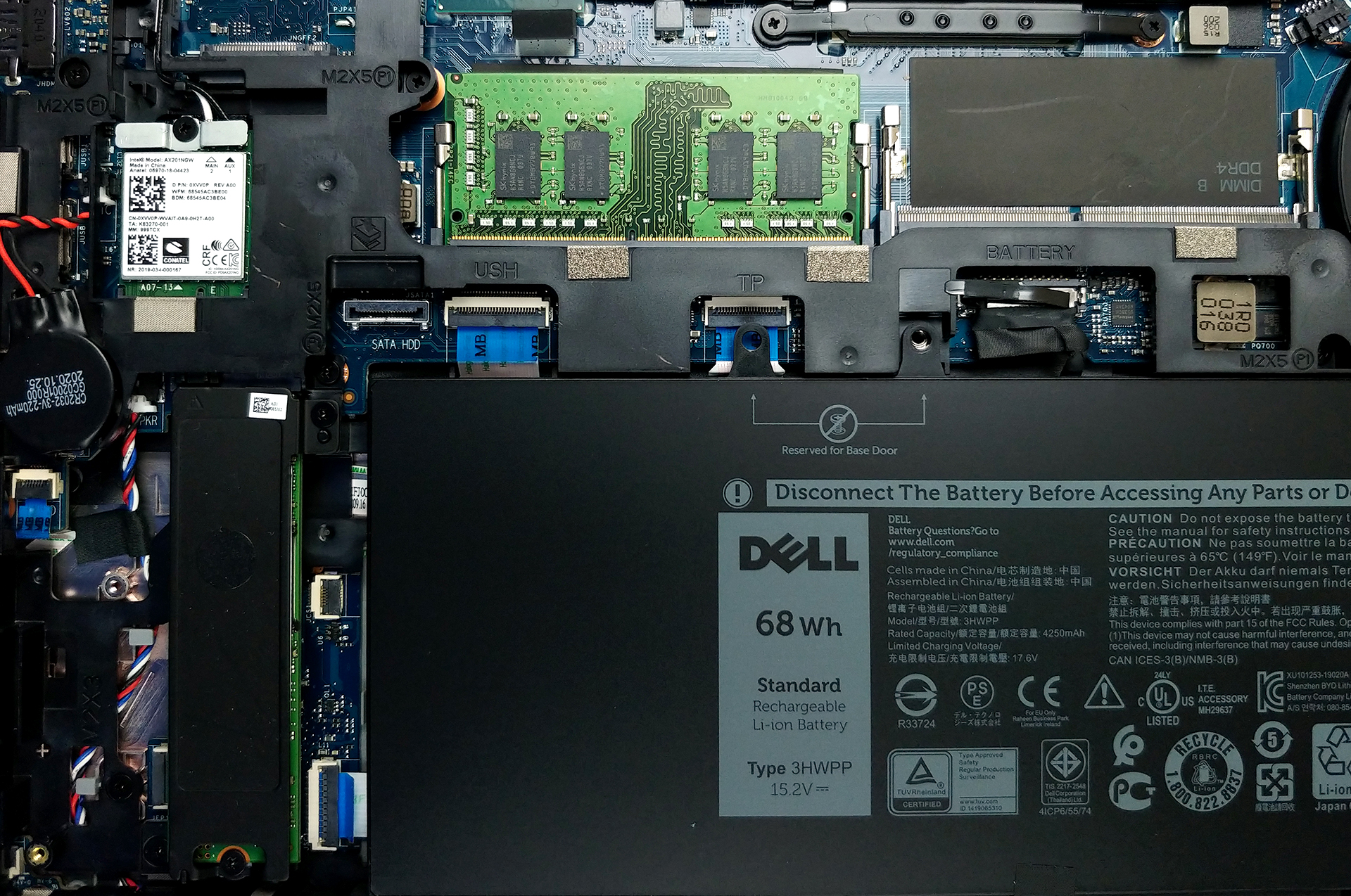
If you need help figuring out how to disassemble the laptop, feel free to watch our detailed teardown video, which explains all the steps that you have to go through.
1 reason NOT to buy the Dell Latitude 14 5411
1. The Cooling
The cooling solution that Dell has implemented here is quite decent and it has to be, considering the H-series processors that are available. The device has two heat pipes, one thick and one thin, and one fan, that might seem small, but has a tall enough profile to provide ample airflow.
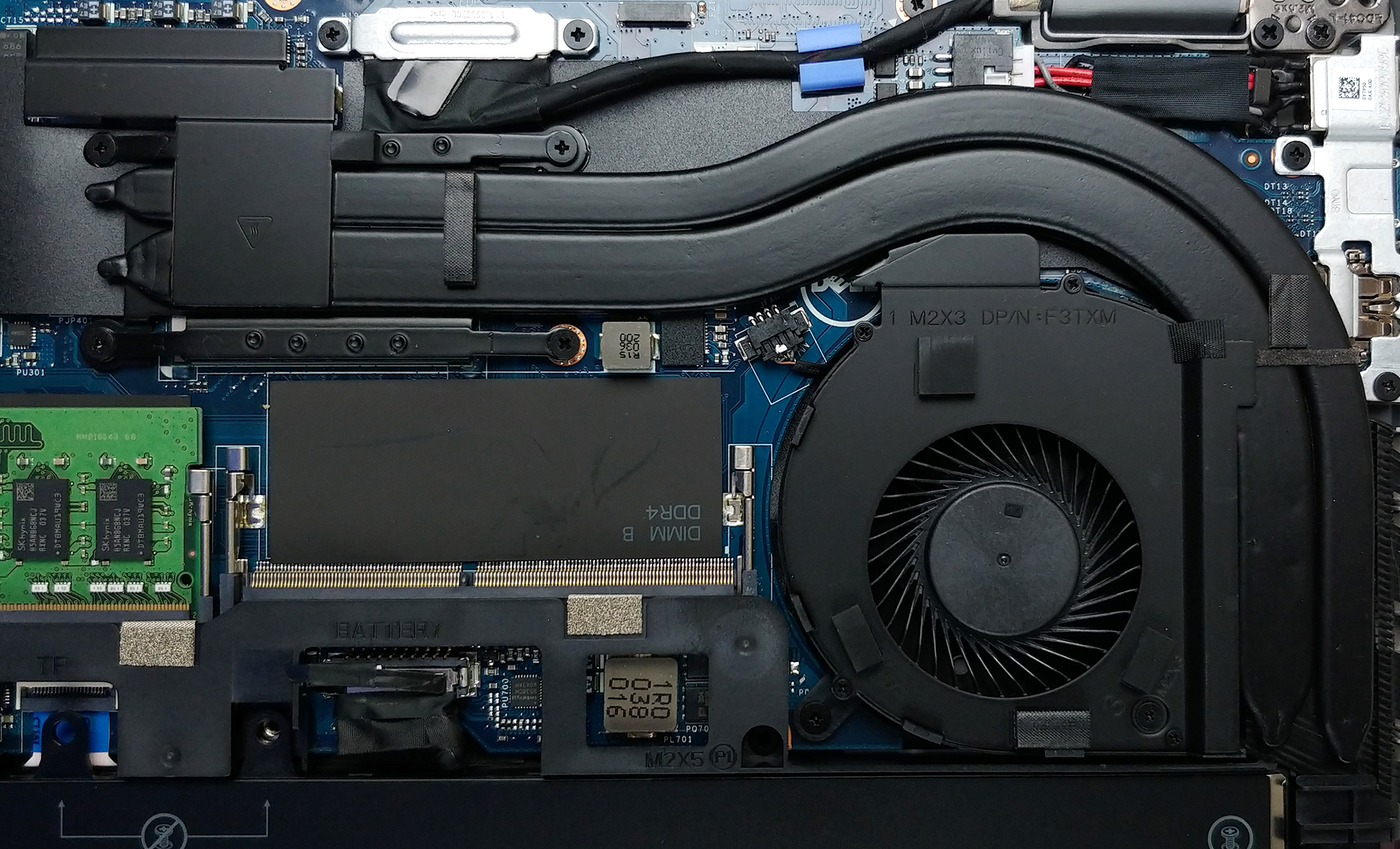
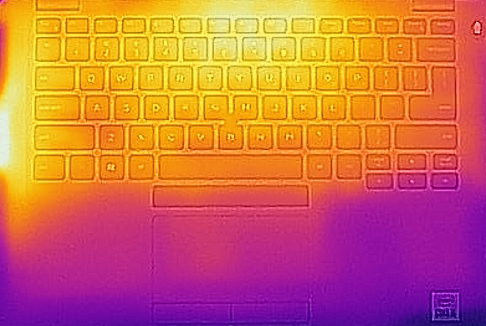
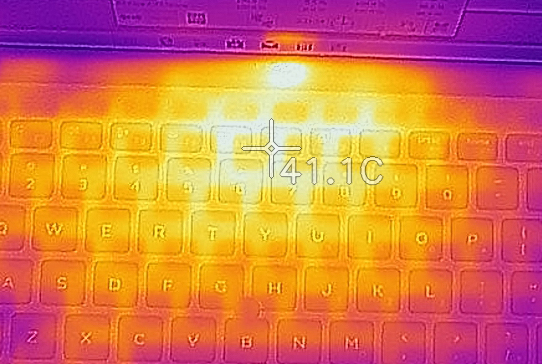
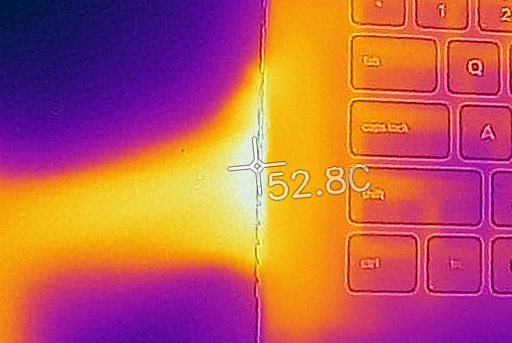
As far as temperatures are concerned, the laptop runs pretty hot and the cooling solution is limited, due to the laptop’s small size.
| Intel Core i5-10400H (45W TDP) | 0:02 – 0:10 sec | 0:15 – 0:30 sec | 10:00 – 15:00 min |
|---|---|---|---|
| Dell Latitude 14 5411 | 3.64 GHz (B+40%) @ 98°C | 3.33 GHz (B+36%) @ 98°C | 2.93 GHz (B+13%) @ 98°C |
All Dell Latitude 14 5411 configurations:
 Author: Severin Kolakov

![[juni 2026] Bestverkochte laptopmerken op Amazon Global – Apple’s ongeëvenaarde dominantie in aantal verkochte exemplaren en omzet](https://laptopmedia.com/wp-content/uploads/2026/07/GLOBAL-Best-Brands-400x225.jpg)
![[juni 2026] Amazon Global: Top 10 bestverkochte laptops – De nieuwe MacBook Neo van Apple stormt naar de eerste plaats en zet de markt op zijn kop dankzij zijn betaalbaarheid](https://laptopmedia.com/wp-content/uploads/2026/07/Best-Selling-Laptops-GLOBAL-Top-10-400x225.jpg)
![[juni 2026] Amazon Global: Top 10 van best verkochte gaminglaptops – De Nitro V 16S AI van Acer domineert de verkoopcijfers, terwijl ASUS qua totale omzet aan kop gaat](https://laptopmedia.com/wp-content/uploads/2026/07/Best-Selling-Gaming-Laptops-GLOBAL-Top-10-400x225.jpg)
![[juni 2026] Wereldwijde ranglijst van bestverkochte laptop-GPU’s op Amazon – De NVIDIA RTX 5060 is de bestverkochte speciale GPU](https://laptopmedia.com/wp-content/uploads/2026/07/Best-Selling-GPUs-GLOBAL-Top-10-400x225.jpg)
![[juni 2026] Wereldwijde ranglijst van bestverkochte laptop-CPU’s op Amazon – Apple M5 domineert, AMD Ryzen 7 260 verovert een stevig aandeel in het premiumsegment](https://laptopmedia.com/wp-content/uploads/2026/07/Best-Selling-CPUs-GLOBAL-Top-10-400x225.jpg)
