Dell Precision 16 7670 review – is CAMM memory here to stay?
Temperatures and comfort, Battery Life
Max CPU load
In this test we use 100% on the CPU cores, monitoring their frequencies and chip temperature. The first column shows a computer’s reaction to a short load (2-10 seconds), the second column simulates a serious task (between 15 and 30 seconds), and the third column is a good indicator of how good the laptop is for long loads such as video rendering.
Average P-core frequency; Average E-core frequency; CPU temp.; Package Power
| Intel Core i7-12850HX (55W TDP) | 0:02 – 0:10 sec | 0:15 – 0:30 sec | 10:00 – 15:00 min |
|---|---|---|---|
| Dell Precision 16 7670 | 3.46 GHz @ 2.88 GHz @ 94°C @ 131W | 3.01 GHz @ 2.66 GHz @ 92°C @ 109W | 2.49 GHz @ 2.17 GHz @ 78°C @ 72W |
As you can see, the laptop begins its stressful journey quite confidently. It reaches high clocks and a power target of 131W. However, it gently mellows down to 72W at the final part of the test.
Real-life gaming
| NVIDIA RTX A1000 | GPU frequency/ Core temp (after 2 min) | GPU frequency/ Core temp (after 30 min) |
|---|---|---|
| Dell Precision 16 7670 | 1658 MHz @ 79°C @ 72W | 1652 MHz @ 80°C @ 72W |
Apparently, the cooling solution can’t deal with the 95W TGP of the RTX A1000. This is a bit unfortunate, especially considering the fact that this is the lowest-tier GPU of the lineup.
Comfort during full load
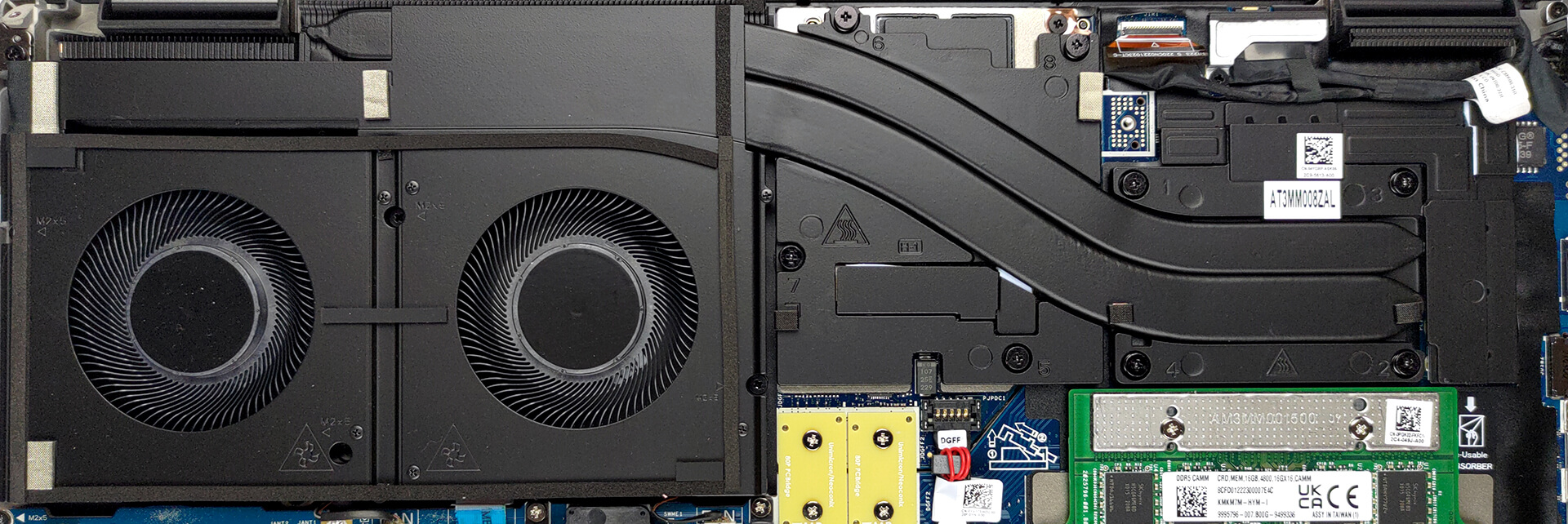
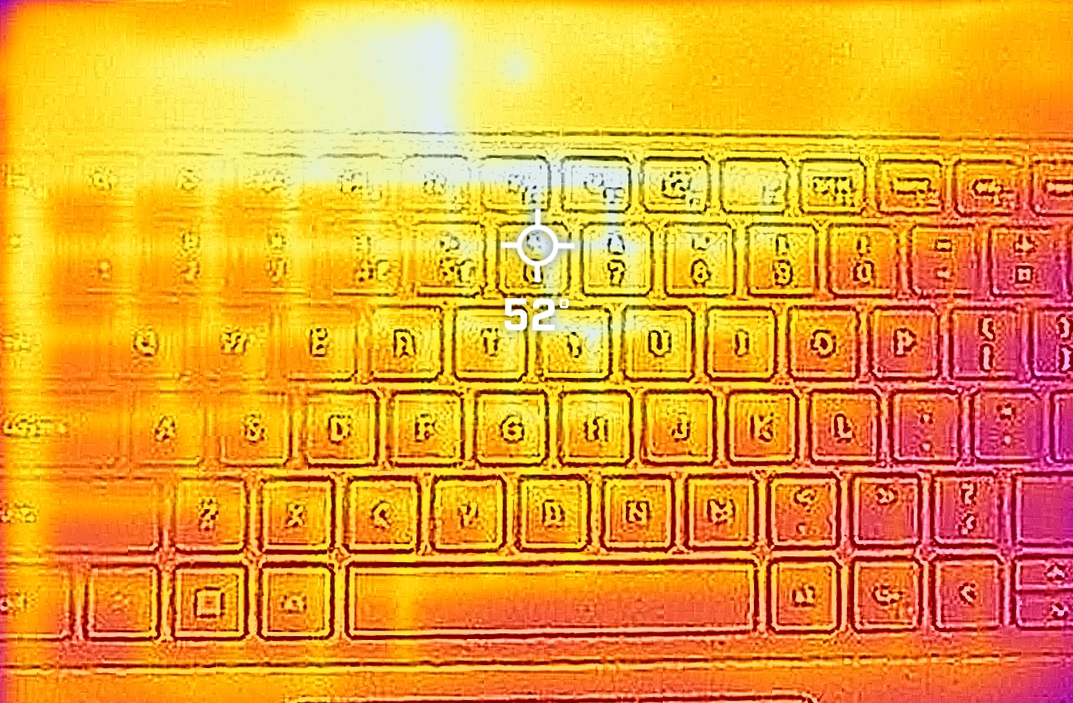
Although the laptop remains pretty quiet throughout the test, we monitored quite high temperatures on the keyboard. The reason for that is the fact that the two fans are located on one side, which leaves the CPU and the GPU in the area below the left part of the keyboard. As main power-hungry components, they concentrate heat on one space, regardless of the efficiency of the heat pipes that drive that heat toward the active cooling component.
Battery
Now, we conduct the battery tests with the Windows Better performance setting turned on, screen brightness adjusted to 120 nits and all other programs turned off except for the one we are testing the notebook with. This device’s 83Wh battery lasts for 10 hours and 27 minutes of Web browsing, or 8 hours and 38 minutes of video playback.
Helderheid: 180 nits; Weergavemodus: SDR
Tijd tot Volledige Ontlading: Hoger is Beter
Om realistische omstandigheden te simuleren, hebben we ons eigen script gebruikt voor automatisch surfen op meer dan 70 websites.
 Author: Alex Iliev
 Author: eng. Kroum NikolovHead of Engineering at LaptopMedia.com, inventor and innovator with 40+ years of experience in electronics and high technology.

![[juni 2026] Bestverkochte laptopmerken op Amazon Global – Apple’s ongeëvenaarde dominantie in aantal verkochte exemplaren en omzet](https://laptopmedia.com/wp-content/uploads/2026/07/GLOBAL-Best-Brands-400x225.jpg)
![[juni 2026] Amazon Global: Top 10 bestverkochte laptops – De nieuwe MacBook Neo van Apple stormt naar de eerste plaats en zet de markt op zijn kop dankzij zijn betaalbaarheid](https://laptopmedia.com/wp-content/uploads/2026/07/Best-Selling-Laptops-GLOBAL-Top-10-400x225.jpg)
![[juni 2026] Amazon Global: Top 10 van best verkochte gaminglaptops – De Nitro V 16S AI van Acer domineert de verkoopcijfers, terwijl ASUS qua totale omzet aan kop gaat](https://laptopmedia.com/wp-content/uploads/2026/07/Best-Selling-Gaming-Laptops-GLOBAL-Top-10-400x225.jpg)
![[juni 2026] Wereldwijde ranglijst van bestverkochte laptop-GPU’s op Amazon – De NVIDIA RTX 5060 is de bestverkochte speciale GPU](https://laptopmedia.com/wp-content/uploads/2026/07/Best-Selling-GPUs-GLOBAL-Top-10-400x225.jpg)
![[juni 2026] Wereldwijde ranglijst van bestverkochte laptop-CPU’s op Amazon – Apple M5 domineert, AMD Ryzen 7 260 verovert een stevig aandeel in het premiumsegment](https://laptopmedia.com/wp-content/uploads/2026/07/Best-Selling-CPUs-GLOBAL-Top-10-400x225.jpg)

Try running the 7670 with an RTX A3000… even with the thicker chassis, the cooling system is absolutely demolished by any kind of load that hits the CPU and GPU at the same time. Games are bad enough, but professional 3D workloads are appalling. The CPU wattage and CPU frequency is throttled down so low, the laptop is slower than it’s predecessors (Precision 7550 or 7560). With only 2 heatpipes shared between the CPU and GPU, and the fans at the end of the thermal line, any load on the GPU overwhelms the CPU.
Indeed. There are several gurus (e.g. Tech3D channel on YouTube) discussing the poor job Dell is doing with thermal management on these machines, not to mention using the same old 240 watt adapter which causes these system to be power starved. Inexcusable.
Piggybacking a powerful CPU and GPU this way being questionable in the first place, heat efficiency appears to suffer further by the second heat pipe falling short of covering the entire width of the second fan, seeming to cover only about half the width – alas, the hinge is in the way. The heat sink’s width is also halved in this section to accomodate the hinge. It’s a good example of high quality material put to bad use.