Lenovo IdeaPad Slim 3 (16″, 2023) review – betaalbaar en superefficiënt
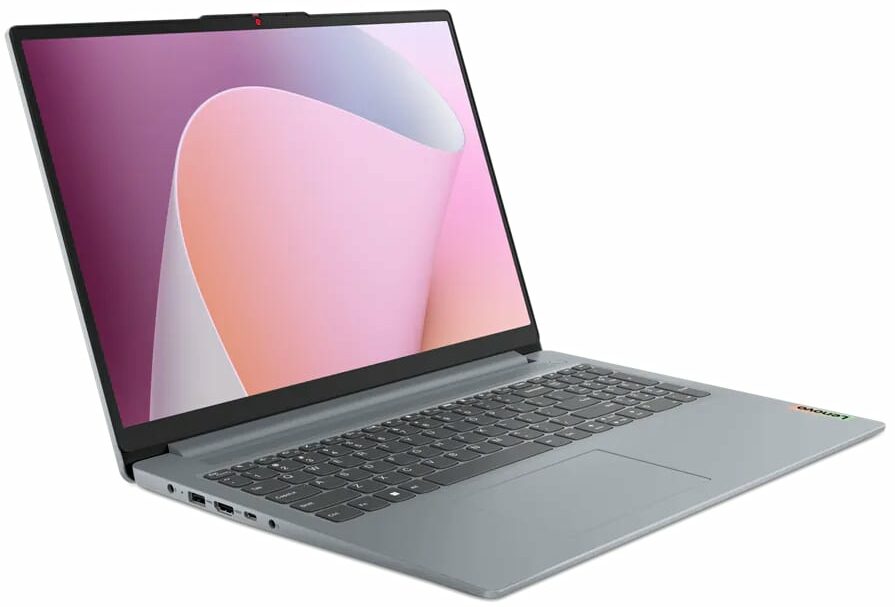
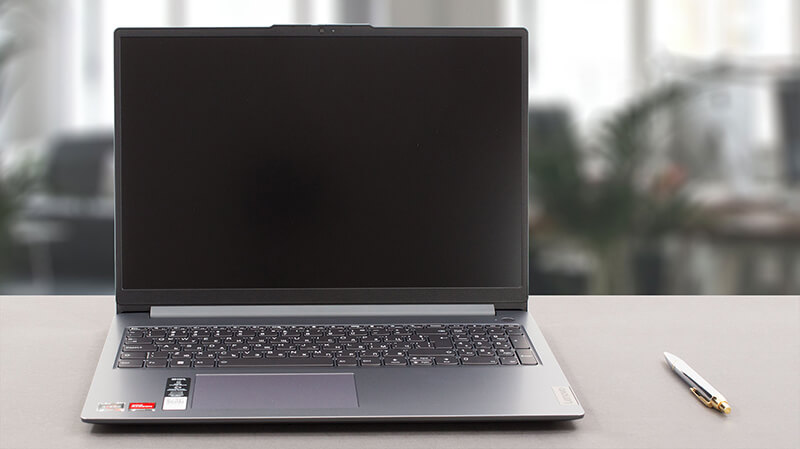 Vandaag hebben we de slanke versie van een van de populairste notebooks op de markt – de Lenovo IdeaPad 3. Officieel heet hij de Lenovo IdeaPad Slim 3 (16″, 2023), of de Lenovo IdeaPad Slim 3 16ABR8 (of gewoon Gen 8).
Eigenlijk geeft de “Slim” naam aan dat het een generiek model is – in tegenstelling tot de IdeaPad Gaming en de IdeaPad Flex series, die voor zichzelf spreken. Onze configuratie wordt geleverd met een van de drie AMD Ryzen-processors – de Ryzen 3 7330U, Ryzen 5 7530U, of Ryzen 7 7730U.
Ze zijn gebaseerd op de 5x25U chips – de Ryzen 7 7730U is bijvoorbeeld eigenlijk de Ryzen 7 5825U in vermomming. Dit betekent dat je “beperkt” bent tot Gen 3 PCIe ondersteuning en DDR4 geheugen.
Aan de andere kant verwachten we dat de machine erg efficiënt zal zijn, en voldoende krachtig voor dagelijks werk en multimediaconsumptie – iets waar deze machine uiteindelijk voor bedoeld is. Bovendien zijn we blij om te zien dat de enige schermoptie een 16-inch 1200p IPS paneel is – geen lage-resolutie TN unit onzin.
Je kunt de prijzen en configuraties bekijken in ons Specs-systeem: https://laptopmedia.com/series/lenovo-ideapad-slim-3-16-2023/
Contents
- Specificaties, stuurprogramma’s, wat zit er in de doos
- Ontwerp en constructie
- Beeldschermkwaliteit, Gezondheidseffect (PWM), Geluid
- Koop onze profielen
- Prestaties: CPU, GPU, gamingtests
- [eBook Gids + Hulpmiddelen] Hoe je het MAXIMALE UIT je Laptop Haalt
- Temperaturen en comfort, batterijduur
- Demontage, upgrademogelijkheden en onderhoud
- Uitspraak
Specificaties, stuurprogramma’s, wat zit er in de doos
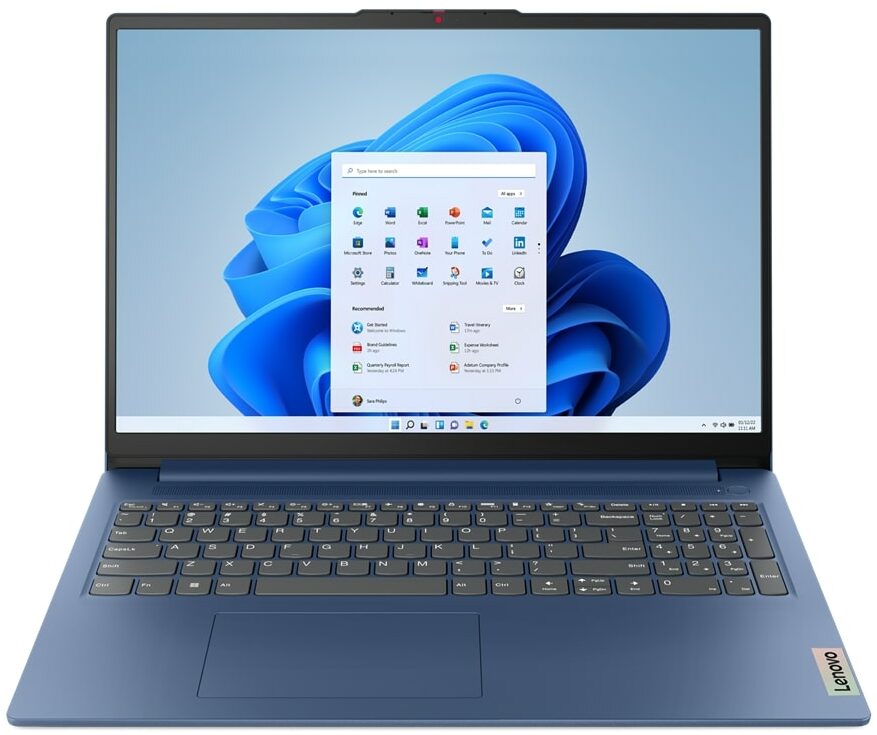
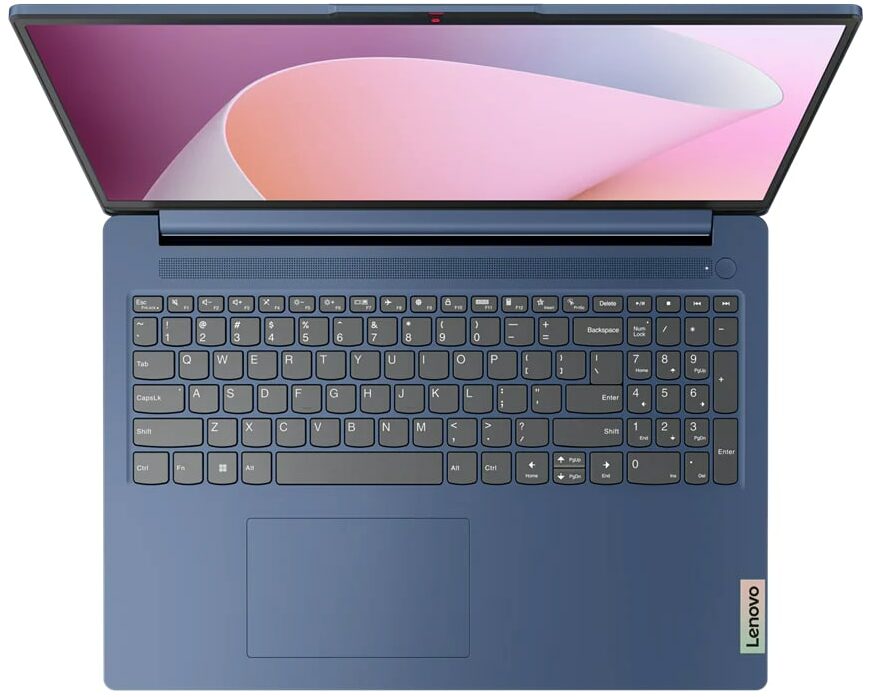
Lenovo IdeaPad Slim 3 (16", 2023) - Specs





- HDD/SSD
- tot 4000GB SSD
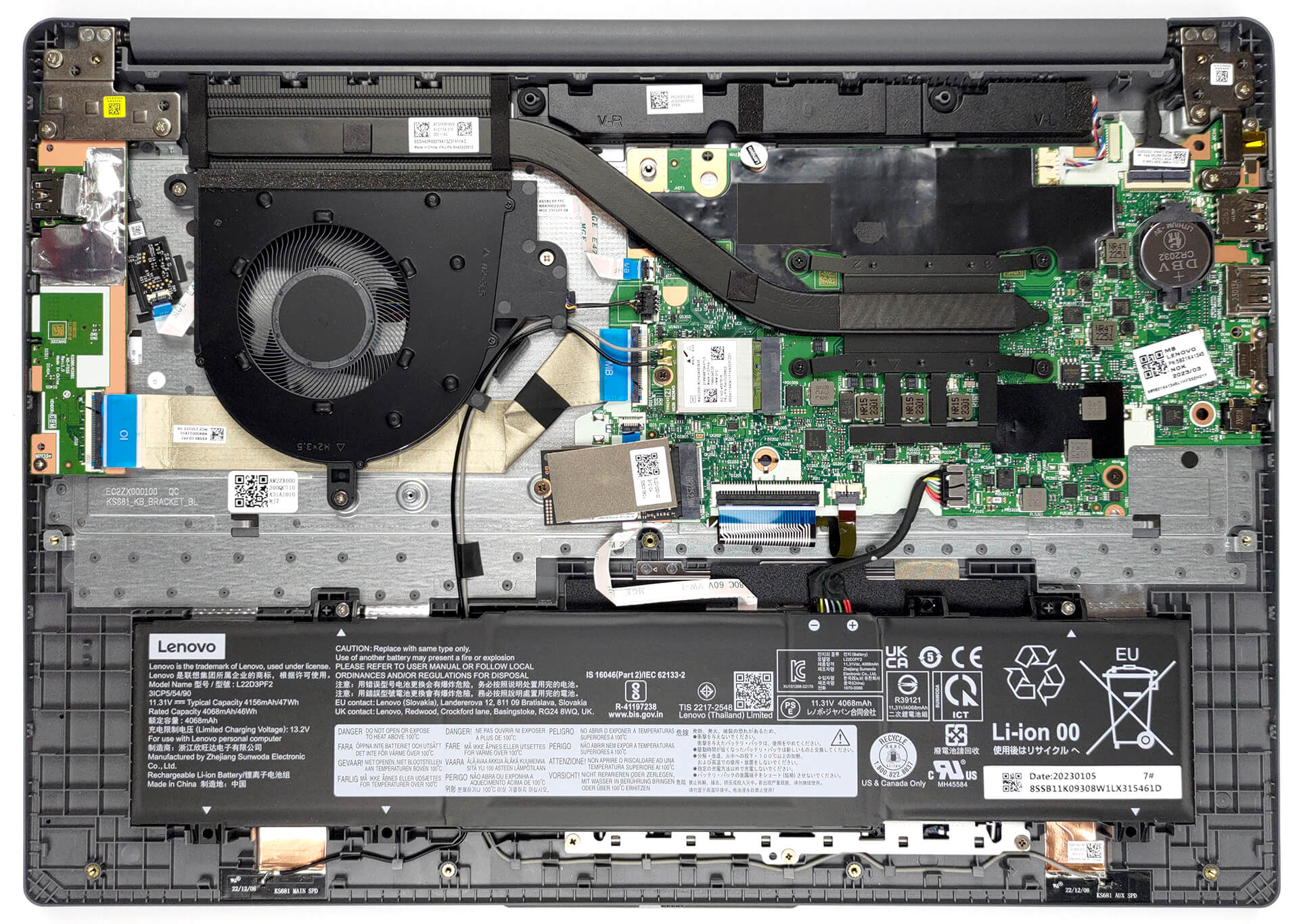
- M.2 Sleuf
- 1x 2242 M.2 NVMe PCIe 3.0 x4 Zie foto
- RAM
- up to 16GB
- OS
- Windows 11 Home, Windows 11 Pro, Linux, Windows 10 Pro, DOS, Windows 10 Home, No OS
- Accu
- 47Wh
- Materiaal behuizing
- Plastic / Polycarbonate
- Afmetingen
- 359.2 x 257 x 17.9 - 18.4 mm (14.14" x 10.12" x 0.70")
- Gewicht
- 1.74 kg (3.8 lbs)
- Poorten en connectiviteit
- 2x USB Type-A
- 3.2 Gen 1 (5 Gbps)
- 1x USB Type-C
- 3.2 Gen 1 (5 Gbps), Power Delivery (PD), DisplayPort
- HDMI
- 1.4
- Kaartlezer
- SD (SD, SDHC, SDXC, MMC)
- Ethernet LAN
- Wi-Fi
- 802.11ax
- Bluetooth
- 5.1
- Audio-aansluiting
- 3.5mm Combo Jack
- Functies
- Vingerafdruklezer
- optional
- Webcamera
- HD / FHD with Privacy Shutter, Fixed Focus
- Verlicht toetsenbord
- optional
- Microfoon
- Dual-microphone array with noise-cancelling
- Luidsprekers
- 2x 1.5W User-facing stereo speakers, optimized by Dolby Audio
- Optische drive
- Sleuf voor veiligheidsslot
Alle Lenovo IdeaPad Slim 3 (16″, 2023) configuraties
Stuurprogramma’s
Alle stuurprogramma’s en hulpprogramma’s voor deze notebook kunnen hier worden gevonden: https://pcsupport.lenovo.com/us/en/products/laptops-and-netbooks/ideapad-s-series-netbooks/ideapad-slim-3-16abr8/downloads/driver-list
Wat zit er in de doos?
Binnenin vinden we de laptop zelf, wat papierwerk en een 65W voedingsadapter met een vatvormige stekker.

 Author: Alex Iliev
 Author: eng. Kroum NikolovHead of Engineering at LaptopMedia.com, inventor and innovator with 40+ years of experience in electronics and high technology.

![[juni 2026] Bestverkochte laptopmerken op Amazon Global – Apple’s ongeëvenaarde dominantie in aantal verkochte exemplaren en omzet](https://laptopmedia.com/wp-content/uploads/2026/07/GLOBAL-Best-Brands-400x225.jpg)
![[juni 2026] Amazon Global: Top 10 bestverkochte laptops – De nieuwe MacBook Neo van Apple stormt naar de eerste plaats en zet de markt op zijn kop dankzij zijn betaalbaarheid](https://laptopmedia.com/wp-content/uploads/2026/07/Best-Selling-Laptops-GLOBAL-Top-10-400x225.jpg)
![[juni 2026] Amazon Global: Top 10 van best verkochte gaminglaptops – De Nitro V 16S AI van Acer domineert de verkoopcijfers, terwijl ASUS qua totale omzet aan kop gaat](https://laptopmedia.com/wp-content/uploads/2026/07/Best-Selling-Gaming-Laptops-GLOBAL-Top-10-400x225.jpg)
![[juni 2026] Wereldwijde ranglijst van bestverkochte laptop-GPU’s op Amazon – De NVIDIA RTX 5060 is de bestverkochte speciale GPU](https://laptopmedia.com/wp-content/uploads/2026/07/Best-Selling-GPUs-GLOBAL-Top-10-400x225.jpg)
![[juni 2026] Wereldwijde ranglijst van bestverkochte laptop-CPU’s op Amazon – Apple M5 domineert, AMD Ryzen 7 260 verovert een stevig aandeel in het premiumsegment](https://laptopmedia.com/wp-content/uploads/2026/07/Best-Selling-CPUs-GLOBAL-Top-10-400x225.jpg)

BUYER BEWARE. The touchpad is placed very far to the left of center and is VERY uncomfortable. I have also had too many times where the cursor scrolls over something and either opens or closes the page. I have adjusted the settings without any help. Very annoying when something you are working on closes or a website closes and you need to try to go back and figure out where you were. I have had this over 6 months and plan on looking for another brand during the after xmas sales. Too bad as this is my 3rd Lenovo laptop… Read more »
If your work is important, turn on the radio mouse and don’t bother with touchpads. especially in the initial series of laptops, where all the components are entry-level. I basically don’t use them, except for rare cases when I find myself somewhere with a laptop without a radio mouse.
It’s much worse that there is no RJ45 here; it’s simply impossible to get a stable and fast network without buying an external usb2lan adapter (with which there are often various problems, unlike built-in rj45). And this is especially strange for a business/office series. And in reality, bringing this port outside costs a penny – +$5. The second significant problem is the poor video ports. Lenovo claims Display Port v1.2 Alt Mode in usb-c is outdated 15 years ago and HDMI 1.4b is 13 years outdated. You will not be able to display HDR images on TV/projectors/monitors from this laptop… Read more »
The third, possible problem – in the review checked the screen panel from BOE, but Lenovo often imstall Innolux n160jce-ell in this series, which may have low-frequency PWM. And Lenovo does not indicate Flicker Free panels for this series in psref, as for other series. Therefore, you need to be careful with this, especially when buying a model without Windows, because if there is no OS included, you can check the flickering only by booting from a WinPE flash drive with pre-integrated video drivers for this series or from some Linux distribution that understands the SoC of this series and… Read more »