How to open Acer Aspire 3 (A317-54) – Office Work profile
It’s great to see an affordable laptop that isn’t limited in terms of upgradeability.
Check out all Acer Aspire 3 (A317-54) prices and configurations in our Specs System, or read more in our In-Depth review.
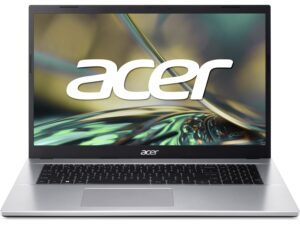
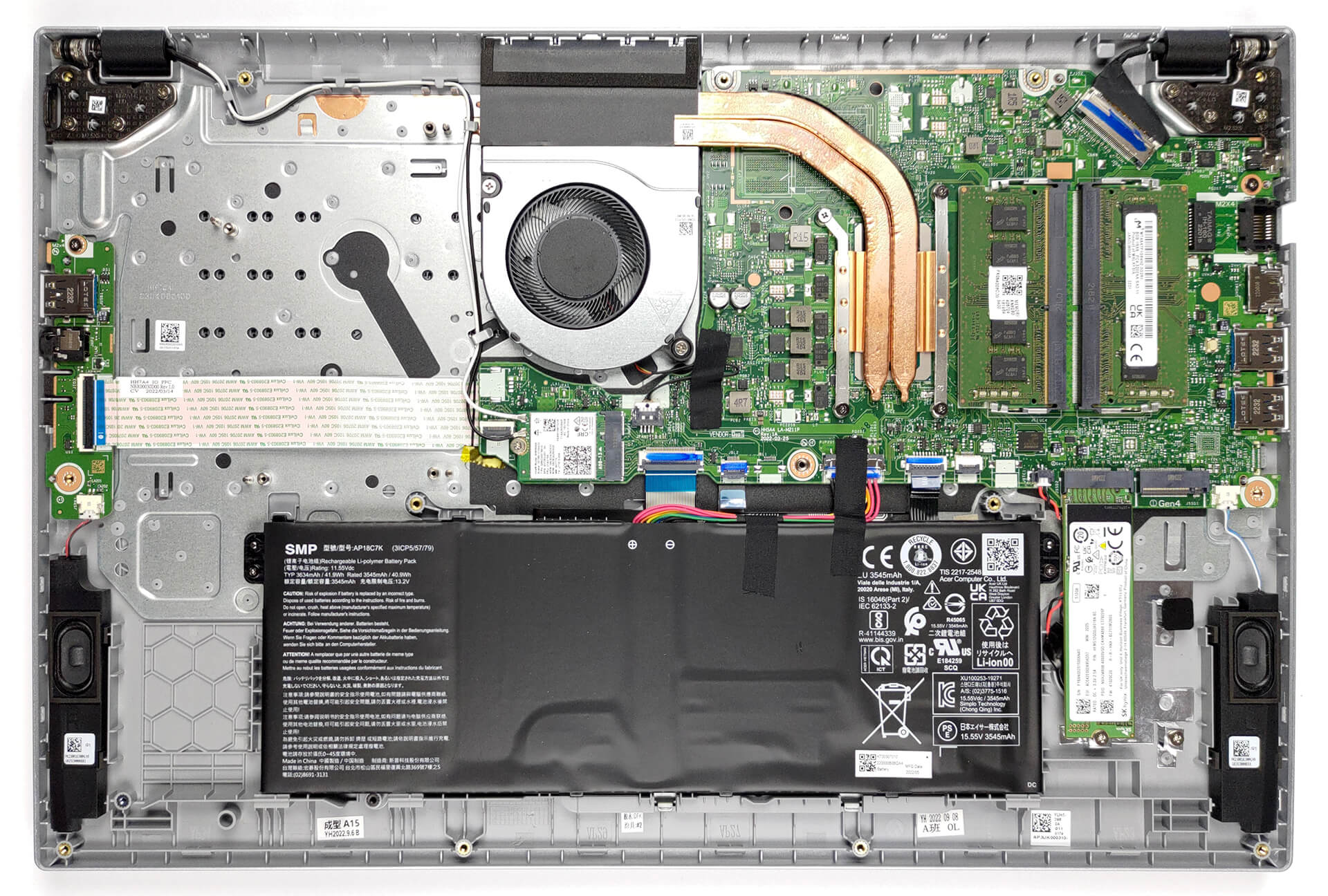
1. Remove the bottom plate
To access this laptop’s internals, you need to undo 14 Phillips-head screws. Then, just pry the bottom panel with a plastic tool and remove
it from the chassis.
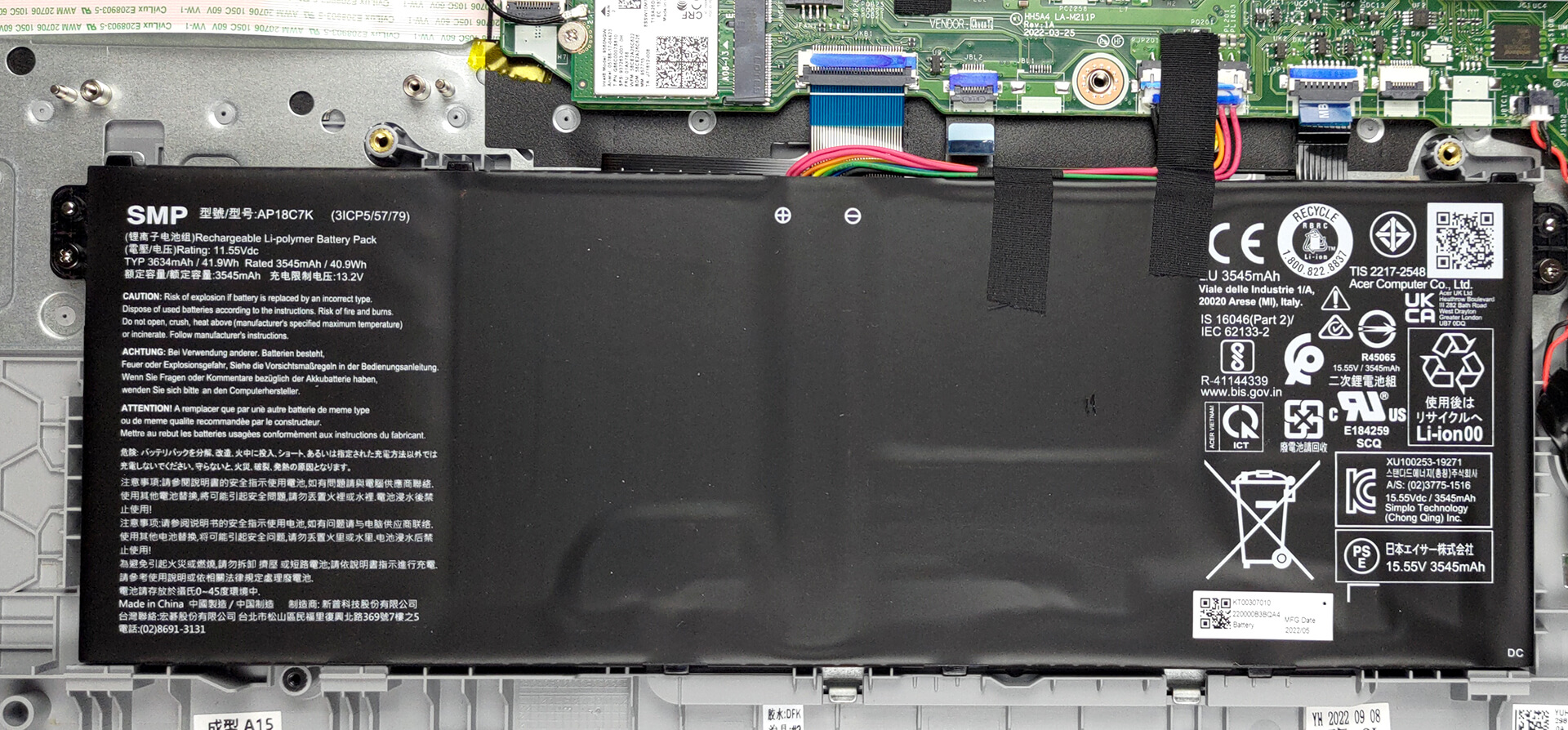
2. Remove the battery
Here, we find a 42Wh battery pack. It lasts for 9 hours of Web browsing, or 6 hours of video playback. To take it out, unplug the connector from the motherboard, and undo the two Phillips-head screws, keeping the battery in place.
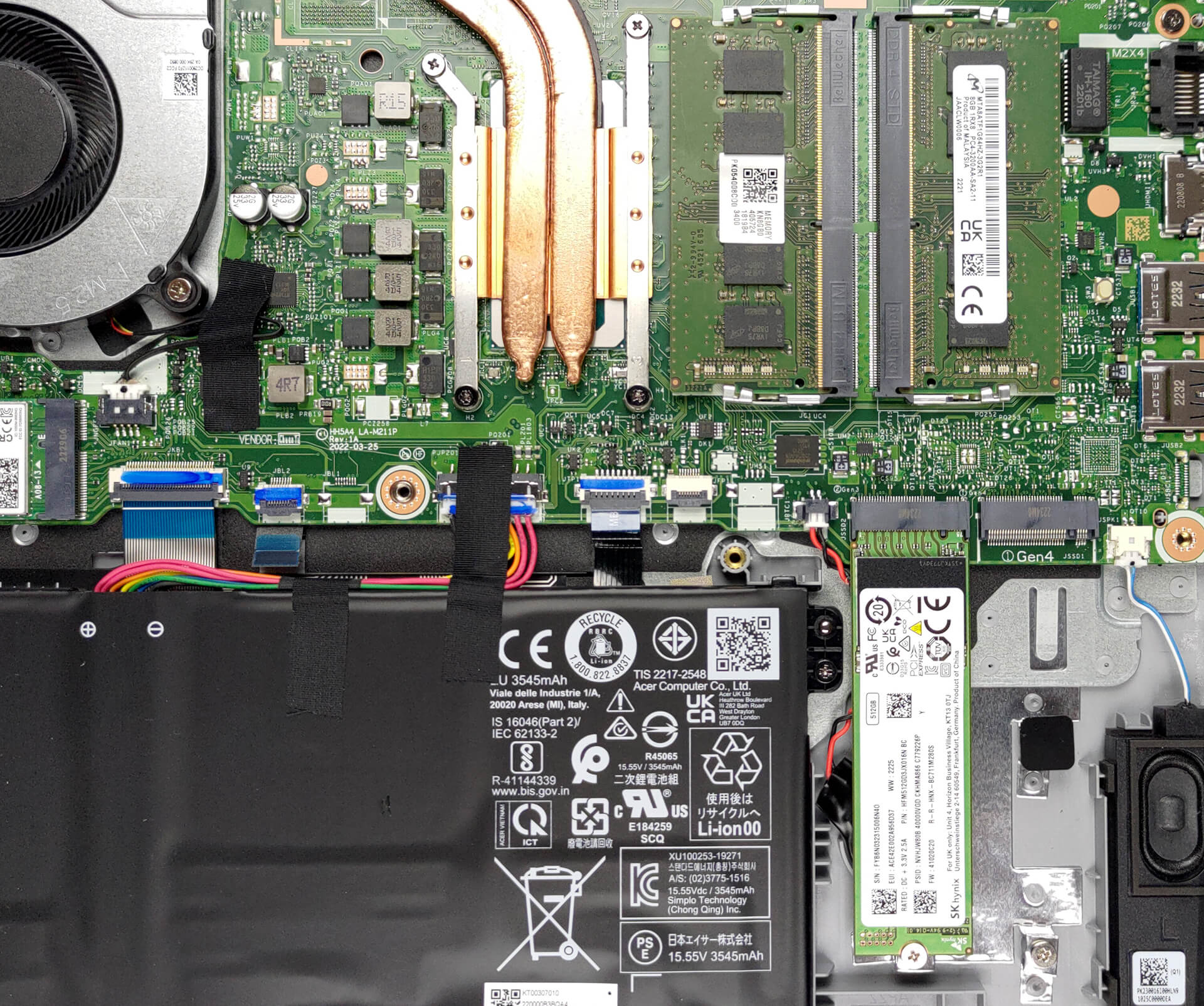
3. Upgrade memory and storage
In terms of memory, you get two SODIMM slots for dual-channel RAM. Storage-wise, there are two M.2 PCIe x4 slots, one of which supports Gen 4 SSDs.
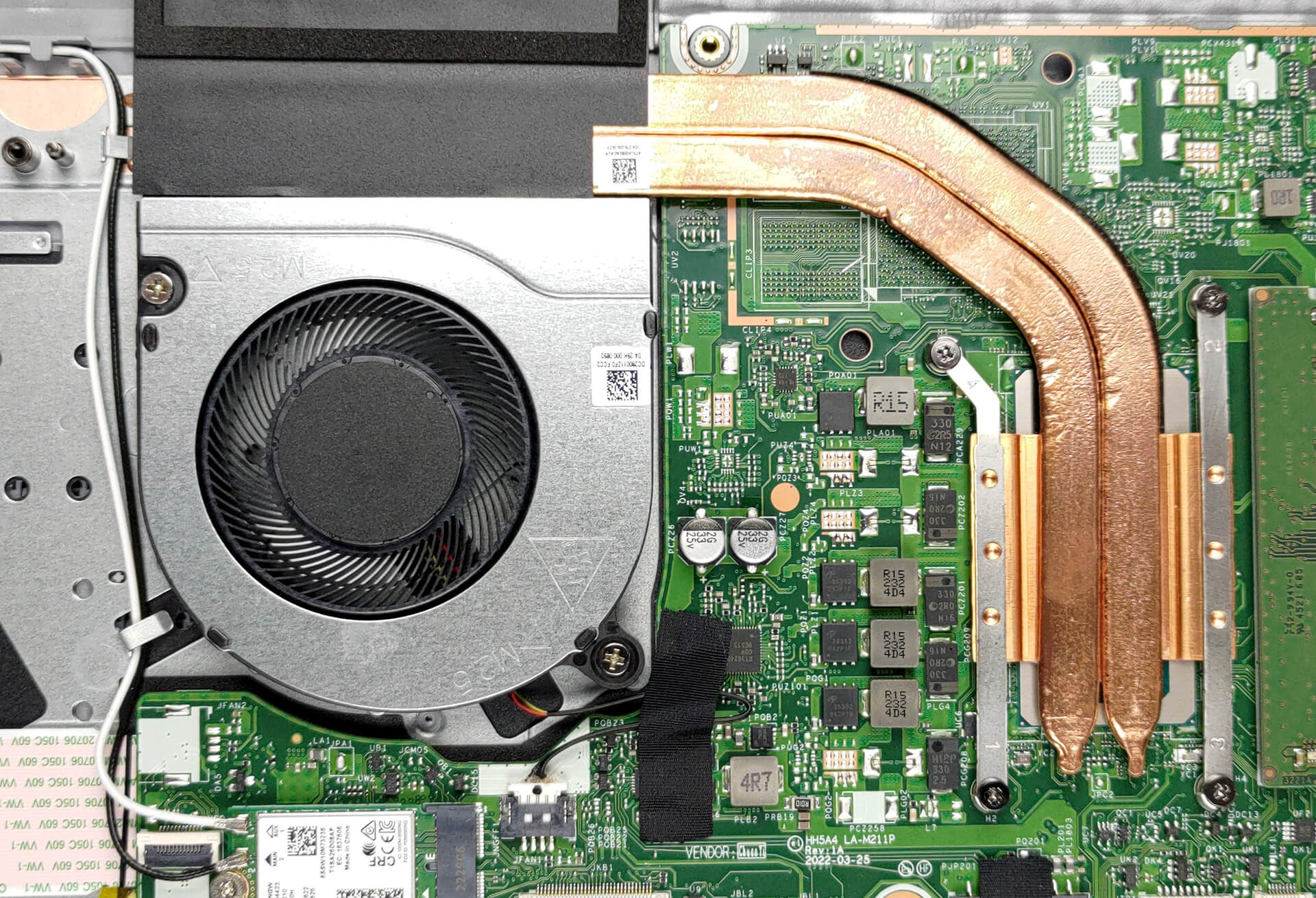
4. Cooling system
Last but not least, there is the cooling. It comprises two heat pipes, a heat sink, and a fan. Unfortunately, the VRMs are not being cooled.
Check out all Acer Aspire 3 (A317-54) prices and configurations in our Specs System, or read more in our In-Depth review.
Acer Aspire 3 (A317-54 / A317-54G) dogłębna recenzja
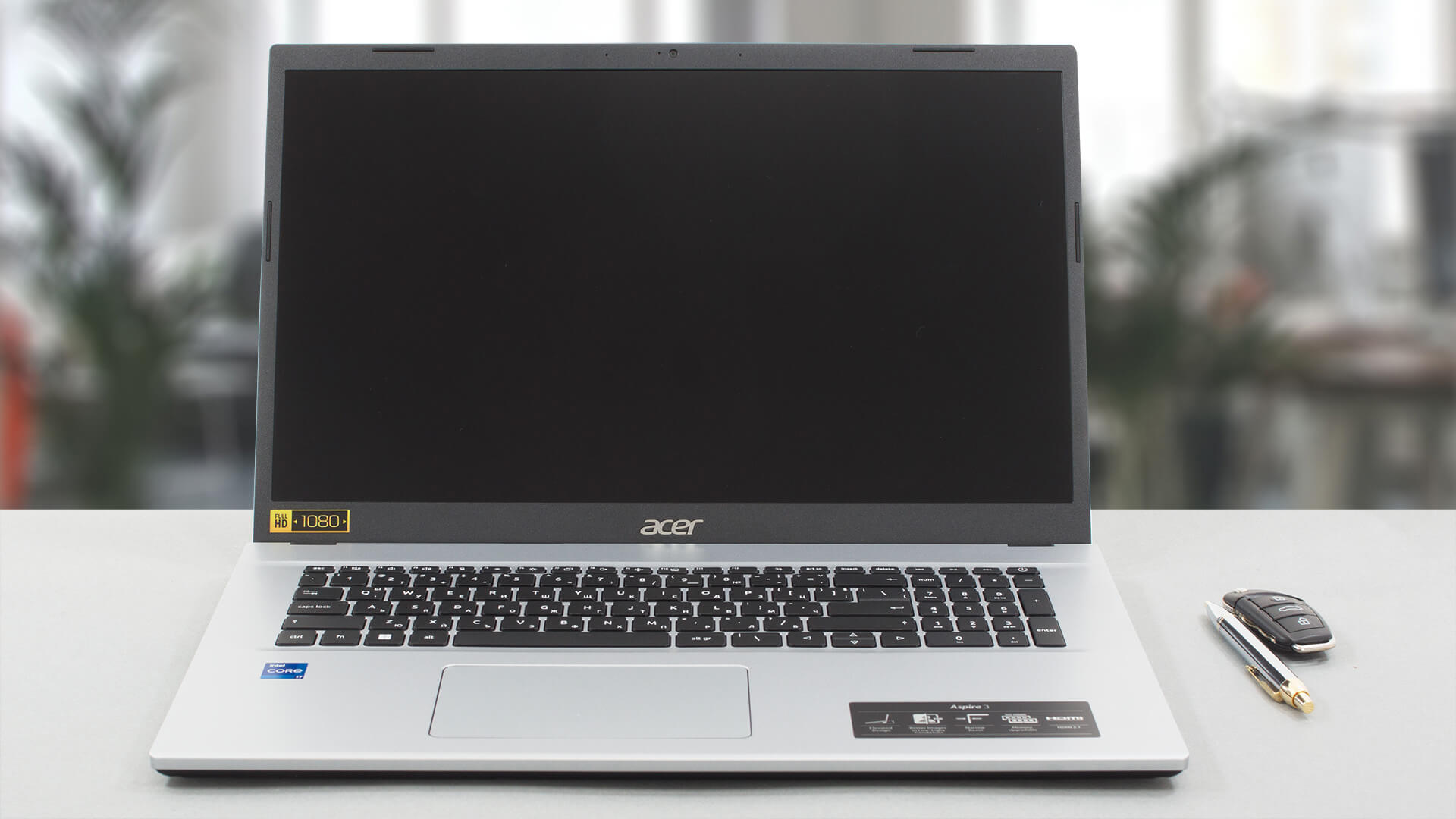
As usual, Acer is a key player in the 17-inch affordable notebook market. Today, we are going to tell you everything about the Aspire 3 (A317-54). In a nutshell, it is a large device with a rather low weight, reasonably high performance, and fair price.This is thanks to Intel's 12th Gen processors, which not only offer a good power capacity, but also great efficiency. Especially the Alder Lake U-series, which we find in this particular notebook.In addition to that, we are happy to see a 1080p IPS display, although you shouldn't expect accurate color representation. After all, we are t[...]
Pros
- 2x SODIMM, 2x M.2 PCIe x4 (one supports Gen 4 SSDs)
- Surprisingly good performance and cooling
- Good price
- No PWM (Innolux N173HCE-E3C (CMN176F))
Cons
- Not the best input devices
- No SD card reader
- Lacks a USB Type-C port
- Unimpressive build quality
- Only 55% sRGB coverage (Innolux N173HCE-E3C (CMN176F))
 Author: Alex Iliev

![[Czerwiec 2026 r.] Najlepiej sprzedające się marki laptopów w serwisie Amazon Global – bezkonkurencyjna dominacja firmy Apple pod względem liczby sprzedanych egzemplarzy i przychodów](https://laptopmedia.com/wp-content/uploads/2026/07/GLOBAL-Best-Brands-400x225.jpg)
![[Czerwiec 2026] Amazon Global: 10 najlepiej sprzedających się laptopów – nowy MacBook Neo firmy Apple szturmem zdobywa pierwsze miejsce, zmieniając oblicze rynku dzięki przystępnej cenie](https://laptopmedia.com/wp-content/uploads/2026/07/Best-Selling-Laptops-GLOBAL-Top-10-400x225.jpg)
![[Czerwiec 2026] Amazon Global: 10 najlepiej sprzedających się laptopów do gier – model Nitro V 16S AI firmy Acer dominuje pod względem sprzedaży, podczas gdy firma ASUS zajmuje pierwsze miejsce pod względem całkowitych przychodów](https://laptopmedia.com/wp-content/uploads/2026/07/Best-Selling-Gaming-Laptops-GLOBAL-Top-10-400x225.jpg)
![[Czerwiec 2026] Globalny ranking najlepiej sprzedających się kart graficznych do laptopów na Amazonie – NVIDIA RTX 5060 to najlepiej sprzedająca się dedykowana karta graficzna](https://laptopmedia.com/wp-content/uploads/2026/07/Best-Selling-GPUs-GLOBAL-Top-10-400x225.jpg)
![[Czerwiec 2026] Globalny ranking najlepiej sprzedających się procesorów do laptopów na Amazonie – Apple M5 dominuje, a AMD Ryzen 7 260 zdobywa solidny udział w segmencie premium](https://laptopmedia.com/wp-content/uploads/2026/07/Best-Selling-CPUs-GLOBAL-Top-10-400x225.jpg)

j’ai acheter le A317-54 , j’ai passer la RAM de 8 a 16 GB , la carte son est de faible qualité et la batterie ne tiens pas la charge comme indiquer sur les sites en lignes environ 3 heures en usage moyen , processeur I5 12ème génération