ASUS ROG Zephyrus G14


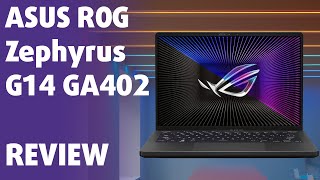


- Data publikacji: 26 Apr 2023
- AMD Ryzen 9 6900HS
- AMD Radeon RX 6700S
- 14.0”, WQXGA (2560 x 1600), 120 Hz, IPS + FreeSync
- 2000GB SSD
- 16GB DDR5
- 1.65 kg (3.6 lbs)
ASUS ROG Zephyrus G14 GA402 dogłębna recenzja
For the past couple of years, ASUS has proven to be the most active player in the innovation field of the mobile market. This year marked another milestone for the brand, as it introduced the tablet for gaming purists - ROG Flow Z13. While it is amazing for what it really is, we can't help but feel [...]
Przeczytaj pełną recenzję
Recenzja
ASUS ROG Zephyrus G14 dogłębna recenzja
For the past couple of years, ASUS has proven to be the most active player in the innovation field of the mobile market. This year marked another milestone for the brand, as it introduced the tablet for gaming purists - ROG Flow Z13. While it is amazing for what it really is, we can't help but feel that we want a more orthodox gaming experience.And if you are in the market for a small form factor gaming device - the ROG Zephyrus G14 G402 is as good as it gets. You see, the design was so ahead of its time that ASUS decided to retain most of it. You still get the AniMe Matrix external display, which now has more functionality than ever. This means you can get the Virtual Pet OMNI, which offers some mini-games, which unlock more animations.However, this additional display is nothing [...]
Przeczytaj pełną recenzjęPros
- Good battery life
- Gen 4 SSD support
- Covers 99% of the DCI-P3 color gamut and has accurate color representation with our Gaming and Web design profile (BOE NE140QDM-NX1 (BOE0A1D))
- Snappy panel with quick response times (BOE NE140QDM-NX1 (BOE0A1D))
- AniMe Matrix
- Great input devices
- Noise cancellation
- The keyboard remains relatively cool after long gaming sessions
- Good build quality
- Decent performance jump from last year
Cons
- No Thunderbolt 4
Demontaż, konserwacja i opcje modernizacji
Even though it is a slim 14-incher, you are still able to upgrade it thanks to one SODIMM slot for memory, and one M.2 PCIe x4 slot for storage.Check out all ASUS ROG Zephyrus G14 GA402 prices and configurations in our Specs System, or read more in our In-Depth review.1. Remove the bottom plate There is a total of 11 Phillips-head screws you need to undo to get inside this notebook. The one in the bottom right corner is captive, and will gently pop the bottom panel so you can start the prying process from there.2. Battery Inside, you will find a 76Wh battery pack. It last[...]
Czytaj więcej
Wyświetlacz: 14.0-inch, 2560 x 1600, IPS + FreeSync
- Nazwa
- BOE NE140QDM-NX1 (BOE0A1D)
- Przekątna
- 14.0"
- Gęstość pikseli
- 215.63 ppi
- Jasność
- 564 cd/m2
- sRGB
- 100%
- Typ Panelu
- IPS
- Rozdzielczość
- 2560 x 1600
- Staje się "Retina" od
- 16 inches (41 cm)
- Kontrast
- 1040:1
- dE Color Checker
- 3.7 2.0

Kup nasze profile dla BOE NE140QDM-NX1 (BOE0A1D)
Oprócz otrzymywania wydajnych i przyjaznych dla zdrowia profili, kupując produkty LaptopMedia, wspierasz również rozwój naszych laboratoriów, w których testujemy urządzenia w celu tworzenia jak najbardziej obiektywnych recenzji.

Office Work
Office Work powinien być używany głównie przez użytkowników, którzy spędzają większość czasu patrząc na teksty, tabele lub po prostu przeglądając internet. Ten profil ma na celu zapewnienie lepszej wyrazistości i klarowności poprzez utrzymanie płaskiej krzywej gamma (2.20), natywnej temperatury barwowej i percepcyjnie dokładnych kolorów.

Design and Gaming
Ten profil jest przeznaczony dla projektantów, którzy pracują z kolorami zawodowo, a także do gier i filmów. Design and Gaming wykorzystuje panele wyświetlaczy do granic ich możliwości, czyniąc je tak dokładnymi, jak to tylko możliwe w standardzie sRGB IEC61966-2-1 dla stron internetowych i telewizji HD, przy punkcie bieli D65.

Health-Guard
Health-Guard eliminuje szkodliwą modulację szerokości impulsu (PWM) i redukuje negatywne niebieskie światło, które wpływa na nasze oczy i ciało. Ponieważ jest on dostosowany do każdego panelu, udaje mu się utrzymać percepcyjnie dokładne kolory. Health-Guard symuluje papier, dzięki czemu nacisk na oczy jest znacznie zmniejszony.





