MSI RTX 3050 VENTUS 2X 8G OC review
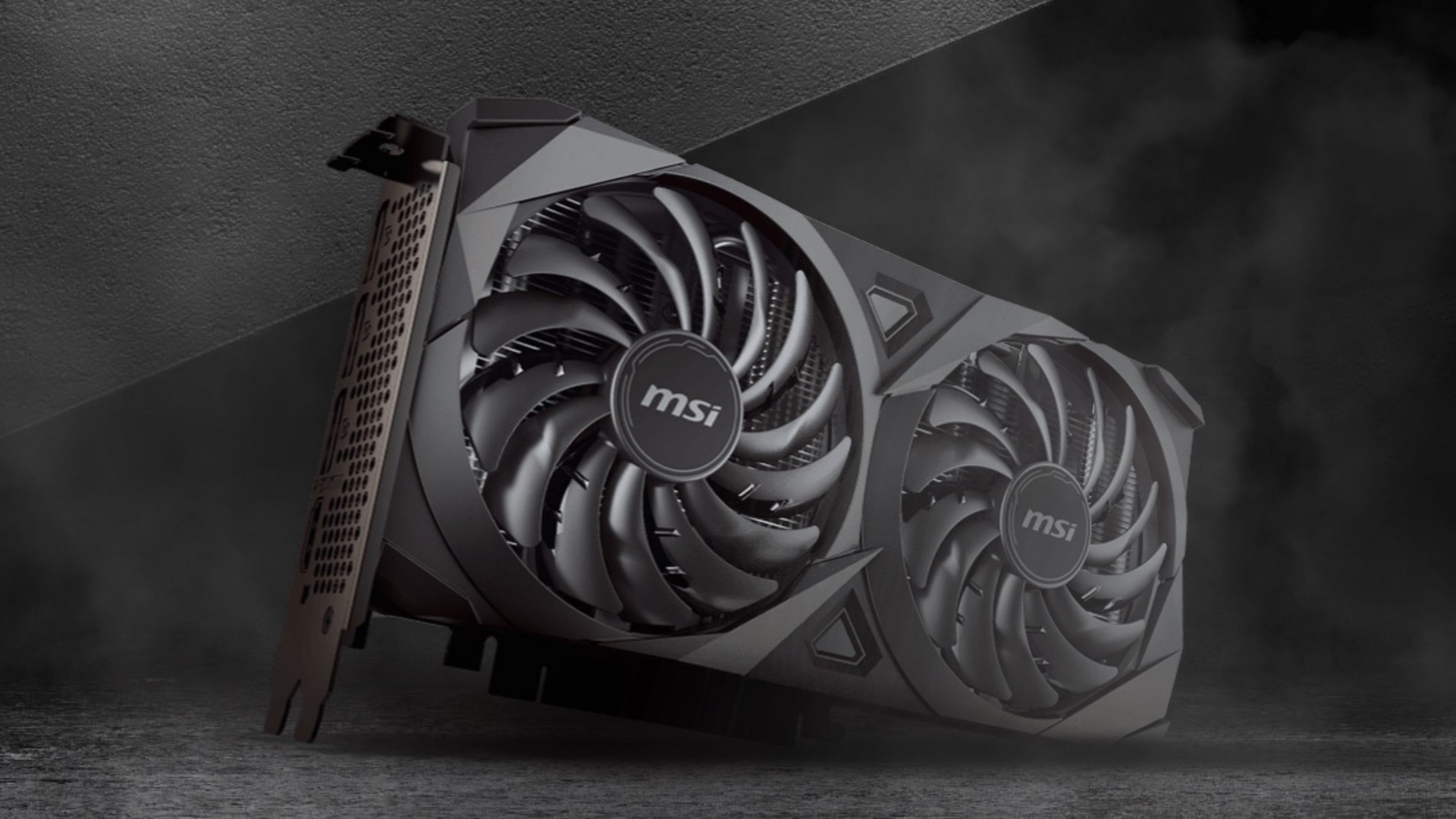 Nowadays, it’s a bit hard to call almost any GPU a budget one because the video card prices aren’t yet normalized at 100%. Still, the cost of most GeForce RTX 3050 graphics cards is on the low side by today’s standards. The RTX 3050 looks like it’s meant for 1080p gaming – it comes with an 8GB memory which is just fine even for 1440p gaming. For this review, we will test the MSI RTX 3050 VENTUS 2X 8G OC. As you may know, the Ventus lineup is a step-down compared to other MSI’s custom GPU designs like the Gaming or Trio.
For a not-so-power-hungry chip like the GA106, a two-fan cooler design seems more than enough for adequate cooling. The GPU is limited to PCIe 4.0 x8 but this kind of bus interface speed is fine given the raw power of the GA106. The I/O of the video card is what you’d expect from GPU released in 2022 – three Display Ports 1.4a and an HDMI 2.1. At least on paper, this graphics card should be powerful enough for 1080p gaming with greatly bumped visuals but we’ll see if this GPU is okay for playing games on 1440p and even on 4K with some compromises when it comes to visual quality.
You can check the current price of MSI RTX 3050 VENTUS 2X 8G OC here: Buy from Amazon.com (#CommissionsEarned)
Contents
Specs Sheet
| MSI RTX 3050 VENTUS 2X 8G OC | |
|---|---|
| Architecture | Ampere |
| GPU chip | GA106 |
| Shader units | 2560 |
| ROPs | 32 |
| TMUs | 80 |
| Transistors | 12000M |
| Base Clock (MHz) | 1552 |
| Boost clock (MHz) | 1807 |
| Memory clock (MHz) | 1750 |
| Memory size (MB) | 8192 |
| Memory type | GDDR6 |
| Memory bus width (bit) | 128 |
| Default board power limit | 130W |
| Max board power limit | 130W |
| Power Connectors | 8-pin |
| Recommended PSU | 550W |
| Dimensions | 235 x 124 x 42 mm |
| Weight | 661g |
| I/O | 3x Display Port, HDMI 2.1 |
| Max Resolution | 7680×4320 |
| DirectX version | 12.2 |
| Technology | 8nm |
| RTX capabilities | Yes |
| Release date | 01.2022 |
Test configuration
CPU: Intel Core i9-12900K
Motherboard: MSI MPG Z690 Carbon
RAM: 2x16GB DDR5 G.SKILL Trident Z5 6000MHz CL36
Power Supply: EVGA P+ 1300W
Cooling: COUGAR AQUA 360
Monitor: LG 43UN700-B
Case: Open test bench
Software
OS: Windows 11 x64 with the latest updates
Drivers: NVIDIA 516.59 drivers
Drivers
The GPU drivers for the MSI RTX 3050 VENTUS 2X 8G OC can be found in the following link:
https://www.nvidia.com/en-us/geforce/drivers/
What’s in the box?
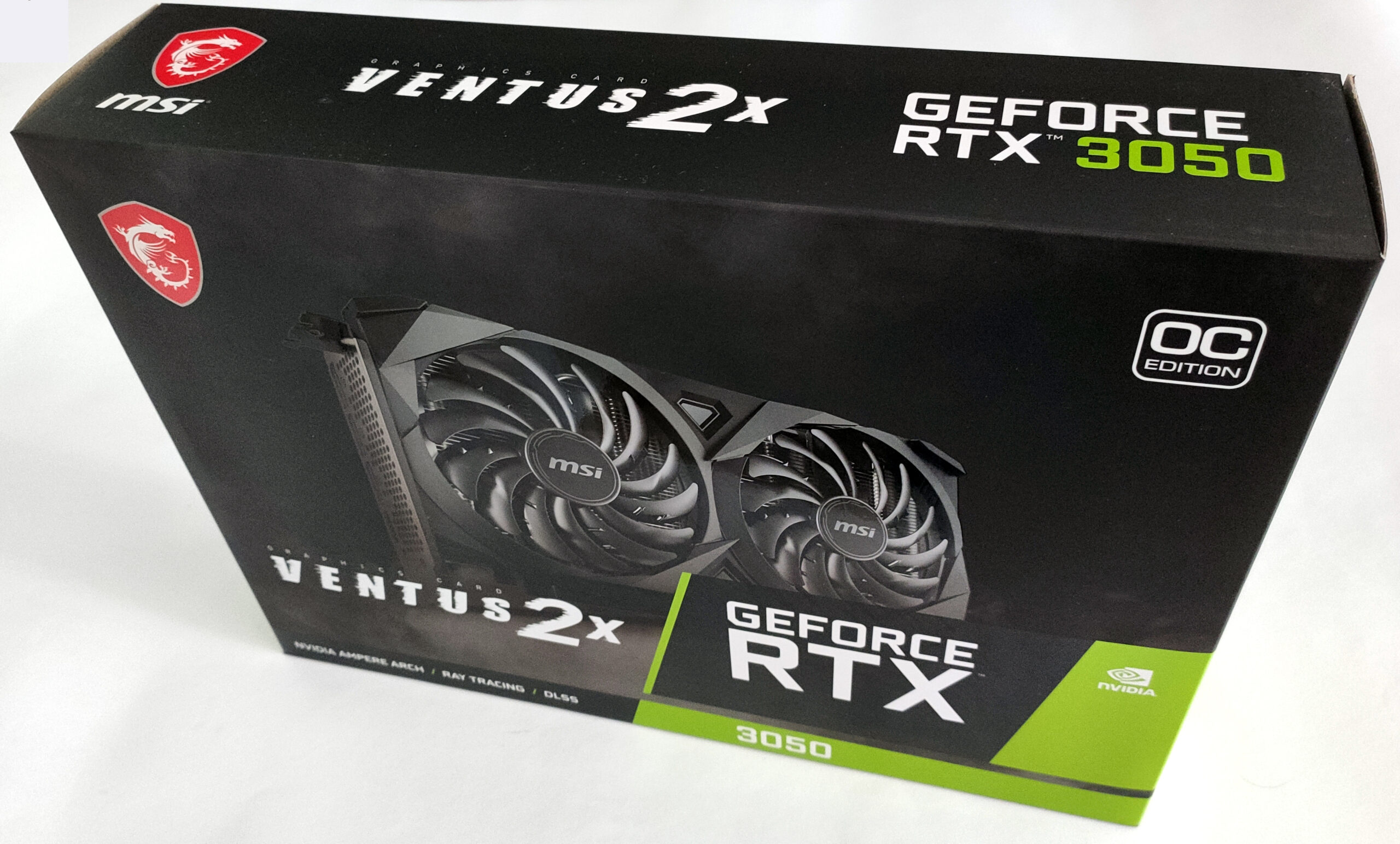
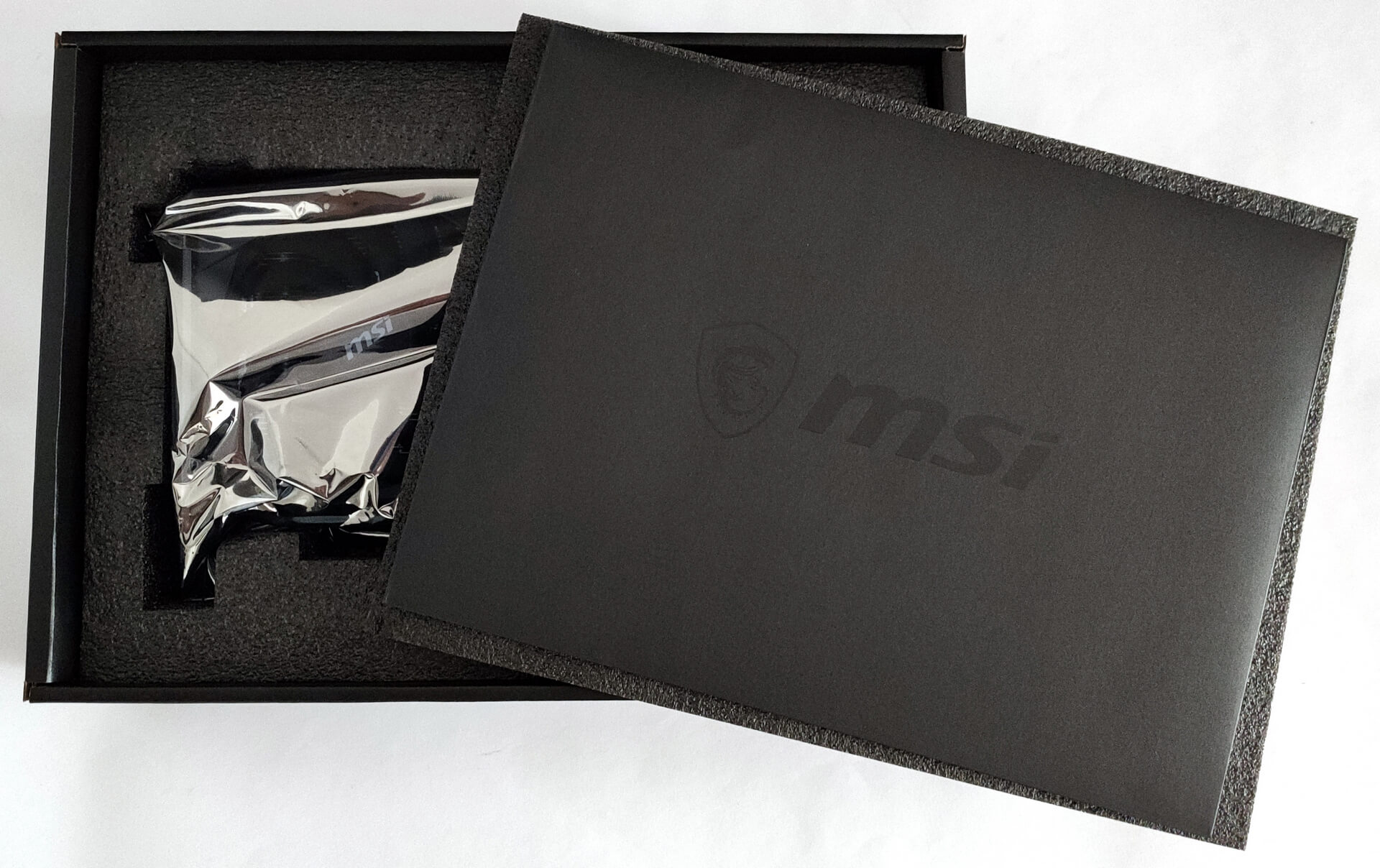
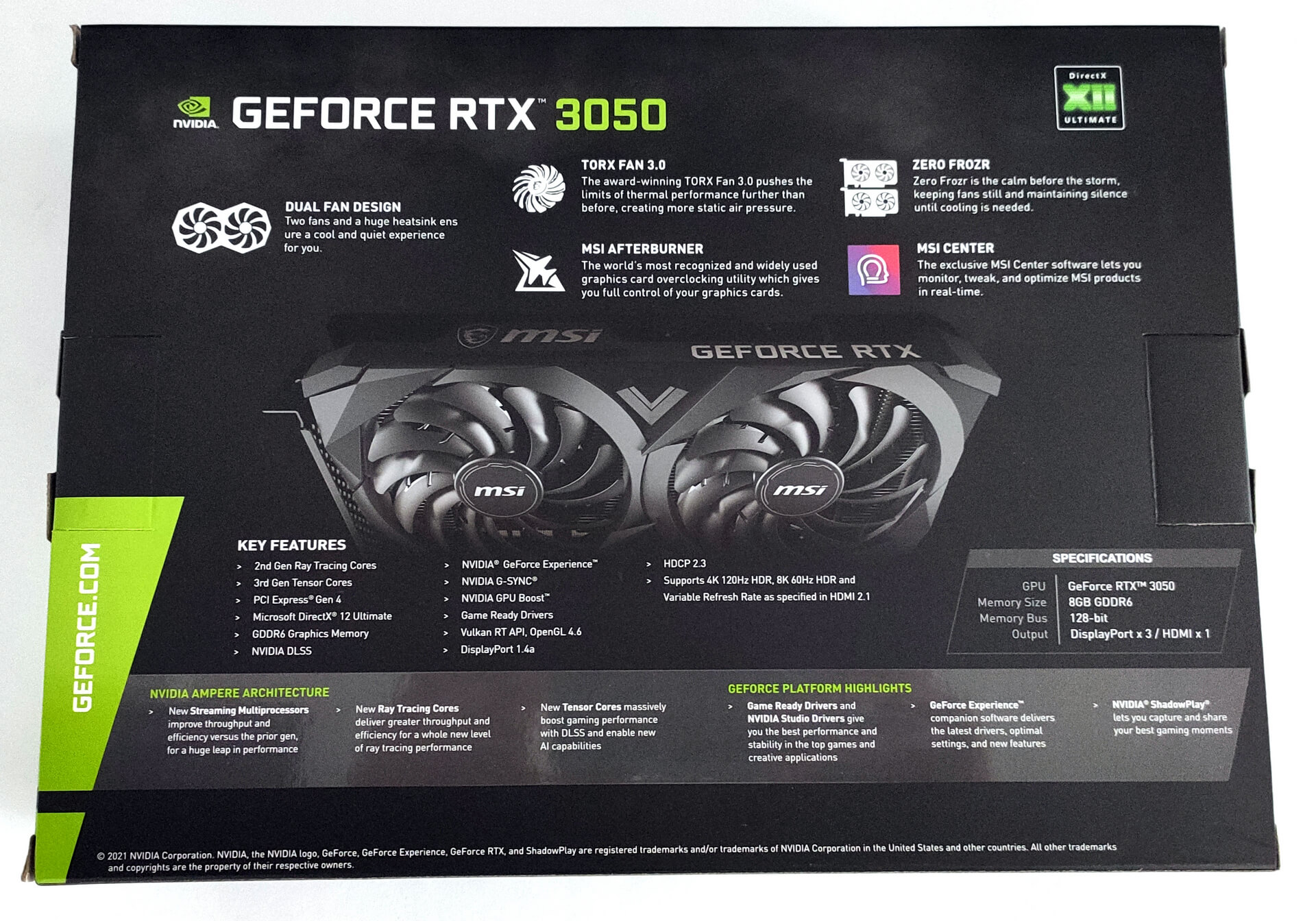
The video card comes well-secured in a fairly compact box – the package weight is just 1070 grams. Inside, you’ll find only the essentials – protective foam, manuals, and the GPU itself.

Design and looks
As you can see, the video card is compact – it’s just 23.5 mm long and it features a two-fan setup. The video card takes 2.2 slots thanks to its backplate – without it, it’s a pure two-slot GPU. This means that the extra space is on the back of the video card and the graphics cards will not block additional PCIe slots on your motherboard.
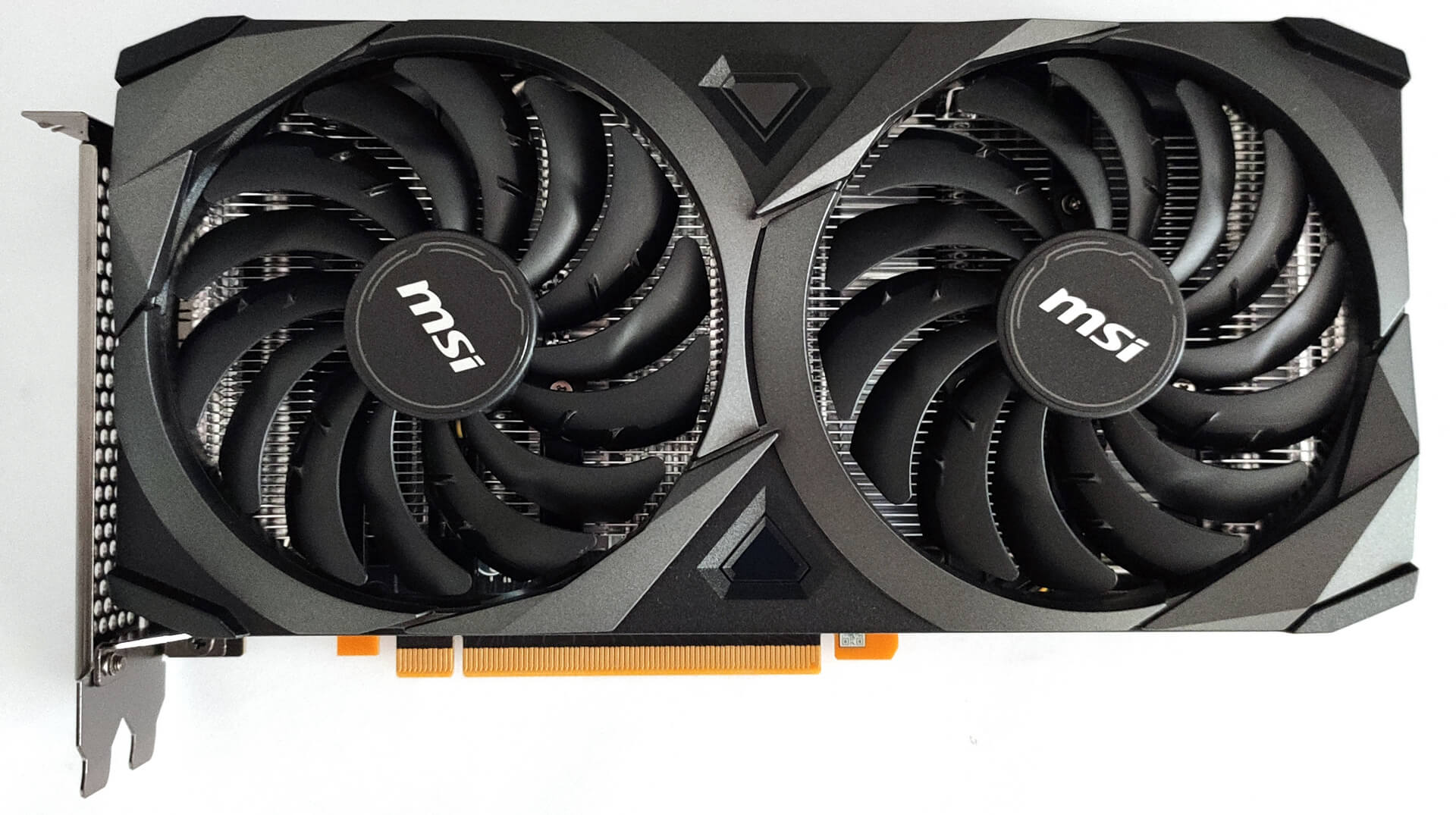
Speaking of fans, the pair here is called TORX Fan 3.0 (and it has a similar look to the 2.0 variants). The fans aren’t that fancy-looking like the ones used in the more premium models (the 4.0 version) but in reality, this duo is a quality one and it’s silent (and effective as well) during load and that’s the thing that matters the most.
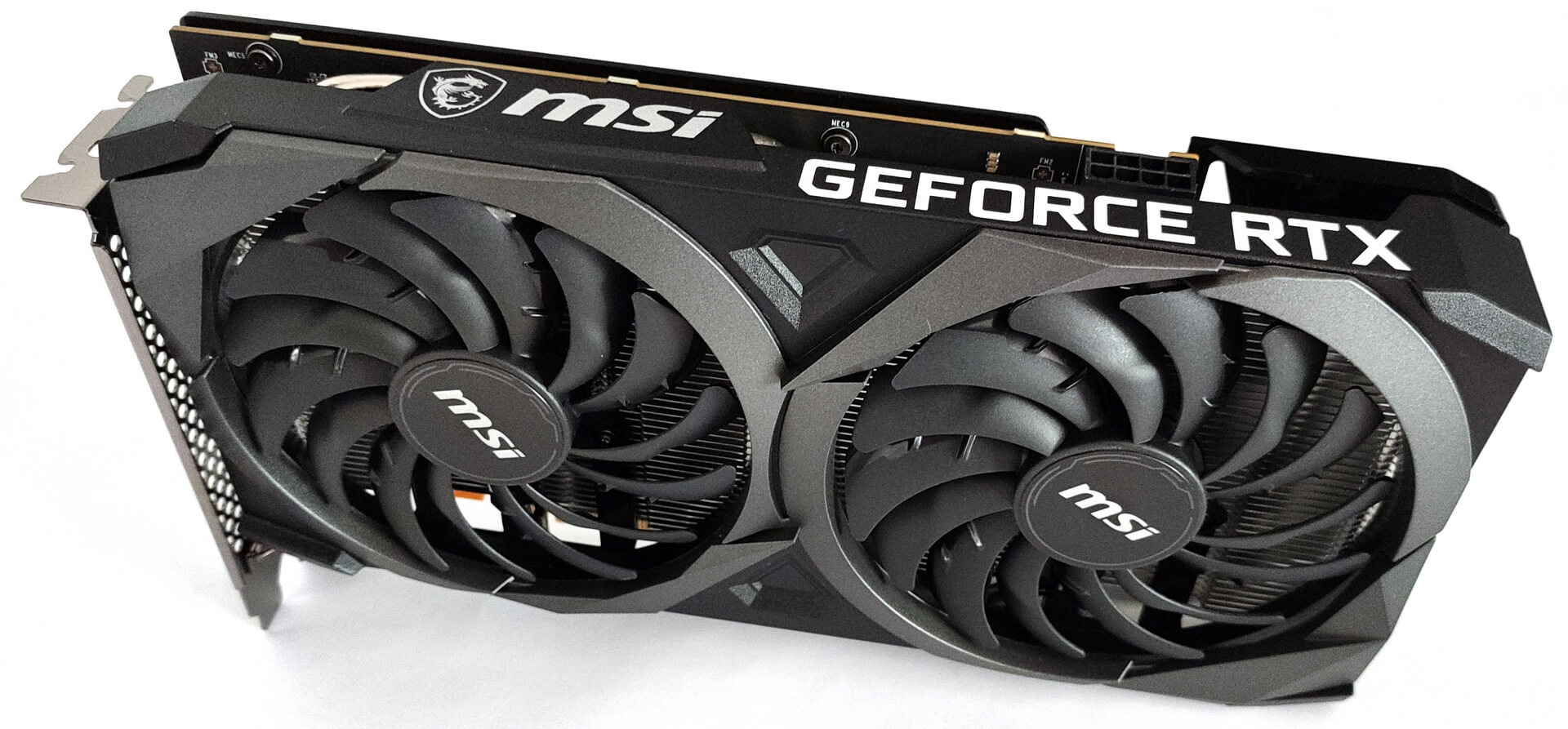
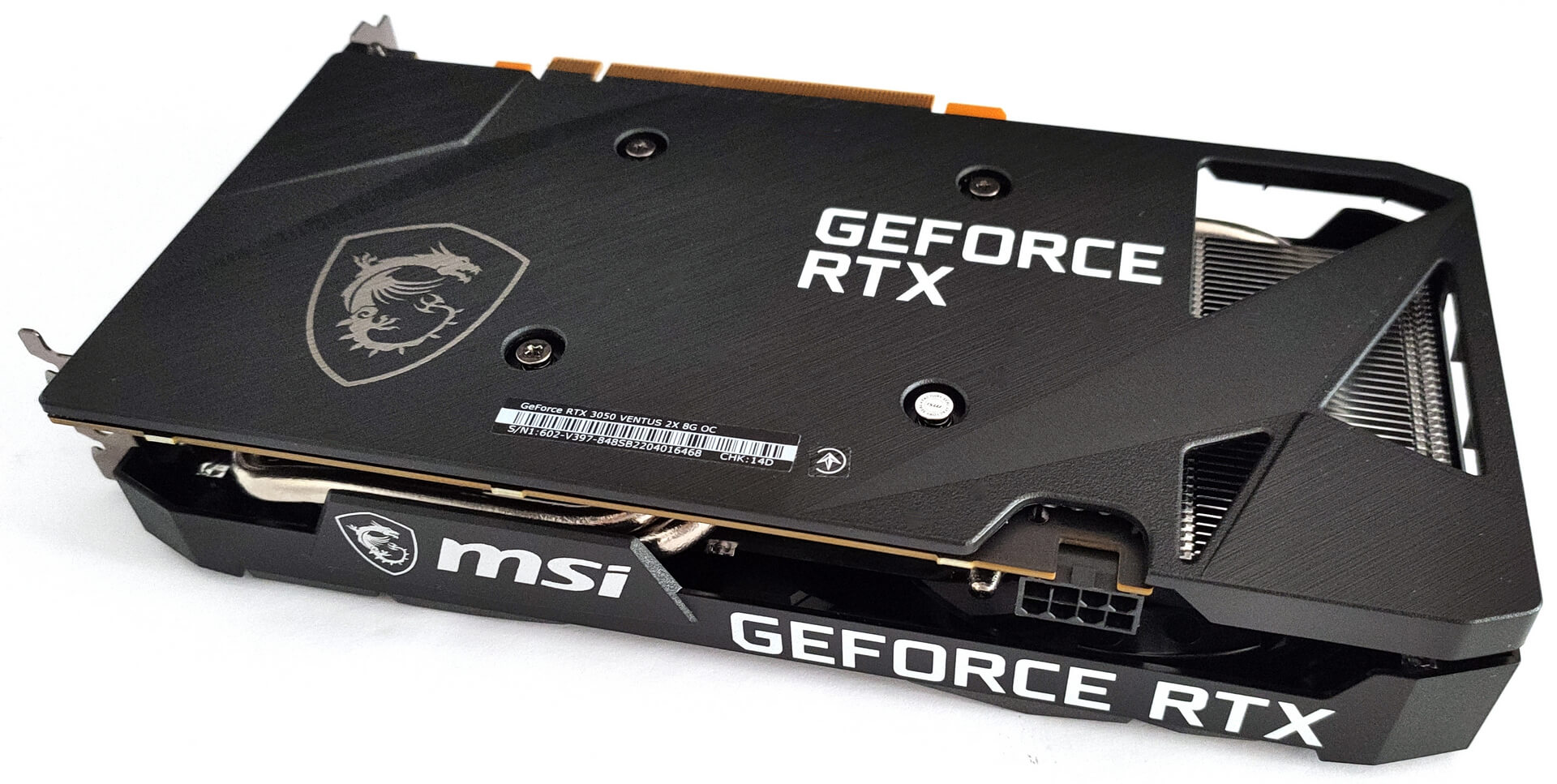
The backplate is made of plastic which is normal for such a graphics card – it protects the card from damage during installation or when you’re upgrading something inside of your PC. Still, the plastic isn’t dissipating the heat as well as the metal so a plastic backplate isn’t an optimal solution.

We can immediately spot the absence of the anti-bending strap that can be found in some other MSI GPUs but here it’s not a problem because we got a 23.5mm long GPU that weighs a bit over half a kilo – so sagging isn’t an issue at all.
Synthetic benchmarks, BIOS, and overclock
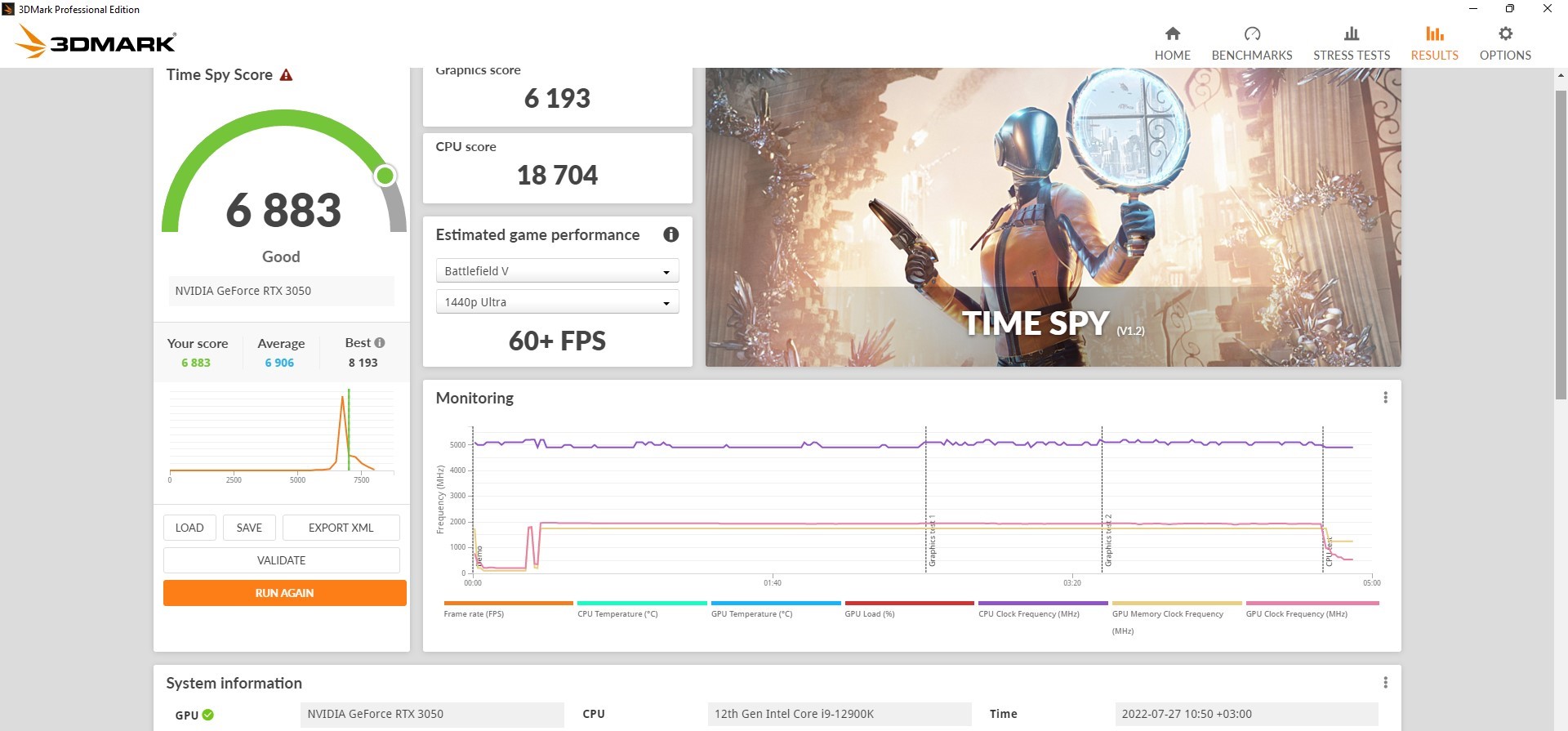
So, let’s test the GPUs’ raw performance with the aid of some popular benchmarks like 3DMark Fire Strike, 3DMark Time Spy, and Unigine Superposition. We’ll start with the stock results.

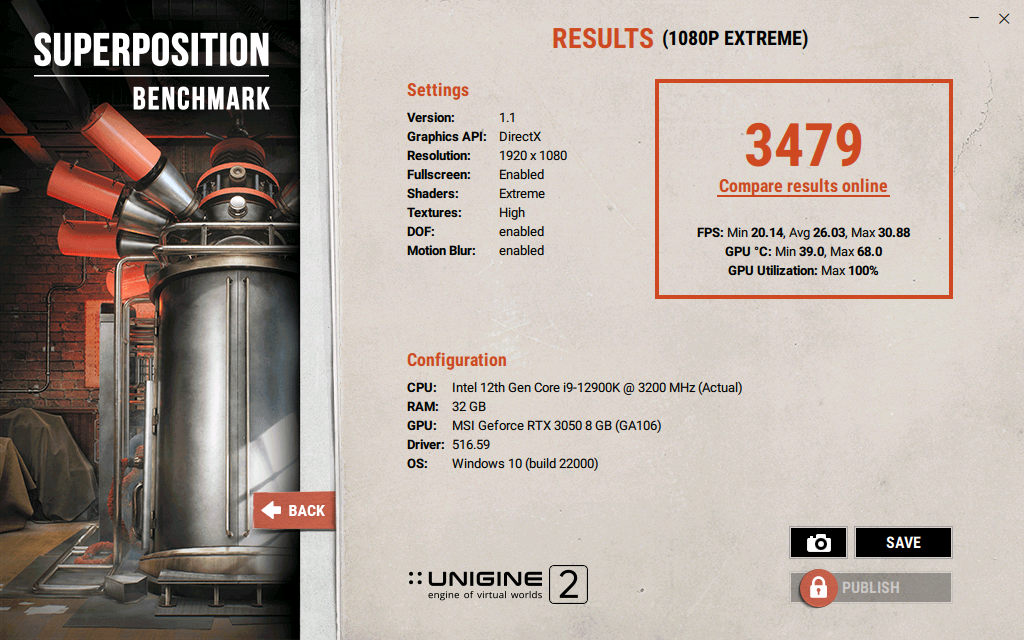
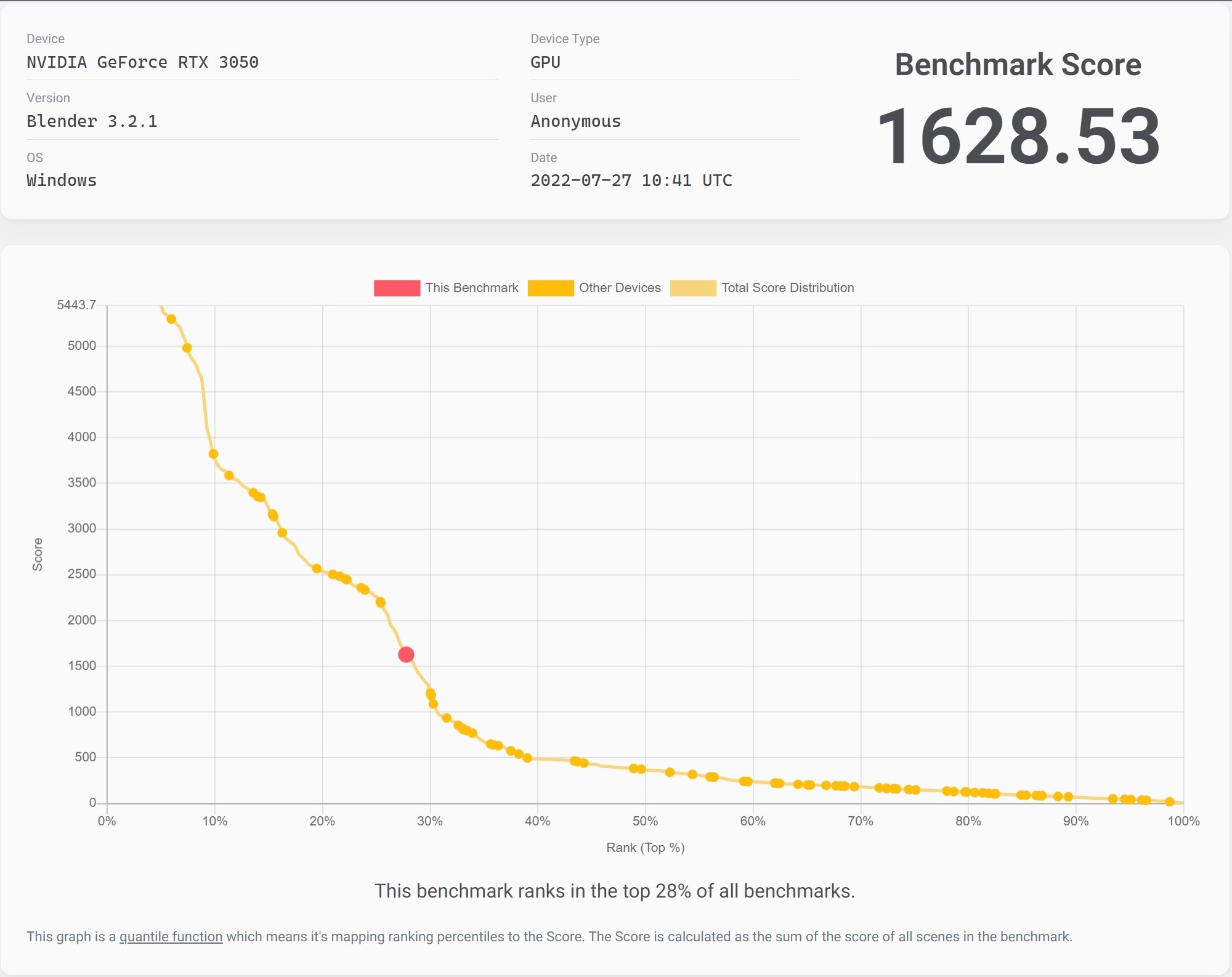
Now, let’s check the OC results.

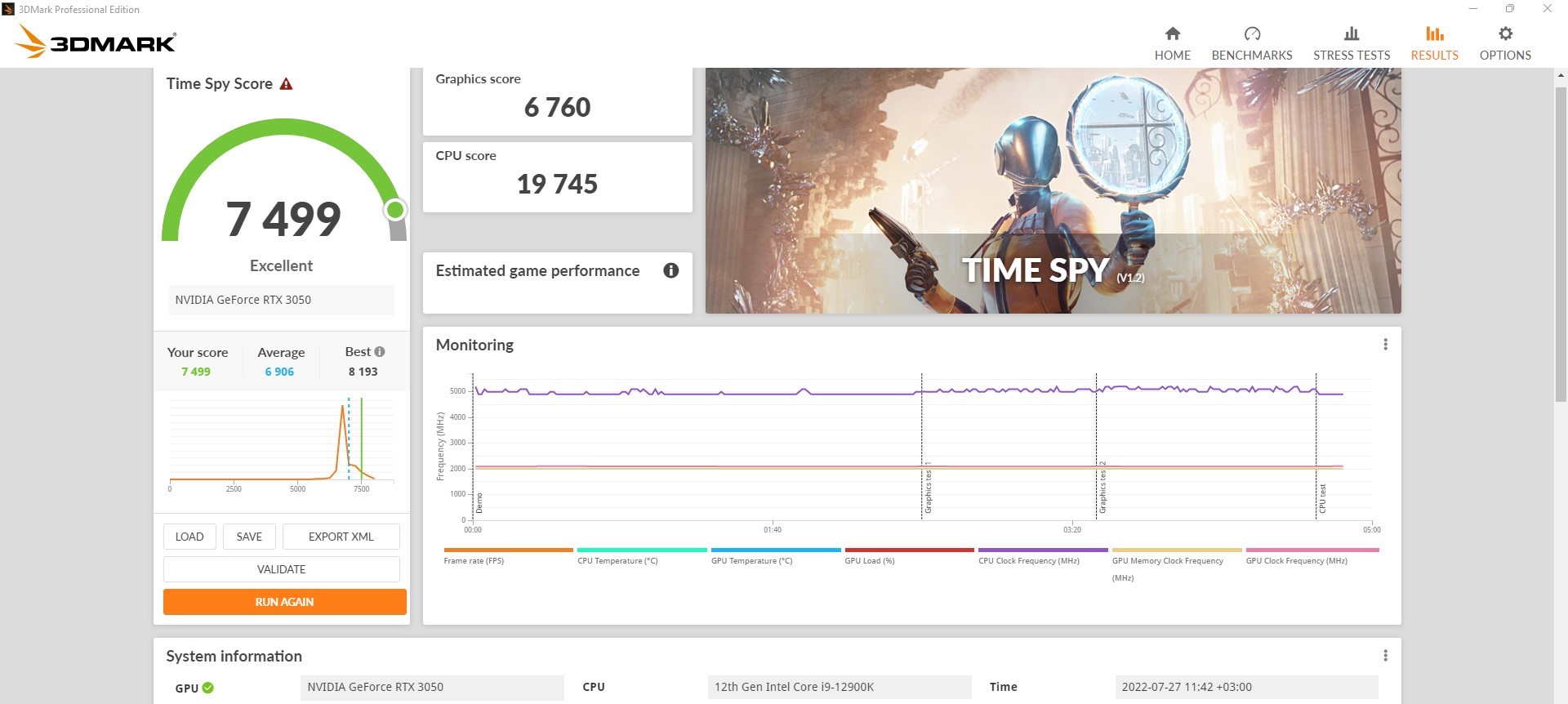
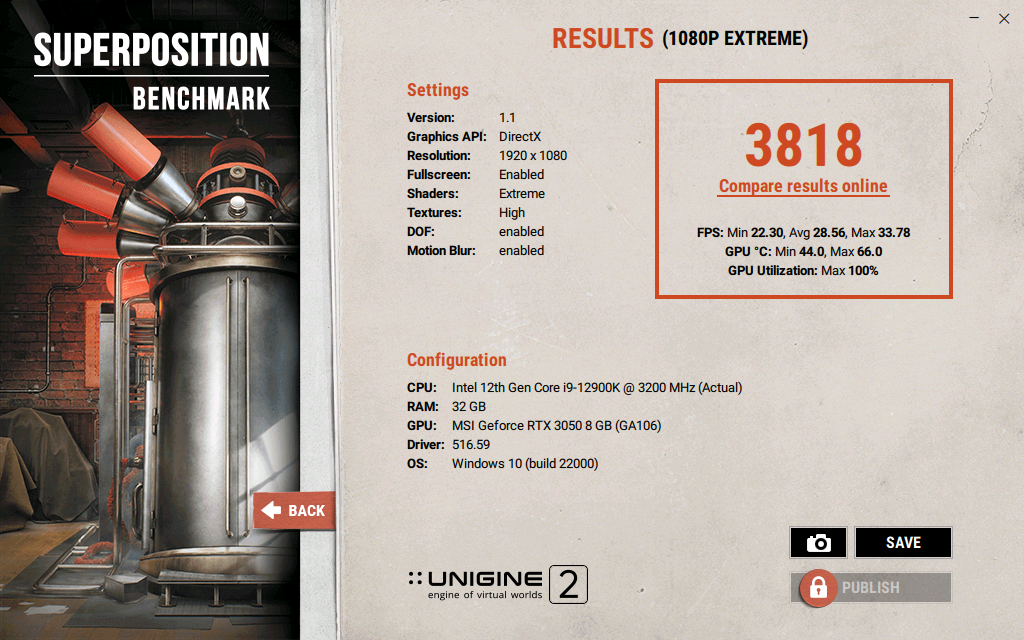
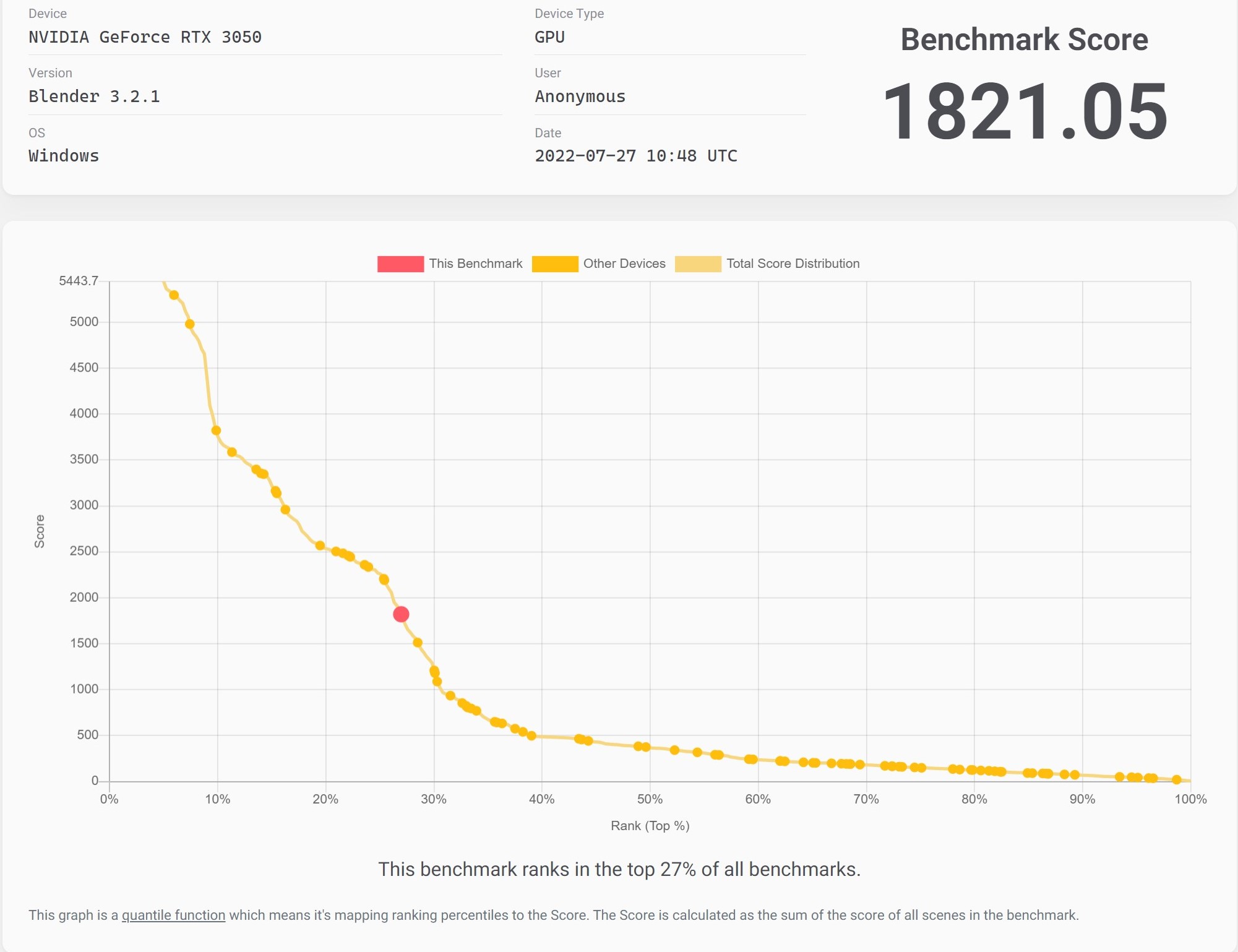
| 3Dmark Fire Strike Graphics Score | 3Dmark Time Spy Graphics Score | Unigine Superposition | Blender | |
|---|---|---|---|---|
| MSI RTX 3050 VENTUS 2X 8G OC Stock | 16335 | 6193 | 3479 | 1628 |
| MSI RTX 3050 VENTUS 2X 8G OC OC | 17700 (+8%) | 6760 (+9%) | 3818 (+10%) | 1821 (+12%) |
The gain from overclocking this particular GPU is around 10% on average. Not a huge one but if you are familiar with overclocking (and you have some free time) why not?
BIOS
You can have a look at the BIOS of the GPU and its stock clocks. In idle, you can’t hear the graphics card because fans aren’t spinning while the core temperature is a bit below 40°C.
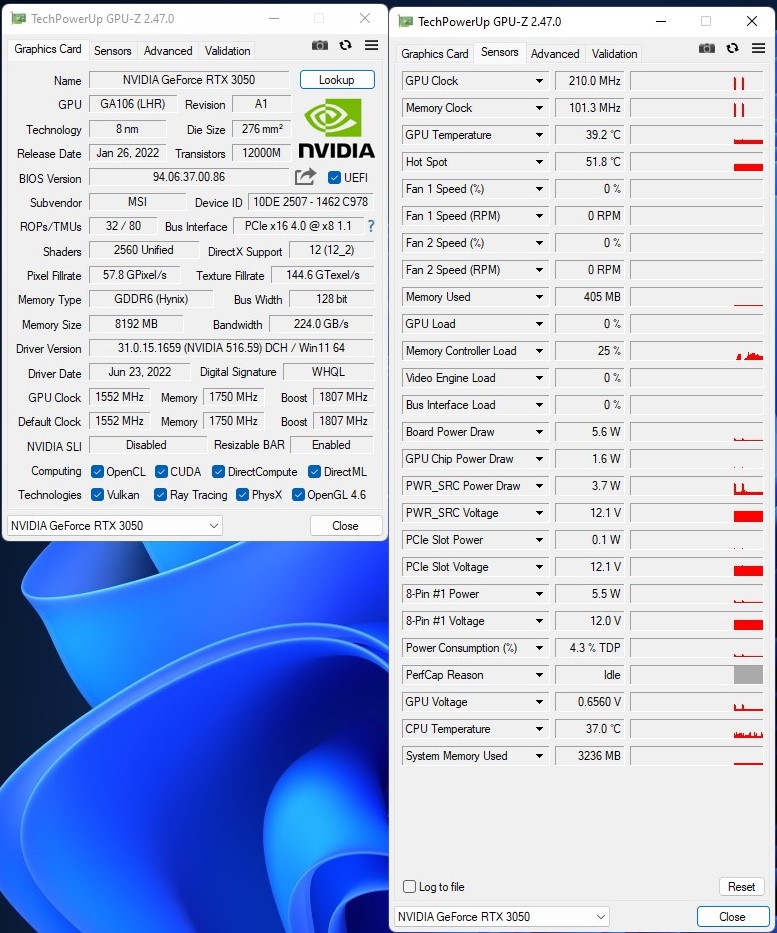
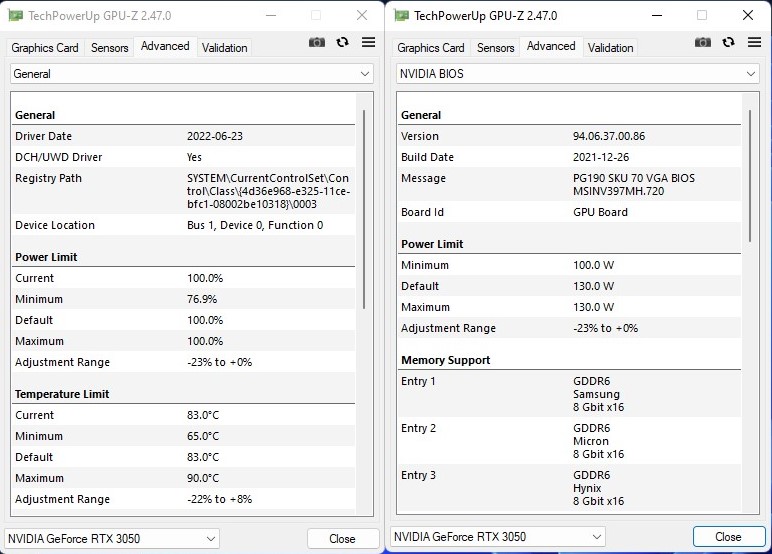
It’s quite disappointing that the power limit of the GPU can’t be increased even by a small margin. All you got is 130W TGP so if you want to squeeze more performance you have to undervolt the video card and then you can try some core and memory overclocking.
Overclock
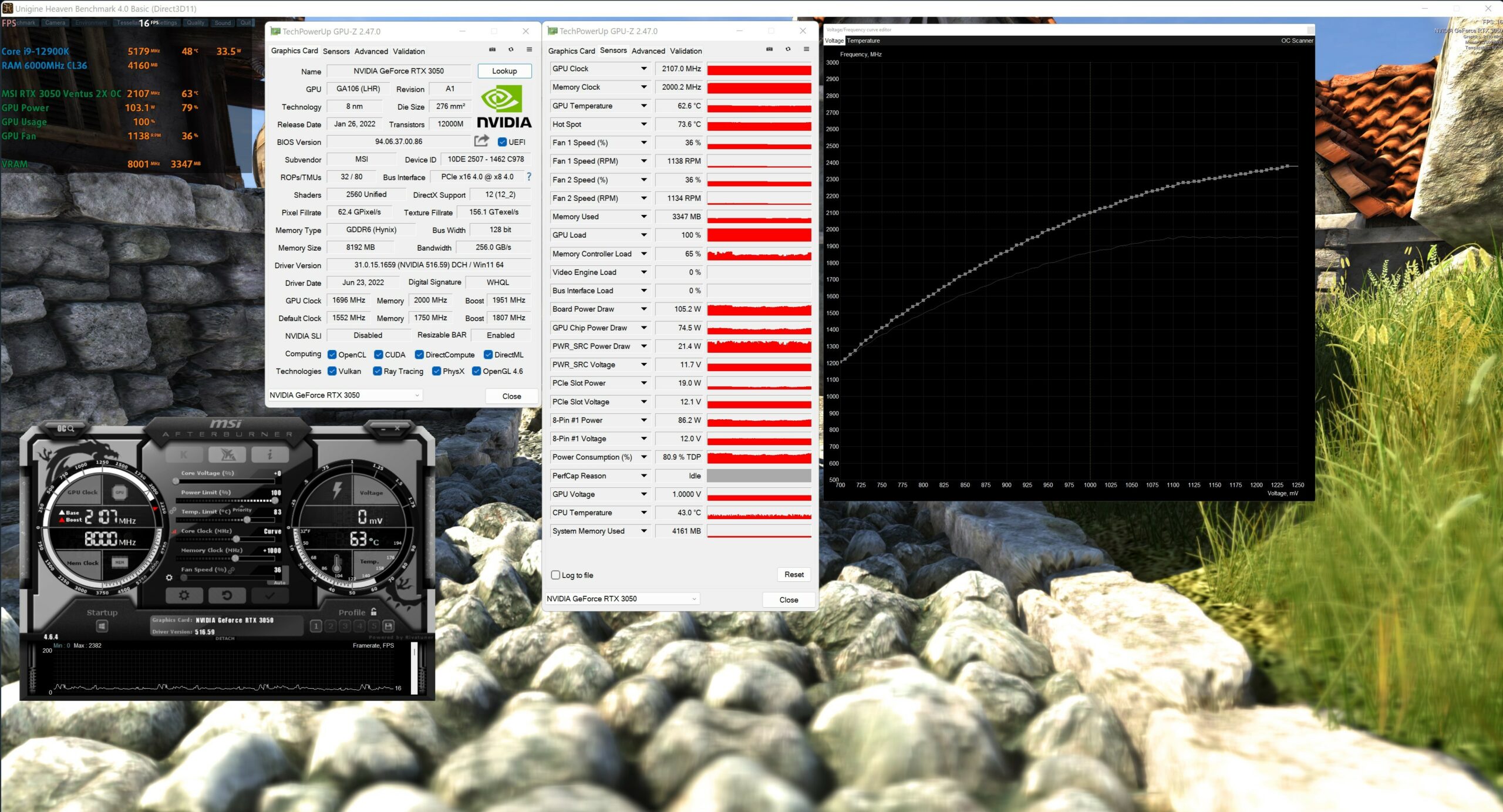
We’re using Unigine Heaven 4.0 in 4K for monitoring the stock and OC frequencies while testing for stability. Let’s check the stock frequencies. We got around 1942 MHz@65°C for the core and the memory is set to 1750MHz (7000MHz effective). The good news is the fans’ rotating speed is below 1400 RPM – neat. It’s hard to hear them even in games like Cyberpunk 2077.
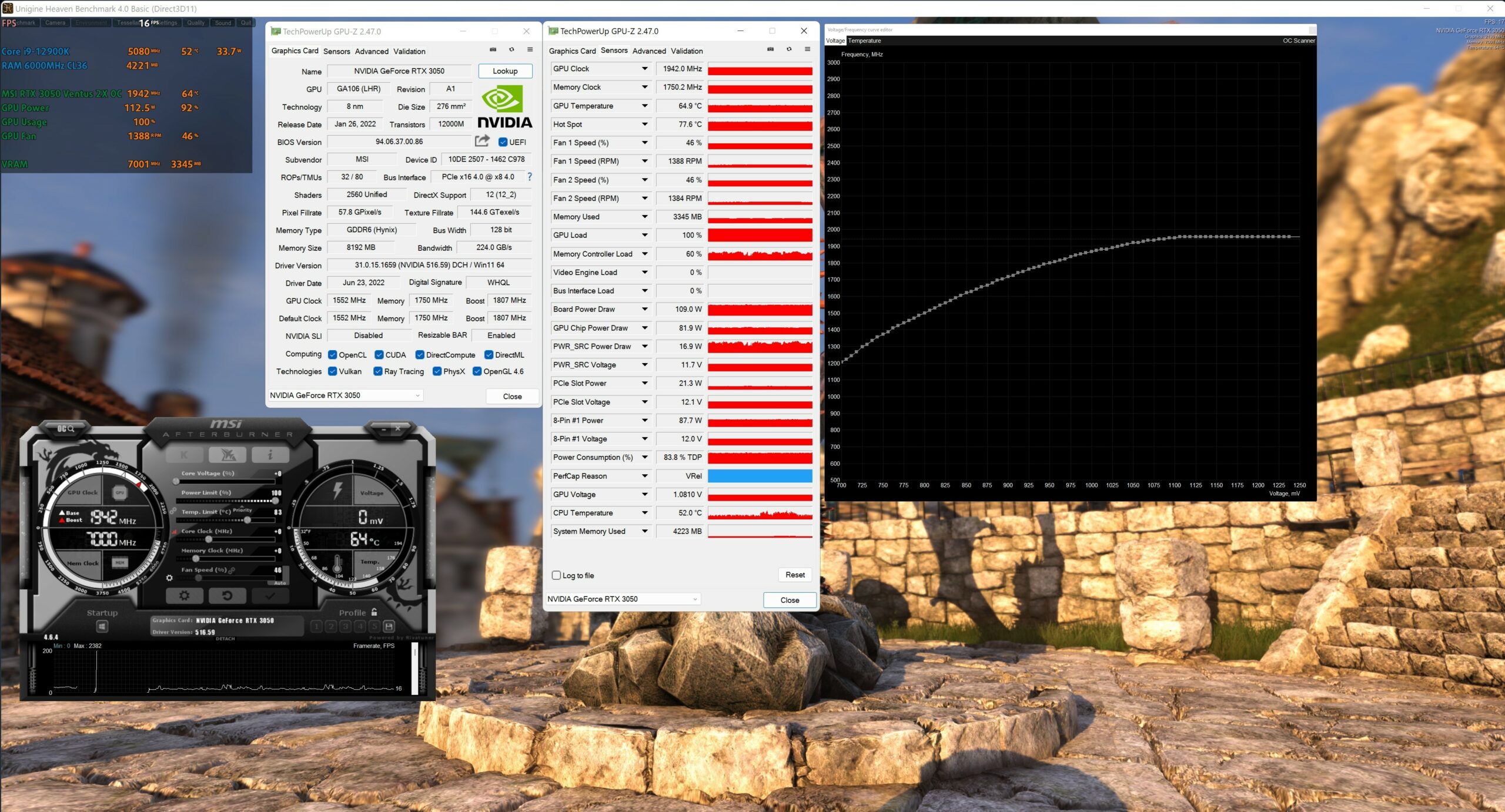
Overclocking the GPU isn’t complicated at all. With the MSI Afterburner’s Voltage/Curve frequency editor we set the core voltage to exactly 1V and the core clock to 2107MHz – this is the maximum core frequency without experiencing any throttling caused by the modest power limit in heavy games. Actually, this kind of core frequency isn’t bad at all. The Hynix memory is a bit of a pleasant surprise – it’s stable at +1000MHz (8000MHz effective clock) which isn’t as good as some other GPUs with Samsung memory chips but at the end of the day, this kind of memory clock is just enough. We’re using fans in auto mode and we can see that the GPU is even cooler and more quieter despite the fact that it’s overclocked. Because of the core undervolt (from 1.08V to 1.0V) the fans are spinning at 1138 RPM and the core temperature is 63°C – that’s 2°C cooler compared to the stock clocks. So, we got 10% more performance from the OC and the video card become even cooler and quieter – nice.
Gaming tests

| Stray | High (Check settings) |
|---|---|
| 1080p | 137 fps |
| 1440p | 86 fps |
| 4K | 41 fps |

| Far Cry 6 | Ultra (Check settings) |
|---|---|
| 1080p | 73 fps |
| 1440p | 52 fps |
| 4K | 28 fps |

| Diablo Immortal | V.High (Check settings) |
|---|---|
| 1080p | 253 fps |

| God Of War | Ultra (Check settings) |
|---|---|
| 1080p | 57 fps |
| 1440p | 44 fps |
| 4K | 26 fps |

| Forza Horizon 5 | Extreme (Check settings) |
|---|---|
| 1080p | 55 fps |
| 1440p | 47 fps |
| 4K | 33 fps |

| Days Gone | Very High (Check settings) |
|---|---|
| 1080p | 81 fps |
| 1440p | 55 fps |
| 4K | 28 fps |

| Death Stranding | V.High (Check settings) |
|---|---|
| 1080p | 100 fps |
| 1440p | 71 fps |
| 4K | 38 fps |

| Call Of Duty Warzone (Caldera) | Ultra (Check settings) |
|---|---|
| 1080p | 90 fps |
| 1440p | 64 fps |
| 4K | 35 fps |

| Tom Clancy’s Ghost Recon Breakpoint | Ultra (Check settings) |
|---|---|
| 1080p | 77 fps |
| 1440p | 60 fps |
| 4K | 36 fps |

| FIFA 22 | Ultra (Check settings) |
|---|---|
| 1080p | 334 fps |
| 1440p | 259 fps |
| 4K | 147 fps |

| Resident Evil Village | Max (Check settings) |
|---|---|
| 1080p | 148 fps |
| 1440p | 97 fps |
| 4K | 48 fps |

| Cyberpunk 2077 | Ultra (Check settings) |
|---|---|
| 1080p | 50 fps |
| 1440p | 30 fps |
| 4K | 9 fps |
| Cyberpunk 2077 Benchmark | Ultra (Check settings) |
|---|---|
| 1080p | 49 fps |
| 1440p | 30 fps |
| 4K | 9 fps |

| Assassin’s Creed Valhalla | Ultra (Check settings) |
|---|---|
| 1080p | 57 fps |
| 1440p | 43 fps |

| eFootball PES 2021 | High (Check settings) |
|---|---|
| 1080p | 173 fps |
| 1440p | 111 fps |
| 4K | 54 fps |

| CS:GO | MAX (Check settings) |
|---|---|
| 1080p | 384 fps |
| 1440p | 246 fps |
| 4K | 125 fps |

| DOTA 2 | Ultra (Check settings) |
|---|---|
| 1080p | 189 fps |
| 1440p | 158 fps |
| 4K | 80 fps |

| Grand Theft Auto V (GTA 5) | Ultra (Check settings) |
|---|---|
| 1080p | 49 fps |
| 1440p | 33 fps |
| 4K | 17 fps |

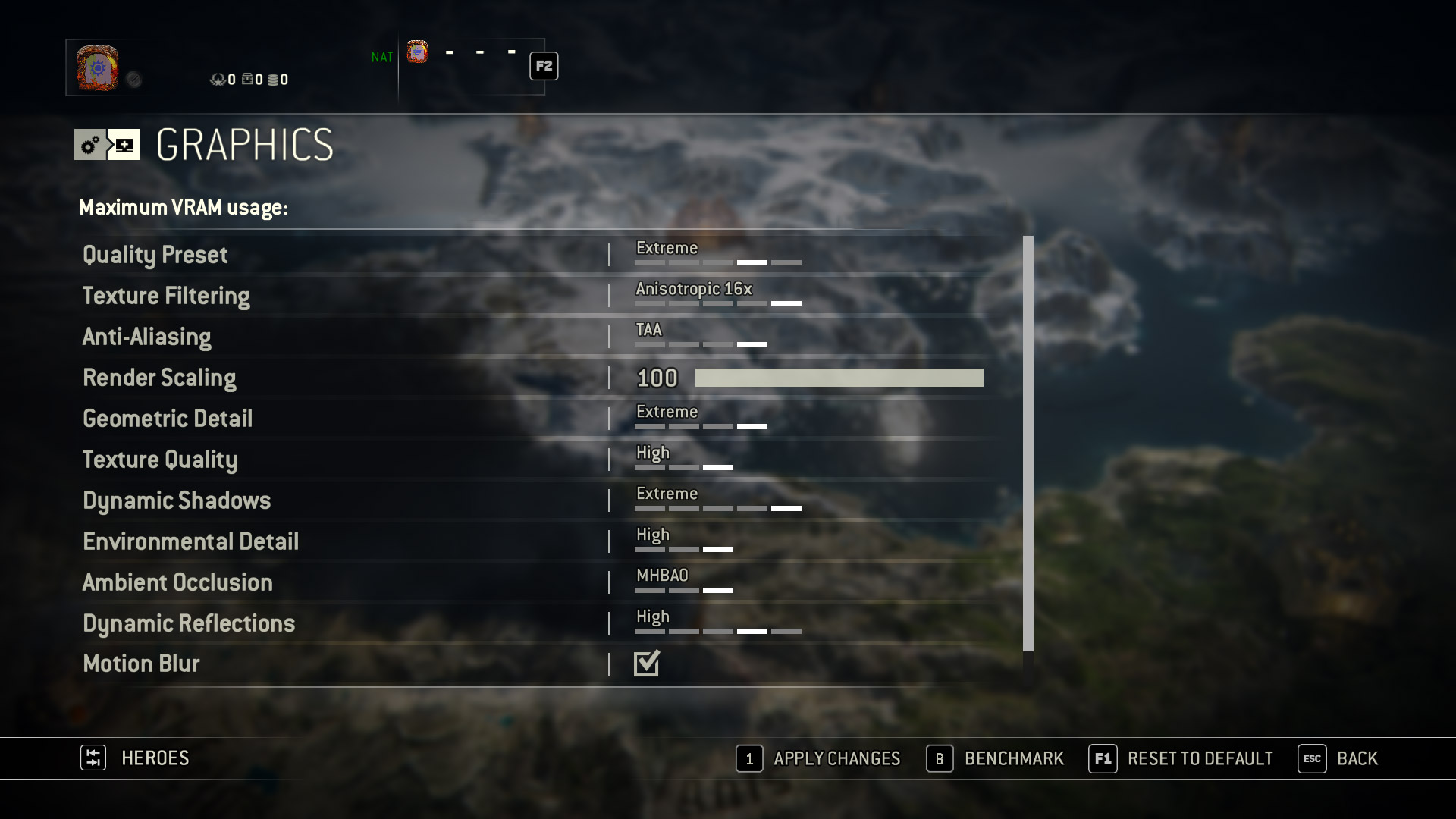
| For Honor | Extreme (Check settings) |
|---|---|
| 1080p | 117 fps |
| 1440p | 77 fps |
| 4K | 39 fps |

| Tom Clancy’s Rainbow Six Siege | Ultra (Check settings) |
|---|---|
| 1080p | 300 fps |
| 1440p | 201 fps |
| 4K | 102 fps |

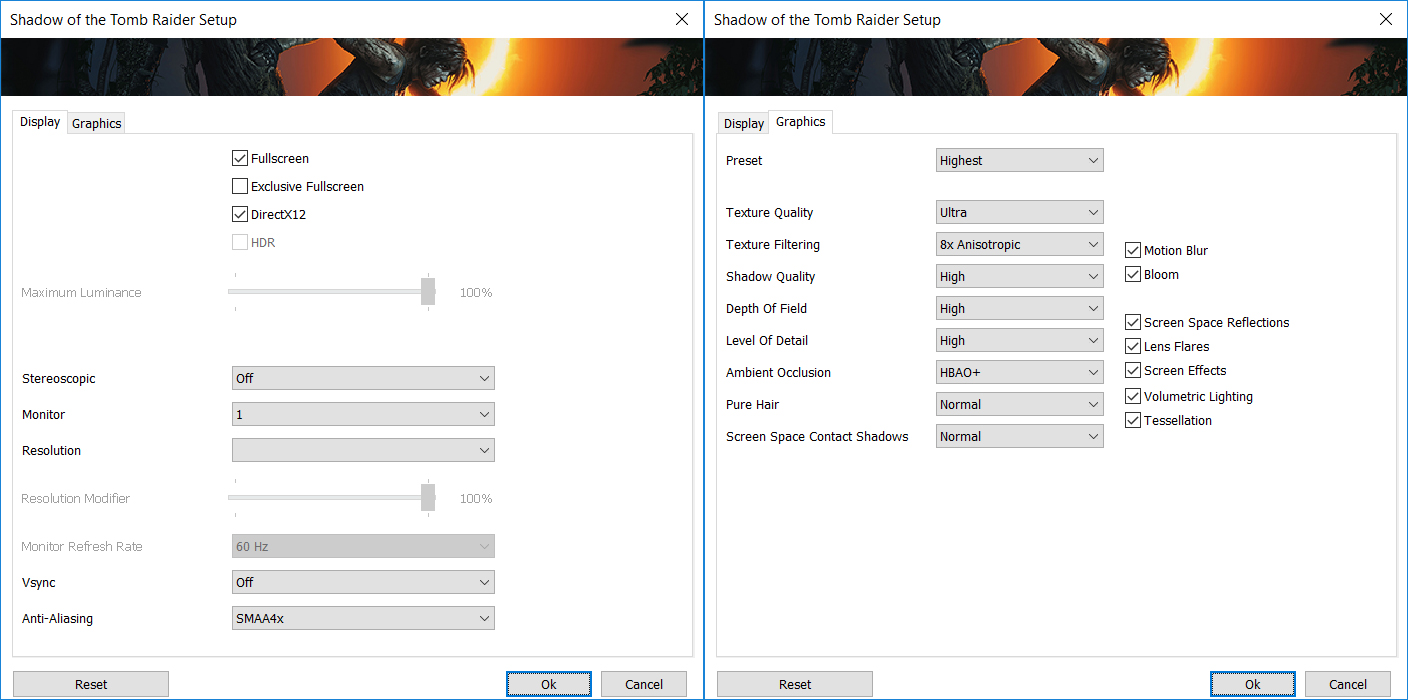
| Shadow of the Tomb Raider (2018) | Highest (Check settings) |
|---|---|
| 1080p | 63 fps |
| 1440p | 40 fps |
| 4K | 20 fps |

| Doom Eternal | U.Nightmare (Check settings) |
|---|---|
| 1080p | 145 fps |
| 1440p | 107 fps |
| 4K | 57 fps |

| Red Dead Redemption 2 | MAX (Check settings) |
|---|---|
| 1080p | 19 fps |
| 1440p | 14 fps |

| Metro Exodus | Extreme (Check settings) |
|---|---|
| 1080p | 26 fps |
| 1440p | 20 fps |
| 4K | 11 fps |

| Gears 5 | Ultra (Check settings) |
|---|---|
| 1080p | 79 fps |
| 1440p | 56 fps |
| 4K | 29 fps |

| Assassin’s Creed Odyssey | Ultra High (Check settings) |
|---|---|
| 1080p | 57 fps |
| 1440p | 45 fps |
| 4K | 28 fps |

| Hearthstone | High (Check settings) |
|---|---|
| 1080p | 1194 fps |
| 1440p | 789 fps |
| 4K | 434 fps |

| World Of Tanks Encore | Ultra (Check settings) |
|---|---|
| 1080p | 146 fps |
| 1440p | 94 fps |
| 4K | 47 fps |

| Minecraft | Maximum (Check settings) |
|---|---|
| 1080p | 239 fps |
| 1440p | 237 fps |
| 4K | 240 fps |

| League Of Legends | V.High (Check settings) |
|---|---|
| 1080p | 769 fps |
| 1440p | 718 fps |
| 4K | 372 fps |

| Rocket League | H.Quality (Check settings) |
|---|---|
| 1080p | 338 fps |
| 1440p | 231 fps |
| 4K | 120 fps |

| Overwatch | Epic (Check settings) |
|---|---|
| 1080p | 197 fps |
| 1440p | 136 fps |
| 4K | 56 fps |


| PUBG | Ultra (Check settings) |
|---|---|
| 1080p | 112 fps |
| 1440p | 73 fps |
| 4K | 45 fps |

| Borderlands 3 | Badass (Check settings) |
|---|---|
| 1080p | 58 fps |
| 1440p | 41 fps |
| 4K | 22 fps |

| Team Fortress 2 | MAX (Check settings) |
|---|---|
| 1080p | 281 fps |
| 1440p | 253 fps |
| 4K | 138 fps |

| Far Cry New Dawn | Ultra (Check settings) |
|---|---|
| 1080p | 95 fps |
| 1440p | 69 fps |
| 4K | 37 fps |

| The Witcher 3 | Ultra (Check settings) |
|---|---|
| 1080p | 82 fps |
| 1440p | 58 fps |
| 4K | 34 fps |

| Need For Speed Heat | Ultra (Check settings) |
|---|---|
| 1080p | 88 fps |
| 1440p | 63 fps |
| 4K | 35 fps |

| Apex Legends | MAX (Check settings) |
|---|---|
| 1080p | 191 fps |
| 1440p | 95 fps |
| 4K | 53 fps |

| Battlefield V | Ultra (Check settings) |
|---|---|
| 1080p | 115 fps |
| 1440p | 85 fps |
| 4K | 47 fps |

| ARK: Survival Evolved | Epic (Check settings) |
|---|---|
| 1080p | 43 fps |
| 1440p | 27 fps |
| 4K | 14 fps |

| Warframe | High (Check settings) |
|---|---|
| 1080p | 224 fps |
| 1440p | 151 fps |
| 4K | 74 fps |
Temperatures and comfort
In this test we use 100% on the GPU, monitoring its frequencies and chip temperature.
| 30 min Cyberpunk 2077 on 4K Ultra details | Clock | Core Temperature | GPU Hot Sport Temperature | Power | FAN RPM |
|---|---|---|---|---|---|
| MSI RTX 3050 VENTUS 2X 8G OC | 1934 Mhz | 67°C | 77°C | 129.4W | 1548 RPM |
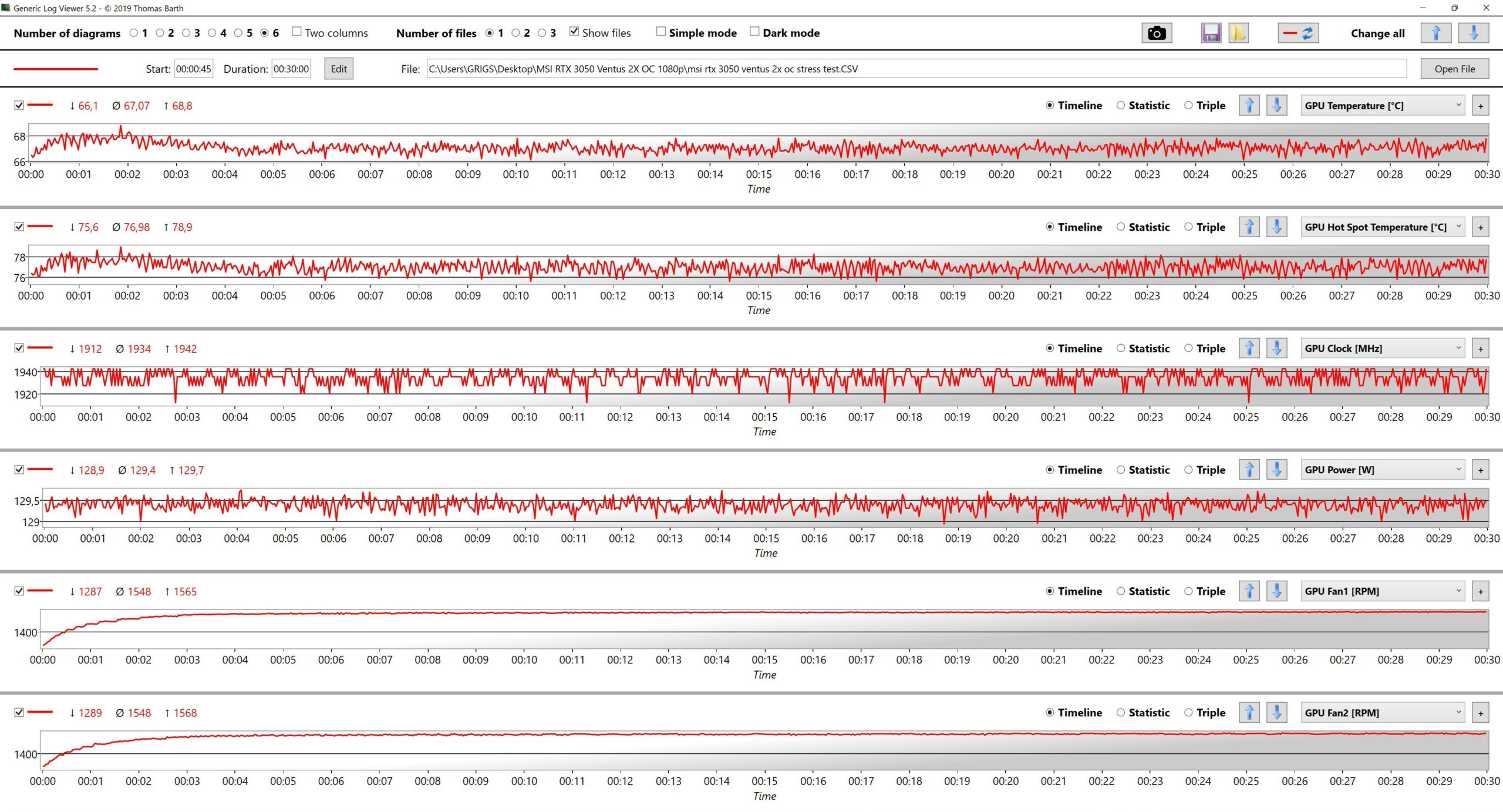
Gaming on 4K is always more extreme compared to 1080p and 1440p. Especially when using heavy games – in our case that’s Cyberpunk 2077 on Ultra details. On the other hand, the MSI RTX 3050 VENTUS 2X 8G OC is still cool and quiet even in this scenario – 67°C and ~1550 RPM for the fans is a great result. Compared to the 1080p tests, the core is reaching 1934 MHz which isn’t too far away from the 1942MHz mark that we saw when gaming and testing on Full HD. So, yes, everything looks in check.
Verdict
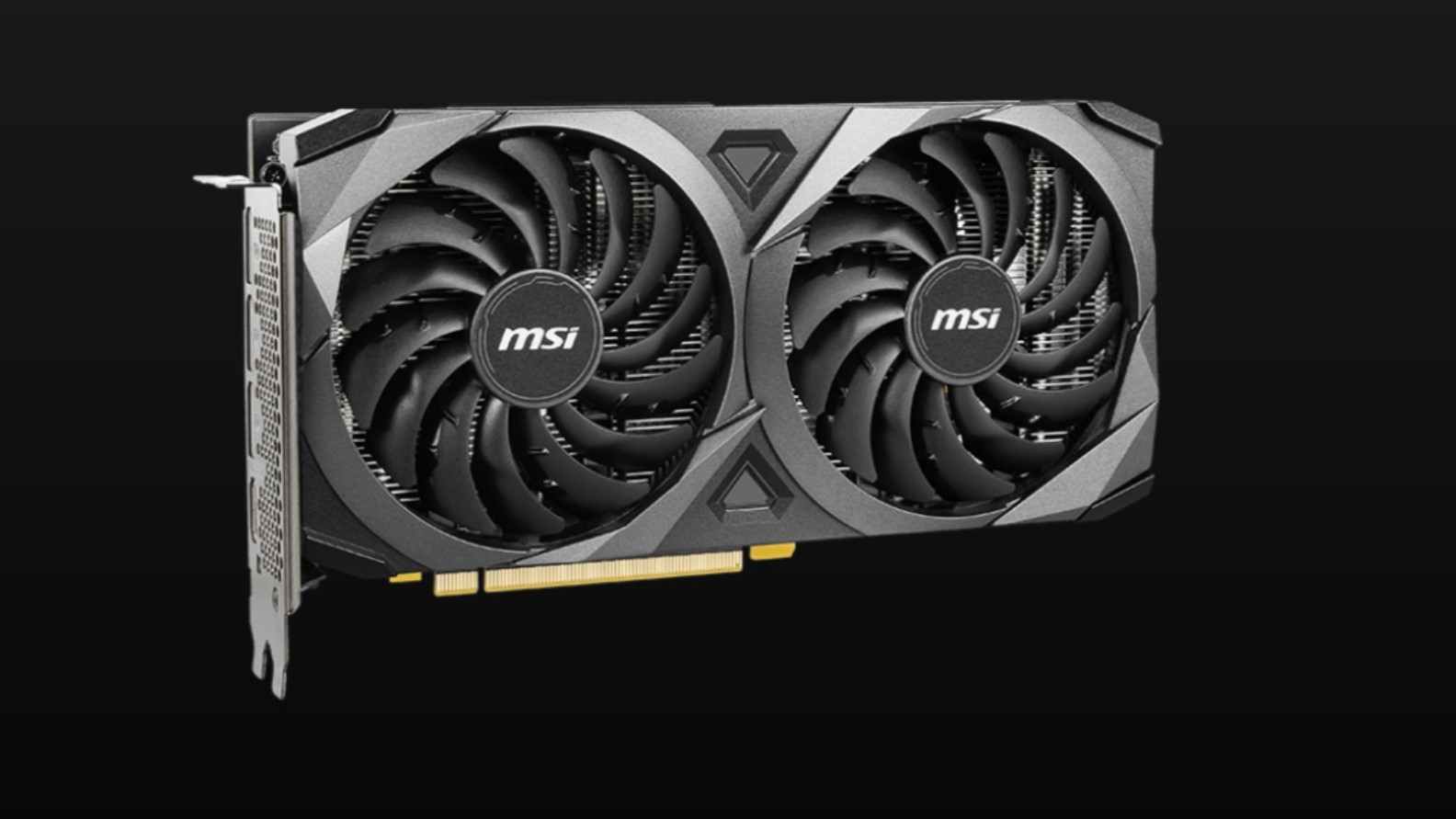 The MSI RTX 3050 VENTUS 2X 8G OC is GPU that is definitely good for 1080p gaming and even for 1440p with some compromises. In this case, DLSS can boost the FPS higher which will be good for people playing frequently online shooters or other fast-paced games. The build quality of the video card is just okay, actually, the cooler is a bit of an overkill because all the time it’s hard to hear the video card if it’s in a decent case that provides good airflow. The only thing that we don’t like regarding this graphics card is the plastic backplate which is too cheap-ish on the touch.
We already moaned a bit about the small power limit, but in reality, a 130W TGP is just okay for this kind of video card and as you can see, with some undervolting to 1V, the core can go above 2100 MHz (at least our GPU is capable of doing this). Believe it or not, 4K gaming is possible but expectedly, you have to reduce the visual quality and probably you can use DLSS in Performance or Ultra Performance mode. Sure, not every game can be played on 4K with this GPU but light and popular games like CS:GO, Rocket League, Dota 2, Team Fortress 2, World Of Tanks, etc can be played on 4K without a hassle and these titles look better because of the higher resolution.
You can check the current price of MSI RTX 3050 VENTUS 2X 8G OC here: Buy from Amazon.com (#CommissionsEarned)
Pros
- Nearly silent under load
- Compact
- Has a backplate
- Cool during gaming
- Idle fan stop
- Comes with goodies like HDMI 2.1, PCI-Express 4.0, DLSS, and ray tracing
- 8nm tech process
Cons
- 130W TGP is a bit too low
- Plastic backplate
 Author: Nikolay Palaozov

![[Czerwiec 2026 r.] Najlepiej sprzedające się marki laptopów w serwisie Amazon Global – bezkonkurencyjna dominacja firmy Apple pod względem liczby sprzedanych egzemplarzy i przychodów](https://laptopmedia.com/wp-content/uploads/2026/07/GLOBAL-Best-Brands-400x225.jpg)
![[Czerwiec 2026] Amazon Global: 10 najlepiej sprzedających się laptopów – nowy MacBook Neo firmy Apple szturmem zdobywa pierwsze miejsce, zmieniając oblicze rynku dzięki przystępnej cenie](https://laptopmedia.com/wp-content/uploads/2026/07/Best-Selling-Laptops-GLOBAL-Top-10-400x225.jpg)
![[Czerwiec 2026] Amazon Global: 10 najlepiej sprzedających się laptopów do gier – model Nitro V 16S AI firmy Acer dominuje pod względem sprzedaży, podczas gdy firma ASUS zajmuje pierwsze miejsce pod względem całkowitych przychodów](https://laptopmedia.com/wp-content/uploads/2026/07/Best-Selling-Gaming-Laptops-GLOBAL-Top-10-400x225.jpg)
![[Czerwiec 2026] Globalny ranking najlepiej sprzedających się kart graficznych do laptopów na Amazonie – NVIDIA RTX 5060 to najlepiej sprzedająca się dedykowana karta graficzna](https://laptopmedia.com/wp-content/uploads/2026/07/Best-Selling-GPUs-GLOBAL-Top-10-400x225.jpg)
![[Czerwiec 2026] Globalny ranking najlepiej sprzedających się procesorów do laptopów na Amazonie – Apple M5 dominuje, a AMD Ryzen 7 260 zdobywa solidny udział w segmencie premium](https://laptopmedia.com/wp-content/uploads/2026/07/Best-Selling-CPUs-GLOBAL-Top-10-400x225.jpg)

Is there any way to fix the plastic backplate?