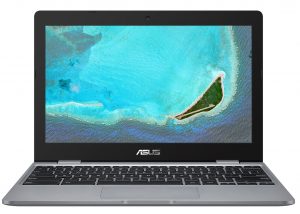
ASUS Chromebook (C223 / CX22)
ASUS Chromebook (C223 / CX22) - Specyfikacja


- Wyświetlacz
- 11.6”, HD (1366 x 768), TN
- HDD/SSD
- do 64GB SSD
- RAM
- up to 4GB
- System operacyjny
- Chrome OS
- Bateria
- 38Wh, 2-cell
- Wymiary
- 286 x 199 x 17.3 mm (11.26" x 7.83" x 0.68")
- Waga
- 1.00 kg (2.2 lbs)
- Porty i łączność
- 2x USB Type-C
- 3.2 Gen 1 (5 Gbps), Power Delivery (PD), DisplayPort
- 1x USB Type-A
- 3.2 Gen 1 (5 Gbps)
- HDMI
- Czytnik kart
- SD, SDHC, SDXC
- Ethernet LAN
- Wi-Fi
- 802.11ac
- Bluetooth
- 4.0
- Gniazdo audio
- combo audio / microphone jack
- Cechy
- Czytnik linii papilarnych
- Kamera internetowa
- Podświetlana klawiatura
- Mikrofon
- Głośniki
- 2W
- Napęd optyczny
Wszystkie ASUS Chromebook (C223 / CX22) konfiguracje
#CommissionsEarned

Wydajność CPU
Tutaj można znaleźć różnicę w cenie/wydajności pomiędzy wszystkimi procesorami, które wchodzą w skład ASUS Chromebook (C223 / CX22) Serie.
Wyniki pochodzą z testu Cinebench 20 Multi-core (im wyższy wynik, tym lepiej)
ASUS Chromebook (C223 / CX22) dogłębna recenzja
The debate on whether Chromebooks are glorified tablets, or subdued laptops is still on, but today we have the Chromebook C223. It can't be identified as a tablet, as it has no touchscreen, nor 360° capabilities. However, it operates on Android 9-driven ChromeOS.Regardless of the old kernel, the purpose of the device allows it to make full use of it. With that said, you shouldn't be preparing for top-of-the-line gaming, nor a high level of productivity. After all, it has a Celeron N3350 with a non-hyperthreaded dual-core design that dates all the way back to 2016.Another unfortunate [...]

Pros
- Super low price
- Two USB Type-C ports that charge the laptop and can output DisplayPort
- MicroSD card storage expansion
- Weighs only 1 kilo
Cons
- Slow SoC
- Uses PWM for all brightness levels except the maximum
- Covers only 52% of sRGB
- Memory and storage are soldered to the motherboard
- Feels clunky and dated because of its fat bezels