How to open Lenovo ThinkBook 14 Gen 6 (AMD) – disassembly and upgrade options
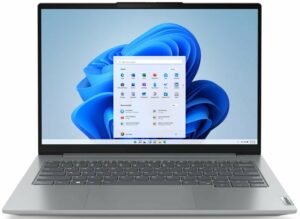
Step 1: Accessing the Internal Components
- Ensure the Lenovo ThinkBook 14 Gen 6 (AMD) is powered off and placed on a soft, clean surface to prevent scratches or damage.
- Remove the 9 Phillips-head screws from the bottom of the laptop.
- Use a plastic tool to gently pop the bottom plate off, starting from the back of the laptop.
Hint: Be careful when prying to avoid damaging the internal clips or the laptop casing.
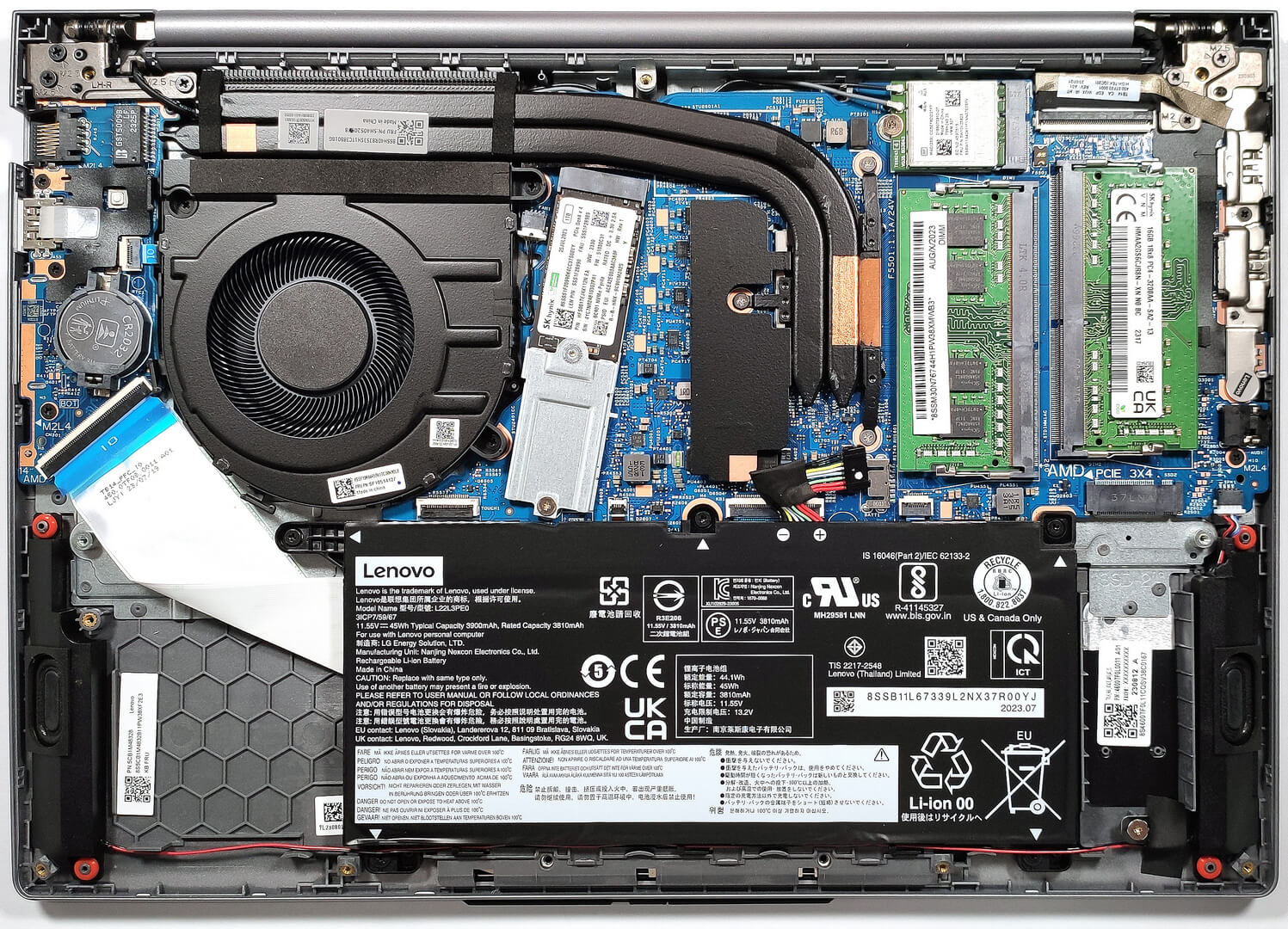
Step 2: Removing the Battery
- Disconnect the battery by pulling out its connector from the motherboard.
- Remove the five Phillips-head screws securing the battery to the laptop’s chassis, then lift the 45Wh battery away from the device.
- Carefully untangle the speaker cables from the battery housing to completely free the battery.
Caution: Handle the battery and its connector with care to avoid any damage.
More info: The standard 45Wh battery provides up to 11 hours and 7 minutes of web browsing or 7 hours and 42 minutes of video playback. An optional 60Wh variant is available for extended use.
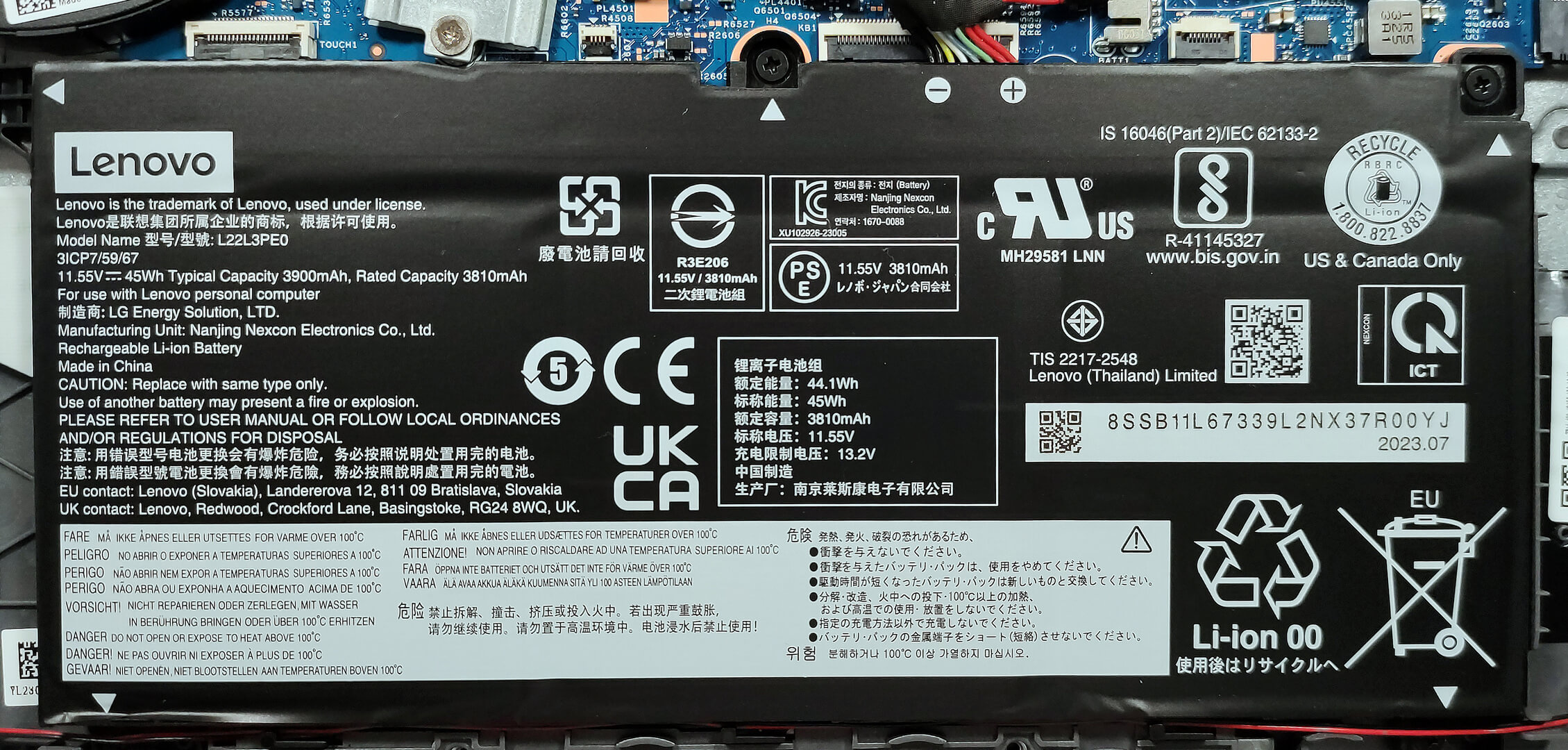
Memory Upgrade
- Locate the two SODIMM slots available for memory upgrades.
- Upgrade or install up to 64GB of DDR4-3200MHz RAM in dual-channel mode to enhance the laptop’s multitasking capabilities and performance.
Hint: Maximizing the laptop’s memory through dual-channel configuration can significantly improve performance.
You can buy DDR4 RAM modules here: Cumpărați de pe Amazon.com (#CommissionsEarned)

Storage Upgrade
- Identify the two M.2 slots compatible with 2280 Gen 4 SSDs. Note that the actual speed will be limited to Gen 3 standards due to AMD platform limitations.
- Consider upgrading the storage with a new NVMe SSD to increase storage capacity or improve system responsiveness and load times. There is a small cooling pad below the preinstalled NVMe for optimal thermal management.
- Choose and purchase a new drive when needed. Don’t forget to check out our Top M.2 SSDs Performance Rankings.
More info: Utilizing both M.2 slots can significantly enhance the laptop’s storage performance and capacity.
You can buy Gen 4 M.2 SSD modules here: Cumpărați de pe Amazon.com (#CommissionsEarned)
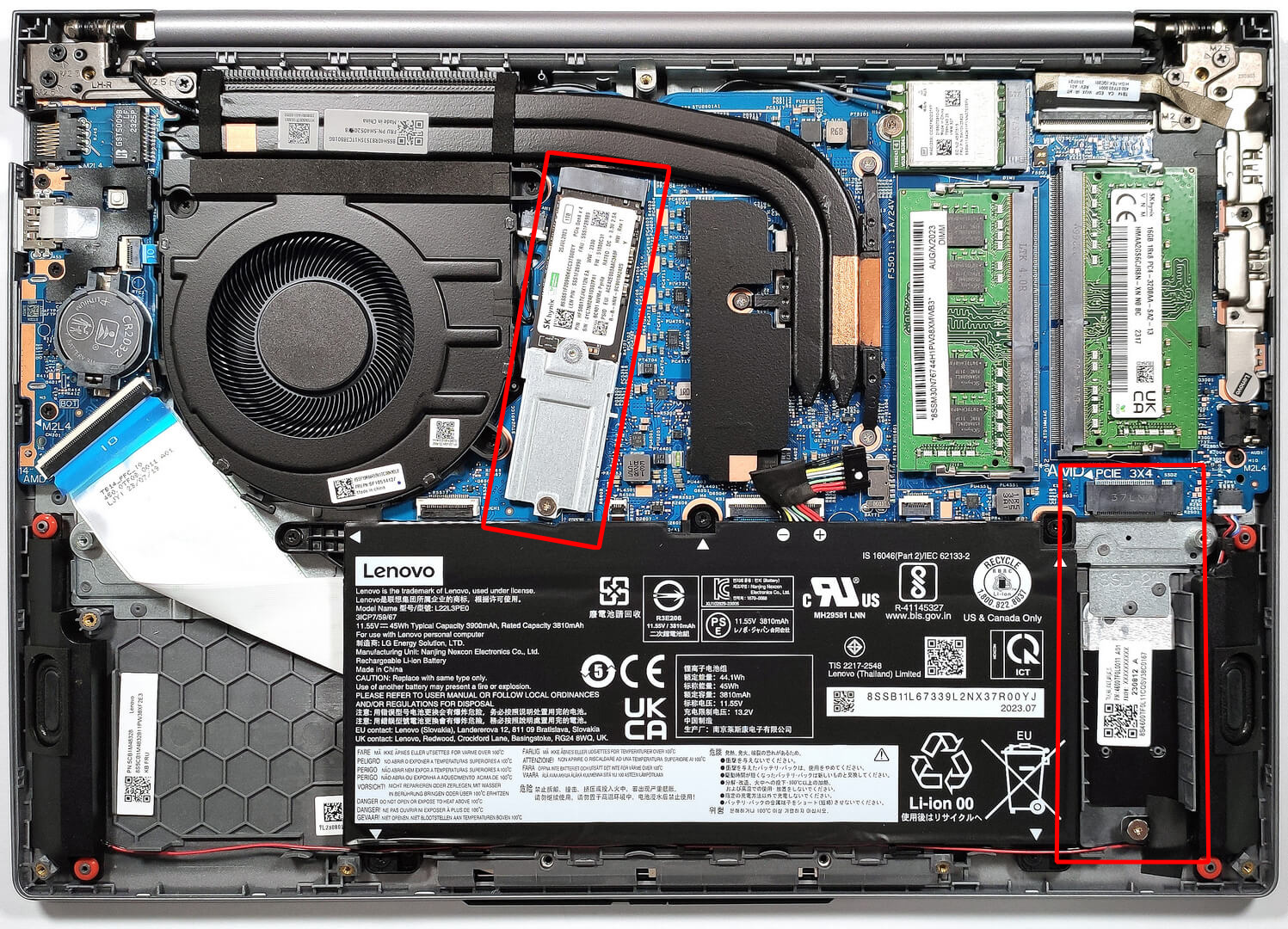


Examining the Cooling System
Review the cooling system, which includes a single fan, two long heat pipes, a top-mounted heat sink, and a heat spreader, designed to efficiently manage the thermal output of the laptop, especially considering its integrated video card.

 Author: Anna Iorgova

![[Mai 2026] Clasamentul global al celor mai bine vândute GPU-uri pentru laptopuri pe Amazon – Apple domină cu o cotă de 45%, ocupă primele 3 locuri; RTX 5060 de la NVIDIA conduce în topul GPU-urilor dedicate](https://laptopmedia.com/wp-content/uploads/2026/06/Best-Selling-GPUs-GLOBAL-Top-10-400x225.jpg)
![[Mai 2026] Clasamentul global al celor mai bine vândute procesoare pentru laptopuri pe Amazon – Apple zdrobește concurența cu o cotă de piață de 45,2%, M5 domină](https://laptopmedia.com/wp-content/uploads/2026/06/Best-Selling-CPUs-GLOBAL-Top-10-400x225.jpg)
![[May 2026] Amazon Germany: Top 7 Best-Selling Gaming Laptops – Lenovo Legion 5i Crowned Champion Amidst Fierce Mid-Range Competition](https://laptopmedia.com/wp-content/uploads/2026/06/Best-Selling-Gaming-Laptops-DE-Top-10-1-400x225.jpg)
![[May 2026] Amazon Italy: Top 10 Best-Selling Laptops – Apple MacBook Neo Reigns Supreme, Premium Models Capture Dominant Revenue Share](https://laptopmedia.com/wp-content/uploads/2026/06/Best-Selling-Laptops-IT-Top-10-400x225.jpg)
![[May 2026] Best-Selling Laptop Brands on Amazon Italy – Apple Dominates Across All Metrics](https://laptopmedia.com/wp-content/uploads/2026/06/IT-Best-Brands-400x225.jpg)
