[In-depth Comparison] Acer Swift 5 Pro (SF514-54GT) vs ASUS ZenBook 14 UX434 – the battle of the compact laptops

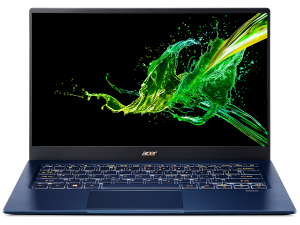
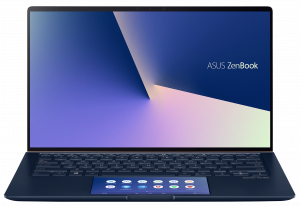
Today we are going to compare two beautiful machines – Acer Swift 5 Pro (SF514-54GT) and ASUS ZenBook 14 UX434. They have some similarities like their lightweightness and compactness.
They both have 14″ IPS displays and powerful CPUs with 4 cores and 8 threads. Additionally, the NVIDIA GeForce MX250 (10W) rocks inside both notebooks. This GPU is suitable for compact laptops with slim profiles, just like those two fellas.
So, we are comparing two modern-looking laptops – slim, and powerful at the same time. What else do you need in 2020 – maybe good battery life, better comfort during work / gaming, or maybe both?
Read our in-depth reviews here:
Acer Swift 5 Pro (SF514-54GT): Detailed review
ASUS ZenBook 14 UX434: Detailed review
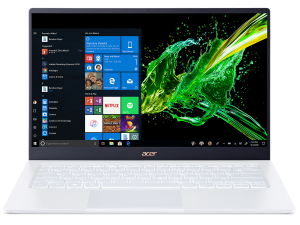
Acer Swift 5 Pro (SF514-54GT) configurations:
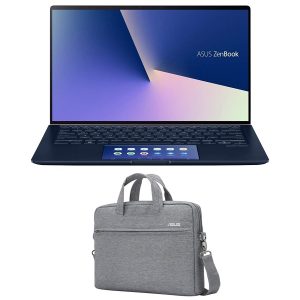
ASUS ZenBook 14 UX434 configurations:
Contents
Design and construction
As mentioned before, both laptops have a compact size and low weight. The Acer Swift 5 Pro is definitely better in this category – it weighs less than 1 kg (0.99kg) and its profile is just 15mm. The ASUS ZenBook 14 UX434 has respectable dimensions too – 1.26kg of weight and 16.9mm profile.
Opening the lid with one hand isn’t an easy job with the Acer Swift 5 Pro but you will be able to do that with the ASUS device. Those two notebooks have a similar hinge design – the backside of the lid has something like feet and you can use the lid as a stand (at around 80 degrees of opening) – it lifts the back of the base. That means more air for breathing and enhanced cooling, nice idea.
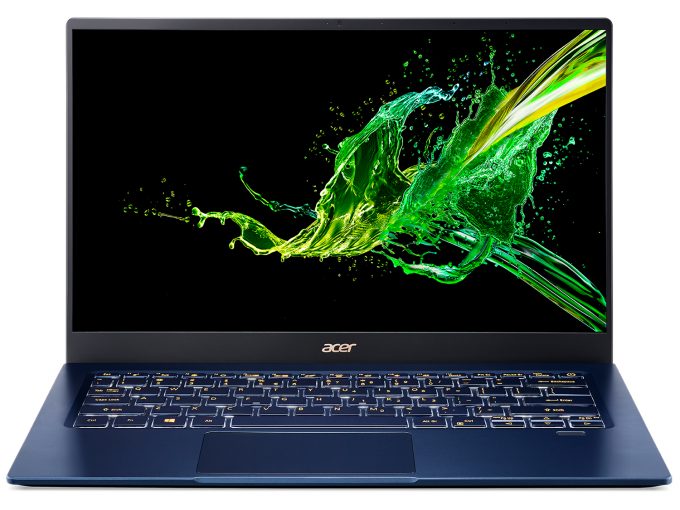 Acer Swift 5 Pro (SF514-54GT)
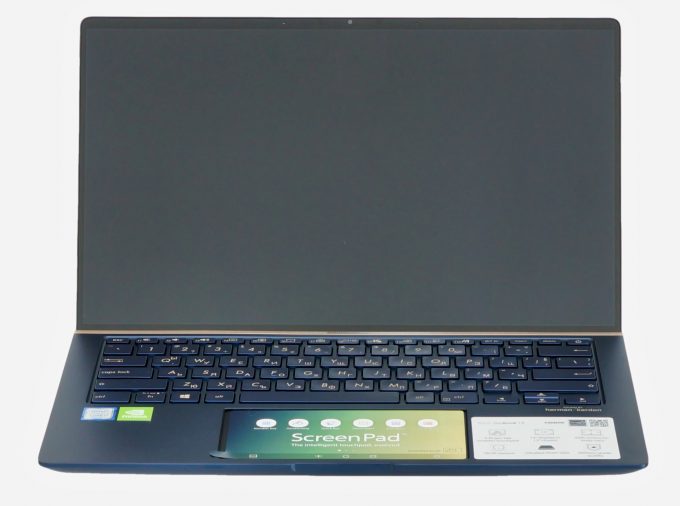 ASUS ZenBook 14 UX434
Good backlit keyboards for both – with long travel and clicky feedback. The Acer one has a bit awkwardly placed Page Up” and “Page Down” keys – very close to the arrow keycaps. You aren’t going to like it if you’re playing a lot of racing games. As for the touchpads – Swift 5 Pro has a standard one which feels good and as expected – it’s fast and accurate. The ASUS device has an advantage here thanks to its great ScreenPad. You can use it as digital NumberPad, or a second display, you can place some app shortcuts on it, it can be a Calculator, and you can draw something on it – that is a great feature and we really like it.
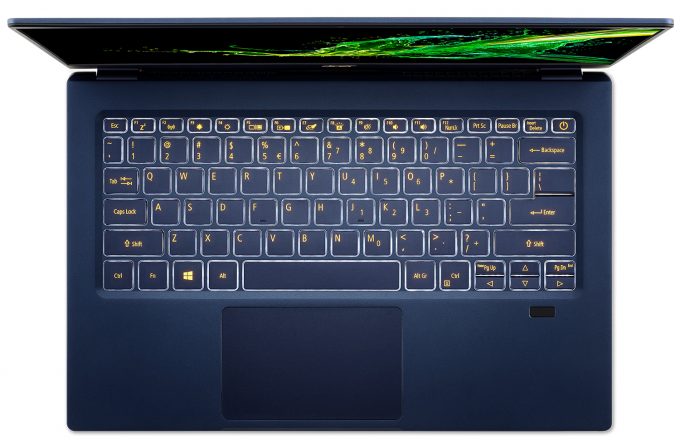 Acer Swift 5 Pro (SF514-54GT)
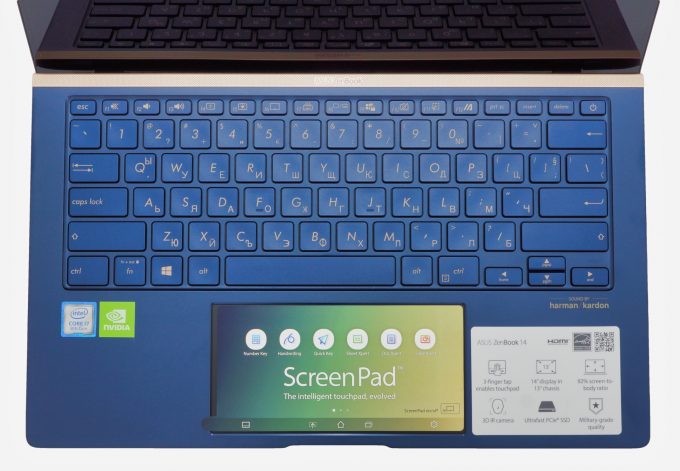 ASUS ZenBook 14 UX434
Now, some words about the internals of those two. The Acer Swift 5 Pro has a huge cooling fan and two heat pipes that cover both CPU and GPU chips. ASUS utilizes a bit more modest cooling solution – a smaller fan and one really thick heat pipe for both processor and video card. The two competitors have soldered memory (no future upgrades are possible) and just one M.2 PCIe x4 slot.
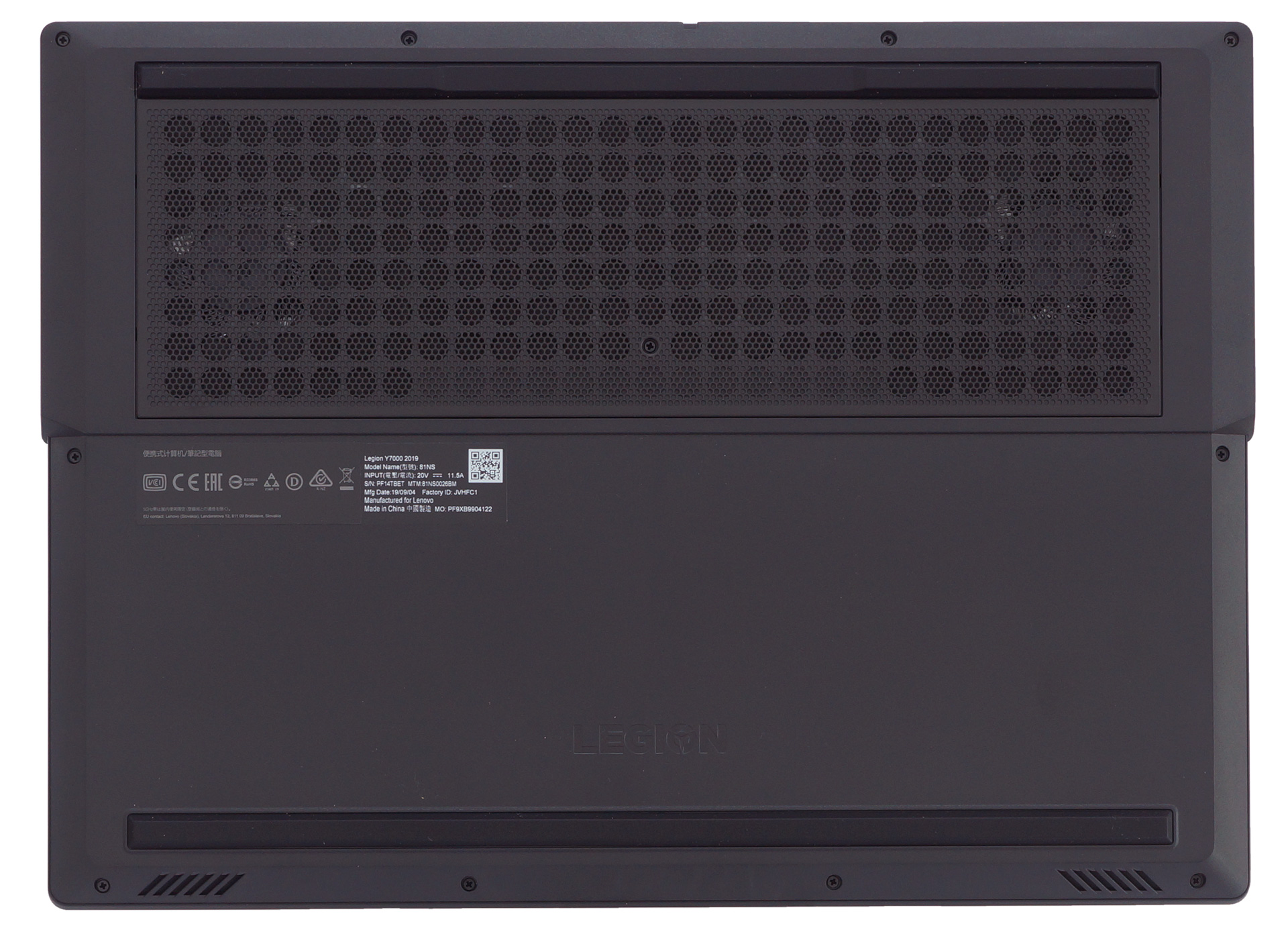 Acer Swift 5 Pro (SF514-54GT)
 ASUS ZenBook 14 UX434
| Height | Weight | |
|---|---|---|
| Acer Swift 5 (SF514-54GT) | 15 mm (0.59″) | 0.99 kg (2.2 lbs) |
| ASUS ZenBook 14 UX434 | 16.9 mm (0.67″) | 1.26 kg (2.8 lbs) |
A word about the ports. Most of them are placed on the left side of our contenders.
Acer Swift 5 Pro has an HDMI connector, a USB Type-A 3.1 (Gen. 1) and a Thunderbolt 3 port on its left side. On the right – a USB Type-A 2.0 port and an audio jack.


Acer Swift 5 Pro (SF514-54GT)


ASUS ZenBook 14 UX434
The ASUS Zenbook has on its left side an HDMI connector, a USB Type-A 3.1 (Gen. 2) and a USB Type-C 3.1 (Gen. 2). On the right side, there is a MicroSD card slot, a USB Type-A 2.0 and a headphone jack. No Thunderbolt support here – one additional point for Acer Swift 5 Pro.
Display
The two opponents have 14″ displays with a 1080p resolution. Acer Swift uses a panel with model number AUO B140HAK02.5 AUO253D while ASUS ZenBook has an AUO B140HAN03.2 AUO0323D. The good news is that both panels are very good – with comfortable viewing angles and good contrast ratios – 1370:1 for Acer and 1320:1 for ASUS.
A quick note – the Acer display is a touchscreen one but it’s a bit annoying to use it because its lid is very unstable when you are taping on the display and you have to hold the lid additionally with your other hand while using the touch function. It’s very uncomfortable.
 AUO B140HAK02.5 (AUO253D)
 AUO B140HAN03.2 (AUO0323D)
The two displays are able to cover at least 90% of the sRGB color gamut. The AUO B140HAK02.5 AUO253D has a 93% coverage and AUO B140HAN03.2 AUO0323D is able to cover 90% of the standard color gamut, which is a respectable result too.
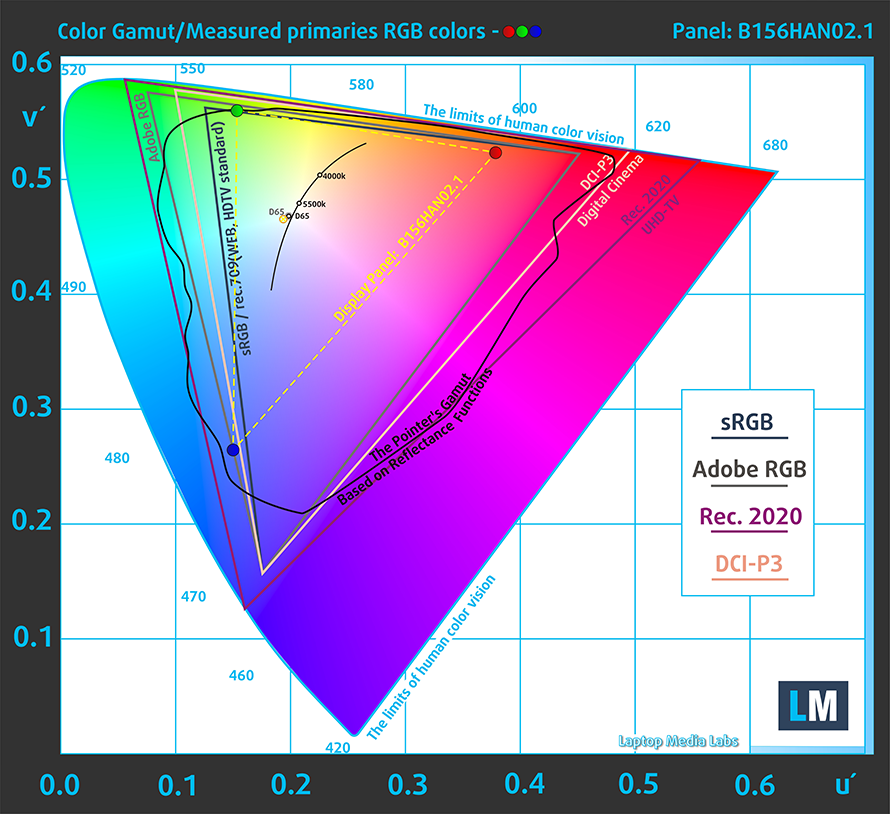 AUO B140HAK02.5 (AUO253D)
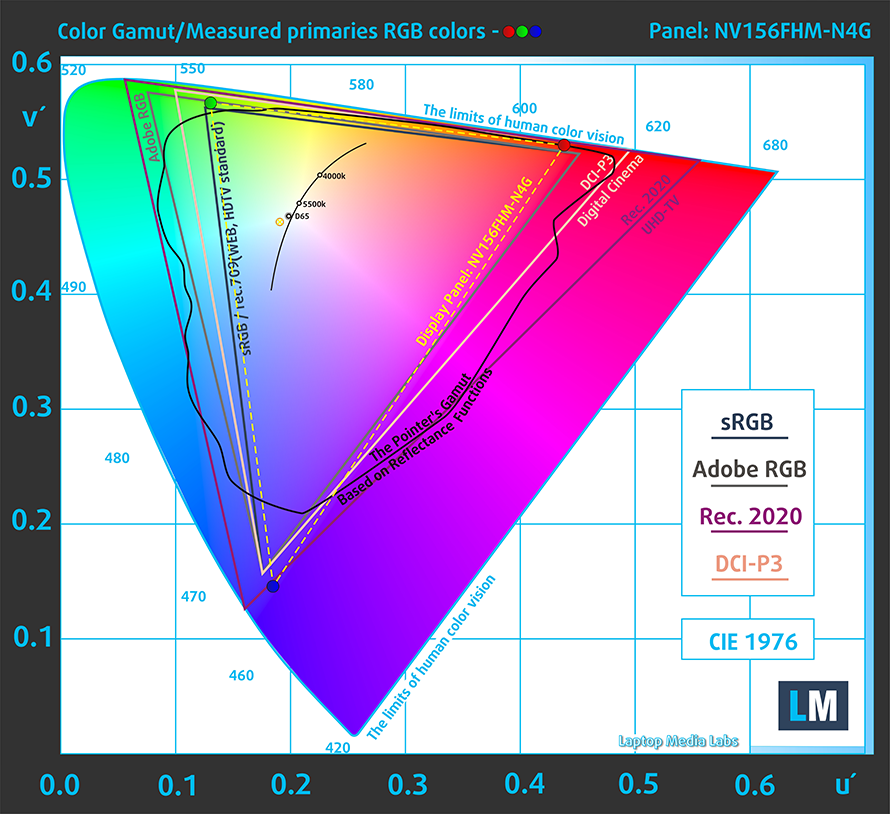 AUO B140HAN03.2 (AUO0323D)
Values of dE2000 over 4.0 should not occur, and this parameter is one of the first you should check if you intend to use the laptop for color-sensitive work.
Below you can compare the score of the Acer panel and the ASUS one – both with already applied “Gaming and Web design” profile. After our calibration, the two displays show excellent average dE values and you can use them for work with Photoshop, CorelDRAW, or with some other similar software.
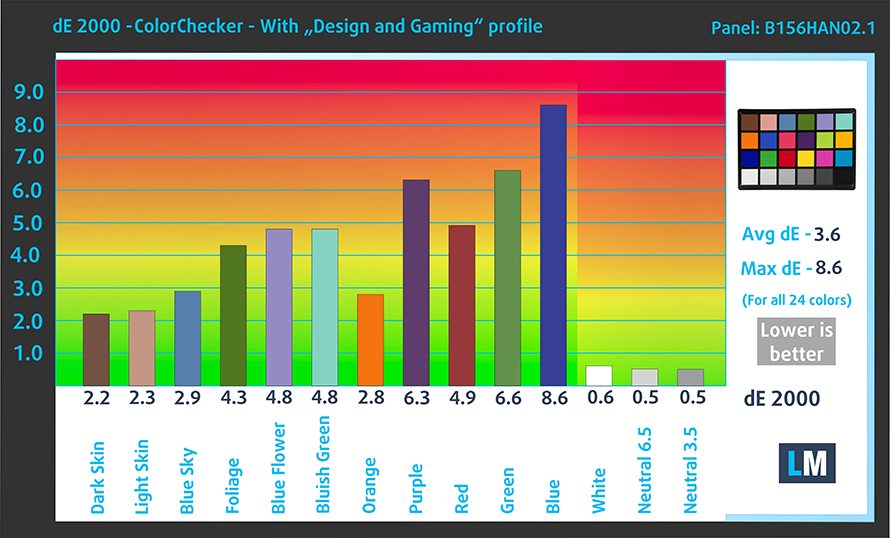 AUO B140HAK02.5 (AUO253D)
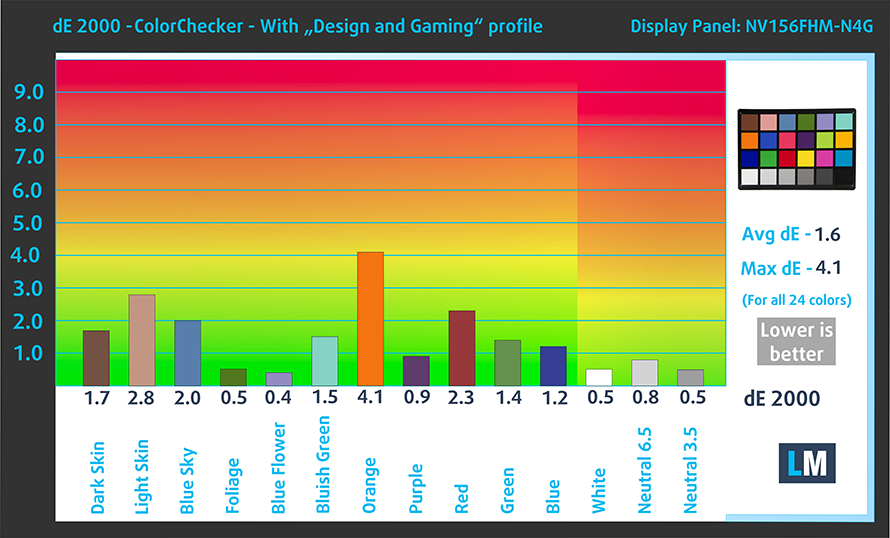 AUO B140HAN03.2 (AUO0323D)
One of the most important things about a display is its safety towards the user. Here, we are happy to see that both of the panels don’t use PWM to regulate the brightness.
 AUO B140HAK02.5 (AUO253D)
 AUO B140HAN03.2 (AUO0323D)
Our display profiles
Here at LaptopMedia, we create a set of custom-tailored profiles for every notebook we review. They boost the productivity of display and reduce negative effects such as blue light emissions and PWM. You can read more about them here.
Buy our profiles from here:
14”, Full HD (1920 x 1080), 60 Hz, IPS (AUO B140HAK02.5 AUO253D): Buy our profiles
14”, Full HD (1920 x 1080), 60 Hz, IPS (AUO B140HAN03.2 AUO0323D): Buy our profiles
Specs sheet comparison
More information about Intel Core i5-1035G1 and its position in our Top CPU Ranking you can find HERE.
More information about Intel Core i7-8565U and its position in our Top CPU Ranking you can find HERE.
More information about the GeForce MX250 (10W) and its place in our Top GPU Ranking you can find HERE.
Acer Swift 5 (SF514-54T / Pro SF514-54GT) Serii
- Dimensiuni
- 318.7 x 210.5 x 15 mm (12.55" x 8.29" x 0.59")
- Greutate
- 0.99 kg (2.2 lbs)
- Preț
- Not Available
ASUS ZenBook 14 UX434 Serii
- Dimensiuni
- 319 x 199 x 16.9 mm (12.56" x 7.83" x 0.67")
- Greutate
- 1.26 kg (2.8 lbs)
- Preț
- Începând de la $2299.00lei
Battery
 The Acer Swift 5 has a 56Wh battery and we were able to squeeze from it 11 hours and 40 minutes of Web browsing and 10 hours of watching videos. The ASUS ZenBook has a bit smaller unit – 50Wh and maybe that’s why it’s lacking behind Acer in this category – 9 hours and 20 minutes of Web browsing and 8 hours and 45 minutes of video playback. Those are decent results but Acer has a bit longer battery life.
Luminozitate: 180 nits; Mod Afișaj: SDR
Timp până la Descărcare Completă: Mai mare este mai bun
Pentru a simula condiții reale, am folosit propriul nostru script pentru navigarea automată pe web prin peste 70 de site-uri.
Hardware and Gaming tests
In terms of CPU platform, the two contenders use different processors. The Acer Swift 5 Pro has a Core i5-1035G1 which is an Ice Lake CPU with 4 cores and 8 threads, a 15W TDP, a 10nm tech process, and lower heat dissipation and power consumption. It has an integrated Intel UHD G1 Graphics with 32 CUs that is faster than the old UHD 620. The dedicated graphics card is the NVIDIA GeForce MX250 (10W) – a good choice for such a slim device.
The ASUS ZenBook has a Core i7-8565U which is a fast Whiskey Lake CPU with 4 cores, 8 threads, and 8MB cache size (2MB more than the i5-1035G1). This laptop uses the same dedicated video card as its Acer opponent – the MX250 (10W).
So, the two rivals have CPUs with equal cores and threads count, and they both are equipped with the same GPU. It will be interesting to see which manufacturer has done a better job in terms of optimizations and cooling. Lets’s check the gaming tests.
Rezultatele sunt de la testul CPU Cinebench 20 (un scor mai mare este mai bun)

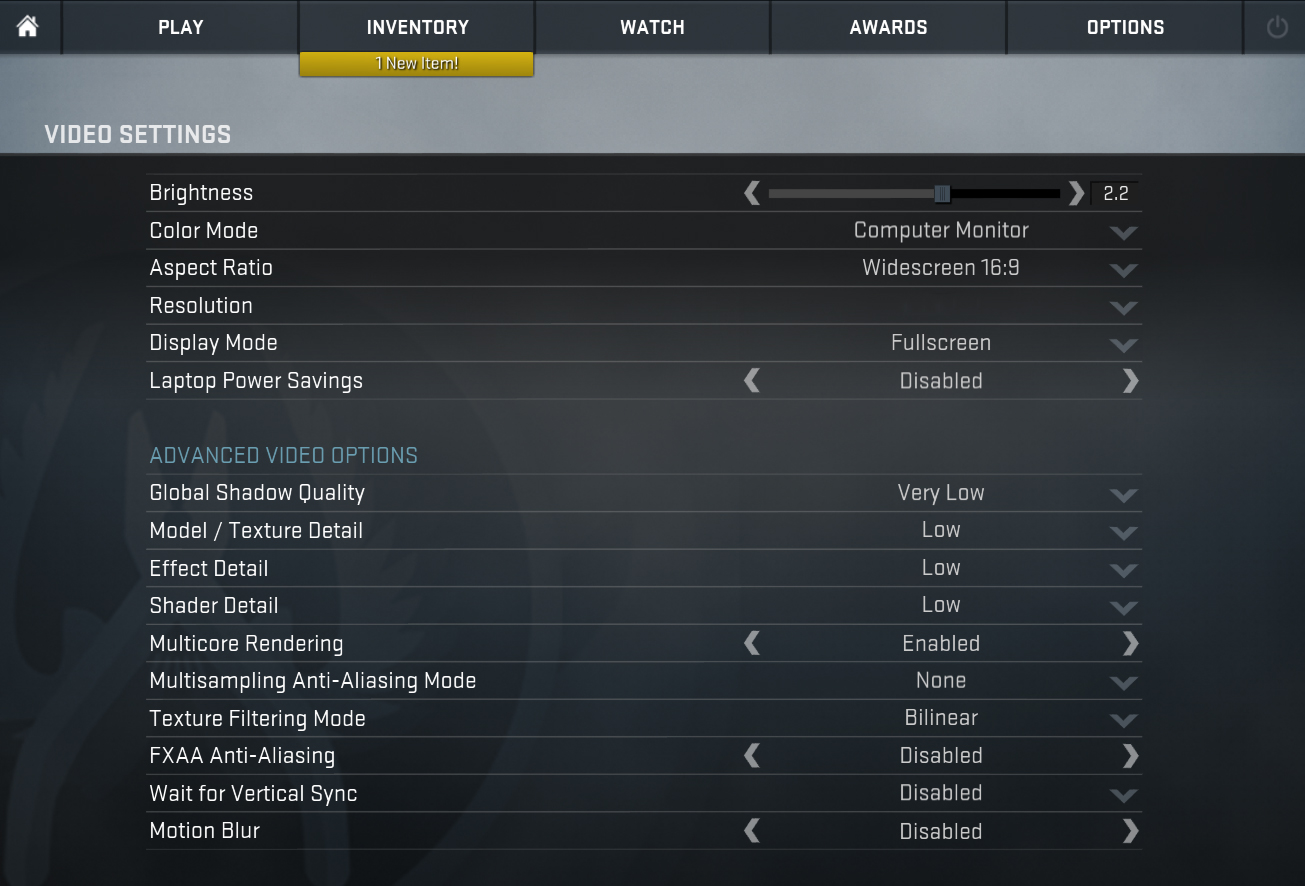
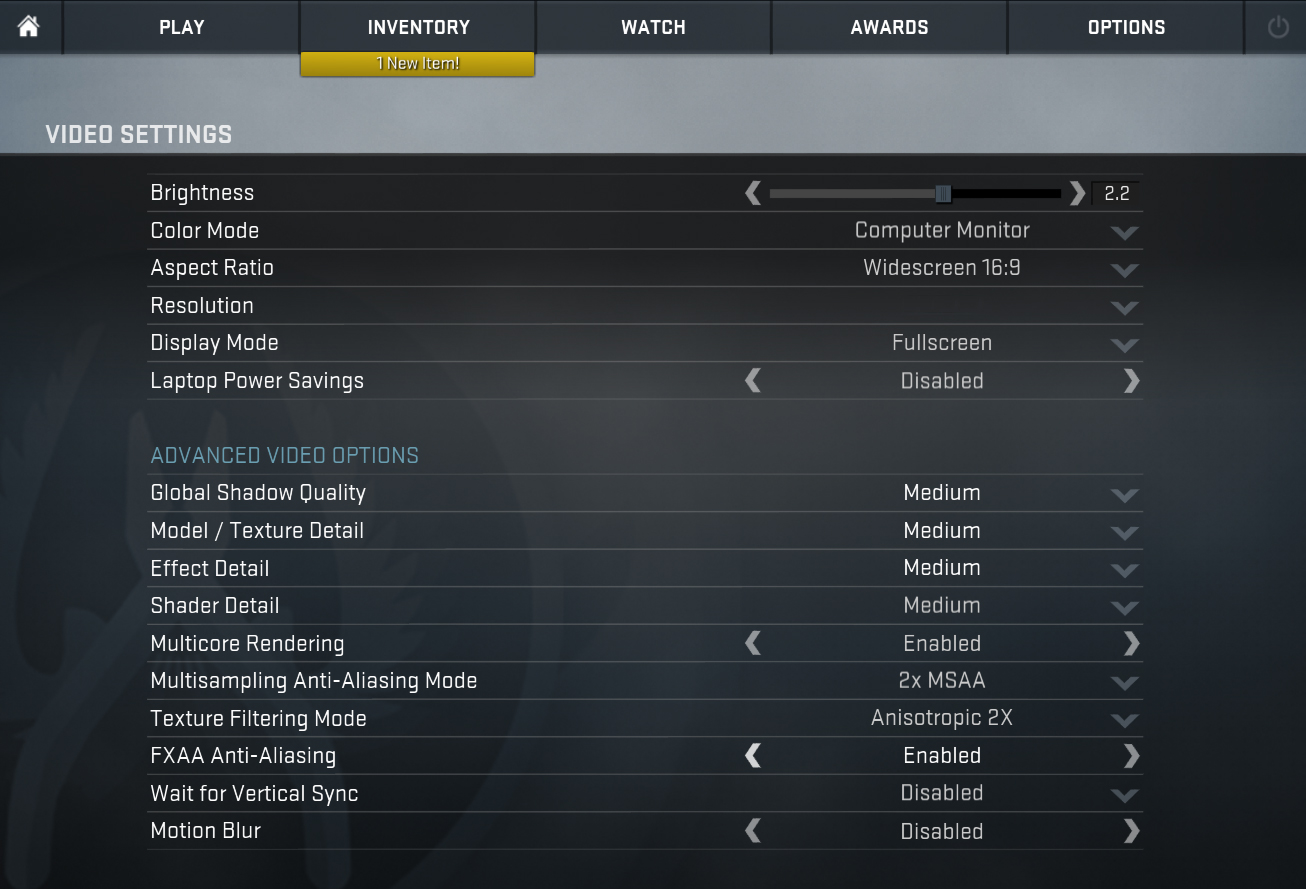
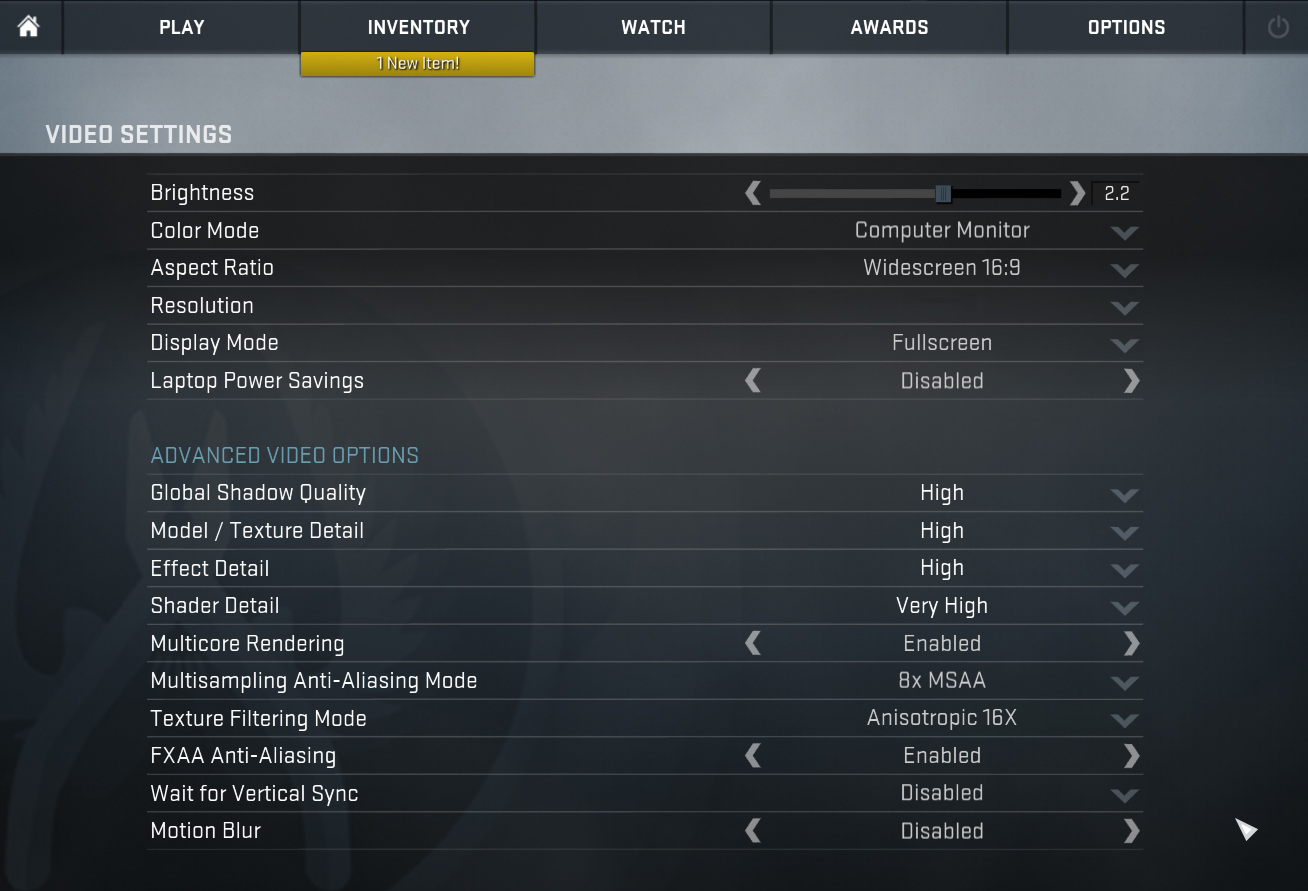
| CS:GO | HD 1080p, Low (Check settings) | HD 1080p, Medium (Check settings) | HD 1080p, MAX (Check settings) |
|---|---|---|---|
| Acer Swift 5 Pro (SF514-54GT) | 84 fps | 74 fps | 61 fps |
| ASUS ZenBook 14 UX434 | 113 fps (35%) | 93 fps (26%) | 71 fps (16%) |

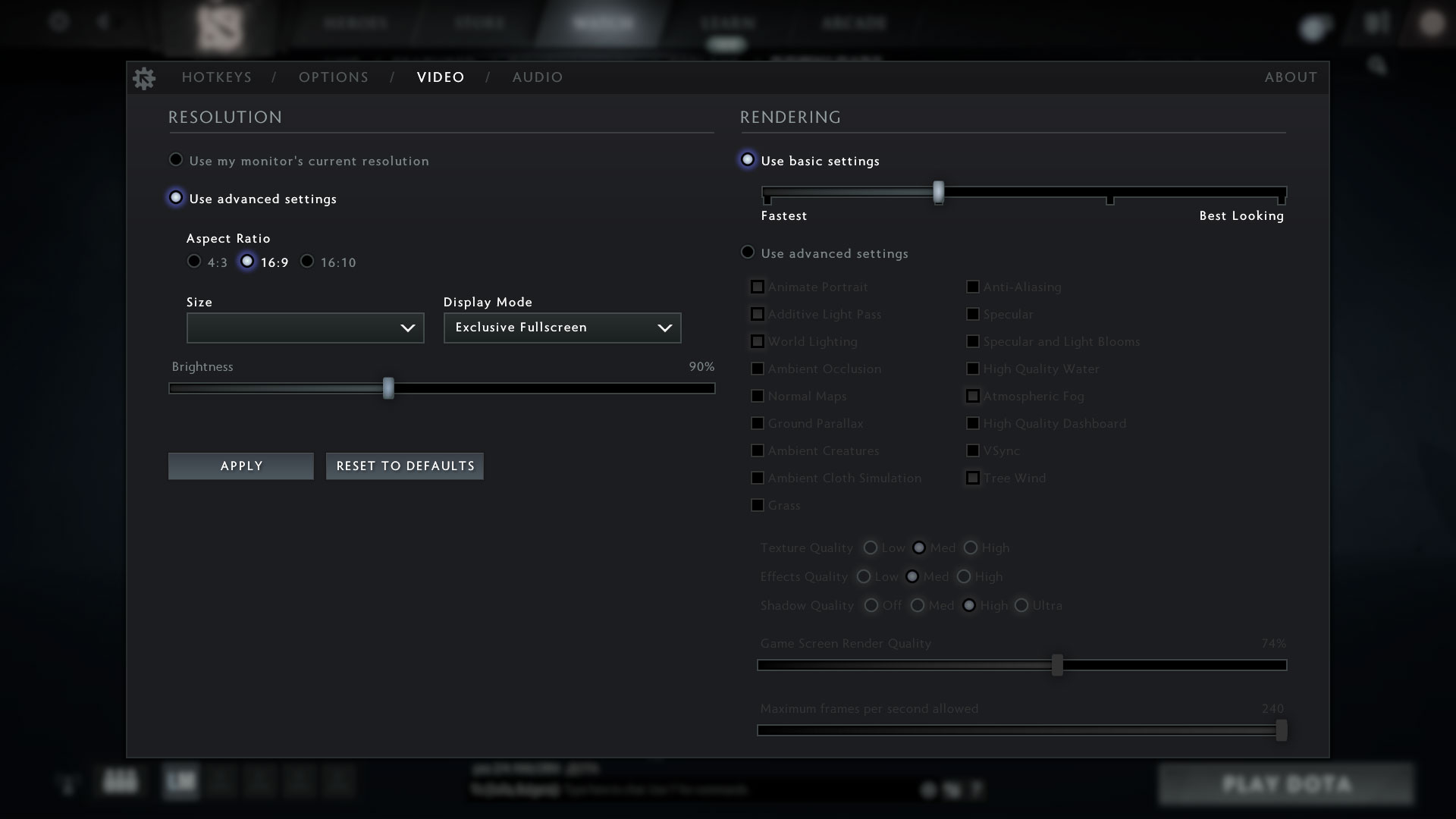
| DOTA 2 | HD 1080p, Low (Check settings) | HD 1080p, Normal (Check settings) | HD 1080p, High (Check settings) |
|---|---|---|---|
| Acer Swift 5 Pro (SF514-54GT) | 119 fps | 79 fps | 49 fps |
| ASUS ZenBook 14 UX434 | 127 fps (7%) | 87 fps (10%) | 53 fps (8%) |
There is no doubt that ASUS is faster in terms of gaming capabilities.
Temperatures
In this test, we load the CPU cores to 100%, while monitoring the fluctuations in their frequencies and chip temperature. The first column is indicative of the computer’s response under a short load (between 2 and 10 seconds), the second column simulates a serious task (between 15 and 30 seconds), and the third column is a good indicator of whether the laptop is suitable for heavy and continuous loads such as video rendering.
Average core frequency (base frequency + X); CPU temp.
| 0:02 – 0:10 sec | 0:15 – 0:30 sec | 10:00 – 15:00 min | |
|---|---|---|---|
| Acer Swift 5 Pro (SF514-54GT) / i5-1035G1 (15W TDP) | 2.88 GHz (B+188%) @ 80°C | 1.62 GHz (B+62%) @ 64°C | 1.65 GHz (B+65%) @ 67°C |
| ASUS ZenBook 14 UX434 / i7-8565U (15W TDP) | 3.03 GHz (B+68%) @ 75°C | 2.89 GHz (B+61%) @ 92°C | 2.49 GHz (B+38%) @ 92°C |
Well, everybody wants slimmer and more compact devices – there you go, you can have them but with some sacrifices in terms of performance. The Acer Swift 5 Pro has just a 15mm profile and a powerful CPU inside. It clearly visible that Acer prefers good thermals over high frequencies. The CPU is quite cool under prolonged loads but it has a really low clocks and that will cost you some decreased performance.
On the other hand, ASUS ZenBook 14 UX434 does the opposite – much higher CPU frequencies (ergo higher performance, just look at the gaming tests) with a scorching 92°C temperature. The choice is yours – a cooler CPU and a bit lower performance or hot processor and better performance (ASUS).
Real-life gaming
| NVIDIA GeForce MX250 (10W) | GPU frequency/ Core temp (after 2 min) | GPU frequency/ Core temp (after 30 min) |
|---|---|---|
| Acer Swift 5 Pro (SF514-54GT) | 1170 MHz @ 61°C | 1167 MHz @ 61°C |
| ASUS ZenBook 14 UX434 | 1132 MHz @ 66°C | 1129 MHz @ 71°C |
Gaming comfort
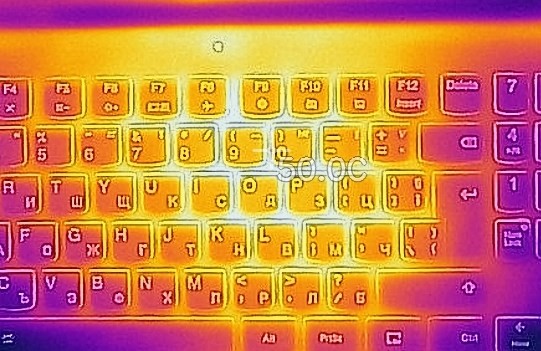
Good results for both laptops here – no matter the device, the upper part os the shell remains cool under load. So you can use them comfortably for hours without sensing heat under your fingers.
 Acer Swift 5 Pro (SF514-54GT)
 ASUS ZenBook 14 UX434
Verdict
We’ve just compared two very good devices. They both have good screens and compact dimensions.
The Acer Swift 5 Pro (SF514-54GT) is more portable than the ASUS ZenBook 14 UX434. If you are taking your device with you daily, well, the Acer machine is the better choice. Thanks to its Ice Lake CPU and a bit bigger battery unit it has longer autonomous battery life away from the charger. The Acer has a great display but if you want to use the touch function you will be disappointed because the lid isn’t very stable while you are touching the display. The Acer notebook has better thermals, its CPU is much cooler than the ASUS one but unfortunately, the manufacturer has sacrificed some performance in favor of cooler internals – the i5-1035G1 is well-cooled but it has a relatively low clock under heavy and long loads.
The ASUS ZenBook 14 UX434 is a compact device too but not that much as its contender. It’s a bit thicker and heavier. It doesn’t have a touchscreen but it’s not a drawback because its opponent is almost unusable if you want to use its touch function. Despite that, the ASUS screen is a great one, especially with our “Gaming and Web design” profile. ASUS uses a Whiskey Lake Core i7 CPU and it has the same GeForce MX250 (10W) as its opponent but no matter the lower clocks of the GPU (yes, 38Mhz less than Acer’s MX250) the UX434 is the better performer in this comparison because of its higher processor frequencies. The bad side of it is that the processor reaches 92°C under load. At least the shell remains quite cool despite the high CPU temperatures.
In the end, we can tell that both laptops are good and the choice is entirely in your hands. If you are on the go often, the Acer device is a bit better because it’s more compact and has longer battery life. Oppositely, the ASUS notebook has better performance and a superb feature like the ScreePad.
Read our in-depth reviews here:
Acer Swift 5 Pro (SF514-54GT): Detailed review
ASUS ZenBook 14 UX434: Detailed review
Why choose Acer Swift 5 Pro (SF514-54GT)?
- More compact dimensions and low weight
- Really good thermals
Why choose ASUS ZenBook 14 UX434?
- Better performance
- ScreenPad
Acer Swift 5 Pro (SF514-54GT) configurations:
ASUS ZenBook 14 UX434 configurations:
 Author: Nikolay Palaozov

![[Iunie 2026] Cele mai vândute mărci de laptopuri pe Amazon Global – Dominația de neegalat a Apple în ceea ce privește numărul de unități vândute și veniturile](https://laptopmedia.com/wp-content/uploads/2026/07/GLOBAL-Best-Brands-400x225.jpg)
![[Iunie 2026] Amazon Global: Top 10 cele mai vândute laptopuri – Noul MacBook Neo de la Apple se clasează pe locul 1, redefinind piața prin prețul accesibil](https://laptopmedia.com/wp-content/uploads/2026/07/Best-Selling-Laptops-GLOBAL-Top-10-400x225.jpg)
![[Iunie 2026] Amazon Global: Top 10 cele mai bine vândute laptopuri pentru jocuri – Modelul Nitro V 16S AI de la Acer domină vânzările, în timp ce ASUS conduce în ceea ce privește veniturile totale](https://laptopmedia.com/wp-content/uploads/2026/07/Best-Selling-Gaming-Laptops-GLOBAL-Top-10-400x225.jpg)
![[Iunie 2026] Clasamentul global al celor mai bine vândute plăci grafice pentru laptopuri pe Amazon – NVIDIA RTX 5060 este cea mai bine vândută placă grafică dedicată](https://laptopmedia.com/wp-content/uploads/2026/07/Best-Selling-GPUs-GLOBAL-Top-10-400x225.jpg)
![[Iunie 2026] Clasamentul global al celor mai bine vândute procesoare pentru laptopuri de pe Amazon – Apple M5 domină, iar AMD Ryzen 7 260 înregistrează o cotă solidă în segmentul premium](https://laptopmedia.com/wp-content/uploads/2026/07/Best-Selling-CPUs-GLOBAL-Top-10-400x225.jpg)