How to open Acer Aspire Vero 15 (AV15-53P) – disassembly and upgrade options
#CommissionsEarned

Step 1: Accessing the Internal Components
- Ensure the Acer Aspire Vero 15 (AV15-53P) is powered off and placed on a soft, clean surface to prevent scratches or damage.
- Remove the 11 Phillips-head screws from the laptop’s bottom panel.
- Gently lift the bottom plate near one of the top two corners to create a slight gap, then use a thin plastic tool to pry the panel off.
Hint: Be careful during this process to avoid damaging the internal clips or the chassis itself.
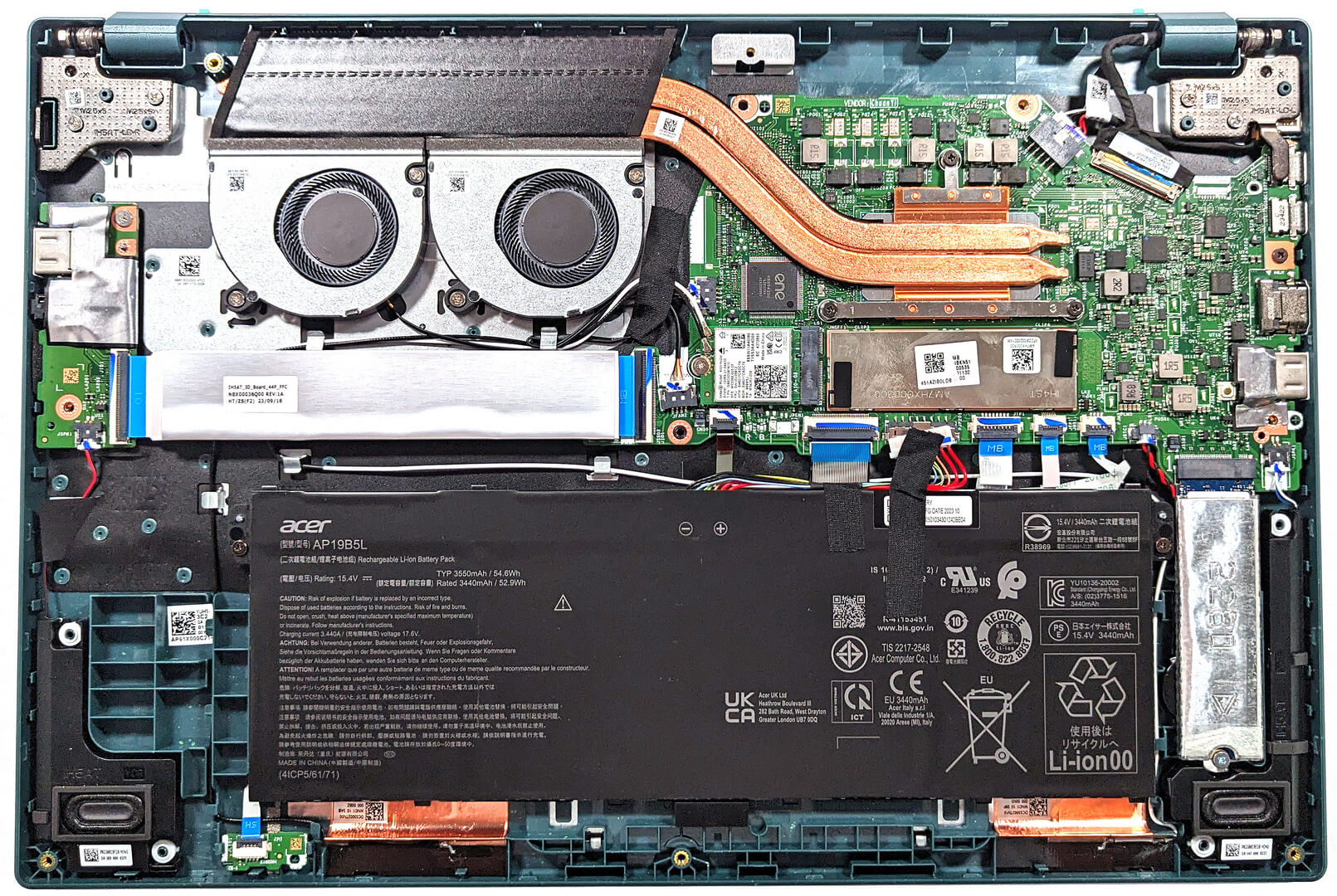
Step 2: Removing the Battery
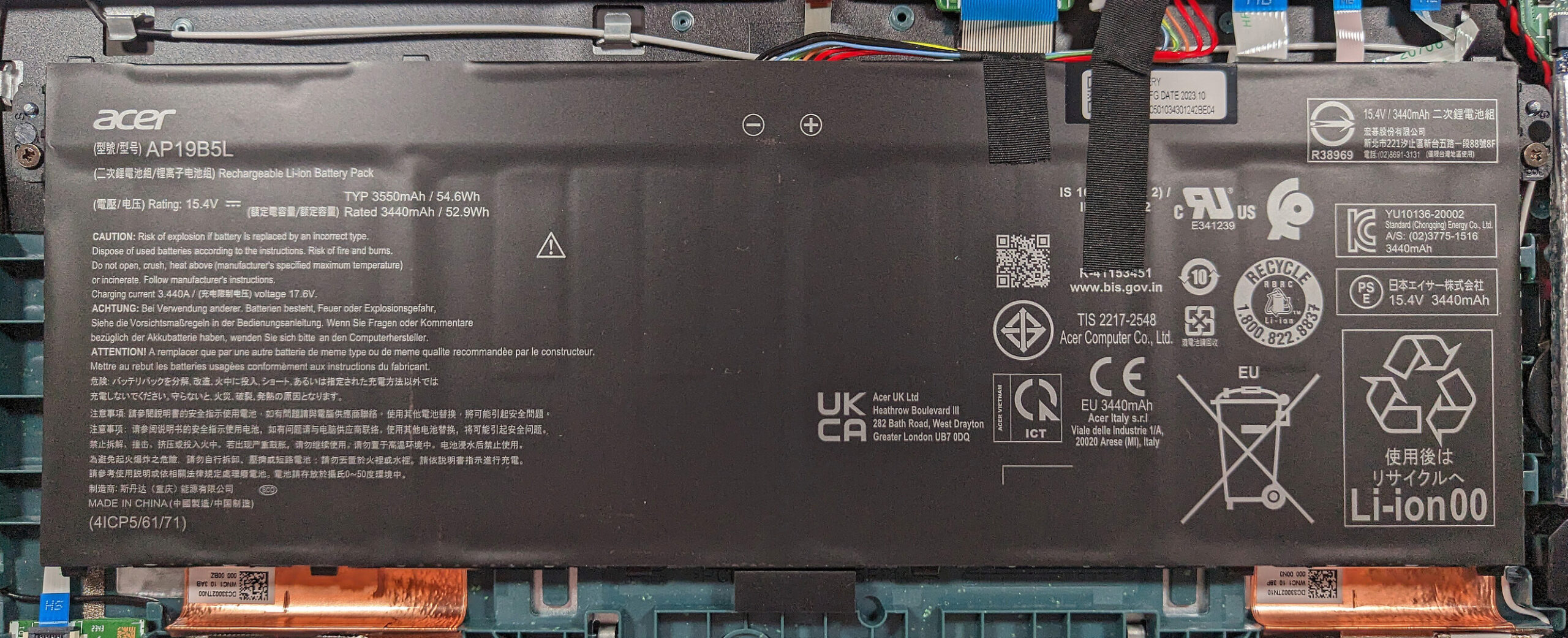
- Disconnect the battery by pulling out its connector from the motherboard.
- Unscrew the two Phillips-head screws that secure the battery to the base, then remove the 54.6Wh battery from the device.
Caution: Handle the battery and its connector with care to avoid any damage.
More info: The optional 54.6Wh battery provides up to 12 hours and 30 minutes of web browsing, or 9 hours and 5 minutes of video playback, offering solid battery life for productivity and entertainment.
Memory
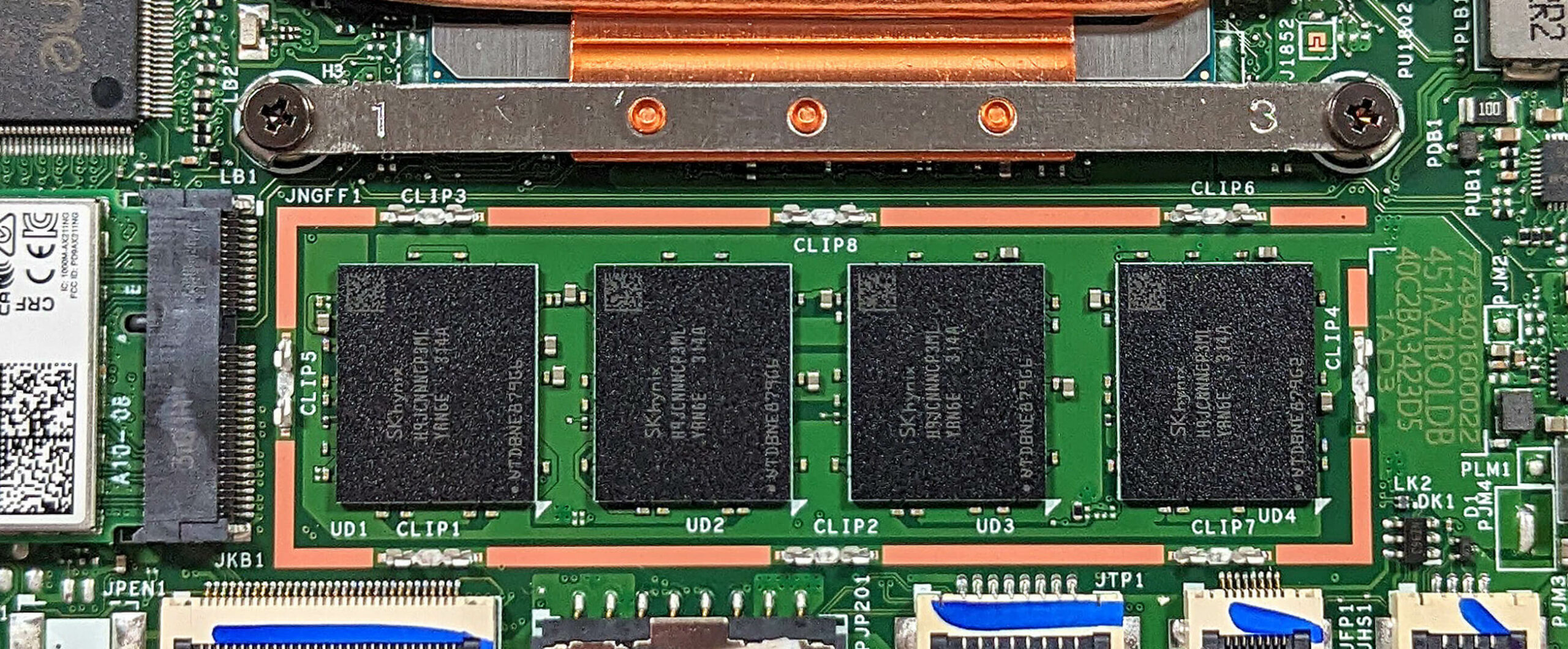
- The laptop comes with soldered 16GB of LPDDR5-4800MHz RAM, optimized for dual-channel performance to enhance multitasking and productivity.
More info: The memory is not upgradeable due to its soldered nature, but 16GB of LPDDR5 RAM should be sufficient for most users’ needs.

Storage Upgrade
- Identify the single M.2 slot on the motherboard that supports 2280 Gen 4 SSDs.
- Consider upgrading or adding a new NVMe SSD to expand storage capacity or improve data access speeds.
You can buy Gen 4 M.2 SSD modules here: Cumpărați de pe Amazon.com (#CommissionsEarned)


Step 3: Examining the Cooling System
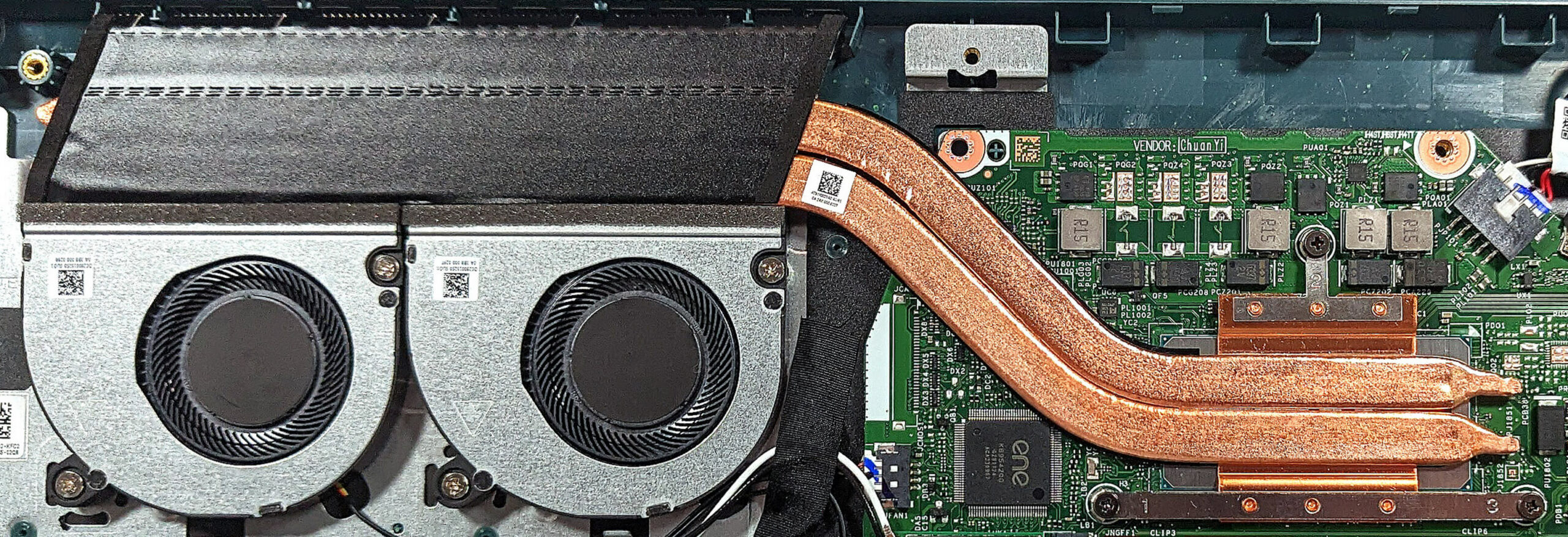
- Review the cooling system, which includes two small fans, a pair of heat pipes, one long top-mounted heat sink, and a heat spreader, designed to efficiently manage the thermal output of the laptop.
#CommissionsEarned
 Author: Anna Iorgova
Abonează-te
0 Comments


![[August 2026] Clasamentul global al celor mai bine vândute plăci grafice pentru laptopuri de pe Amazon – Apple domină clasamentul, iar modelul RTX 5060 de la NVIDIA ocupă primul loc în clasamentul dedicat](https://laptopmedia.com/wp-content/uploads/2026/09/Best-Selling-GPUs-GLOBAL-Top-10-400x225.jpg)
![[August 2026] Clasamentul global al celor mai bine vândute procesoare pentru laptopuri de pe Amazon – Apple domină atât segmentul economic, cât și cel premium: A18 Pro și M5 surclasează Intel și AMD în august 2026](https://laptopmedia.com/wp-content/uploads/2026/09/Best-Selling-CPUs-GLOBAL-Top-10-400x225.jpg)
![[August 2026] Amazon Global: Top 10 cele mai vândute laptopuri – Apple MacBook Neo domină clasamentul, în timp ce laptopurile Windows din gama economică și de mijloc se luptă pentru volumul vânzărilor](https://laptopmedia.com/wp-content/uploads/2026/09/Best-Selling-Laptops-GLOBAL-Top-10-400x225.jpg)
![[August 2026] Cele mai vândute mărci de laptopuri pe Amazon Global – Apple domină în ceea ce privește veniturile, în timp ce HP se află pe primul loc în ceea ce privește varietatea de modele](https://laptopmedia.com/wp-content/uploads/2026/09/GLOBAL-Best-Brands-400x225.jpg)
![[August 2026] Amazon Global: Top 10 cele mai bine vândute laptopuri pentru jocuri – HP Victus 15 ocupă primul loc, în timp ce modelele accesibile domină clasamentul](https://laptopmedia.com/wp-content/uploads/2026/09/Best-Selling-Gaming-Laptops-GLOBAL-Top-10-400x225.jpg)
