Dell Latitude 11 3190 (2-in-1) – Top 5 Pros and Cons
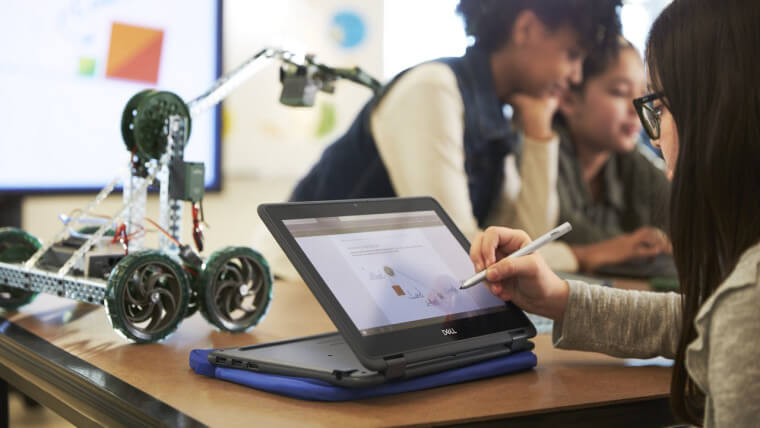 Dell perfectly describes the Latitude 11 3190 with a single sentence: “Designed to be kid-proof”. And to be honest, it is pretty perfect for a kid, especially in times like these, when online education seems to still be a huge part of students’ lives.
The compact and rigid design, along with the affordable price makes it a no-brainer purchase. Packed with just enough power to not be sluggish, and a touchscreen display the device is what every little student would want to have as their right-hand man in school.
Today we present you with LaptopMedia’s top 5 picks about the Dell Latitude 11 3190 (2-in-1).
Dell Latitude 11 3190 (2-in-1): Full Specs / In-depth Review
3 reasons to BUY the Dell Latitude 11 3190 (2-in-1)
1. Design and build quality
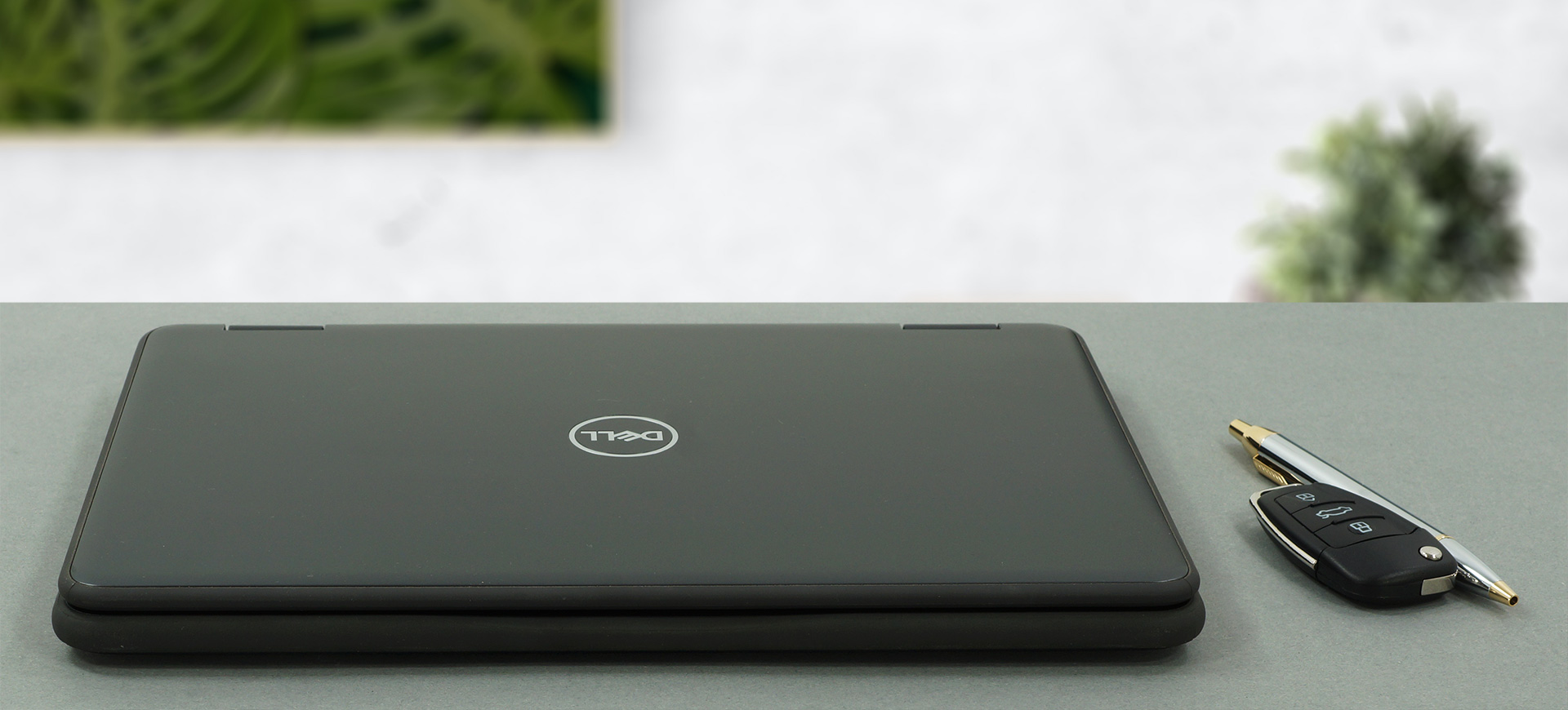
With a rubber bumper all around the lid and the base, this laptop can for sure survive both accidental and non-accidental drops without suffering damage. The lid itself has a plastic cover and a Dell logo in the center. For an 11.6-inch laptop, it is pretty bulky, with a weight and profile of 1.44kg and 21.25 mm, respectively.
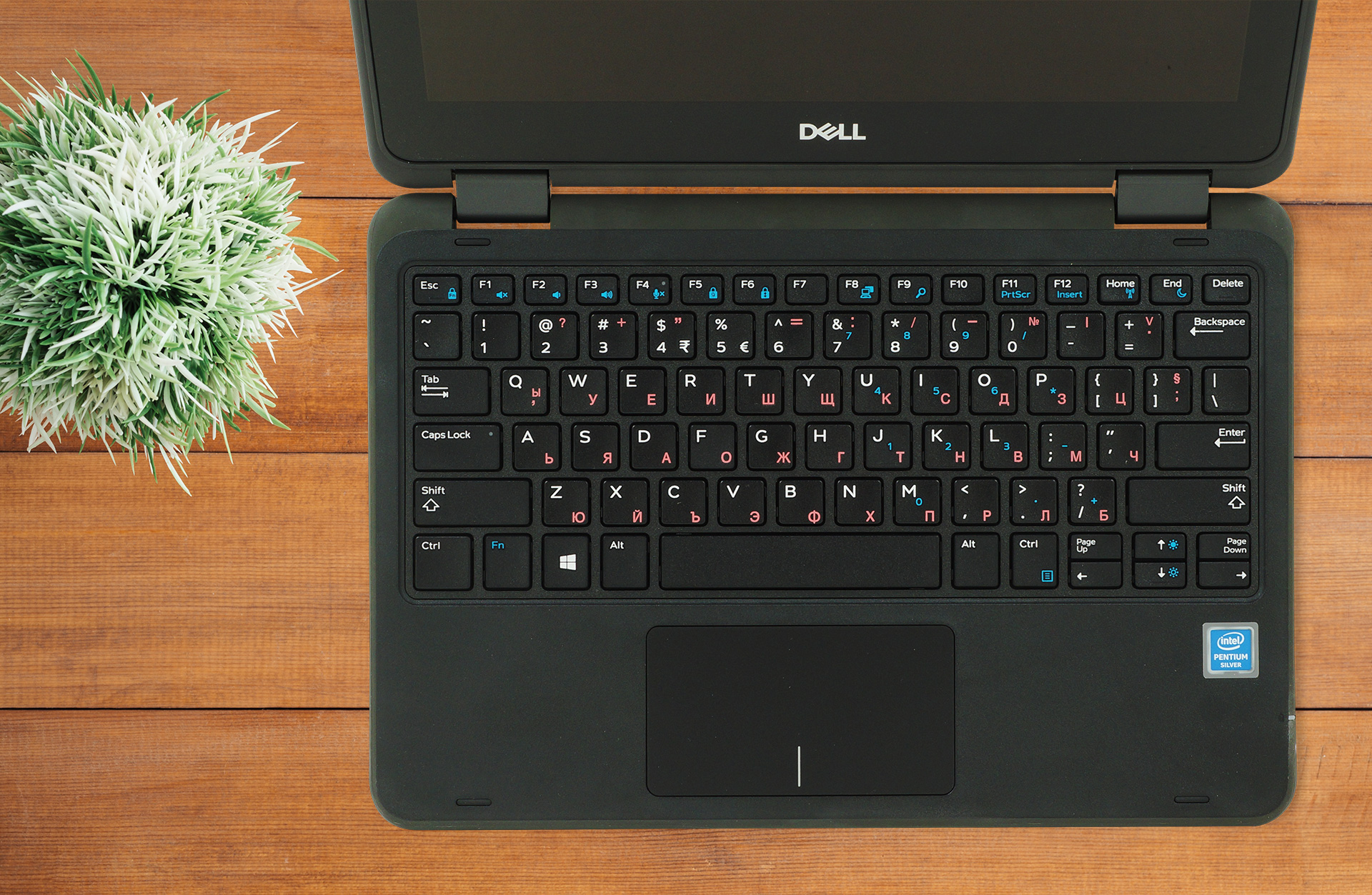
The lid opens with a single hand, revealing a Gorilla Glass protected display with thicker bezels than we would have wanted. The screen also has thick black bars, to accommodate for a decently comfortable keyboard and touchpad combo, which offer good key travel and clicky feedback, along with a pleasant and accurate tracking for the touchpad.
2. Display quality
The display that is used here is far from perfect, but it does a fine job for school and educational purposes. The 11.6-inch IPS panel has a resolution of 1366 x 768p. The unit has excellent viewing angles, a max brightness of 193 nits, and a deviation of 20%, which is a lot and can be seen in the upper right corner of the panel. The contrast ratio is really good – 1720:1. The panel also uses PWM to adjust brightness almost always, with the PWM being gone only after you set the screen at max brightness, which we would recommend. Fortunately, our Health-Guard profile gets rid of this issue completely.
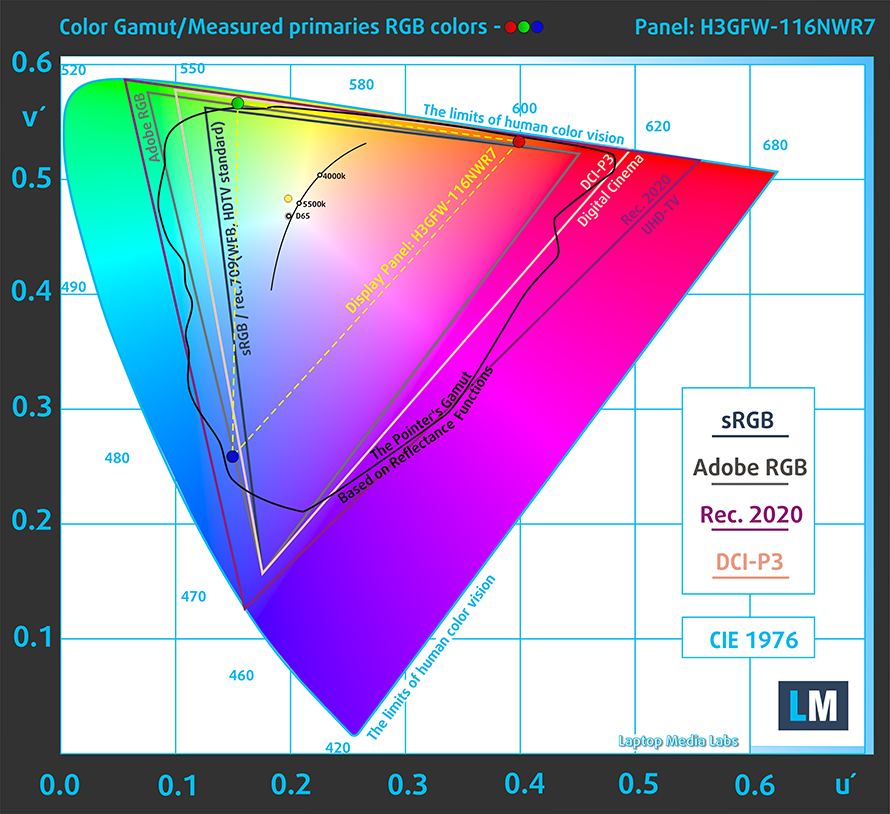
In terms of color coverage, the display covers 54% of the sRGB color coverage.
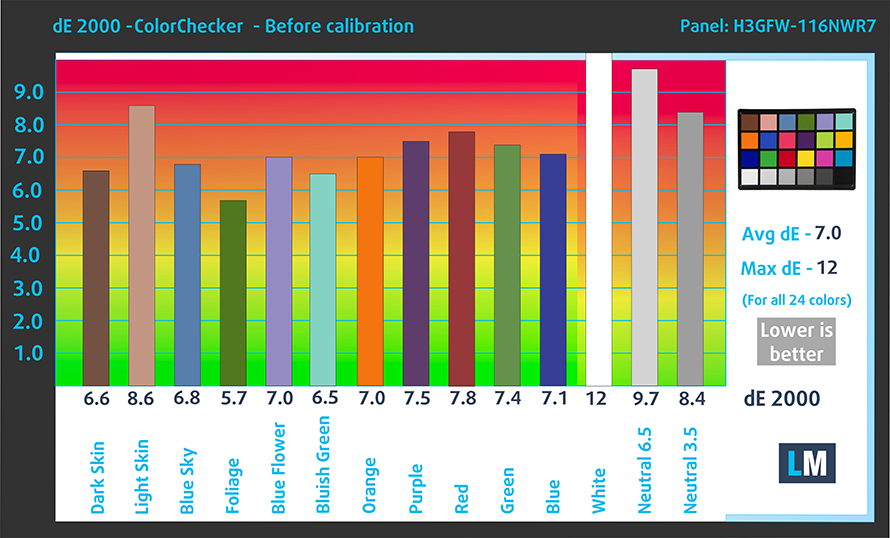
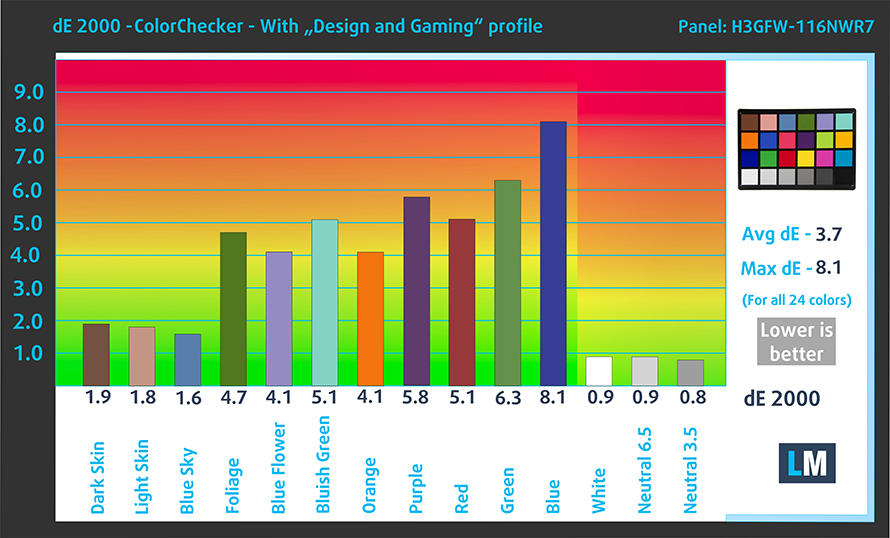
The color accuracy of the display is way off both with and without our Design and Gaming profile. Here are the results from our test with the factory settings (left) and with our profile applied (right).
Buy our profiles
Since our profiles are tailored for each individual display model, this article and its respective profile package are meant for Dell Latitude 11 3190 (2-in-1) configurations with 11.6″ HD IPS IVO H3GFW-116NWR7 (IVO048F).
*Should you have problems with downloading the purchased file, try using a different browser to open the link you’ll receive via e-mail. If the download target is a .php file instead of an archive, change the file extension to .zip or contact us at [email protected].
Read more about the profiles HERE.
Pe lângă primirea de profiluri eficiente și prietenoase cu sănătatea, prin cumpărarea produselor LaptopMedia sprijiniți și dezvoltarea laboratoarelor noastre, unde testăm dispozitive pentru a produce cele mai obiective recenzii posibile.

Office Work
Office Work ar trebui folosit în principal de utilizatorii care petrec cea mai mare parte a timpului uitându-se la texte, tabele sau pur și simplu navigând. Acest profil urmărește să ofere o distincție și o claritate mai bună prin menținerea unei curbe gamma plate (2.20), a temperaturii native a culorii și a culorilor perceptiv exacte.

Design and Gaming
Acest profil se adresează designerilor care lucrează profesional cu culorile, precum și pentru jocuri și filme. Design and Gaming duce panourile de afișaj la limitele lor, făcându-le cât mai precise posibil în standardul sRGB IEC61966-2-1 pentru Web și HDTV, la punctul de alb D65.

Health-Guard
Health-Guard elimină modulația dăunătoare a lățimii impulsului (PWM) și reduce lumina albastră negativă care ne afectează ochii și corpul. Deoarece este personalizat pentru fiecare panou, reușește să mențină culorile perceptiv exacte. Health-Guard simulează hârtia, astfel încât presiunea asupra ochilor este redusă considerabil.
Obține toate cele 3 profiluri cu 33% reducere

3. Battery life
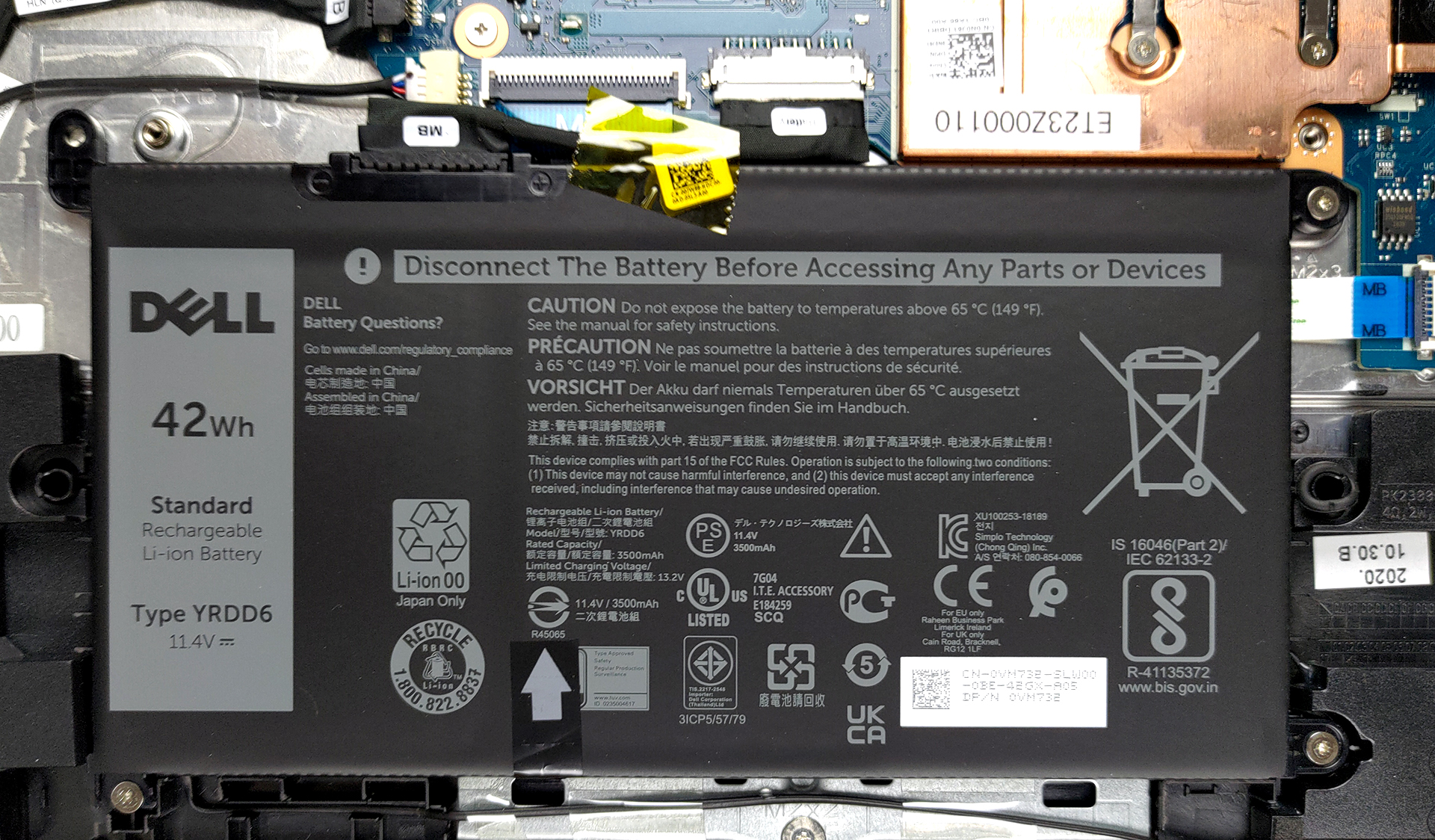
The Latitude has a pretty beefy battery considering its size and hardware, with a 42Wh unit. It lasts for 12 hours and 55 minutes of Web browsing, and 10 hours and 58 minutes of video playback. Now, we conduct the battery tests with Windows Better performance setting turned on, screen brightness adjusted to 120 nits, and all other programs turned off except for the one we are testing the notebook with.
2 reasons NOT to buy the Dell Latitude 11 3190 (2-in-1)
1. Upgradeability
The laptop has no RAM slots, as all of the memory is soldered onto the motherboard. Still, there is a single M.2 PCIe x4 drive for future storage expansion.
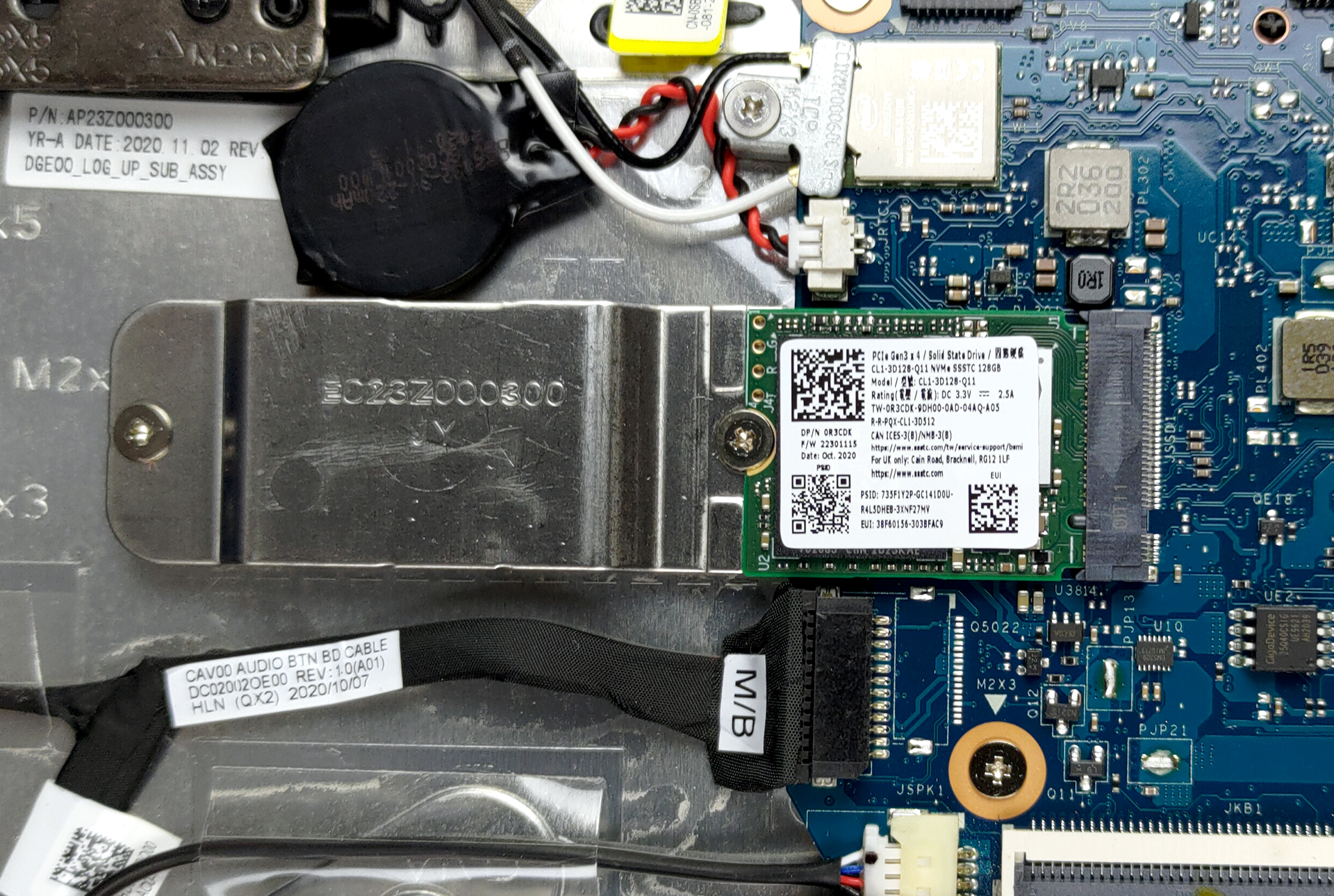
Here is our detailed teardown video, which shows how to access the single SSD slot.
2. I/O
The laptop doesn’t have a lot of ports but has some bases covered, such as an HDMI connector, two USB Type-A 3.2 (Gen. 1) ports, and a 3.5 mm audio jack.


All Dell Latitude 11 3190 (2-in-1) configurations:
 Author: Severin Kolakov

![[Iunie 2026] Cele mai vândute mărci de laptopuri pe Amazon Global – Dominația de neegalat a Apple în ceea ce privește numărul de unități vândute și veniturile](https://laptopmedia.com/wp-content/uploads/2026/07/GLOBAL-Best-Brands-400x225.jpg)
![[Iunie 2026] Amazon Global: Top 10 cele mai vândute laptopuri – Noul MacBook Neo de la Apple se clasează pe locul 1, redefinind piața prin prețul accesibil](https://laptopmedia.com/wp-content/uploads/2026/07/Best-Selling-Laptops-GLOBAL-Top-10-400x225.jpg)
![[Iunie 2026] Amazon Global: Top 10 cele mai bine vândute laptopuri pentru jocuri – Modelul Nitro V 16S AI de la Acer domină vânzările, în timp ce ASUS conduce în ceea ce privește veniturile totale](https://laptopmedia.com/wp-content/uploads/2026/07/Best-Selling-Gaming-Laptops-GLOBAL-Top-10-400x225.jpg)
![[Iunie 2026] Clasamentul global al celor mai bine vândute plăci grafice pentru laptopuri pe Amazon – NVIDIA RTX 5060 este cea mai bine vândută placă grafică dedicată](https://laptopmedia.com/wp-content/uploads/2026/07/Best-Selling-GPUs-GLOBAL-Top-10-400x225.jpg)
![[Iunie 2026] Clasamentul global al celor mai bine vândute procesoare pentru laptopuri de pe Amazon – Apple M5 domină, iar AMD Ryzen 7 260 înregistrează o cotă solidă în segmentul premium](https://laptopmedia.com/wp-content/uploads/2026/07/Best-Selling-CPUs-GLOBAL-Top-10-400x225.jpg)
