How to open Acer Swift Go 16 (SFG16-71) – disassembly and upgrade options
The latest notebooks, which are not related to gaming or to professional work, rarely offer the possibility of memory expansion. Unfortunately, the Acer Swift Go 16 (SFG16-71) is not an exception.
Check out all Acer Swift Go 16 (SFG16-71) prices and configurations in our Specs System, or read more in our In-Depth review.
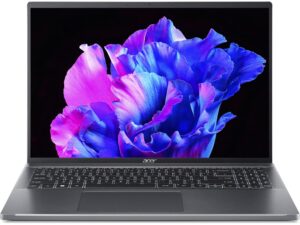
1. Remove the bottom plate
To access this notebook’s internals, you need to undo a total of 10 Torx-head screws. Then, pry the bottom panel with a plastic tool and lift it away from the chassis.
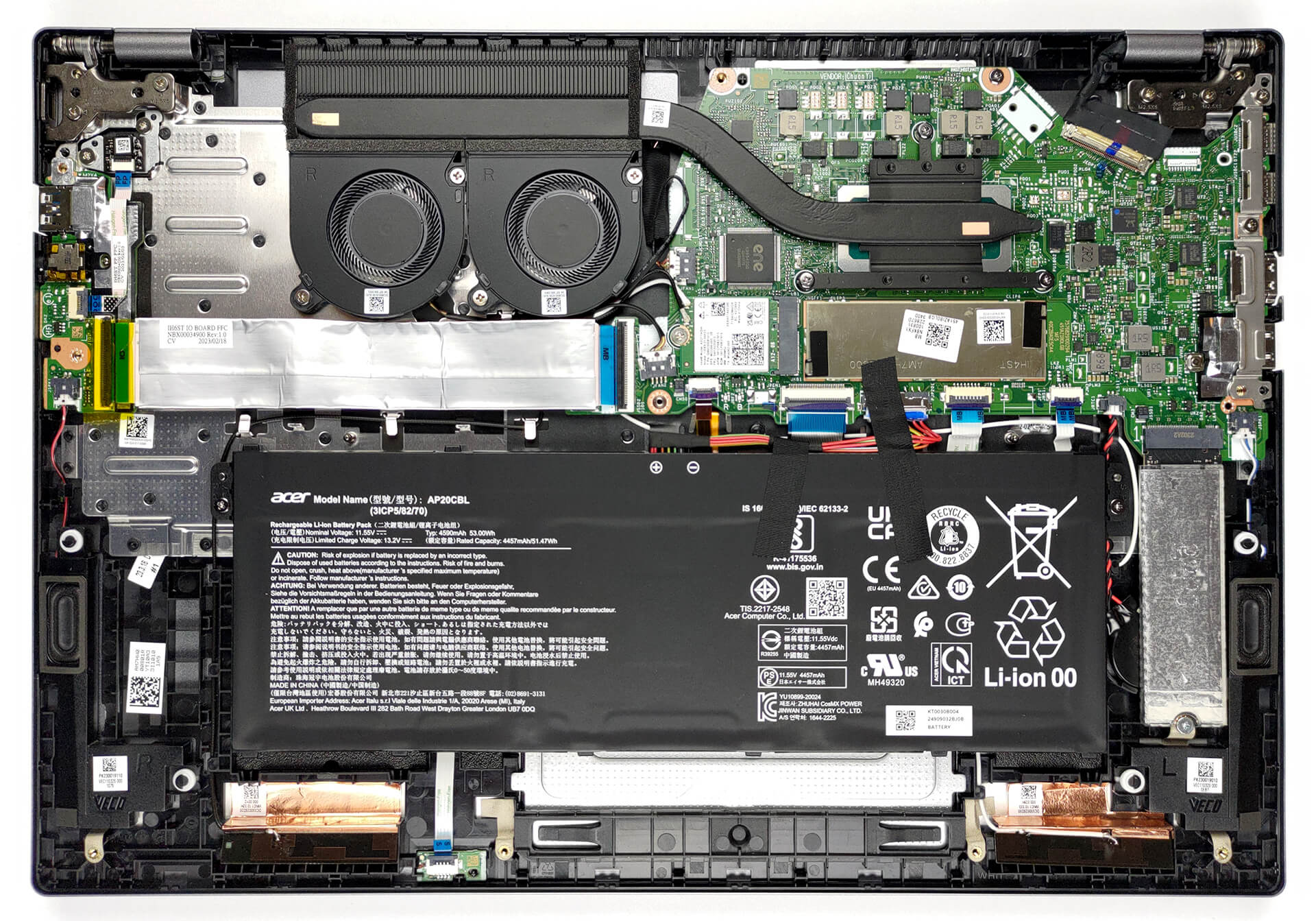
2. Remove the battery
Inside, we see a 53Wh battery pack. To remove it, unplug the battery connector, and undo the two Phillips-head screws that hold the battery in place.
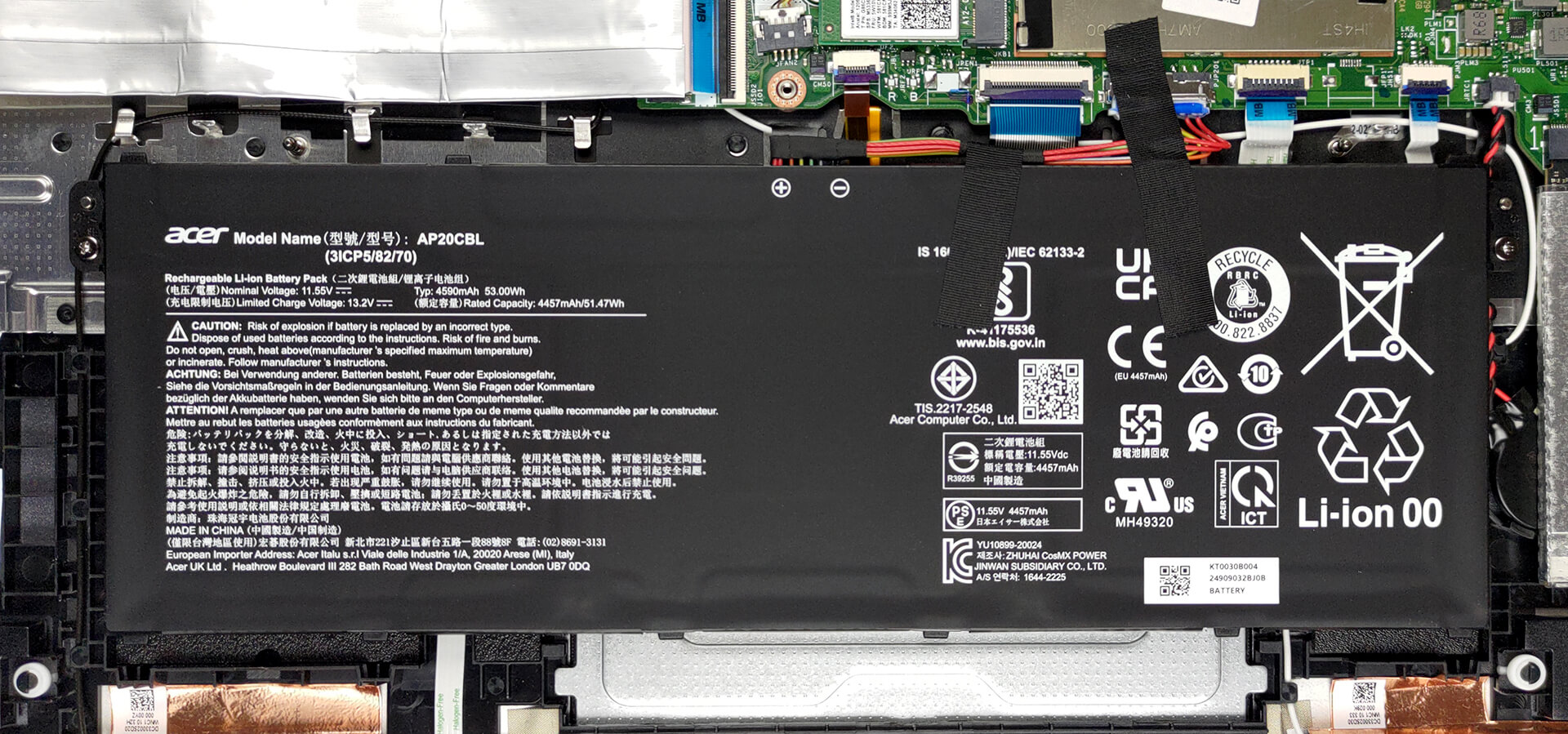
3. Upgrade memory and storage
Here, the memory is soldered to the motherboard. You can get the notebook with either 8 or 16GB of LPDDR5 RAM. As for the storage, there is one M.2 PCIe x4 slot, which works with Gen 4 SSDs.
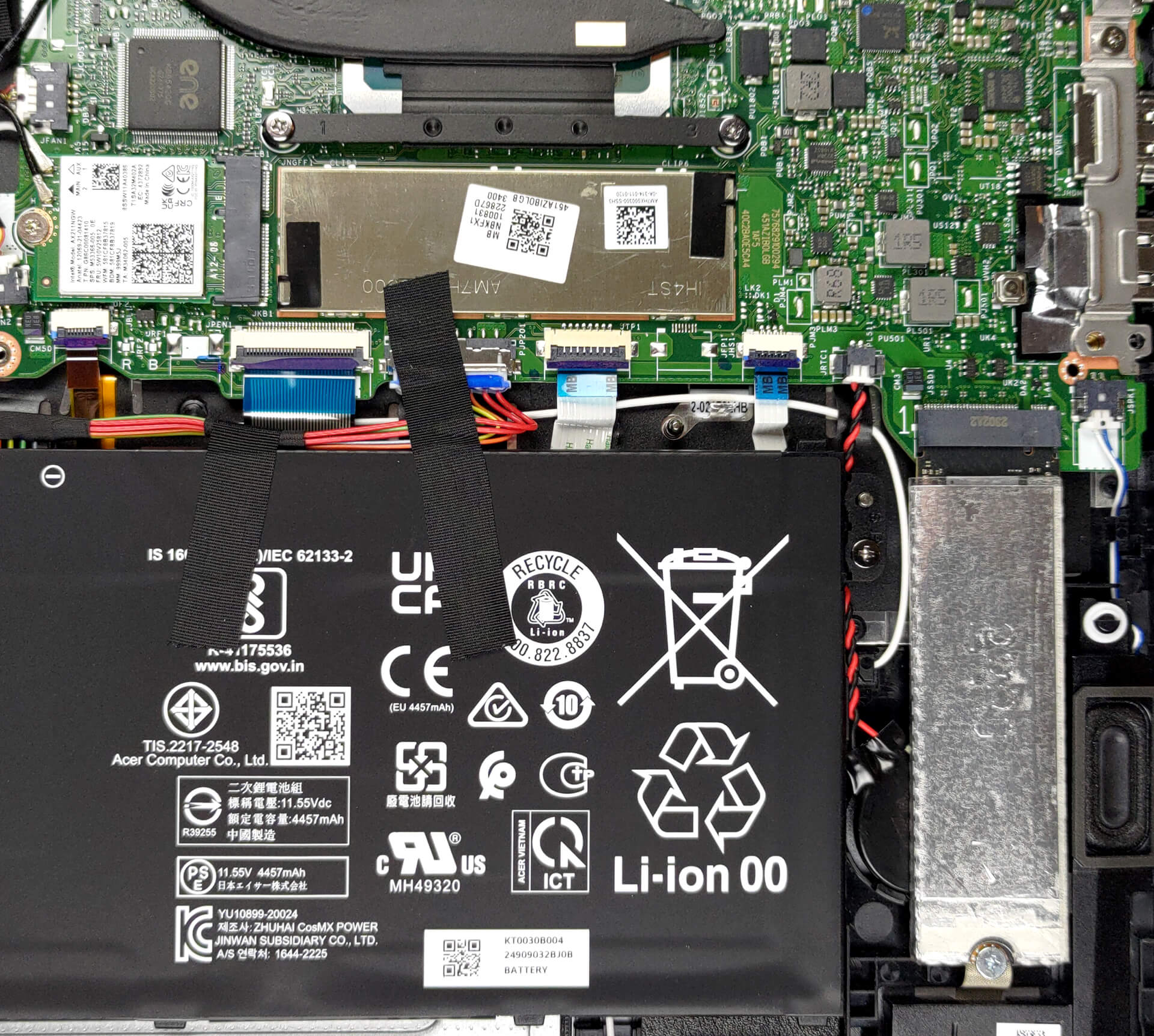
4. Cooling system
Cooling-wise, there is one heat pipe that connects to a long heat sink, where two small fans blow the heat away from the chassis.

Check out all Acer Swift Go 16 (SFG16-71) prices and configurations in our Specs System, or read more in our In-Depth review.
Acer Swift Go 16 (SFG16-71) recenzie detaliată
One of Acer's best-looking brands - the Swift series, is getting an all-new renaming going on. With "X", "Air", and now the "Go" finding its way into the naming scheme, Acer plans to be more akin to the youth.Today, we are going to show you the 16-inch Acer Swift Go 16 (SFG16-71). It can be found in various different configurations regarding the display for example. Its top-tier model includes a 3.2K OLED display, while the base one comes with the more down-to-earth 1920x1200 IPS unit.Right now, the situation around the processor options is a bit foggy, but we know for sure that it wi[...]

Avantaje
- 16-inch screen with 86% of sRGB coverage and accurate colors (when our Gaming and Web design profile is present) (BOE NE160WUM-N61 (BOE0A6C))
- No PWM (BOE NE160WUM-N61 (BOE0A6C))
- Up to 18 hours of Web browsing on battery
- An all-metal built with a lid leverage system
- Fingerprint reader
- Thin and light chassis
- 1440p Web camera
- 2x Thunderbolt 4 + MicroSD card reader
Dezavantaje
- Soldered memory
- Quiet speakers
 Author: Alex Iliev

![[Iunie 2026] Cele mai vândute mărci de laptopuri pe Amazon Global – Dominația de neegalat a Apple în ceea ce privește numărul de unități vândute și veniturile](https://laptopmedia.com/wp-content/uploads/2026/07/GLOBAL-Best-Brands-400x225.jpg)
![[Iunie 2026] Amazon Global: Top 10 cele mai vândute laptopuri – Noul MacBook Neo de la Apple se clasează pe locul 1, redefinind piața prin prețul accesibil](https://laptopmedia.com/wp-content/uploads/2026/07/Best-Selling-Laptops-GLOBAL-Top-10-400x225.jpg)
![[Iunie 2026] Amazon Global: Top 10 cele mai bine vândute laptopuri pentru jocuri – Modelul Nitro V 16S AI de la Acer domină vânzările, în timp ce ASUS conduce în ceea ce privește veniturile totale](https://laptopmedia.com/wp-content/uploads/2026/07/Best-Selling-Gaming-Laptops-GLOBAL-Top-10-400x225.jpg)
![[Iunie 2026] Clasamentul global al celor mai bine vândute plăci grafice pentru laptopuri pe Amazon – NVIDIA RTX 5060 este cea mai bine vândută placă grafică dedicată](https://laptopmedia.com/wp-content/uploads/2026/07/Best-Selling-GPUs-GLOBAL-Top-10-400x225.jpg)
![[Iunie 2026] Clasamentul global al celor mai bine vândute procesoare pentru laptopuri de pe Amazon – Apple M5 domină, iar AMD Ryzen 7 260 înregistrează o cotă solidă în segmentul premium](https://laptopmedia.com/wp-content/uploads/2026/07/Best-Selling-CPUs-GLOBAL-Top-10-400x225.jpg)
