How to open Dell Latitude 14 7430 – disassembly and upgrade options
The situation regarding Dell Latitude 14 7430’s memory is a bit boring. You can’t upgrade it post-purchase, but the maximum capacity is 32GB. Interestingly, the memory type is DDR4 for the 15W processors and LPDDR5 for the 28W CPUs.
Check out all Dell Latitude 14 7430 prices and configurations in our Specs System, or read more in our In-Depth review.


1. Remove the bottom plate
To open this device, you need to undo 8 captive Phillips-head screws. Then, pry the bottom panel with a plastic tool, starting from the hinge gaps.
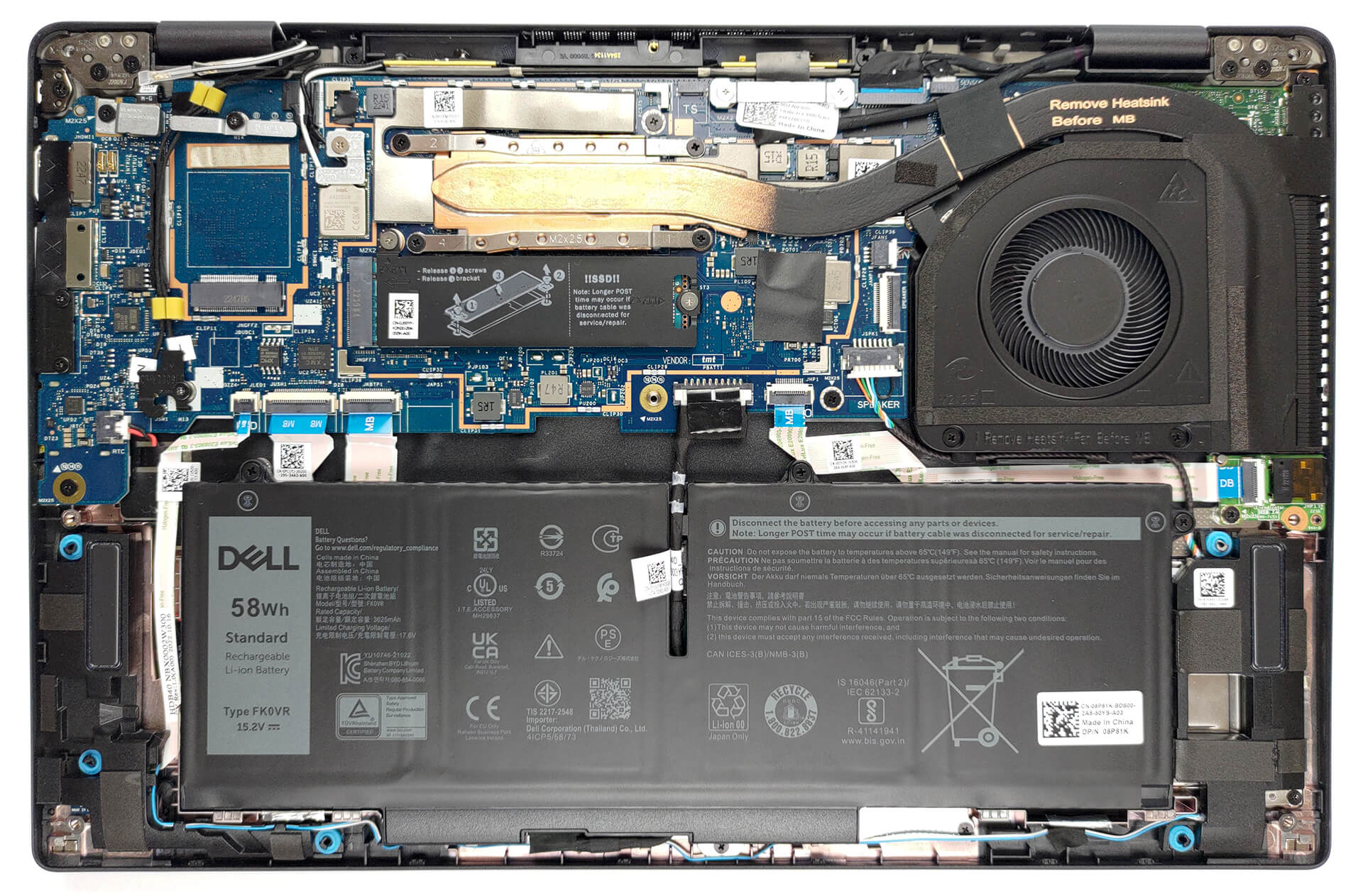
2. Remove the battery
Inside, we get a 58Wh battery pack. To remove it, unplug the battery connector, and undo the three captive Phillips-head screws.
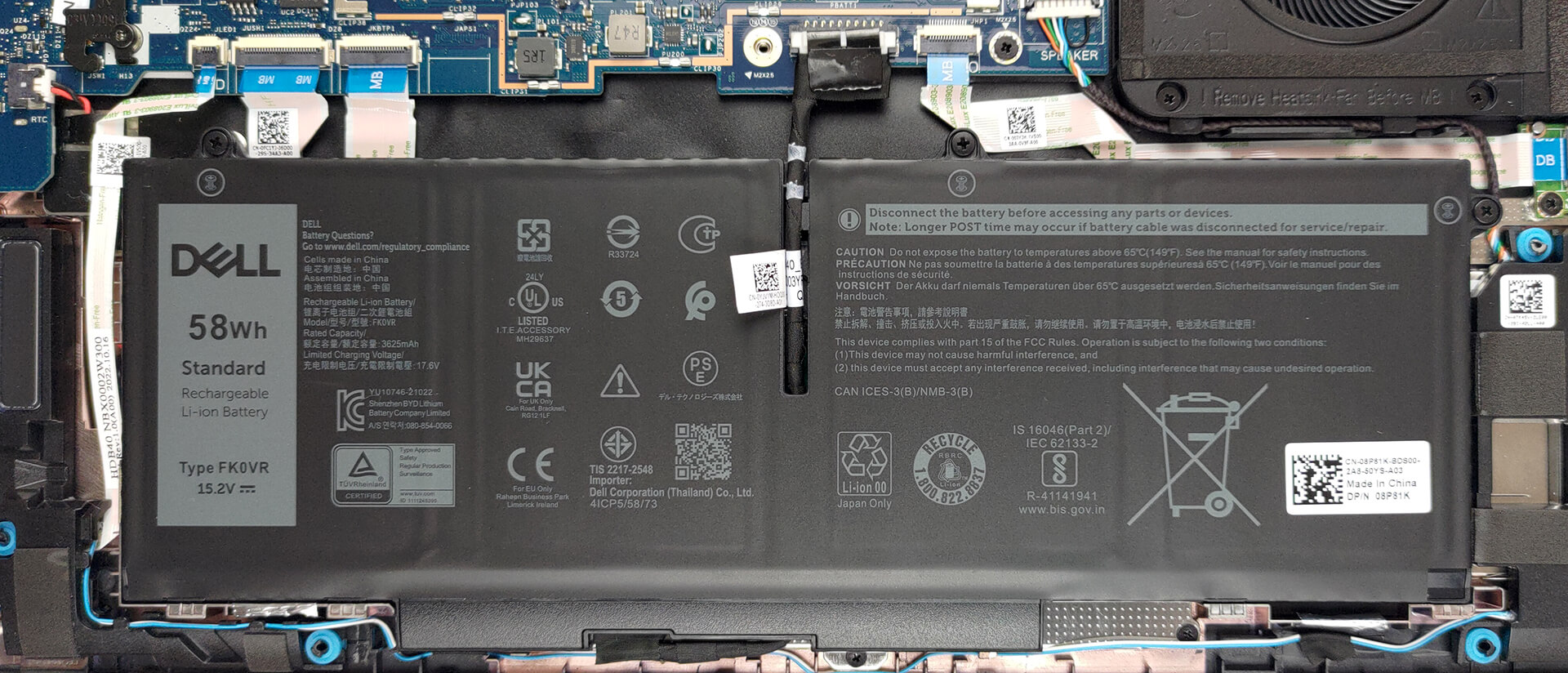
3. Upgrade memory and storage
Here, the memory is soldered to the motherboard. The maximum capacity you can get is 32GB, while the type depends on the processor. The 15W models get DDR4 RAM, while the 28W versions are equipped with LPDDR5 memory. As for storage, there is one M.2 PCIe x4 slot, which supports Gen 4 SSDs.
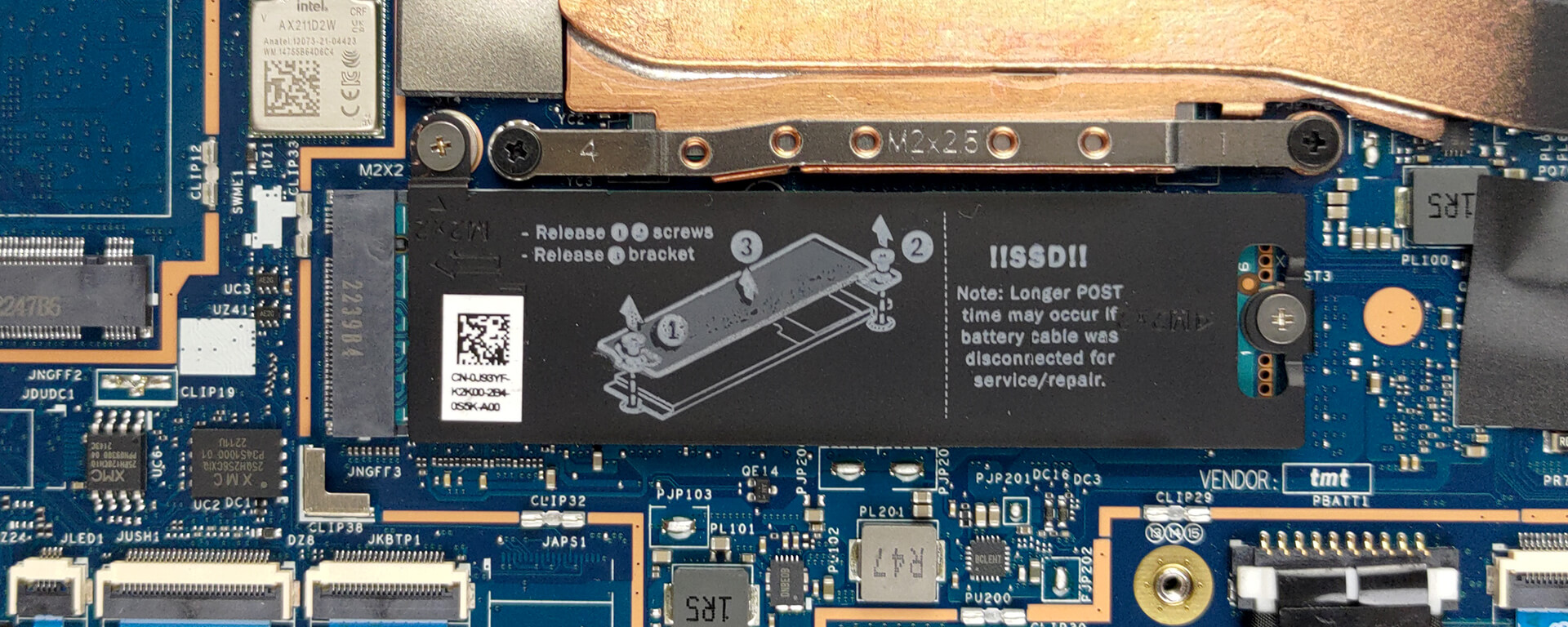
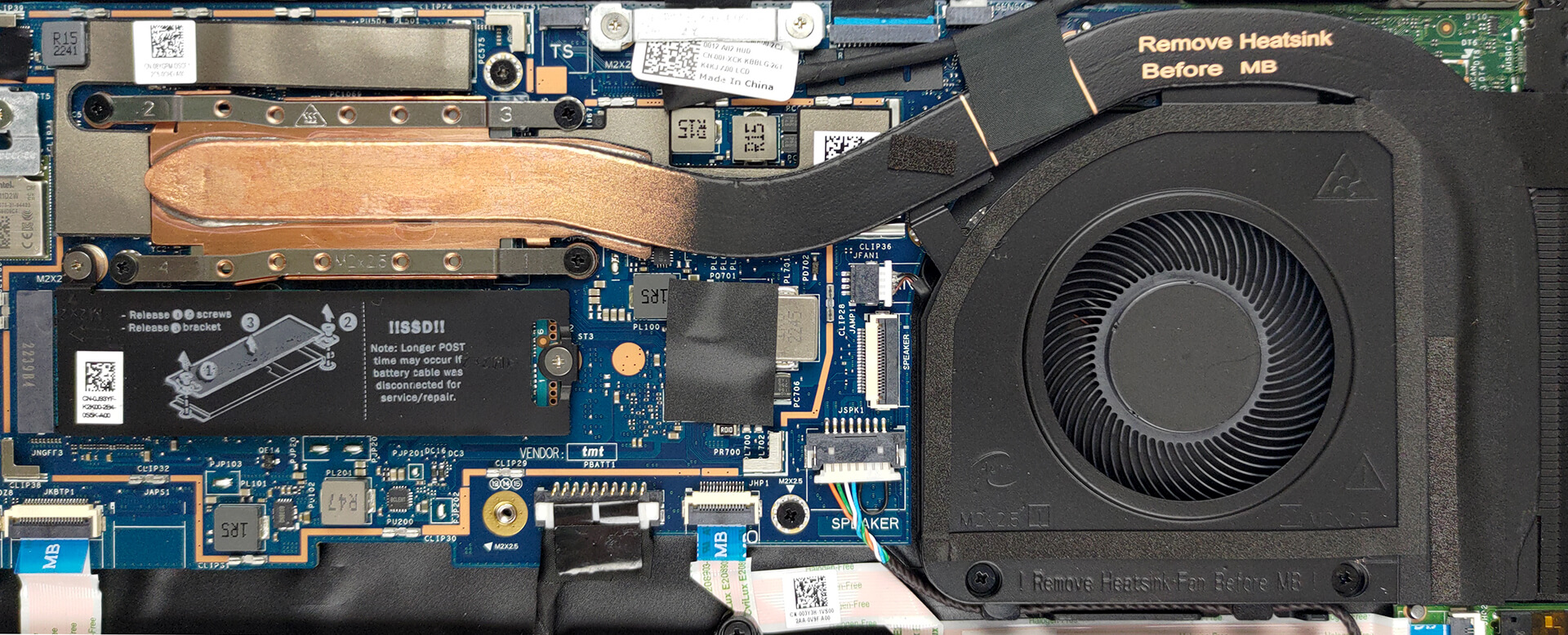
4. Cooling system
This notebook’s cooling comprises one heat pipe, a side-mounted heat sink, and a fan.
Check out all Dell Latitude 14 7430 prices and configurations in our Specs System, or read more in our In-Depth review.
Dell Latitude 14 7430 recenzie detaliată
The time of dominance in the business market is long gone for old boys Lenovo and Dell. ASUS now creates great devices, while some underdogs like Dynabook and Fujitsu are producing some very convincing notebooks.BUT! Today is about one laptop - the Dell Latitude 14 7430. It is a premium business device, aimed at serious people, who want to do their work in the most efficient and secure way.In terms of hardware, you can choose between high-performance and almost this high-performance, but with more battery life. We are talking about Intel's 28W and 15W Alder Lake processors.Another[...]

Avantaje
- A ton of security software + a human-detecting proximity sensor
- No PWM (LG 0HXCK-140WFH (LGD068D))
- Wi-Fi 6 support, optional 5G connectivity, and an optional Smart Card reader
- Choice of carbon and aluminum for build materials
- Comfortable keyboard
- Optional fingerprint reader and IR face recognition systems
- Wide I/O, including two Thunderbolt 4 connectors
Dezavantaje
- Premium price tag
- Worse battery life than last year
- Covers 50% of sRGB colors (LG 0HXCK-140WFH (LGD068D))
- Memory is soldered to the motherboard
 Author: Alex Iliev

![[August 2026] Clasamentul global al celor mai bine vândute plăci grafice pentru laptopuri de pe Amazon – Apple domină clasamentul, iar modelul RTX 5060 de la NVIDIA ocupă primul loc în clasamentul dedicat](https://laptopmedia.com/wp-content/uploads/2026/09/Best-Selling-GPUs-GLOBAL-Top-10-400x225.jpg)
![[August 2026] Clasamentul global al celor mai bine vândute procesoare pentru laptopuri de pe Amazon – Apple domină atât segmentul economic, cât și cel premium: A18 Pro și M5 surclasează Intel și AMD în august 2026](https://laptopmedia.com/wp-content/uploads/2026/09/Best-Selling-CPUs-GLOBAL-Top-10-400x225.jpg)
![[August 2026] Amazon Global: Top 10 cele mai vândute laptopuri – Apple MacBook Neo domină clasamentul, în timp ce laptopurile Windows din gama economică și de mijloc se luptă pentru volumul vânzărilor](https://laptopmedia.com/wp-content/uploads/2026/09/Best-Selling-Laptops-GLOBAL-Top-10-400x225.jpg)
![[August 2026] Cele mai vândute mărci de laptopuri pe Amazon Global – Apple domină în ceea ce privește veniturile, în timp ce HP se află pe primul loc în ceea ce privește varietatea de modele](https://laptopmedia.com/wp-content/uploads/2026/09/GLOBAL-Best-Brands-400x225.jpg)
![[August 2026] Amazon Global: Top 10 cele mai bine vândute laptopuri pentru jocuri – HP Victus 15 ocupă primul loc, în timp ce modelele accesibile domină clasamentul](https://laptopmedia.com/wp-content/uploads/2026/09/Best-Selling-Gaming-Laptops-GLOBAL-Top-10-400x225.jpg)
