How to open Dell Latitude 14 9430 – disassembly and upgrade options
The Dell Latitude 14 9430 is a great laptop, but it does not excel with good upgrade options. Its memory is soldered to the motherboard, while the single storage slot only fits 30mm drives.
Check out all Dell Latitude 14 9430 prices and configurations in our Specs System, or read more in our In-Depth review.

1. Remove the bottom plate
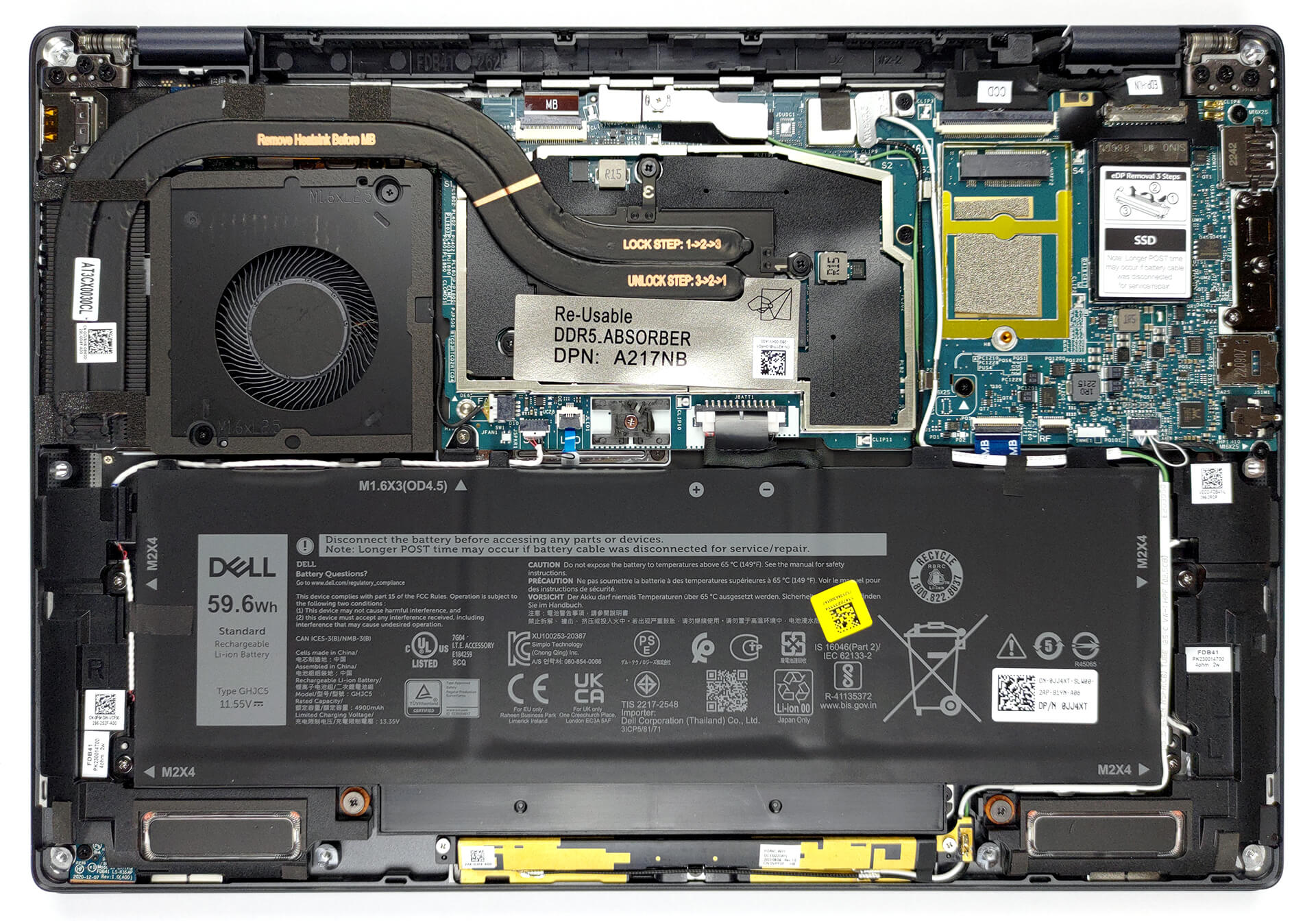
The bottom panel is held in place by 8 captive Phillips-head screws. Dell recommends that you start the prying process from the hinge gaps.
2. Remove the battery
Our configuration is equipped with a 59.6Wh battery pack. To take it out, unplug the connector from the motherboard, and undo the 5 Phillips-head screws you see. Then, untangle the cables around the battery.

3. Upgrade memory and storage
You can find this machine with either 16, or 32GB of LPDDR5 RAM, working at 5200MHz. As far as the storage goes, you get one M.2 PCIe x4 slot, which fits 30mm SSDs, and supports Gen 4 drives.

4. Cooling system
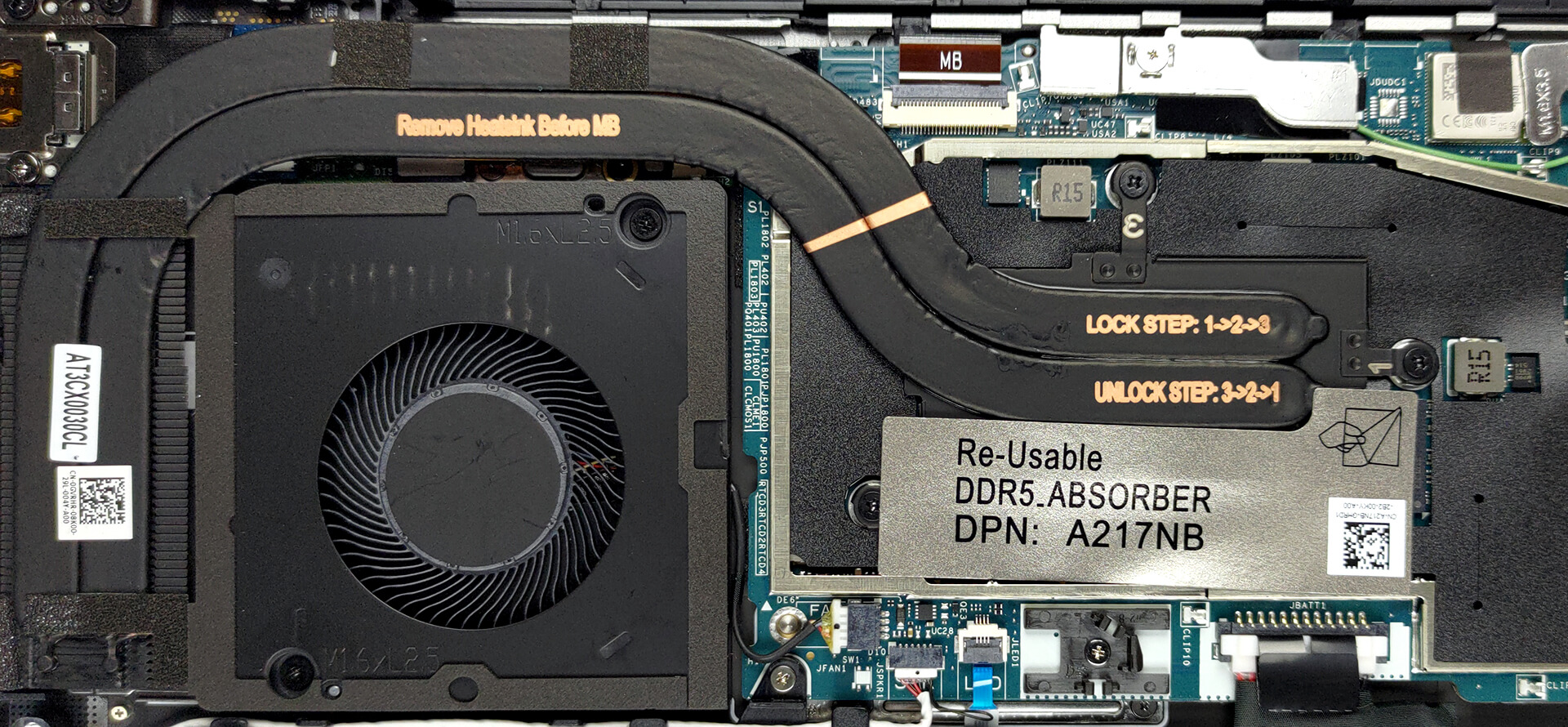
There are two heat pipes, one heat sink, and one fan taking care of the CPU. Furthermore, we see a heat spreader on top of the VRMs.
Check out all Dell Latitude 14 9430 prices and configurations in our Specs System, or read more in our In-Depth review.
Dell Latitude 14 9430 recenzie detaliată
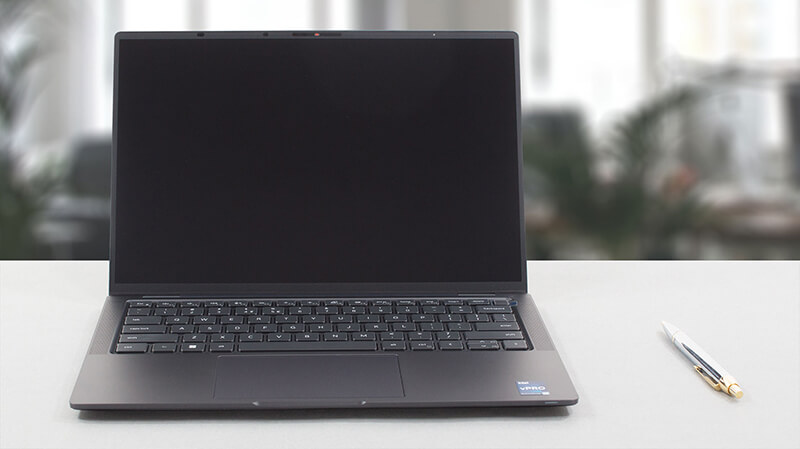
Today, we're going to take a look at a Latitude that sits on the top of the business notebook pyramid. In fact, the entire Latitude series can be considered a pyramid. There are many budget devices (the foundation), which provide the company with resources, which can be allocated to the top, where experiments and premium materials make devices more scarce.In Dell's own words, the Latitude 14 9430 will provide you with "a CEO-level experience". This means that you should get a no-compromise device. However, it feels hard to believe that there are no compromises.Before we take a look at[...]
Avantaje
- A ton of security software + a human-detecting proximity sensor
- 96% sRGB coverage and accurate colors with our Gaming and Web design profile (AUO 2WGY7-B140UAN (AUO6D9C))
- No PWM (AUO 2WGY7-B140UAN (AUO6D9C))
- Wi-Fi 6 support, optional 5G connectivity
- Great build quality
- Comfortable keyboard
- Fantastic battery life
- Fingerprint reader, IR face recognition systems
- Wide I/O, including two Thunderbolt 4 connectors, and a MicroSD card slot
Dezavantaje
- Premium price tag
- Memory is soldered to the motherboard
 Author: Alex Iliev

![[August 2026] Clasamentul global al celor mai bine vândute plăci grafice pentru laptopuri de pe Amazon – Apple domină clasamentul, iar modelul RTX 5060 de la NVIDIA ocupă primul loc în clasamentul dedicat](https://laptopmedia.com/wp-content/uploads/2026/09/Best-Selling-GPUs-GLOBAL-Top-10-400x225.jpg)
![[August 2026] Clasamentul global al celor mai bine vândute procesoare pentru laptopuri de pe Amazon – Apple domină atât segmentul economic, cât și cel premium: A18 Pro și M5 surclasează Intel și AMD în august 2026](https://laptopmedia.com/wp-content/uploads/2026/09/Best-Selling-CPUs-GLOBAL-Top-10-400x225.jpg)
![[August 2026] Amazon Global: Top 10 cele mai vândute laptopuri – Apple MacBook Neo domină clasamentul, în timp ce laptopurile Windows din gama economică și de mijloc se luptă pentru volumul vânzărilor](https://laptopmedia.com/wp-content/uploads/2026/09/Best-Selling-Laptops-GLOBAL-Top-10-400x225.jpg)
![[August 2026] Cele mai vândute mărci de laptopuri pe Amazon Global – Apple domină în ceea ce privește veniturile, în timp ce HP se află pe primul loc în ceea ce privește varietatea de modele](https://laptopmedia.com/wp-content/uploads/2026/09/GLOBAL-Best-Brands-400x225.jpg)
![[August 2026] Amazon Global: Top 10 cele mai bine vândute laptopuri pentru jocuri – HP Victus 15 ocupă primul loc, în timp ce modelele accesibile domină clasamentul](https://laptopmedia.com/wp-content/uploads/2026/09/Best-Selling-Gaming-Laptops-GLOBAL-Top-10-400x225.jpg)
