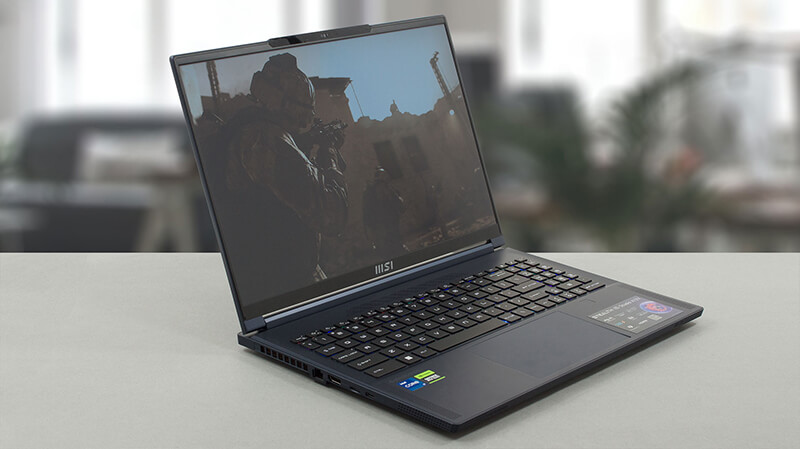
How to open MSI Stealth 16 Studio (A13V) – disassembly and upgrade options
This is one of the most impressive laptops on the market right now. The upgrade options are part of its great features.
Check out all MSI Stealth 16 Studio (A13V) prices and configurations in our Specs System, or read more in our In-Depth review.


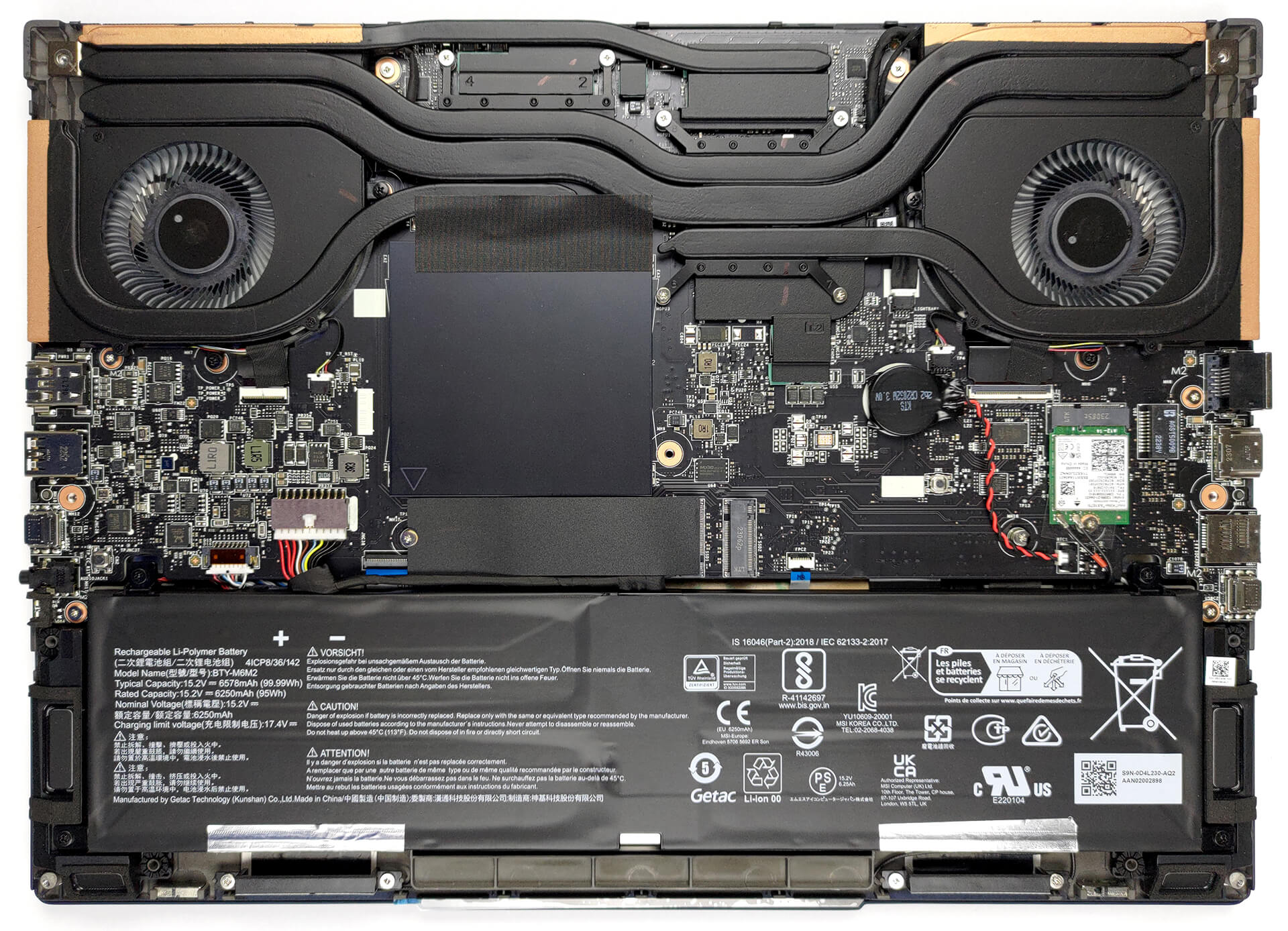
1. Remove the bottom plate
To open this machine, you need to undo 7 Phillips-head screws. After that, pry the bottom panel with a plastic tool, and lift it away from the chassis.
2. Remove the battery
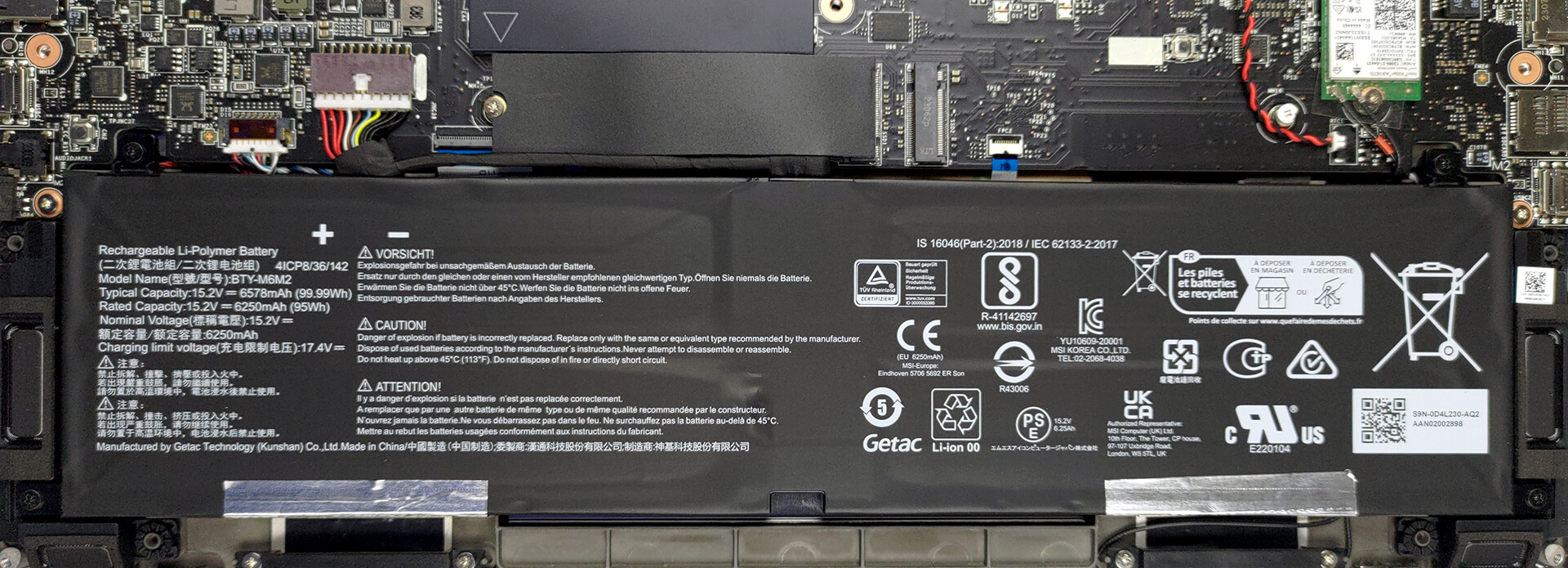
This unit comes with a 99.9Wh battery pack. It lasts for 9 hours of either Web browsing or video playback. To remove it undo 4 Phillips-head screws that hold it to the chassis, and unplug the battery connector from the motherboard.
3. Upgrade memory and storage
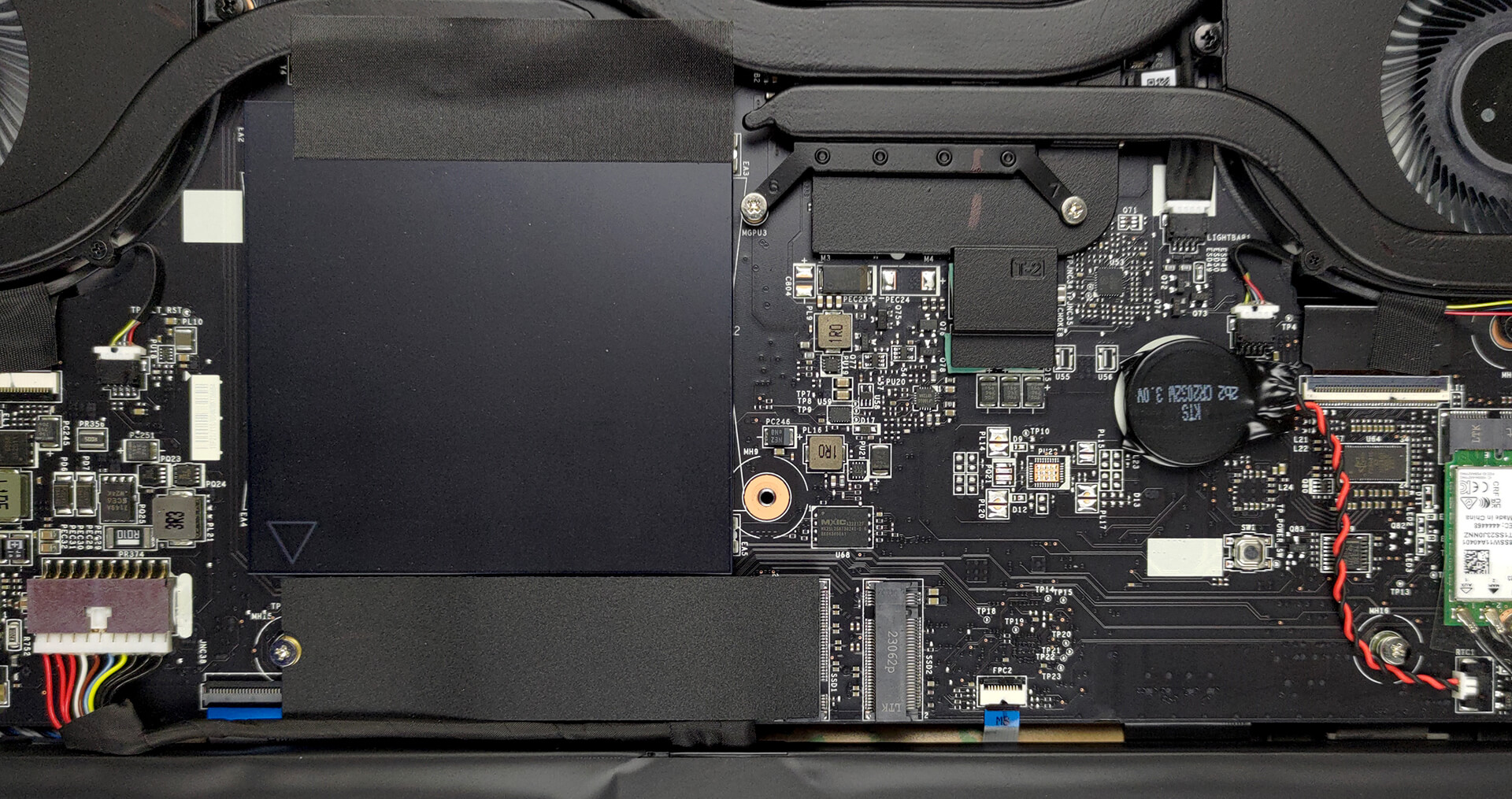
Here, you see two SODIMM slots, which support up to 64GB of DDR5 RAM in total. As for storage, there are two M.2 PCIe x4 slots, both of which support Gen 4 SSDs.
4. Cooling system
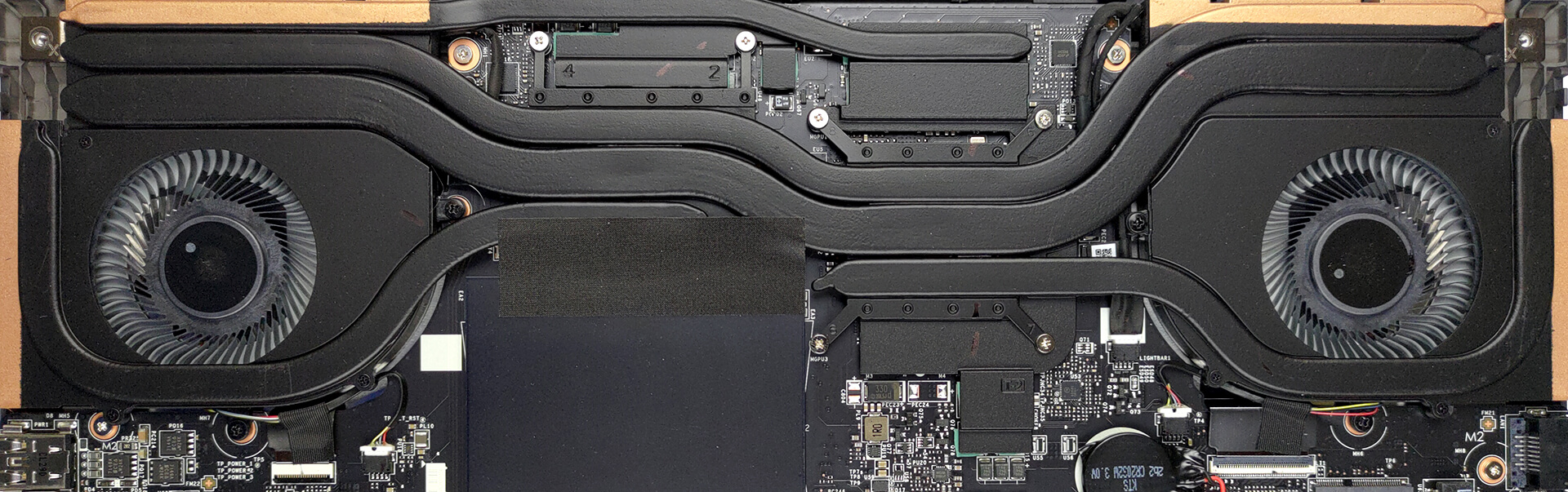
Cooling-wise, there are two heat pipes shared between the CPU and the GPU, with one more dedicated to each of them. In addition, there is one more heat pipe dedicated to the VRMs and the graphics memory. Furthermore, there are two fans and four heat sinks.
Check out all MSI Stealth 16 Studio (A13V) prices and configurations in our Specs System, or read more in our In-Depth review.
MSI Stealth 16 Studio (A13Vx) recenzie detaliată
Ah, the thin line between gaming and business computers. In the past, devices from either field could not be mistaken for the other - gaming notebooks were thick, heavy, and aggressive, while business laptops appeared stylish and generally neutral.Enter the MSI Stealth 16 Studio (A13V). It is a device that looks like it's breaking the Matrix. It is thin, light, and very good-looking. But these are definitely its most important characteristics.What sets the expectations higher is the hardware. It sports Intel's latest and greatest - 13th Gen CPUs with 45W TDP, as well as NVIDIA's RTX 4[...]
Avantaje
- Fingerprint reader and IR face recognition scanner
- 2x M.2 PCIe x4 Gen 4 slots, 2x DDR5 RAM SODIMM slots in dual channel/li>
- Covers 100% of the DCI-P3 color gamut and has accurate color representation with our Gaming and Web design profile (AUO B160QAN02.3 (AUO26A9))
- Snappy panel with quick response times (AUO B160QAN02.3 (AUO26A9))
- No PWM (AUO B160QAN02.3 (AUO26A9))
- MUX switch
- Wide port selection
- Decent battery life
- The keyboard remains relatively cool after long gaming sessions
- Good build quality
Dezavantaje
- Chassis has some noisy flex
- Short key travel
 Author: Alex Iliev

![[August 2026] Clasamentul global al celor mai bine vândute plăci grafice pentru laptopuri de pe Amazon – Apple domină clasamentul, iar modelul RTX 5060 de la NVIDIA ocupă primul loc în clasamentul dedicat](https://laptopmedia.com/wp-content/uploads/2026/09/Best-Selling-GPUs-GLOBAL-Top-10-400x225.jpg)
![[August 2026] Clasamentul global al celor mai bine vândute procesoare pentru laptopuri de pe Amazon – Apple domină atât segmentul economic, cât și cel premium: A18 Pro și M5 surclasează Intel și AMD în august 2026](https://laptopmedia.com/wp-content/uploads/2026/09/Best-Selling-CPUs-GLOBAL-Top-10-400x225.jpg)
![[August 2026] Amazon Global: Top 10 cele mai vândute laptopuri – Apple MacBook Neo domină clasamentul, în timp ce laptopurile Windows din gama economică și de mijloc se luptă pentru volumul vânzărilor](https://laptopmedia.com/wp-content/uploads/2026/09/Best-Selling-Laptops-GLOBAL-Top-10-400x225.jpg)
![[August 2026] Cele mai vândute mărci de laptopuri pe Amazon Global – Apple domină în ceea ce privește veniturile, în timp ce HP se află pe primul loc în ceea ce privește varietatea de modele](https://laptopmedia.com/wp-content/uploads/2026/09/GLOBAL-Best-Brands-400x225.jpg)
![[August 2026] Amazon Global: Top 10 cele mai bine vândute laptopuri pentru jocuri – HP Victus 15 ocupă primul loc, în timp ce modelele accesibile domină clasamentul](https://laptopmedia.com/wp-content/uploads/2026/09/Best-Selling-Gaming-Laptops-GLOBAL-Top-10-400x225.jpg)
