 The HP 470-series is in a very weird spot. Firstly, its name is a number, similar to the very-inexpensive HP 250 and HP 255, so people assume that it would be similar. Then we have the ProBook 400-series, which are also very similar to the 470 G8.
All in all, it gets very confusing, and you have to watch out very carefully for the specs and the exact laptop that you’re purchasing. The HP 470 is a mid-range business device with decent specs and a display that is ready for professional use.
Today we are presenting you with LaptopMedia’s top 5 picks about the HP 470 G8.
HP 470 G8: Full Specs / In-depth Review
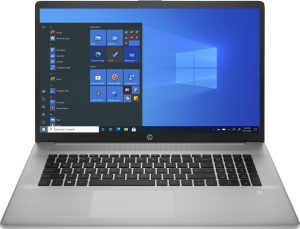
4 reasons to BUY the HP 470 G8
1. Upgradeability
The device presents sufficient upgradeability and with the hardware options that we have, you can extend the life of the notebook substantially, thanks to the two SODIMM slots, that on paper can fit up to 16GB of RAM, but we are pretty confident that it can go as high as 32GB or 64GB. In terms of storage, there is a single M.2 PCIe x4 slot and space for a 2.5-inch SATA drive, with mounting hardware actually being included inside the box.

Here is our detailed teardown video, which shows how to access both the RAM and SSD slots.
2. I/O
The I/O isn’t the best out there, but it covers the basics, with there being two USB Type-A 3.2 (Gen. 1) ports, a single USB Type-C 3.2 (Gen. 1) port, an HDMI 1.4 connector, and a 3.5 mm audio jack. A MicroSD card reader would have been a nice addition, but all hope’s not lost. There are small SD to USB adapters, which are inexpensive and can easily fit inside your pocket or in your backpack.


3. Display quality
The display that is used here offers great characteristics. The unit has a 17.3-inch diagonal and comes with Full HD resolution. Furthermore, its viewing angles are comfortable and the brightness uniformity is great, ensuring even color representation across the entire display. The contrast ratio is also decent – 1010:1. In terms of color coverage, the display does wonderfully, with 95% sRGB coverage.
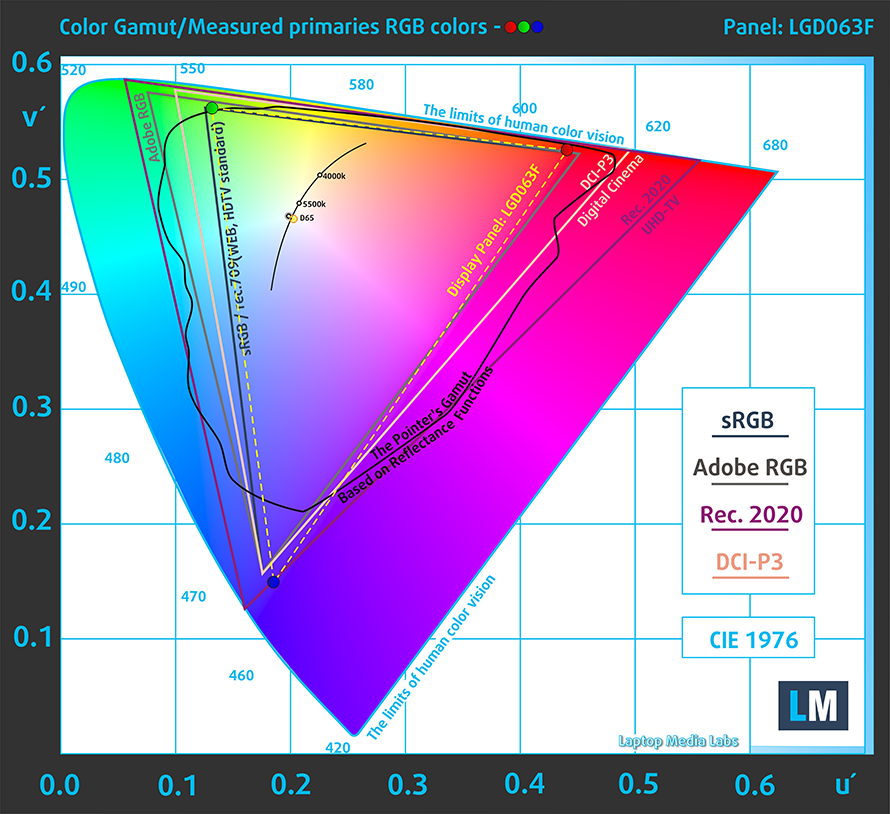
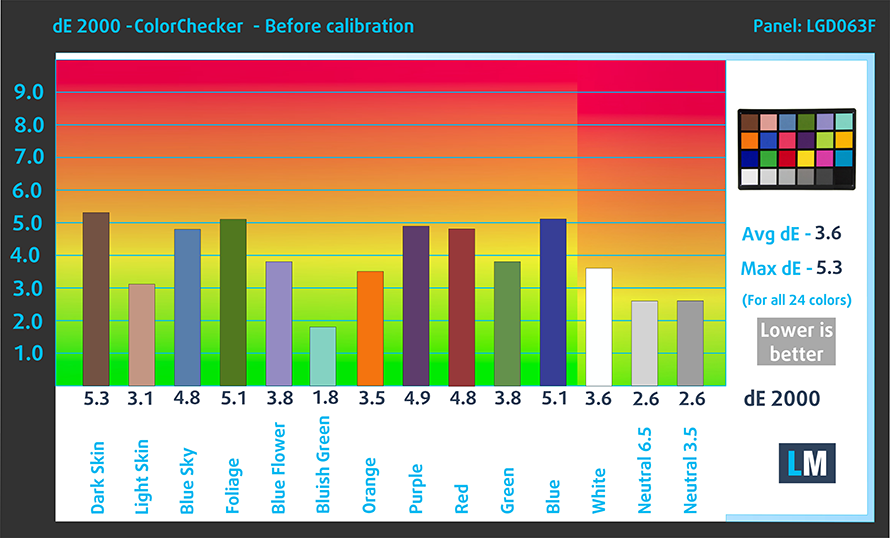
The accuracy needs some improvement, with the factory settings (left) delivering a dE value of 3.6. Once we applied our Design and Gaming profile (right), however, it was powered to 1.6, which is acceptable for professional work.

Buy our profiles
Since our profiles are tailored for each individual display model, this article and its respective profile package are meant for Acer Aspire 3 (A317-33) configurations with 17.3″ FHD IPS LG LP173WF5-SPB4 (LGD063F).
*Should you have problems with downloading the purchased file, try using a different browser to open the link you’ll receive via e-mail. If the download target is a .php file instead of an archive, change the file extension to .zip or contact us at [email protected].
Read more about the profiles HERE.
Pe lângă primirea de profiluri eficiente și prietenoase cu sănătatea, prin cumpărarea produselor LaptopMedia sprijiniți și dezvoltarea laboratoarelor noastre, unde testăm dispozitive pentru a produce cele mai obiective recenzii posibile.

Office Work
Office Work ar trebui folosit în principal de utilizatorii care petrec cea mai mare parte a timpului uitându-se la texte, tabele sau pur și simplu navigând. Acest profil urmărește să ofere o distincție și o claritate mai bună prin menținerea unei curbe gamma plate (2.20), a temperaturii native a culorii și a culorilor perceptiv exacte.

Design and Gaming
Acest profil se adresează designerilor care lucrează profesional cu culorile, precum și pentru jocuri și filme. Design and Gaming duce panourile de afișaj la limitele lor, făcându-le cât mai precise posibil în standardul sRGB IEC61966-2-1 pentru Web și HDTV, la punctul de alb D65.

Health-Guard
Health-Guard elimină modulația dăunătoare a lățimii impulsului (PWM) și reduce lumina albastră negativă care ne afectează ochii și corpul. Deoarece este personalizat pentru fiecare panou, reușește să mențină culorile perceptiv exacte. Health-Guard simulează hârtia, astfel încât presiunea asupra ochilor este redusă considerabil.
Obține toate cele 3 profiluri cu 33% reducere

4. Sound quality
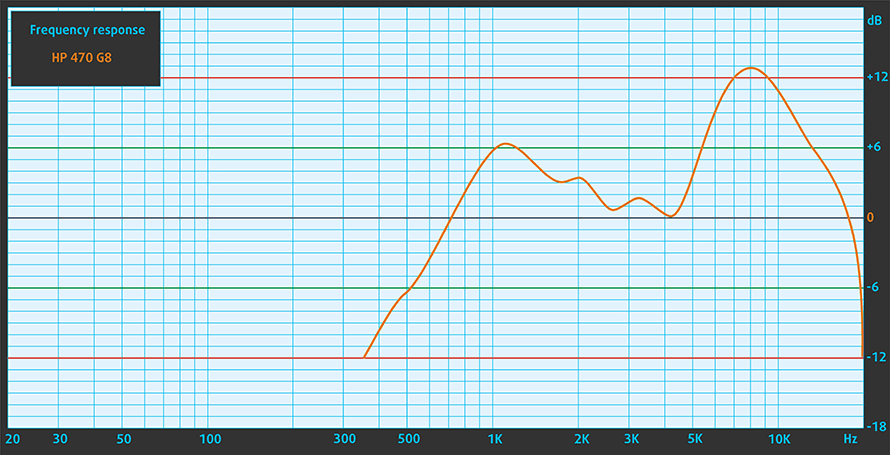
The stereo speakers are mounted on the front, behind a grill that is situated above the keyboard. The setup produces audio with great characteristics, along with no deviations across the entire frequency spectrum.
1 reason NOT to buy the HP 470 G8
1. Design and build quality
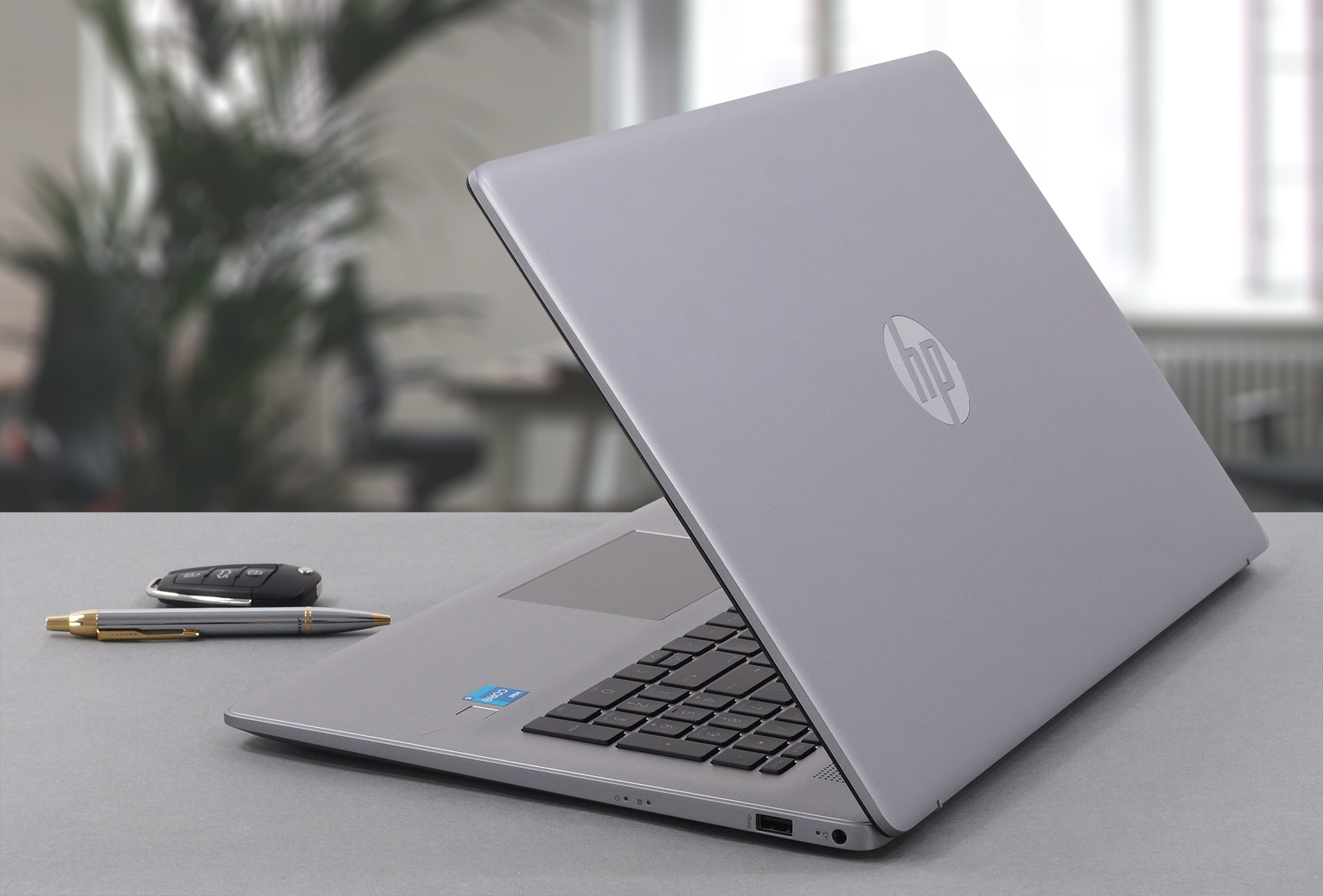
Compared to its predecessor, the laptop is much lighter, with HP being able to reduce the weight by 280 grams and have slimmed down the profile by 4.6 mm. This attributes to smaller bezels, which all around make the laptop appear more modern. The design has largely been kept the same, using the same plastic as before, which isn’t that high-quality, leading to some flex from both the lid and the base. The lid also doesn’t open with one hand. However, there are good things about it as well, the lid does act as a lever when opened above 90°, lifting up the rear end slightly, which improves the airflow.
All HP 470 G8 configurations:
 Author: Severin Kolakov

![[August 2026] Amazon Italy: Top 10 Best-Selling Laptops – Apple MacBook Neo Claims the Crown as Budget and Mid-Range Windows Machines Dominate Volume](https://laptopmedia.com/wp-content/uploads/2026/09/Best-Selling-Laptops-IT-Top-10-400x225.jpg)
![[August 2026] Amazon Italy: Top 7 Best-Selling Gaming Laptops – ASUS V16 Claims the #1 Spot Amid Strong Mid-Range Demand](https://laptopmedia.com/wp-content/uploads/2026/09/Best-Selling-Gaming-Laptops-IT-Top-10-400x225.jpg)
![[August 2026] Best-Selling Laptop Brands on Amazon Italy – Lenovo Dominates Market Share and Revenue Leadership](https://laptopmedia.com/wp-content/uploads/2026/09/IT-Best-Brands-400x225.jpg)
![[August 2026] Amazon India: Top 10 Best-Selling Laptops – Apple MacBook Neo Dominates the Charts with Massive Sales Lead](https://laptopmedia.com/wp-content/uploads/2026/09/Best-Selling-Laptops-IN-Top-10-400x225.jpg)
![[August 2026] Amazon India: Top 10 Best-Selling Gaming Laptops – HP Victus 15 Dominates the Market with Massive Unit Lead](https://laptopmedia.com/wp-content/uploads/2026/09/Best-Selling-Gaming-Laptops-IN-Top-10-400x225.jpg)
