Inside ASUS TUF Gaming A15 FA507 – disassembly and upgrade options
The TUF Gaming series has established itself as one of the best value gaming lineups on the market.
Check out all ASUS TUF Gaming A15 FA507 prices and configurations in our Specs System or read more in our In-Depth review.
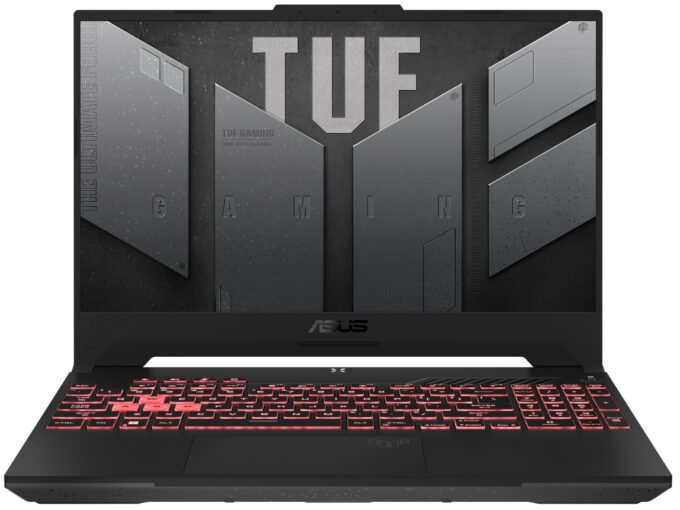
1. Remove the bottom plate
To take this laptop apart, you need to undo 12 Phillips-head screws. The one on the bottom right corner remains attached and provides a slight gap where you can start the prying process.
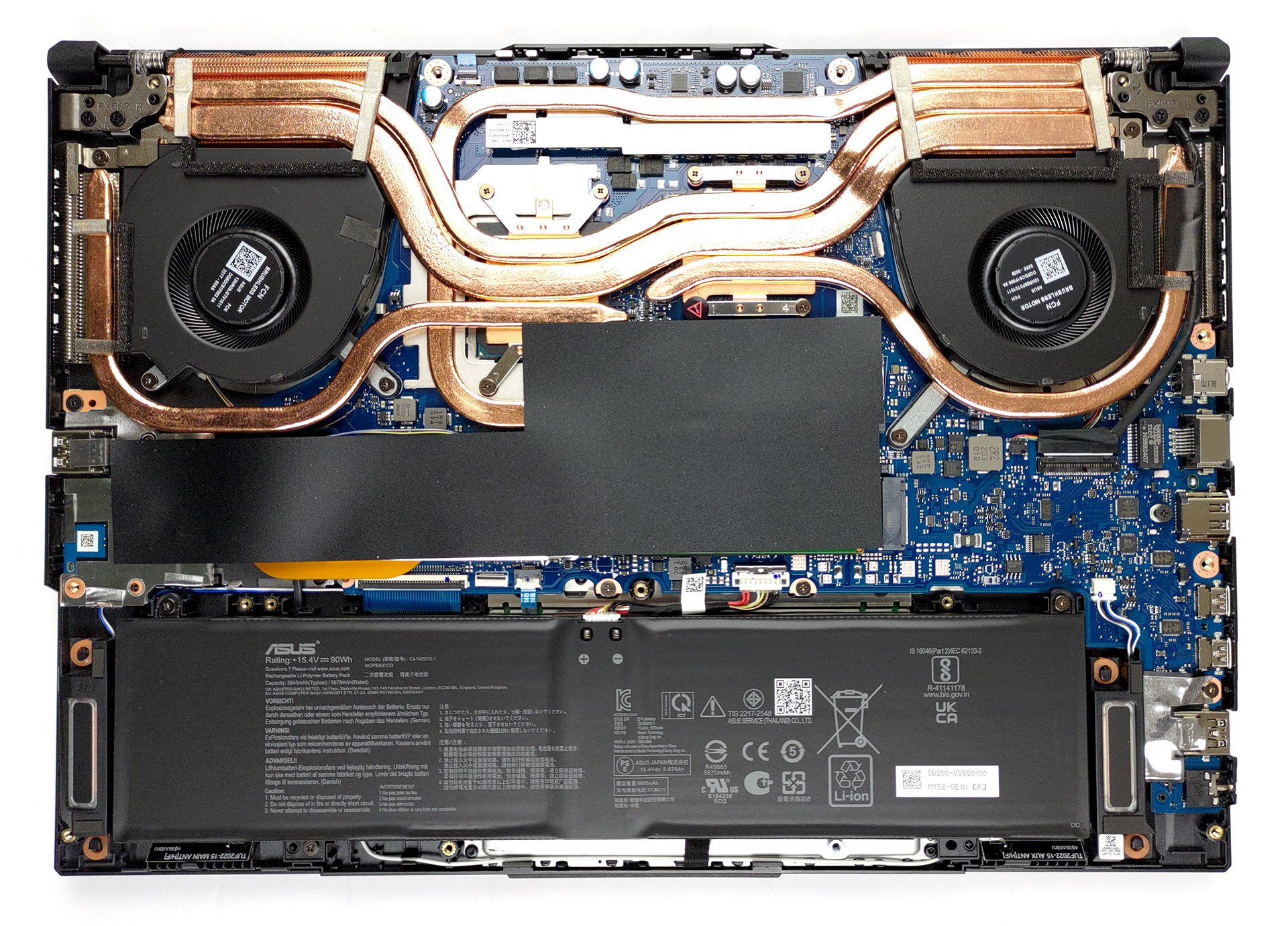
2. Battery
Inside, we see a rather big 90Wh battery pack. It lasted us more than 14 hours of Web browsing or about 11 hours of video playback. To continue the disassembly process, unplug the battery connector from the motherboard, and undo all three Phillips-head screws that hold the unit to the chassis.
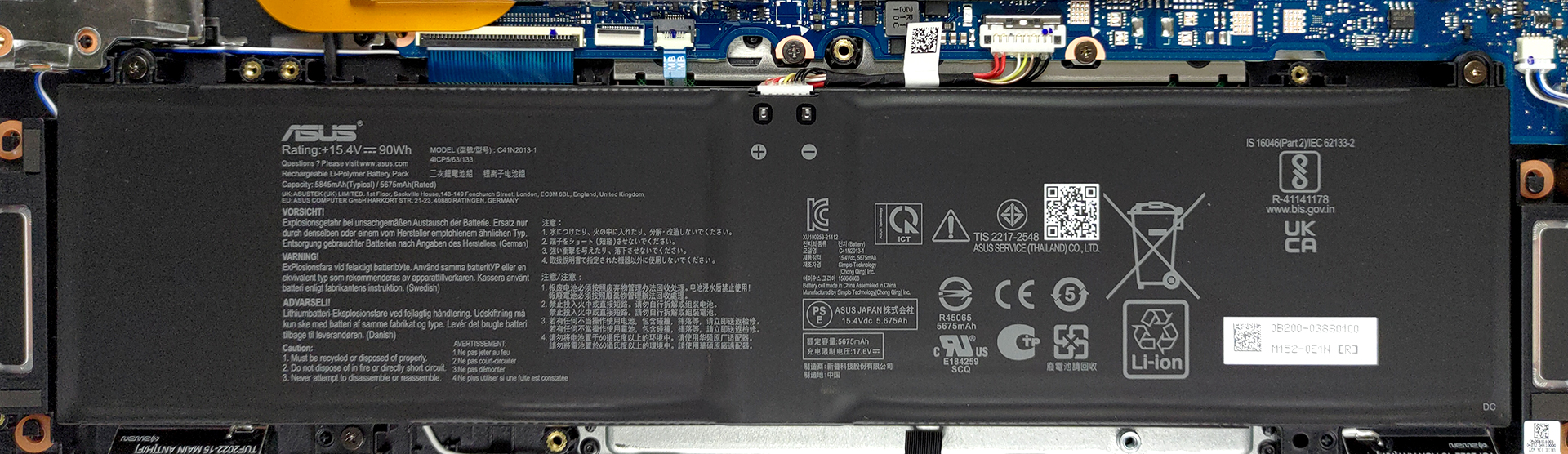
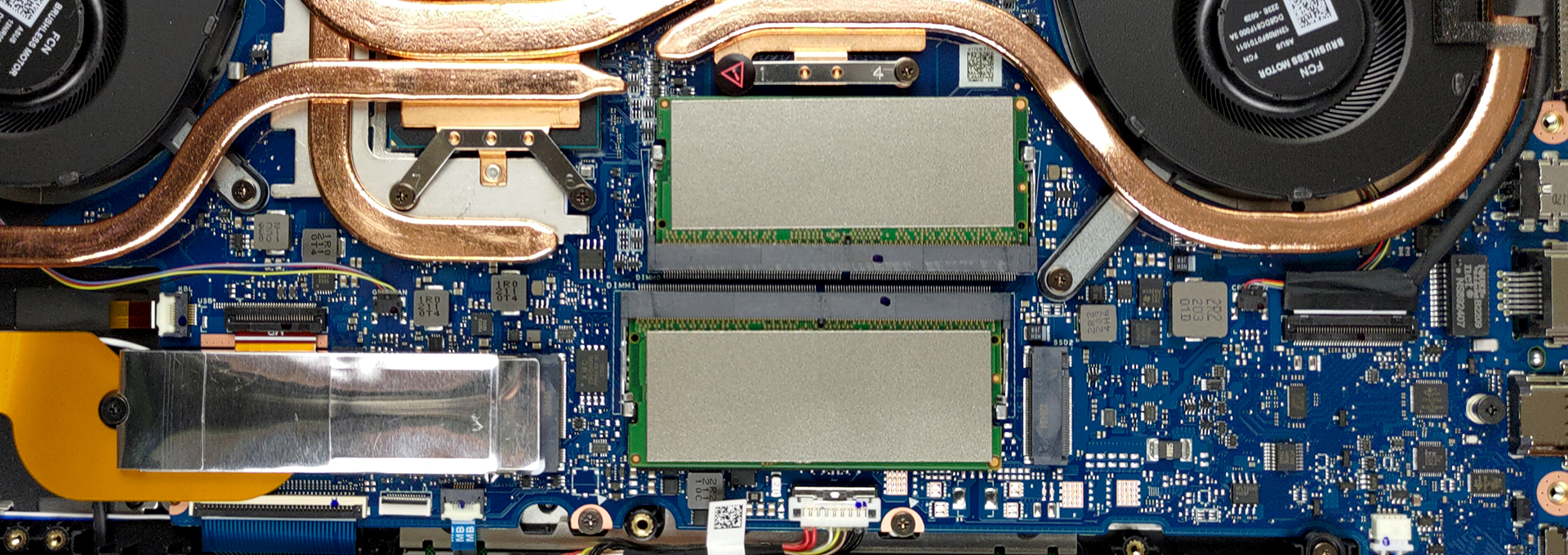
3. Memory and storage
To access upgrade options, you need to remove the insulation strip. Underneath, you will find a couple of SODIMM slots, which fit DDR5 RAM modules. Storage-wise, there are two M.2 PCIe x4 slots, which support Gen 4 drives.
4. Cooling system
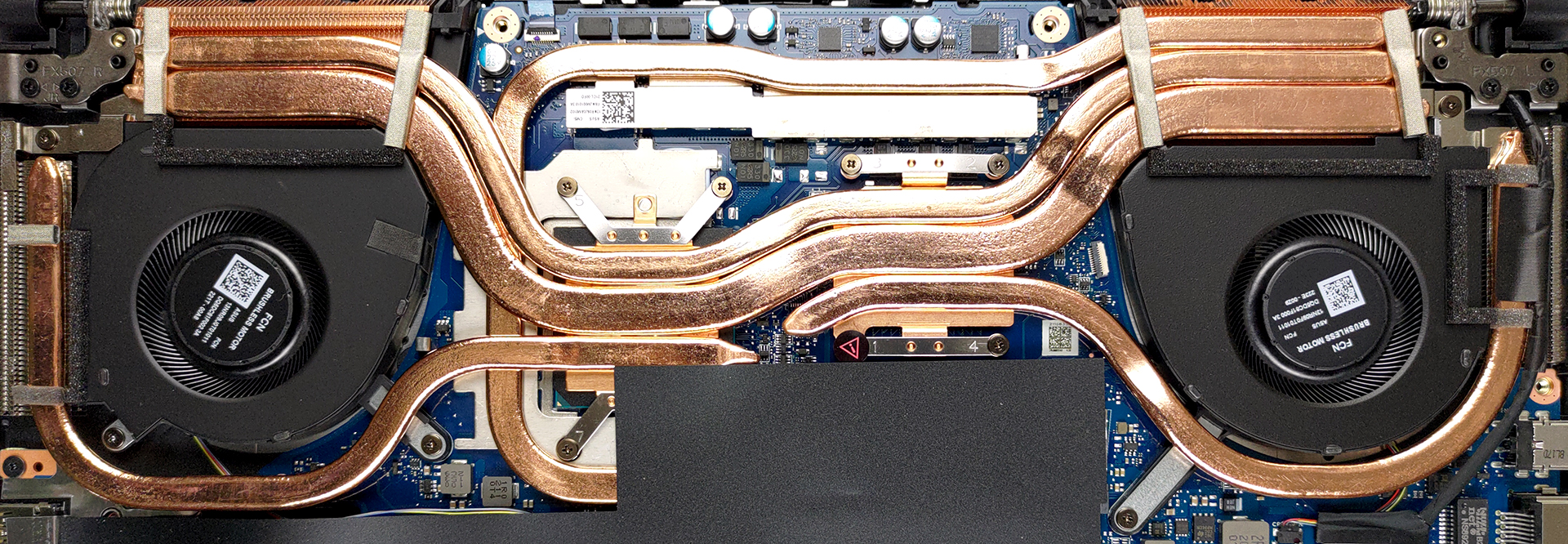
In terms of cooling, there are two heat pipes shared between the CPU and the GPU with one more dedicated to each of them. A fifth one takes care of the graphics memory and the VRMs.
Check out all ASUS TUF Gaming A15 FA507 prices and configurations in our Specs System or read more in our In-Depth review.
ASUS TUF Gaming A15 FA507 recenzie detaliată
ASUS was the first brand brave enough to embrace AMD as its major CPU supplier for its gaming series of notebooks. Apparently, it proved to be a successful marriage, and now they are doing it again. This time, it is the Ryzen 6000H CPUs that make a shared debut.The TUF Gaming A15 FA507 is the star of today's review, and it has a lot to prove. It has made a lowkey transition from a low-end gaming device, to a proper midranger. The major proof of that is the bump in the GPU power limit. The RTX 3070 gets a healthy boost from 95W up to 140W, which is as significant, as going to the next step[...]
Avantaje
- Tough chassis
- 2x SODIMM + 2x M.2 PCIe x4 (both support Gen 4 SSDs)
- Fast display options
- No PWM (Innolux N156HME-GAK (CMN153C))
- HDMI 2.0b (G-Sync)
- Adaptive Sync support (Innolux N156HME-GAK (CMN153C))
- Up to 14 hours of battery life
- The Armoury Crate offers a lot of customization
Dezavantaje
- No SD card reader and Thunderbolt 4 connectivity
- Covers only 53% of sRGB (Innolux N156HME-GAK (CMN153C))
 Author: Alex Iliev

![[August 2026] Clasamentul global al celor mai bine vândute plăci grafice pentru laptopuri de pe Amazon – Apple domină clasamentul, iar modelul RTX 5060 de la NVIDIA ocupă primul loc în clasamentul dedicat](https://laptopmedia.com/wp-content/uploads/2026/09/Best-Selling-GPUs-GLOBAL-Top-10-400x225.jpg)
![[August 2026] Clasamentul global al celor mai bine vândute procesoare pentru laptopuri de pe Amazon – Apple domină atât segmentul economic, cât și cel premium: A18 Pro și M5 surclasează Intel și AMD în august 2026](https://laptopmedia.com/wp-content/uploads/2026/09/Best-Selling-CPUs-GLOBAL-Top-10-400x225.jpg)
![[August 2026] Amazon Global: Top 10 cele mai vândute laptopuri – Apple MacBook Neo domină clasamentul, în timp ce laptopurile Windows din gama economică și de mijloc se luptă pentru volumul vânzărilor](https://laptopmedia.com/wp-content/uploads/2026/09/Best-Selling-Laptops-GLOBAL-Top-10-400x225.jpg)
![[August 2026] Cele mai vândute mărci de laptopuri pe Amazon Global – Apple domină în ceea ce privește veniturile, în timp ce HP se află pe primul loc în ceea ce privește varietatea de modele](https://laptopmedia.com/wp-content/uploads/2026/09/GLOBAL-Best-Brands-400x225.jpg)
![[August 2026] Amazon Global: Top 10 cele mai bine vândute laptopuri pentru jocuri – HP Victus 15 ocupă primul loc, în timp ce modelele accesibile domină clasamentul](https://laptopmedia.com/wp-content/uploads/2026/09/Best-Selling-Gaming-Laptops-GLOBAL-Top-10-400x225.jpg)

this was really useful, thanks!