Inside Dell Inspiron 15 5567 – disassembly, internal photos and upgrade options
Unfortunately, the chassis doesn’t offer easy access to the internals but with a little bit of patience, you can still make your upgrade or just clean it up if needed.
You can find some of the available models here: http://amzn.to/2kZK0Nz
1. Removing the bottom cover
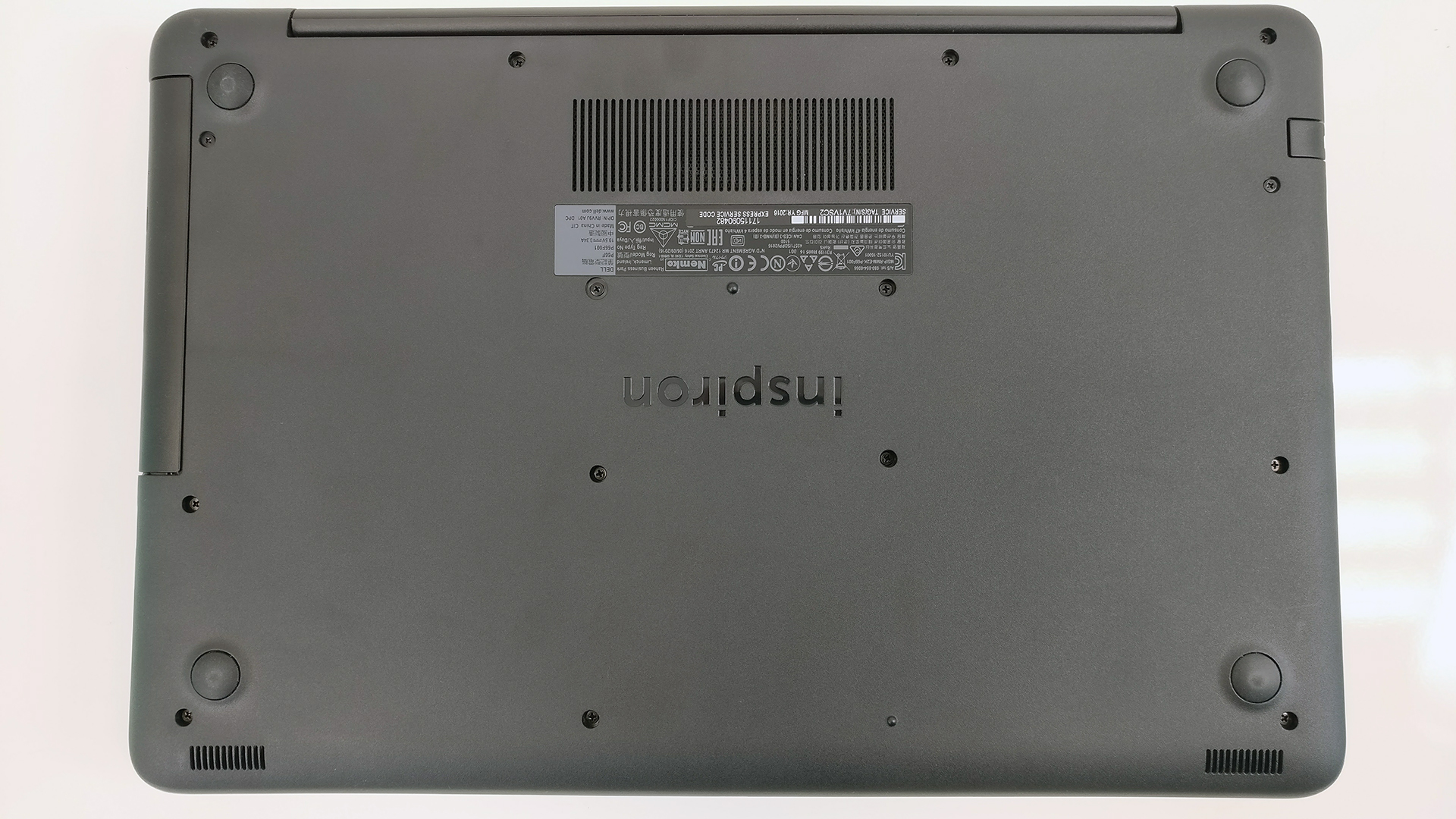
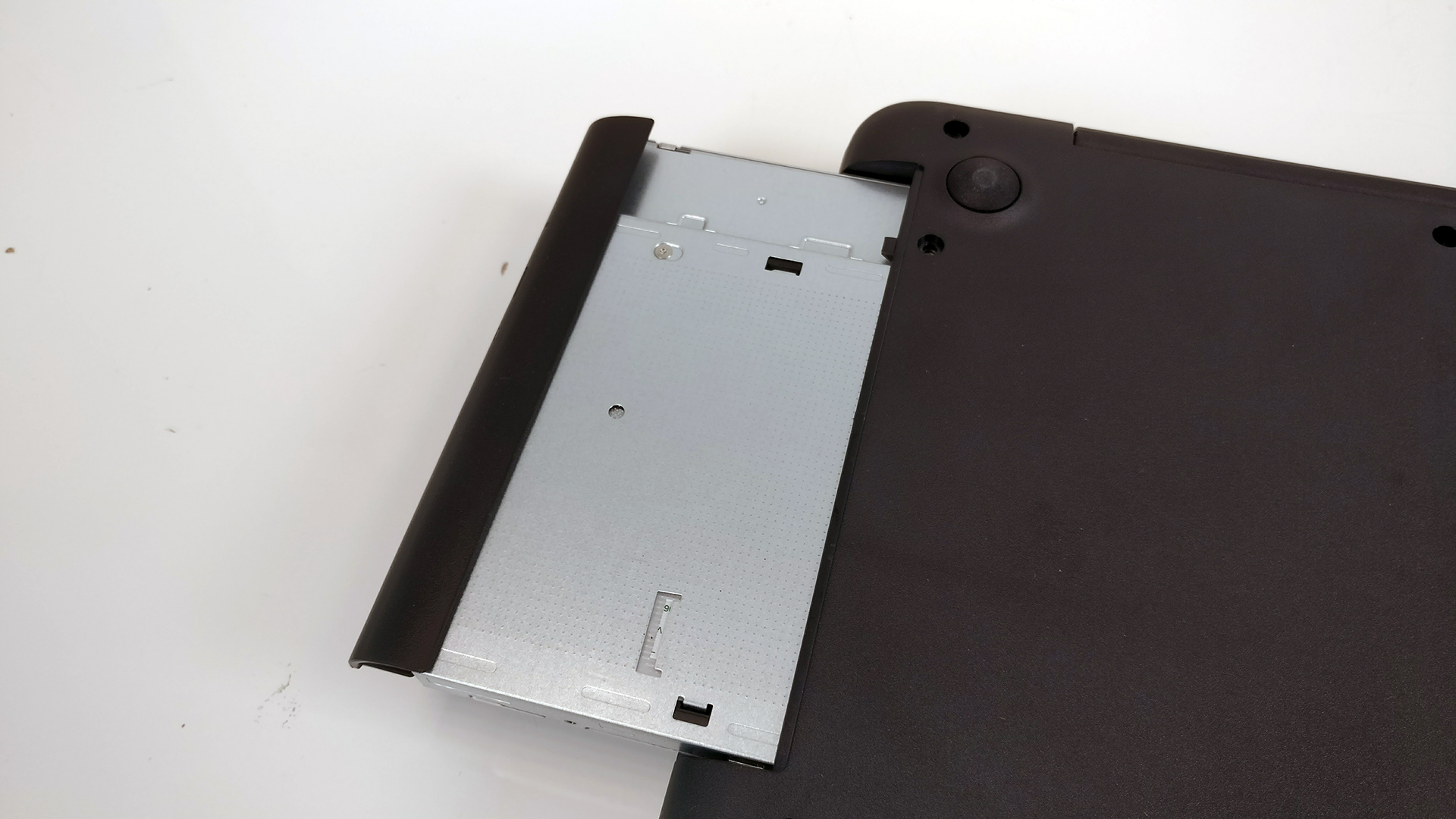
Just remove all the screws around the bottom and don’t forget to pull out the optical drive as well. There are three more screws hiding under it so you need to get those out before prying up the bottom piece.

2. Storage
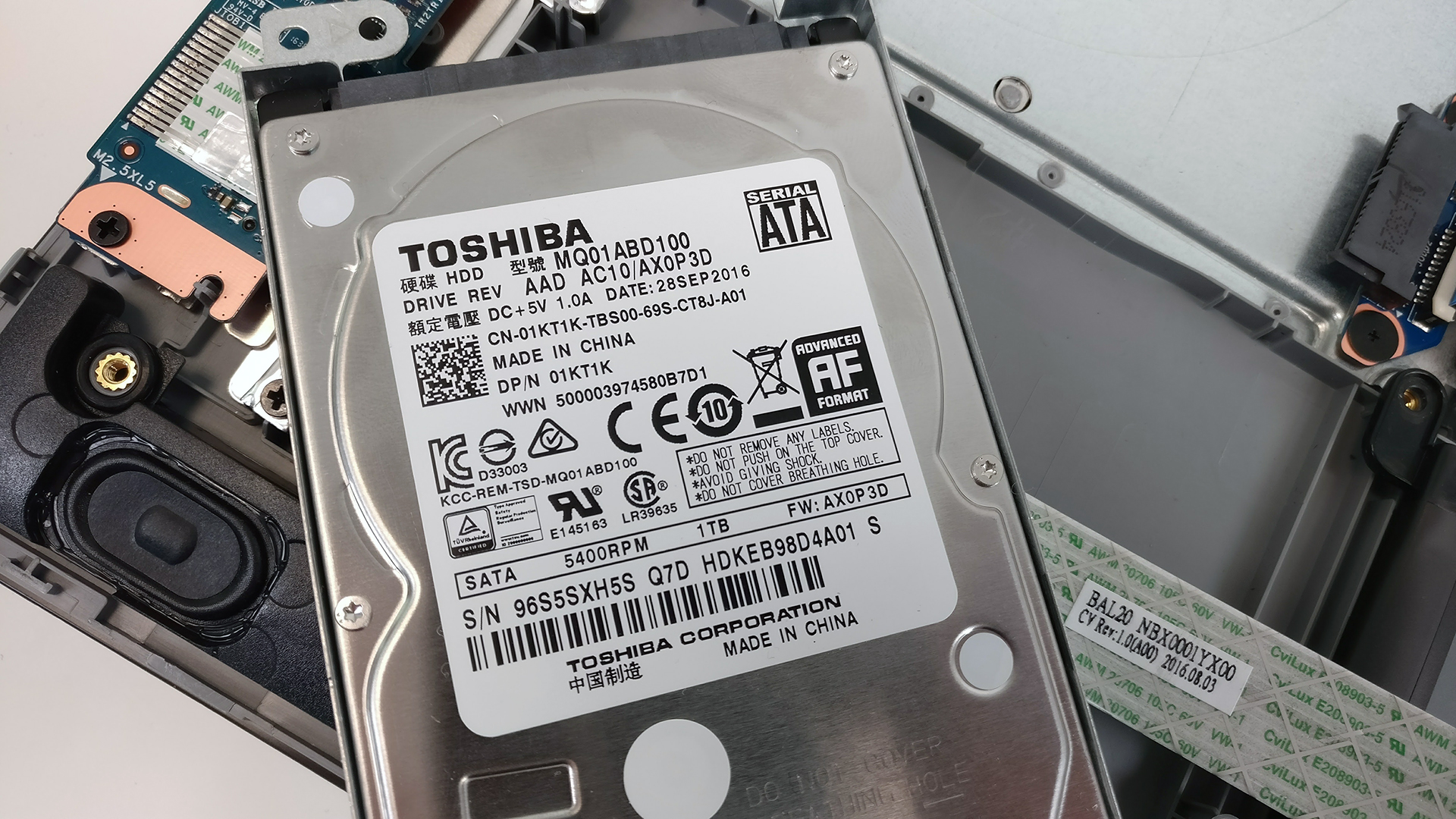
Once you’ve removed the bottom, you can easily spot the 2.5-inch HDD, which in our case is 1TB Toshiba drive.
Since there aren’t any additional M.2 SSD slots, you can still swap the optical drive for extra internal storage using a caddy.
3. RAM, Wi-Fi card and battery
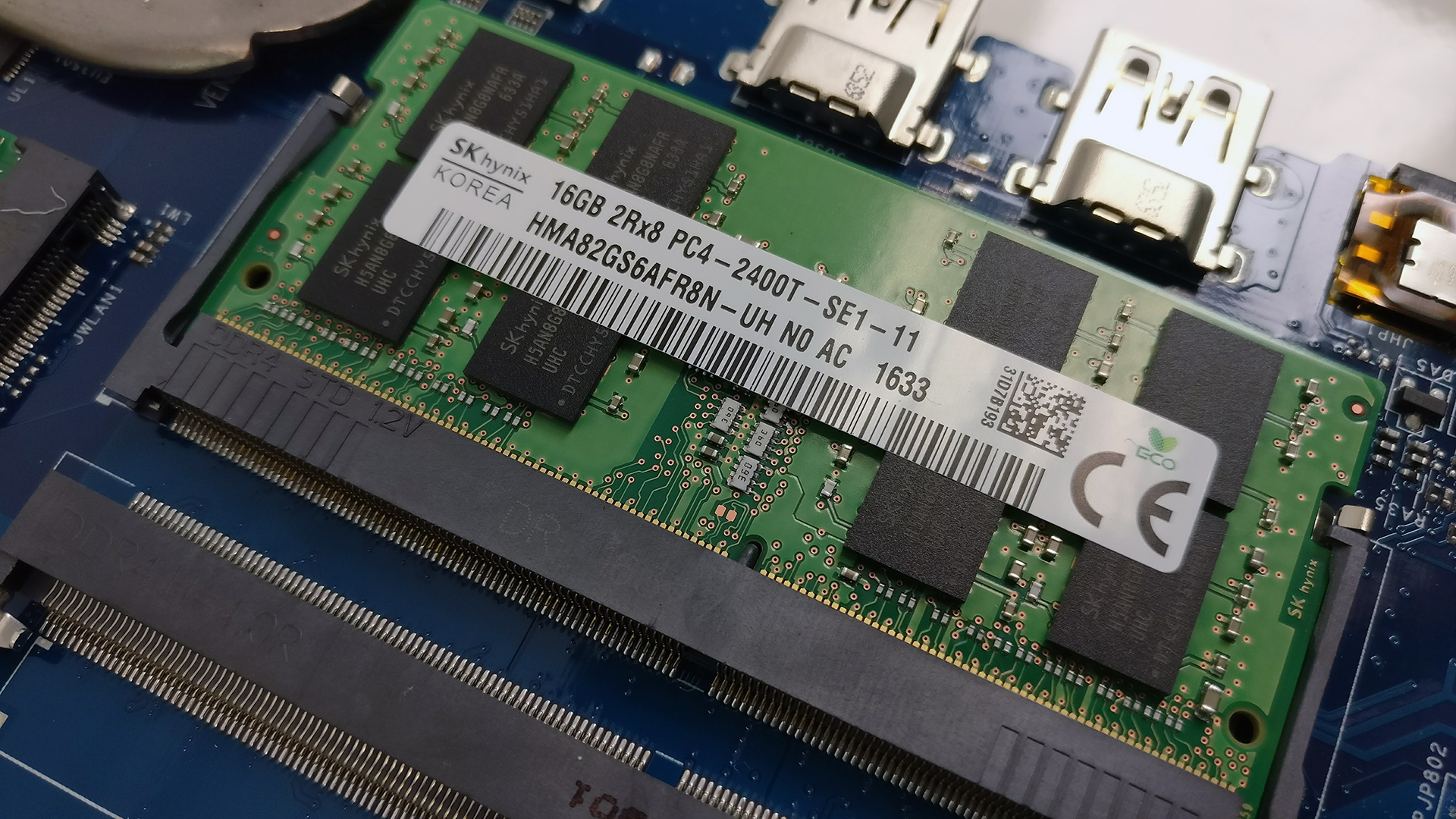
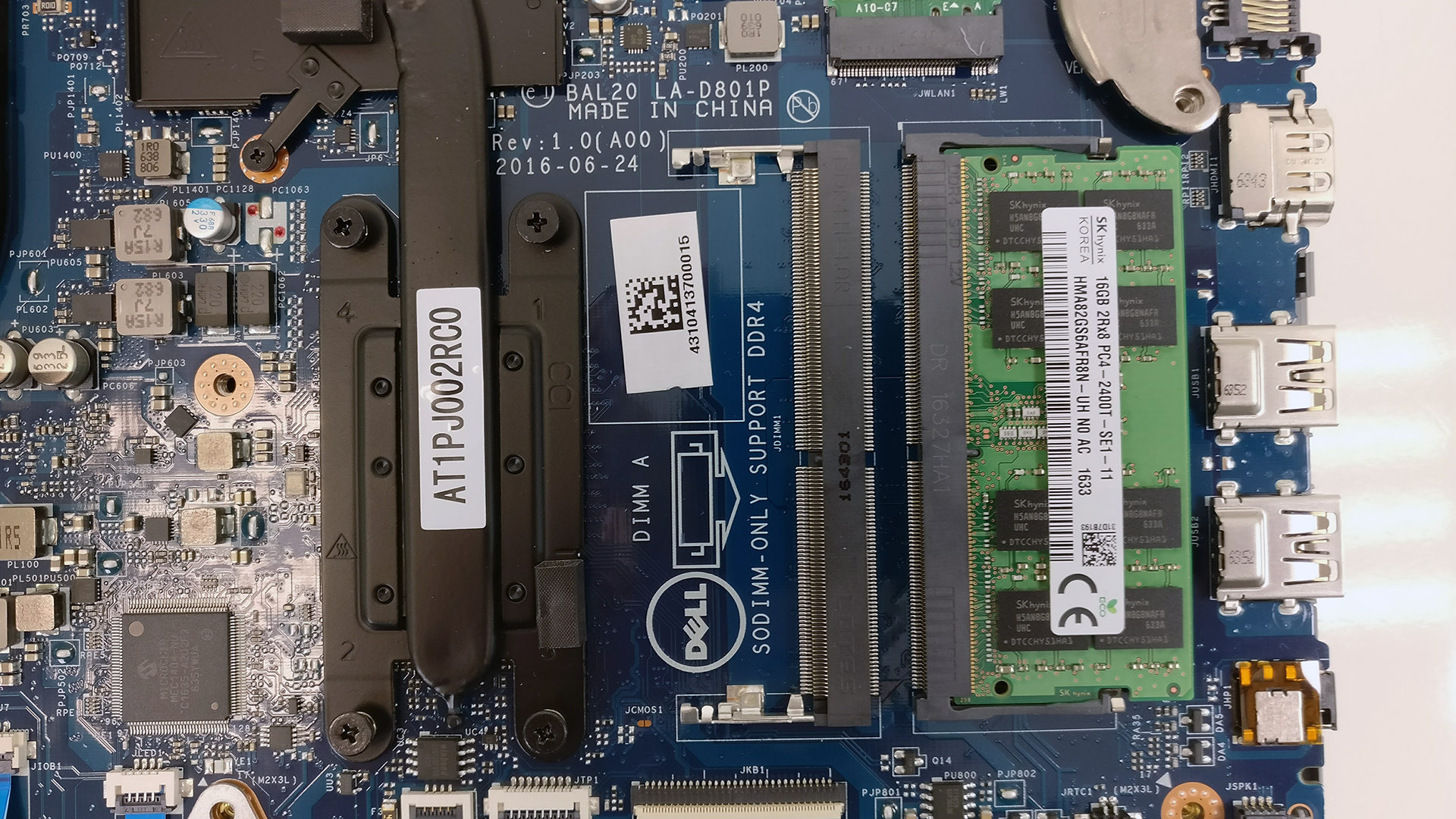
We were pleasantly surprised by the two RAM slots available on the motherboard. Our unit was equipped with one 16GB DDR4-2400 chip from SK Hynix, leaving the second one free for upgrade.
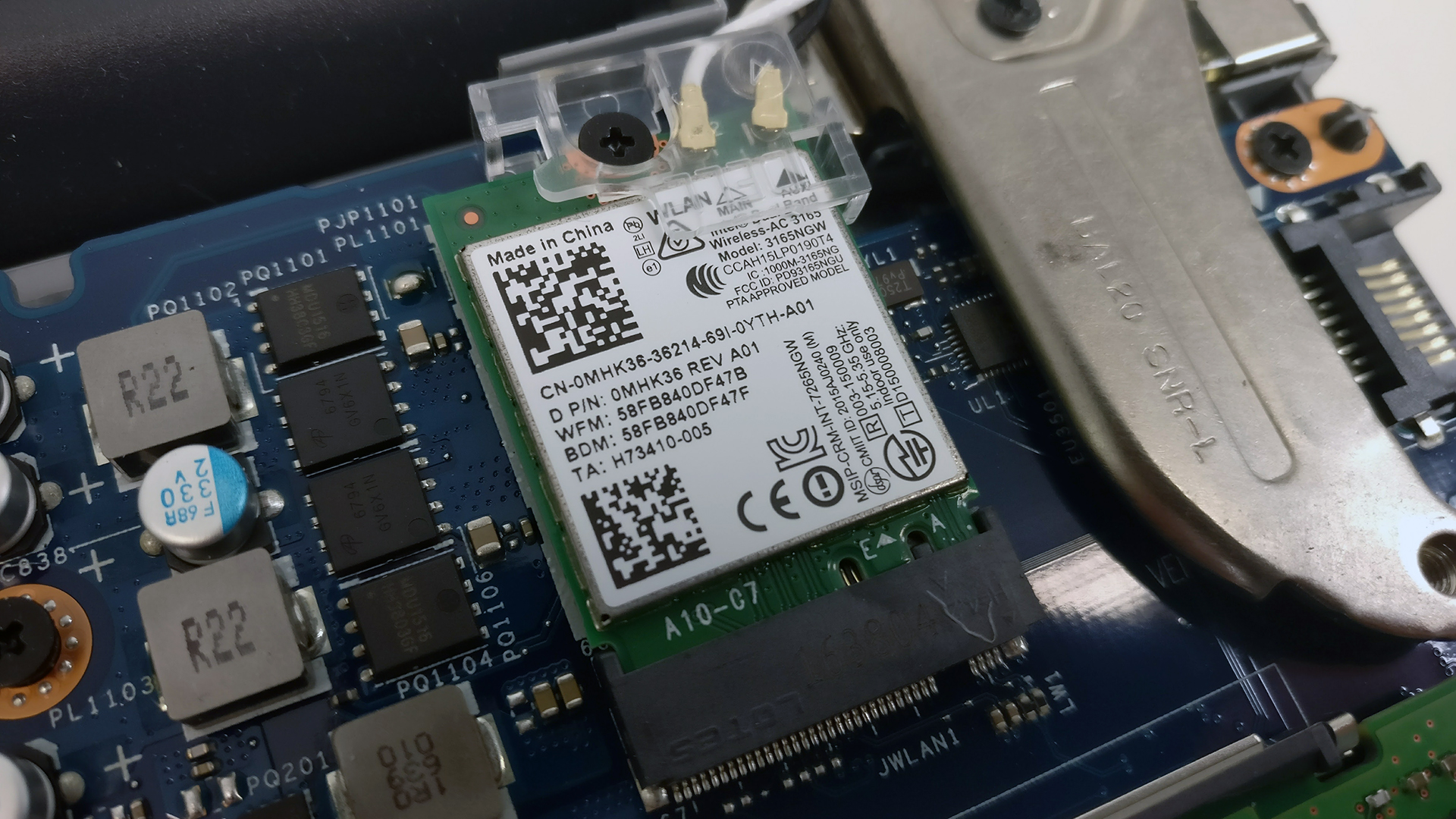
The Wi-Fi card is right next to the ram chip slots and it’s Intel 3165NGW.
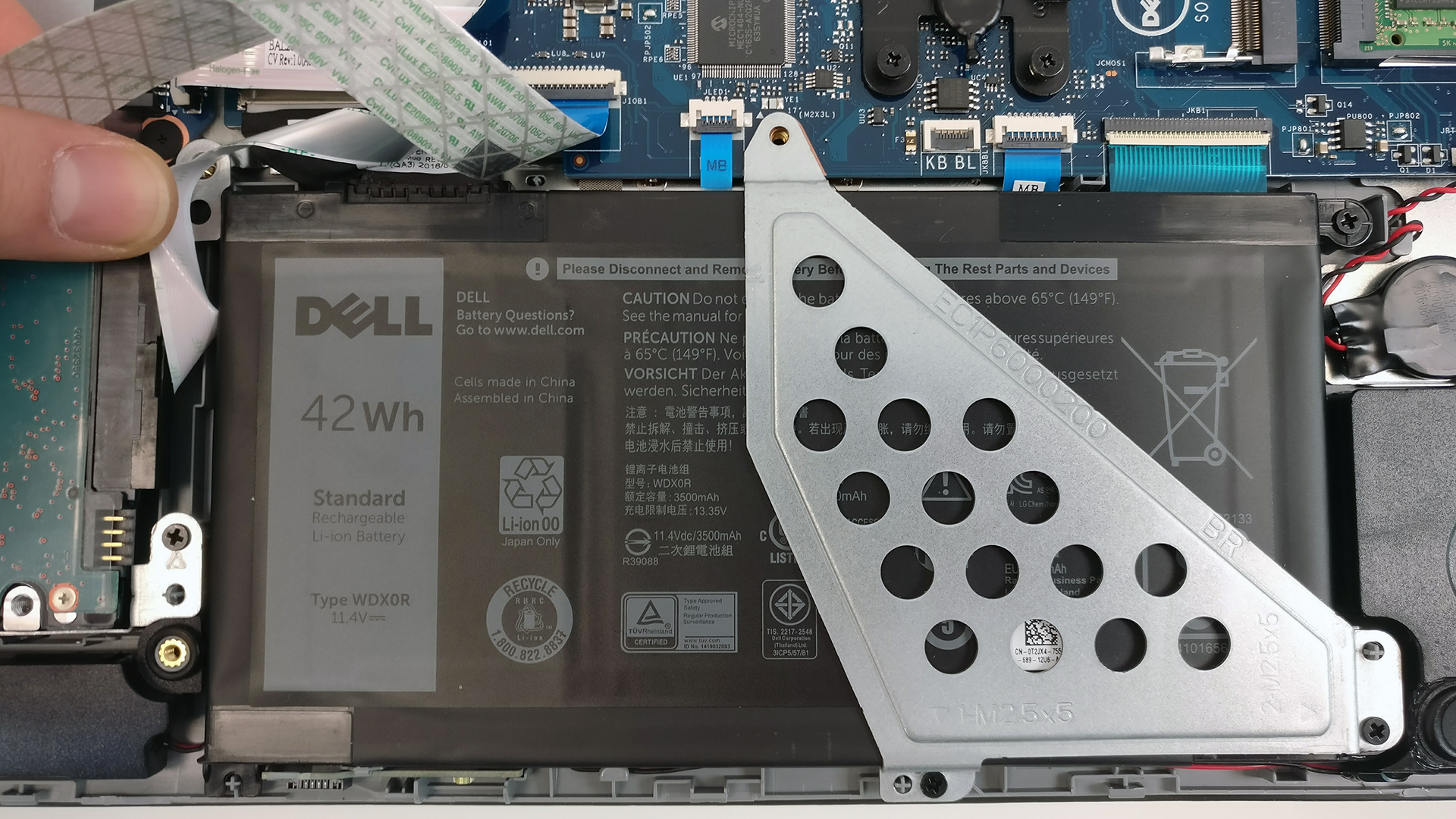
The battery is at its usual place – right under the palm rest area. The unit is rated at 42Wh.
4. Cooling system
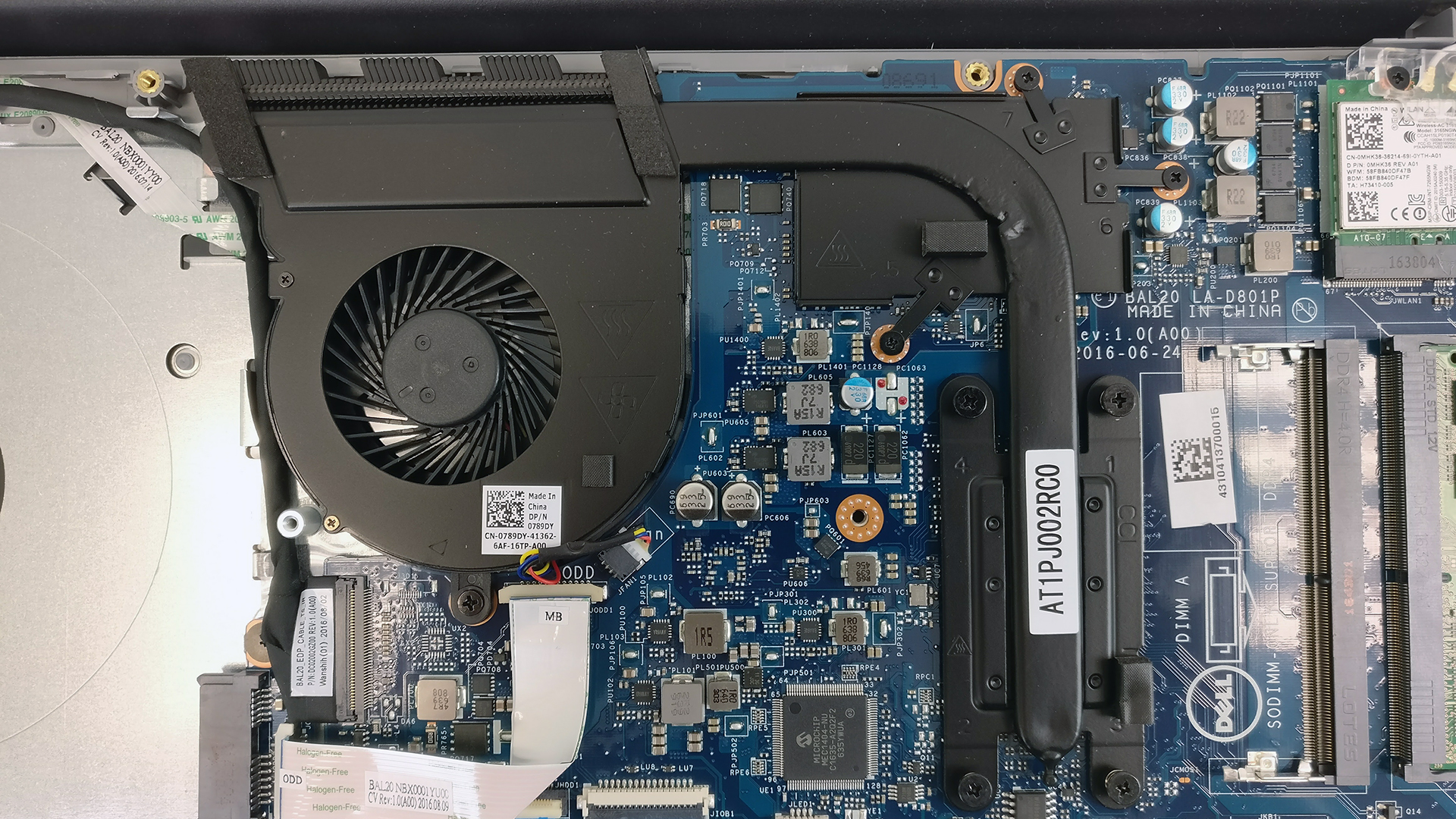
The cooling design isn’t anything special. There’s just one heat pipe stretching across the two heat sinks of the CPU and GPU and leading the hot air through the rear exhaust vent.
You can read the full review here.
You can find some of the available models here: http://amzn.to/2kZK0Nz
 Author: Rossen Pandev

![[Iunie 2026] Cele mai vândute mărci de laptopuri pe Amazon Global – Dominația de neegalat a Apple în ceea ce privește numărul de unități vândute și veniturile](https://laptopmedia.com/wp-content/uploads/2026/07/GLOBAL-Best-Brands-400x225.jpg)
![[Iunie 2026] Amazon Global: Top 10 cele mai vândute laptopuri – Noul MacBook Neo de la Apple se clasează pe locul 1, redefinind piața prin prețul accesibil](https://laptopmedia.com/wp-content/uploads/2026/07/Best-Selling-Laptops-GLOBAL-Top-10-400x225.jpg)
![[Iunie 2026] Amazon Global: Top 10 cele mai bine vândute laptopuri pentru jocuri – Modelul Nitro V 16S AI de la Acer domină vânzările, în timp ce ASUS conduce în ceea ce privește veniturile totale](https://laptopmedia.com/wp-content/uploads/2026/07/Best-Selling-Gaming-Laptops-GLOBAL-Top-10-400x225.jpg)
![[Iunie 2026] Clasamentul global al celor mai bine vândute plăci grafice pentru laptopuri pe Amazon – NVIDIA RTX 5060 este cea mai bine vândută placă grafică dedicată](https://laptopmedia.com/wp-content/uploads/2026/07/Best-Selling-GPUs-GLOBAL-Top-10-400x225.jpg)
![[Iunie 2026] Clasamentul global al celor mai bine vândute procesoare pentru laptopuri de pe Amazon – Apple M5 domină, iar AMD Ryzen 7 260 înregistrează o cotă solidă în segmentul premium](https://laptopmedia.com/wp-content/uploads/2026/07/Best-Selling-CPUs-GLOBAL-Top-10-400x225.jpg)

How am I supposed to get the screws under the optical drove out? I can’t find a screwdriver small enough
What i can do to increase my dell inspiron 15 5567 performance , read and write speed etc. Please help