Inside Dell Inspiron 5758 (17 5000) – disassembly, internal photos and upgrade options
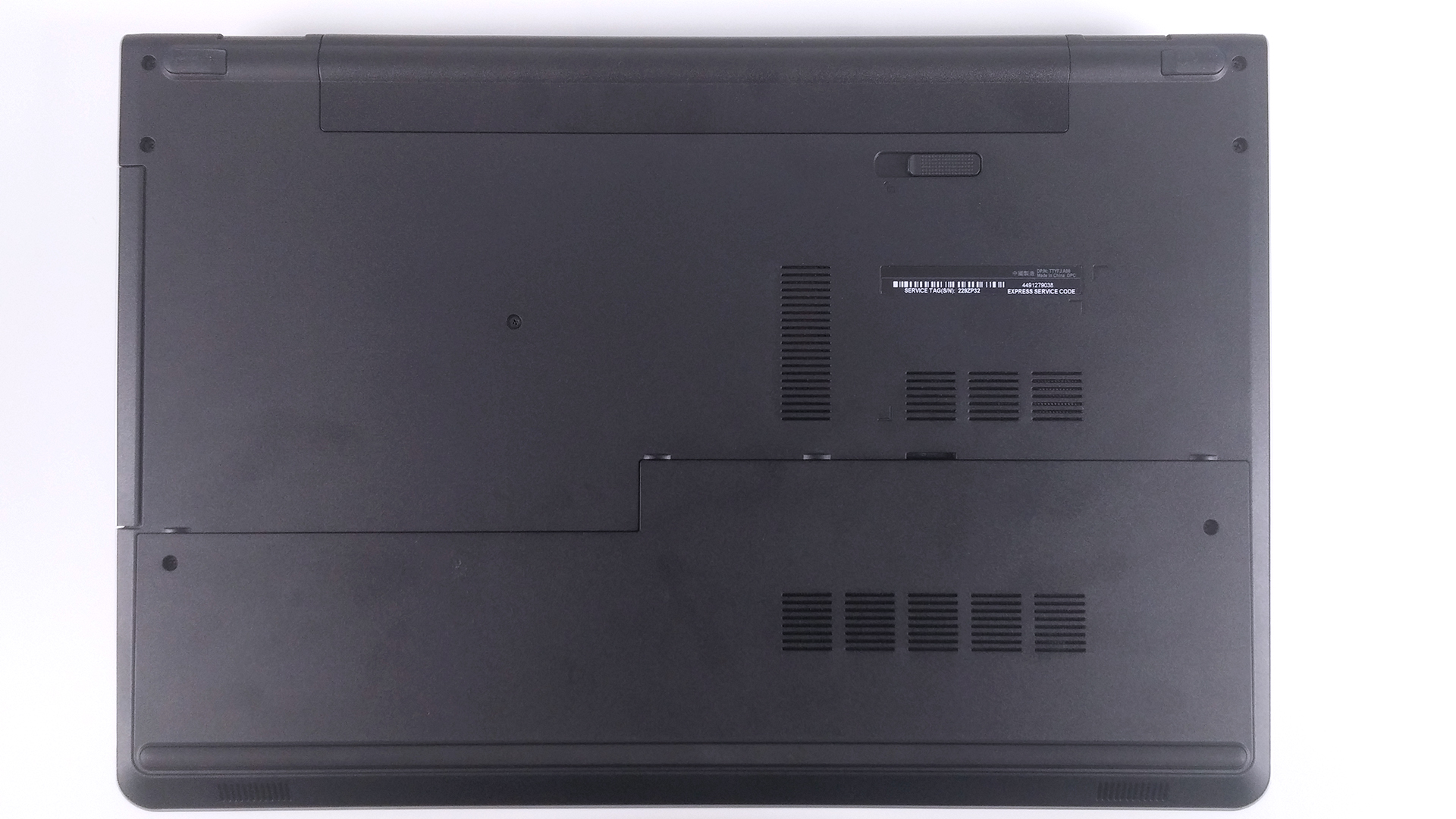
Similarly to the Dell Inspiron 5749, the Inspiron 5758 doesn’t offer as much as we would have expected. For a 17-inch, bulky multimedia machine, we expect at least an additional HDD/SSD 2.5″ slot or M.2 SATA SSD slot. However, the model lacks both, so you are stuck with nothing but the option of swapping your optical drive for an additional HDD/SSD. Servicing is really easy, but the same cannot be said for the full disassembly. Find out more below.
1. Accessing the HDD, RAM chips and wireless module
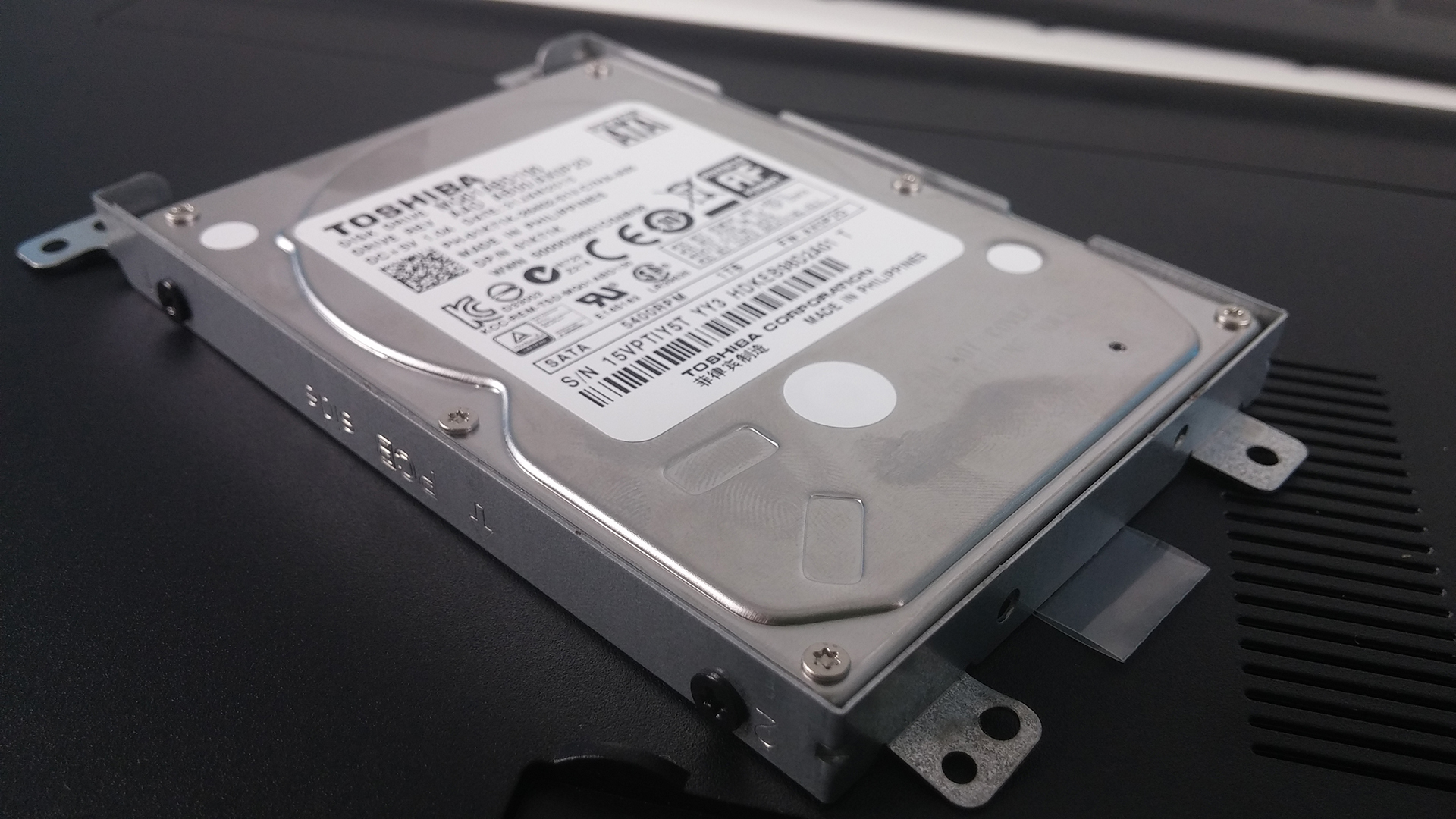
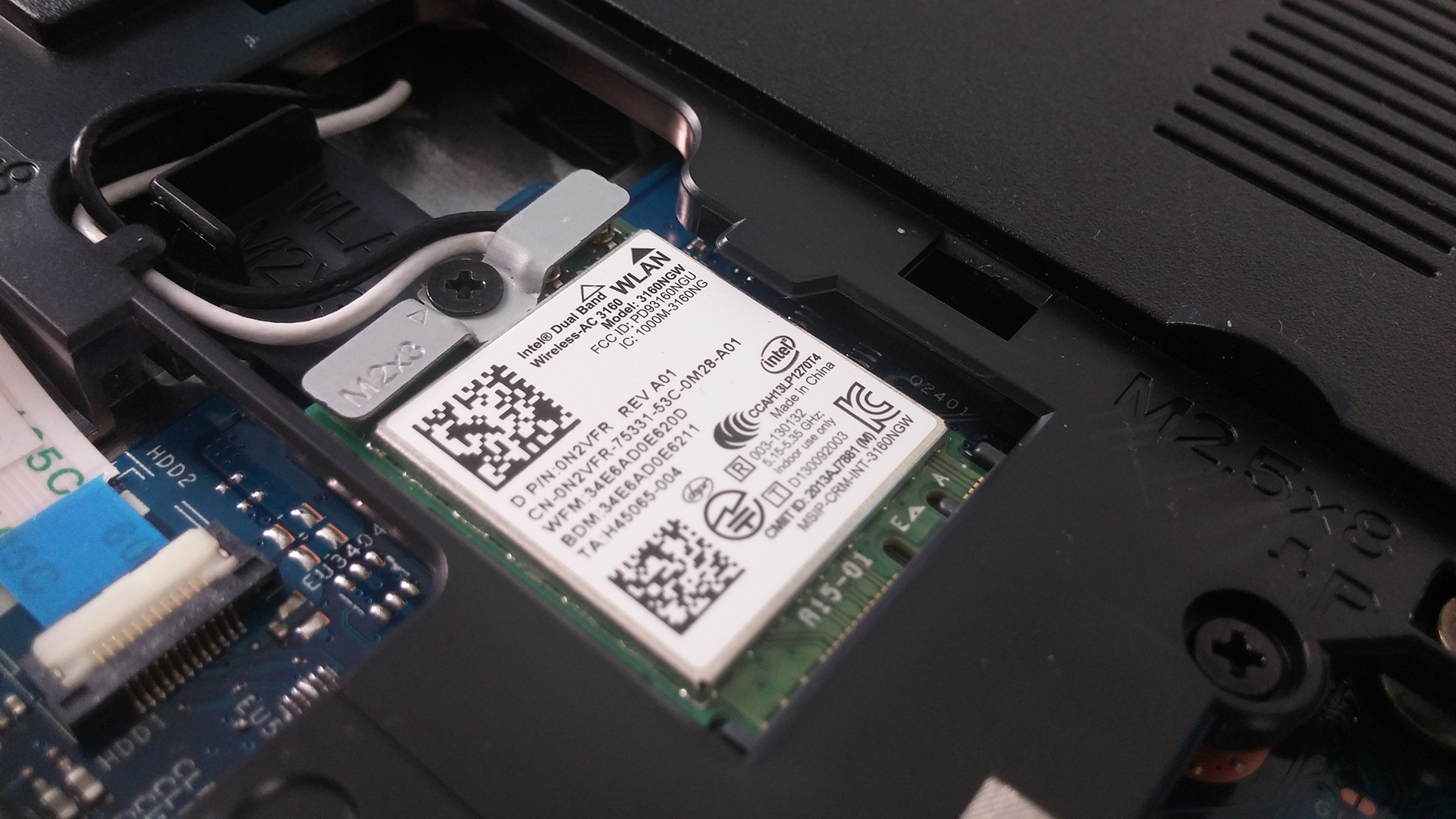
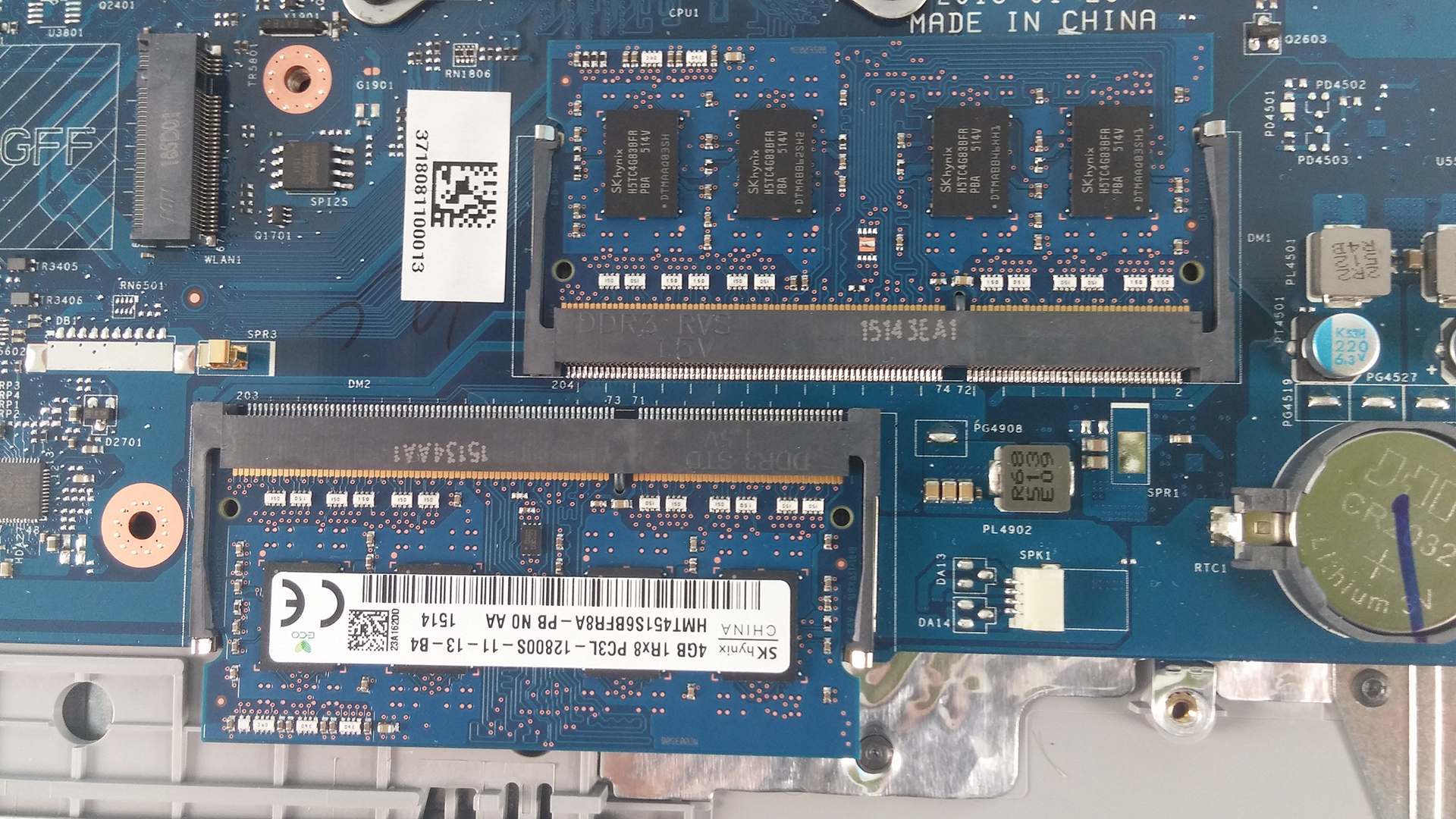
Removing the two screws keeping the main cover will give you access to the most common upgrade options – RAM and HDD/SSD. The HDD provided for this model is 1TB manufactured by Toshiba. Additionally, the wireless module is a Intel Dual Band Wireless-AC 3160.

2. Battery
The battery for this model is user replaceable. The model is M5Y1K, manufactured by Dell and rated at 40Wh, 4-cell.

3. Full disassembly
This part is quite tricky. First, you have to remove all the screws around the bottom as well as from the optical drive which is attached with only one bolt. After this is done, proceed with the keyboard. It is removed with the help of a plastic tool or credit card, for example. Pop it out, unscrew all the bolts underneath it and detach all the cables. The next step is popping out the whole bottom chassis, again with the help of a plastic tool. After that you can proceed with cleaning your fan from the dust that has built up.
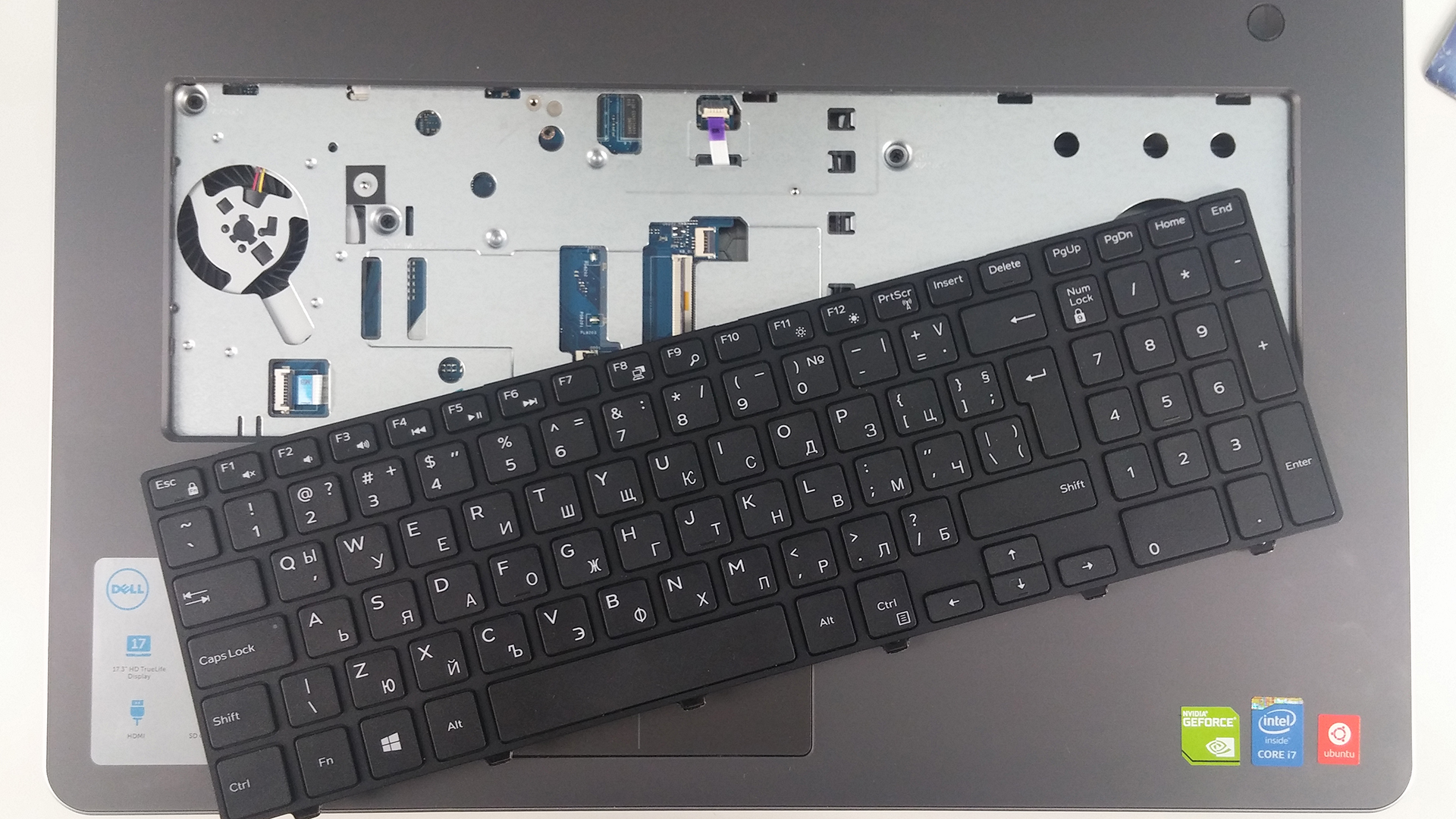
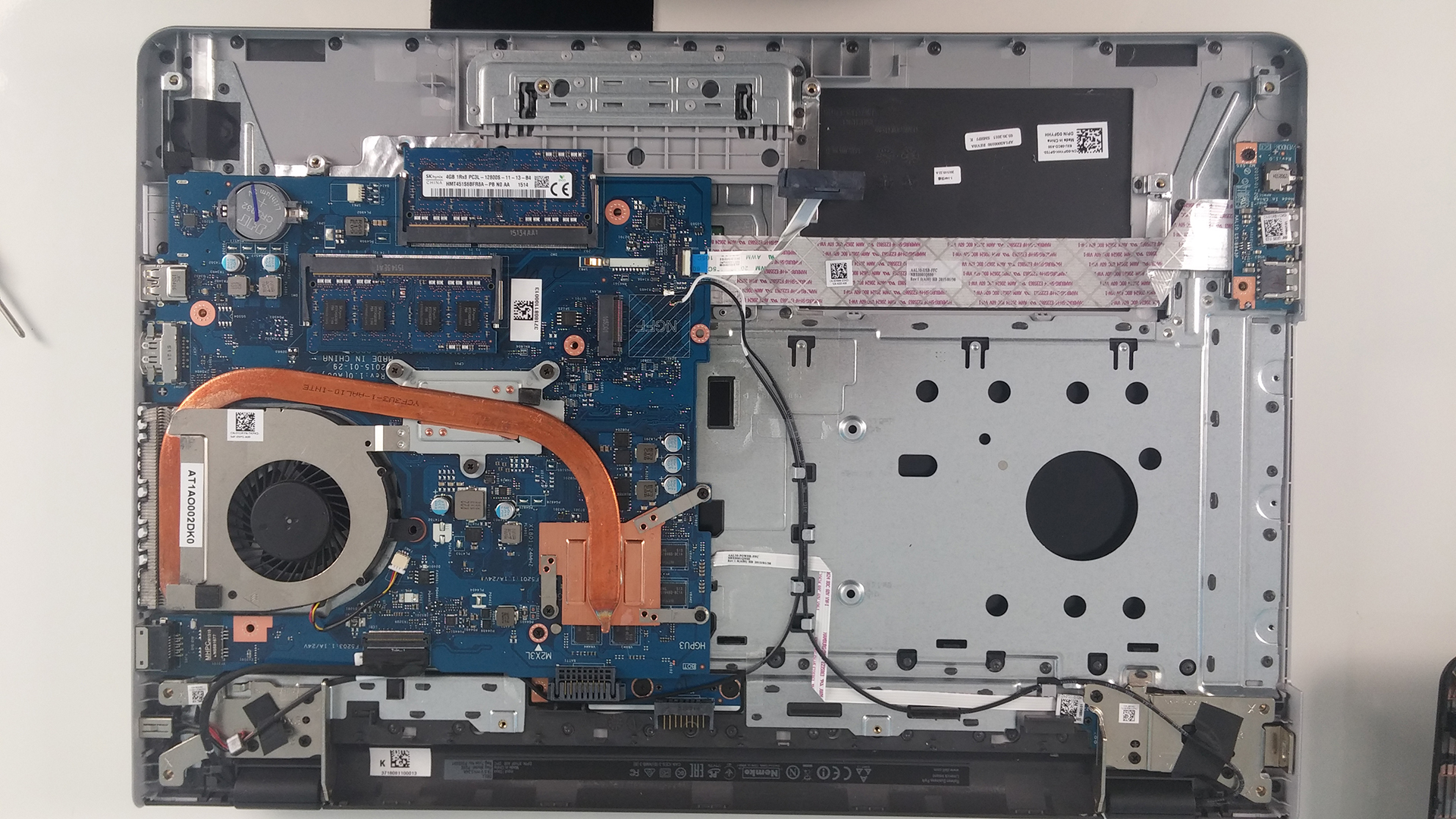

 Author: Rossen Pandev

![[Iunie 2026] Cele mai vândute mărci de laptopuri pe Amazon Global – Dominația de neegalat a Apple în ceea ce privește numărul de unități vândute și veniturile](https://laptopmedia.com/wp-content/uploads/2026/07/GLOBAL-Best-Brands-400x225.jpg)
![[Iunie 2026] Amazon Global: Top 10 cele mai vândute laptopuri – Noul MacBook Neo de la Apple se clasează pe locul 1, redefinind piața prin prețul accesibil](https://laptopmedia.com/wp-content/uploads/2026/07/Best-Selling-Laptops-GLOBAL-Top-10-400x225.jpg)
![[Iunie 2026] Amazon Global: Top 10 cele mai bine vândute laptopuri pentru jocuri – Modelul Nitro V 16S AI de la Acer domină vânzările, în timp ce ASUS conduce în ceea ce privește veniturile totale](https://laptopmedia.com/wp-content/uploads/2026/07/Best-Selling-Gaming-Laptops-GLOBAL-Top-10-400x225.jpg)
![[Iunie 2026] Clasamentul global al celor mai bine vândute plăci grafice pentru laptopuri pe Amazon – NVIDIA RTX 5060 este cea mai bine vândută placă grafică dedicată](https://laptopmedia.com/wp-content/uploads/2026/07/Best-Selling-GPUs-GLOBAL-Top-10-400x225.jpg)
![[Iunie 2026] Clasamentul global al celor mai bine vândute procesoare pentru laptopuri de pe Amazon – Apple M5 domină, iar AMD Ryzen 7 260 înregistrează o cotă solidă în segmentul premium](https://laptopmedia.com/wp-content/uploads/2026/07/Best-Selling-CPUs-GLOBAL-Top-10-400x225.jpg)

What the heck kind of instructions are these?
Can I update my GPU only? Is it attached on the motherboard or is stand alone?