Inside Lenovo Legion 5i Pro (16″, 2022) – disassembly and upgrade options
On the inside, the Legion 5i Pro (16″, 2022) looks suspiciously similar to the non-Pro version. With that said, it means you get good upgradeability with the support of the latest memory and storage options to date.
Check out all Lenovo Legion 5i Pro (16″, 2022) prices and configurations in our Specs System, or read more in our In-Depth review.

1. Remove the bottom plate
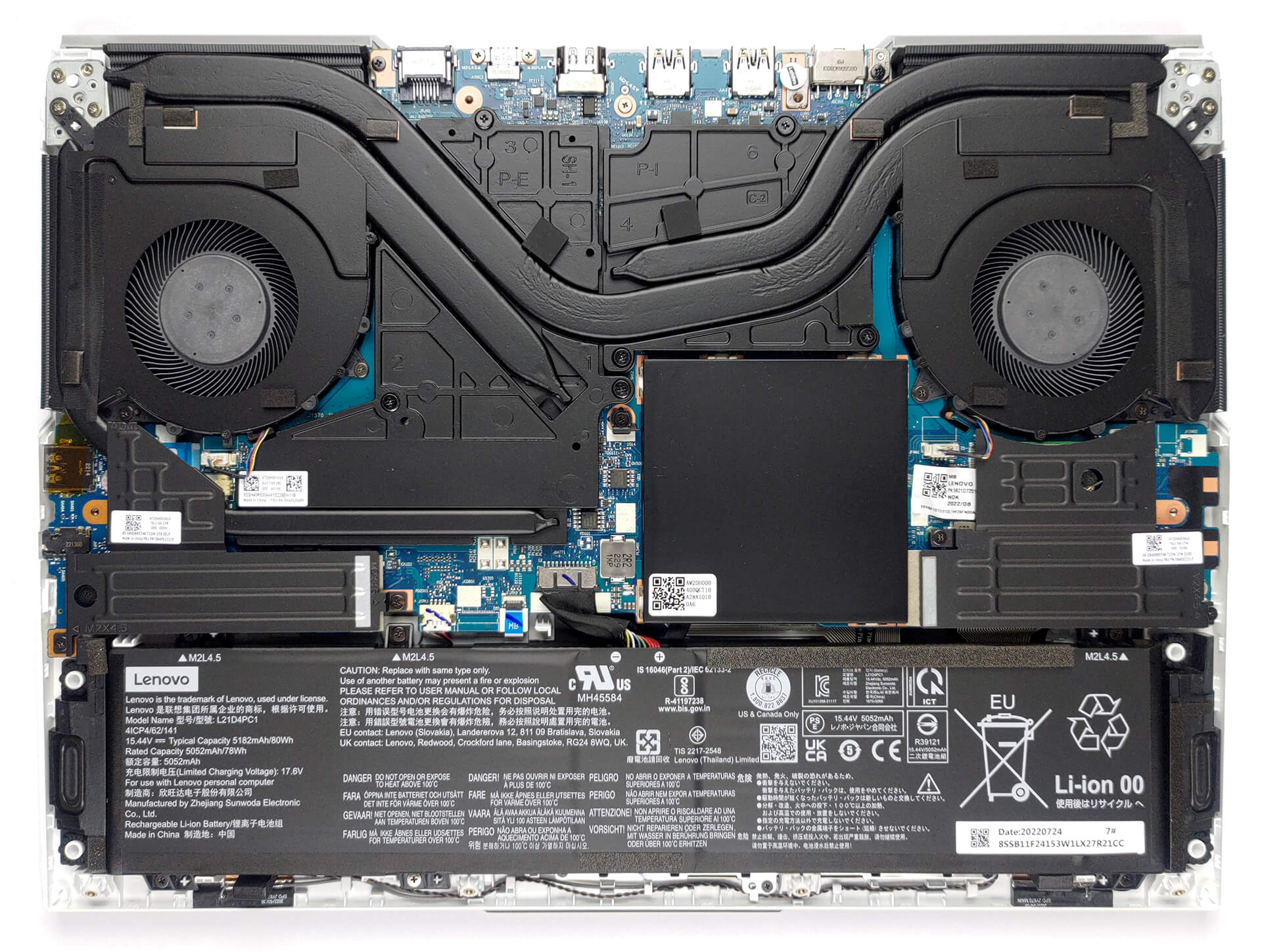
To access this notebook’s internals, you need to undo 10 Phillips-head screws. Then, pry the bottom panel with a plastic tool, but be careful when you go around the heat vents.
2. Battery
Inside, we find an 80Wh battery pack. It lasts for 5 hours and 30 minutes of Web browsing, or about 6 hours of video playback. To take it out, unplug the connector from the motherboard, and undo all 6 Phillips-head screws that keep it in place.

3. Memory and storage
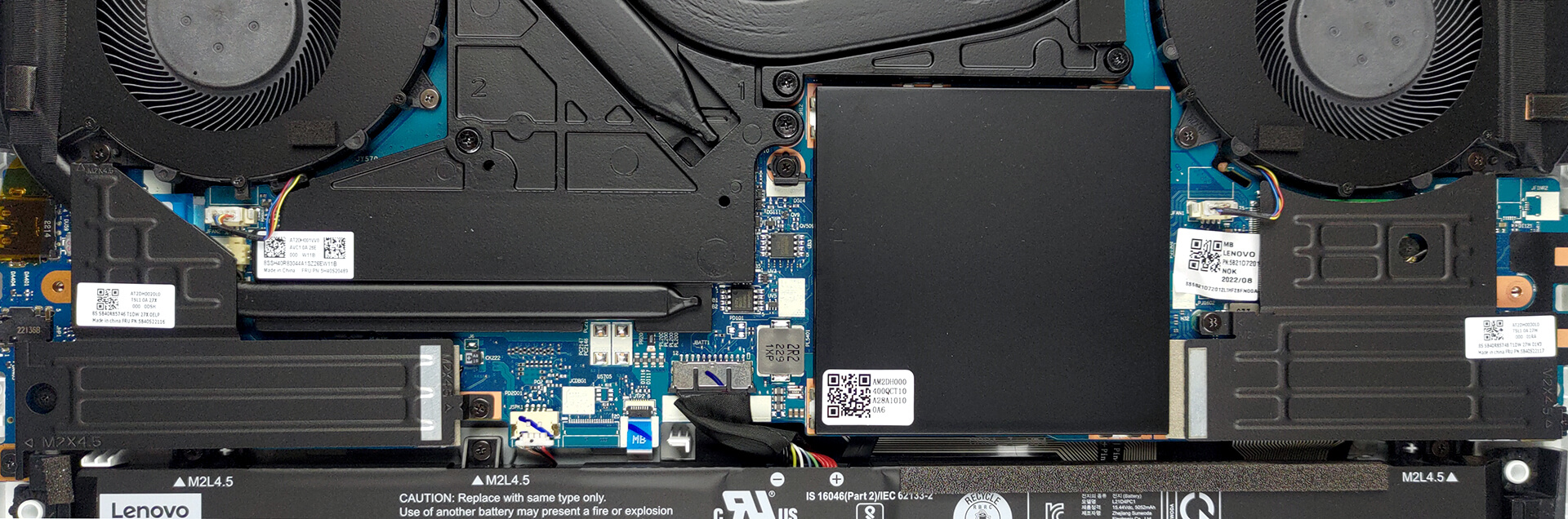
Here, you get two SODIMM slots, which work in dual-channel mode and support DDR5 modules. As for the storage, there are two M.2 PCIe x4 slots, which can work with Gen 4 SSDs.
4. Cooling system
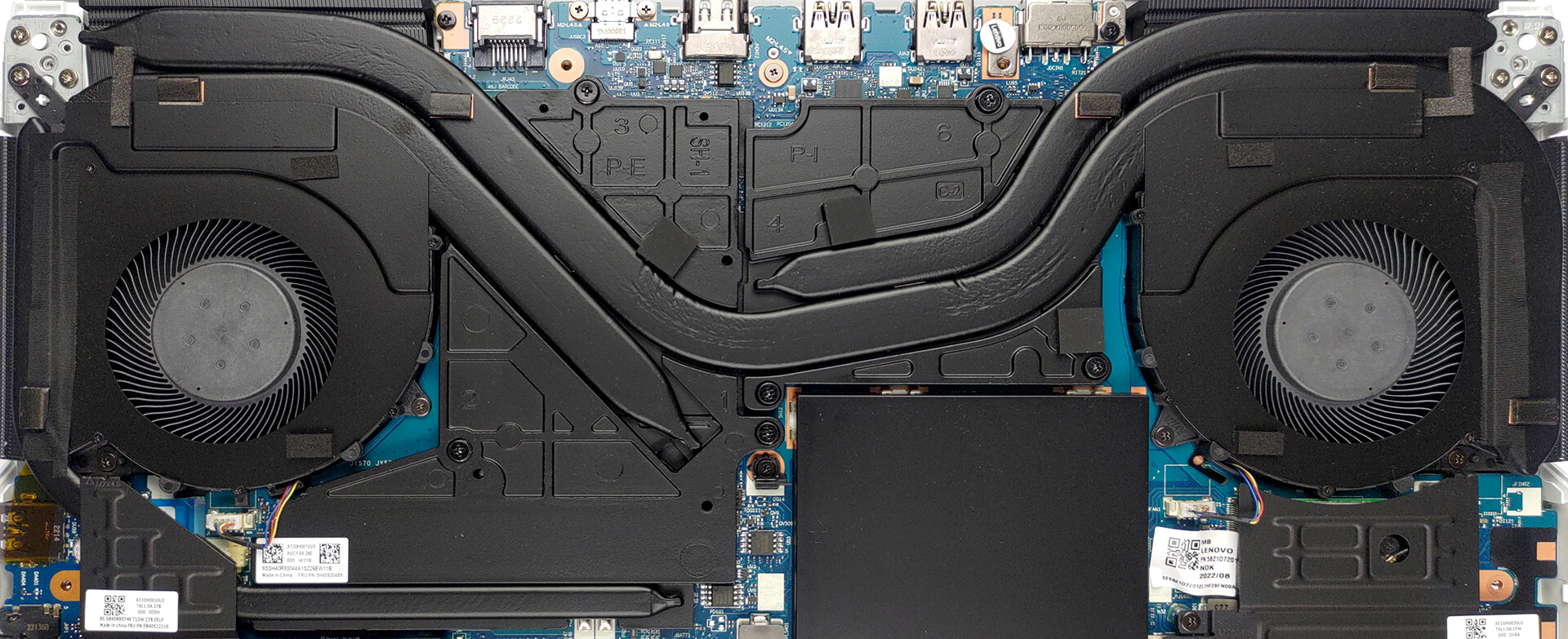
Cooling-wise, you get one big heat pipe, shared between the CPU and GPU, as well as one more dedicated to each of them. Moreover, there is one heat pipe taking care of the graphics memory, with two heat spreaders being placed over the VRMs.
Check out all Lenovo Legion 5i Pro (16″, 2022) prices and configurations in our Specs System, or read more in our In-Depth review.
Lenovo Legion 5 Pro / 5i Pro (16" Intel, 2022) recenzie detaliată
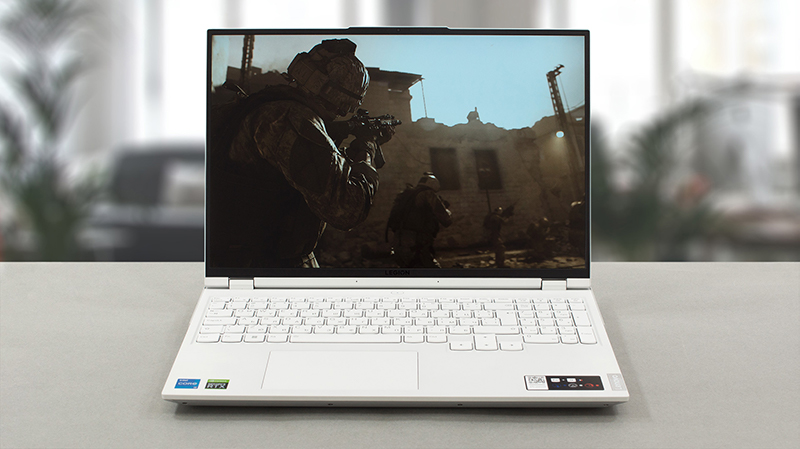
Who, in their right might, won't consider the Legion 5 Pro as their next gaming device? That's right, currently, no such person exists. And this is because Lenovo proved that its latest gaming notebook is not limited to playing games only. Instead, you can do content creation, Web development, and more.The main reason for that is the usage of a 16:10 display. Naturally, it offers more vertical space, which lets you see more of the page. This is why the display is also slightly bigger than the "ordinary" Legion 5 - 16 inches. By the way, we haven't yet introduced this bad boy. It is the Le[...]
Avantaje
- High TGP GPUs
- 2x M.2 PCIe x4 Gen 4 slots, 2x DDR5 RAM SODIMM slots in dual channel, Wi-Fi 6
- Covers 97% of the sRGB color gamut and has accurate color representation with our Gaming and Web design profile (MNG007JA1-4 (CSO1613))
- Snappy panel with quick response times (MNG007JA1-4 (CSO1613))
- G-Sync support + MUX switch
- Has a ton of ports
- Great input devices
- The keyboard remains relatively cool after long gaming sessions
- Good build quality
Dezavantaje
- No SD card
- Below average battery life
 Author: Alex Iliev

![[Iulie 2026] Clasamentul global al celor mai bine vândute plăci grafice pentru laptopuri de pe Amazon – RTX 5060 domină segmentul premium, iar Intel rămâne lider în segmentul economic](https://laptopmedia.com/wp-content/uploads/2026/08/Best-Selling-GPUs-GLOBAL-Top-10-400x225.jpg)
![[Iulie 2026] Clasamentul global al celor mai bine vândute procesoare pentru laptopuri de pe Amazon – Apple domină segmentul premium, iar Intel își păstrează primul loc în clasamentul general](https://laptopmedia.com/wp-content/uploads/2026/08/Best-Selling-CPUs-GLOBAL-Top-10-400x225.jpg)
![[July 2026] Amazon Canada: Top 10 Best-Selling Laptops – Apple MacBook Neo Dominates the Market to Claim the #1 Spot](https://laptopmedia.com/wp-content/uploads/2026/08/Best-Selling-Laptops-CA-Top-10-2-400x225.jpg)
![[July 2026] Best-Selling Laptop Brands on Amazon Japan – HP and Lenovo Dominate Units and Revenue Amid Fierce Competition](https://laptopmedia.com/wp-content/uploads/2026/08/CO.JP-Best-Brands-2-400x225.jpg)
![[July 2026] Amazon Italy: Top 10 Best-Selling Laptops – Apple MacBook Neo Claims the #1 Spot Amid Budget-Friendly Dominance](https://laptopmedia.com/wp-content/uploads/2026/08/Best-Selling-Laptops-IT-Top-10-400x225.jpg)
