Inside MSI Crosshair 15 (B12Ux) – disassembly and upgrade options
After going through the standard process of opening this laptop, you will see pretty good upgrade options.
Check out all MSI Crosshair 15 (B12Ux) prices and configurations in our Specs System or read more in our In-Depth review.
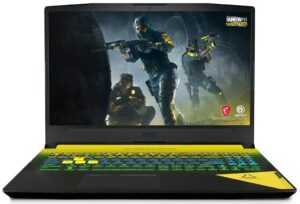
1. Remove the bottom plate
The bottom panel of this notebook is held in place by 13 Phillips-head screws. After you undo them, you need to pry the panel with a plastic tool and lift it away from the chassis.
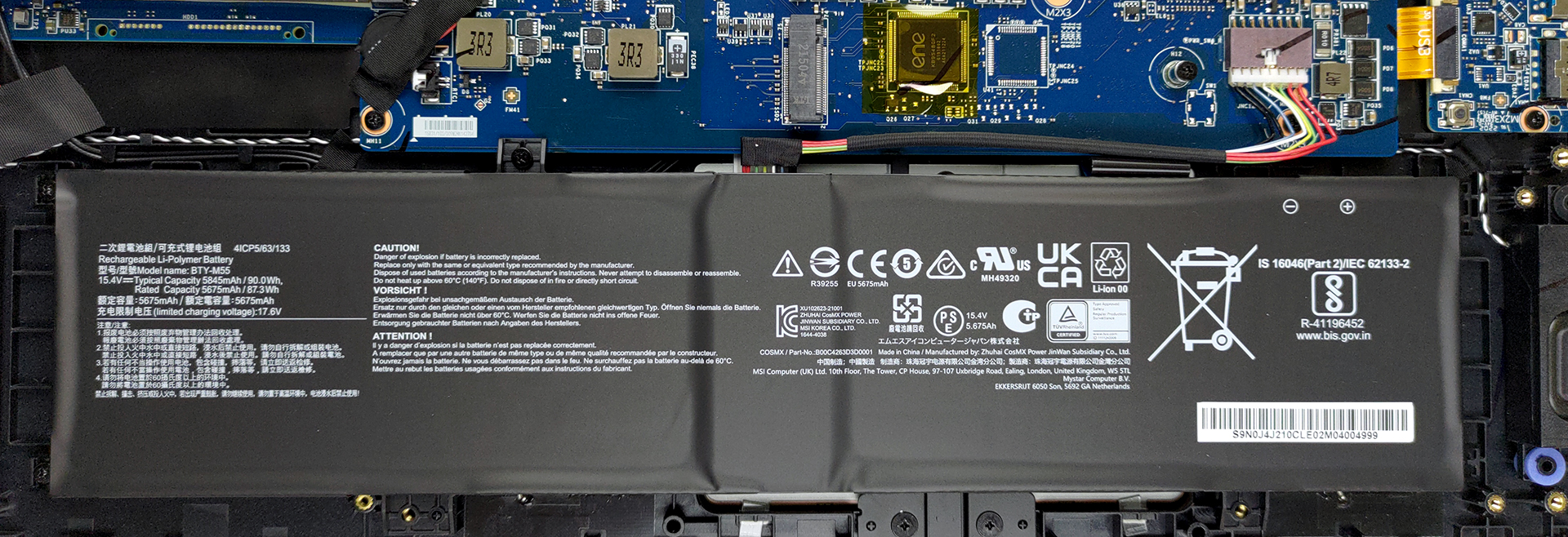
2. Battery
Our unit is equipped with the larger 90Wh battery pack. It lasts for more than 7 hours of Web browsing, or 6 hours and 30 minutes of video playback. You can remove it, but you first need to undo 5 Phillips-head screws. After that, unplug the connector, and pull the battery from the laptop.
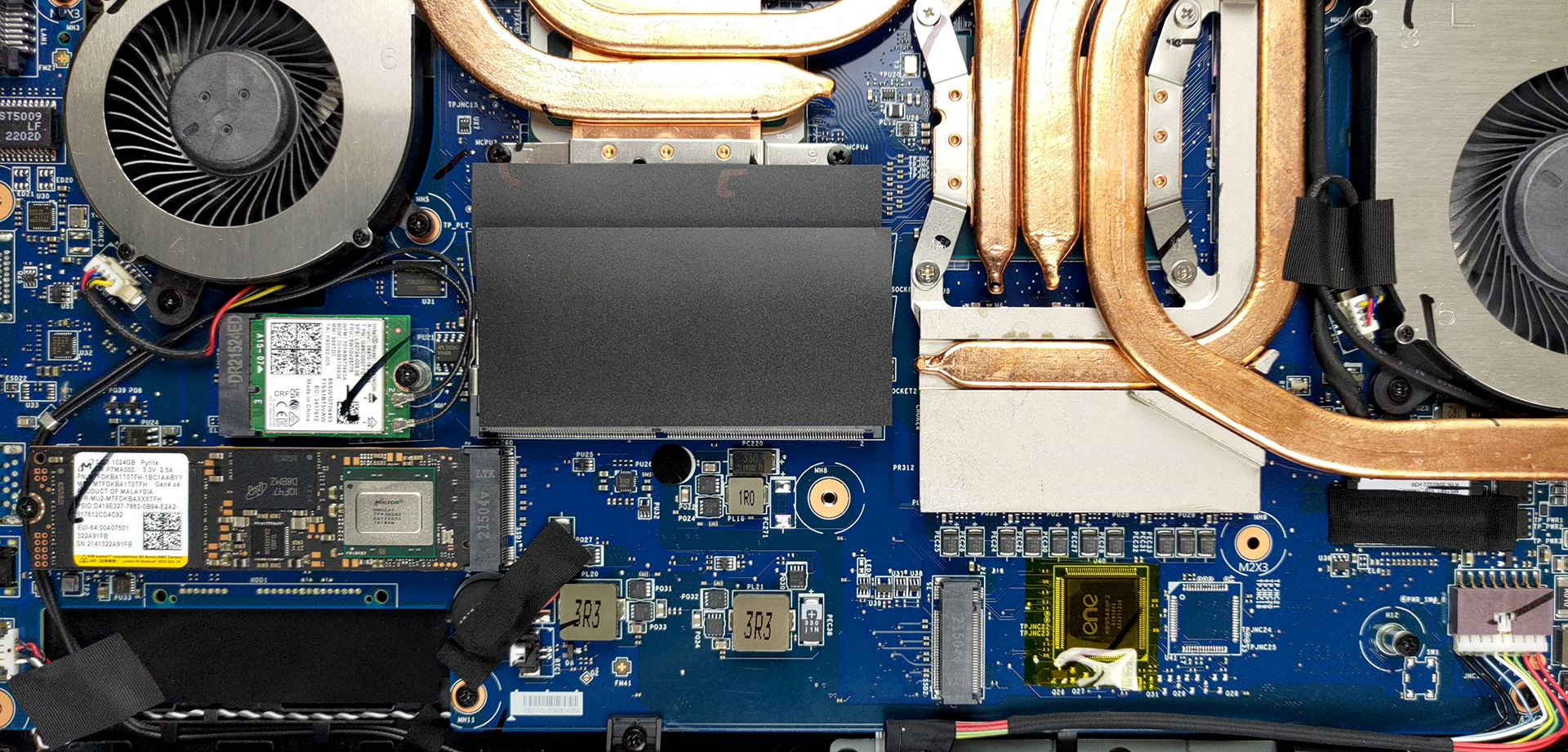
3. Memory and storage
In terms of memory, there are two SODIMM slots that work with DDR4 RAM for a maximum of 64GB in dual-channel mode. Storage-wise, there are two M.2 PCIe x4 slots with Gen 4 drive support.
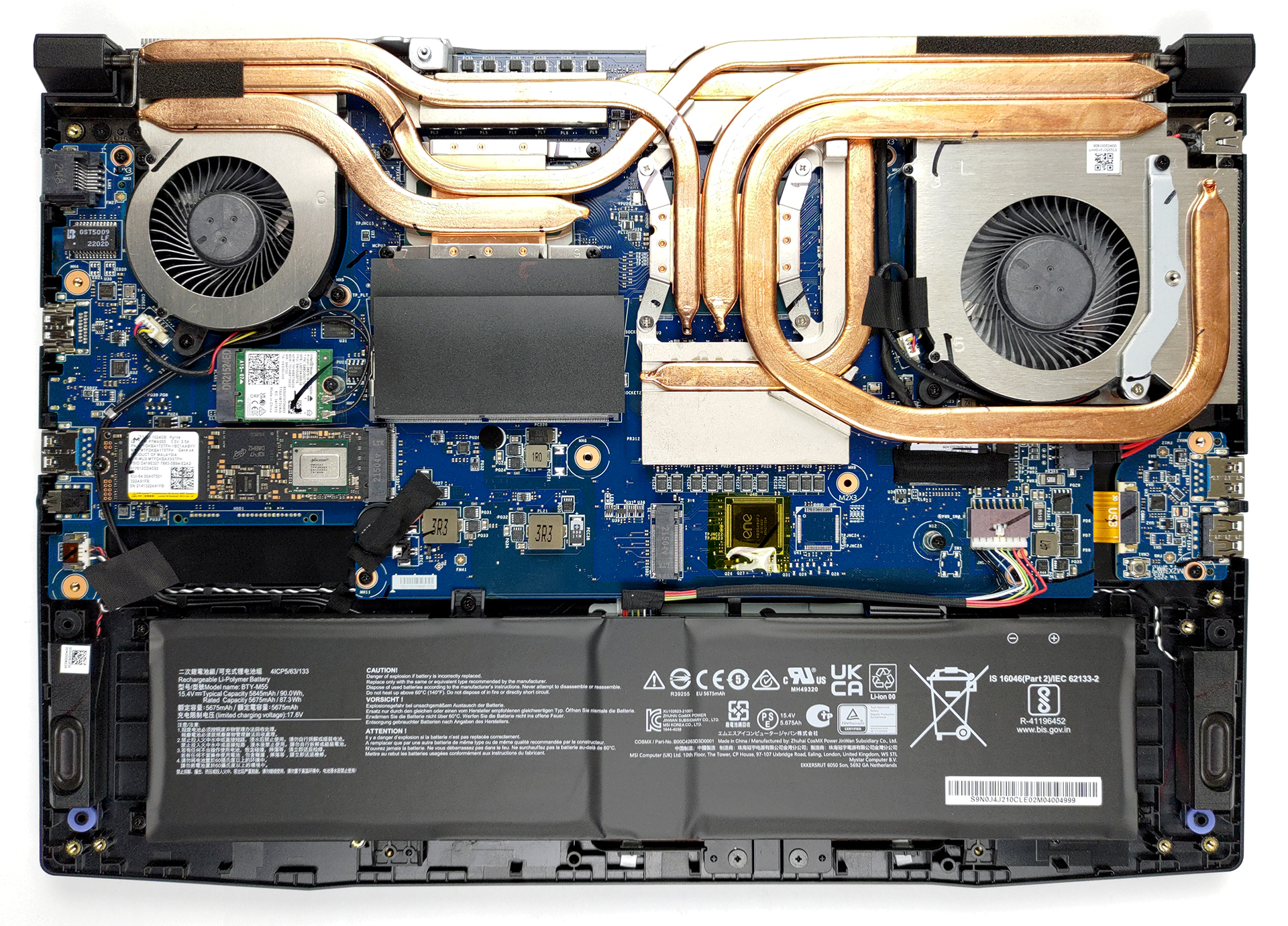
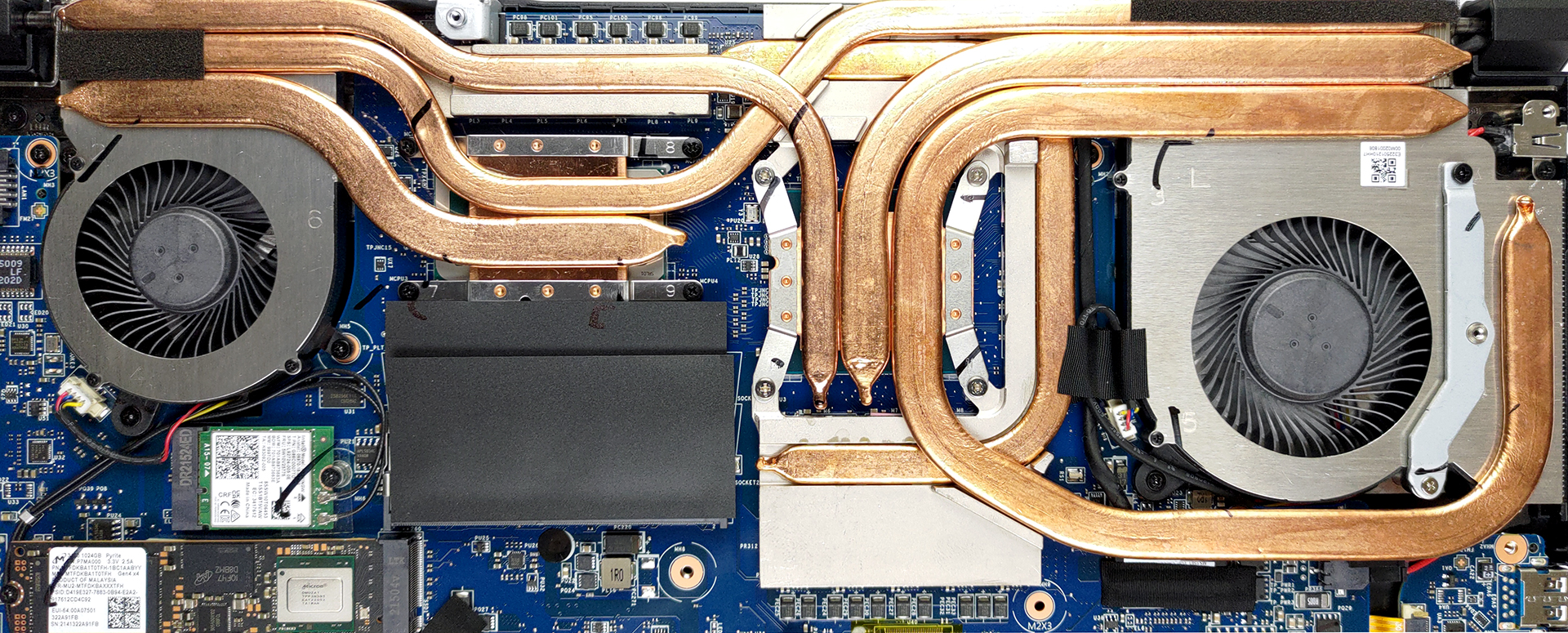
4. Cooling system
Looking at the cooling, we see two heat pipes dedicated to the CPU, as well as three more used by the GPU. A sixth heat pipe is used to cool down the VRMs and the graphics memory. However, it is not connected to any of the three heat sinks and two fans.
Check out all MSI Crosshair 15 (B12Ux) prices and configurations in our Specs System or read more in our In-Depth review.
MSI Crosshair 15 (12Ux) recenzie detaliată
More than anything, MSI is known for using one platform for many of its devices. This is not new, as we've seen it in the past. Also, a lot of car manufacturers do the same thing. In a way, you can think of MSI as VW. For instance, the laptop we're going to review today shares the same platform as the Pulse GL66.This is why we were very intrigued when we saw the specs. These guys managed to fit an RTX 3070 Ti with a 140W TGP inside of the Crosshair 15 (B12Ux). We really hope that they have found a way to cool it down properly because the Pulse series is not really known for its great ther[...]

Avantaje
- 2x SODIMM + 2x M.2 PCIe x4 Gen 4 slots
- Bold design
- Covers 98% of the DCI-P3 color gamut and has accurate color representation with our Gaming and Web design profile (BOE NE156QHM-NY1 (BOE09C2))
- 165Hz panel with quick response times(BOE NE156QHM-NY1 (BOE09C2))
- PWM-free (BOE NE156QHM-NY1 (BOE09C2))
Dezavantaje
- Extremely hot externals when CoolerBoost is not enabled
- No SD card slot and Thunderbolt support
- USB Type-C port only supports data transfer
- Average input devices
 Author: Alex Iliev

![[Iunie 2026] Cele mai vândute mărci de laptopuri pe Amazon Global – Dominația de neegalat a Apple în ceea ce privește numărul de unități vândute și veniturile](https://laptopmedia.com/wp-content/uploads/2026/07/GLOBAL-Best-Brands-400x225.jpg)
![[Iunie 2026] Amazon Global: Top 10 cele mai vândute laptopuri – Noul MacBook Neo de la Apple se clasează pe locul 1, redefinind piața prin prețul accesibil](https://laptopmedia.com/wp-content/uploads/2026/07/Best-Selling-Laptops-GLOBAL-Top-10-400x225.jpg)
![[Iunie 2026] Amazon Global: Top 10 cele mai bine vândute laptopuri pentru jocuri – Modelul Nitro V 16S AI de la Acer domină vânzările, în timp ce ASUS conduce în ceea ce privește veniturile totale](https://laptopmedia.com/wp-content/uploads/2026/07/Best-Selling-Gaming-Laptops-GLOBAL-Top-10-400x225.jpg)
![[Iunie 2026] Clasamentul global al celor mai bine vândute plăci grafice pentru laptopuri pe Amazon – NVIDIA RTX 5060 este cea mai bine vândută placă grafică dedicată](https://laptopmedia.com/wp-content/uploads/2026/07/Best-Selling-GPUs-GLOBAL-Top-10-400x225.jpg)
![[Iunie 2026] Clasamentul global al celor mai bine vândute procesoare pentru laptopuri de pe Amazon – Apple M5 domină, iar AMD Ryzen 7 260 înregistrează o cotă solidă în segmentul premium](https://laptopmedia.com/wp-content/uploads/2026/07/Best-Selling-CPUs-GLOBAL-Top-10-400x225.jpg)
