Lenovo Yoga Slim 7 Pro (14″, 2022) – Top 5 Pros and Cons
 Lenovo offers so many notebook brands, each with its separate iterations and sub-brands. Today we have the Lenovo Yoga Slim 7 Pro. Despite carrying the Yoga name, it’s a standard clamshell device, oriented towards professionals and creators. Even the Ryzen 6000H-series CPUs that it carries is called “Creator edition”.
It’s not a very affordable product, however, with the lack of discrete graphics, it’s still less expensive than models with one, while still packing a decent amount of GPU power, thanks to the RDNA 2 integrated graphics, which offer native ray tracing and a good increase in GPU performance when compared to the previous Vega units.
Today we present you with LaptopMedia’s top 5 picks about the Lenovo Yoga Slim 7 Pro (14″, 2022).
Lenovo Yoga Slim 7 Pro (14″, 2022): Full Specs / In-depth Review
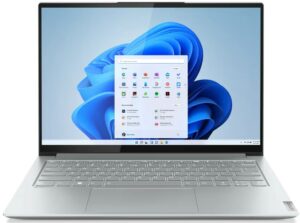
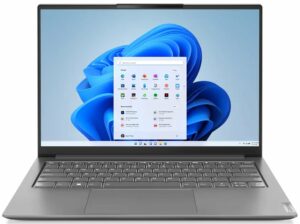
4 reasons to BUY the Lenovo Yoga Slim 7 Pro (14″, 2022)
1. Design and build quality
The laptop has a fully aluminum chassis, which has incredible durability. The lid opens easily with one hand while remaining rigid and flex-free. The base is quite tough as well, considering the thin profile. Speaking of thickness, the laptop stays true to its Slim name, measuring just 14.9 mm, while weighing only 1.39 kg. The design is minimalist, with sharp edges and rounded corners. Branding is kept on the low as well, with only a small Lenovo logo on the bottom corner.

2. Battery life
With a 61Wh battery pack, the laptop offers 18 hours of Web browsing, or 12 hours and 35 minutes of video playback. This is with the 45W H-series processors, which is amazing evidence of AMD’s efficiency. Now, we conduct the battery tests with the Windows Better performance setting turned on, screen brightness adjusted to 120 nits, and all other programs turned off except for the one we are testing the notebook with.

3. Display quality
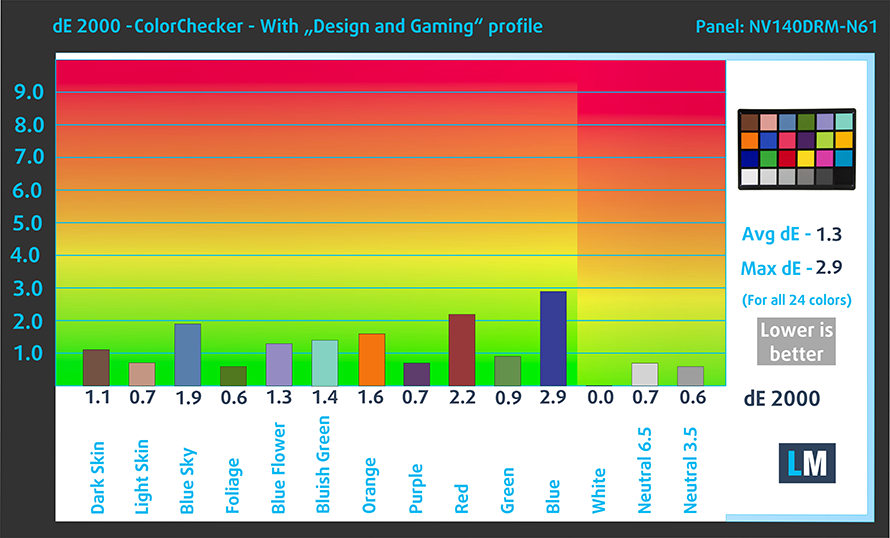
The Pro part of the notebook includes a fantastic 2.2K IPS panel with a 16:10 aspect ratio. It reaches 328 nits of brightness and has a pretty high contrast ratio of 1570:1. It covers 96% of the sRGB gamut while offering fantastic accuracy when our Design and Gaming profile is applied.
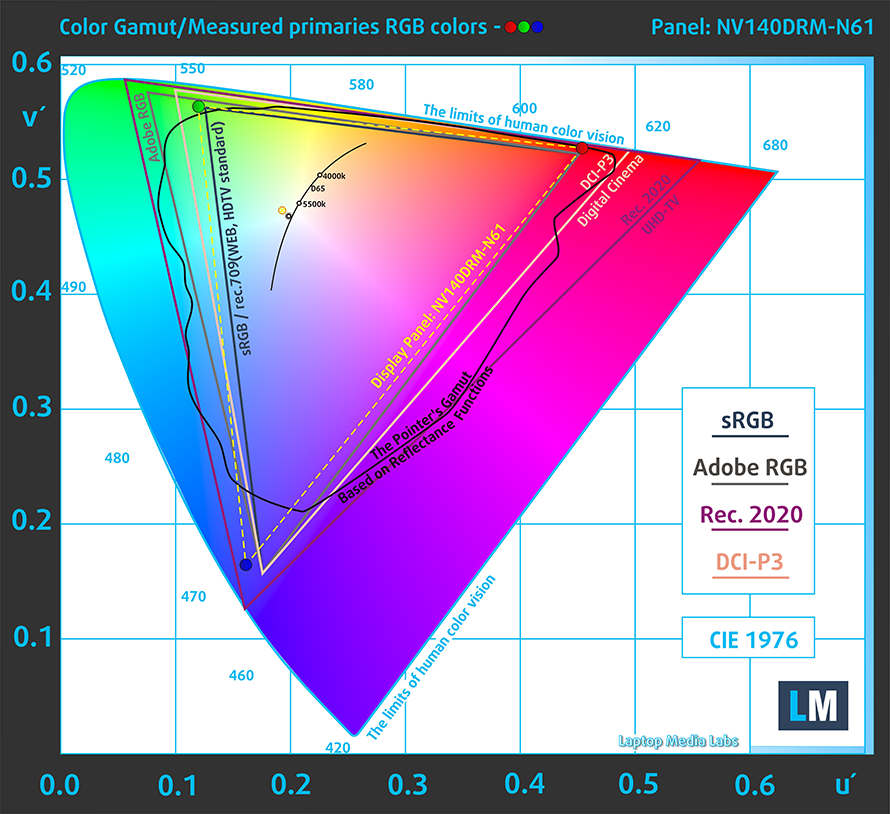
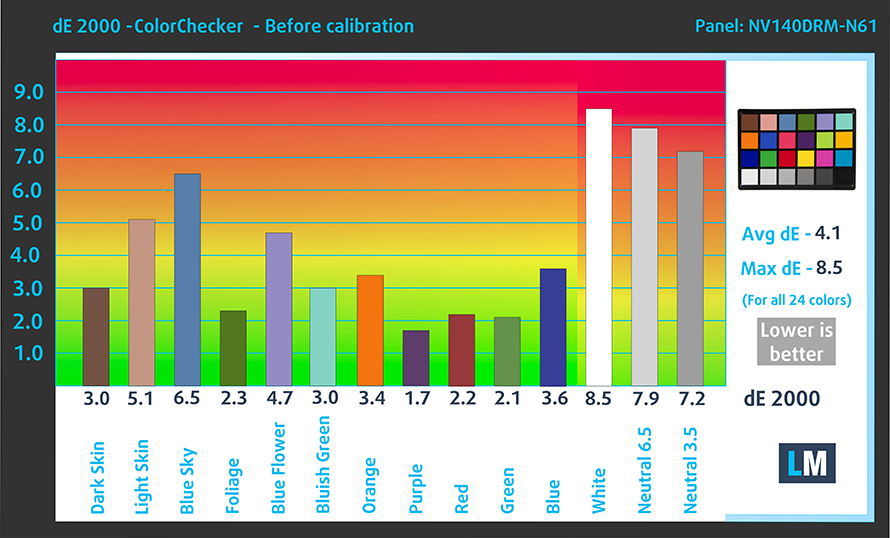
Here are the test results with the stock settings (left) and with our profiled applied (right). With a dE value of 1.3, you’d be able to handle professional color work with no problem.
Buy our profiles
Since our profiles are tailored for each individual display model, this article and its respective profile package are meant for Lenovo Yoga Slim 7 Pro (14″, 2022) configurations with 14″ WQXGA IPS BOE NV140DRM-N61 (LEN140WU+, BOE0931).
*Should you have problems with downloading the purchased file, try using a different browser to open the link you’ll receive via e-mail. If the download target is a .php file instead of an archive, change the file extension to .zip or contact us at [email protected].
Read more about the profiles HERE.
Pe lângă primirea de profiluri eficiente și prietenoase cu sănătatea, prin cumpărarea produselor LaptopMedia sprijiniți și dezvoltarea laboratoarelor noastre, unde testăm dispozitive pentru a produce cele mai obiective recenzii posibile.

Office Work
Office Work ar trebui folosit în principal de utilizatorii care petrec cea mai mare parte a timpului uitându-se la texte, tabele sau pur și simplu navigând. Acest profil urmărește să ofere o distincție și o claritate mai bună prin menținerea unei curbe gamma plate (2.20), a temperaturii native a culorii și a culorilor perceptiv exacte.

Design and Gaming
Acest profil se adresează designerilor care lucrează profesional cu culorile, precum și pentru jocuri și filme. Design and Gaming duce panourile de afișaj la limitele lor, făcându-le cât mai precise posibil în standardul sRGB IEC61966-2-1 pentru Web și HDTV, la punctul de alb D65.

Health-Guard
Health-Guard elimină modulația dăunătoare a lățimii impulsului (PWM) și reduce lumina albastră negativă care ne afectează ochii și corpul. Deoarece este personalizat pentru fiecare panou, reușește să mențină culorile perceptiv exacte. Health-Guard simulează hârtia, astfel încât presiunea asupra ochilor este redusă considerabil.
Obține toate cele 3 profiluri cu 33% reducere

4. Cooling
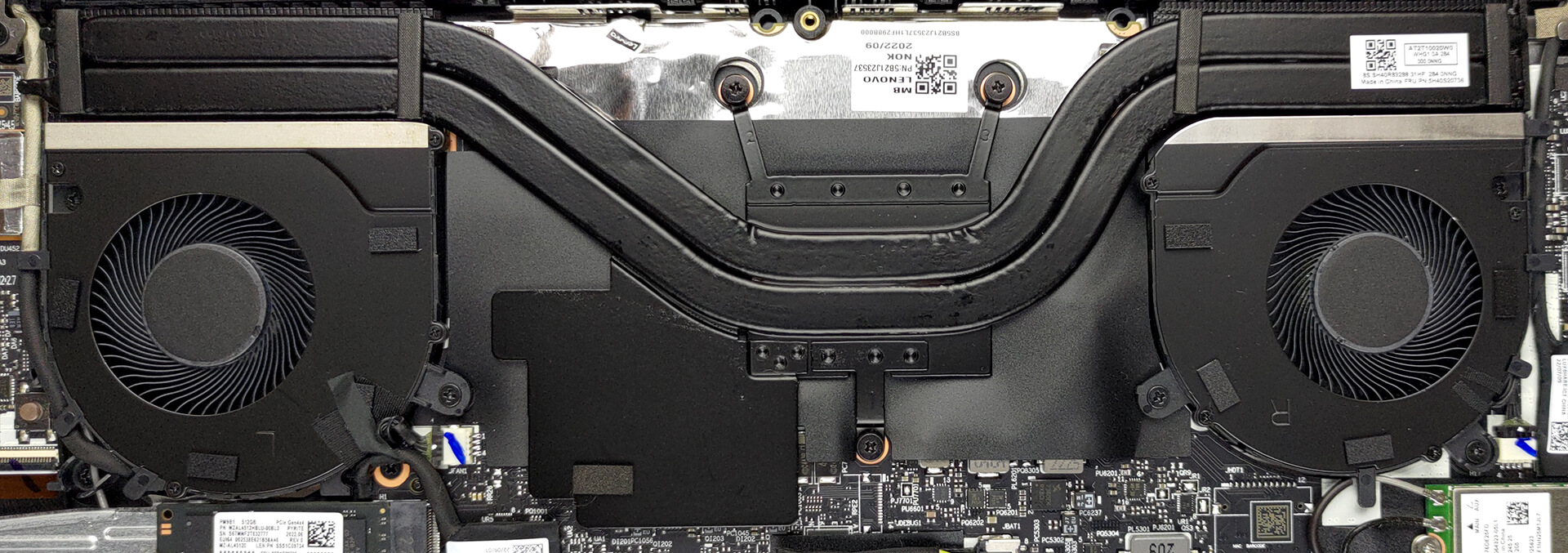
The cooling setup inside uses two long heat pipes and two fans. All in all, it looks like a mini gaming laptop’s cooling, and it clearly shows what it’s capable of in the stress tests.
Max CPU load
| AMD Ryzen 5 6600HS (45W TDP) | 0:02 – 0:10 sec | 0:15 – 0:30 sec | 10:00 – 15:00 min |
|---|---|---|---|
| Lenovo Yoga Slim 7 Pro (14″, 2022) | 3.82 GHz @ 87°C @ 65W | 3.44 GHz @ 88°C @ 45W | 3.45 GHz @ 88°C @ 45W |
The CPU maintains a consistently high wattage and clock speeds, while temperatures don’t really reach critical values.
Temperatures and comfort
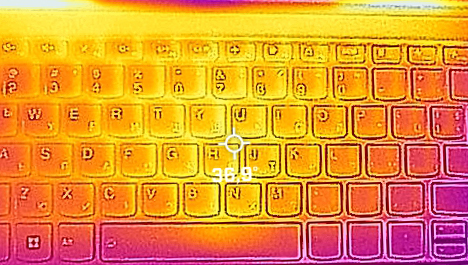
The fans remain quiet, while the base is cool and comfortable, with a max temperature of just 37°C.
1 reason NOT to buy the Lenovo Yoga Slim 7 Pro (14″, 2022)
1. Upgradeability
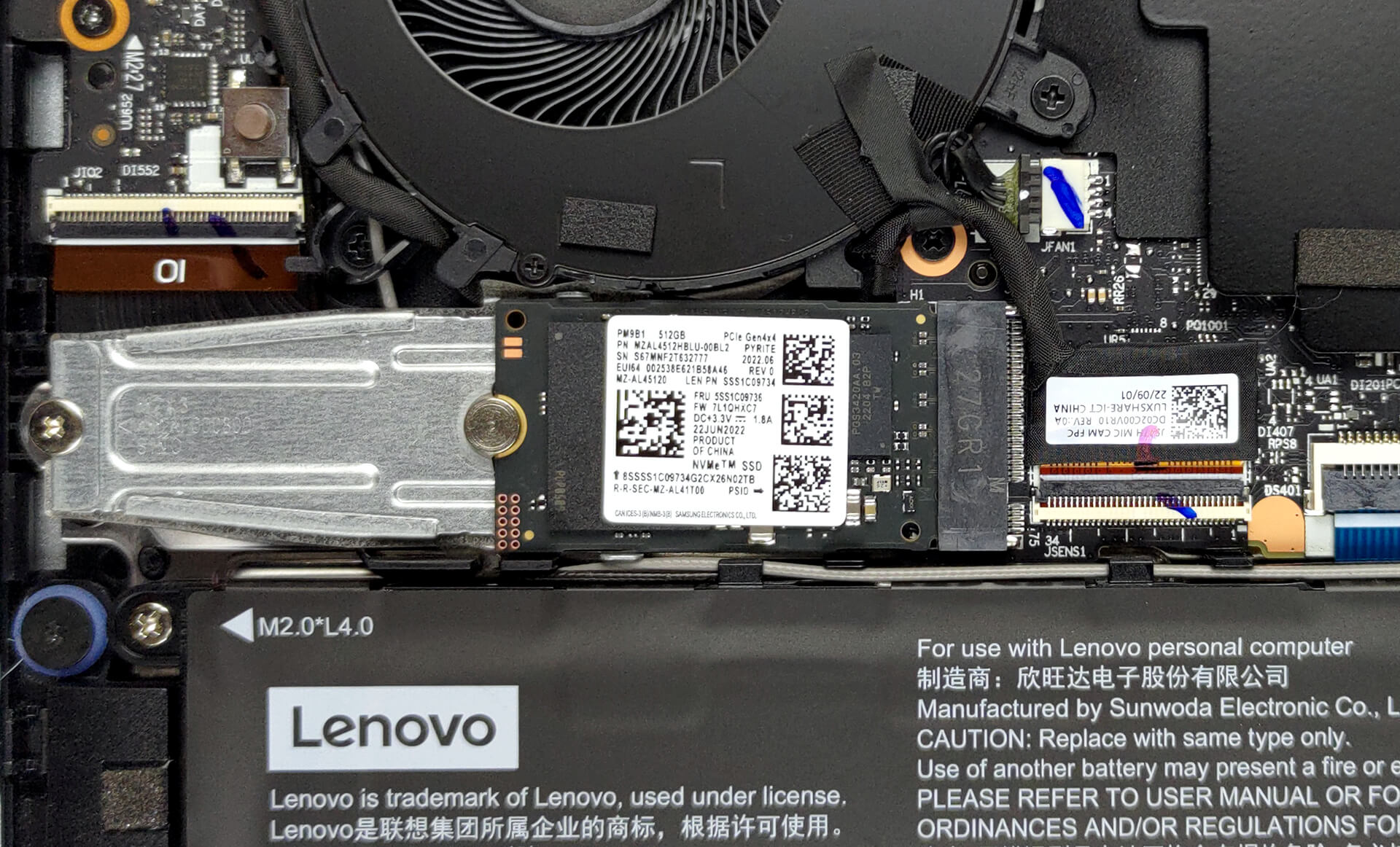
While the laptop is fantastic, it suffers from poor upgradeability, but you should get used to that with smaller devices. You can get up to 16GB of LPDDR5 memory, but we want to see more, so it’s up to Lenovo to figure it out and offer higher memory configurations. In terms of storage, there’s one M.2 PCIe x4 slot for Gen 4 drives.
Here is our teardown video, which shows how to access the inside of the Lenovo Yoga Slim 7 Pro (14″, 2022).
All Lenovo Yoga Slim 7 Pro (14″, 2022) configurations:
 Author: Severin Kolakov

![[Iunie 2026] Cele mai vândute mărci de laptopuri pe Amazon Global – Dominația de neegalat a Apple în ceea ce privește numărul de unități vândute și veniturile](https://laptopmedia.com/wp-content/uploads/2026/07/GLOBAL-Best-Brands-400x225.jpg)
![[Iunie 2026] Amazon Global: Top 10 cele mai vândute laptopuri – Noul MacBook Neo de la Apple se clasează pe locul 1, redefinind piața prin prețul accesibil](https://laptopmedia.com/wp-content/uploads/2026/07/Best-Selling-Laptops-GLOBAL-Top-10-400x225.jpg)
![[Iunie 2026] Amazon Global: Top 10 cele mai bine vândute laptopuri pentru jocuri – Modelul Nitro V 16S AI de la Acer domină vânzările, în timp ce ASUS conduce în ceea ce privește veniturile totale](https://laptopmedia.com/wp-content/uploads/2026/07/Best-Selling-Gaming-Laptops-GLOBAL-Top-10-400x225.jpg)
![[Iunie 2026] Clasamentul global al celor mai bine vândute plăci grafice pentru laptopuri pe Amazon – NVIDIA RTX 5060 este cea mai bine vândută placă grafică dedicată](https://laptopmedia.com/wp-content/uploads/2026/07/Best-Selling-GPUs-GLOBAL-Top-10-400x225.jpg)
![[Iunie 2026] Clasamentul global al celor mai bine vândute procesoare pentru laptopuri de pe Amazon – Apple M5 domină, iar AMD Ryzen 7 260 înregistrează o cotă solidă în segmentul premium](https://laptopmedia.com/wp-content/uploads/2026/07/Best-Selling-CPUs-GLOBAL-Top-10-400x225.jpg)
