Top 5 reasons to BUY or NOT to buy the Dell XPS 17 9710
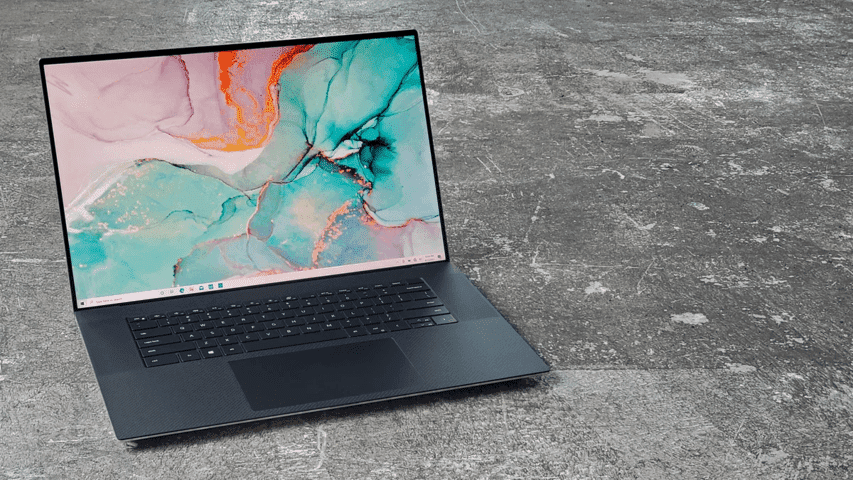 We are always amazed when we see tightly packed slim laptops with crazy specs. This is one such case, as the Dell XPS 17 9710 boasts a thickness of only 13.15 mm while packing up to a Core i9-11980HK and an RTX 3060 (70W).
One concern is the cooling, which will have to do an exceptional job for the hardware to be pushed to its limits. This is hard to do when you have everything neatly placed with next to no room for airflow.
Today we are presenting you with LaptopMedia’s top 5 picks about the Dell XPS 17 9710.
Dell XPS 17 9710: Full Specs / In-depth Review
4 reasons to BUY the Dell XPS 17 9710
1. Design and build quality
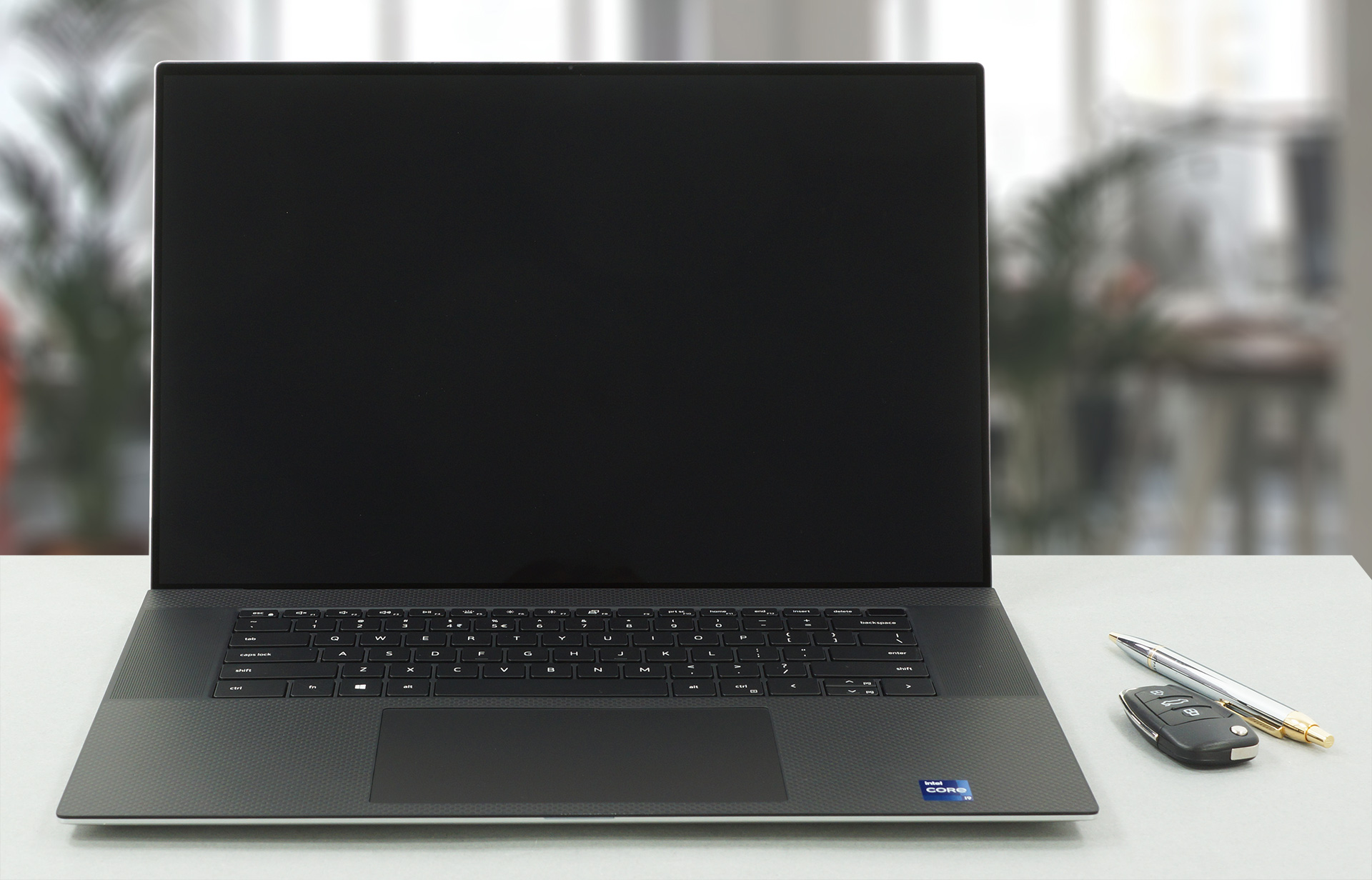
Being such an expensive laptop, we expect premium materials. Dell knows that and they delivered. The CNC-aluminum chassis feels great to the touch, while the carbon fiber base gives some grip when using the touchpad, keeping your hands from sliding around. Despite its thin profile of 13.15 mm, the chassis boasts exceptional rigidity. Its lid opens with a single hand, revealing the slimmest possible bezels, along with a Gorilla Glass 6 display cover with an anti-reflective coating.
2. Display quality
The laptop is offered with two 16:10 IPS display options. The first one has an FHD+ resolution, while the second one upgrades it to UHD+, which was the display that we tested. It has excellent viewing angles, along with a max brightness of 467 nits and a maximum deviation of 13%. There is a brightness unevenness in the bottom left corner, otherwise, the panel has uniform brightness. The contrast ratio is very good – 1670:1. The display fully covers the sRGB and AdobeRGB color gamuts, with an additional 98% DCI-P3 coverage.
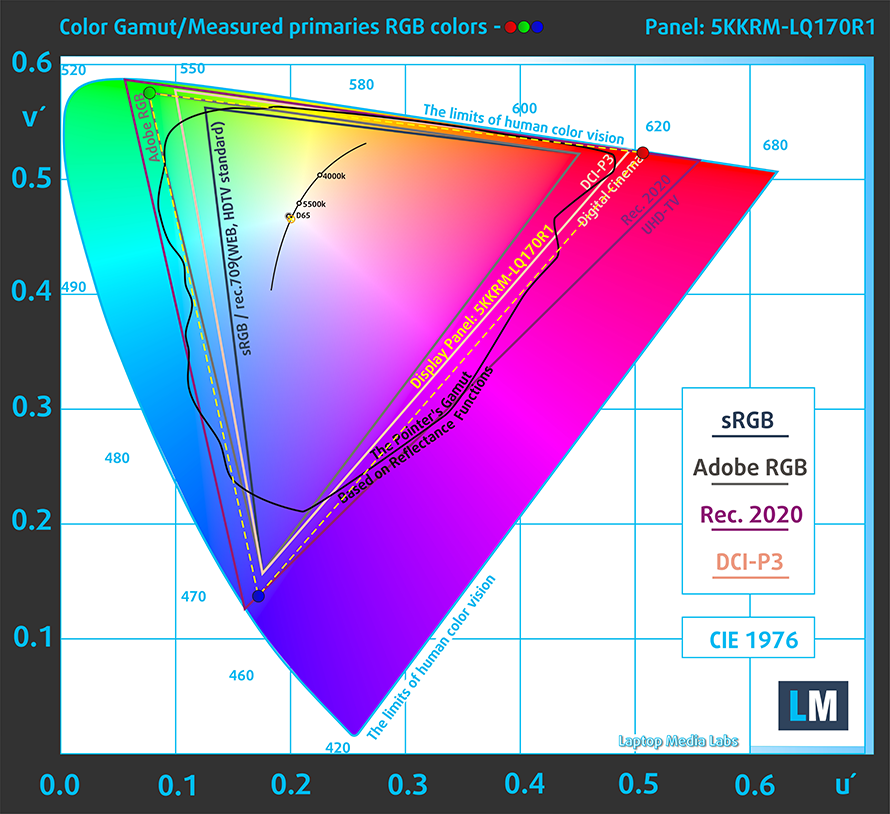
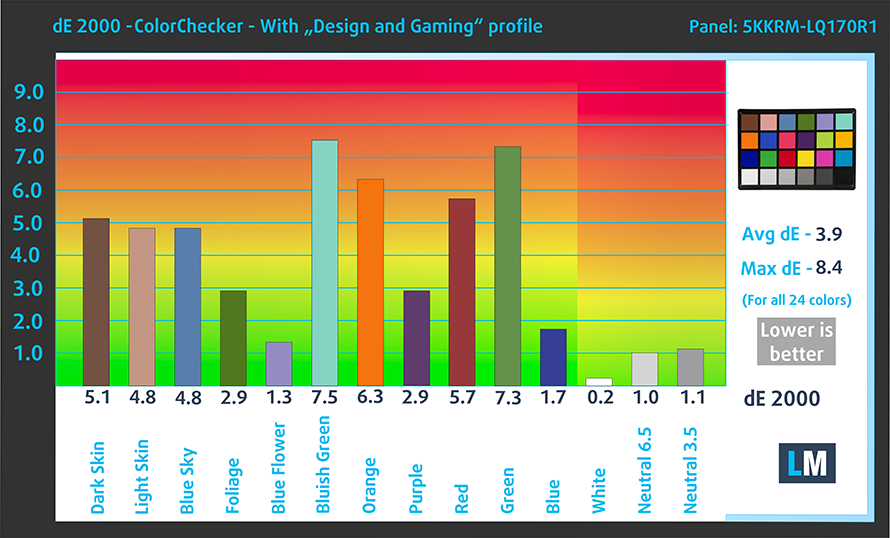
The color accuracy does leave a lot to be desired, however, as even after we applied our Design and Gaming profile, we got a dE value of 3.9. Here are the results of our test with the factory settings (left) and with our profile applied (right).

Buy our profiles
Since our profiles are tailored for each display model, this article and its respective profile package are meant for Dell XPS 17 9710 configurations with 17.0″ 4K IPS Sharp 5KKRM-LQ170R1 (SHP1517).
*Should you have problems with downloading the purchased file, try using a different browser to open the link you’ll receive via e-mail. If the download target is a .php file instead of an archive, change the file extension to .zip or contact us at [email protected].
Read more about the profiles HERE.
Pe lângă primirea de profiluri eficiente și prietenoase cu sănătatea, prin cumpărarea produselor LaptopMedia sprijiniți și dezvoltarea laboratoarelor noastre, unde testăm dispozitive pentru a produce cele mai obiective recenzii posibile.

Office Work
Office Work ar trebui folosit în principal de utilizatorii care petrec cea mai mare parte a timpului uitându-se la texte, tabele sau pur și simplu navigând. Acest profil urmărește să ofere o distincție și o claritate mai bună prin menținerea unei curbe gamma plate (2.20), a temperaturii native a culorii și a culorilor perceptiv exacte.

Design and Gaming
Acest profil se adresează designerilor care lucrează profesional cu culorile, precum și pentru jocuri și filme. Design and Gaming duce panourile de afișaj la limitele lor, făcându-le cât mai precise posibil în standardul sRGB IEC61966-2-1 pentru Web și HDTV, la punctul de alb D65.

Health-Guard
Health-Guard elimină modulația dăunătoare a lățimii impulsului (PWM) și reduce lumina albastră negativă care ne afectează ochii și corpul. Deoarece este personalizat pentru fiecare panou, reușește să mențină culorile perceptiv exacte. Health-Guard simulează hârtia, astfel încât presiunea asupra ochilor este redusă considerabil.
Obține toate cele 3 profiluri cu 33% reducere

3. I/O
The I/O here is full of ports, including four Thunderbolt 4 ports, an SD card reader, and an audio jack. We don’t end there, as you get a USB Type-C to USB Type-A and HDMI 2.0 dongle inside the box.


4. Input devices
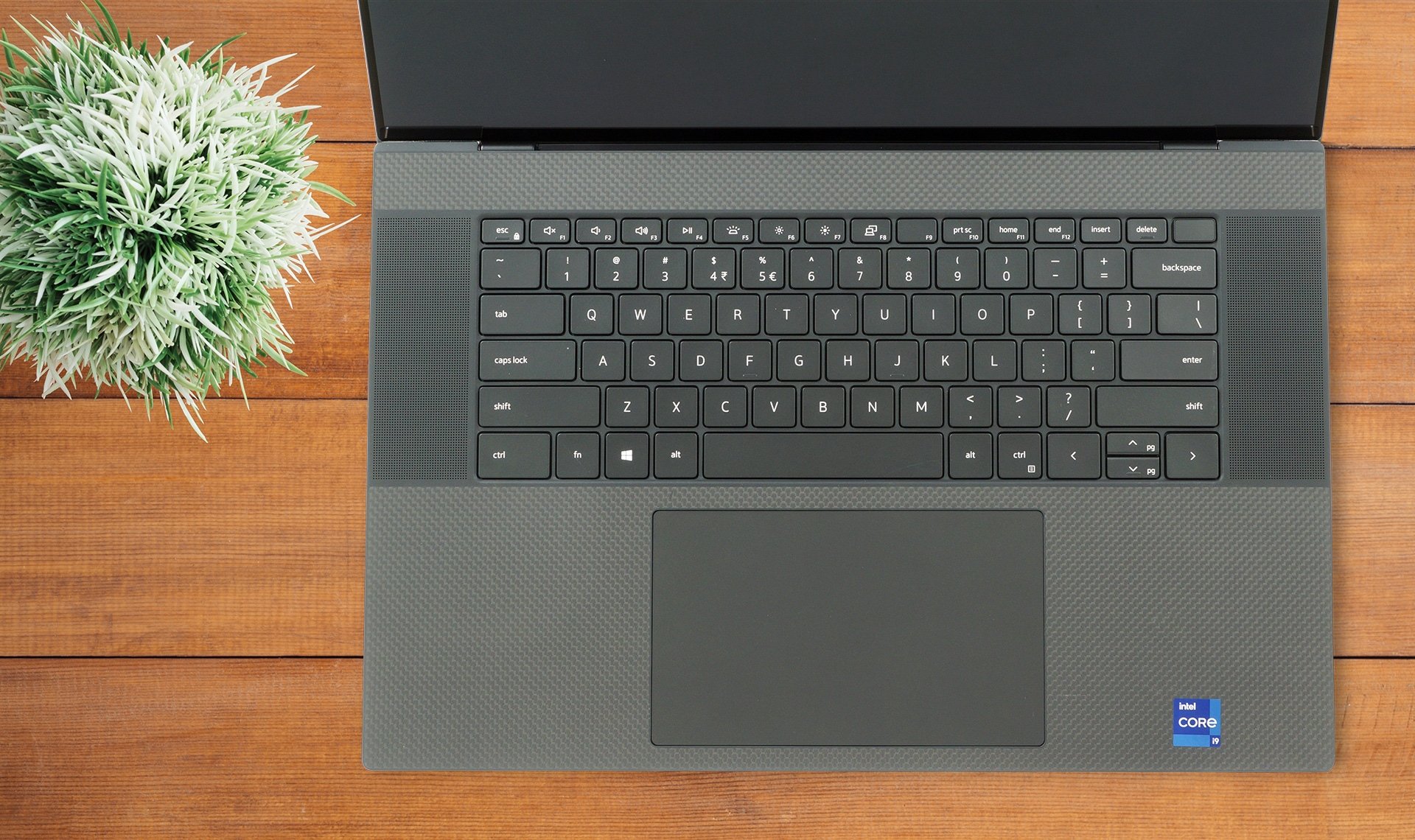
The keyboard and touchpad are really comfortable. The keys are big enough and while the lack of a NumPad is weird on a laptop with a 17-inch display, the front-firing stereo speakers on the two sides should be a good enough substitute for something not that many people use. The keyboard has long key travel, despite its thin profile, and clicky feedback. The touchpad is also just enormous, with dimensions of 15 x 8.9 cm. It is very accurate and responsive.
1 reason NOT to buy the Dell XPS 17 9710
1. Cooling
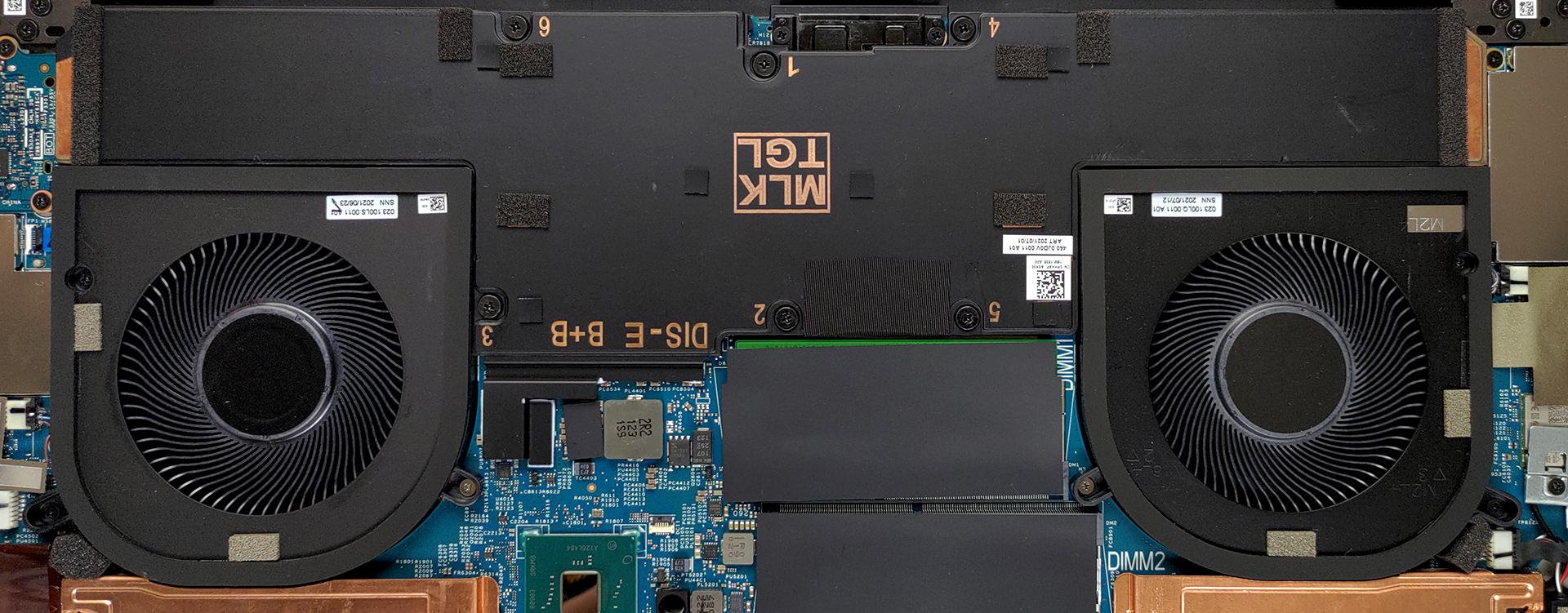
As we thought, the cooling here lacks the effectiveness to keep the Core i9-11980HK running at the highest possible speeds. The vapor chamber was a good idea, but a low profile and next to no airflow are a death sentence to any laptop.
Max CPU load
| Intel Core i9-11900H (45W TDP) | 0:02 – 0:10 sec | 0:15 – 0:30 sec | 10:00 – 15:00 min |
|---|---|---|---|
| Dell XPS 17 9710 | 3.39 GHz @ 99°C @ 77W | 3.15 GHz @ 99°C @ 66W | 3.05 GHz @ 99°C @ 59W |
Still, the CPU kept a decent clock speed of 3.00GHz in the last stage of our stress test, albeit it could have gone much further. This was at the expense of temperatures, as the CPU ran at 99°C during the entirety of our testing.
Real-life gaming
| NVIDIA GeForce RTX 3060 | GPU frequency/ Core temp (after 2 min) | GPU frequency/ Core temp (after 30 min) | GPU frequency/ Core temp (Max Fan) |
|---|---|---|---|
| Dell XPS 17 9710 | 1396 MHz @ 71°C @ 70W | 1403 MHz @ 71°C @ 70W | – |
The 70W version of the RTX 3060 kept decent temperatures, while the clock speeds hovering around 1400MHz.
Comfort during combined load
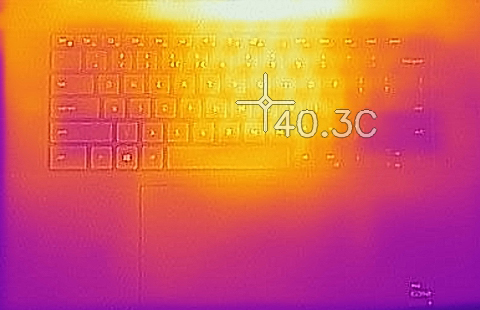
Regardless of the firestorm that is going on inside the CPU, the outside temperature was nowhere close to hot, with the keyboard being the hotspot, maxing out at 40.3°C.
All Dell XPS 17 9710 configurations:
 Author: Severin Kolakov

![[Iunie 2026] Cele mai vândute mărci de laptopuri pe Amazon Global – Dominația de neegalat a Apple în ceea ce privește numărul de unități vândute și veniturile](https://laptopmedia.com/wp-content/uploads/2026/07/GLOBAL-Best-Brands-400x225.jpg)
![[Iunie 2026] Amazon Global: Top 10 cele mai vândute laptopuri – Noul MacBook Neo de la Apple se clasează pe locul 1, redefinind piața prin prețul accesibil](https://laptopmedia.com/wp-content/uploads/2026/07/Best-Selling-Laptops-GLOBAL-Top-10-400x225.jpg)
![[Iunie 2026] Amazon Global: Top 10 cele mai bine vândute laptopuri pentru jocuri – Modelul Nitro V 16S AI de la Acer domină vânzările, în timp ce ASUS conduce în ceea ce privește veniturile totale](https://laptopmedia.com/wp-content/uploads/2026/07/Best-Selling-Gaming-Laptops-GLOBAL-Top-10-400x225.jpg)
![[Iunie 2026] Clasamentul global al celor mai bine vândute plăci grafice pentru laptopuri pe Amazon – NVIDIA RTX 5060 este cea mai bine vândută placă grafică dedicată](https://laptopmedia.com/wp-content/uploads/2026/07/Best-Selling-GPUs-GLOBAL-Top-10-400x225.jpg)
![[Iunie 2026] Clasamentul global al celor mai bine vândute procesoare pentru laptopuri de pe Amazon – Apple M5 domină, iar AMD Ryzen 7 260 înregistrează o cotă solidă în segmentul premium](https://laptopmedia.com/wp-content/uploads/2026/07/Best-Selling-CPUs-GLOBAL-Top-10-400x225.jpg)