ASUS Vivobook 16
_000044.jpg)

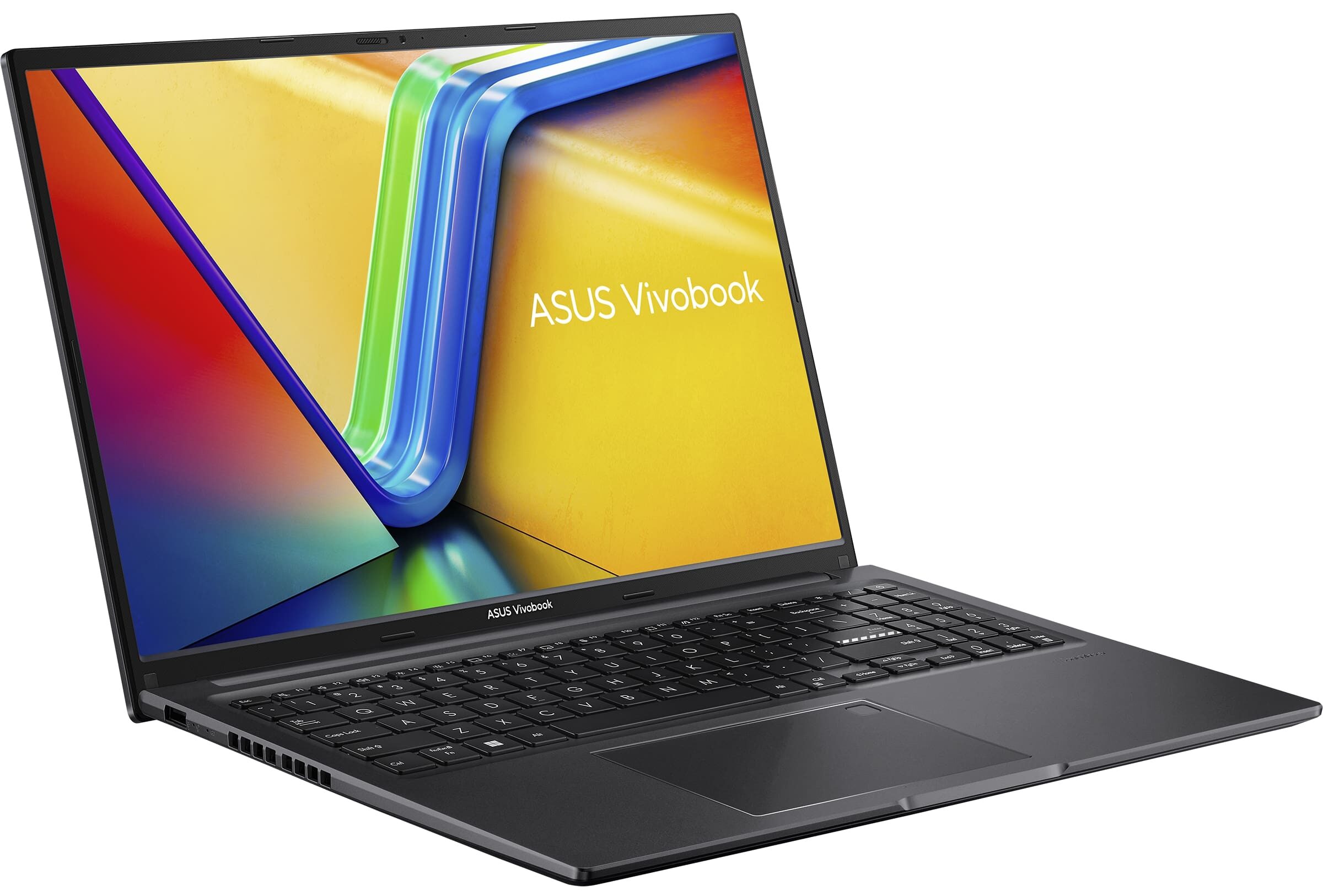


- Data publicării: 15 Jul 2024
- Intel Core i7-1255U
- Intel Iris Xe Graphics G7 (96EU)
- 16.0”, WUXGA (1920 x 1200), IPS
- 1000GB SSD
- 24GB RAM
- 1.88 kg (4.1 lbs)
ASUS Vivobook 16 (X1605 / F1605) recenzie detaliată
No more than two years ago 16-inch laptops were simply nonexistent. Nowadays, they are becoming one of the most popular form factors on the market. This is why you see devices of this size that come at pretty much all prices. Today, we are going to take a look at the ASUS Vivobook 16 (X1605). It is [...]
Citește recenzia completă

Recenzie
ASUS Vivobook 16 recenzie detaliată
No more than two years ago 16-inch laptops were simply nonexistent. Nowadays, they are becoming one of the most popular form factors on the market. This is why you see devices of this size that come at pretty much all prices.Today, we are going to take a look at the ASUS Vivobook 16 (X1605). It is a rather simple product that aspires to give you nothing less than what you need for your everyday computing and multimedia consumption.We have to put a disclaimer that we are not going to cover the OLED version of the product because we were "only" able to get our hands on the IPS model. Nevertheless, it has a 16:10 aspect ratio, further complementing the large screen size.Its simplistic visuals hide Intel's 12th Gen processors. Interestingly, the laptop is offered with the U-series[...]
Citește recenzia completăAvantaje
- Affordable and fast
- No PWM (Innolux N160JCE-ELL (CMN1618))
- Antibacterial coating
- Comfortable keyboard and touchpad
- Camera with a privacy shutter
Dezavantaje
- No SD card reader
- USB Type-C port is only for data transfers
- Covers 54% of sRGB colors (Innolux N160JCE-ELL (CMN1618))
- Only plastic for building material
Opțiuni de dezasamblare, întreținere și upgrade
Even though it is a low-budget offering, the Vivobook 16 (X1605) comes with a few upgrade options - one SODIMM slot for memory, and one M.2 PCIe x4 slot for either Gen 3 or Gen 4 SSDs. Here's how to access them.Check out all ASUS Vivobook 16 (X1605) prices and configurations in our Specs System, or read more in our In-Depth review.1. Remove the bottom plate To access this notebook's internals, you need to undo 10 Phillips-head screws. After that, pry the bottom panel with a plastic tool, and lift it away from the chassis.2. Remove the battery Inside, we find a 42Wh batter[...]
Citește mai mult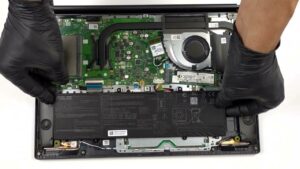
Ecran: 16.0-inch, 1920 x 1200, IPS
- Nume
- Innolux N160JCE-ELL (CMN1618)
- Diagonală
- 16.0"
- Densitate pixeli
- 141.51 ppi
- Luminozitate
- 324 cd/m2
- sRGB
- 54%
- Tip Panou
- IPS
- Rezoluție
- 1920 x 1200
- Devine "Retina" de la
- 24 inches (62 cm)
- Contrast
- 1680:1
- dE Color Checker
- 5.8 3.3

Cumpără profilurile noastre pentru Innolux N160JCE-ELL (CMN1618)
Pe lângă primirea de profiluri eficiente și prietenoase cu sănătatea, prin cumpărarea produselor LaptopMedia sprijiniți și dezvoltarea laboratoarelor noastre, unde testăm dispozitive pentru a produce cele mai obiective recenzii posibile.

Office Work
Office Work ar trebui folosit în principal de utilizatorii care petrec cea mai mare parte a timpului uitându-se la texte, tabele sau pur și simplu navigând. Acest profil urmărește să ofere o distincție și o claritate mai bună prin menținerea unei curbe gamma plate (2.20), a temperaturii native a culorii și a culorilor perceptiv exacte.

Design and Gaming
Acest profil se adresează designerilor care lucrează profesional cu culorile, precum și pentru jocuri și filme. Design and Gaming duce panourile de afișaj la limitele lor, făcându-le cât mai precise posibil în standardul sRGB IEC61966-2-1 pentru Web și HDTV, la punctul de alb D65.

Health-Guard
Health-Guard elimină modulația dăunătoare a lățimii impulsului (PWM) și reduce lumina albastră negativă care ne afectează ochii și corpul. Deoarece este personalizat pentru fiecare panou, reușește să mențină culorile perceptiv exacte. Health-Guard simulează hârtia, astfel încât presiunea asupra ochilor este redusă considerabil.





