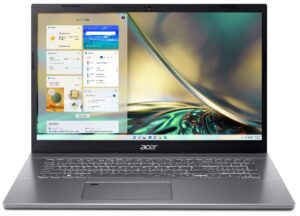
Acer Aspire 7 (A715-43G) review – brings ray tracing to the office
Temperatures and comfort, Battery Life
Max CPU load
In this test we use 100% on the CPU cores, monitoring their frequencies and chip temperature. The first column shows a computer’s reaction to a short load (2-10 seconds), the second column simulates a serious task (between 15 and 30 seconds), and the third column is a good indicator of how good the laptop is for long loads such as video rendering.
Average core frequency (base frequency + X); CPU temp.
| AMD Ryzen 7 5825U (15W TDP) | 0:02 – 0:10 sec | 0:15 – 0:30 sec | 10:00 – 15:00 min |
|---|---|---|---|
| Acer Aspire 7 (A715-43G) | 3.33 GHz @ 66°C @ 45W | 3.16 GHz @ 66°C @ 37W | 2.80 GHz @ 65°C @ 25W |
| Lenovo IdeaPad 3 (17″, 2022) | 2.85 GHz @ 66°C @ 32W | 2.83 GHz @ 78°C @ 32W | 2.68 GHz @ 77°C @ 26W |
| Lenovo IdeaPad 3 (15″, 2022) | 2.83 GHz @ 71°C @ 32W | 2.83 GHz @ 77°C @ 32W | 2.64 GHz @ 80°C @ 26W |
| HP ProBook 455 G9 | 2.59 GHz @ 64°C @ 27W | 2.48 GHz @ 75°C @ 25W | 1.84 GHz @ 65°C @ 15W |
| ASUS Zenbook 14 OLED (UM3402) | 3.09 GHz @ 79°C @ 44W | 2.82 GHz @ 90°C @ 35W | 2.73 GHz @ 86°C @ 30W |
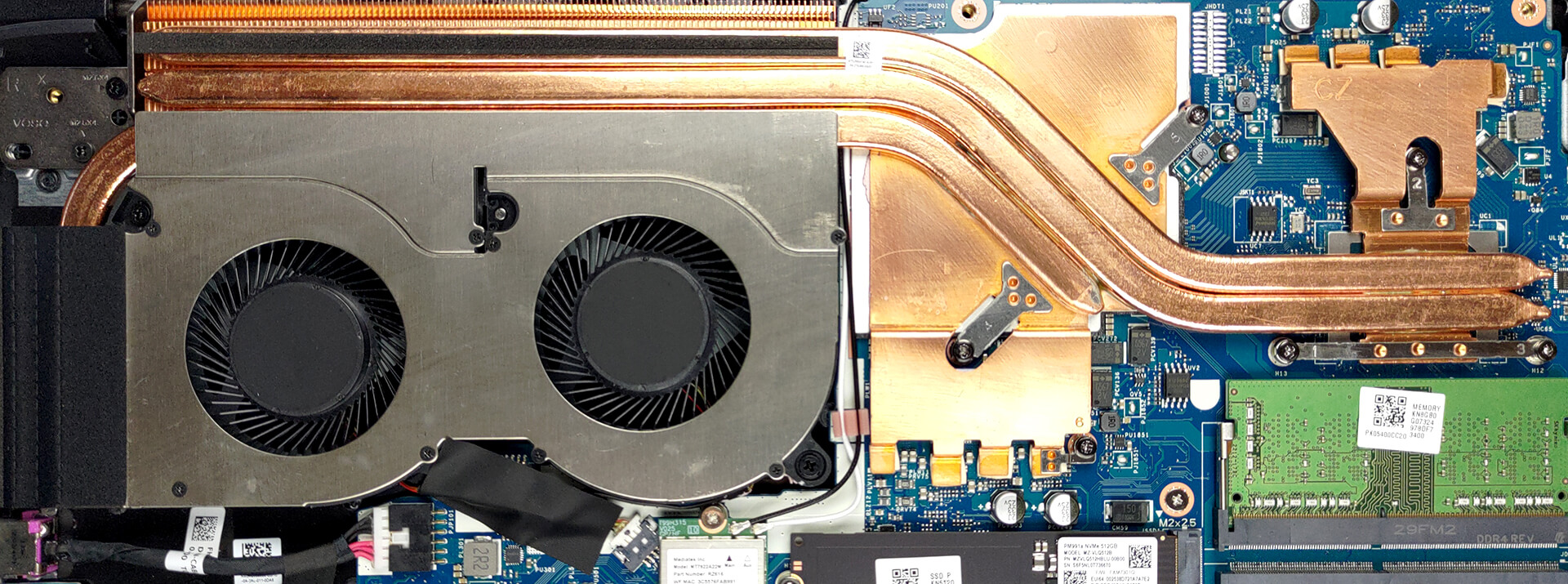
Here, we see that the cooling solution of this device has absolutely no idea that there is a Ryzen 7 5825U squirming beneath it. Personally, we think that Acer should have taken advantage of that, and given the processor an even higher long-term power limit.
Real-life gaming
| NVIDIA GeForce RTX 3050 Ti | GPU frequency/ Core temp (after 2 min) | GPU frequency/ Core temp (after 30 min) | GPU frequency/ Core temp (Max fan) |
|---|---|---|---|
| Acer Aspire 7 (A715-43G) | 1561 MHz @ 67°C @ 59W | 1537 MHz @ 73°C @ 60W | – |
| MSI Sword 17 (A12UD) | 1699 MHz @ 74°C @ 60W | 1669 MHz @ 81°C @ 60W | 1723 MHz @ 66°C @ 60W |
| ASUS Vivobook Pro 16X OLED (M7600) | 1630 MHz @ 82°C @ 59W | 1598 MHz @ 86°C @ 59W | – |
| ASUS Vivobook Pro 14X OLED (N7401) | 1577 MHz @ 69°C @ 50W | 1586 MHz @ 66°C @ 50W | – |
| Dell G15 5520 | 1802 MHz @ 73°C @ 90W | 1800 MHz @ 74°C @ 90W | – |
| Dell Vostro 16 7620 | 1631 MHz @ 76°C @ 63W | 1602 MHz @ 84°C @ 63W | – |
| ASUS Zenbook Pro 14 Duo OLED (UX8402) | 1701 MHz @ 80°C @ 64W | 1694 MHz @ 82°C @ 63W | – |
| Dell XPS 15 9520 | 1168 MHz @ 74°C @ 30W | 1380 MHz @ 75°C @ 38W | – |
| Dell XPS 15 9510 | 1187 MHz @ 74°C @ 40W | 1293 MHz @ 75°C @ 44W | – |
| Microsoft Surface Laptop Studio | 1610 MHz @ 73°C @ 49W | 1629 MHz @ 70°C @ 50W | – |
| ASUS ROG Flow Z13 (GZ301) | 1299 MHz @ 62°C @ 40W | 1285 MHz @ 62°C @ 40W | – |
| Lenovo ThinkBook 15p Gen 2 | 1539 MHz @ 69°C @ 50W | 1536 MHz @ 69°C @ 50W | – |
| HP Omen 16 (16-b0000) | 1781 MHz @ 68°C @ 80W | 1767 MHz @ 71°C @ 80W | – |
| HP Envy 15 (15-ep1000) | 1681 MHz @ 87°C @ 75W | 1376 MHz @ 74°C @ 48W | – |
| ASUS ZenBook Pro 15 OLED (UM535) | 1530 MHz @ 66°C @ 50W | 1529 MHz @ 68°C @ 50W | – |
| HP Pavilion Gaming 15 (15-dk2000) | 1613 MHz @ 65°C @ 60W | 1576 MHz @ 73°C @ 60W | – |
| MSI Sword 15 | 1633 MHz @ 73°C @ 60W | 1605 MHz @ 79°C @ 60W | 1644 MHz @ 69°C @ 60W |
| Dell G15 5511 | 1882 MHz @ 71°C @ 88W | 1878 MHz @ 72°C @ 89W | – |
| Dell G15 5515 | 1857 MHz @ 76°C @ 80W | 1850 MHz @ 77°C @ 80W | – |
| Acer Nitro 5 (AN515-57) | 1616 MHz @ 70°C @ 66W | 1607 MHz @ 72°C @ 65W | 1632 MHz @ 69°C @ 66W |
| MSI Katana GF76 | 1619 MHz @ 76°C @ 60W | 1594 MHz @ 82°C @ 60W | 1632 MHz @ 70°C @ 60W |
The situation on the graphics front, however, reveals why the manufacturer stuck with the lower power limit on the processor. As you can see, the graphics card is being utilized at its fullest, but can’t match the clock speeds of the MSI Sword 17 (A12UD), despite the same power target.
Comfort during full load
On the other hand, the laptop remains relatively quiet. Well… “not loud” would be a more accurate description. Also, the highest temperature we monitored on the keyboard is about 43°C. Unfortunately, the location of the fans means that the heat is concentrated on the left part of the keyboard, instead of the rarely used right portion.

Battery
Now, we conduct the battery tests with the Windows Better performance setting turned on, screen brightness adjusted to 120 nits and all other programs turned off except for the one we are testing the notebook with. The 53Wh battery lasts for 10 hours and 40 minutes of Web browsing, or 9 hours and 10 minutes of video playback.
Luminozitate: 180 nits; Mod Afișaj: SDR
Timp până la Descărcare Completă: Mai mare este mai bun
Pentru a simula condiții reale, am folosit propriul nostru script pentru navigarea automată pe web prin peste 70 de site-uri.
 Author: Alex Iliev
 Author: eng. Kroum NikolovHead of Engineering at LaptopMedia.com, inventor and innovator with 40+ years of experience in electronics and high technology.

![[August 2026] Clasamentul global al celor mai bine vândute plăci grafice pentru laptopuri de pe Amazon – Apple domină clasamentul, iar modelul RTX 5060 de la NVIDIA ocupă primul loc în clasamentul dedicat](https://laptopmedia.com/wp-content/uploads/2026/09/Best-Selling-GPUs-GLOBAL-Top-10-400x225.jpg)
![[August 2026] Clasamentul global al celor mai bine vândute procesoare pentru laptopuri de pe Amazon – Apple domină atât segmentul economic, cât și cel premium: A18 Pro și M5 surclasează Intel și AMD în august 2026](https://laptopmedia.com/wp-content/uploads/2026/09/Best-Selling-CPUs-GLOBAL-Top-10-400x225.jpg)
![[August 2026] Amazon Global: Top 10 cele mai vândute laptopuri – Apple MacBook Neo domină clasamentul, în timp ce laptopurile Windows din gama economică și de mijloc se luptă pentru volumul vânzărilor](https://laptopmedia.com/wp-content/uploads/2026/09/Best-Selling-Laptops-GLOBAL-Top-10-400x225.jpg)
![[August 2026] Cele mai vândute mărci de laptopuri pe Amazon Global – Apple domină în ceea ce privește veniturile, în timp ce HP se află pe primul loc în ceea ce privește varietatea de modele](https://laptopmedia.com/wp-content/uploads/2026/09/GLOBAL-Best-Brands-400x225.jpg)
![[August 2026] Amazon Global: Top 10 cele mai bine vândute laptopuri pentru jocuri – HP Victus 15 ocupă primul loc, în timp ce modelele accesibile domină clasamentul](https://laptopmedia.com/wp-content/uploads/2026/09/Best-Selling-Gaming-Laptops-GLOBAL-Top-10-400x225.jpg)
