Acer Nitro 17 (AN17-51) review – has a capable cooling and great display
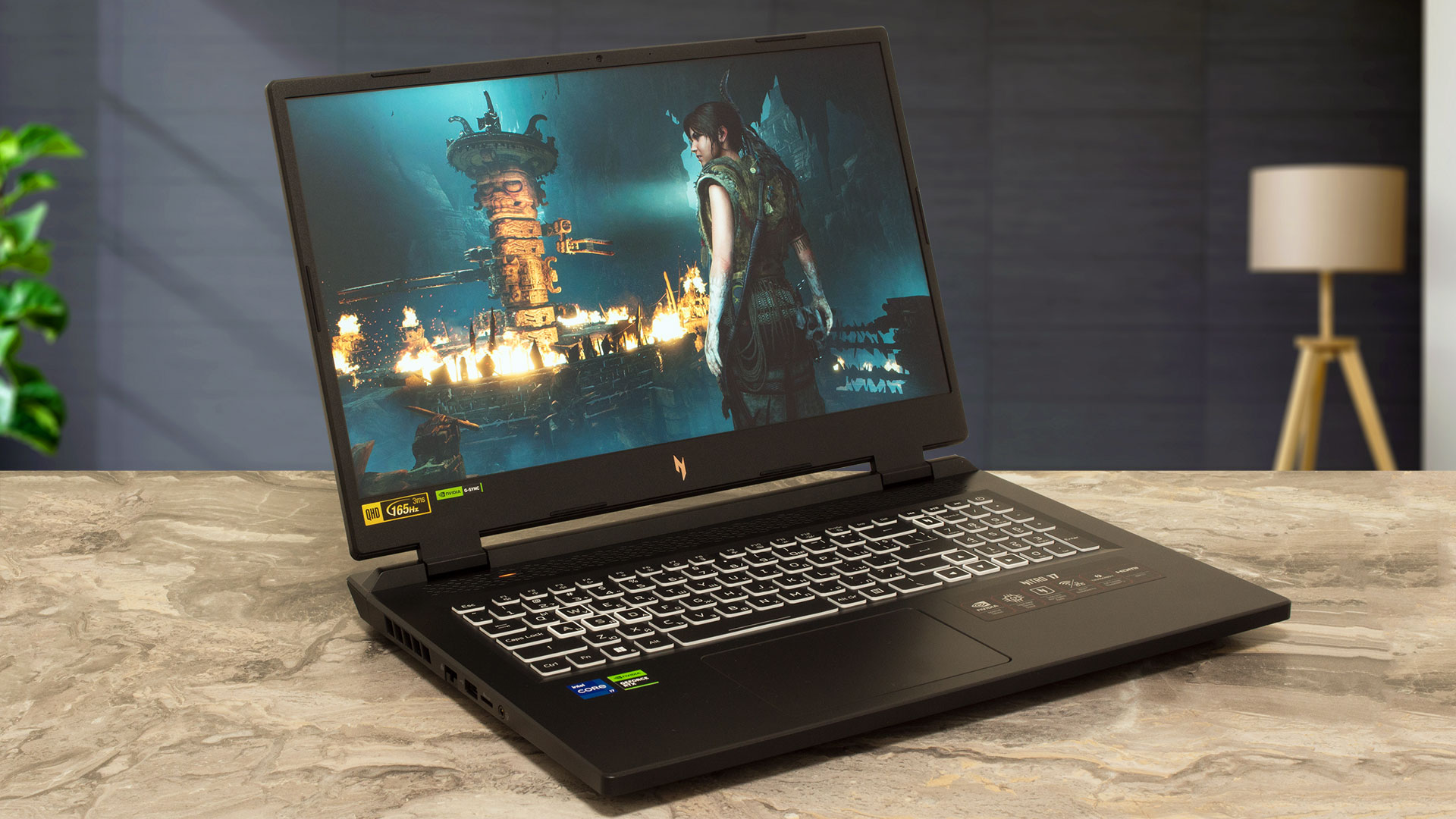 This year Acer is offering some really powerful big-screen budget devices. Like the Acer Nitro 17 (AN17-71) which comes with powerful Intel Raptor Lake HX CPUs. Today we will show you the Acer Nitro 17 (AN17-51) which is almost the same device. The main difference between the two machines is the fact that the AN17-51 iteration can be configured with Raptor Lake H processors instead of HX chips. It’s not a problem at all because the CPU can boost way over its base limit.
So, we have snappy processor options, what about the GPUs? All looks good there – the most powerful one is the 140W GeForce RTX 4060. Display-wise, there are three 17.3″ IPS variants. Two of them are 1080p units with 144Hz and 165Hz refresh rates respectively, and the top dog is a 165Hz 1440p panel that is Nvidia Advanced Optimus capable. Aside from the default model, the other two versions bring G-Sync functionality to the table.
The rest is more or less standard for a gaming laptop in this category – a backlit keyboard, Wi-Fi 6, and modern I/O. The Nitro Sense app is also loaded with features such as custom fan control, four power presets, backlight control, driver updates, etc. There is preapplied liquid metal on the CPU die which should lower the chip temperatures under load compared to a normal thermal grease.
You can check the prices and configurations in our Specs System: https://laptopmedia.com/series/acer-nitro-17-an17-51/
Contents
- Specs, Drivers, What’s in the box
- Design and construction
- Display quality, Health impact (PWM), Sound
- Buy our profiles
- Performance: CPU, GPU, Gaming Tests
- [eBook Guide + Tools] How to MAX OUT your Laptop
- Temperatures and comfort, Battery Life
- Disassembly, Upgrade options, and Maintenance
- Storage performance
- Verdict
Specs, Drivers, What’s in the box
Acer Nitro 17 (AN17-51) - Specificații


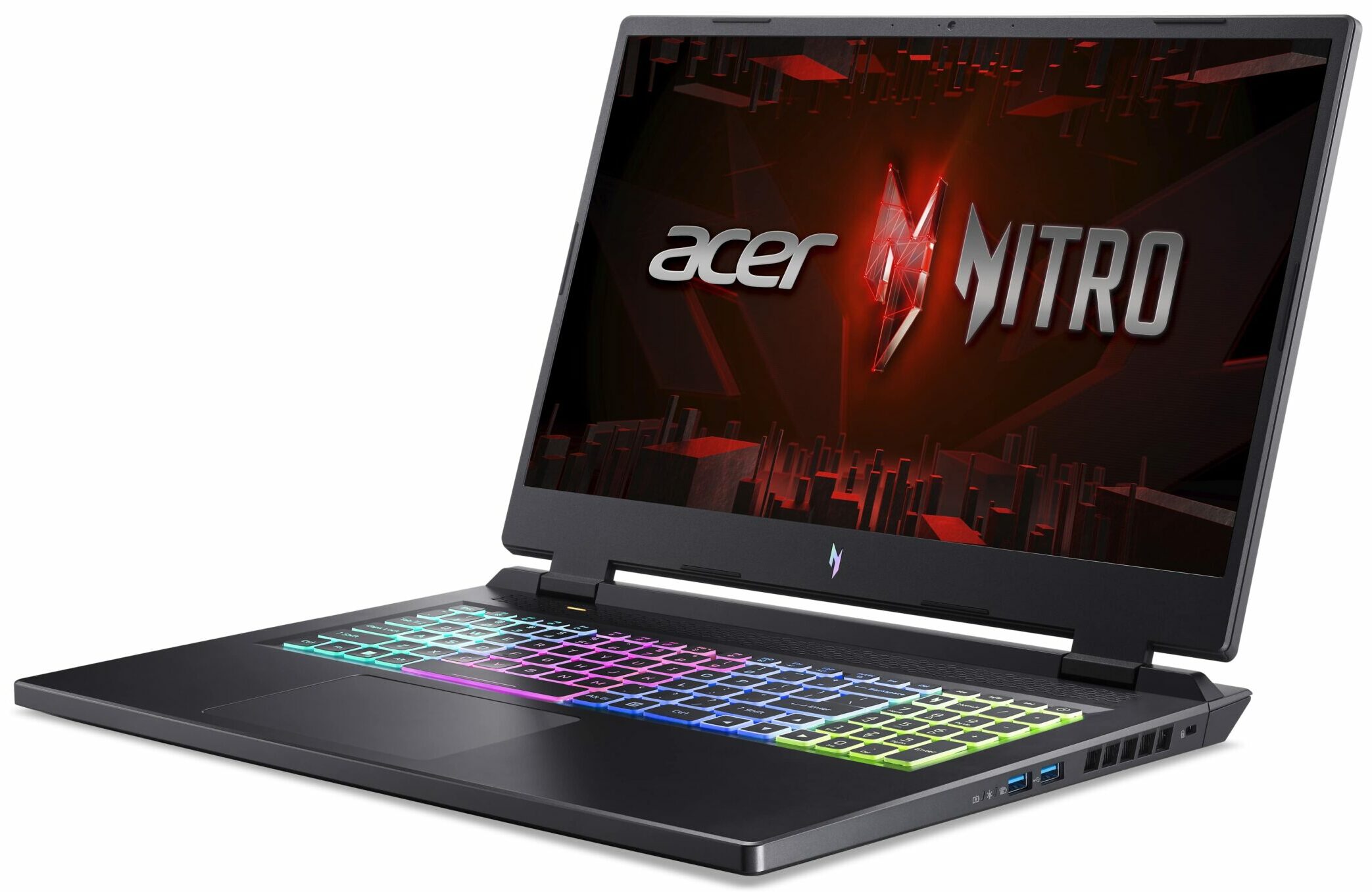
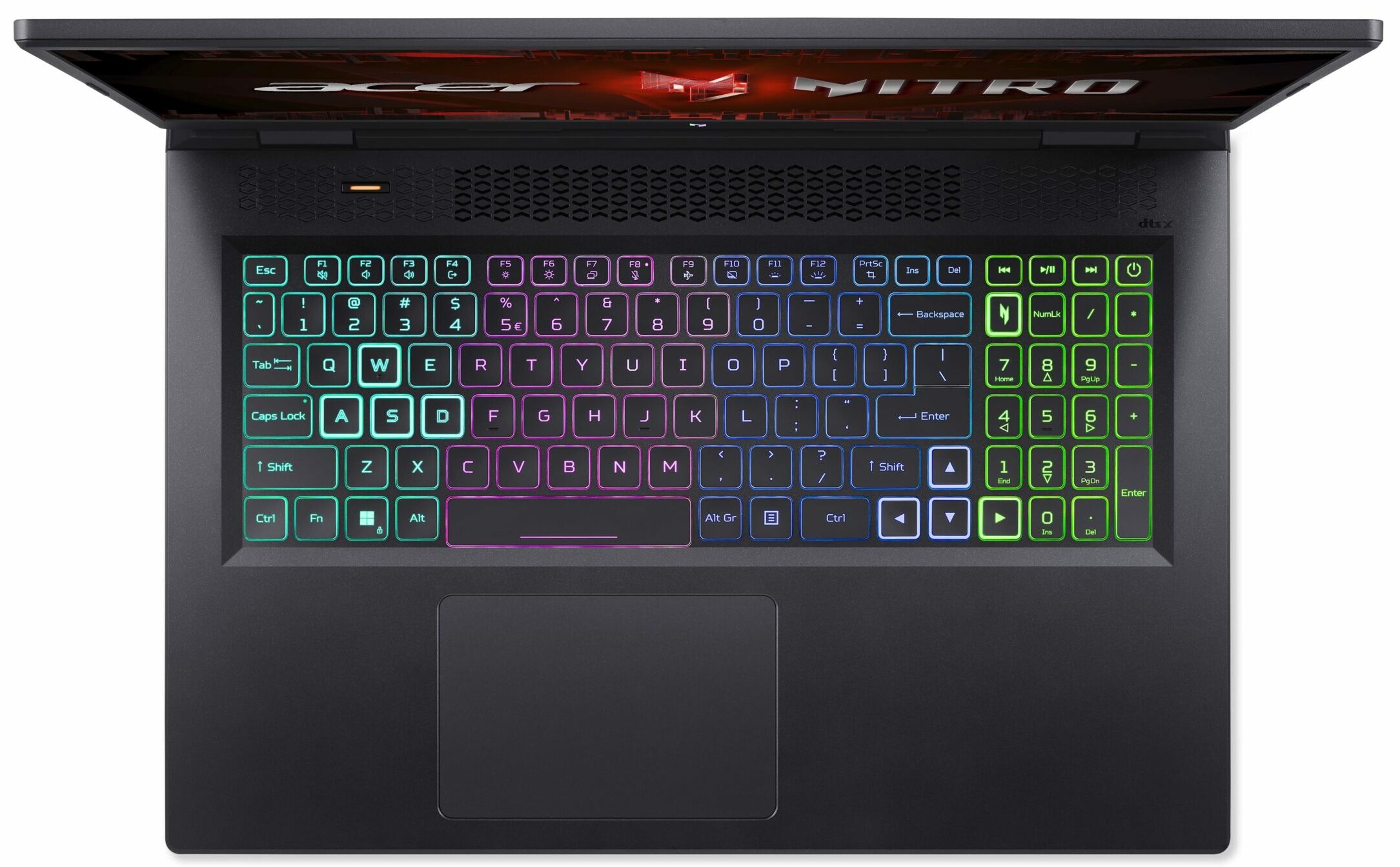


- HDD/SSD
- până la 2000GB SSD
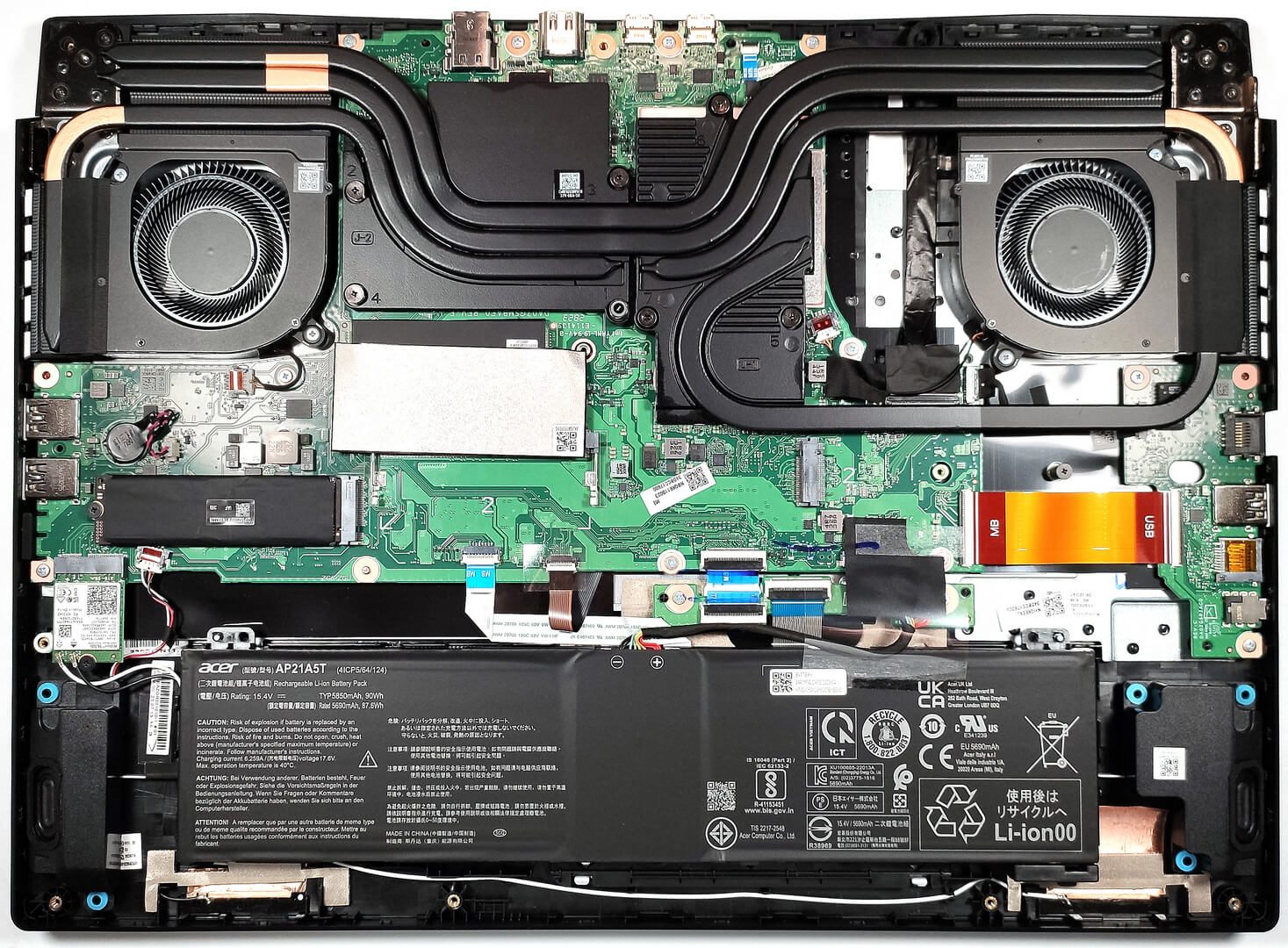
- Slot M.2
- 2x 2280 PCIe NVMe 4.0 x4 Vezi foto
- RAM
- up to 64GB
- SO
- No OS, Windows 11 Home, DOS, Windows 11 Pro
- Baterie
- 90Wh, 4-cell, 4-cell , 57Wh, 4-cell
- Material Carcasă
- Plastic / Polycarbonate
- Dimensiuni
- 400.2 x 293.25 x 27.9 - 28.9 mm (15.76" x 11.55" x 1.10")
- Greutate
- 3.00 kg (6.6 lbs)
- Porturi și conectivitate
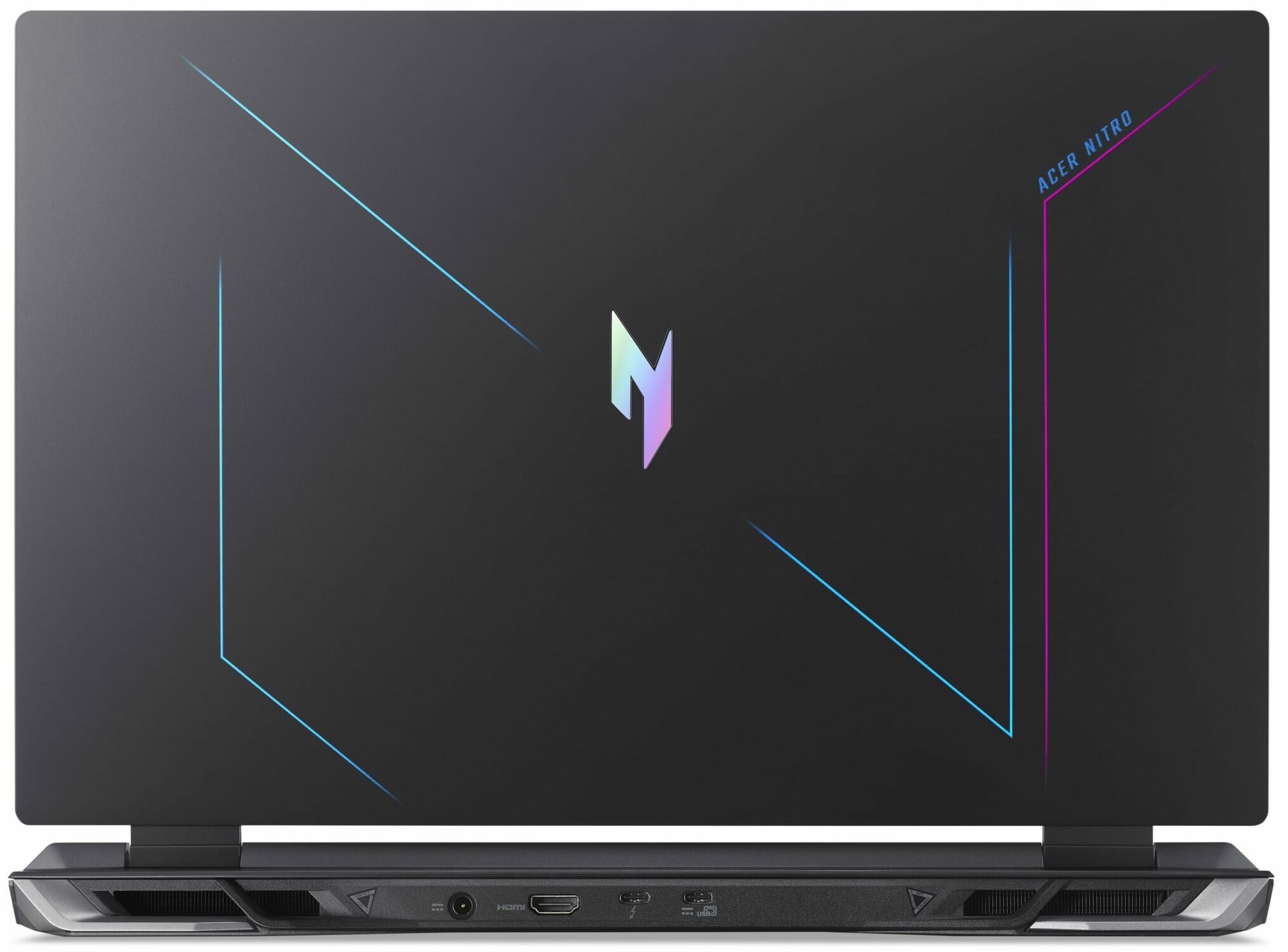
- 1x USB Type-A
- 3.2 Gen 1 (5 Gbps)
- 1x USB Type-A
- 3.2 Gen 2 (10 Gbps)
- 1x USB Type-A
- 3.2 Gen 2 (10 Gbps), Sleep and Charge
- 1x USB Type-C
- 3.2 Gen 2 (10 Gbps), Power Delivery (PD), DisplayPort
- 1x USB Type-C
- 3.2 Gen 2x2 (20 Gbps), Thunderbolt 4, Power Delivery (PD), DisplayPort
- HDMI
- 2.1
- Cititor de carduri
- microSD (microSD, microSDHC, microSDXC)
- Ethernet LAN
- 10, 100, 1000 Mbit/s
- Wi-Fi
- 802.11ax
- Bluetooth
- 5.1
- Mufă audio
- 3.5mm Combo Jack
- Caracteristici
- Cititor de amprente
- Cameră web
- HD with Temporal Noise Reduction
- Tastatură iluminată
- Microfon
- Dual Microphones with Acer Purified Voice, AI noise reduction
- Difuzoare
- Speakers by DTS X: Ultra Audio
- Unitate optică
- Slot blocare securitate
- Kensington Lock
Toate Acer Nitro 17 (AN17-51) configurații
Drivers
All drivers and utilities for this notebook can be found here: https://www.acer.com/us-en/support/product-support/Nitro_AN17-51/downloads?suggest=an17-51;1
What’s in the box?
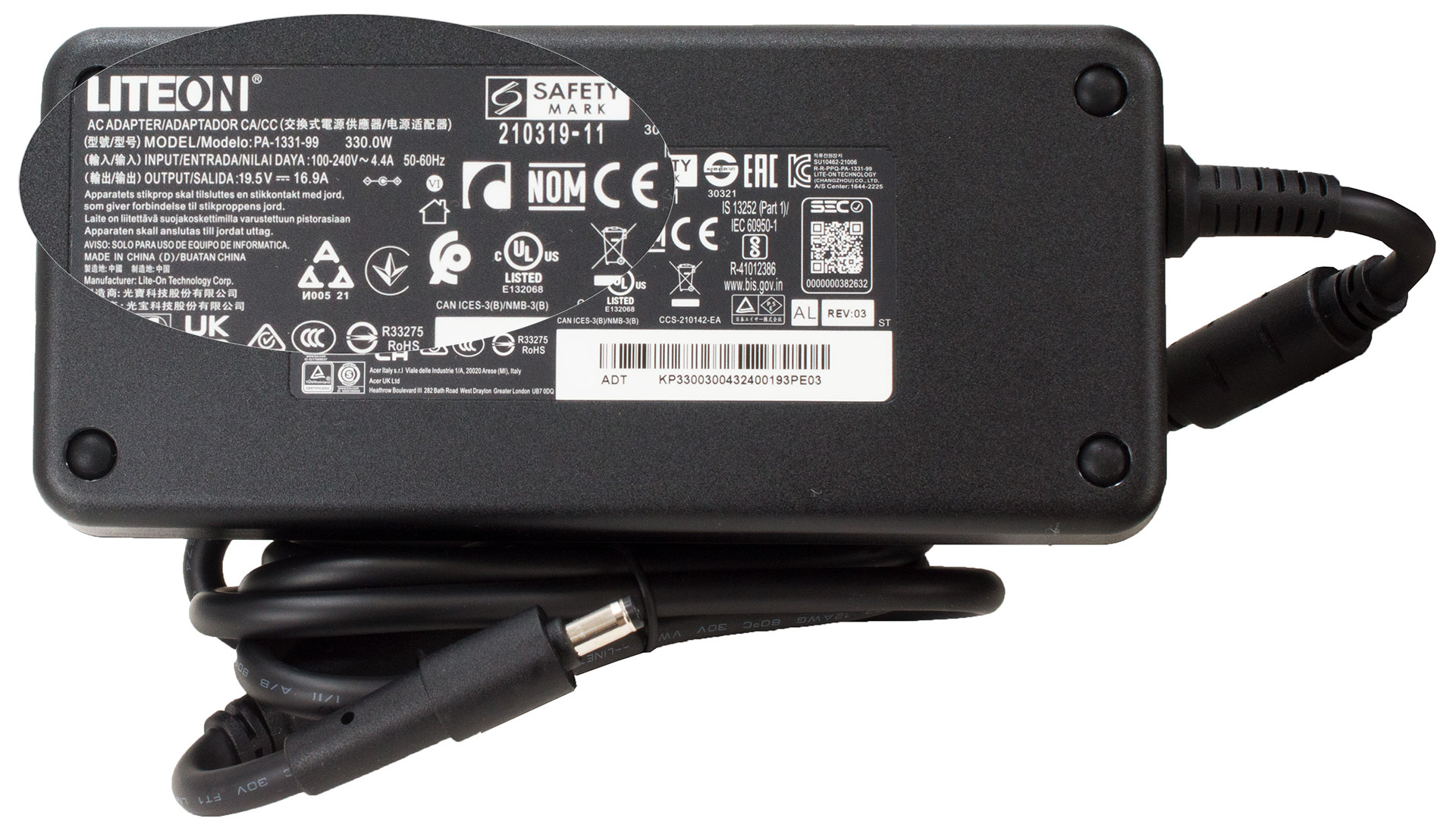
Inside the box, you will find some manuals and an enormous 330W power adapter that weighs over a kilo. The least power configurations are bundled with a 230W charger.
 Author: Nikolay Palaozov
 Author: eng. Kroum NikolovHead of Engineering at LaptopMedia.com, inventor and innovator with 40+ years of experience in electronics and high technology.

![[August 2026] Amazon Global: Top 10 cele mai vândute laptopuri – Apple MacBook Neo domină clasamentul, în timp ce laptopurile Windows din gama economică și de mijloc se luptă pentru volumul vânzărilor](https://laptopmedia.com/wp-content/uploads/2026/09/Best-Selling-Laptops-GLOBAL-Top-10-400x225.jpg)
![[August 2026] Cele mai vândute mărci de laptopuri pe Amazon Global – Apple domină în ceea ce privește veniturile, în timp ce HP se află pe primul loc în ceea ce privește varietatea de modele](https://laptopmedia.com/wp-content/uploads/2026/09/GLOBAL-Best-Brands-400x225.jpg)
![[August 2026] Amazon Global: Top 10 cele mai bine vândute laptopuri pentru jocuri – HP Victus 15 ocupă primul loc, în timp ce modelele accesibile domină clasamentul](https://laptopmedia.com/wp-content/uploads/2026/09/Best-Selling-Gaming-Laptops-GLOBAL-Top-10-400x225.jpg)
![[August 2026] Best-Selling Laptop Brands on Amazon Japan – Apple Dominates Market Share and Revenue Led by Strong Unit Sales](https://laptopmedia.com/wp-content/uploads/2026/09/CO.JP-Best-Brands-1-400x225.jpg)
![[August 2026] Best-Selling Laptop Brands on Amazon USA – Apple Dominates Market Revenue and Volume Despite Lower Model Diversity](https://laptopmedia.com/wp-content/uploads/2026/09/COM-Best-Brands-1-400x225.jpg)

I have this laptop, but with Micron 3400 512Gb Ssd and 2×8 GB Ram
I undervolted Rtx 4060 via Msi afterburner (2250 Mhz at 0.825 V) max TGP is 68W with minimal loose of fps and GPU memory is set +1000 (18 Gbps)
I disabled E cores in Bios and set CPU PL1/PL2 manually to 65/85W this will assure max turbo 5 GHz and in stress mode all core turbo ~4.1 GHz all time (4.5 Ghz for 30 sec)
With this settings I have solid performance in games, much lower temps and power draw overall
how did you adjust pl1/pl2 manually? I have this same laptop and the cpu runs way too hot, i also cant adjust the fan curv e and auto mode does not keep it cool enough.