ASUS K550JX review – a substitute for the budget-oriented gaming notebook GL552JX
 And yet another budget notebook that’s aimed for gaming was in our lab – ASUS K550JX. At first glance of the specs sheet, it can easily be mistaken with the old version of GL552, which we reviewed a few months back. But besides the CPU and GPU, from design to hardware, both notebooks are totally different. Of course, with a price difference of €100, the K500JX compromises in screen quality and keyboard backlight., but the gap should have been filled after the GL552 became more expensive with better hardware.
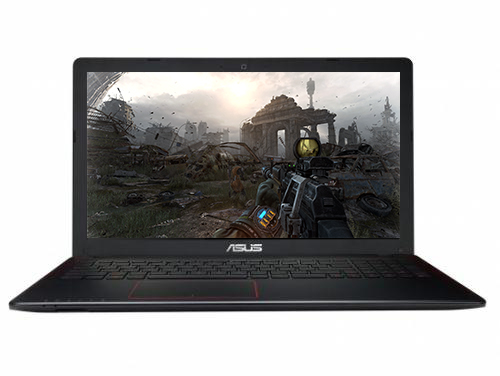
However, we are not here to talk about the difference between the old GL552 and the K550JX but to see if the machine can handle more serious gaming. Despite the machine not being part of the ROG (Republic of Gamers) lineup, the GPU (GeForce 950M) and CPU (Intel Core i7-4720HQ) paired with 12GB DDR3 RAM suggest otherwise. There’s a little red pattern on the back and on the interior of the notebook hinting the ROG inheritance. At this price the offering is lucrative, but what about the display quality? Let’s find out.
If you are interested in the availability of the notebook, follow this link: http://amzn.to/1H4zfxH
Contents
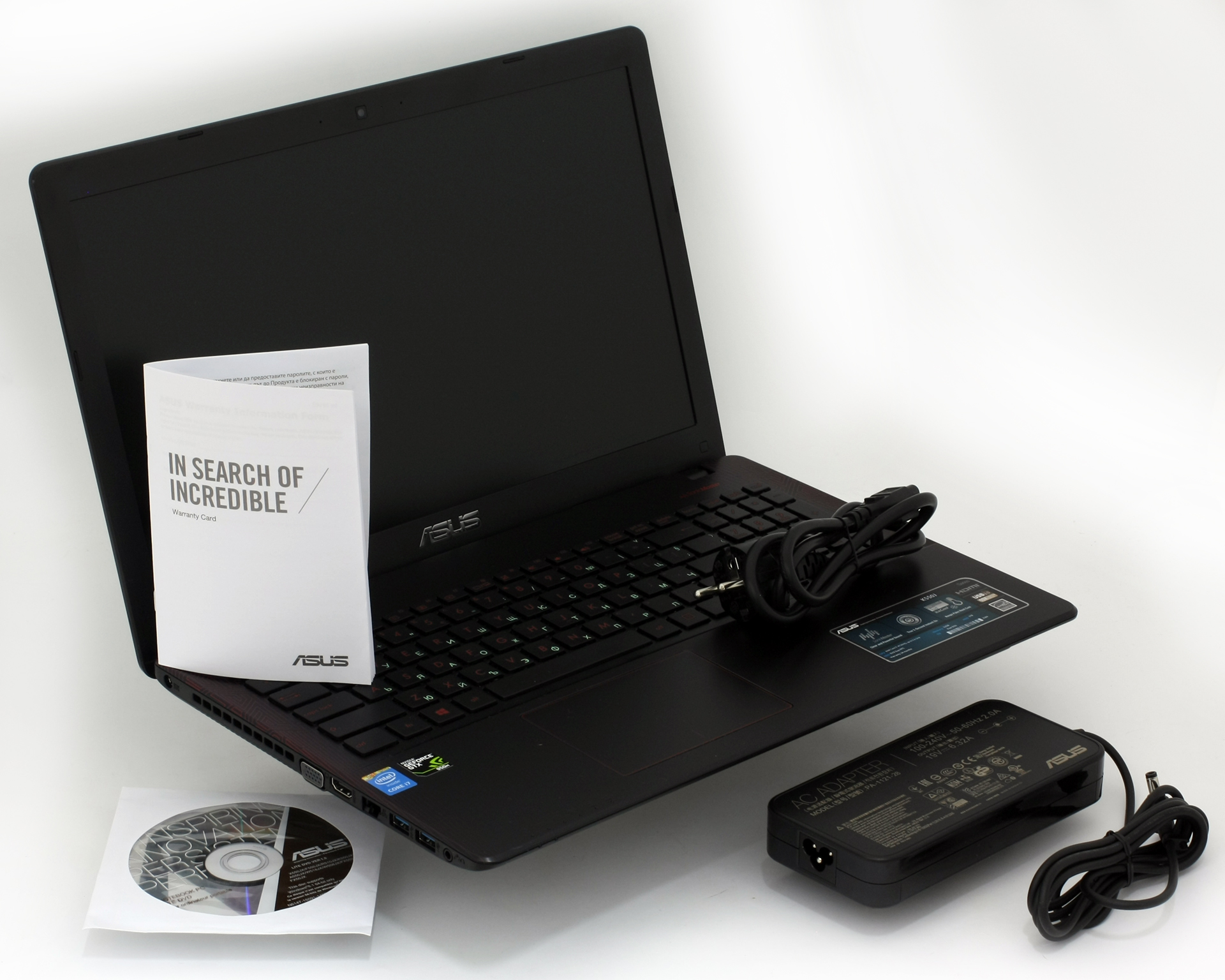
Retail package
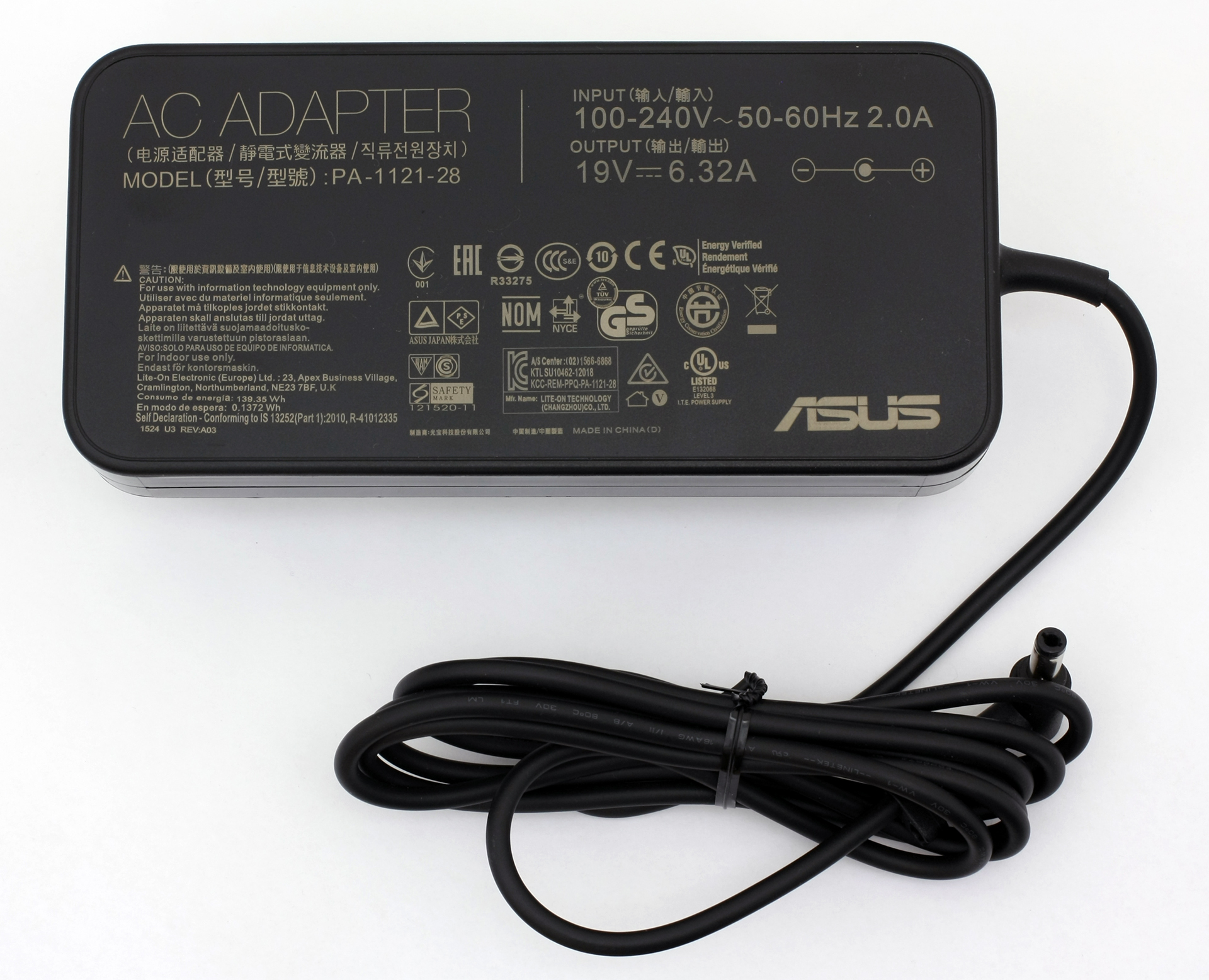
The package doesn’t offer anything out of the ordinary besides the usual user manuals, DVD with drivers, the AC adapter, and charging cable.
Design and construction
As a notebook at this price range with relatively powerful hardware, there isn’t much to be expected in terms of build quality. We are somewhat left with mixed feelings about the construction and design.

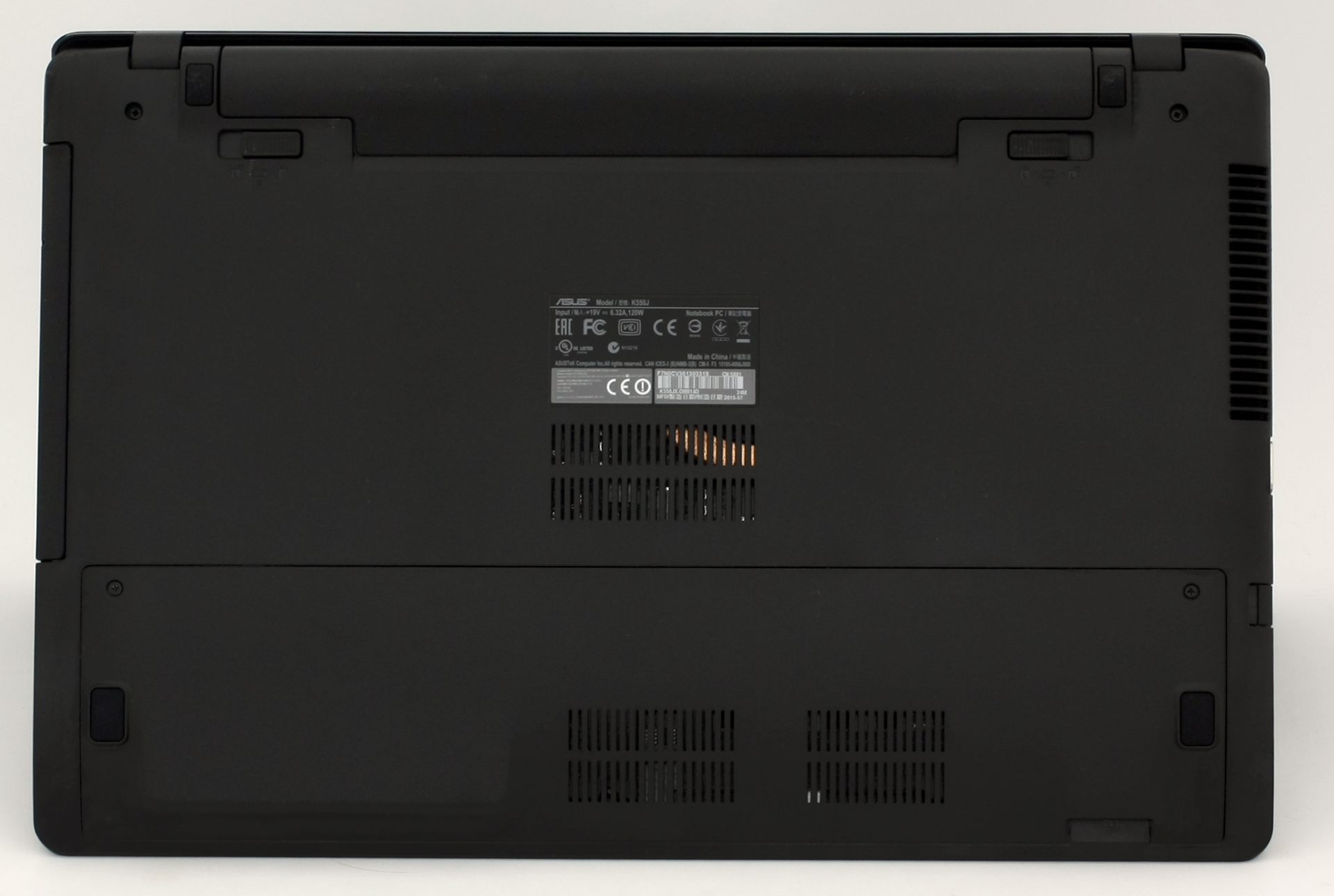
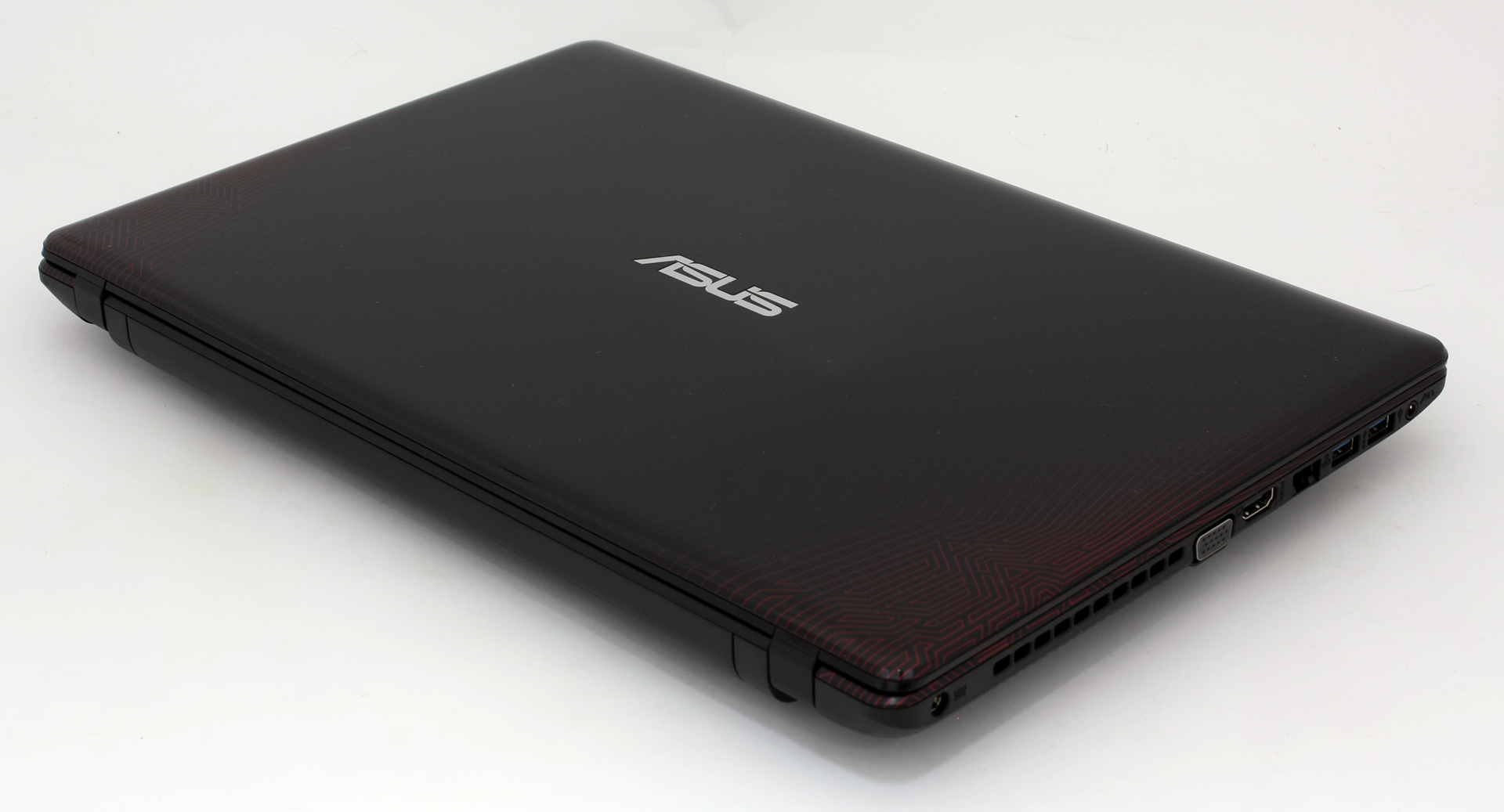
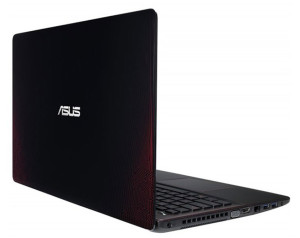
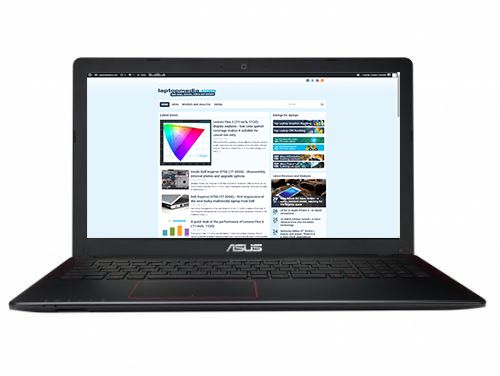
The lid is made of glossy plastic with ASUS’ logo in the middle and while the better part is in black, there are little red stripes and patterns on the back. We definitely liked those and kind of reminds us of the same pattern used for ASUS GL552JX’ chassis. Applying pressure on the back causes big ripples on the screen, so leaving heavy objects on the lid isn’t advisable. On the other side of the lid, you will find the 15.6-inch screen with ASUS’ logo at the bottom. Bezels are relatively thin and the top one houses the built-in webcam.
The bottom also kind of resembles the GL552 using the same hard plastic cover and small service cover that hides the most common upgrade options like RAM and 2.5-inch drive. The rest of the bottom side includes extra vents for more airflow that can be used with an additional cooling pad.
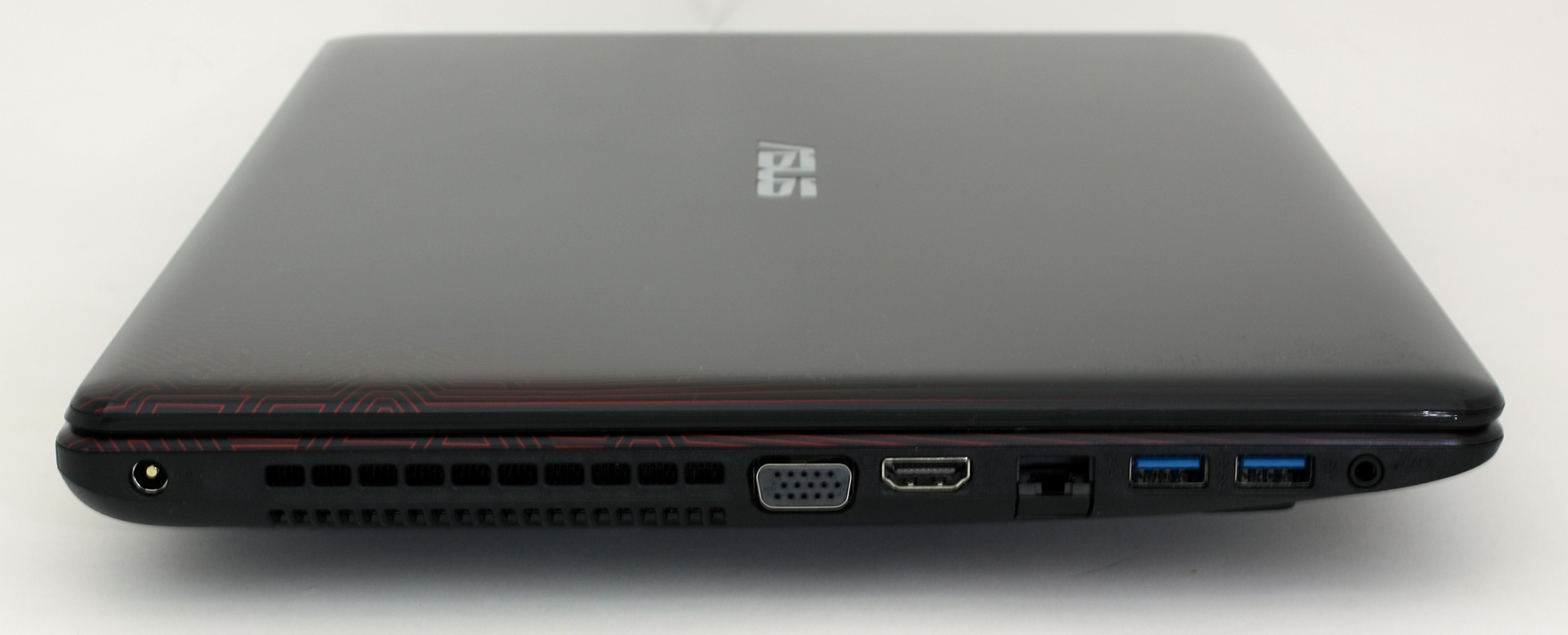
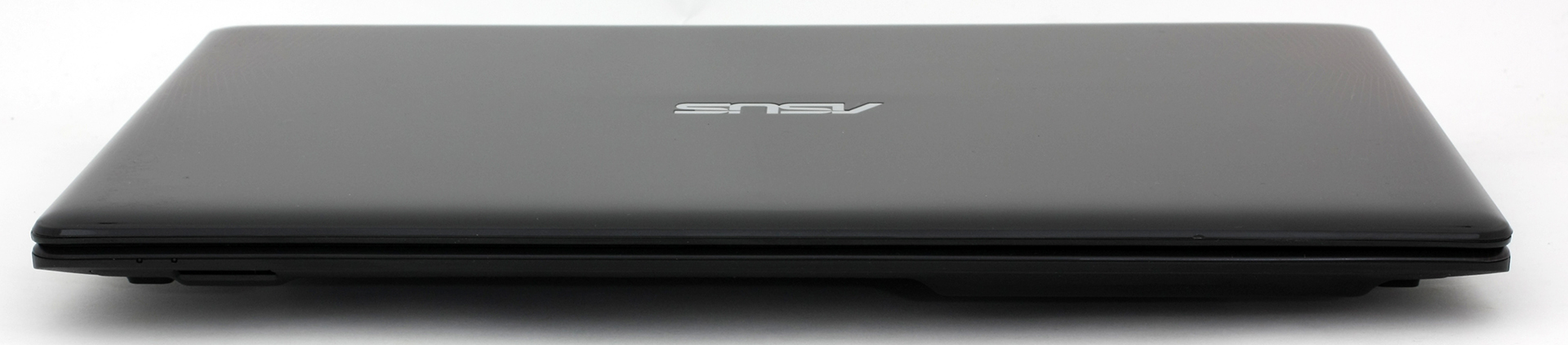
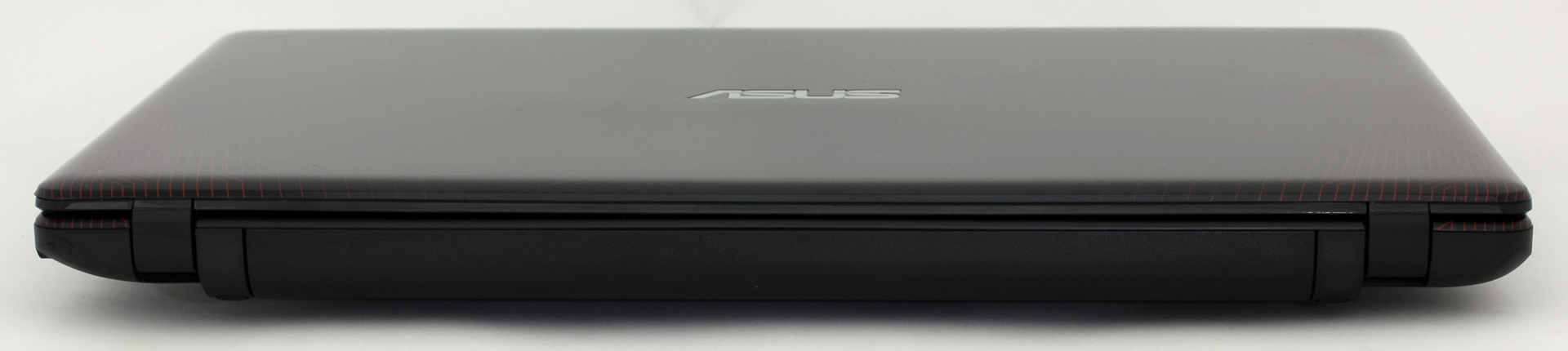

As we go around the sides, which are quite thin, we find all the usual ports and connectors. The left side accommodates the main vent for dispersing the heat, DC charging port, VGA, HDMI, RJ-45, 3.5 mm audio jack and two USB 3.0 ports. This means that the most commonly used ports are placed on the left and this will surely help using an external mouse in small workspaces better. As for the right side, it’s pretty clean – only one USB 2.0 port and the optical drive.
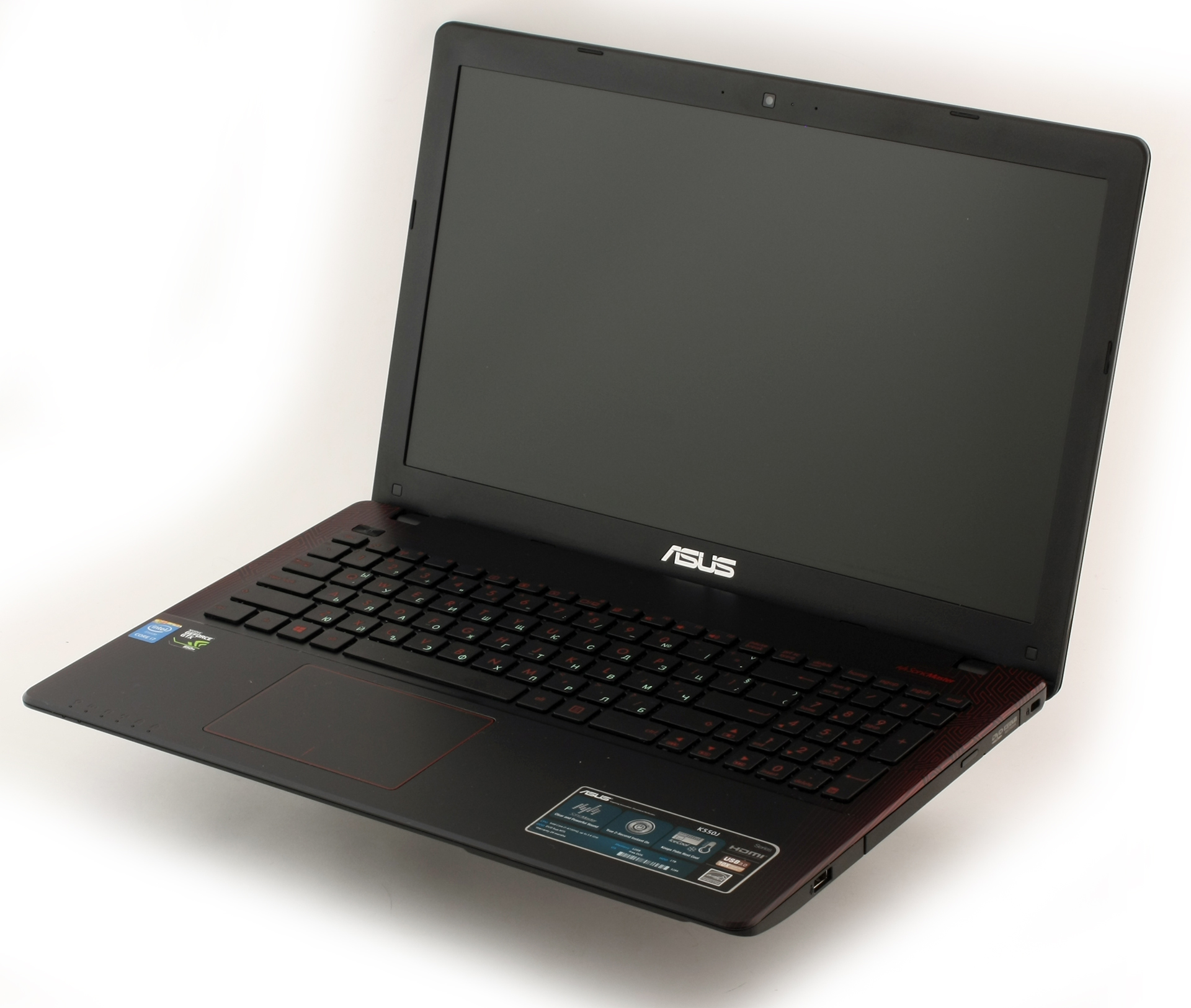
Opening the lid reveals the interior that will surely make you think of a ROG notebook. The same red stripes and patterns are placed on the plastic surface around the keyboard, the keyboard itself is in red, but there’s no LED backlight. Yes, most of the users type without looking at it, but the one time you will need to find a specific “Fn” key or the volume buttons will be a hassle. Some other variants on the market do include LED keyboard backlight and the same would have been appreciated here. We are not sure if this notebook is aimed for multimedia or gaming, but in both cases two important factors are missing – IPS LCD screen and LED keyboard backlight. Still, for the price point we can’t be too picky.
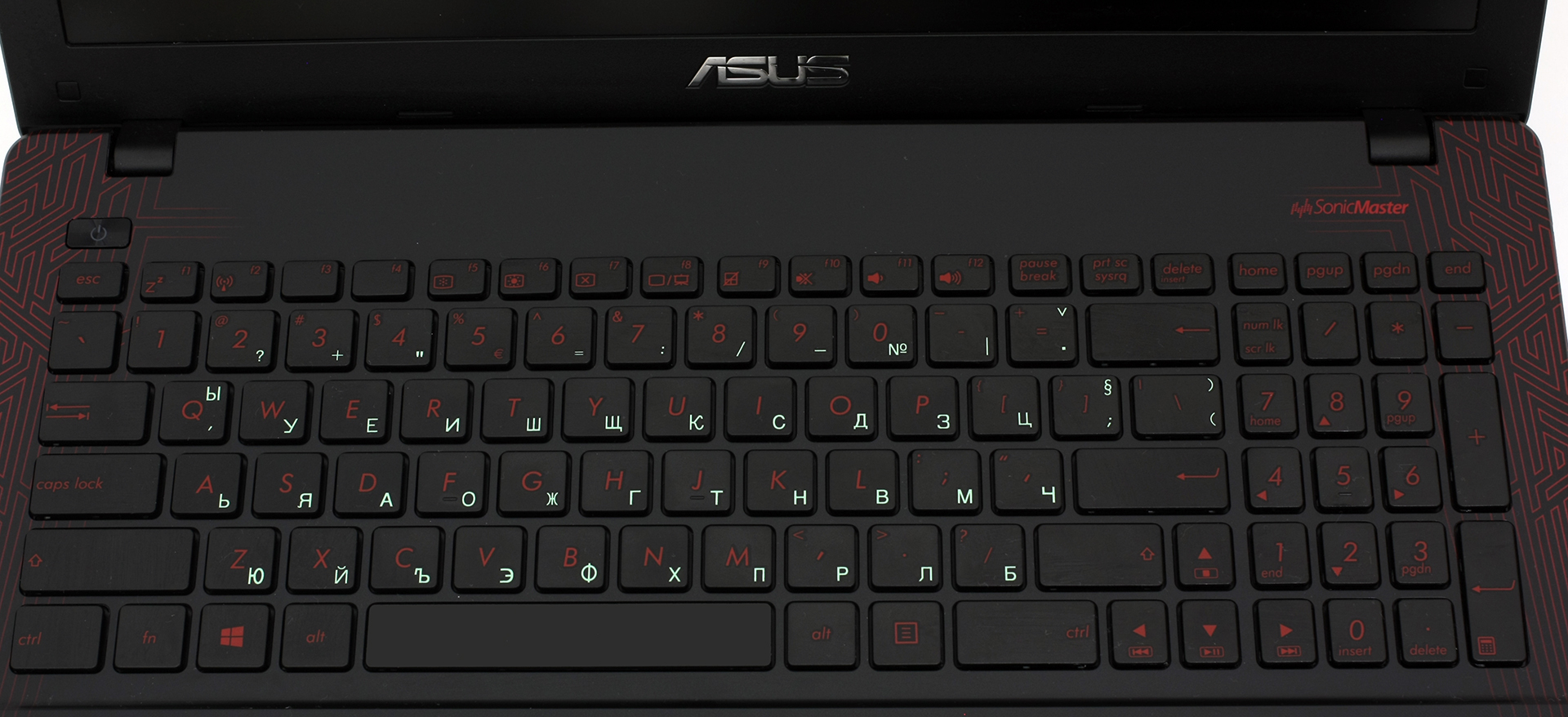
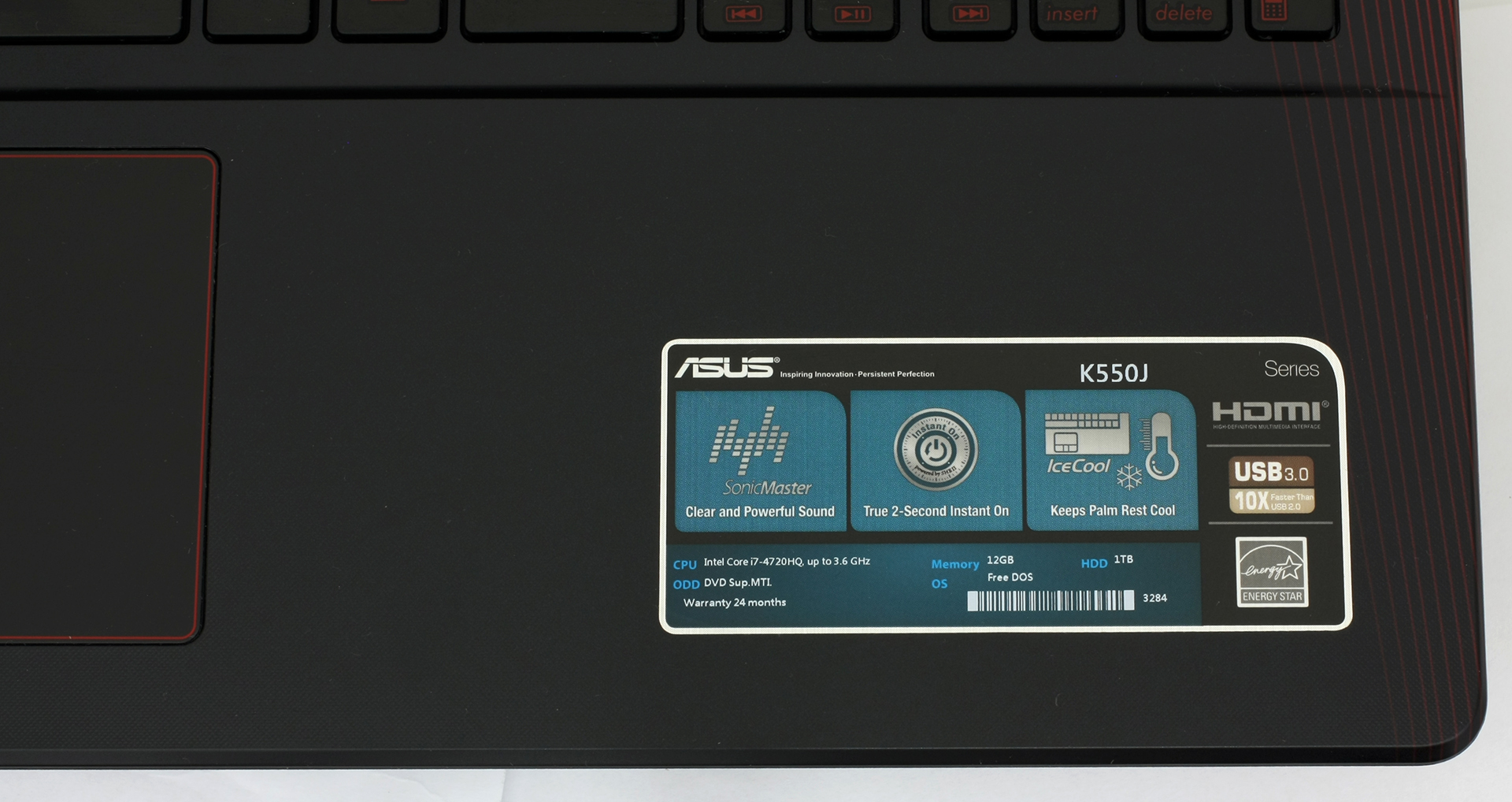
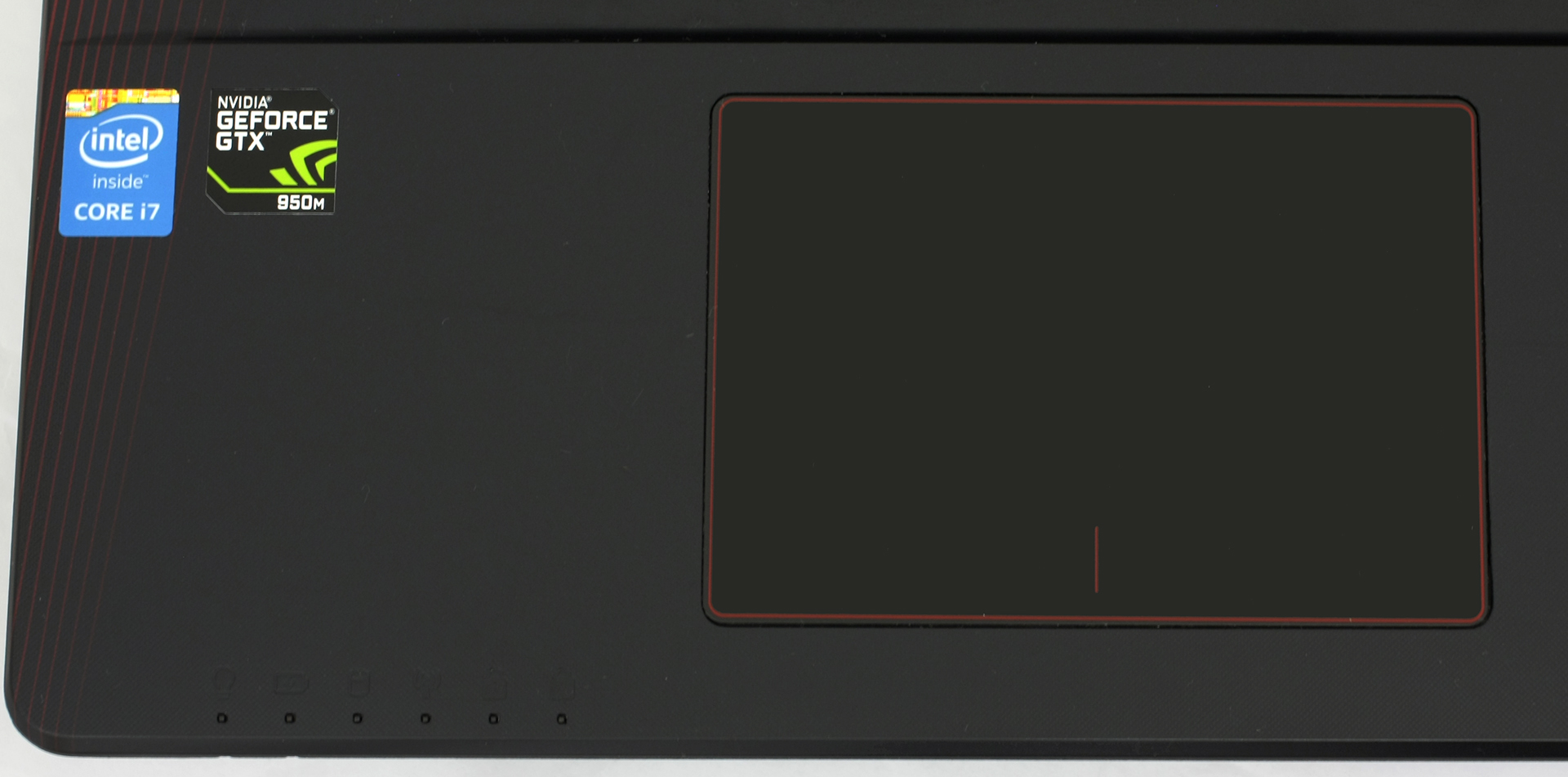
Going back to the keyboard – keys feel okay with enough travel and good tactile feedback, but nothing too special. The touchpad is mostly good for the price of the K550JX – it’s responsive, accurate, but a bit stiff. Clicking is a challenge at times so bigger pressure has to be applied for the trackpad to register a mouse click. At least it doesn’t wobble as the one on the old version of GL552.

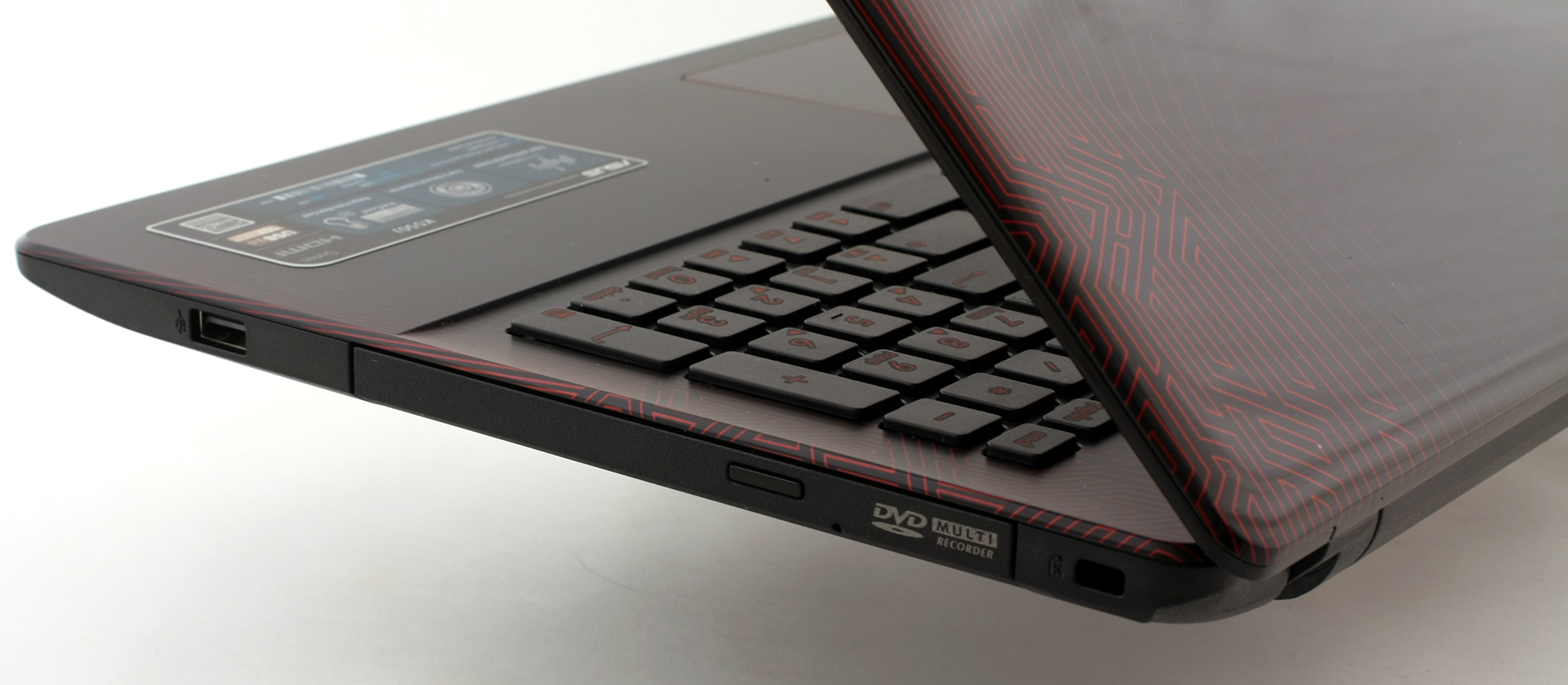
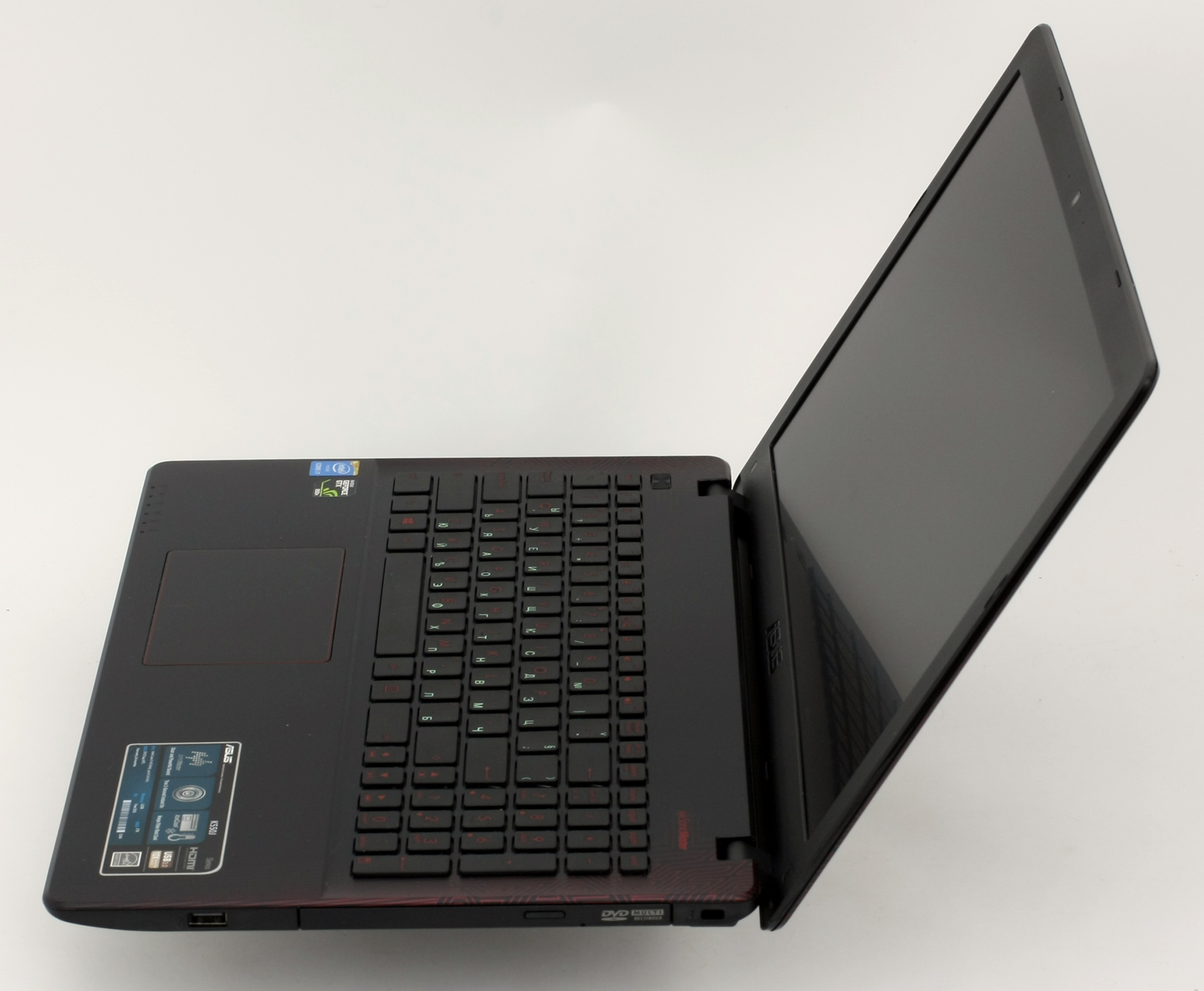
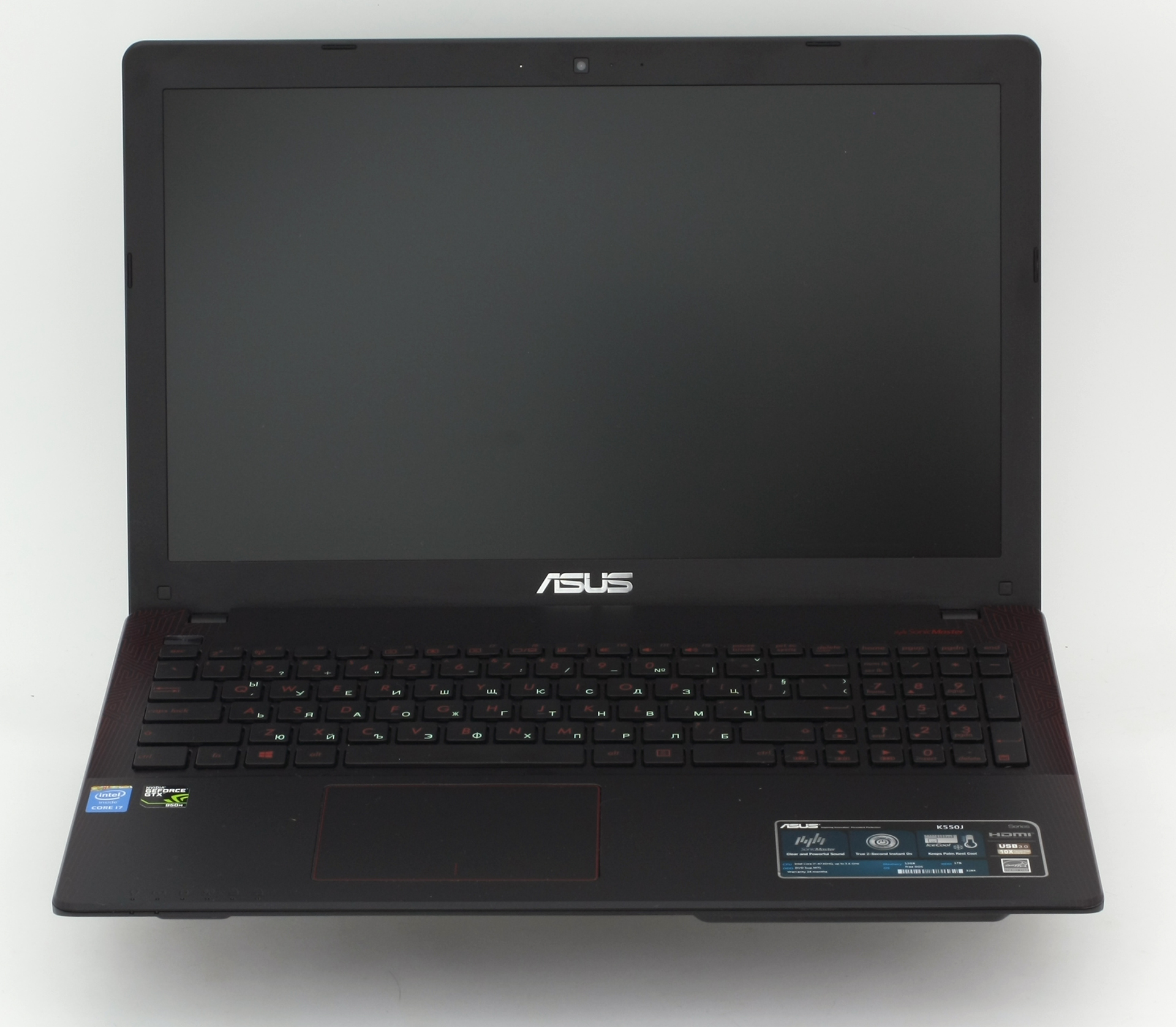
While the design is appealing, the keyboard is comfortable, the sides are relatively thin and the pattern on the back looks cool, there are some things that cannot be overlooked – the glossy finish is a fingerprint magnet (the interior as well), doesn’t feel sturdy enough and the plastic used for the lid and interior bends like crazy. That’s the compromise you have to make for a decent hardware that’s capable of running some of the latest games.
Display and sound
ASUS K550JX uses a Full HD TN panel with model number N156HGE-EAB manufactured by INNOLUX. It also has anti-glare hard coating (3H) in a 15.6-inch diagonal size and 16:9 aspect ratio. With a resolution of 1920 x 1080, the panel has a pixel density of 141 ppi and pixel pitch of 0.18 x 0.18 mm. It can be considered as “Retina” if viewed from a distance equal or greater than 61 cm.
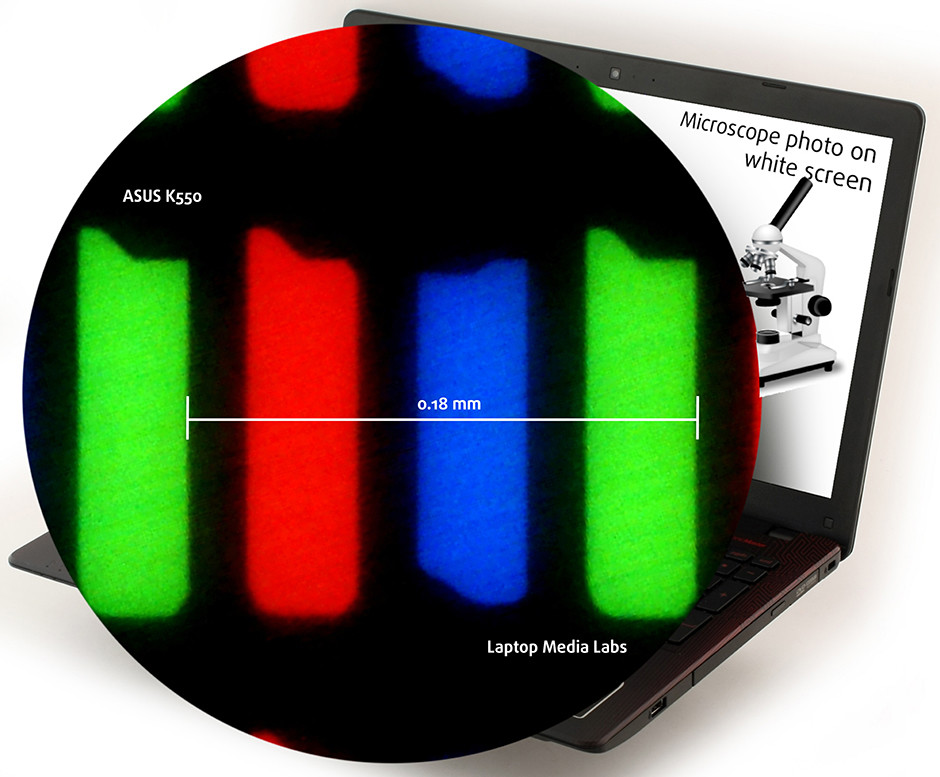
Due to the TN panel, K550’s display has poor viewing angles as you can see from the image below that represents a 45-degree incline.

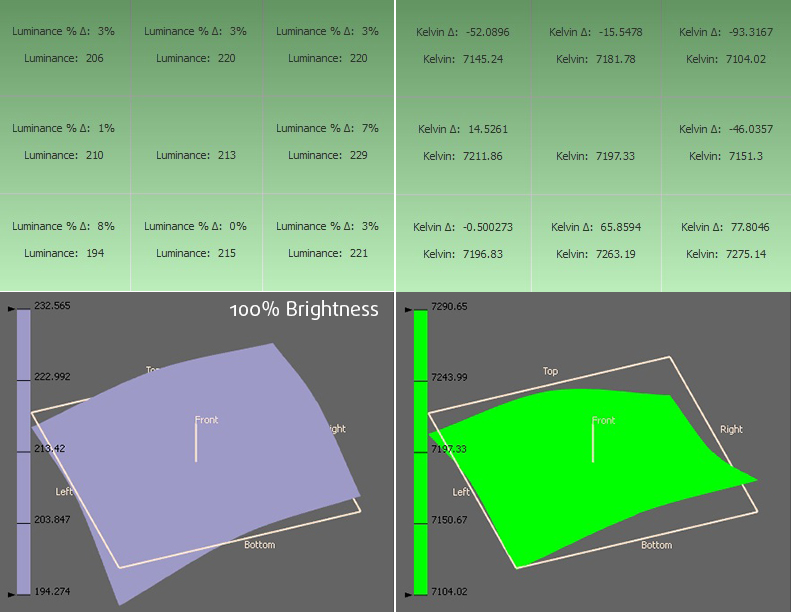
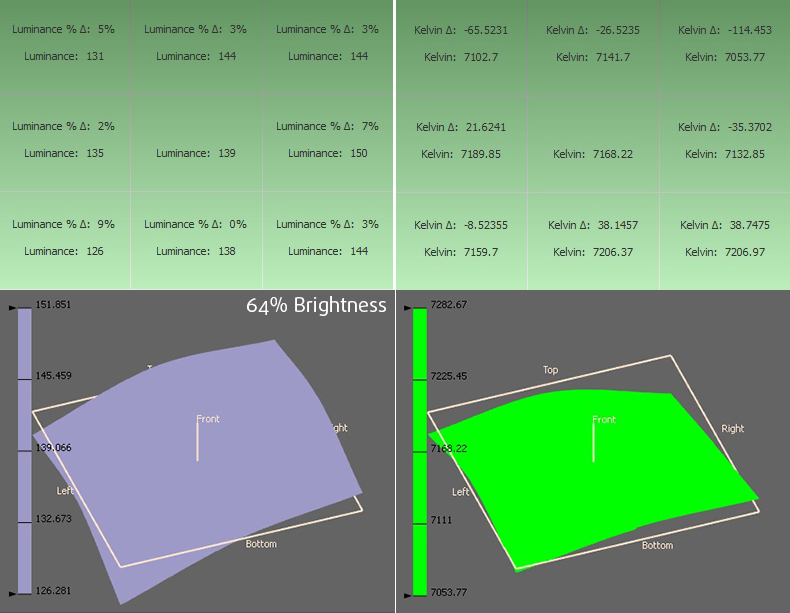
The maximum recorded brightness is 214 cd/m2 with a deviation of only 8% while the average color temperature on the surface of the screen is 7190K – daylight type of light, colder than the optimal one of 6500K(D65), but still close enough. No unacceptable deviations.
Color reproduction
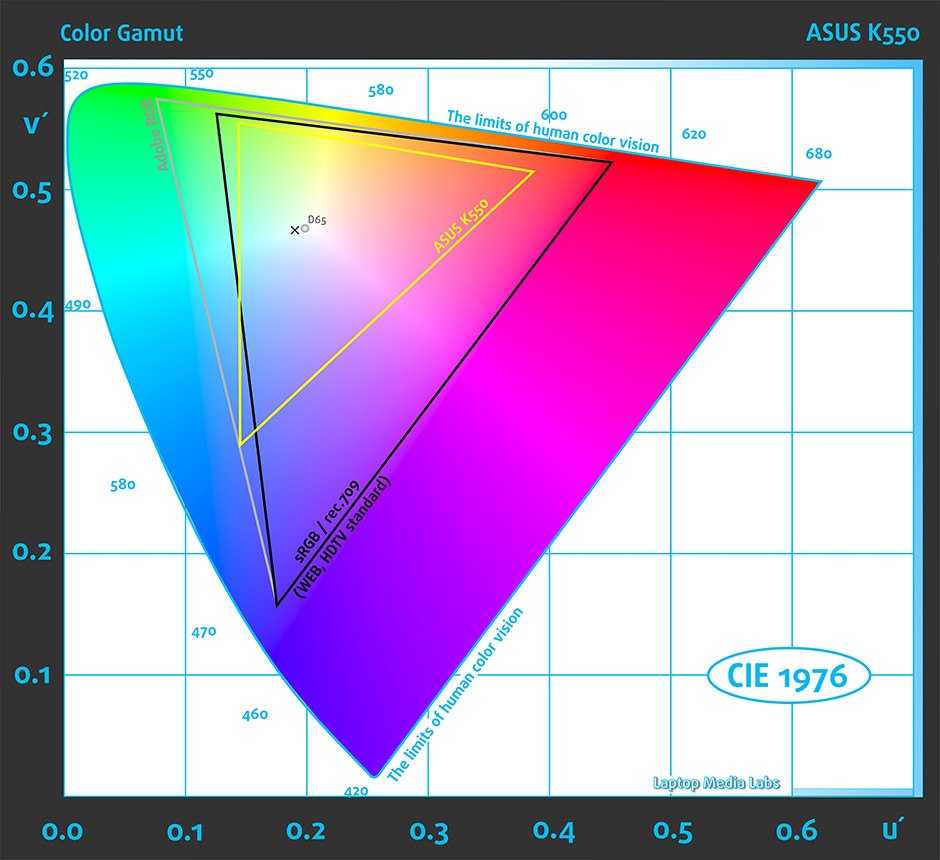
To make sure we are on the same page, we would like to give you a little introduction of the sRGB color gamut and the Adobe RGB. Starting with the CIE 1976 Uniform Chromaticity Diagram that represents the visible specter of colors by the human eye giving you a better perception of the color gamut coverage and the color accuracy. Inside the black triangle, you will see the standard color gamut (sRGB) that has been used by millions of people in HDTV and the Web. As for the Adobe RGB, this is used by professional cameras, monitors and etc. used for printing. Basically, colors inside the black triangle are used by everyone and this is the essential part of the color quality and color accuracy.
The yellow triangle represents the color gamut coverage that the display has and it’s only 50% sRGB in this case.
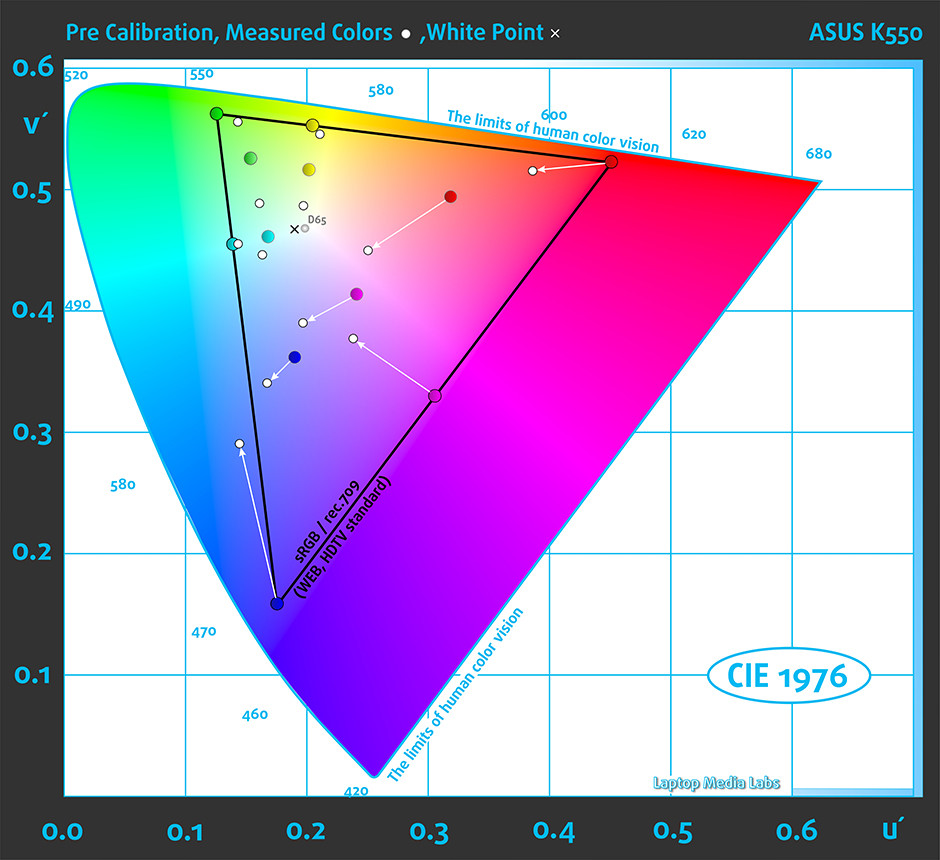
Below you will see practically the same image, but we’ve adjusted the screen brightness to 140 cd/m2. Color circles represent the reference colors and white circles being the result. You can see main and additional colors with 100% and 50% saturation inside the sRGB gamut.
We’ve set the display at 140 cd/m2 brightness and color temperature to 6500K.
We used X-Rite i1Display Pro for profiling.
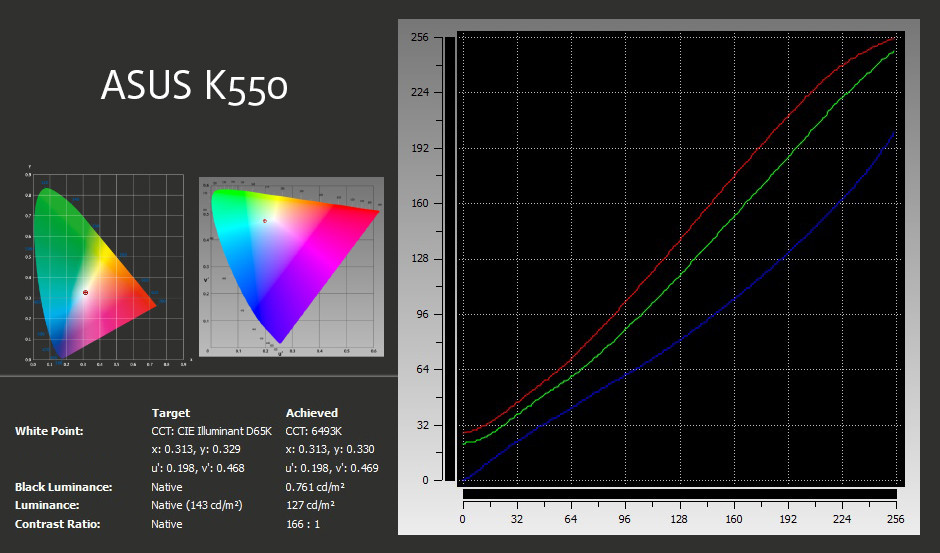
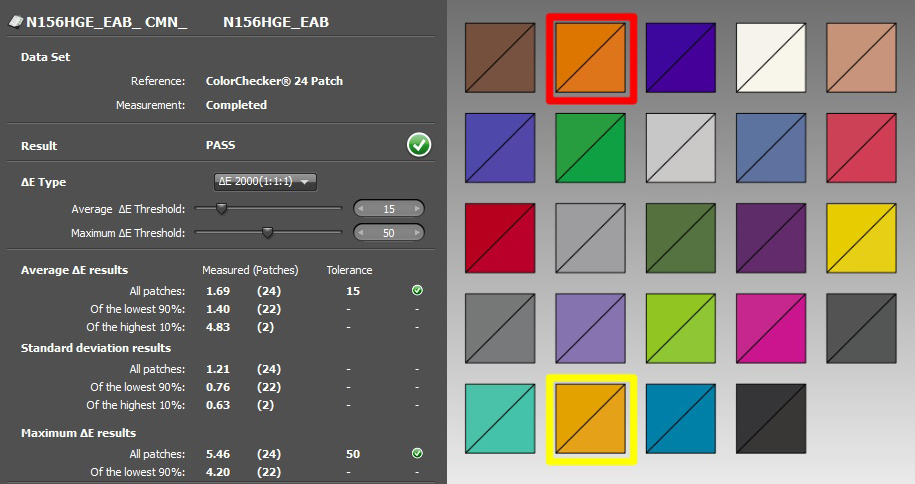
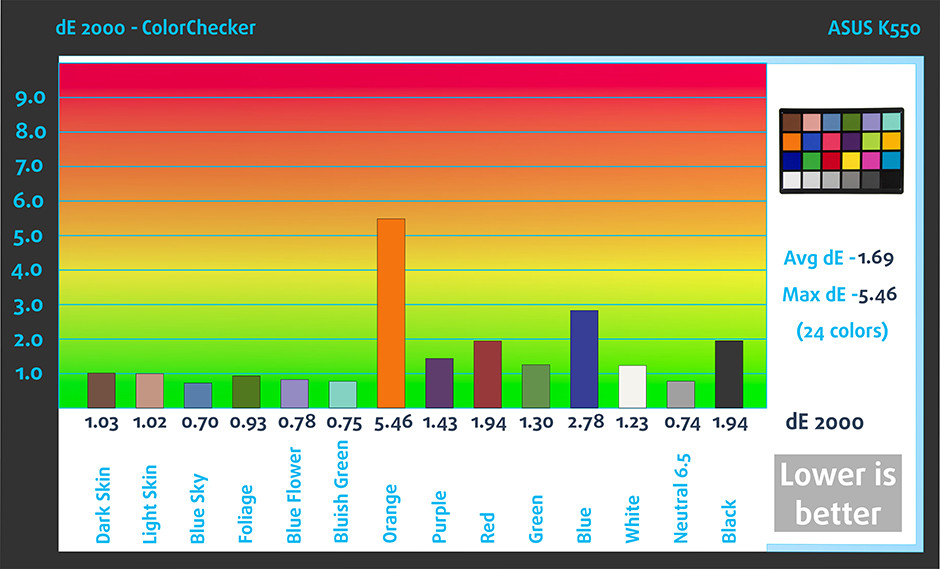
Below you can see the results from the accuracy color checker with 24 commonly used colors like light and dark human skin, blue sky, green grass, orange etc. After profiling the color accuracy, average DeltaE 2000 = 1.69, good result, but the contrast ratio fell from 350:1 to 170:1 after calibration. Both results aren’t good at all.
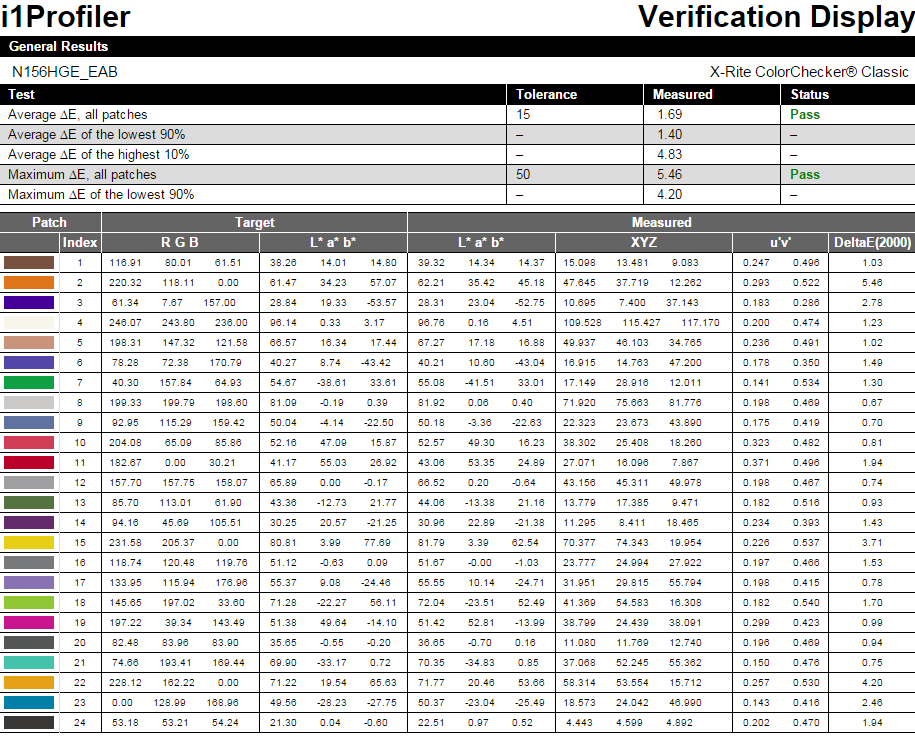
On the image below are another batch of colors we’ve tested.
Pulse-width modulation (PWM, Screen flickering)
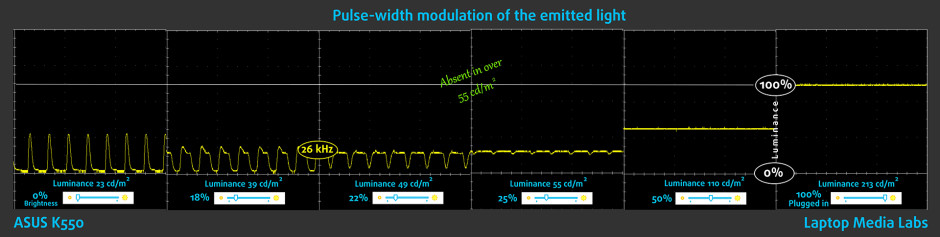
On contrary to the previously mentioned results, the display passed our PWM test with flying colors. We didn’t record any screen flickering across all brightness levels. The lowest frequency of the emitted we were able to detect was 26 kHz and it’s present only at the lowest brightness level, which is practically unusable. Still, even 26 kHz is considered to be really high and will not cause eye fatigue or headaches.
Conclusion
While some of the values from the sRGB color gamut coverage, contrast ratio, maximum brightness and the viewing angles aren’t the best we’ve seen, there are some properties that are worth considering. Firstly, the display offers Full HD resolution, relatively accurate color reproduction after calibration and there’s no PWM across all brightness levels. The screen would be useful to users that don’t need accurate color reproduction for design-related tasks, but will suit well for gaming and web browsing.
Screen comparison
Dacă presupunem o distanță de 58 cm (~23 in) între ochiul uman și monitorul notebook-ului, atunci vederea normală (20/20) ar necesita o densitate a pixelilor de cel puțin 150 ppi pentru a interpreta o imagine ca fiind perfect detaliată.
| Laptop | Rezultate | Diferență rezultate | Preț | Diferență preț | |
|---|---|---|---|---|---|
| ASUS K550JX 15.6-inch, INNOLUX, 1920 x 1080 pixels | 141.21 | ||||
| ASUS GL552JX 15.6-inch, Samsung 156HL01-102., 1920 x 1080 pixels | 141.21 | ||||
| Acer Aspire V15 (V3-574G) 15.6-inch, LG LP156WF4-SPL1, 1920 x 1080 pixels | 141.21 | ||||
| Acer Aspire E5-572G 15.6-inch, Acer, 1366 x 768 pixels | 100 | -29.18% | |||
| Toshiba Satellite L50-C 15.6-inch, LG Display, 1920 x 1080 pixels | 141.21 | ||||
| Acer Aspire V15 Nitro 15.6-inch, LG, 1920 x 1080 pixels | 141.21 |
Luminozitatea mai mare a panoului este de o importanță cheie pentru confortul vizual atunci când lucrați afară sau într-o cameră puternic luminată.
| Laptop | Rezultate | Diferență rezultate | Preț | Diferență preț | |
|---|---|---|---|---|---|
| ASUS K550JX 15.6-inch, INNOLUX, 1920 x 1080 pixels | 214 | ||||
| ASUS GL552JX 15.6-inch, Samsung 156HL01-102., 1920 x 1080 pixels | 280 | +30.84% | |||
| Acer Aspire V15 (V3-574G) 15.6-inch, LG LP156WF4-SPL1, 1920 x 1080 pixels | 240 | +12.15% | |||
| Acer Aspire E5-572G 15.6-inch, Acer, 1366 x 768 pixels | 198 | -7.48% | |||
| Toshiba Satellite L50-C 15.6-inch, LG Display, 1920 x 1080 pixels | 263 | +22.9% | |||
| Acer Aspire V15 Nitro 15.6-inch, LG, 1920 x 1080 pixels | 331 | +54.67% |
Delta E este o unitate de măsură CIE a diferenței de culoare. Valorile mai mari indică faptul că ecranul produce culori mai puțin precise. (rezultatele mai mici sunt de dorit).
| Laptop | Rezultate | Diferență rezultate | Preț | Diferență preț | |
|---|---|---|---|---|---|
| ASUS K550JX 15.6-inch, INNOLUX, 1920 x 1080 pixels | 1.69 | ||||
| ASUS GL552JX 15.6-inch, Samsung 156HL01-102., 1920 x 1080 pixels | 3.92 | +131.95% | |||
| Acer Aspire V15 (V3-574G) 15.6-inch, LG LP156WF4-SPL1, 1920 x 1080 pixels | 0.90 | -46.75% | |||
| Acer Aspire E5-572G 15.6-inch, Acer, 1366 x 768 pixels | 3.54 | +109.47% | |||
| Toshiba Satellite L50-C 15.6-inch, LG Display, 1920 x 1080 pixels | 5.84 | +245.56% | |||
| Acer Aspire V15 Nitro 15.6-inch, LG, 1920 x 1080 pixels | 2.85 | +68.64% |
Gama de culori sRGB, introdusă ca standard pentru Web, arată procentul de culori utilizate pe Web care pot fi afișate pe ecranul dispozitivului testat (valorile mai mari sunt mai bune).
| Laptop | Rezultate | Diferență rezultate | Preț | Diferență preț | |
|---|---|---|---|---|---|
| ASUS K550JX 15.6-inch, INNOLUX, 1920 x 1080 pixels | 50 | ||||
| ASUS GL552JX 15.6-inch, Samsung 156HL01-102., 1920 x 1080 pixels | 93 | +86% | |||
| Acer Aspire V15 (V3-574G) 15.6-inch, LG LP156WF4-SPL1, 1920 x 1080 pixels | 64 | +28% | |||
| Acer Aspire E5-572G 15.6-inch, Acer, 1366 x 768 pixels | 59 | +18% | |||
| Toshiba Satellite L50-C 15.6-inch, LG Display, 1920 x 1080 pixels | 91 | +82% | |||
| Acer Aspire V15 Nitro 15.6-inch, LG, 1920 x 1080 pixels | 91 | +82% |
Buy our profiles
Pe lângă primirea de profiluri eficiente și prietenoase cu sănătatea, prin cumpărarea produselor LaptopMedia sprijiniți și dezvoltarea laboratoarelor noastre, unde testăm dispozitive pentru a produce cele mai obiective recenzii posibile.

Office Work / Web Design
If your field is office work or web design, or you just want your monitor's color set to be as accurate as possible for the Internet color space, this profile will prove to be useful.

Gaming and Movie Nights
We developed this profile especially for games and movies. It makes fine nuances in dark scenes easier to discern during long sessions in front of the display.

Health-Guard
This profile reduces the negative impact of Pulse-Width Modulation (PWM) and the Blue Light spectrum, while keeping colors perceptually accurate for this panel.
Obține toate cele 3 profiluri cu 33% reducere

Sound
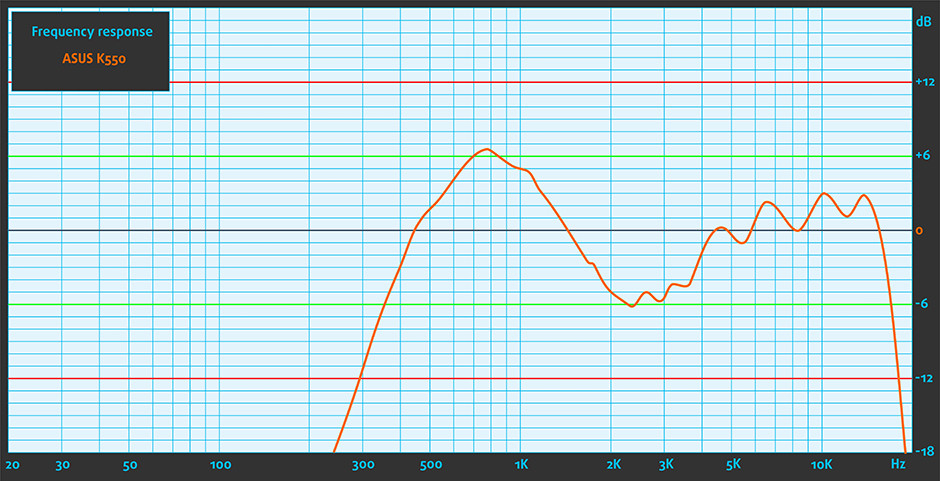
The sound quality is overall good at high and mid frequencies, but it’s not as satisfying at lower frequencies.
Specs sheet
The specs sheet provided below is for the model used for the writing of this review. Hardware specification may vary depending on your region.

| CPU | Intel Core i7-4720HQ (4-core, 2.60 – 3.60 Ghz, 6MB cache) |
|---|---|
| RAM | 12GB (1x 4096MB + 1x 8192MB) – DDR3, 1600Mhz |
| GPU | NVIDIA GeForce 950M (4GB DDR3) |
| HDD/SSD | 1TB HDD (5400 rpm) |
| Display | 15.6-inch (39.62 cm.) – 1920×1080 (Full HD), matte |
| Optical Drive | Double-layer DVD |
| Connectivity | LAN 10/100/1000 Mbps, Wi-Fi 802.11ac, Bluetooth 4.0 |
| Other features |
|
| Battery | 4-cell, 37Wh, 2600 mAh |
| Thickness | 24.8 mm – 31.7 mm (0.98″ – 1.25″) |
| Weight | 2.3 kg (5.07 lbs) |
ASUS K550JX configurations

Software
For testing purposes, we used Windows 10 (64-bit) and if your notebook didn’t come with pre-installed OS, you can find all the needed drivers here: http://www.asus.com/supportonly/K550JX/HelpDesk_Download/
Battery
The results we got from our battery tests are somehow good for this price range and available hardware. With the same CPU and GPU as the GL552, but with more efficient TN panel, the K550JX got a tad better readings in our tests, despite the lower battery capacity, which, in this case, is 4-cell and rated at 37Wh (2600 mAh). All tests were performed under the same conditions – Wi-Fi turned on, screen brightness set to 120 cd/m2 and power saver mode is on.
Web browsing
In order to simulate real-life conditions, we used our own script for automatic web browsing through over 70 websites.
Better than average – 253 minutes (4 hours and 13 minutes).
Video playback
For every test like this, we use the same video in HD.

Slightly lower result here, but still acceptable – 211 minutes (3 hours and 31 minutes).
Gaming
For accurate simulation, we used the Metro Last Light benchmark running on loop with graphic settings set to minimum.
We got only 50 minutes on this one, but it’s quite normal given the price range, battery capacity, and the power-hungry hardware. It’s quite unlikely to start a gaming session away from the power source, though.
CPU
 Although Intel Core i7-4720HQ debuts in Q1 of 2015, this high-end processor is part of the Haswell family, since the Broadwell generation represents only energy-efficient “U” series chips. The Core i7-4720HQ is a direct successor of the i7-4710HQ which is commonly used in gaming laptops due to its higher clock speeds and high power consumption for more raw performance boost. As usual, the Core i7-4720HQ uses the so-called HyperThreading technology, allowing the CPU to emulate one virtual core for each physical one, thus running 8 threads at the same time with only 4 physical cores. The CPU has a base frequency of 2.6GHz and Turbo Boost up to 3.4GHz for 4 active cores, 3.5GHz for two active cores and 3.6GHz for one active core. This makes the Core i7-4720HQ faster than the Core i7-4710HQ with only 100MHz.
The CPU is designed with 22nm manufacturing process (since it’s part of the Haswell generation). The cache levels are high and are as follows: 256KB at level 1, 1024KB at level 2, 6144KB at level 3. The maximum operating temperature is 100°C and as for the maximum TDP – 47W and that includes the memory controller, VRMs, and integrated graphics. Speaking of which, the Core i7-4720HQ accommodates Intel HD Graphics 4600 with 20 EU (Execution Units) clocked at 400MHz and can go up to 1200MHz. The maximum supported memory of the chip is 32GB DDR3L 1333/1600 with two memory channels. Other notable features are HyperThreading, AVX, AVX2, Quick Sync, Virtualization, AES-NI.
You can browse through our top CPUs ranking: http://laptopmedia.com/top-laptop-cpu-ranking/
Here you will find other useful information and every notebook we’ve tested with this processor: http://laptopmedia.com/processor/intel-core-i7-4720hq/
Fritz
Fritz is a chess benchmark which tests the computing capabilities of the CPU with various chess moves. The Intel Core i7-4720HQ managed to get 13.025 million moves per second. For comparison, one of the most powerful PCs, Deep(er) Blue, was able to squeeze out 200 million moves per second. In 1997 Deep(er) Blue even beat the famous Garry Kasparov with 3.5 to 2.5.
GPU
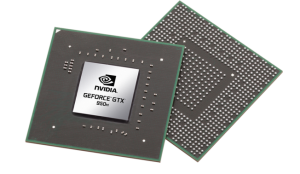 The GeForce GTX 950M is a direct successor to last year’s GTX 850M and it’s placed in the upper-mid range class. It is commonly used as a multimedia GPU and light gaming as its properties can handle some more demanding applications. The GPU core is the GM107, similar to most Maxwell NVIDIA graphics card and it’s clocked at 914MHz and can go up to 1124MHz. It has 2GB DDR3 memory and the effective clock speed of the memory is 2000MHz, while there are other variants of the GPU with GDDR5 memory.
However, the memory width is 128 bit with 16 ROPs, 40 texture units and 640 CUDA cores (or shading units). It als features increased L2 cache size, which is now 2MB. Supports features like Battery Boost, GameStream, ShadowPlay, GPU Boost 2.0, Optimus, PhysX, CUDA, SLI and GeForce Experience.
You can browse through our top GPUs ranking: http://laptopmedia.com/top-laptop-graphics-ranking/
Here you will find other useful information and every notebook we’ve tested with this GPU: http://laptopmedia.com/video-card/nvidia-geforce-gtx-950m-2gb-ddr3/
Gaming tests

| Tomb Raider (1080p, Low) | Tomb Raider (1080p, Medium) | Tomb Raider (1080p, Max) |
|---|---|---|
| 111 fps | 39 fps | 22 fps |

| F1 2015 (1080p, Low) | F1 2015 (1080p, Medium) | F1 2015 (1080p, Max) |
|---|---|---|
| 45 fps | 34 fps | 25 fps |

| Thief (1080p, Low) | Thief (1080p, Medium) | Thief (1080p, Max) |
|---|---|---|
| 47 fps | 35 fps | 19 fps |

| GTA 5 (1080p, Low) | GTA 5 (1080p, Medium) | GTA 5 (1080p, Max) |
|---|---|---|
| 83 fps | 28 fps | 13 fps |
Temperatures
This is an important part of the review where we check the performance of the cooling system and the overall stability of the notebook under heavy load and in the long run. However, 100% CPU and GPU usage are virtually impossible under normal exploitation by the general user.
We start off with 100% CPU load for about an hour and the readings we got from the first part of the test look promising. The CPU ran at around 83 °C after cooling down from 91 °C and maintained frequency above the base one – 3.1 GHz. This means that no throttling occurs under heavy load and the fans do their job just fine.
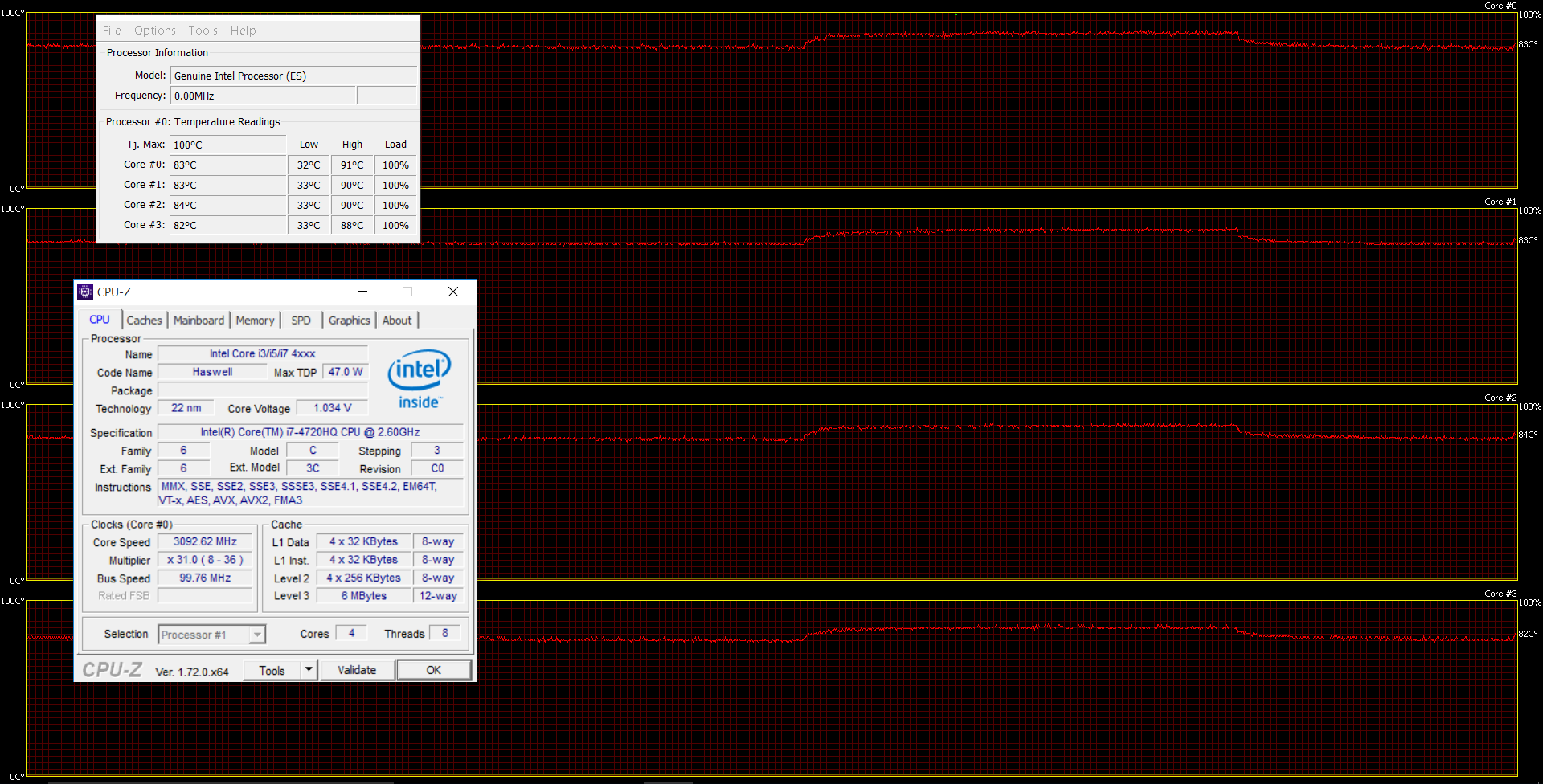
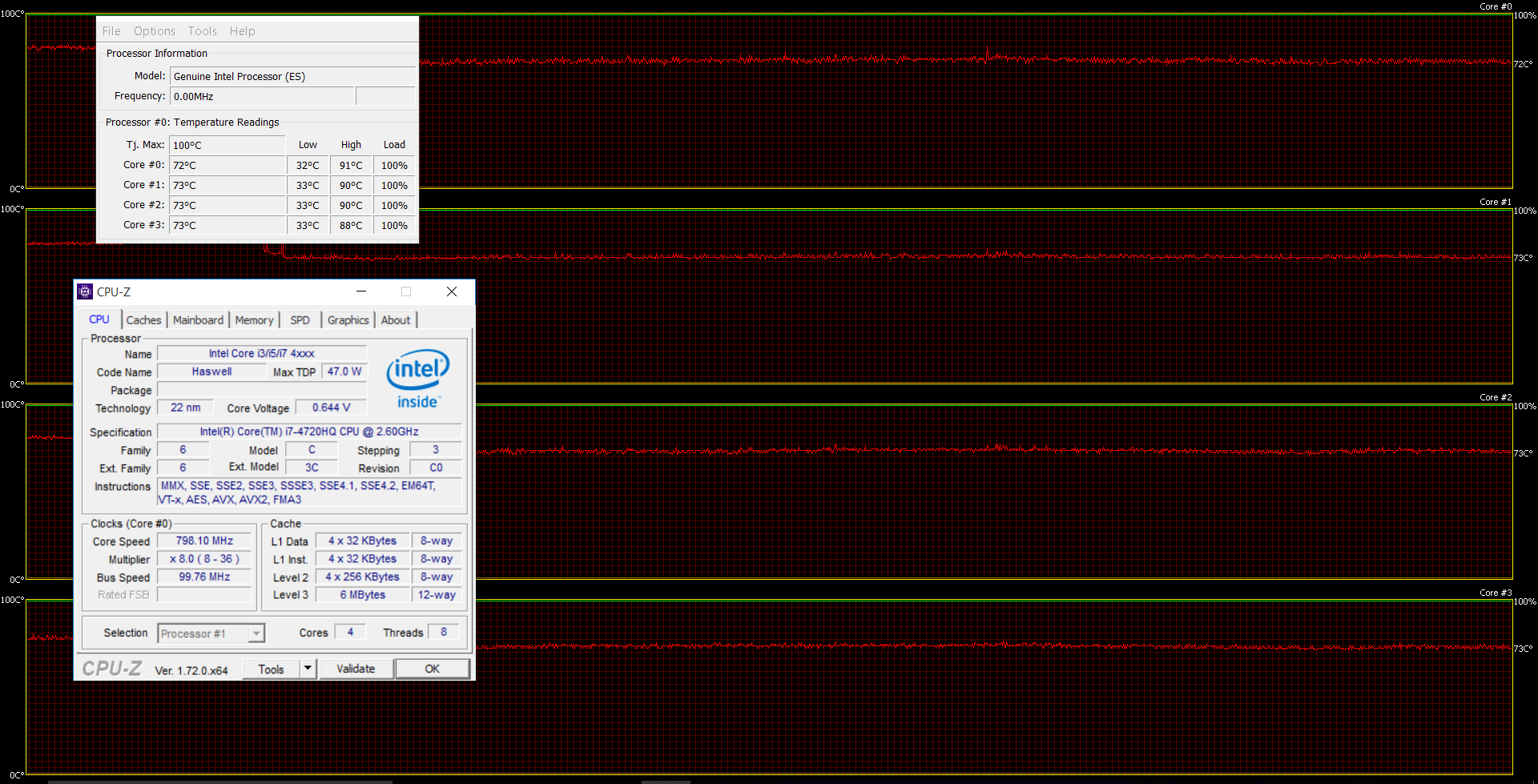
After one hour, we turned on the GPU stress test alongside the first one and things took a drastic turn. The CPU started throttling not long after the GPU started working full time and there were constant spikes between 800 MHz and near 2.5 GHz, caused by the high inner temperatures. That’s why on the graph below shows lower CPU temperatures – it’s because the CPU’s performance has dropped in favor of the GPU. Despite the CPU throttling, we didn’t see any problem with the GPU and overheating whatsoever.
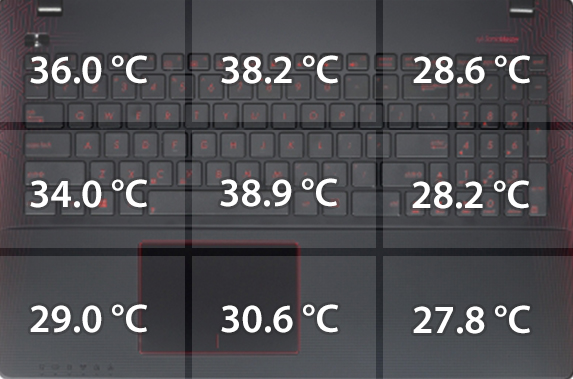
Here’s how the interior looks during heavy load and as you can see temperatures didn’t exceed 40 °C, with this being a good result. You won’t feel any excessive heat on the surface except for the middle part of the keyboard, but still the heat is bearable, but most importantly – you won’t feel discomfort.
Verdict
Even if the K550JX isn’t part of the ROG family, it sure does serve as a good replacement of the previous generation GL552JX. It has powerful hardware for the asking price little more than €800 but lacks the cool IPS panel that the GL552JX offered (or still offers if you can find at any retailer). The GL552JX offered IPS panel for almost exactly the same price as the K500JX sells now, so this can be considered as a major drawback. The presented panel here has low maximum brightness, low contrast ratio, not enough sRGB color gamut coverage and poor viewing angles, yet we recorded no screen flickering across all brightness levels, which is a nice addition that’s rarely seen at this price point. But it’s actually your only option if you don’t want to opt for the significantly more expensive GL552VW with GTX 960M and Core i7-6700HQ.
Other than that, the notebook offers fairly good build quality at this price range with little setbacks, powerful hardware capable of running some of the latest games, relatively durable battery, and nice keyboard with responsive touchpad, with the latter being a little on the stiff side when using mouse buttons, though. Also, the keyboard doesn’t offer LED backlight and may cause some inconvenience when playing or working in a poorly lit room. We want again to stress that the GL552JX offered LED keyboard backlight, yet worse touchpad quality. Yet, the notebook will serve as a perfect solution for software engineers, for example, due to the powerful Core i7-4720HQ CPU and 12GB of RAM, not to mention the flicker-free display that won’t cause eye fatigue or headaches during long working sessions. The latter might be a deal-breaker for some. So at the end of the day, you have to give up some perks like a good IPS panel and build quality for a more powerful hardware, but if you are planning on using the machine with an external display most of the time – go for it. The K550JX is a great performer in the mid-class range.
If you are interested in the availability of the notebook, follow this link: http://amzn.to/1H4zfxH
Pros
- The keyboard seems more than fine (despite the absence of LED backlight)
- Responsive touchpad, but with a bit stiff right and left mouse buttons
- No PWM across all brightness levels
- Pretty powerful hardware, that’s suitable even for gaming, at a decent price
- The cooling system provides the much-needed comfort to the user during heavy load
Cons
- The panel used for the display doesn’t provide the bare minimum for a notebook at this price range
- Small inconsistencies with the build quality and the whole surface attracts fingerprints and smudges
- No keyboard LED backlight
 Author: Rossen Pandev
 Author: eng. Kroum NikolovHead of Engineering at LaptopMedia.com, inventor and innovator with 40+ years of experience in electronics and high technology.

![[August 2026] Amazon Italy: Top 10 Best-Selling Laptops – Apple MacBook Neo Claims the Crown as Budget and Mid-Range Windows Machines Dominate Volume](https://laptopmedia.com/wp-content/uploads/2026/09/Best-Selling-Laptops-IT-Top-10-400x225.jpg)
![[August 2026] Amazon Italy: Top 7 Best-Selling Gaming Laptops – ASUS V16 Claims the #1 Spot Amid Strong Mid-Range Demand](https://laptopmedia.com/wp-content/uploads/2026/09/Best-Selling-Gaming-Laptops-IT-Top-10-400x225.jpg)
![[August 2026] Best-Selling Laptop Brands on Amazon Italy – Lenovo Dominates Market Share and Revenue Leadership](https://laptopmedia.com/wp-content/uploads/2026/09/IT-Best-Brands-400x225.jpg)
![[August 2026] Amazon India: Top 10 Best-Selling Laptops – Apple MacBook Neo Dominates the Charts with Massive Sales Lead](https://laptopmedia.com/wp-content/uploads/2026/09/Best-Selling-Laptops-IN-Top-10-400x225.jpg)
![[August 2026] Amazon India: Top 10 Best-Selling Gaming Laptops – HP Victus 15 Dominates the Market with Massive Unit Lead](https://laptopmedia.com/wp-content/uploads/2026/09/Best-Selling-Gaming-Laptops-IN-Top-10-400x225.jpg)

i have k550jx but my laptop I5 ,
4gen ,8gb ,
but same
what about webcam?? i have same laptop
I have k550j with i7, 950m and 12gb of ram. I didn’t tested it much. What I noticed so far, temperature could be a big problem. I also bought extra fan stand, and when laptop is heavy loaded, internal temperatures are around 70-80° which is a lot.. Very hot air blows out of the laptop. I’m afraid laptop wont last long under so high temperatures :/ Beside that, laptop is very good. I miss backlight keyboard. Those red buttons are hard to see in the night.
Thank you for your question, Millhouse!
How long have you been using the laptop? Sometimes particles enter the interior and can cause similar issues. If your warranty is still applicable, you can contact the shop you bought the machine from. If not, you can take it to a specialized service center where you will have it opened and serviced properly.
I hope that my reply is somewhat helpful!
Well laptop is 2 weeks old… so yeah
Does it have a slot for a SSD? I did not quite understand this part. Looking into this laptop, real good spec for the price, however the 1TB HDD 5400rpm kinda bugs me, with a SSD slot for upgrade it would suit me perfectly.
“The bottom also kind of resembles the GL552 using the same hard plastic cover and small service cover that hides the most common upgrade options like RAM and 2.5-inch drive”
If you are looking for an m.2 slot – no the laptop doesn’t support those. But you can always swap the 2.5-inch HDD for 2.5-inch SSD.
Yeah i get that, what i’m looking to find out is if this laptop has 2 slots for a hdd (or ssd) or do i need to remove the current 1tb hdd in order get an ssd inside?
You can swap your optical drive for a caddy and fit inside a standard 2.5-inch HDD (probably your current one). And then, you can fill your SATA III slot with a 2.5-inch SSD. This way you can have two drives but at the expense of the optical drive.
Thanks for clearing it up. Was hoping to fit in a SSD with the 1TB HDD already inside without losing the optical drive.
hy guys, i have the same computer but i would like to know for the ram , i want to increase it until 16 go(or more if i can).Then which ram(brand or …) have i to take,?
Can i replace lcp to ips screen ?thx
The keyboard seems more than fine (despite the absence of LED backlight) . How to use it i can understand ?
Where I can get the new battery for it? My battery always shows 88%.
ASUS Gaming K550JX-DM143D/8GB (FHD) is this laptop have Touchpad with multi-touch gesture support
Hi laptopmedia.com SEO Link building is a process that requires a lot of time. If you aren’t using SEO software then you will know the amount of work load involved in creating accounts, confirming emails and submitting your contents to thousands of websites in proper time and completely automated. With THIS SOFTWARE the link submission process will be the easiest task and completely automated, you will be able to build unlimited number of links and increase traffic to your websites which will lead to a higher number of customers and much more sales for you. With the best user interface… Citește mai mult »